

What people actually mean by "billing questions"
I work the support queue, and "billing question" is one of those phrases that hides two very different jobs inside it. Lumping them together is how teams either over-trust AI or refuse to use it at all.
The first job is informational: the customer wants to understand something. Where's my invoice? Why was I charged $49 when I expected $39? What plan am I on? Did my refund go through yet? These are read-only. Answering them changes nothing in the customer's account, it just pulls the right fact and explains it clearly.
The second job is transactional: the customer wants you to do something. Issue this refund. Cancel my subscription. Change my card. Reverse this charge. These move money or alter an account, and getting one wrong has a real cost, both to the customer's trust and to your books.
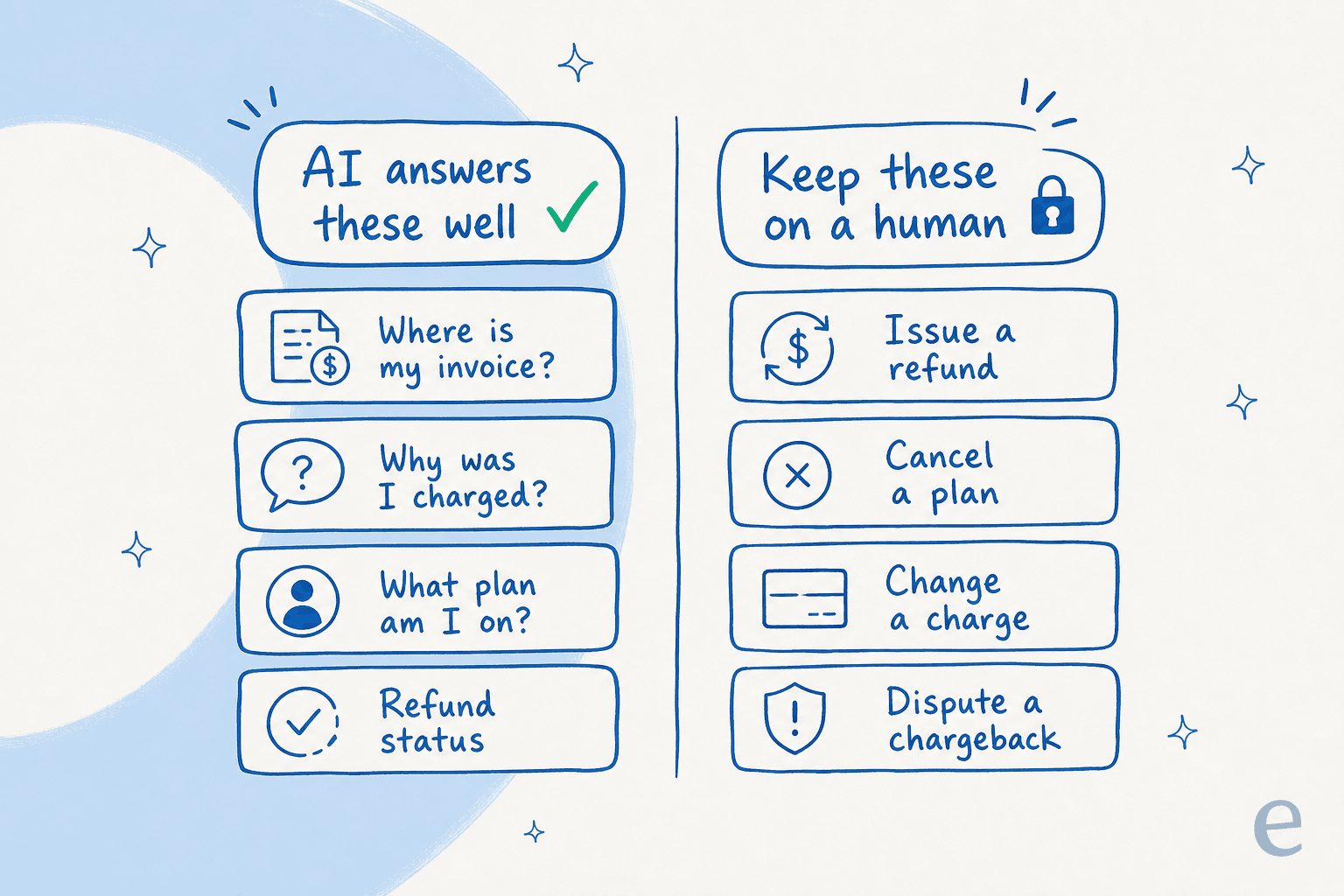
That split is the whole answer to "can AI answer billing questions". For the informational column, AI is reliably good. For the transactional column, AI should draft and tee up, but a human approves, at least until you've earned the confidence to let specific ticket types run on their own. Keep those two columns separate in your head and the rest of this gets simple.
So, can AI actually answer them well? Mostly yes
Here's where I'll push back on the cynics. The reflexive worry is that AI will confidently invent a billing answer and a customer will act on it. That happens, and I'll get to it. But the everyday billing question is close to the ideal AI use case: it's high-volume, it's repetitive, and the right answer almost always already exists in your help docs, your macros, or the customer's own record.
Across the demo and trial work I see, refund requests, "where's my order", and unsubscribe questions are the queries that dominate volume, one multi-brand operator we talked to was fielding 500+ tickets a day that were mostly exactly this. That repetition is what AI eats for breakfast.
The numbers back it up. In a cross-validated trial we ran for a German online jewelry retailer running about 1,000 tickets a month on Zendesk and Shopify, the AI hit 93% triage accuracy on real traffic, and when we broke drafts down by category the billing-adjacent ones were the strongest: returns and refunds drafts were 93.8% useful, and refund-status drafts were 100% useful. Those are the boring, money-anxious questions customers hate waiting on, and they're the ones AI answered most reliably.
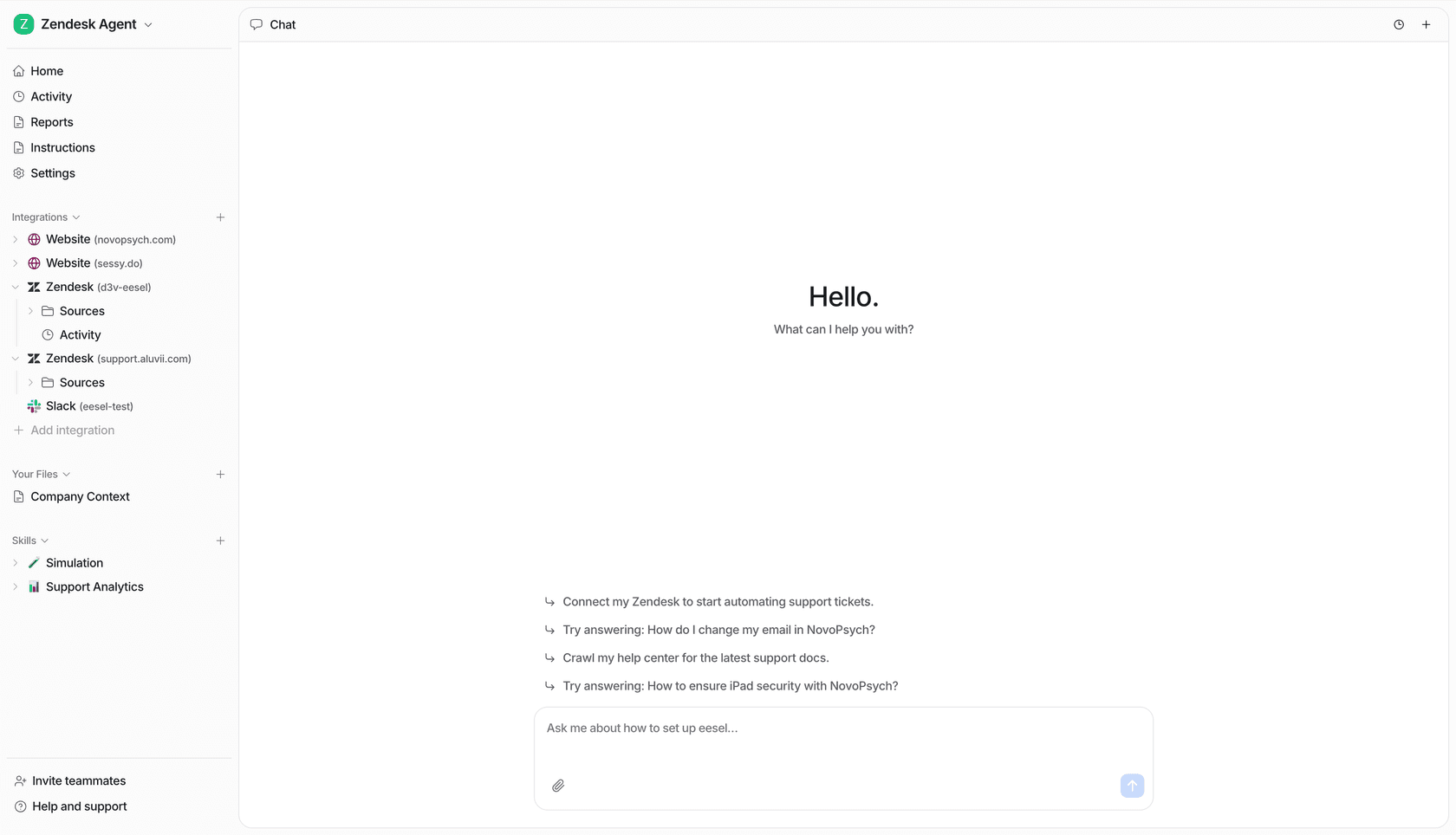
The reason it works isn't magic, it's grounding. A "why was I charged" answer is only good if it reads the customer's actual charge, the plan, the renewal date, the proration, instead of reciting a generic pricing FAQ. When the agent is connected to your billing source and your docs, it can give the specific answer, which is the same machinery behind a solid order-tracking answer. Specific beats generic every time in billing, because the customer is staring at a number on their card and wants that number explained.
Where AI quietly gets billing wrong
Now the honest part, because pretending this is risk-free is how teams get burned.
The failure mode I've watched most isn't the AI saying "I don't know." It's the AI sounding certain about something it pulled out of thin air. We've seen a bot that, when its knowledge base returned nothing, fabricated an answer from the model's training data, one support bot confidently fabricated subscription claims that went to real customers; another, asked a question it couldn't ground, answered "Oxygen" off the periodic table. Funny in a screenshot. Not funny when the topic is someone's money.
Billing is the worst possible place for that. A customer who's told the wrong refund amount, or that they're on a plan they cancelled, doesn't just file another ticket, they lose trust in the whole company. So the danger with billing AI was never "can it answer", it's "what does it do when it shouldn't answer".
This is also why I'm wary of any AI that has no hard fallback. If retrieval comes back empty, the only safe behavior is to say so and hand off, not to improvise. Preventing that confident-wrong answer is a solvable problem, but you have to actually solve it, here's a fuller breakdown of preventing AI hallucinations in support if you want the mechanics. The short version: ground every answer in real sources, and gate everything behind confidence.
The line that matters: answering vs acting
The single most important design decision in billing AI is confidence-based routing, and it's the thing buyers ask me about more than anything else. One CX lead I spoke with, running about 7,000 tickets a month on Gorgias and Shopify, put it better than I could:
"The AI will never be able to answer 100% of the questions, but if it tries and just answers 'sorry I don't know this,' I cannot go and check all my 7,000 tickets to see if the AI actually made a good answer, then the point is a little bit gone. I need an AI who is only handling the tickets that it's confident to handle and all the other ones, leave them alone."
a CX lead at a DTC supplements brand on Gorgias + Shopify (~7,000 tickets/month), from one of our sales calls
That's the entire philosophy of safe billing AI in one quote. You don't want an agent that attempts every billing ticket. You want one that confidently clears the easy 60-70% (the same logic behind tier-1 deflection) and quietly steps aside on the rest.
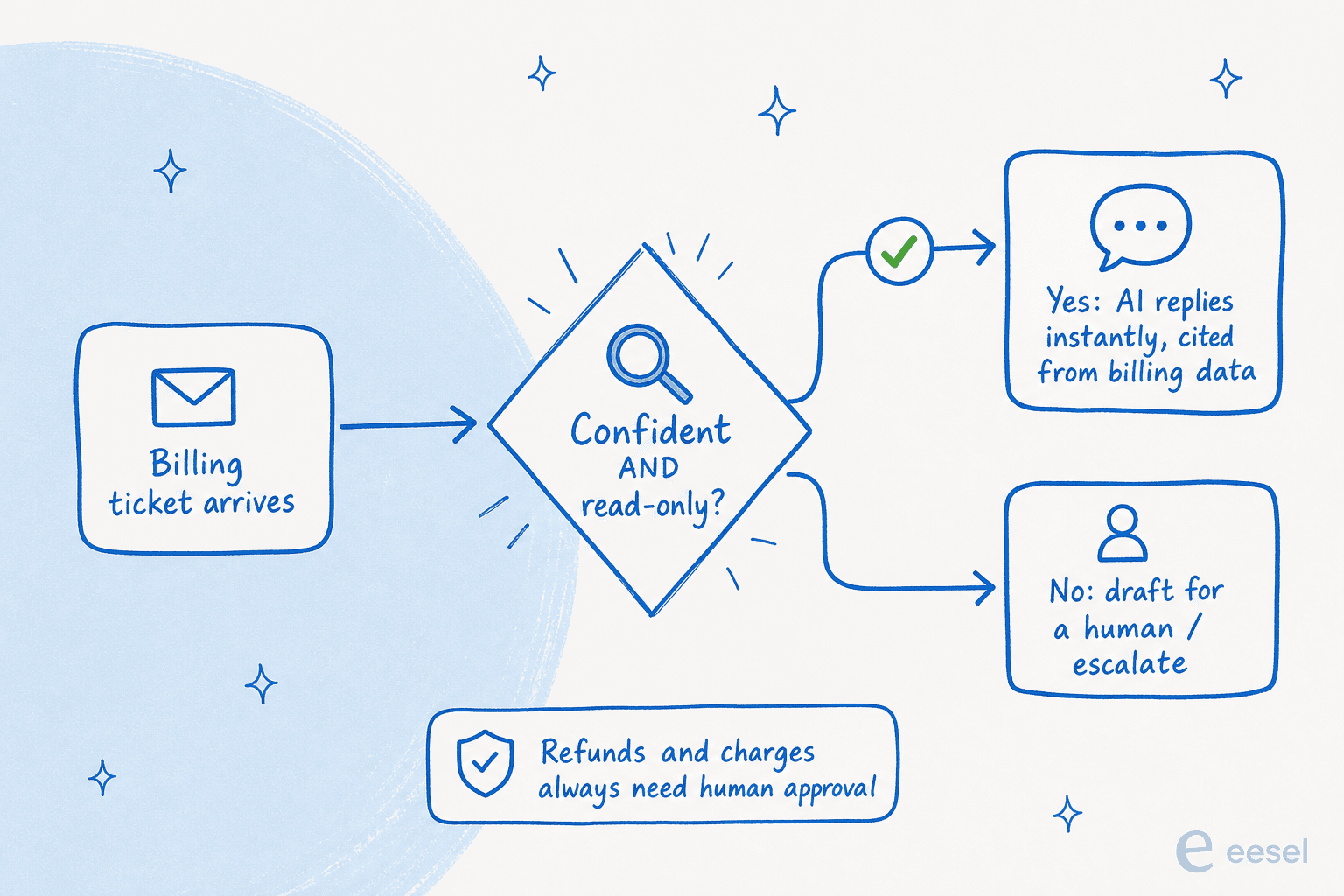
In practice that means a few controls I'd treat as non-negotiable:
- Confidence thresholds. Below a bar, the agent drafts for a human instead of auto-sending. The reader above couldn't audit 7,000 tickets after the fact, so the gate has to happen before the reply goes out.
- Ticket-type exclusion. You should be able to say "never auto-handle chargeback disputes" and have the agent obey. Plenty of teams want certain billing categories kept entirely away from automation, and that's a reasonable line.
- Read-only by default, actions by approval. Let the AI answer "did my refund process" all day. Make "issue the refund" a button a human presses until you've actually earned the trust to automate it for a specific, low-risk case.
- Clean handoff. When the agent steps aside, the human picks up with full context, not a cold ticket. A good chat escalation flow keeps the customer from repeating themselves.
Get this layer right and "can AI answer billing questions" stops being scary, because the AI is structurally prevented from confidently answering the ones it shouldn't.
How to set it up without risking a wrong refund
If you want to actually do this rather than theorize about it, here's the rollout I'd run. It's deliberately cautious on the money-touching parts.
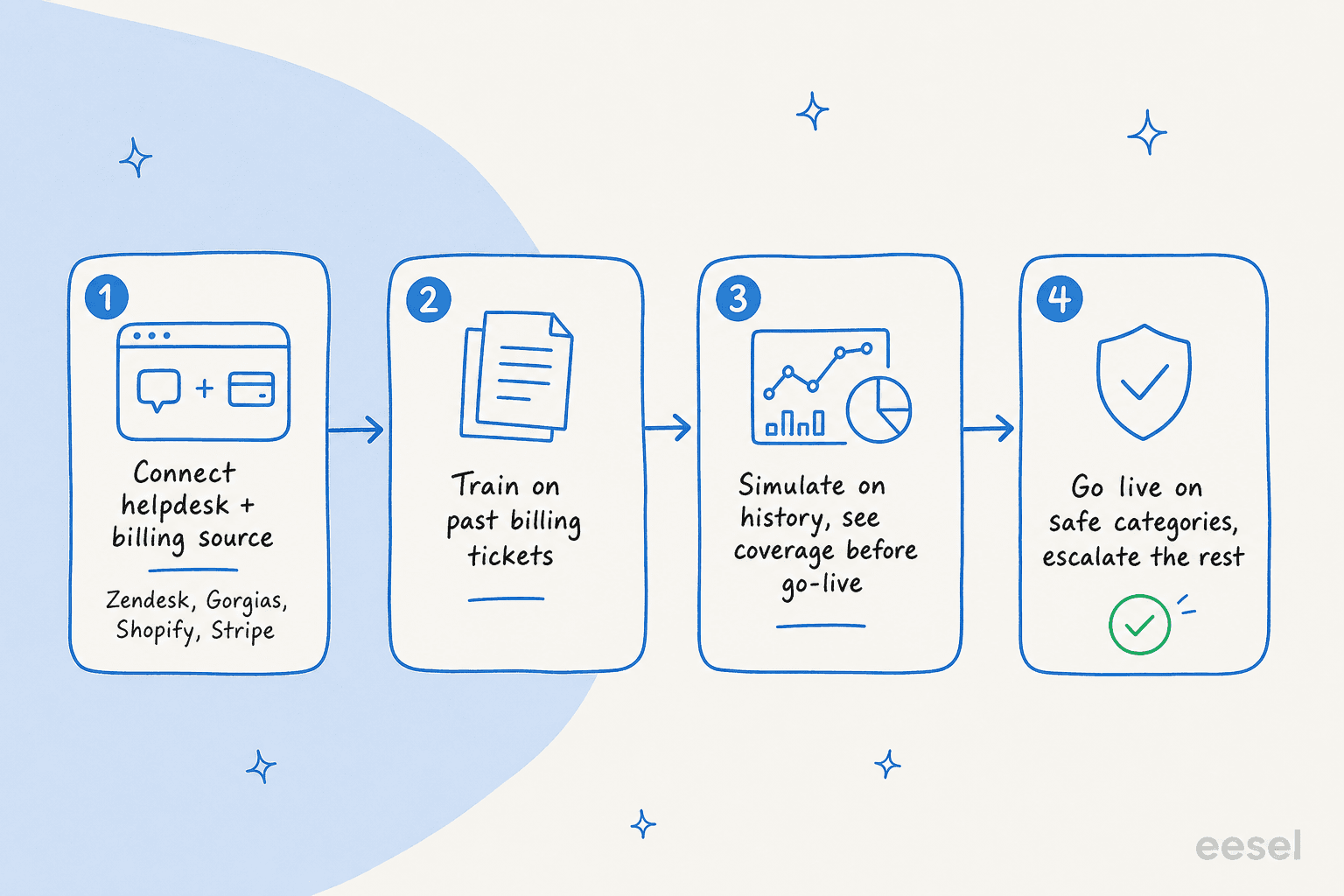
- Connect the helpdesk and the billing source. The AI needs both: your helpdesk (Zendesk, Gorgias, Freshdesk, Front) for the conversation, and your billing data (Shopify, Stripe, your subscription tool) for the specifics. Reading from the real record is what separates a useful answer from a generic one.
- Train on your past billing tickets. Your old resolved tickets are the best training data you have, they already contain the exact tone and the exact policies your team uses for refunds, proration, and cancellations. This is the step that makes the AI sound like your team, not a generic bot, and it's the most-requested capability I hear about.
- Simulate before you go live. This is the step teams skip and regret. Run the agent against your historical tickets and see how it would have answered, by category, before a single real customer sees it. You find the billing edge cases where it's weak and fix them in private. We learned to simulate every rollout against past tickets precisely because we'd watched confident bots give wrong answers in the wild.
- Go live on the safe categories, escalate the rest. Turn on auto-send for the read-only billing answers it nailed in simulation (invoice lookups, refund status, plan questions). Leave refunds, cancellations, and disputes as draft-and-approve. Widen the autonomy as the confidence data earns it.
The whole arc is "prove it on history, then let it loose narrowly." If you want the deeper operational version, we wrote a full guide to AI billing support automation that goes step by step. The general AI customer service workflow is the same shape for non-billing queues too.

What it costs, and why the pricing model matters here especially
Billing questions have a quirk that makes pricing model matter more than usual: they're chatty. A customer disputing a charge will go five, ten messages back and forth, attaching screenshots, asking follow-ups. That's normal for billing and rare for, say, a password reset.
So watch how a tool bills you. If you're charged per message or per resolution, a long billing thread gets expensive fast. eesel's pricing is one fixed monthly price from $299 for 500 credits, and 1 credit is the whole ticket or chat no matter how many messages it runs, which is the model I'd want for billing specifically. No per-seat fee, and tickets your humans handle don't use credits.
| Tickets handled per month | Monthly cost (eesel Teammate plan) |
|---|---|
| Up to 100 | Free (100 credits) |
| 500 | $299 |
| 1,000 | $499 |
| 2,500 | $999 |
And because rollouts can be partial, you're not forced all-in: route only the billing questions you trust to the AI and keep the rest with your team, and only tickets the AI actually works on use credits. If you want to sanity-check the return, the AI customer service metrics worth tracking are deflection rate and first-response time, both of which billing automation moves quickly because these tickets are so repetitive. It's also the most direct lever for reducing support tickets with AI overall.
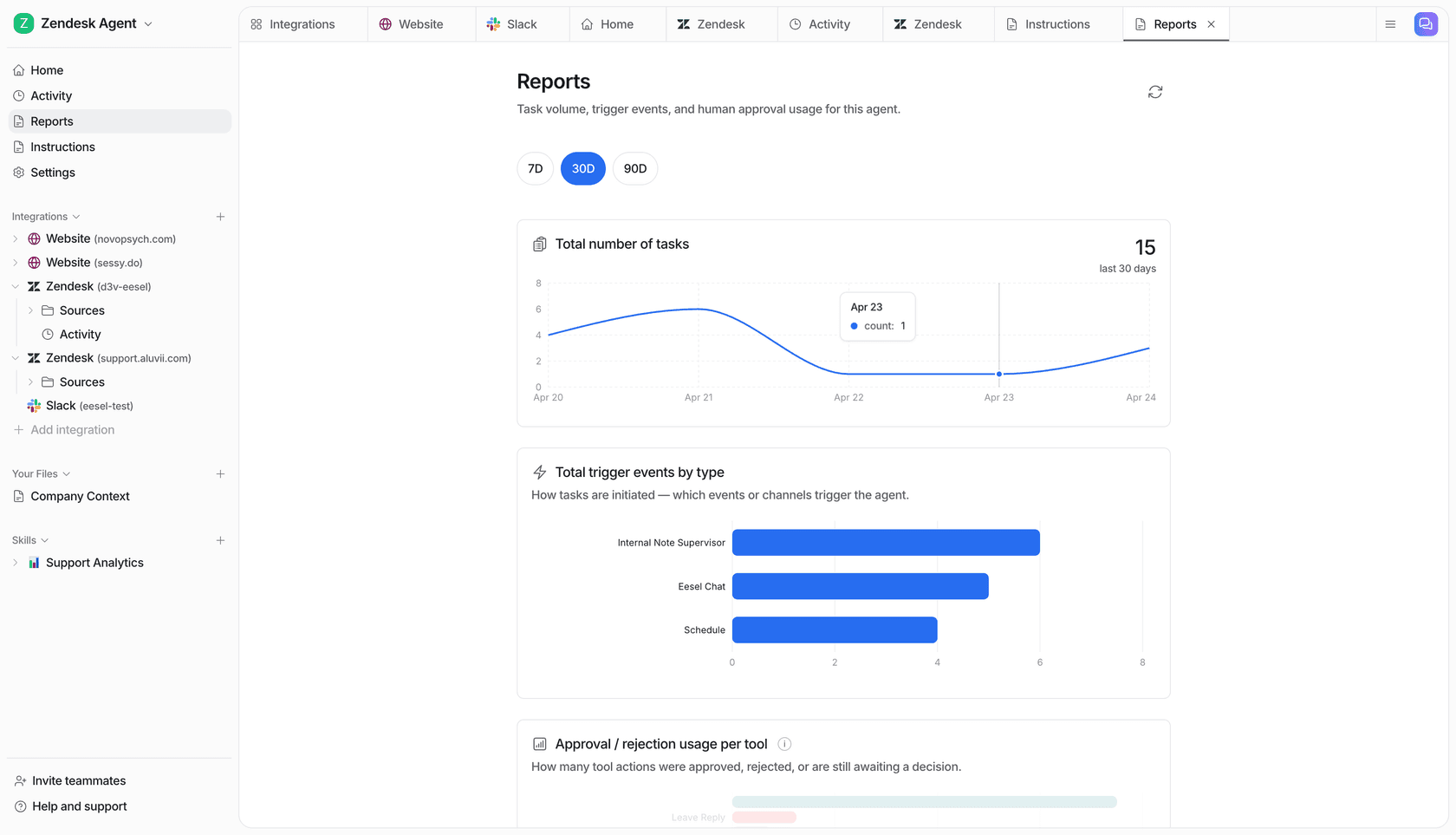
Try eesel for billing questions
If you've decided the answer is "yes, but carefully", that careful version is basically what eesel is built to do. It plugs into your existing helpdesk and billing tools, learns from your past billing tickets so it answers in your team's voice, and runs every reply through confidence-based routing so it only auto-sends the answers it's sure about, drafting or escalating the rest.
The part I'd actually try first is the simulation mode: point it at your historical billing tickets and it shows you exactly how it would have handled them, by category, before you risk a live customer. That's the difference between hoping AI can answer billing questions and seeing whether it can on your own data. It's free to try with 100 credits and no credit card, which is enough to run a real simulation and judge it for yourself.
Frequently Asked Questions
Can AI answer billing questions accurately?
For the read-only kind, yes. In a real trial we ran on live support traffic, AI drafts for refund-status questions were 100% useful and returns/refunds drafts were 93.8% useful. The accuracy comes from grounding the answer in your actual billing data and help docs, not from the model guessing, so a well-grounded setup is what keeps it honest.
What billing questions should you not let AI auto-answer?
Anything that moves money or changes an account: issuing a refund, cancelling a plan, editing a charge, or handling a chargeback dispute. AI can draft the reply and tee up the action, but a human should approve it. Use confidence-based routing so the agent only auto-sends the answers it's sure about.
Can AI issue refunds automatically?
It can, technically, but I'd keep a human in the loop for the actual money movement. The safer pattern is AI handling the refund request end to end (checking the policy, the order, the eligibility) and drafting the response, with the refund click left to an agent until you trust the agent on that ticket type.
How does AI answer 'why was I charged' questions?
It connects to your billing source (Stripe, Shopify, your subscription tool) and your help docs, then explains the specific charge: the plan, the renewal date, the proration. Because it's reading the customer's real record rather than a generic FAQ, the answer is specific. This is the same plumbing behind order-tracking answers.
Is it safe to let AI answer customer billing questions?
It's safe when the agent is scoped: grounded in your data, restricted to read-only billing answers, with low-confidence tickets routed to a human and a clean handoff. The risk isn't the AI answering, it's an AI answering questions it shouldn't be sure about, which is exactly what confidence routing prevents.
How much does AI billing support cost?
With a credit plan like eesel's, it's from $299/month for 500 credits (1 credit per ticket or chat), with no per-seat fee. A billing dispute that runs ten messages back and forth still counts as one ticket, which matters because billing threads are long. Watch out for tools that charge per resolution or per message, where a chatty billing question gets expensive fast.
Can AI answer billing questions in multiple languages?
Yes. A good support AI answers in the customer's language out of the box, eesel handles 80+ languages, which matters for billing because a confused customer worried about money is the last person you want stuck reading a reply in the wrong language.