

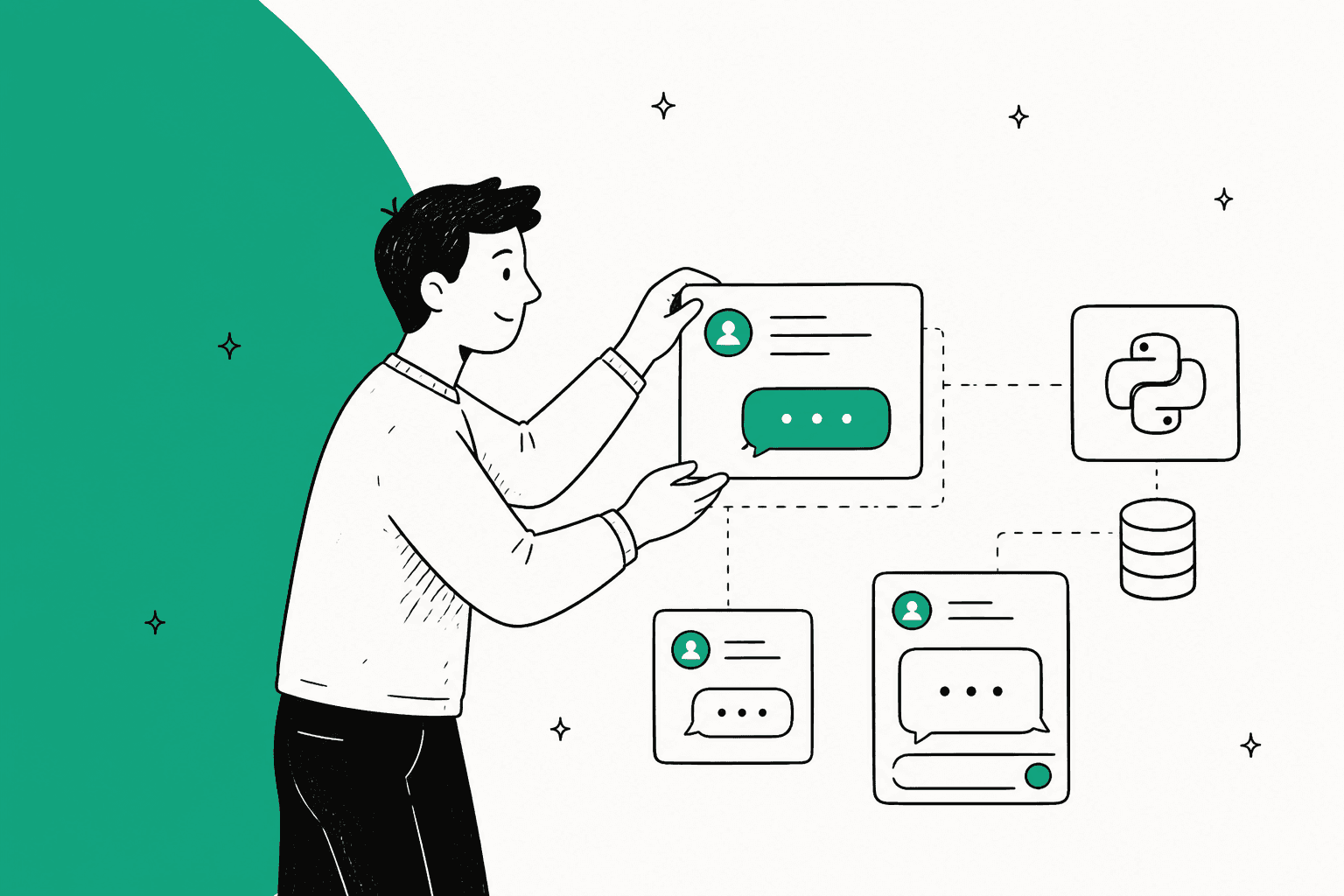
Building a custom AI chat experience that feels like your brand is a huge goal for a lot of businesses right now. It makes sense, you want to connect with users in a more personal way. OpenAI launched AgentKit in October 2025 to help developers build these experiences, and a big piece of that puzzle is ChatKit, which lets you embed chat UIs.
For companies with a ton of engineering firepower, digging into the ChatKit Python SDK Widgets seems like the perfect way to build a completely custom interface from scratch. But what does that really look like in practice?
This guide will walk you through what ChatKit widgets are, what it takes to actually get them up and running, and some of the limitations you might not see at first glance. We’ll also talk about why, for most support and customer service teams, a ready-to-go platform might get you better results with way less headache.
What are OpenAI's AgentKit and the ChatKit Python SDK Widgets?
Before we get into the nitty-gritty of the widgets, it helps to see the bigger picture. OpenAI's AgentKit is basically a toolbox for creating, launching, and fine-tuning AI agents. It’s made up of a few main parts:
-
Agent Builder: This is a visual, no-code space where you can map out how your AI agent thinks and acts. You can connect different models, tools, and bits of logic to define what your agent does. OpenAI has said it is winding down Agent Builder and Evals, so neither will be available on the platform after November 30, 2026.
-
ChatKit: This is the part your users will actually see. It's the front-end toolkit for putting the agents you design into your website or app as a chat widget. It’s what brings the whole thing to life.
-
Evals and Trace Grading: These are your testing tools. They help you measure how well your agent is performing so you can make it smarter and more reliable over time (see the Agent Builder retirement above).
Think of ChatKit as the bridge connecting the powerful brain you built to the person on the other side of the screen. That brain can be an Agent Builder workflow that OpenAI hosts, or, once Agent Builder retires, your own backend built on the Agents SDK and the ChatKit Python SDK, which is the path the widgets in this guide use. It gives you the UI components and SDKs you need to show a chat window, take in user messages, and display the AI’s responses, even complex interactive ones.
A closer look at the ChatKit Python SDK Widgets
So, what are these ChatKit Python SDK Widgets? They're the core of your custom chat experience. Think of them as pre-built UI building blocks you can arrange on your backend with Python to create rich, interactive conversations. Instead of your agent just sending back a wall of text, it can show forms, charts, and buttons.
This gives your developers really fine-grained control over the interface, letting them build anything from a simple Q&A bot to a detailed troubleshooting assistant that gathers information with forms.
Here are a few of the common widgets you can use and what they’re good for:
| Widget Name | Description | Common Use Case |
|---|---|---|
| "Card" | A flexible container for organizing content. It can hold text, images, and other widgets. | Showing a quick product summary, a user's profile, or a confirmation pop-up. |
| "Button" | An interactive button you can set up to perform an action when someone clicks it. | Submitting a form, opening a link in a new tab, or confirming a choice like "Yes, close this ticket." |
| "Input" / "Textarea" | Single-line or multi-line text fields for users to type in. | Grabbing a user's name, email, order number, or a full description of their problem. |
| "ListView" | A container for displaying a list of items, great for showing different choices. | Listing relevant help articles, product options, or step-by-step troubleshooting guides. |
| "Chart" | A component for creating simple bar, line, or area charts. | Visualizing a user's recent account activity, spending habits, or progress on a goal. |
| "DatePicker" | A calendar interface that lets users pick a date. | Scheduling a call, choosing a delivery date, or setting a date range for a report. |
By mixing and matching these widgets, a developer can build some pretty sophisticated, app-like experiences right inside the chat. But, and this is a big but, building and managing all of this comes with some serious overhead that isn't always clear from the start.
The hidden costs and limitations of a DIY setup
While the ChatKit Python SDK Widgets offer a ton of flexibility, they're just one small piece of a much larger project. Building a truly production-ready AI support agent with ChatKit is a heavy lift for developers, with a few tricky parts that can catch you by surprise.
A heavy reliance on developers and constant upkeep
If you look through the official documentation or community forums, you'll see a clear pattern: setting up ChatKit isn't exactly a simple, plug-and-play affair. It requires:
-
A dedicated backend server: You have to set up and maintain a server (like FastAPI, which is used in the examples) just to handle authentication and serve up the widgets.
-
Complicated authentication: You need to build a secure endpoint to create client tokens, manage session refreshes, and keep your API keys safe. This is a massive security step you absolutely can't skip.
-
Both frontend and backend code: Your team will be writing Python on the backend to manage the widget logic and JavaScript or React on the frontend to actually embed and run the chat component.
graph TD A[Start] --> B{Setup Backend Server}; B --> C{Implement Secure Authentication}; C --> D{Develop Python Backend Logic}; D --> E{Develop JavaScript/React Frontend}; E --> F{Manage & Maintain Server}; F --> G[Production-Ready Agent];
This isn't a "low-code" solution by any stretch of the imagination; it's a full-stack development project. That reliance on your engineering team means it takes longer to get anything launched and even longer to make changes, pulling your developers away from working on your main product.
Just a UI kit, not a complete support solution
Maybe the biggest thing to realize is that AgentKit and ChatKit only give you the building blocks for an agent and its interface. They don't come with any of the essential features you'd expect from a real customer support platform. Right out of the box, a solution built on ChatKit is missing:
-
Automated learning from past tickets: It can't go through your support history to learn your brand's voice, figure out common problems, or see how your best agents solve issues.
-
Built-in triage and routing: It doesn't automatically tag, prioritize, or send conversations to the right person or team. You have to build all of that logic from scratch.
-
Actionable analytics: It won't tell you where your knowledge base is thin, spot new customer issues as they pop up, or predict how many tickets you'll be able to resolve.
Without these features, you're left with a pretty chat window that still needs a mountain of manual work and custom code to become a useful part of your support workflow.
OpenAI pricing: What it costs
ChatKit itself has no seat fee or ChatGPT subscription requirement. You pay for the model tokens your agent uses at the OpenAI API rates, plus one ChatKit-specific meter: file and image upload storage costs $0.10 per GB-day after 1 GB free per account each month.
That makes the bill hard to forecast from a price list alone, since it depends on how many conversations your agent handles and which model it calls. The costs that matter more sit outside OpenAI's invoice:
- Engineering time: paying your engineers to build, launch, and maintain a custom ChatKit solution, including the backend and authentication.
- Hosting and upkeep: servers, monitoring, and updates as the SDKs change.
The total cost to own and operate this kind of system is usually much higher than the API bill from OpenAI.
The alternative: A self-serve, fully integrated AI support platform
For teams who need a smart, automated support solution but don't have months to spare for a huge engineering project, a fully integrated AI support platform like eesel AI is a much better fit. It’s designed to plug right into the tools you already use, so you can start seeing value almost immediately.
Here’s how it tackles the problems you’d run into with a DIY ChatKit approach:
Go live in minutes, not months
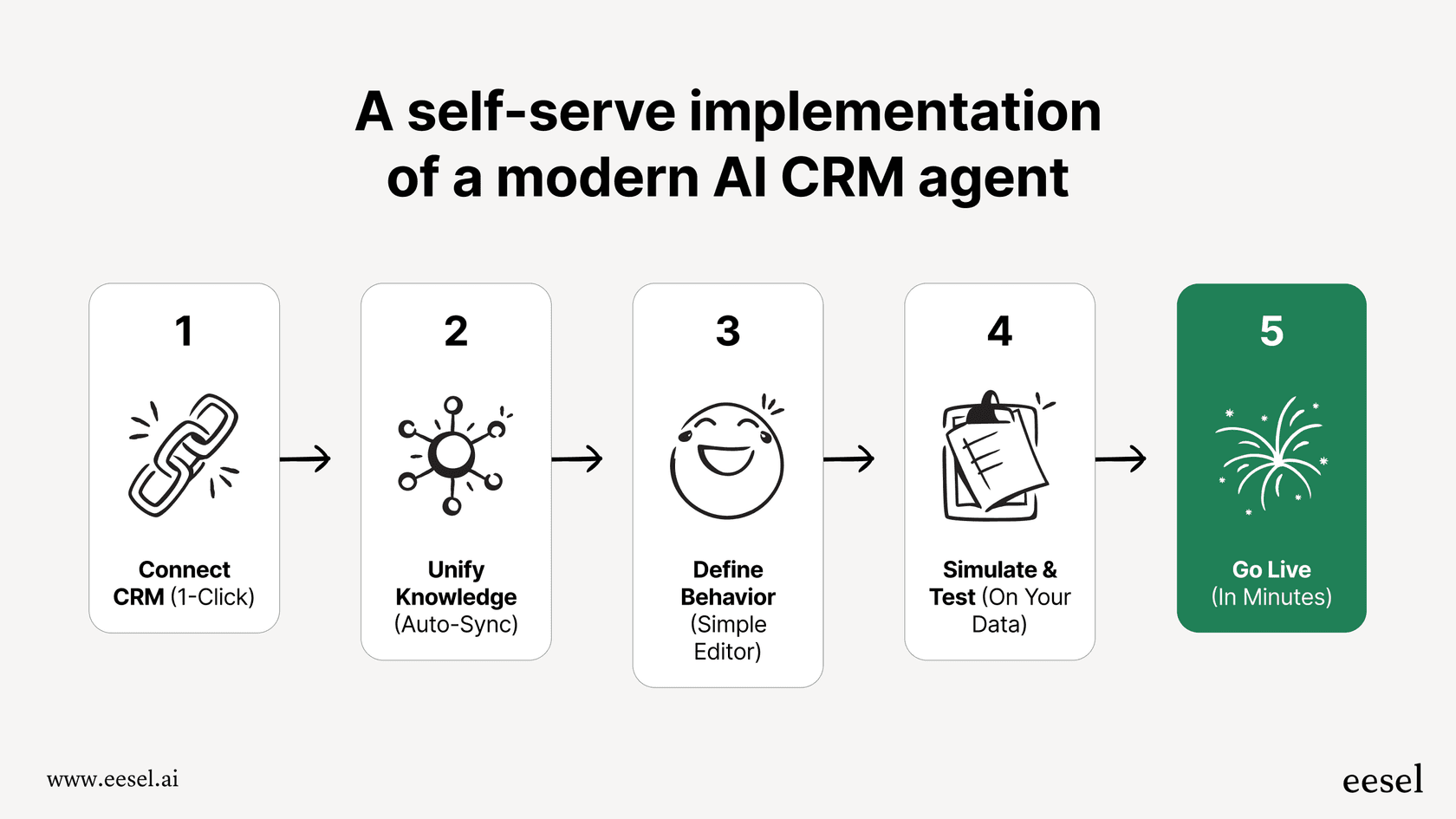
Forget about building custom backends and wrestling with authentication. With eesel AI, you can be up and running in minutes. It has one-click integrations for popular help desks like Zendesk, Freshdesk, and Intercom. There’s no complicated API work, and it fits right into your current workflow without making you rip out and replace everything. The whole setup is self-serve, but there's help available if you need it.
Pulls knowledge from tickets, docs, and everywhere else
Unlike ChatKit, which makes you build your own knowledge pipeline, eesel AI instantly brings together all your knowledge sources. It automatically learns from your past tickets to pick up your brand voice and common solutions. It also connects to knowledge bases in Google Docs, Confluence, Notion, and more, giving your AI agent a complete picture of your business. It can even suggest new knowledge base articles based on successfully resolved tickets.

Test everything with powerful simulations
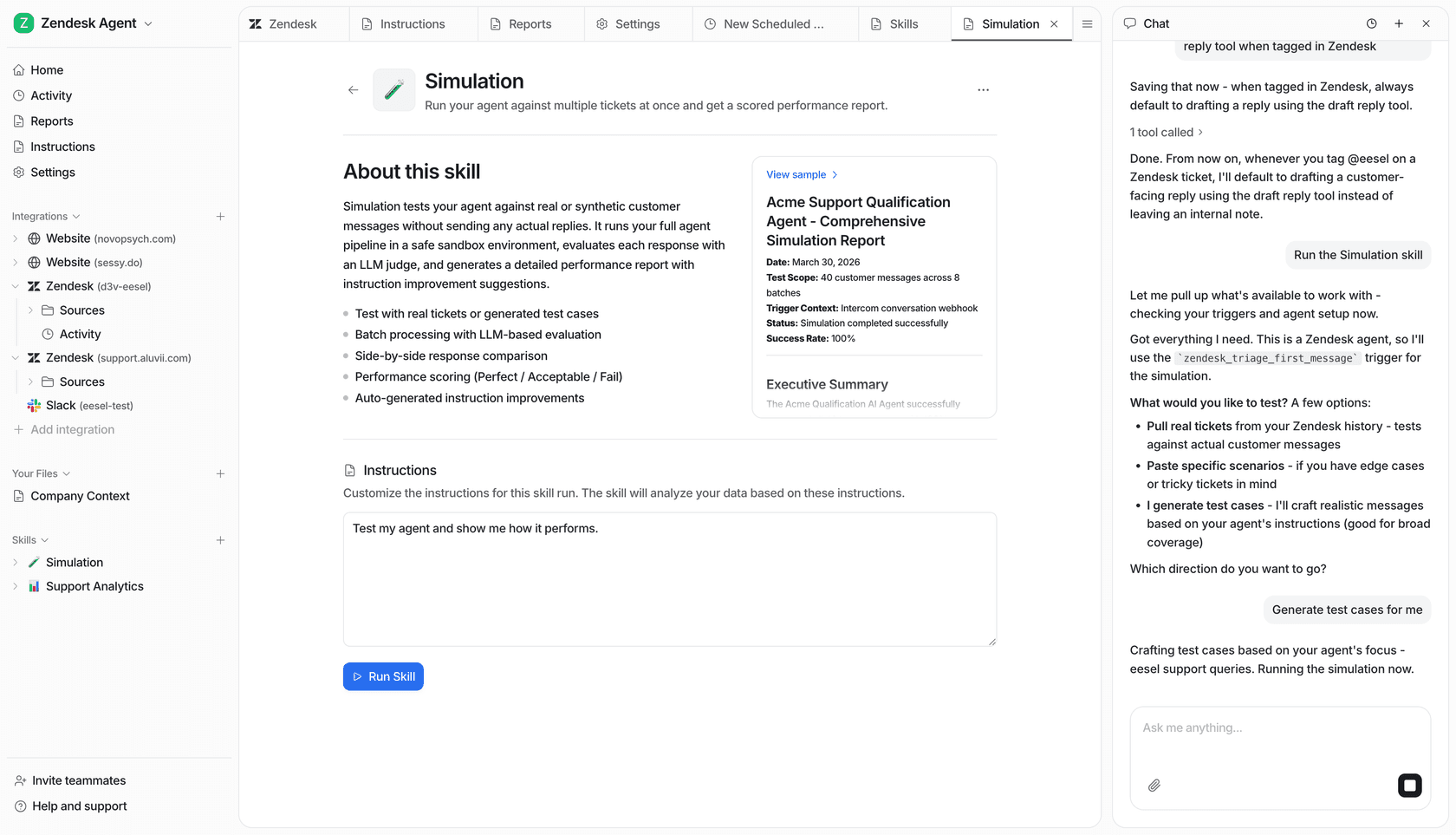
One of the biggest worries with a custom build is not knowing how it will perform in the real world. eesel AI gets rid of that guesswork with a powerful simulation mode. You can test your setup on thousands of your past tickets in a safe environment, see exactly how it would respond, and get accurate predictions on resolution rates and cost savings before a single customer ever interacts with it. This lets you roll out automation with confidence, at your own pace.
Clear pricing without surprise fees
eesel AI uses fixed monthly credit plans, starting at $299/month for 500 credits, where 1 credit covers one ticket or chat. Every integration and seat is included, so a busy month doesn't add platform or per-seat charges. This kind of transparency is a world away from the unpredictable costs of API usage and the ongoing engineering time needed to keep a custom-built solution running.
Should you build from scratch with ChatKit Python SDK Widgets or buy a complete solution?
Tools like the ChatKit Python SDK Widgets offer a powerful path for teams with dedicated engineers to build a custom chat UI. It gives you complete control, but that comes with long development timelines, constant maintenance, and the need to build an entire support system around it.
For most businesses, the goal isn't just to build a chat widget; it's to solve customer problems faster and more efficiently.
That’s where a solution like eesel AI really stands out. It gives you a fully-featured, self-serve platform that plugs into your existing tools in minutes, delivering all the power of a custom-trained AI agent without the engineering overhead. You can spend your time improving your customer experience, not managing servers and code.
If you’re ready to see what a fully integrated AI support platform can do for you, start your free trial of eesel AI today.
Frequently asked questions
What are the main advantages of using the ChatKit Python SDK Widgets for building a custom chat interface?
The primary advantage is the ability to build highly custom, interactive chat experiences with fine-grained control over the UI. Developers can leverage pre-built components like cards, buttons, and forms to create sophisticated, app-like conversations directly within the chat window.
How much development effort is typically involved in setting up and maintaining a solution with ChatKit Python SDK Widgets?
Setting up ChatKit Python SDK Widgets is a significant full-stack development project. It requires setting up and maintaining a dedicated backend server, implementing complex authentication, and writing both Python backend logic and JavaScript/React frontend code. This demands substantial engineering resources for initial setup and ongoing upkeep.
Do ChatKit Python SDK Widgets include features like automated learning or analytics for customer support?
No, the ChatKit Python SDK Widgets are primarily UI components and do not include broader customer support features. They lack automated learning from past support tickets, built-in conversation triage and routing, or actionable analytics to improve your support operations. These would need to be custom-built and integrated separately.
When is it most appropriate for a business to choose to build with ChatKit Python SDK Widgets instead of a complete AI support platform?
Using ChatKit Python SDK Widgets is most appropriate for businesses with significant in-house engineering resources and a strong desire for absolute control over every aspect of their chat interface and backend logic. This path allows for highly specialized, custom-tailored chat experiences not typically offered by off-the-shelf solutions.
Can ChatKit Python SDK Widgets easily integrate with existing help desk systems like Zendesk?
The ChatKit Python SDK Widgets themselves do not offer out-of-the-box, one-click integrations with existing help desk systems. Integrating them requires custom development work to connect your ChatKit-powered agent with your CRM or support platform, managing data flow and agent handoffs manually.