

Let's be real, shoppers today expect answers instantly. A little chat box in the corner of your store can be the nudge that turns a 'maybe' into a 'heck yes.' Shopify Inbox is a fantastic, free tool that gets you in the game.
In this guide, we'll walk through how to customize Shopify Inbox chat settings and appearance so it feels right at home on your site. But we'll also get real about its limits and help you figure out if it's time to bring in something more powerful, like a smart, AI-driven chatbot, to really level up your customer experience.
What is Shopify Inbox?
Shopify Inbox is a free messaging app made by Shopify, specifically for merchants like you. Basically, it's a direct line to customers while they're browsing your site. You can manage all these conversations from your Shopify admin or a handy mobile app. It’s perfect for answering quick questions, offering support, or even tossing out a discount code to seal the deal.
On the Shopify App Store, Inbox carries a 4.5 rating from 5,796 reviews. It's a simple way to engage people at that critical moment. Inbox also now includes an optional AI Inbox agent that answers questions from your catalog, policies, and store content, and you can run Inbox with or without it.

How to customize your Shopify Inbox chat settings and appearance
Alright, let's get our hands dirty. Shopify makes it pretty straightforward to get the chat widget looking like it belongs on your site. You'll do all this inside your theme editor, which is nice because you can see your changes live.
Getting the chat button and greeting right
The chat button is the first thing your customers will see, so making it look on-brand is a good first step.
-
From your Shopify admin, head over to Online Store > Themes.
-
Find your current theme and click "Customize".
-
In the theme editor on the left, click "App embeds" and then select "Online store chat".
From there, you can tweak a few things:
-
Brand customization: You can change the background and font colors to match your store's vibe, choose whether the chat inherits your theme's font, and adjust the border radius. You also get to pick an icon and change the text label to something like "Chat" or "Help?".
-
Position: You can set the chat button's horizontal and vertical position in the theme editor.
-
Greeting message: This is the automatic message that pops up when someone clicks the chat. You can customize it to welcome them, give them a heads-up on your response time, or ask a simple opening question.
Setting up automated replies
You can't be online 24/7, and Shopify gets that. Inbox gives you a couple of basic automation tools to manage expectations when you're away.
-
Automated First Reply: This is a message that sends automatically when someone messages you outside of your business hours. It's great for saying, "Hey, we got your message and we'll get back to you first thing in the morning."
-
Instant Answers: Think of these as pre-saved replies to your most common questions. You can create answers for things like shipping info, return policies, or order tracking. When a customer opens the chat, they can click on these questions to get a quick, pre-written answer.
The limitations of Shopify Inbox
While Shopify Inbox is a solid starting point, you might start to feel a bit boxed in as your store grows. What begins as a simple tool can quickly feel like a bottleneck.
Placement limitations
Fixed corner placement can become a real headache. Maybe you have an accessibility widget or a reviews pop-up that also wants to live in that corner. As you'll see in plenty of Shopify community forums, this can lead to a cluttered, messy look. Shopify's current settings include horizontal and vertical position controls, but if your other widgets sit in the same area you may still need custom CSS to fine-tune the spacing, which can break when you update your theme.
Why the automation isn't smart
And those "Instant Answers"? They're not really AI. Think of them as a basic, clickable FAQ, shown when the Inbox agent isn't active. They can't understand what a customer is actually asking, handle follow-up questions, or answer anything you haven't written out word-for-word.
If a customer types "Where's my stuff?" instead of clicking the pre-set "Track my order" button, the instant-answer list has nothing written for it. The Track my order option itself works with an order number and email, and the Inbox agent can help with order lookups once the customer signs in. Routing a conversation to the right person on your team is still on your staff.
Knowledge silos: A key limitation
Your business knowledge is spread out everywhere, your help center, old support tickets, product descriptions, and maybe even some internal Google Docs. Instant Answers only know what you manually type into them, and the Inbox agent draws on your catalog, store policies, pages, and Knowledge Base rather than help centers, old tickets, or internal docs. This means your answers are limited and can get outdated fast, leaving your team scrambling to find the right information while a customer is waiting.
Why growing Shopify stores switch to a real AI chatbot
When the growing pains of a basic chat tool get too real, many successful stores make the leap to an AI-powered chatbot. It's not just about automating replies; it's about creating a smarter, more helpful, and scalable experience for your customers.
-
It can actually hold a conversation: A true AI chatbot understands regular human language. It can figure out what someone is asking, ask for more details if needed, and remember what you were talking about, just like a person would.
-
It can be a proactive salesperson: Instead of just waiting for a question, an AI chatbot can start the conversation. You can set it up to pop up on a product page to offer help, suggest products that go well with what's in the cart, or even offer a last-minute discount to prevent someone from leaving.
-
It provides 24/7 support that keeps learning: A proper AI chatbot can be trained on all your scattered knowledge. It can connect to your Shopify catalog, read your help center articles, and even learn from past support tickets to nail your brand's voice. It works around the clock and gets smarter with every interaction.
What a true AI chatbot like eesel brings to the table
If you're nodding along to all those limitations, a tool like eesel AI might be the upgrade you're looking for. It’s built to give you the benefits of a powerful AI assistant without a complicated setup.
Go live in minutes, with full control
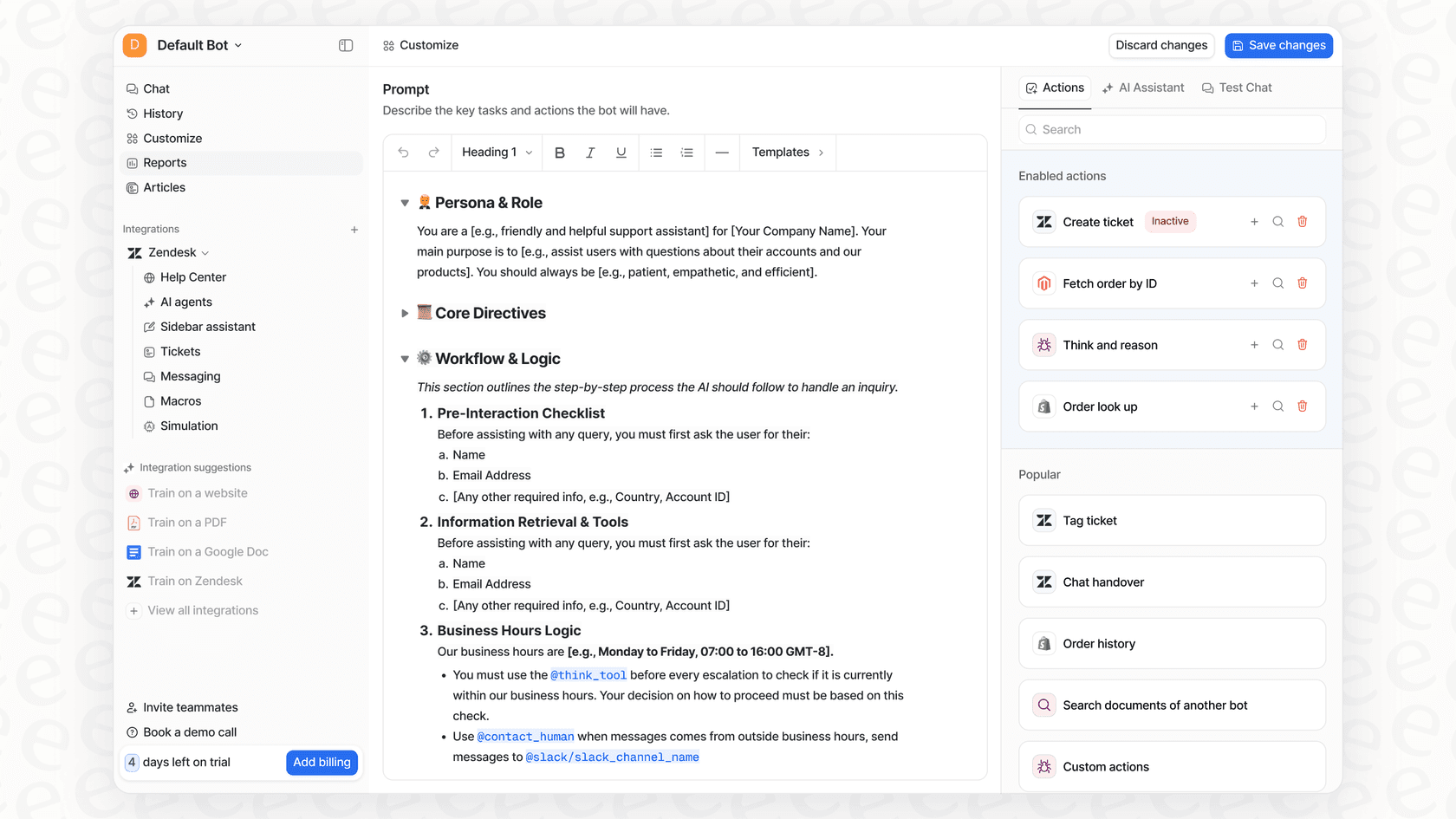
Forget messing with code just to move a button. With eesel AI, you can get an AI chatbot up and running yourself in just a few minutes. The setup is designed to be simple, and it integrates with Shopify with just one click. Using a simple prompt editor, you can tell your AI exactly how to behave, its personality, its tone, and what it can do, from looking up an order to escalating a tricky issue to a human.
One brain for all your business knowledge
Here’s where it gets really interesting. eesel AI connects to all your information, no matter where it is.
-
Shopify Catalog: It can answer detailed questions about product materials, sizes, or if something is in stock.
-
Help Centers & Past Tickets: It learns from your existing documentation and past customer chats to give accurate answers that sound like you.
-
Google Docs, Confluence, & More: It can even connect to your internal knowledge bases on platforms like Google Docs or Confluence to make sure it always has the latest info.
Because it has access to everything, the eesel AI chatbot can answer way more questions, way more accurately, than any basic chat tool.

Test it out and grow without surprises
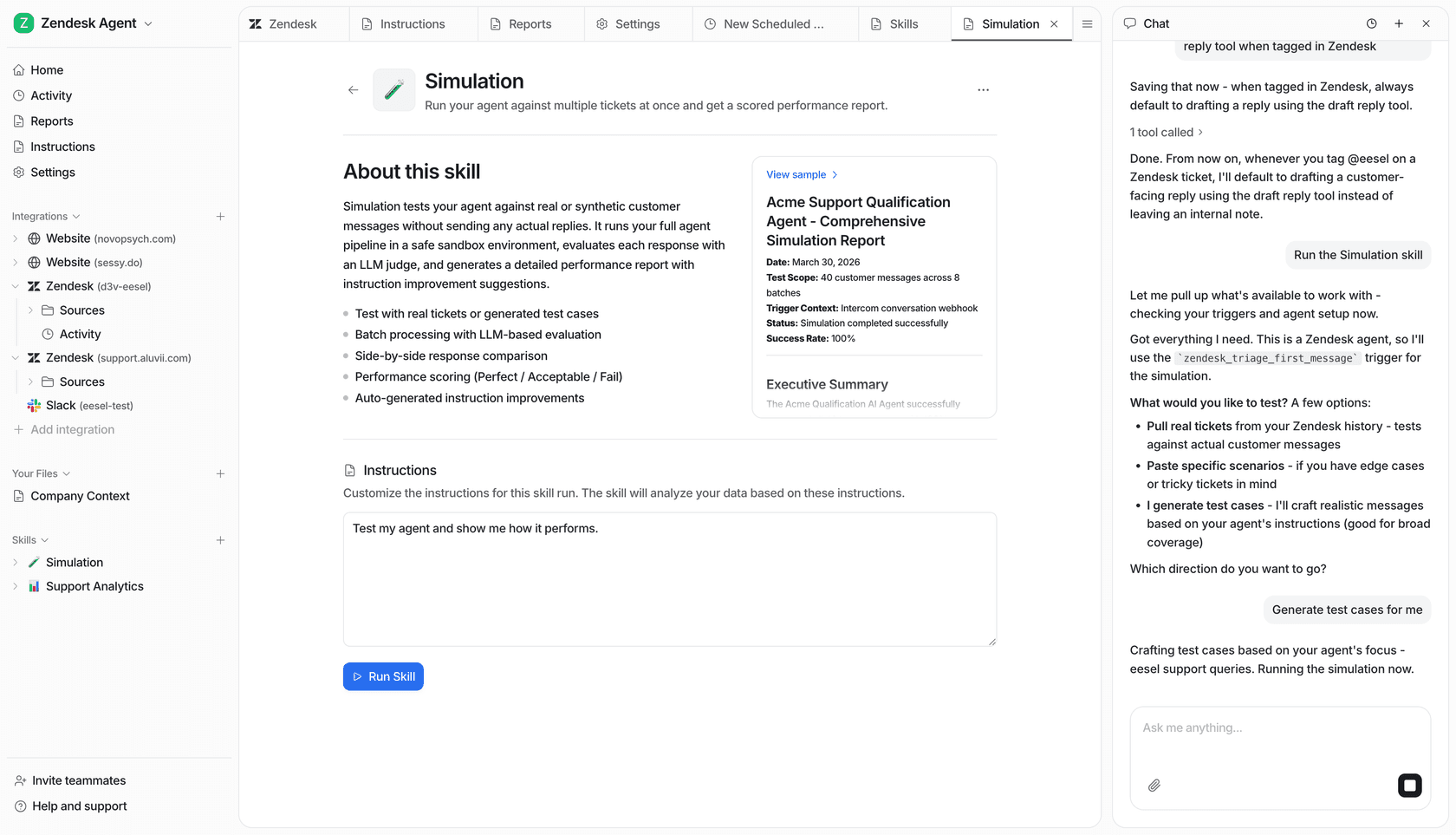
Nervous about letting an AI talk to your customers? Fair enough. eesel AI has a simulation mode that lets you test it on thousands of your past support tickets. You can see exactly how it will perform and what your automation rate will be before it goes live. Plus, the pricing is straightforward. Some tools charge you per "resolved" ticket, which can lead to a nasty surprise after a big sale. Our plans are based on credits, so your bill is always predictable.
| Feature | Shopify Inbox | eesel AI Chatbot |
|---|---|---|
| Customization | Colors, icons, position, and a greeting message | Full visual control, custom AI persona & tone |
| Automation | Pre-written FAQ answers, plus an optional store-chat AI agent | Conversational AI that understands intent |
| Knowledge Sources | Instant answers you write, plus catalog, policies, and store content | Connects to Shopify, help centers, past tickets, docs & more |
| Setup | Simple, but very limited | Self-serve, go live in minutes |
| Testing | Rate chats to train the Inbox agent | Powerful simulation on your own data |
| Pricing | Free (with Shopify plan) | Transparent, predictable monthly plans |
Shopify Inbox pricing
Let's keep this simple: Shopify Inbox is listed as free on the App Store. It comes standard with all paid Shopify subscription plans. You don't pay extra for using the chat or managing conversations. The cost is just baked into your monthly Shopify subscription, which can range from the "Basic" plan up to the "Advanced" plan.
Moving from basic chat to an AI sales engine
Getting started with live chat is a huge step for any online store, and Shopify Inbox is a fantastic, no-cost way to dip your toes in the water. It lets you get a feel for talking with customers directly on your site.
But as your store and your customer base grow, you'll likely feel the squeeze of its limitations. To build a truly top-notch, scalable, and personal customer experience, upgrading to an AI-powered solution is the natural next move. A tool like eesel AI doesn't just fix the headaches of basic chat, it can turn your customer support from a cost center into an engine for sales and retention.
Ready to see what a truly customizable AI chatbot can do for your store? Try eesel AI for free.
Frequently asked questions
How straightforward is it to customize Shopify Inbox chat settings and appearance for a new user?
Customizing Shopify Inbox is quite straightforward. You manage appearance directly within your Shopify theme editor under "App embeds" > "Online store chat," allowing you to see changes live as you make them.
What specific visual elements can I adjust when I customize Shopify Inbox chat settings and appearance?
You can change the background and font colors to match your store's branding. You can also pick a chat icon, edit the text label (e.g., "Chat" or "Help?"), set its horizontal and vertical position, adjust the border radius, and personalize the greeting message.
Are there any significant limitations to consider when I customize Shopify Inbox chat settings and appearance, particularly regarding placement?
The chat button can overlap other widgets on your site. Shopify now offers horizontal and vertical position controls in the theme editor, though fine-tuning around other widgets can still need custom CSS.
When I customize Shopify Inbox chat settings and appearance, how effective are its automated reply features?
Shopify Inbox offers an "Automated First Reply" for off-hours and "Instant Answers", which are pre-written, clickable FAQs and are not AI-driven. An optional Inbox agent can answer questions from your catalog, policies, and store content, but it only runs in your store's chat widget.
What's the main difference in customization capabilities when comparing how to customize Shopify Inbox chat settings and appearance versus a dedicated AI chatbot?
Shopify Inbox offers basic visual and messaging customization, while a dedicated AI chatbot like eesel AI provides full visual control, customizable AI personality and tone, and integrates with all your business knowledge sources for much smarter, contextual interactions.
Does it cost extra to customize Shopify Inbox chat settings and appearance, or is this functionality included with my Shopify plan?
No, there is no extra cost for this. Shopify Inbox, including all its available customization features, is listed as a free app on the Shopify App Store and comes standard with all paid Shopify subscription plans.