
Let's be honest, customers today want answers instantly. The pressure is on for businesses to provide 24/7 support, which is why so many are turning to AI chatbots to lighten the load, cut down on support costs, and keep users happy. One of the biggest names you'll hear in this space is Google's Dialogflow.
But what actually is a Dialogflow chatbot? And more importantly, what does it really take to build and run one without pulling your hair out? This guide will walk you through what the platform is, how its pieces fit together, and where it tends to fall short. We'll also look at a more modern approach that gets you the power of automation without the intense setup.
What is a Dialogflow chatbot?
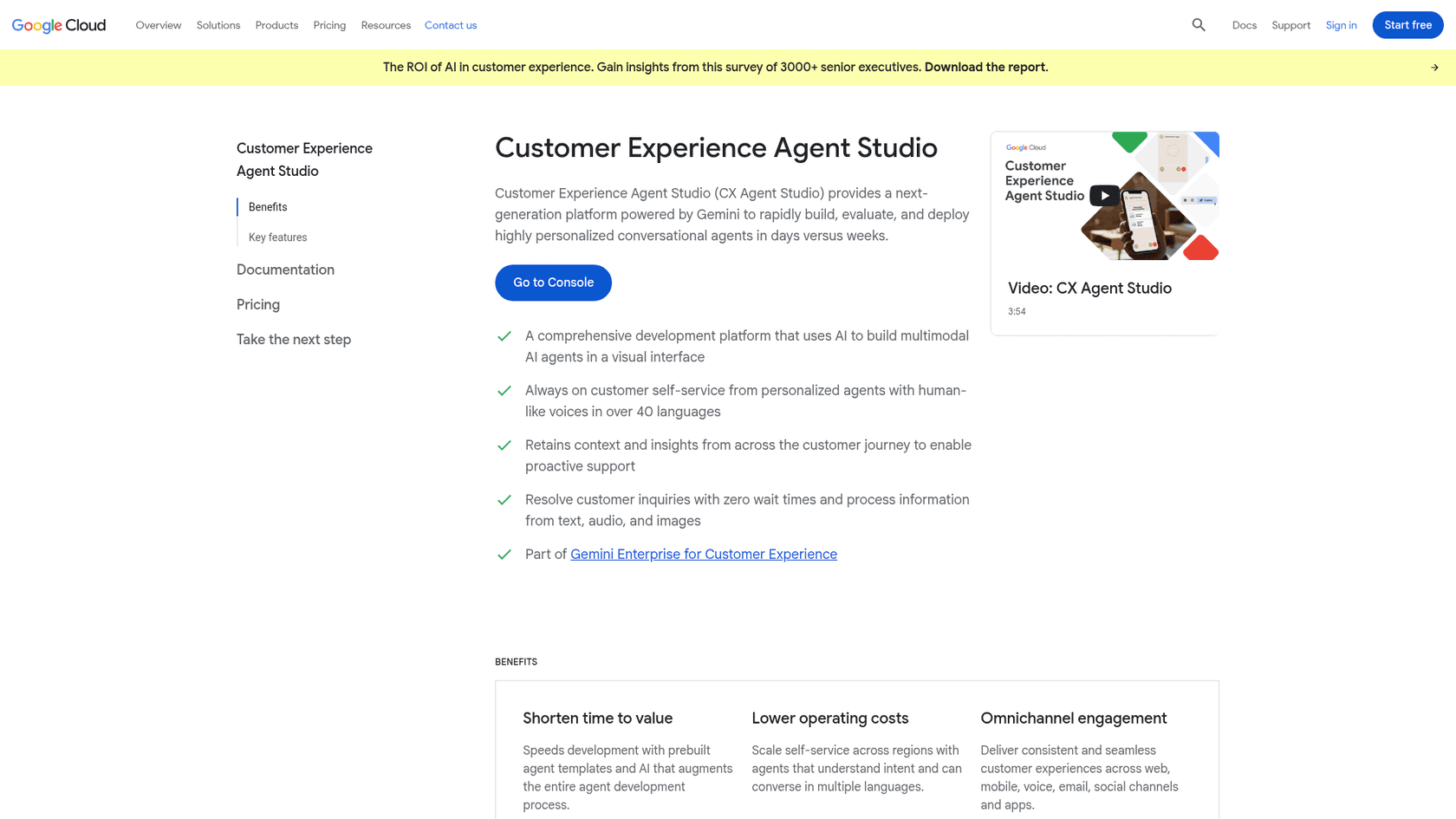
A Dialogflow chatbot is a conversational AI built on Google's platform for understanding natural language. Put simply, it’s the technology that lets you build a virtual agent that can figure out what people are asking (via text or voice) and give a reasonably human-like response. It's plugged into the Google Cloud ecosystem and can be added to websites, apps, and various messaging platforms. Google's Dialogflow page now redirects to CX Agent Studio, a Gemini-powered, low-code builder that is part of Gemini Enterprise for Customer Experience. The Dialogflow CX and ES documentation is still maintained alongside it.
Dialogflow comes in two flavors:
- Dialogflow ES (Essentials): This is the standard version, best suited for smaller, simpler bots where conversations don't have too many twists and turns.
- Dialogflow CX (Customer Experience): This is the heavy-duty version for large, complex agents. It uses a visual, step-by-step flow, which gives you a lot more control over long and complicated conversations. Google's pricing page now calls this the Flows edition and adds a Playbooks edition, where generative agents are built from natural-language instructions plus data stores.
Essentially, Dialogflow acts as the "brain" for your chatbot. Developers use it to map out how the bot should understand a question and connect it to the right answer or action. It's a powerful system, but getting it right involves juggling a few technical parts that can get complicated fast.
How a Dialogflow chatbot works: the core components
To get a feel for how a Dialogflow chatbot operates, you need to know about its main building blocks. These components give you a ton of control, but they're also the source of the platform's complexity, which is why you often need a developer on hand.
Agents, intents, and entities
Think of these three as the core logic that drives every conversation.
- Agent: This is your chatbot. When you start a project in Dialogflow, you're creating an agent that you'll need to train to handle conversations.
- Intent: An intent is just the user's goal. If a customer types, "What are your business hours?", the intent is something like
check_store_hours. The tricky part is you have to feed it lots of "training phrases" (different ways a user might ask the same thing) for every single intent. - Entity: Entities are the specific details the bot needs to pull out of a user's message. For example, in the sentence "I want to order a large pepperoni pizza," the entities would be
size: largeandtopping: pepperoni.
Coversation maps: Flows, pages, and state handlers
In the more advanced Dialogflow CX, the conversation path is managed more like a flowchart using these parts.
- Flows: You use flows to break down big topics into smaller pieces. A retail bot, for instance, might have separate flows for "Placing an Order," "Tracking a Shipment," and "Starting a Return."
- Pages: Each flow is made up of pages, and each page is a single step or state in the conversation. The chat moves from one page to the next as the user provides more information.
- State Handlers: These are the rules that guide the conversation between pages. They listen for user intents or other triggers to decide where the conversation should go next.
Here’s a simplified look at how that works:
Specifically built for developers
While this system gives developers fine-tuned control, it’s a huge hurdle for most support teams. In Flows, every conversational path and training phrase is defined, built out, and then maintained by hand, and Playbooks move part of that work into written instructions and your own content.
This is a world away from modern AI tools designed for business users. For example, a solution like eesel AI skips all this manual work. Instead of you building flows and defining intents from scratch, it learns directly from your existing knowledge, like help center articles and past support tickets. You can get a genuinely helpful AI assistant up and running in minutes, not months.
Key features and limitations of a Dialogflow chatbot
Dialogflow has a lot of features, but it's important to understand its limits before committing, especially if you're a busy support team. Many of its strengths for developers turn into headaches for businesses that just want a simple, effective solution.
The visual builder and pre-built agents
Dialogflow offers a visual flowchart builder to help you map out conversations, which can make the logic easier to see. It also provides pre-built agent templates for common scenarios like booking a hotel.
- The upside: These features can give you a starting point and potentially cut down on some of the initial coding.
- The reality: Google lists 35 pre-built agent templates for CX Agent Studio, and they are a starting point. Matching them to your company's actual processes and brand voice still takes build time, and the visual builder assumes you are comfortable with agents, flows, and intents.
Training your chatbot is a lot of manual labor
Training a Dialogflow bot means sitting down and manually creating intents, then coming up with dozens, if not hundreds, of example "training phrases" for every single goal a user might have. Playbooks offer another route, with written instructions and a connected data store.
- The upside: You get very specific control over how the bot responds to certain phrases.
- The reality: For Flows this is slow work. You're trying to predict every possible way a customer might ask a question, and some phrasings will be missed.
- A different approach: Modern tools like eesel AI get rid of this grunt work. Our platform plugs right into your helpdesk and automatically trains on thousands of your past customer conversations. It learns your brand voice, understands the common problems people have, and finds the right answers from real, historical data, so it's accurate from day one.
Chatbot integrations and getting it live
Dialogflow can be connected to many platforms, including websites and chat apps like Slack or Microsoft Teams.
- The upside: It’s a flexible platform that can be used across different channels.
- The reality: Google lists out-of-the-box connectors and MCP support for backend systems, plus partnerships with contact-center vendors, so the work depends on whether your helpdesk is covered. Check that tickets, macros, and agent handoff work with your tool, or you may end up managing support conversations in two places.
- A different approach: eesel AI offers one-click integrations with helpdesks like Zendesk, Intercom, and Freshdesk. It works inside the tools you already use, helping your agents instead of forcing them to change how they work. That means no disruption and no need to rip out your current setup.
The real cost of a Dialogflow chatbot
When you're looking at a platform like Dialogflow, the monthly subscription fee is just the tip of the iceberg. The total cost also includes a huge amount of time and money spent on development, maintenance, and testing that often gets forgotten.
Development and maintenance overhead
Building a Dialogflow chatbot isn’t a one-and-done task for your support team; it's an ongoing engineering project. Every time your product changes or a new customer issue pops up, someone has to update the bot's intents, entities, flows, or playbook instructions.
- The eesel AI difference: eesel AI is designed to be completely self-serve. A support manager can set up, configure, and maintain their AI assistant from a simple dashboard, no code required. Our AI also keeps itself up-to-date by regularly syncing with your help center and other knowledge sources.
Testing your chatbot with confidence (or not)
Dialogflow has a simulator where you can test conversations one by one, and CX Agent Studio adds automated evaluations that catch regressions after changes. Both are built for checking your agent's behavior, not for replaying the thousands of varied questions your actual customers have already asked.
- The eesel AI difference: Before you even turn it on, eesel AI lets you run a simulation on thousands of your past tickets. This risk-free test shows you exactly how the AI would have answered, gives you a solid forecast of your automation rate, and even points out gaps in your knowledge base. You can launch knowing exactly what to expect.
Dialogflow's pricing headaches
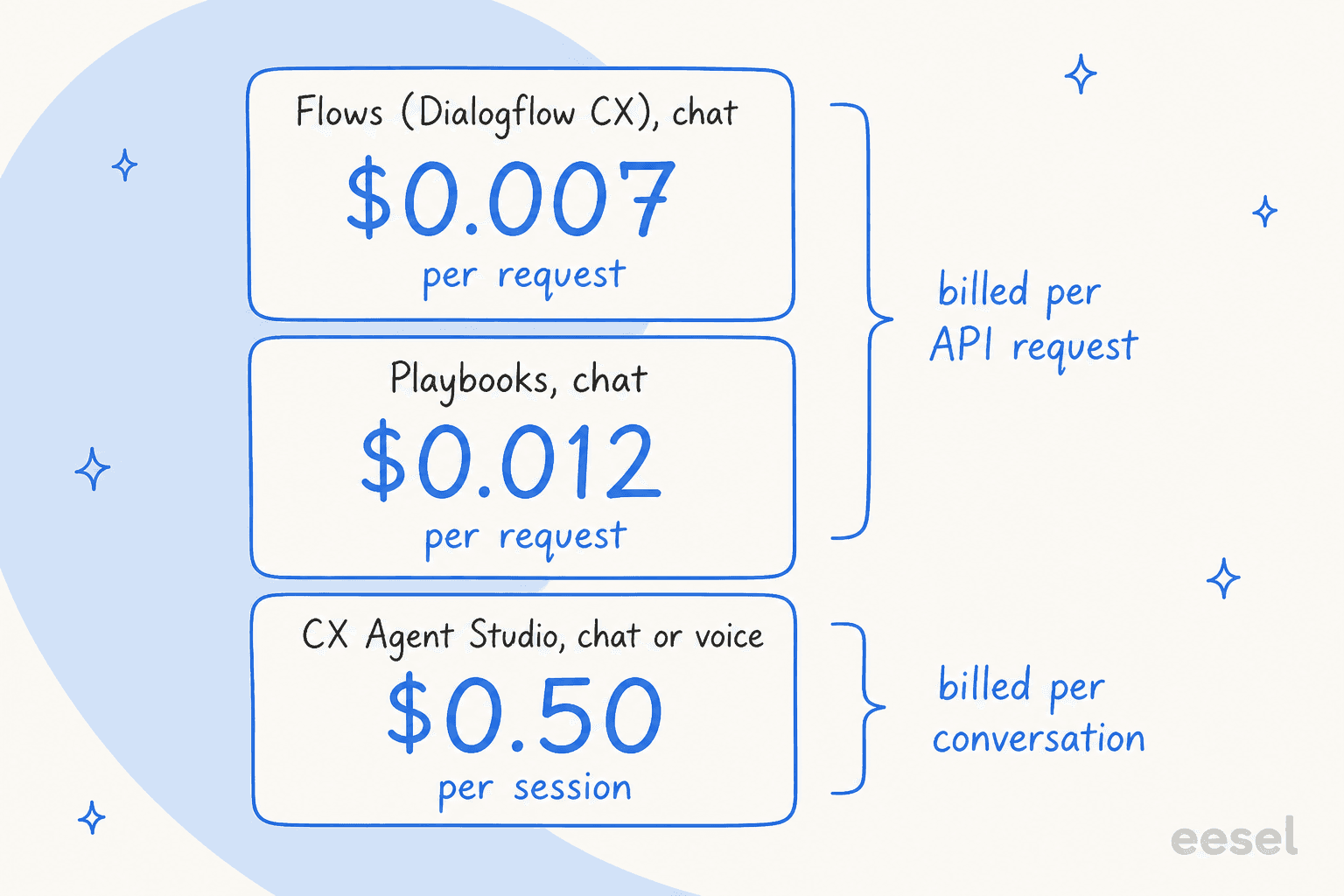
Dialogflow's pricing is based on how many requests your bot handles, so the bill moves with volume, especially during busy seasons. Google's Conversational Agents pricing lists $0.007 per chat request for Flows and $0.012 for Playbooks, with voice billed per second of audio. CX Agent Studio instead bills per session: $0.50 for chat or voice, with another chat session billed after 50 turns or 30 minutes of inactivity.
| Google product | Chat price | Voice price | Billing unit |
|---|---|---|---|
| Flows (Dialogflow CX) | $0.007 | $0.001 per second | Request |
| Playbooks | $0.012 | $0.002 per second | Request |
| CX Agent Studio | $0.50 | $0.50 | Session |
Google also lists free trial credits of $600 for Flows and $1,000 for Playbooks, which expire after 12 months.
- The eesel AI difference: We offer clear, predictable pricing. Teammate plans are a fixed monthly price for a set number of credits, with 1 credit per ticket or chat however long it runs, from $299 a month for 500 credits and 100 free credits to start, so you won't get a nasty surprise after a successful month.
| Feature | The Dialogflow Way | The eesel AI Way |
|---|---|---|
| Setup | Built by your team in Flows or Playbooks. | Self-serve for support teams; go live in minutes. |
| Training | Training phrases for Flows; instructions for Playbooks. | Learns automatically from your past tickets & help docs. |
| Testing | Simulator and automated evaluations. | Run a bulk simulation on real tickets with a clear ROI forecast. |
| Maintenance | Your team updates flows, playbooks, and content. | The AI stays synced with your knowledge sources on its own. |
| Pricing | Per request (from $0.007) or per session ($0.50). | Fixed monthly credit plans, from $299/mo for 500 credits. |
Is a Dialogflow chatbot the right call for you?
At the end of the day, a Dialogflow chatbot is a powerful tool if you have a team of developers ready to build a completely custom conversational experience from the ground up. For that use case, it offers a ton of flexibility.
However, for most customer support and IT teams, the complexity, manual setup, and constant need for technical maintenance make it a difficult and expensive choice.
The best support automation tools are the ones built for the people who actually use them every day. eesel AI offers a much simpler and more effective path by plugging directly into the tools you already have, learning from your data automatically, and giving you the power to launch and manage a smart AI agent without needing to call a developer.
Ready to try an AI support agent you can launch this afternoon, not next quarter? Start your free trial with eesel AI and see how much you can automate.
See how eesel AI can help your team do their work, start a free trial or book a demo.
Frequently asked questions
So, is a Dialogflow chatbot basically just for big companies with lots of developers?
It leans that way. Google now describes CX Agent Studio as a low-code visual builder, but agents are still designed with flows, intents, or playbook instructions, so it fits best where someone on the team is comfortable with that kind of build work.
How much time does it really take to train a Dialogflow chatbot if we have to do it manually?
Google says CX Agent Studio can get agents built in days versus weeks. For Flows, training still means writing example phrases for each intent and revisiting them as customers word things differently, while Playbooks work from written instructions and connected content instead.
If I already use Zendesk, will a Dialogflow chatbot easily connect to it?
Google lists out-of-the-box connectors, MCP support, and contact-center partnerships, so check that your Zendesk setup is covered before you commit. eesel connects to Zendesk with a one-click integration and works inside the helpdesk you already use.
What's the main difference between a Dialogflow ES and CX chatbot in simple terms?
Think of ES as the basic version for simple, straightforward bots with flatter conversations. CX is the advanced version for very large and complex conversations, using a visual flowchart to manage a customer's journey step-by-step.
Could our support team manage a Dialogflow chatbot on their own without constant developer help?
It depends on who is comfortable with the tooling. Changes to your products, services, or common customer issues mean editing the bot's intents, flows, or playbook instructions, which a support team can own only if someone on it is happy working in that builder.
Is the pricing for a Dialogflow chatbot predictable, or could our bill change a lot from month to month?
It scales with volume. Flows and Playbooks bill per request (chat is $0.007 and $0.012 per request) or per second of audio, and CX Agent Studio bills $0.50 per session, so a busy period or a successful campaign moves the bill. eesel uses a fixed monthly price instead, from $299 a month for 500 credits.