


Why "folk for founders" is a different question
I've spent two years working on search at eesel, and "folk AI assistant for founders" is one of those searches that hides a buying question. The person typing it is not asking whether folk works. They are asking: can a $10 texting assistant take the coordination load a chief of staff would?
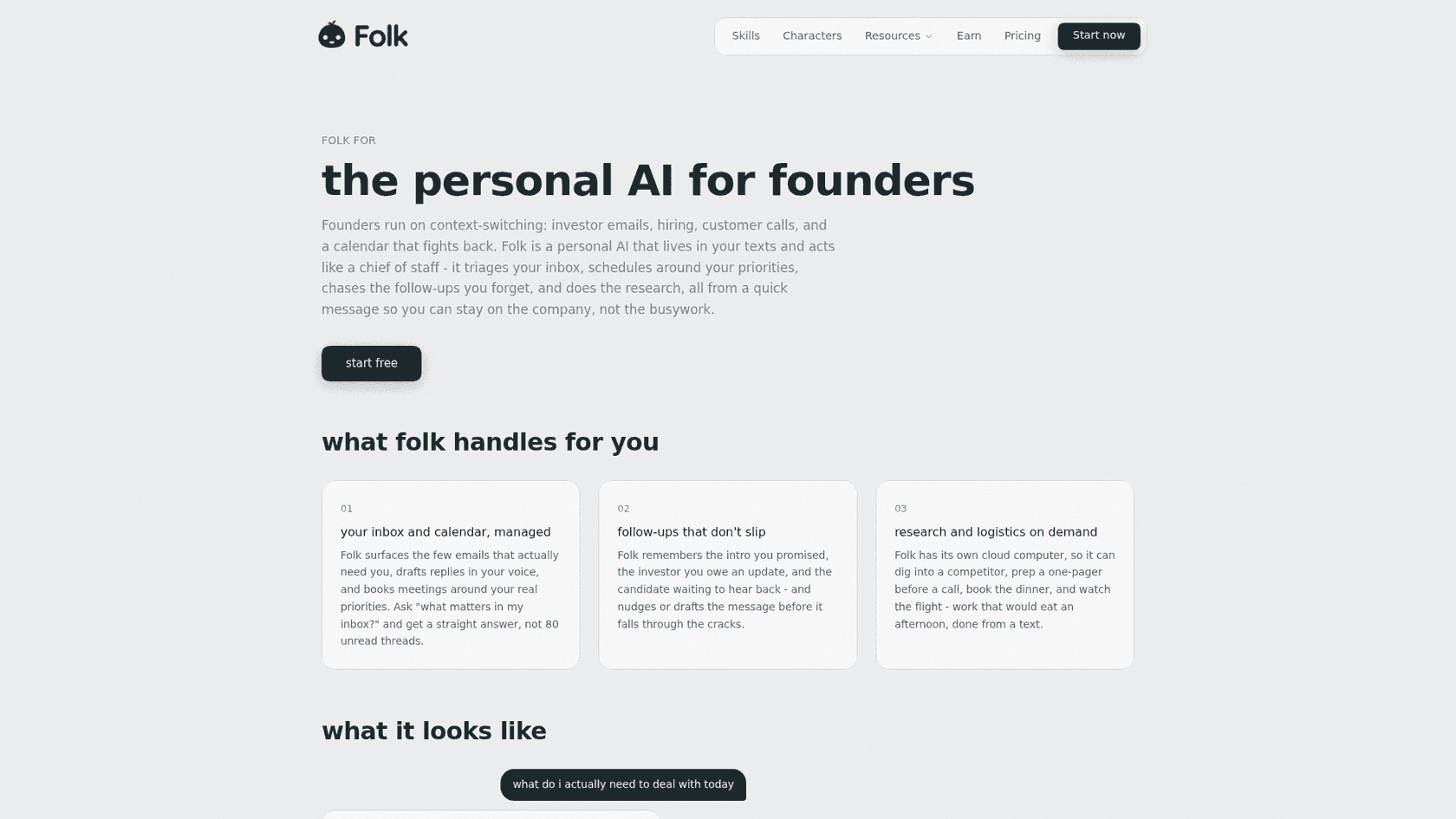
That is the exact pitch on folk's founders page: "Founders run on context-switching: investor emails, hiring, customer calls, and a calendar that fights back." folk says it will triage the inbox, schedule around your priorities, chase follow-ups and do the research, "all from a quick message."
So I read every founder-facing page folk publishes, its FAQ, its pricing, its privacy policy and terms, and lined each claim up against a real founder's week. The short version: folk covers the founder's desk well and cheaply, and it stops cleanly at the edge of the company. That edge is the useful thing to understand before you hand it your inbox.
What folk actually does for a founder
folk is a phone number you text. Behind it, every account gets "its own private computer in the cloud," per folk's FAQ, which is how it browses, runs code and keeps working while you sleep. It is built by Nozomio, a six-person team whose memory engine, Nia, launched on Hacker News with 131 points. My folk AI assistant review covers the company in full; here I'll stick to the five jobs a founder would actually hand it.
| Founder job | What folk does | What it connects to | Plan |
|---|---|---|---|
| Inbox and calendar | Surfaces the few emails that need you, drafts in your voice, books around your priorities | Gmail or Outlook, Google Calendar | Free |
| Follow-ups | Remembers the promised intro, the overdue investor update, the waiting candidate, and drafts the nudge | Your email plus folk's memory | Free (Pro for more than 3 running at once) |
| Research and prep | Digs into a competitor, writes a one-pager before a call, books dinner, watches a flight | Its own cloud browser | Free |
| Meetings | Sends a visible notetaker to Google Meet, Zoom or Teams and texts back decisions and action items | Meeting link you paste | Free |
| Code | Runs OpenAI's Codex on its cloud computer and opens a GitHub pull request | GitHub plus your ChatGPT plan | Free, model usage billed to ChatGPT |
The founders page demo is a good feel for the tone. You text "what do i actually need to deal with today," and folk answers with three things: a term sheet reply, a 2pm with no agenda, and an intro you promised and never sent. Then it drafts the reply "for your approval" and books a 30-minute prep block. That is the AI chief of staff idea in one exchange: deciding what needs you, not just reminding you.
Inbox, calendar and follow-ups
This is the core of the founder pitch, and it overlaps almost fully with what I covered in folk for email management. folk connects Gmail or Outlook through OAuth, flags what needs a decision, summarizes long threads and drafts replies. On the calendar side, the executive assistant page shows it moving a 3pm to Thursday, notifying attendees and offering two slots for a 1:1.
The follow-up piece is where memory earns its keep. folk keeps a running record of "your people, your preferences, the projects you keep mentioning," and you can read or delete any of it on its brain dashboard, per the FAQ. For a founder, that means it can notice the Monday intro you never made. It is the same job Gmail's nudges and follow-up reminders try to do, with more context about who matters.
Meetings and calls
Paste a Meet, Zoom or Teams link and folk's notetaker joins, transcribes and texts you the recap, per its calls page. The bot "joins visibly as a participant," so there is no covert recording, which matters on investor and candidate calls. You can also call folk on a real phone number while you walk between meetings.
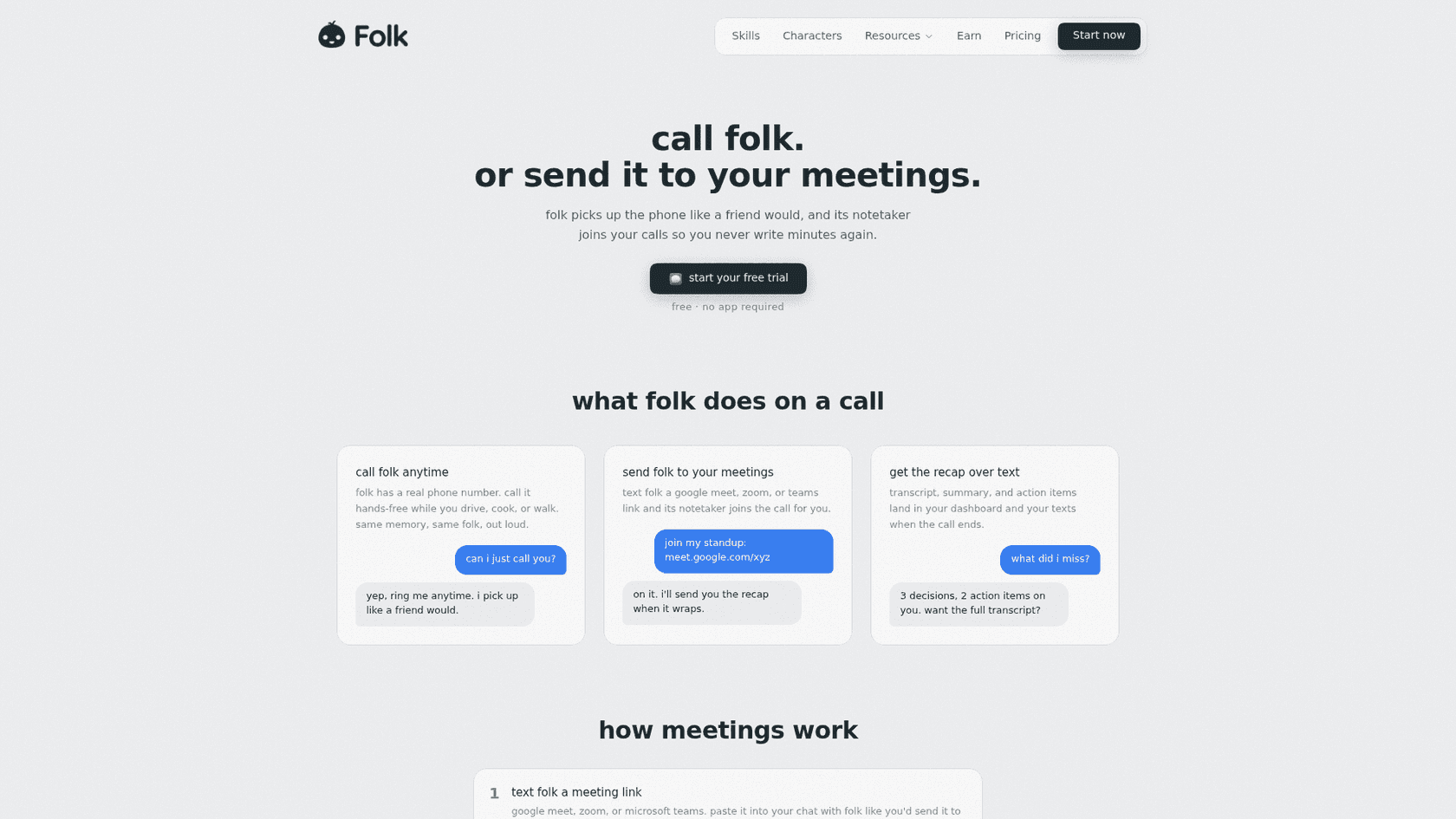
One small trap: folk's own pages disagree on call minutes. The pricing page lists 10 minutes a week on Free and 120 minutes a month on Pro, while one FAQ answer says Pro includes 60 minutes. Treat the pricing page as the source of truth and check your billing screen. If notes are all you want, a dedicated meeting notes app will go deeper.
Code from your phone
This is the feature that will surprise technical founders. Text folk "the signup button is the wrong color on mobile, can you fix it and open a pr," and it runs OpenAI's Codex on its cloud computer, edits the files, runs the build and texts back a PR link, per the coding use case page. You review and merge from your phone.
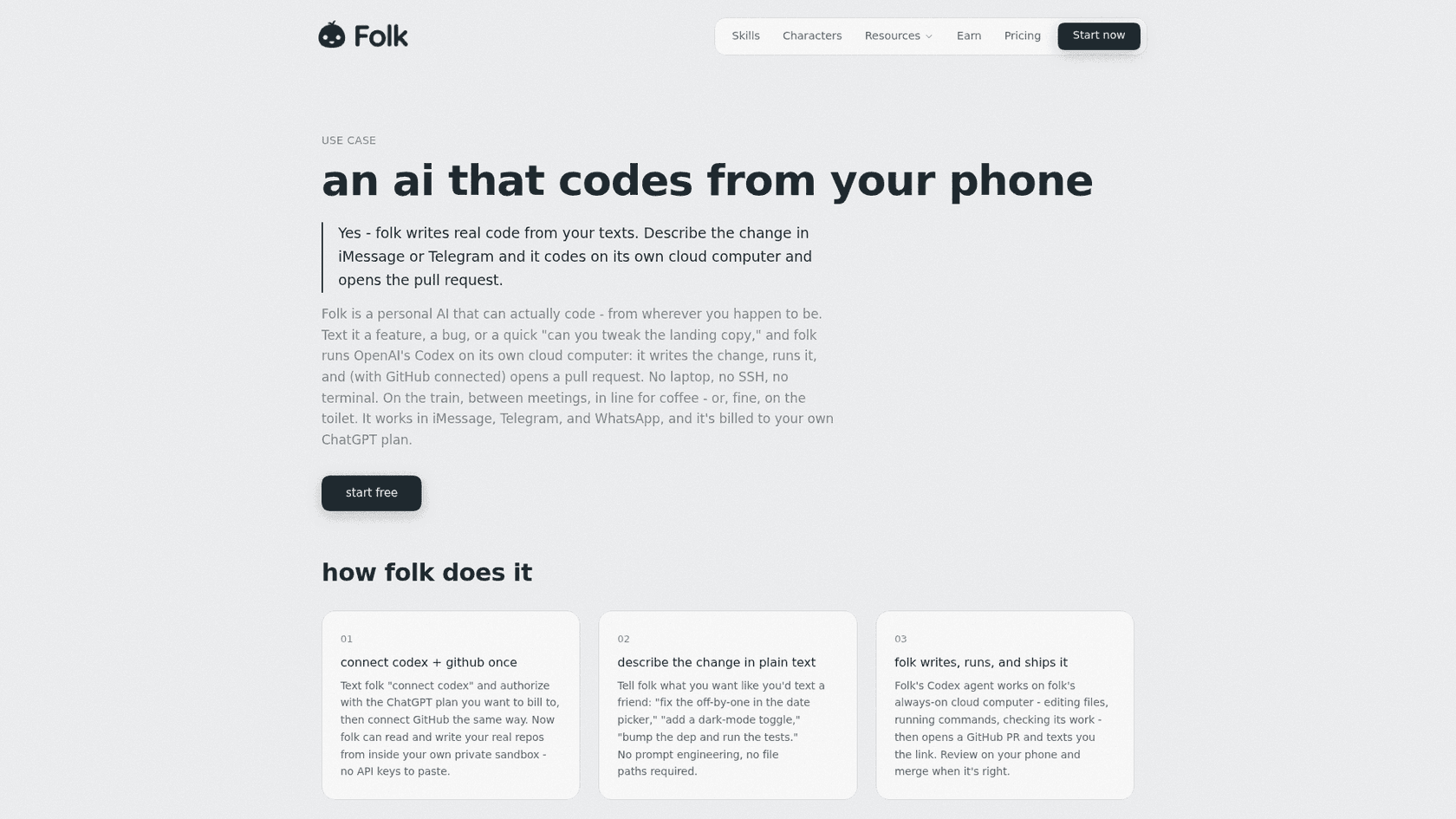
Two details founders should know. First, Codex usage is billed to your own connected ChatGPT plan, not folk's $9.99, so check your Codex pricing limits. Second, the merge button stays yours: folk opens the PR on a branch and you decide. That is the same setup as Codex's own GitHub integration, just reached from a text instead of a laptop.
Where folk fits in a founder's week, and where it stops
Here is the reframe I'd give any founder before signing up. folk is a chief of staff for you. It is not a chief of staff for the company. The difference is who else needs to see the work.
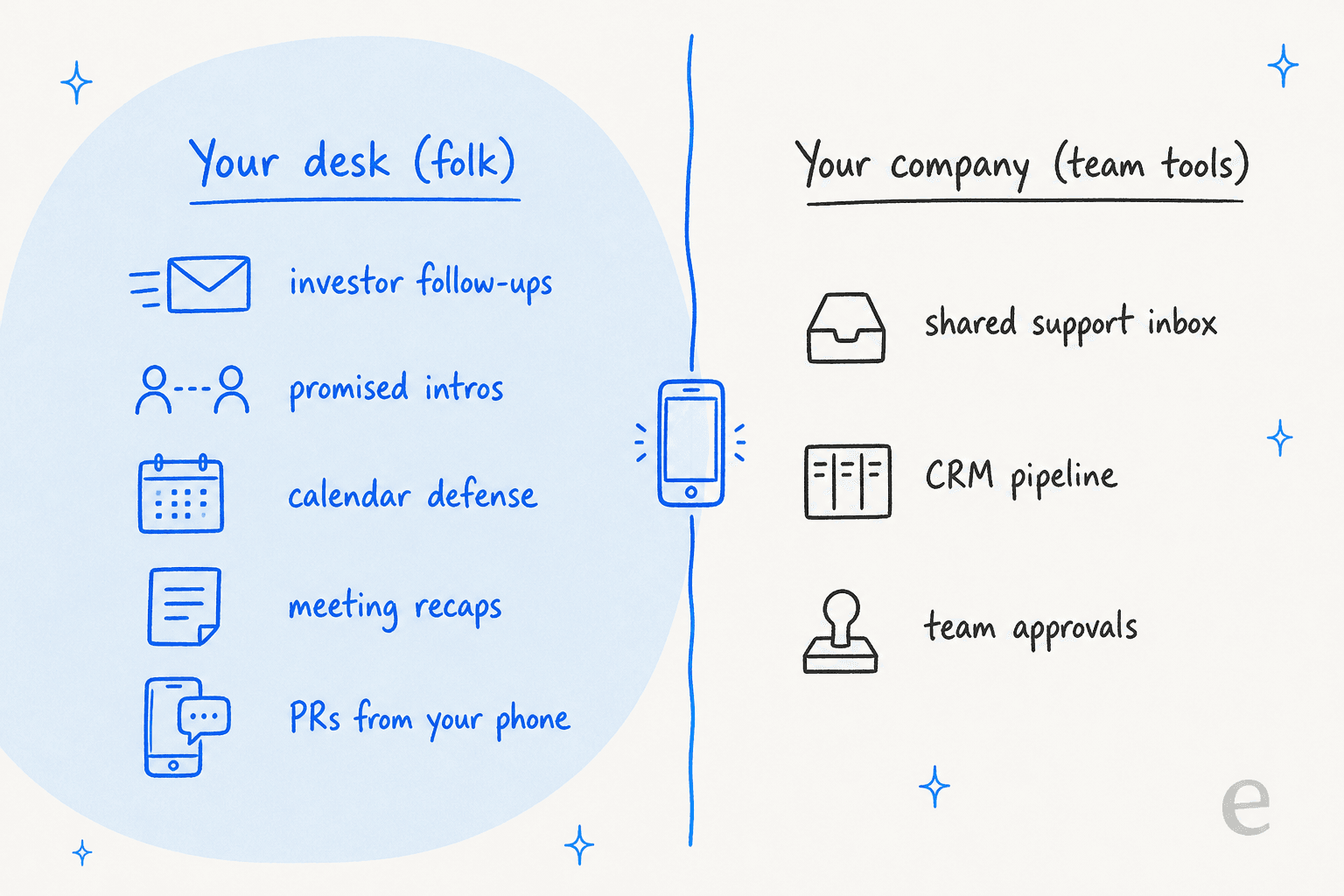
Everything on the left is work only you touch. Everything on the right is work a cofounder, an early hire or a contractor also needs to see, approve or pick up. folk has no team plan, no shared rules and no admin controls, and its terms bar giving others access without permission. That is a reasonable design for a personal assistant, and it is why I would not route anything on the right through it.
The integrations line up with that split. One-tap connections cover Gmail, Google Calendar, Drive, Docs, Sheets, Outlook, Teams, Notion, Slack, Linear, Todoist, Strava and your bank, per the FAQ. Beyond that folk lists "1,000+ other apps" and anything with an MCP server. There is no CRM on the one-tap list, so if your day runs out of HubSpot, a tool like Town AI for HubSpot is built closer to that workflow.
The community has noticed the positioning question too. When the founder announced the beta, the top reply asked the question every technical founder will:
"What are the things that can be achieved by folk but cannot be done by OpenClaw or Hermes?"
My answer is setup time. OpenClaw is an agent you host and wire up yourself, and so is Hermes Agent. folk is a number you text with the computer, memory and connections already handled. For a founder with no spare evenings, that trade usually wins.
Who presses send?
This is the question I'd want answered before connecting an inbox that holds a term sheet. folk's answer depends on the kind of action, and there are four levels.
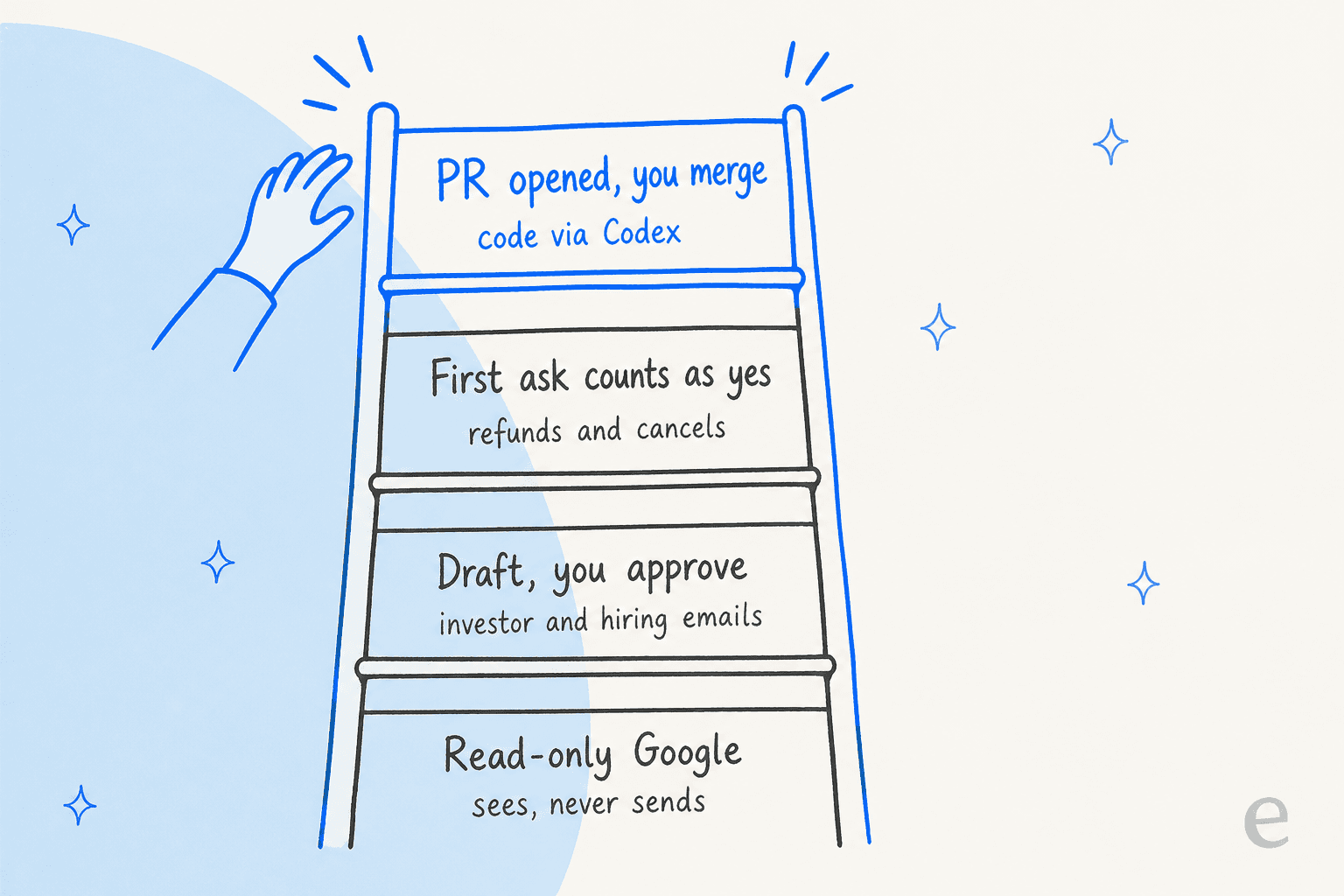
- Read-only. folk's privacy policy lets you connect Google apps read-only, so it sees mail and calendar and can never send, edit or delete. A sensible first week.
- Draft, you approve. The default for normal email. In the founders demo, the term sheet reply comes back "drafted for your approval."
- First ask counts as yes. On refund and cancellation requests, folk treats your first message as the approval and sends from your Gmail in the same turn. Fine for a duplicate SaaS charge, worth knowing before you text "cancel that."
- PR opened, you merge. Code goes to a branch and waits for you.
The pattern is sensible. The one habit I'd build is being explicit in the first message ("draft only") whenever the email touches investors, candidates or customers.
What it costs a founder
folk's pricing is simple, and for a founder it is the cheapest paid texting assistant I've looked at. Full detail is in my folk pricing breakdown; here is what matters for this use.
| Free | Pro | Max | |
|---|---|---|---|
| Price | $0, no card | $9.99/mo or $99.99/yr | $99.99/mo or $799.99/yr (US App Store, per folk's terms) |
| Chat | Unlimited | Unlimited | Unlimited |
| Features | Every feature: apps, memory, browsing, research, meetings, code | Same, on "the smarter engine" | Same |
| Background tasks | 3 at a time | Unlimited | Unlimited |
| Phone calls with folk | 10 minutes a week | 120 minutes a month | Not listed on pricing page |
| Own API keys | No | Yes (Anthropic, OpenAI or OpenRouter) | Yes |
Source: folk pricing and FAQ, checked October 8, 2026. In many countries Pro drops to $5 a month based on your phone number.
The number that decides it for most founders is the 3 background tasks on Free. Background tasks are anything folk runs on a schedule without being asked: a morning brief, a watcher, a routine. A founder fills those fast.
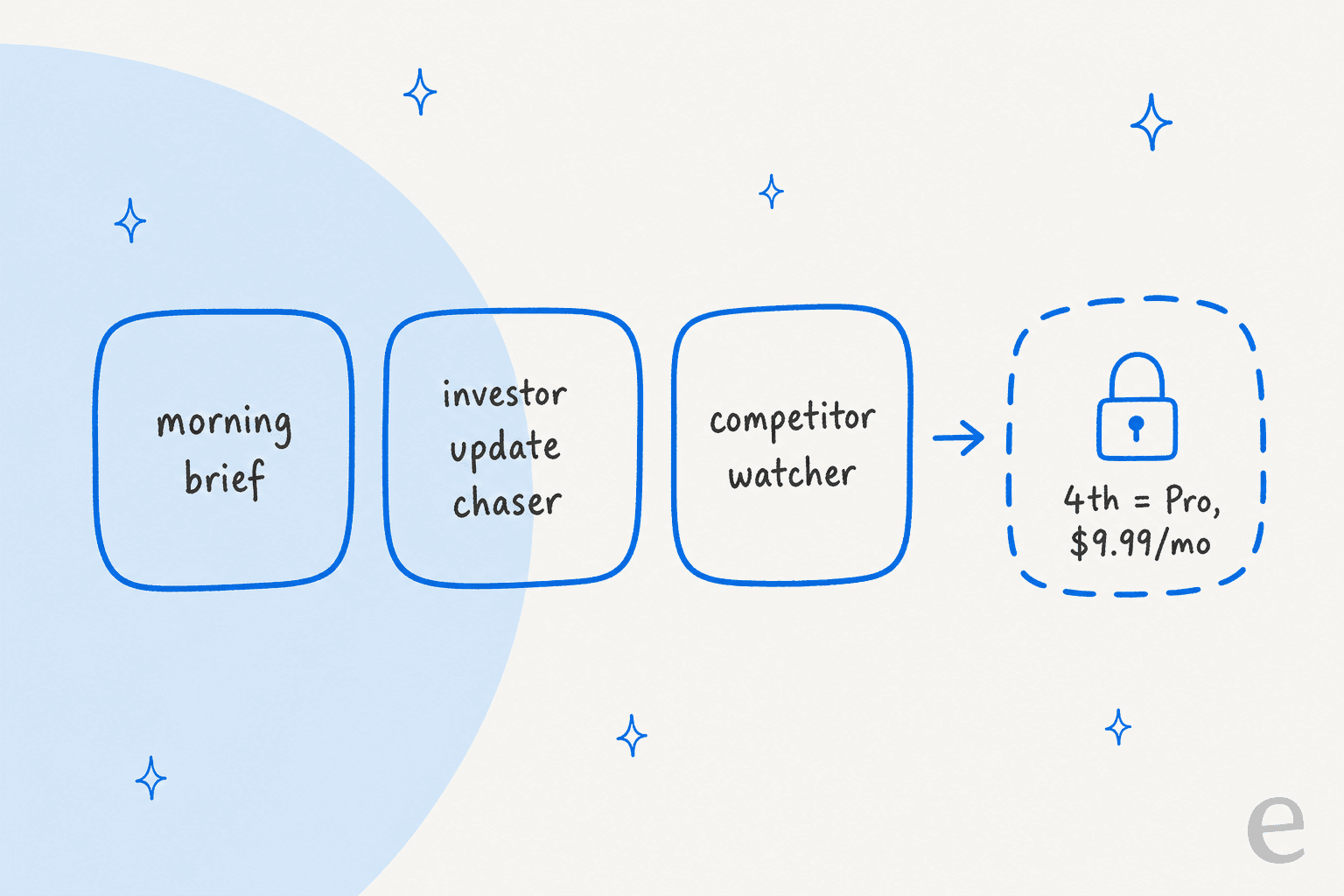
Morning brief, a chaser for the monthly investor update, a watcher on a competitor's pricing page, and you are out of slots. If you code through folk, add your ChatGPT plan to the real cost. Even then, $99.99 a year is less than one month of most paid assistants. For comparison, Orchid starts at $29.99 a month, and so does Lindy.
Company data: what to check before connecting the work inbox
A founder's inbox is not a personal inbox. It holds investor updates, cap tables, candidate details and customer contracts. folk's privacy stance is better than most consumer assistants, and it is still a consumer product. Here is what its pages say.
| Question | What folk says |
|---|---|
| Does it train on my data? | No, and it says it never will, per the FAQ |
| Where does it run? | A private cloud computer per user, with its own credentials |
| Which models see messages? | OpenAI and Anthropic models through OpenRouter, per the privacy policy |
| Who else sees content? | Langfuse, Lemma and Raindrop record model messages to find broken replies |
| Security certifications | SOC 2, ISO 27001 and HIPAA are not stated |
| Liability | Capped at what you paid in the prior 12 months, so $0 on Free, per the terms |
| Deleting | Account, chats, memory and connected apps wiped within seconds |
None of that is a red flag for personal use. For company use, it means two checks. Read your investor side letters and customer DPAs for anything about third-party AI processors. And if you would not forward a thread to a contractor without an NDA, connect that inbox read-only or keep it out. This primer on AI data privacy has the full list of questions I'd ask any AI vendor.
How I'd set folk up as a founder
If I were starting today, this is the order I'd go in. It takes about 20 minutes.
- Sign up with your phone number at folk.com. folk texts you first, no card needed.
- Connect Google read-only for the first week. Let folk triage and brief you without any send access. Ask "what matters in my inbox?" every morning and judge the answers.
- Spend your 3 background slots on purpose. Morning brief first, then one follow-up chaser (investor update or open candidates), then one watcher. Upgrade only when you want a fourth.
- Import your existing AI memory. folk's import page takes a ChatGPT export so it starts knowing your company, your team and your priorities.
- Switch to full Gmail access once the drafts sound like you, and keep "draft only" in your first message for anything to investors, candidates or customers.
- Connect Codex and GitHub last, and only for low-risk repos until you trust the PRs.
The fans are cheerful about where this goes:
"my bet is that folk will kill siri and then nozomio will acquire apple"
That is a long way off. What it can do today is make a founder's mornings quieter for the price of lunch.
When it's time for a teammate, not an assistant
There is one job on most founders' desks that folk is the wrong shape for: customer support. At pre-seed it is you answering a shared support address at midnight. By seed it is you and the first hire. That inbox is company work, other people need to see it, and the answers have to come from your docs and past replies, not from what one assistant remembers about you.
This is where I'd stop asking a personal assistant to stretch. I've worked at eesel long enough to see the pattern on real queues. One co-founder-led events company in Germany ran its Zendesk bot on full autopilot, and every draft on its first 10 real German tickets was on target across refunds, vouchers and host questions. It went on to handle 396 real tickets. That only worked because the bot learned from 580 of the company's own help articles, macros and past tickets, which is exactly the team context a personal assistant does not hold.
If you are earlier than a helpdesk, this guide to customer support for startups covers the jump from a shared Gmail to a real tool, and the best helpdesk software for startups list covers the tools. For the full field of AI options, see best AI for startup support.
Try eesel for your support inbox
Keep folk for your desk. For customers, eesel's AI helpdesk teammate joins the queue you already have, in Zendesk, Freshdesk, Gorgias or a shared Gmail, and drafts replies from your help center and past tickets. Before it sends a word, you can simulate it on your old tickets and read what it would have said. Your cofounder sees the same drafts and approvals you do, which is the part a personal assistant cannot give you.
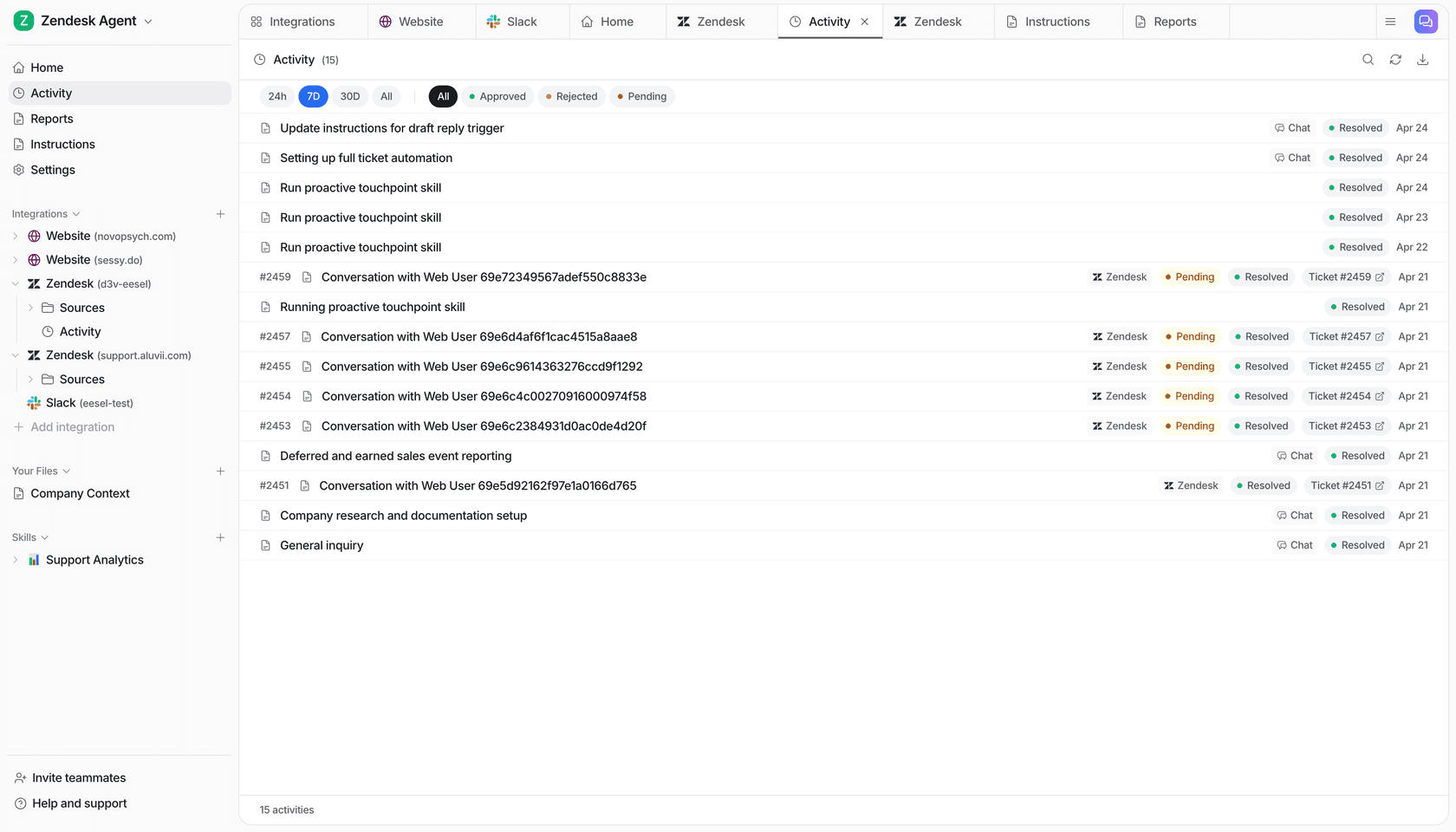
If you like folk because it opens PRs from a text, you'll like that eesel runs from the terminal too. The eesel CLI operates the same teammate you see in the dashboard: eesel integrations connect hooks up your helpdesk, eesel approvals list shows the replies waiting on you, and eesel activity shows what it did and why. Every workspace is also an MCP server, so Claude Code or Codex can drive it the way folk drives your GitHub. More on that in my guide to managing agents from the terminal.
The free plan gives 100 credits with every feature, enough to watch it work on your real tickets before you decide. Try eesel and keep your midnights for the company.