


Why teams leave Freshdesk
Freshdesk is a solid, well-liked helpdesk, and Freddy AI does real work once it is running. The friction is almost always the pricing model, not the product, and it comes from two directions.
The seats. The Freshdesk pricing page lists Growth at $19 per agent per month, Pro at $55 and Enterprise at $89, all billed annually. There is no free plan on the page, and the monthly prices render client-side rather than in the page source, so the annual figure is the one to plan against. I break the tiers down in my Freshdesk pricing guide.
The AI meter on top of the seats. The Freddy AI Agent is billed per session, not per seat. Freshdesk defines an email session as a 72-hour window from the customer's first email, and every AI response inside that window counts once. All three plans include the first 500 sessions, Growth included, and the word doing the work there is "first": it is a one-time allowance, not a monthly refill. After it runs out, Freshdesk charges $49 per 100 sessions, so $0.49 each. The agent-assist piece, Freddy Copilot, is a separate $29 per agent per month add-on sold only on Pro and Enterprise.
That distinction matters more than it looks. If the autonomous agent is all you want, enabling Freddy on Growth at $19 a seat is a legitimate option, and a lot of the "you need Pro" advice online is out of date. What Pro actually buys you is Copilot, faster report refreshes and Omniroute.
Because sessions scale with conversation volume, a product launch or a shipping delay that spikes tickets also spikes the bill. Previewing your own bot burns sessions too, published or not. The short version, and my Freshdesk Freddy AI pricing breakdown has the long one, is that teams who pilot Freddy and then scale get a surprise invoice the month the included sessions run dry.
What "free" actually means here
The other thing worth settling before you sign up for trials is which kind of free you are after, because these tools are not competing on the same thing.
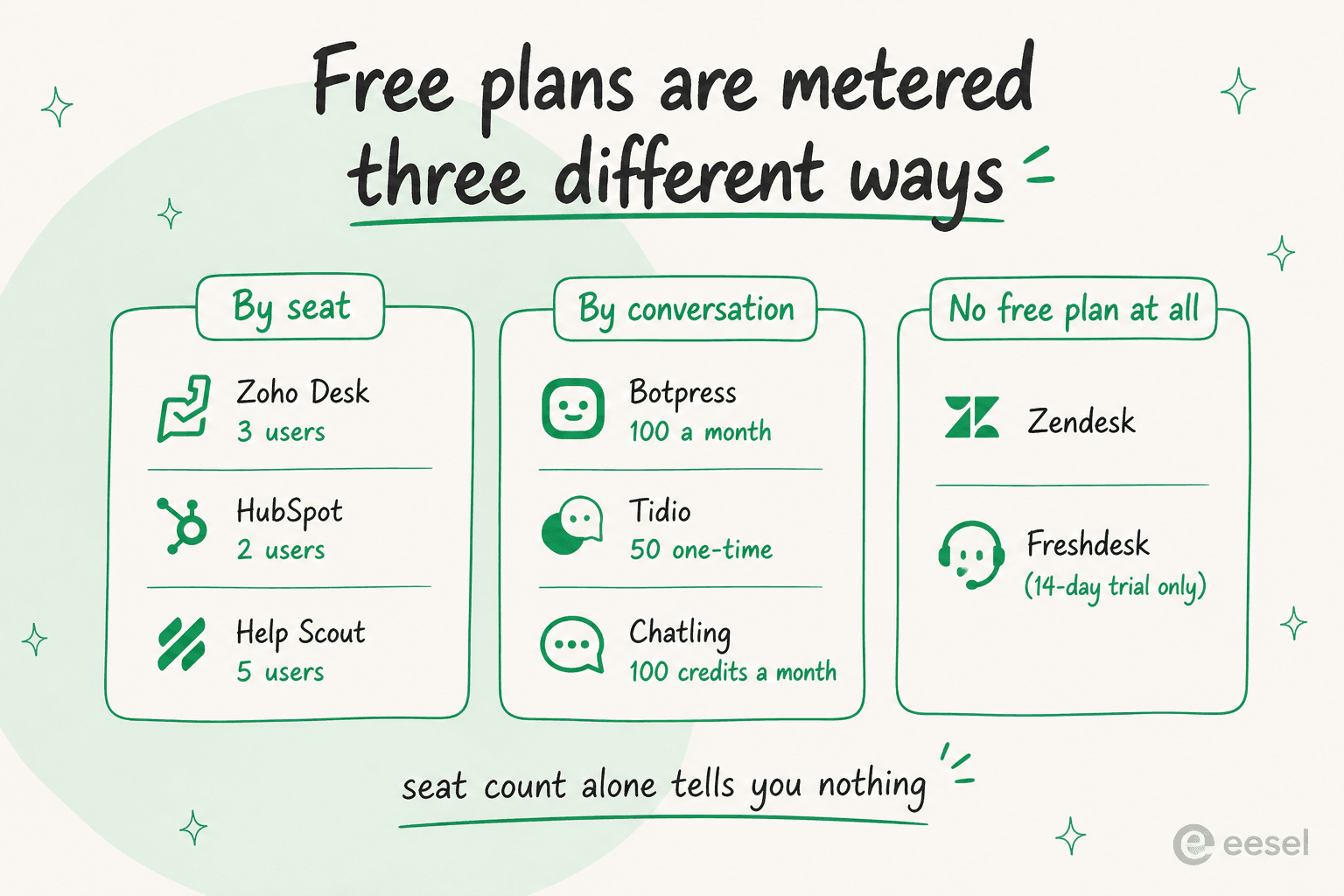
- Free by seat. A real helpdesk at $0, capped on people. Zoho Desk gives 3 users forever, Help Scout 5, HubSpot Service Hub 2. In all three, the autonomous AI is the paywalled part.
- Free by conversation. A recurring allowance of actual AI answers. Botpress does 100 conversations a month with the model cost bundled in, Chatling refreshes 100 AI credits monthly. Tidio's 50 Lyro conversations are printed as one-time.
- No free plan at all. Zendesk has none. Freshdesk has a 14-day trial plus the in-product Free Program at 2 agents for 6 months, which is not the same as a tier.
None of these is wrong, they just answer different questions. Seat count on its own tells you almost nothing about whether a free plan will survive your Monday.
How I picked
I pulled pricing for the original eight tools straight from each vendor's own pricing page on 11 August 2026, read the docs to confirm what the free tier actually unlocks, and leaned on G2, Capterra and Reddit for what users say once the honeymoon ends. Every dollar figure below is the vendor's published number, not a third-party estimate. I have left Intercom and a few thinner chatbot builders off the list to keep this to tools worth your time.
Featurebase was added on 16 September 2026 using its current product information and pricing. Hiver was added on 29 September 2026 using its current product and pricing pages. Forethought and My AskAI were added on 6 October 2026 from their own product, integration and pricing pages. I also checked Yuma AI, but its support AI page names Gorgias, Zendesk, Kustomer and Salesforce Service Cloud as its native helpdesks, not Freshdesk, so it is not on this list.
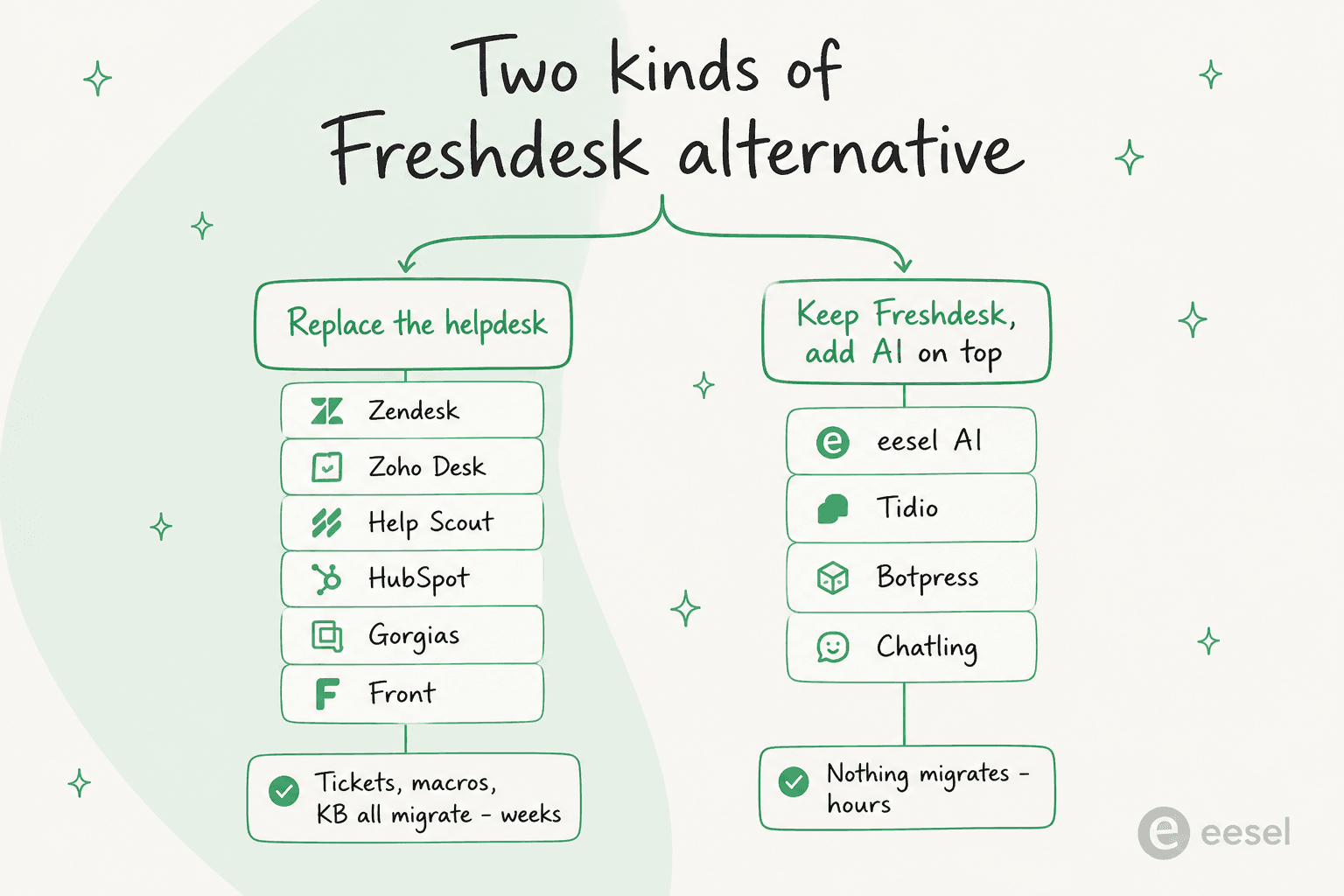
The column that decides most of this is the third one. Four of these twelve add AI without replacing Freshdesk; eight ask you to leave it.
| Tool | Best for | Replaces Freshdesk or sits on top? | Free tier | AI on free tier? | Paid entry (annual) | AI unit cost | Channels | Migration effort |
|---|---|---|---|---|---|---|---|---|
| eesel AI | Keeping Freshdesk, adding AI on top | Layers onto Freshdesk | 100 free credits, no card | Yes (fixed monthly credits) | Monthly credits, no seats | From $299/mo (500 credits, 1 per ticket) | Inherits your helpdesk, plus Slack, email, chat | Hours |
| Tidio | SMB ecommerce live chat | Adds an AI chat front door | 50 Lyro chats (one-time) | Trial only | $24.17/mo | ~$0.65 / Lyro convo | Web chat, email, social | Days |
| Forethought | Larger teams wanting answering, triage and agent assist from one vendor | Layers onto Freshworks | None (Proof of Value instead) | No | Custom, sales-quoted | Platform fee plus outcome-based charge | Chat, email, voice | Sales-led rollout |
| My AskAI | A low per-ticket AI agent inside Freshdesk | Layers onto Freshdesk | 30-day trial, no card | Trial only | Plan fee shown via calculator | From ~$0.10 / ticket | Freshdesk tickets, Freshchat, own widget | Nothing to migrate |
| Hiver | Complex, cross-team support | Replaces Freshdesk | — | — | $25/user/mo | Included in seat price | Email, chat, Slack, voice, WhatsApp | Weeks |
| Zendesk | Scaling past Freshdesk's ceiling | Replaces Freshdesk | None | No | $19/agent/mo (Support Team) | $1.50 committed, $2.00 PAYG | Email, chat, voice, social, WhatsApp | Weeks |
| Featurebase | SaaS support connected to product feedback | Replaces Freshdesk | Free, 1 seat | No | $29/seat/mo | $0.49/resolution | Email, live chat, Slack (Professional+) | Weeks |
| Zoho Desk | The cheapest credible replacement | Replaces Freshdesk | Free Forever, 3 users | Basic only | $7/user/mo | Included in plan | Email, chat, social, telephony | Weeks |
| Help Scout | Small relationship-driven teams | Replaces Freshdesk | Free, 5 users | No (add-on) | $25/user/mo | $0.75 / resolution | Email, chat, Docs, WhatsApp | Weeks |
| HubSpot Service Hub | Teams already on HubSpot CRM | Replaces Freshdesk | Free, 2 users | Copilot only | $90/seat/mo + $1,500 onboarding | $0.45 / resolution | Email, chat, forms, voice | Weeks |
| Gorgias | Shopify and ecommerce stores | Replaces Freshdesk | None | No | $40/mo (50 tickets) | $0.85 to $1.00 / automated interaction | Email, chat, social, SMS, voice | Weeks |
| Front | Teams who want a shared inbox | Replaces Freshdesk | None | No | $25/seat/mo | From $0.05 / conversation | Email, chat, SMS, WhatsApp, social | Weeks |
Route 1: keep Freshdesk and add AI on top
These four never ask you to migrate. eesel, Forethought and My AskAI connect to the Freshdesk account you already run; Tidio gives you a separate AI chat channel that answers before a ticket is ever created.
1. eesel AI
Best for: teams who like Freshdesk and want to add a capable AI agent on top without ripping anything out or paying per seat.
The reason eesel AI leads this list for Freshdesk refugees is that it is the one option you do not have to choose instead of Freshdesk. It is an AI teammate that lives inside the tools you already use, Freshdesk included (it installs from the Freshworks Marketplace), plus Zendesk, Slack, email, Shopify and 100+ others. It reads your tickets, drafts and sends replies, takes actions and escalates the edge cases, learning tone and rules from your existing ticket history rather than a prompt-engineering project.
It is not free forever, and I will not pretend otherwise. But it is the closest thing here to free-to-start that you can actually run in production: a free plan with 100 credits and no card required, then one fixed monthly price from $299/month for 500 credits (1 credit per ticket or chat handled), dashboard questions mostly free, and no per-seat fees and no platform fee on self-serve. Worth being precise about the unit: eesel uses a credit when a ticket is handled, not only when it resolves, which is a different bargain from Gorgias or Help Scout charging per outcome. What you get in exchange is that a reopened thread does not bill twice, and agents pause when credits run out (or overage stays within a cap you set), so the runaway-bill problem that defines Freddy's session model does not happen.
Because I sit on the support side, the failure mode I care about most is a confident bot answering wrong. That is why every rollout gets simulated against your historical tickets before it touches a live queue, and why the handoff rules are yours to set rather than a vendor default.
Pros:
- Layers onto Freshdesk and 100+ tools, no migration needed
- One fixed monthly price, no seat fees, optional capped overage
- Simulates against your own past tickets before going live
Cons:
- Not a free-forever tier, it is a paid credit plan after the 100 free credits
- It is an AI layer, not a full helpdesk replacement on its own
Pricing: Free plan with 100 credits, no card. Teammate plans: 500 credits $299/mo, 1,000 $499/mo, 2,500 $999/mo, 5,000 $1,899/mo (1 credit per ticket or chat). Blog posts are $4 each. Pay a year upfront for two months free. No Enterprise tier; add-ons include SSO and MFA from $199/mo.
My take: if your real goal is "keep Freshdesk, lose the Freddy session meter," this is the pick, and my eesel versus Freddy comparison goes deeper on the differences. Choose something else if you specifically need a brand-new standalone helpdesk rather than an AI layer.
2. Tidio (Lyro AI)
Best for: small ecommerce and SMB teams that want AI chat and live chat in one tidy box.
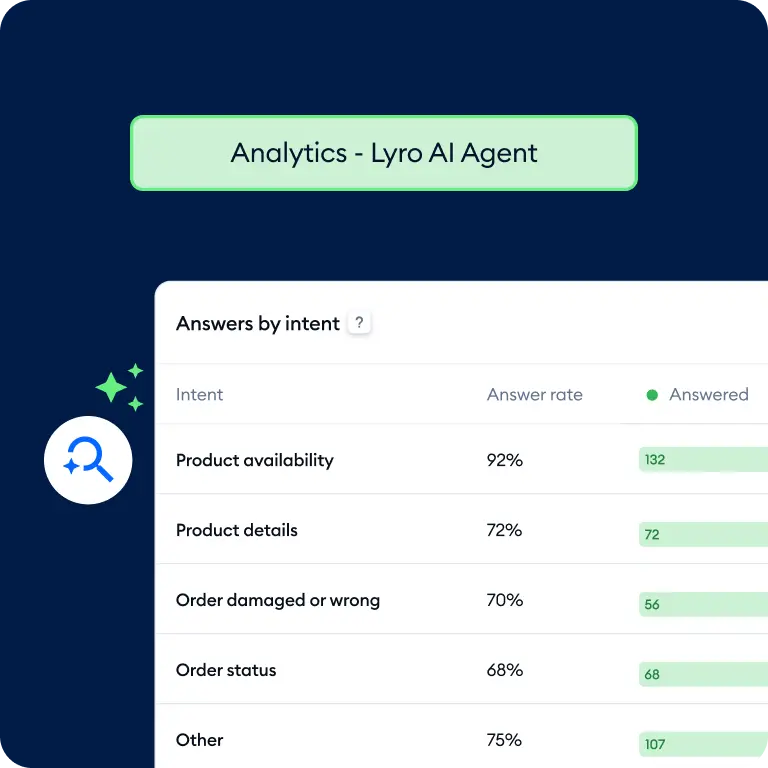
Tidio bundles an AI agent (Lyro), live chat, ticketing and proactive automation into one SMB-friendly platform. Lyro runs on Anthropic's Claude rather than GPT, and Tidio claims a 67% average resolution rate. It is a popular AI chatbot for ecommerce, with 300,000+ businesses and 4.6/5 on G2. The Lyro module also sells standalone, so you can point it at a helpdesk you already own.
The free tier is where "trial, then capped" applies: 50 billable conversations and 50 Lyro AI conversations, printed as one-time, plus 100 unique Flows visitors a month. That is enough to see whether Lyro handles your FAQs, not enough to run support on. Paid Lyro conversations ladder from 50 up to 750 a month, working out around $0.65 to $0.78 each depending on the pack. One quirk in your favour: Tidio's human-conversation meter only counts when a human agent replies, so bot-only chats do not burn it. My Tidio review has the full walkthrough, and Lyro pricing has the packs.
Pros:
- Good AI chat for FAQ-heavy ecommerce, fast to launch
- Live chat, ticketing and AI in one tool
- Bot-only conversations do not count against the human meter
Cons:
- The 50 free Lyro conversations are one-time, not monthly
- Per-conversation pricing climbs quickly at volume
Pricing: Free ($0, 50 Lyro chats one-time), Starter $24.17/mo, Growth from $49.17/mo, Plus from $300/mo plus usage. Lyro conversation packs ladder from 50 to 750 a month.
My take: a strong fit if you are a Shopify-era store that wants AI and live chat together and your volume is modest. Treat the free tier as a demo rather than a destination, and price the conversation packs against your real chat volume before you commit.
3. Forethought
Best for: larger support teams that want answering, ticket triage and agent assist from one AI vendor, and are comfortable with a sales-led purchase.
Forethought sells a set of AI agents for support teams: an omnichannel agent that answers across chat, email and voice (Solve), ticket classification and tagging (Triage), a copilot for human agents inside the helpdesk (Assist), and AI-surfaced insights on knowledge gaps (Discover). It learns from your past tickets and help center content. Its integrations page lists Freshworks and Freshchat among 70+ helpdesks, knowledge sources and connectors, so it works on top of Freshdesk rather than replacing it.
Pricing is not published. The Forethought pricing page describes a blend of a platform access fee and an outcome-based charge, with optional add-ons such as Insights, all quoted by sales. There is no self-serve free plan or trial. Forethought runs a Proof of Value on your own data instead, which makes buying it closer to an enterprise rollout than a sign-up.
Pros:
- Answering, triage, agent assist and insights from one vendor
- Trains on your past tickets and help center content
- Proof of Value on your own data before you commit
Cons:
- No published pricing: a platform fee plus an outcome charge, quoted by sales
- No self-serve free plan or trial
Pricing: Custom. Platform access fee plus outcome-based pricing, with optional add-ons. Proof of Value instead of a free trial.
My take: worth a look if you run a large Freshdesk operation and want one vendor for answering, triage and agent assist. If you want to start this week on a card, the self-serve options above are a quicker first step.
4. My AskAI
Best for: small and mid-sized teams that want a low per-ticket AI agent inside Freshdesk and are happy to self-serve.
My AskAI is an AI agent that plugs into the helpdesk you already run. It has two Freshworks integrations, one for Freshdesk tickets and one for Freshchat live chat, and it trains on your help docs and historic tickets. Rollout runs in four phases: import knowledge, draft replies as internal notes, switch to direct replies, then add tasks and tools such as order refunds.
The My AskAI pricing page leads with from $0.10 per ticket and a 30-day free trial with no card. The Scale plan includes 2,000 tickets a month, with extra tickets at about $0.10 and unlimited team seats, and Enterprise starts at $999/mo. The Pro and Scale monthly fees sit in an interactive calculator rather than in the page text, so I am not quoting them here. The billing unit is worth reading closely: per My AskAI's pricing docs, on ticket replies the first AI response counts as one conversation and each later response as half of one, so a long back-and-forth uses more than a one-reply ticket.
Pros:
- Native integrations for both Freshdesk tickets and Freshchat
- 30-day free trial with no card required
- Starts with internal-note drafts before replying to customers directly
Cons:
- Pro and Scale monthly fees are not printed outside the calculator
- Usage is counted per AI response, so long threads cost more than one unit
Pricing: 30-day free trial. Pro and Scale plans (Scale includes 2,000 tickets a month, about $0.10 per extra ticket, unlimited seats), with fees shown in the pricing calculator. Enterprise from $999/mo.
My take: a reasonable pick if you want a low-cost AI agent on Freshdesk and do not need a sales process. Run the trial on your real ticket mix, then check the cost estimator under Billing, which My AskAI says fills in within 7 days of connecting your helpdesk.
Route 2: replace the helpdesk
These six are full helpdesks, so picking one means moving your tickets, contacts, macros and knowledge base off Freshdesk. Three have a free plan, three have none, and not one of them gives you a free autonomous AI agent.
5. Hiver
Best for: teams handling complex, cross-team support who want AI included in the seat price.
Hiver is an agentic omnichannel customer service platform built for complex support. It brings email, live chat, Slack, voice, and WhatsApp into one workspace with ticketing, SLAs, and workflows. It also connects to Salesforce, HubSpot, Jira, and other systems of record. Seats are $25, $55 and $85 per user per month, all annual. Voice is an add-on at $30 per voice seat, with 1,000 minutes included.
The AI is where Hiver differs from the metered tools on this page. AI Agents and AI Copilot are included on every plan, and Hiver doesn't charge extra for AI usage. AI Agents follow the procedures you write in plain language, take action across connected tools, and resolve complex requests end to end, bringing in a support rep when judgment is needed. AI Copilot does the groundwork on the rest. AI QA, which checks every draft against your quality standards before it's sent, is on Elite.
Pros:
- AI Agents and AI Copilot come with every seat, with no per-resolution meter
- Internal notes, @mentions, and Slack threads keep cross-team work on the ticket
- Support leaders control where AI steps in and can see every action it takes
Cons:
- Moving off Freshdesk takes planning, since you'll rebuild tags, workflows, and SLAs
Pricing: Growth $25/user/mo, Pro $55, Elite $85, all annual. AI Agents and AI Copilot included on every plan. Voice add-on $30 per voice seat/month.
My take: pick Hiver if your tickets regularly need other teams to resolve and you'd rather have AI in the seat price than a per-resolution bill.
6. Zendesk
Best for: teams outgrowing Freshdesk who want the deepest platform and can absorb the AI rate.
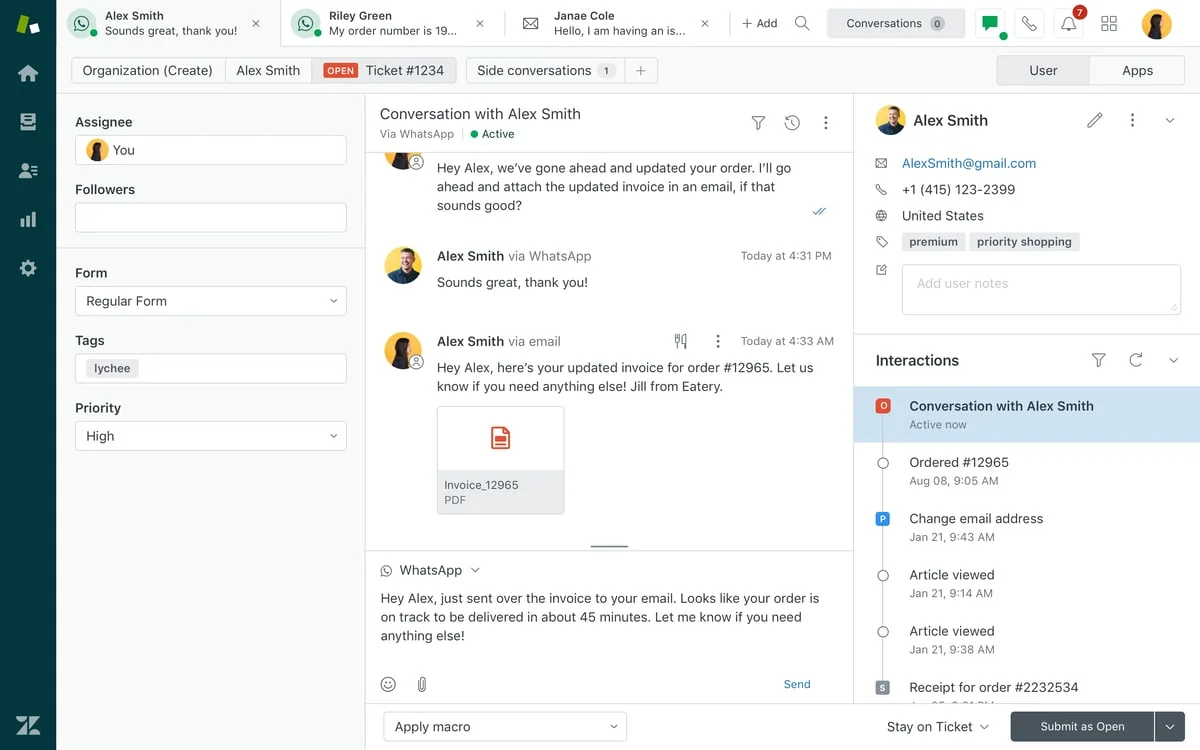
Zendesk is the obvious upgrade path and the one most Freshdesk teams price out first. Its seat ladder actually starts lower than Freshdesk's practical entry point: Support Team is $19 per agent per month annually, Suite Team $55, Suite Professional $115, with monthly billing at $25, $69 and $149. There is no free plan. My Zendesk pricing guide walks the tiers, and Zendesk versus Freshdesk covers the feature-by-feature comparison.
The AI is where the arithmetic changes. Zendesk now publishes its rate, which it did not a year ago, and the figures sit in the compare-all-features table rather than the plan cards: each plan includes 5 automated resolutions per agent per month (10 on Professional, capped at 10,000 a year), then $1.50 each committed or $2.00 pay-as-you-go. Zendesk AI is capable, but at three to four times Freddy's $0.49 session, the meter is the thing to model before you migrate. Copilot is a further $50 per agent per month.
Pros:
- Deepest channel coverage here, including voice and WhatsApp
- Lowest published seat entry at $19 on Support Team
- Per-resolution rate is now published, so you can budget it
Cons:
- No free plan, and no trial-length allowance of AI resolutions
- At $1.50 to $2.00 per resolution, the AI line is the highest here
Pricing: Support Team $19, Suite Team $55, Suite Professional $115 per agent/mo annual ($25 / $69 / $149 monthly). Automated resolutions $1.50 committed, $2.00 pay-as-you-go. Copilot $50/agent/mo.
My take: the right move if you are leaving Freshdesk because you hit a platform ceiling rather than a price ceiling. If the AI rate is what puts you off, my Zendesk AI alternatives piece covers layering an agent on Zendesk instead of buying its own.
7. Featurebase
Best for: SaaS and product-led teams that want to replace Freshdesk with support, feedback, roadmaps, and changelogs in one platform.
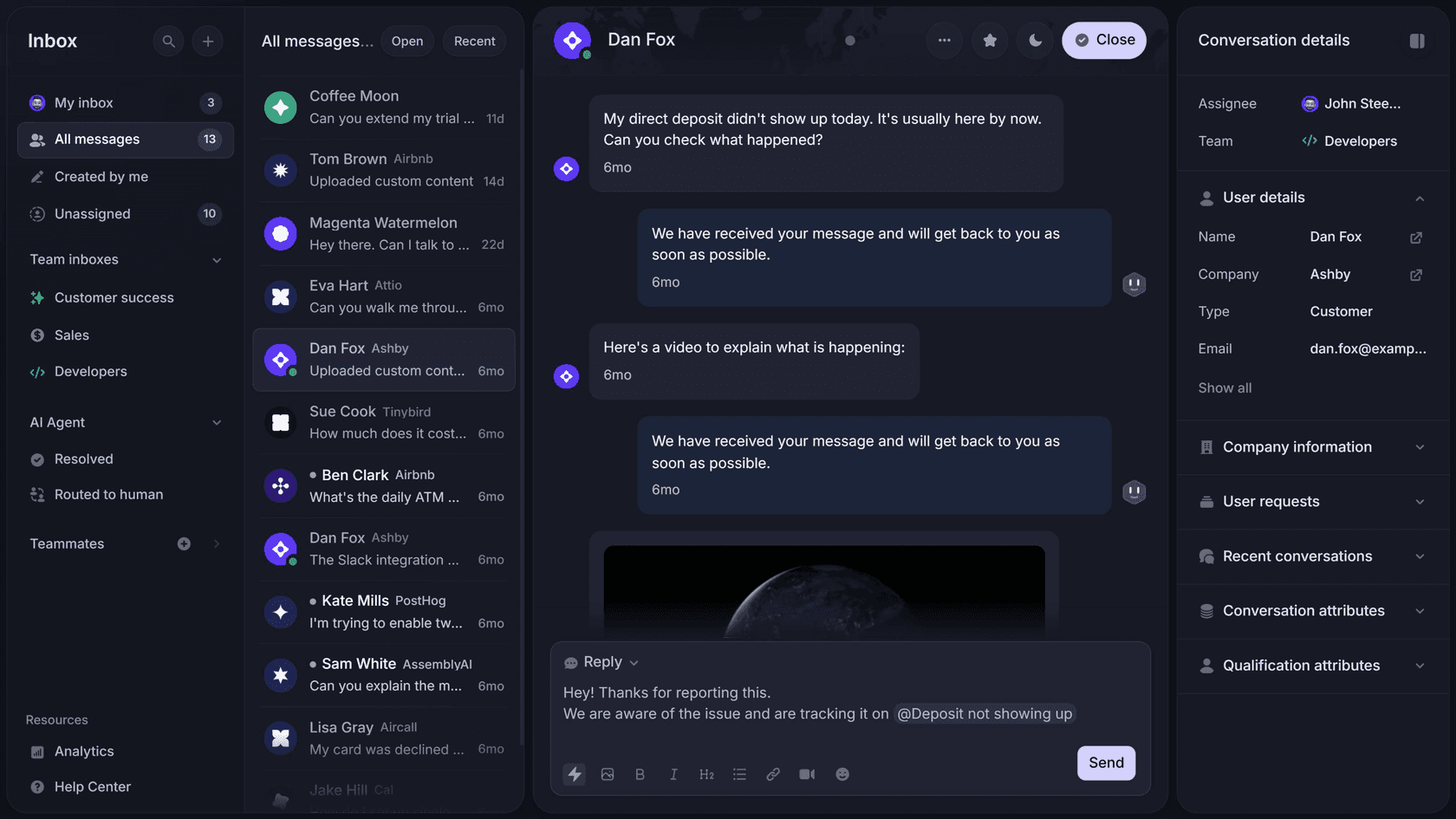
Featurebase is the product-led alternative on this list. It combines a unified support inbox, live chat, email ticketing, Fibi AI, a help center, feedback boards, surveys, public roadmaps, and changelogs. That makes it particularly useful for software teams whose support conversations regularly become feature requests: instead of copying feedback into a separate product-management tool, agents can keep the entire customer feedback loop inside Featurebase.
The free plan provides one seat, live chat, ticketing, a mobile app, and unlimited conversations, but it does not include the Fibi AI Agent. Growth starts at $29 per seat per month annually and adds email support, Fibi, AI-assisted replies, custom domains, analytics, and integrations. Fibi costs $0.49 per successful resolution and is charged at most once per conversation, even when it answers multiple questions. Professional costs $59 per seat and adds workflows, SLAs, user segmentation, multilingual support, and 20 Lite seats. APIs and webhooks are also available on Growth.
Pros:
- Support, knowledge base, feedback, surveys, roadmaps, and changelogs in one platform
- Free help desk with unlimited conversations for one user
- Fibi is charged only when it successfully resolves a conversation
- Strong fit for SaaS teams that want support insights connected to product decisions
Cons:
- The free plan is limited to one seat and does not include Fibi
- No native voice channel, making it less suitable for call-heavy support teams
- Advanced workflows, SLAs, and multilingual support require Professional
Pricing: Free ($0, 1 seat, no Fibi), Growth $29/seat/mo, Professional $59/seat/mo, Enterprise $99/seat/mo, all paid annually. Fibi costs $0.49 per successful resolution. Unlimited Copilot usage is a separate $19/agent/mo add-on, although each teammate gets Copilot in 10 conversations per month at no extra cost.
My take: Featurebase is the strongest fit when Freshdesk is only one piece of a fragmented customer stack. It will not beat Zendesk on channel depth or Zoho Desk on the lowest possible seat price, but combining support with feedback boards, surveys, roadmaps, and changelogs can eliminate several other tools alongside Freshdesk.
8. Zoho Desk (Zia)
Best for: teams who want the cheapest credible full replacement, with the AI included rather than metered.
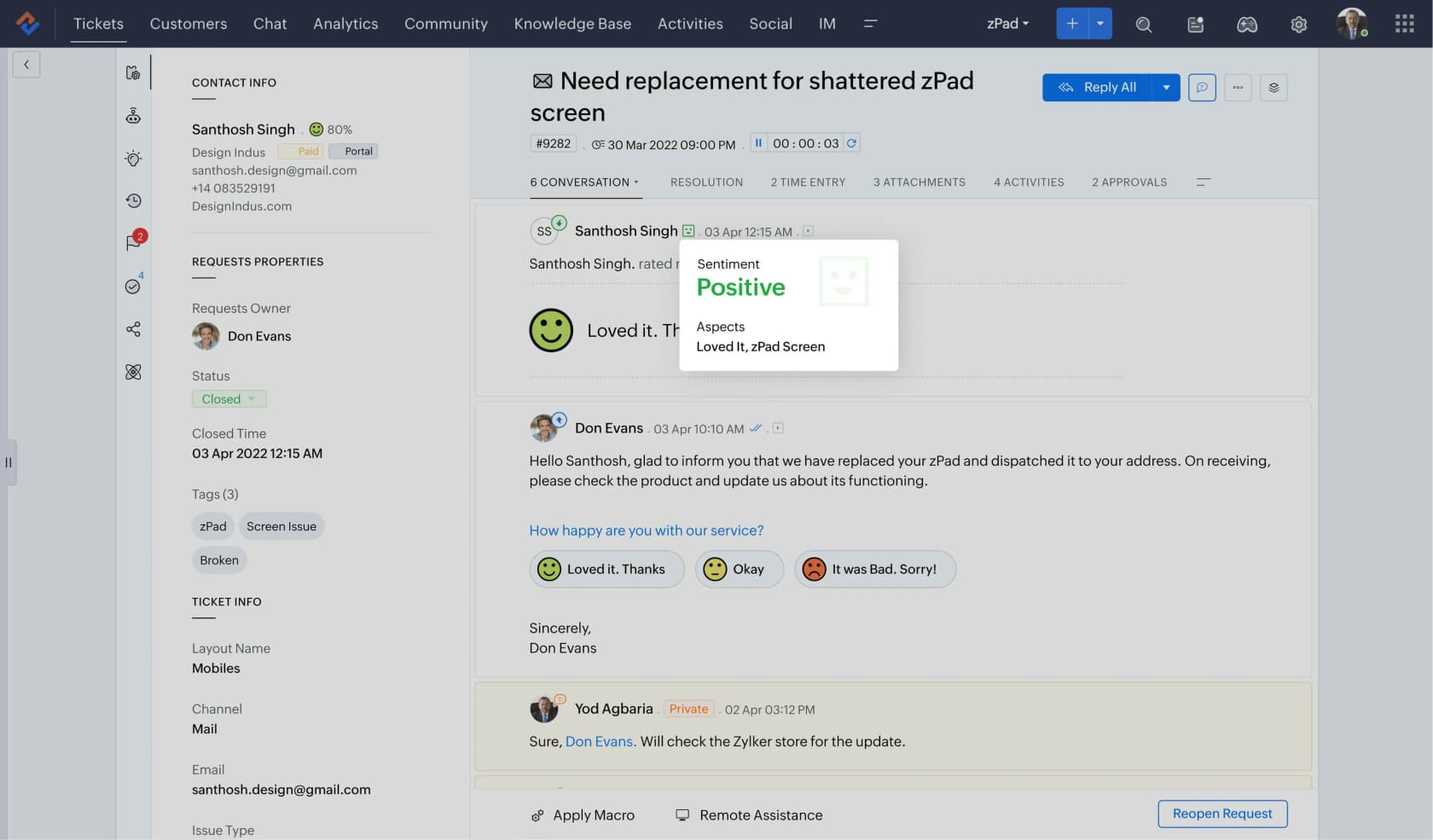
Zoho Desk is the value play, widely described on Reddit as most of what the big platforms do at a fraction of the cost, with a Free Forever plan for up to 3 users and a Gartner Peer Insights score of 4.5/5 from 2,403 ratings. If you want the detail, my Zoho Desk AI review goes further.
The important correction for 2026: Zia is no longer gated to Enterprise. As printed on Zoho's pricing page, Express at $7 carries AI Agents with 30M free tokens a month plus bring-your-own-key generative AI, Standard at $14 adds the Answer Bot, and Professional at $23 has Zia AI built in. Enterprise at $40 is now about Guided Conversations, live chat and multi-brand help centers. Plenty of roundups still say Answer Bot is a $40 feature, and that has not been true for months.
The real limit is the source list, not the price. Zoho's own Answer Bot documentation describes training on knowledge base articles plus optional open-domain data, so an authenticated Confluence or Google Docs store is not a connectable source. That narrows what Zia can answer to how complete your published help center is, which is the most common complaint I see about it from Zoho teams.
Pros:
- True Free Forever helpdesk for up to 3 users
- Cheapest paid entry here at $7 a user, with AI from that tier up
- AI is included in the plan rather than metered per answer
Cons:
- Answer Bot trains on KB articles, not authenticated doc stores
- Zia's answer quality draws real criticism from users
Pricing: Free Forever ($0, 3 users), Express $7, Standard $14, Professional $23, Enterprise $40 per user/mo billed annually. Light agents $6 each.
My take: the best-value full replacement on this page, and much better value than its reputation now that Zia starts at $7 rather than $40. Go in with clear eyes about answer quality.
9. Help Scout
Best for: small, relationship-driven teams who want a clean shared inbox and will pay separately for the AI.
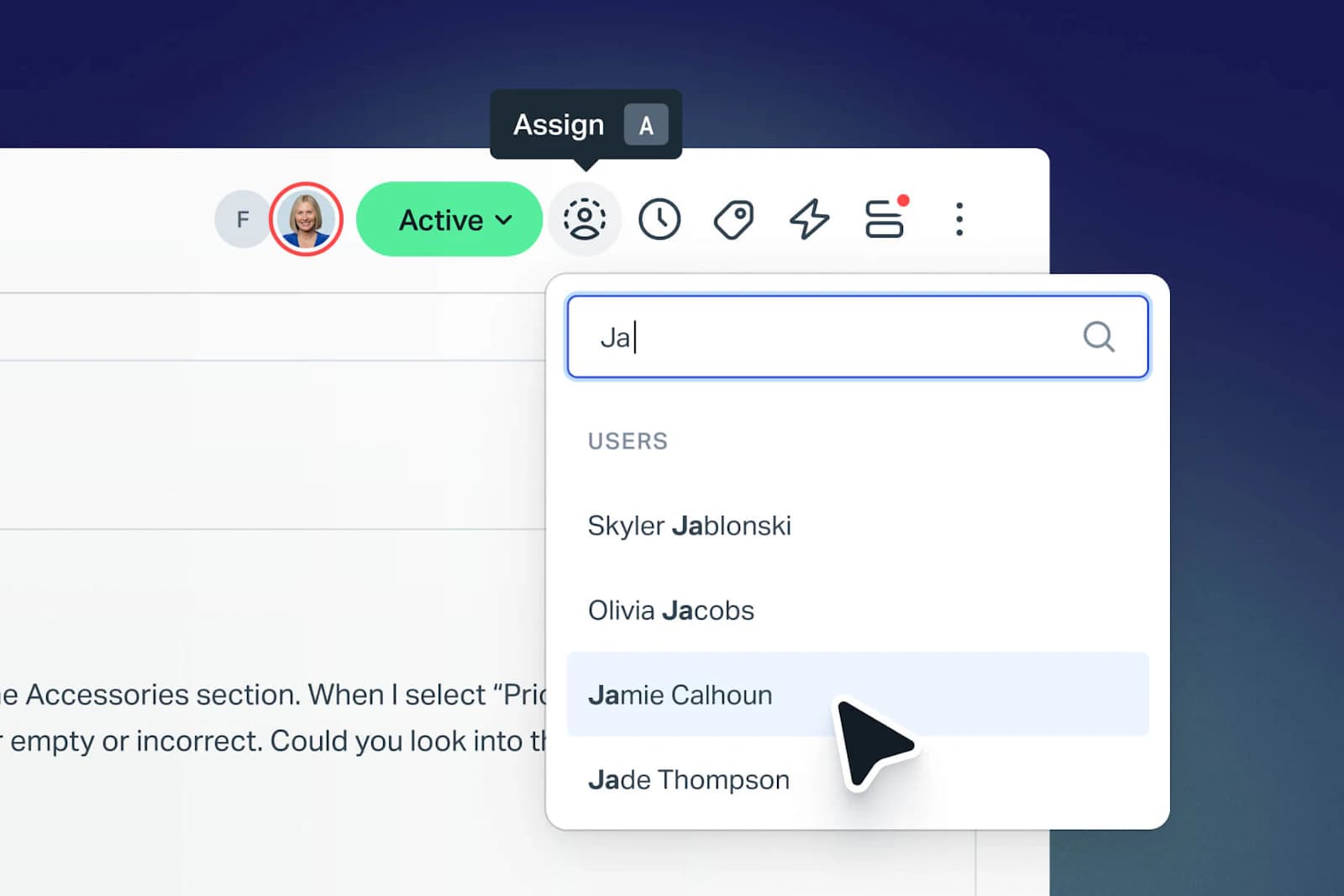
Help Scout is the "feels like email, not a ticket system" option, and small teams consistently say it is learnable in under an hour. The free plan covers 5 users, 1 Inbox and 1 Docs site, and it is used by 12,000+ companies. It is also deeper on ecommerce than roundups usually credit: Shopify is one of four featured integrations, with order status and refunds inside the conversation, and workflows run on every paid plan, capped at 150 basic on Standard and 500 advanced on Plus. My Help Scout pricing guide has the tier detail.
AI is not part of the free plan. AI Answers is a usage-based add-on at $0.75 per resolution, the same rate on all three paid tiers, stacked on top of the per-seat price. Two things soften that: Help Scout publishes the fairest counting rule in the category, one resolution per conversation even if the AI answers several questions inside it, and there is currently a 3-month free trial of AI Answers, which is the most generous free look at an autonomous agent anywhere on this page. Their own calculator assumes a 73% resolution rate. The Help Scout AI approach is worth reading if that model appeals.
Pricing has been a sore spot, though. Help Scout switched from per-seat to per-interaction billing, triggered churn, then reverted, and the trust damage lingers:
"HelpScout changed back to user-based pricing. Guess too many people cancelled including me... Helpscout lost all trust with this flip-flopping on pricing."

Pros:
- Free shared inbox for up to 5 users, fastest UI to learn here
- 3-month free trial of AI Answers, the best free AI look on this list
- One resolution per conversation, the fairest counting rule in the category
Cons:
- AI Answers is $0.75 per resolution on top of seats
- Pro is demo-gated with a 10-seat minimum, and pricing has flip-flopped
Pricing: Free ($0, 5 users, 1 Inbox, 1 Docs site), Standard $25, Plus $45, Pro $75 per user/mo. AI Answers $0.75 per resolution. Extra Inbox $10/mo, extra Docs site $20/mo.
My take: a lovely free helpdesk for a tiny team, and the 3-month AI trial makes it the most testable option here. If you want a cheaper AI layer on the same inbox, my AI for Help Scout guide covers that route.
10. HubSpot Service Hub (Breeze)
Best for: teams already on HubSpot's CRM who want an AI copilot in their inbox for free.
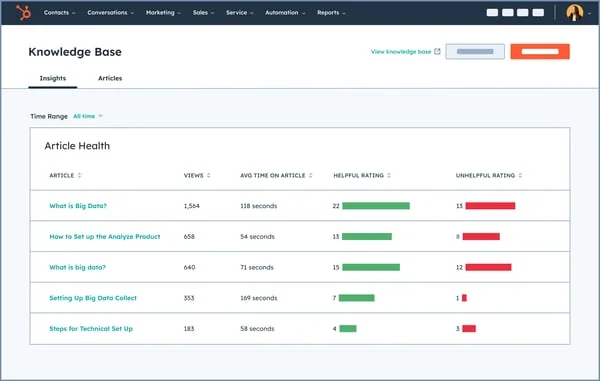
HubSpot Service Hub is the strongest pick if you already live in HubSpot's CRM, because its AI is grounded in that customer data. The free part is Breeze Assistant (formerly Breeze Copilot), included from the Free edition up, which summarizes ticket threads, drafts replies and surfaces prior context. The free plan covers 2 users, though the help desk workspace itself is not in it.
The autonomous piece is a different story. Breeze Customer Agent is Professional and above ($90 per seat per month annually, plus a required $1,500 onboarding fee), and it burns 50 HubSpot Credits per resolution at $9.00 per 1,000 credits, so $0.45 per resolution. The sharp bit of arithmetic: Professional includes 3,000 credits, which is only 60 resolutions a month, roughly two a day, and that pool also funds every other Breeze action. Credits do not roll over, and when they run out the agent silently stops taking new conversations rather than billing you. My HubSpot AI agent pricing piece works through the credit math.
Quality tracks your CRM hygiene, which is the recurring note in Breeze reviews: the agent is only as good as the records and articles behind it, so this is a route that rewards teams who already keep HubSpot tidy.
Pros:
- Breeze Assistant is free on every edition, including Free
- Tight CRM grounding if you are already a HubSpot shop
- Outcome-based $0.45 per resolution once you are on Professional
Cons:
- Autonomous agent is Professional+ at $90/seat plus $1,500 onboarding
- 3,000 included credits is only about 60 resolutions a month, and they do not roll over
Pricing: Free ($0, 2 users), Starter $7/seat/mo annual ($20 monthly), Professional $90/seat/mo annual ($100 monthly) plus $1,500 onboarding, Enterprise $150/seat/mo plus $3,500 onboarding. Breeze Customer Agent $0.45 per resolution.
My take: worth it for the free Breeze Assistant if HubSpot is already your CRM, but the autonomous agent is firmly paywalled, so treat it as a free agent-assist rather than a free Freddy replacement. Watch the credit pool, because an empty one looks like an outage, not a bill.
11. Gorgias
Best for: Shopify and ecommerce stores where order context matters more than ticket volume.
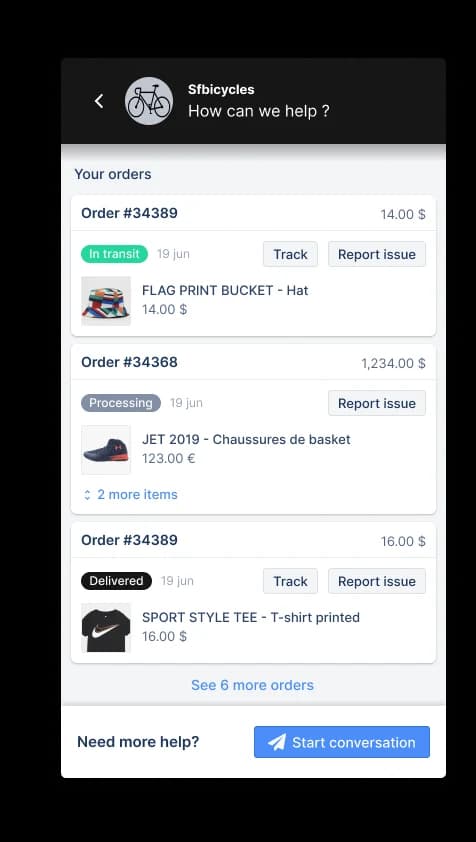
Gorgias is the ecommerce-native option, and the one Freshdesk store owners switch to when they are tired of pasting order numbers between tabs. It prices by ticket volume rather than per agent, which is a real difference from Freshdesk: Starter is $40/mo for 50 tickets, Basic $90 ($77 annual) for 300, Pro $550 ($471) for 2,000 and Advanced $1,430 ($1,227) for 5,000. Seats are not billed, but they are capped: the compare table prints 3 on Starter and 500 on the rest. My Gorgias plans comparison lays the grid out.
The AI Agent is $0.85 to $1.00 per automated interaction depending on plan ($1.00 on Starter, $0.90 on Basic and Pro, $0.85 on Advanced), with a bundle of interactions included (30 on Starter and Basic, 190 on Pro, 530 on Advanced). Worth reading the unit carefully: the headline talks about paying when it resolves, but the metered unit printed on the page is the automated interaction, so an escalated conversation still counts. Ticket overage is $0.40 on the small plans and $0.36 on the large ones. Whether it earns that rate for your store is the question my is Gorgias AI worth it piece digs into.
Pros:
- Deepest Shopify and ecommerce context of anything here
- Priced by ticket volume, never per agent
- Generous included AI interactions on the larger plans
Cons:
- No free plan, and Starter caps you at 3 seats and 50 tickets
- $0.85 to $1.00 per automated interaction, counted per interaction not per resolution
Pricing: Starter $40/mo (50 tickets, monthly only), Basic $90 / $77 annual (300), Pro $550 / $471 (2,000), Advanced $1,430 / $1,227 (5,000). AI Agent $0.85 to $1.00 per automated interaction by plan. Ticket overage $0.40 or $0.36.
My take: the right replacement if you run a store and your tickets are mostly order questions. If the ticket-bracket model feels tight, my Gorgias alternatives roundup covers the rest of the field.
12. Front
Best for: teams who want a shared inbox with real collaboration rather than a ticket queue.
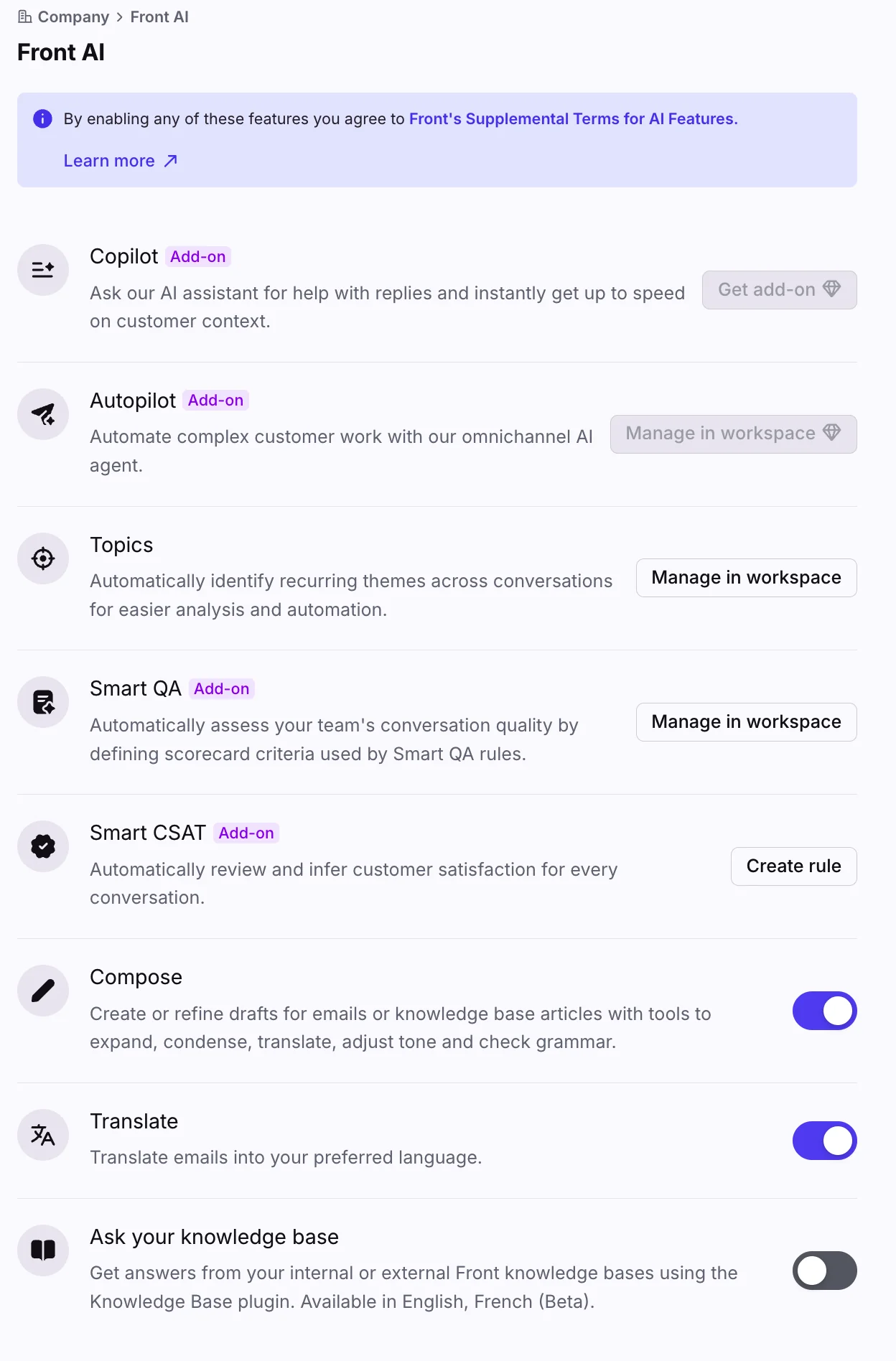
Front sits between a shared inbox and a helpdesk, and it wins on internal collaboration: comments, drafts and assignments happen beside the customer thread rather than in a separate note field. Seats are $25 (up to 10), $65 (up to 50) and $105 uncapped, all annual. There is no free plan. My Front AI guide covers the product in depth.
AI is sold as four separate products, and this is where Front's pricing has a trap worth knowing. Autopilot starts at $0.05 per conversation and is sales-quoted, and it is an add-on on every plan including Enterprise. Copilot is $20 per seat per month, Smart QA $20 and Smart CSAT $10, and those three are included on Enterprise. So Professional at $65 plus all three add-ons lands at $115 a seat, more than Enterprise's $105. Compose, Translate and Summarize are in every seat, capped at 200 actions per teammate per day.
Two facts worth being accurate about, because both get written wrong: Autopilot does have simulation, it just runs against scenarios you write rather than a replay of your own past tickets, and external knowledge sources are supported, but as public-website crawls, up to five per channel, which is what rules out an authenticated Confluence or gated help center.
Pros:
- Best internal collaboration model here, comments beside the thread
- Autopilot's $0.05 starting rate is the lowest AI unit cost on this page
- Autopilot includes simulation before you go live
Cons:
- No free plan, and AI is four separately-billed products
- Professional plus all three add-ons costs more per seat than Enterprise
Pricing: Starter $25/seat/mo (≤10 seats), Professional $65 (≤50), Enterprise $105, all annual. Autopilot from $0.05/conversation (quoted), Copilot $20/seat, Smart QA $20/seat, Smart CSAT $10/seat, QA and CSAT bundled $25.
My take: pick Front if your team's real problem is coordinating on replies rather than volume. Price the add-ons before you commit, and if you would rather keep Front and add a cheaper agent, my AI for Front guide covers that.
Free-tier chatbot builders worth a look
Neither of these is a Freshdesk replacement, and neither will work your ticket queue. But if what you actually want is a free AI answer bot on your website, they are the two with free tiers that survive past week one.
Botpress has the most generous free tier here: 100 conversations a month, 3 seats, no top-ups or overages, and the model cost bundled in rather than marked up. Their pricing page is blunt about it, saying most tools mark up AI spend and they pay it instead. Paid is $150/mo with conversation packs at $0.65 each, or $750/mo with packs at $0.50, and unused pack conversations expire at month end. It is SOC II certified, GDPR compliant and rated 4.5/5 on G2. The trade-off is the build: this is a developer tool with a visual Studio and a TypeScript ADK, not a ten-minute setup, and the community consistently calls it powerful but slower to master. My AI agent versus rule-based chatbot explainer is useful background before you start.
Chatling is the no-code counterpart, SMB-focused and explicitly positioned around resolution rather than deflection. Its free plan refreshes 100 AI credits every month, and credits reset monthly on every tier. The mechanic to understand is that a single AI answer costs between 0.5 and 25 credits depending on the model, a 50x swing, so the model you pin decides everything. In practice the free plan narrows that for you: it offers four models (GPT 5.1 at 2 credits, GPT-4.1 and GPT-4o at 2.5, GPT-4o mini at 0.5), so 100 credits buys anywhere from 40 to 200 answers a month. Paid is $32/mo annual for 3,000 credits and 34 models, or $112/mo for 15,000. If you are shopping this category properly, compare it against the no-code builders on price per answer, not per seat.
How much work is the switch?
Price comparisons skip this part, and it is usually the thing that decides which route you actually take. The three groups are nothing alike in effort.
| Route | What has to move | Realistic effort |
|---|---|---|
| AI on top of Freshdesk (eesel) | Nothing. You connect the Freshdesk account you already run, point the AI at your help docs and past tickets, and it works the tickets in place | Hours. You can switch it off and be back where you started |
| A new AI chat channel (Tidio, Botpress, Chatling) | Nothing leaves Freshdesk, but you are building and maintaining a second front door: content, flows, handoff rules, and a second place to look when something breaks | Days. Longer with Botpress, which is a build, not a setup |
| A new helpdesk (Hiver, Zendesk, Featurebase, Zoho Desk, Help Scout, HubSpot, Gorgias, Front) | Tickets and their history, contacts, macros and automations, SLAs, knowledge base articles, every integration, plus retraining the team | Weeks, and the long tail is the automations nobody documented |
I am deliberately not quoting a vendor's import time, because those numbers only cover the data export and import. The weeks go into rebuilding the automation logic and getting agents fluent in a new inbox. If your Freshdesk instance leans hard on Freshdesk automations, budget more than you think.
What it actually costs to leave Freshdesk
Strip away the free tiers and the real question is the monthly total once you are live. Here is the same team costed ten ways: 5 agents, 1,000 tickets a month, AI handling 40% of them. The 40% is my assumption for the arithmetic, not a measured resolution rate, and the original prices were checked on 11 August 2026. Hiver pricing was checked on 29 September 2026; its total excludes the optional voice add-on. Featurebase pricing was checked on 16 September 2026; its $196 AI estimate assumes all 400 conversations are successfully resolved by Fibi.
| Route | Seats (5 agents) | AI (400 conversations) | Monthly total |
|---|---|---|---|
| Stay on Freshdesk Pro with Freddy plus Copilot | $275 | $196 plus $145 Copilot | $616 |
| Stay on Freshdesk Growth with Freddy | $95 | $196 | $291 |
| Keep Freshdesk Growth, add eesel on top | $95 | $160, capped at a limit you set | $255 |
| Move to Hiver Growth | $125 | $0, included in seat price | $125 |
| Move to Featurebase Growth with Fibi | $145 | $196 | $341 |
| Move to Zoho Desk Professional (Zia included) | $115 | $0, included in the plan | $115 |
| Move to Front Professional with Autopilot | $325 | $20 at the $0.05 starting rate | $345 |
| Move to Help Scout Standard with AI Answers | $125 | $300 | $425 |
| Move to HubSpot Service Hub Professional | $450 | $180 | $630 plus $1,500 onboarding |
| Move to Zendesk Suite Team with resolutions | $275 | $562 after 25 included | $837 |
Three things fall out of that. If Freddy was the only reason you were on Freshdesk Pro, moving to Growth is the biggest single saving on this page, taking the seat line from $275 to $95, because the AI Agent is on Growth too. Moving helpdesk to save on seats can hand the savings straight back through a higher AI rate, which is exactly what happens to Zendesk here: the cheapest seats on the list produce the most expensive total. And Zoho Desk wins the arithmetic outright by bundling its AI, as long as you accept Zia's answer quality and its knowledge base only source list.
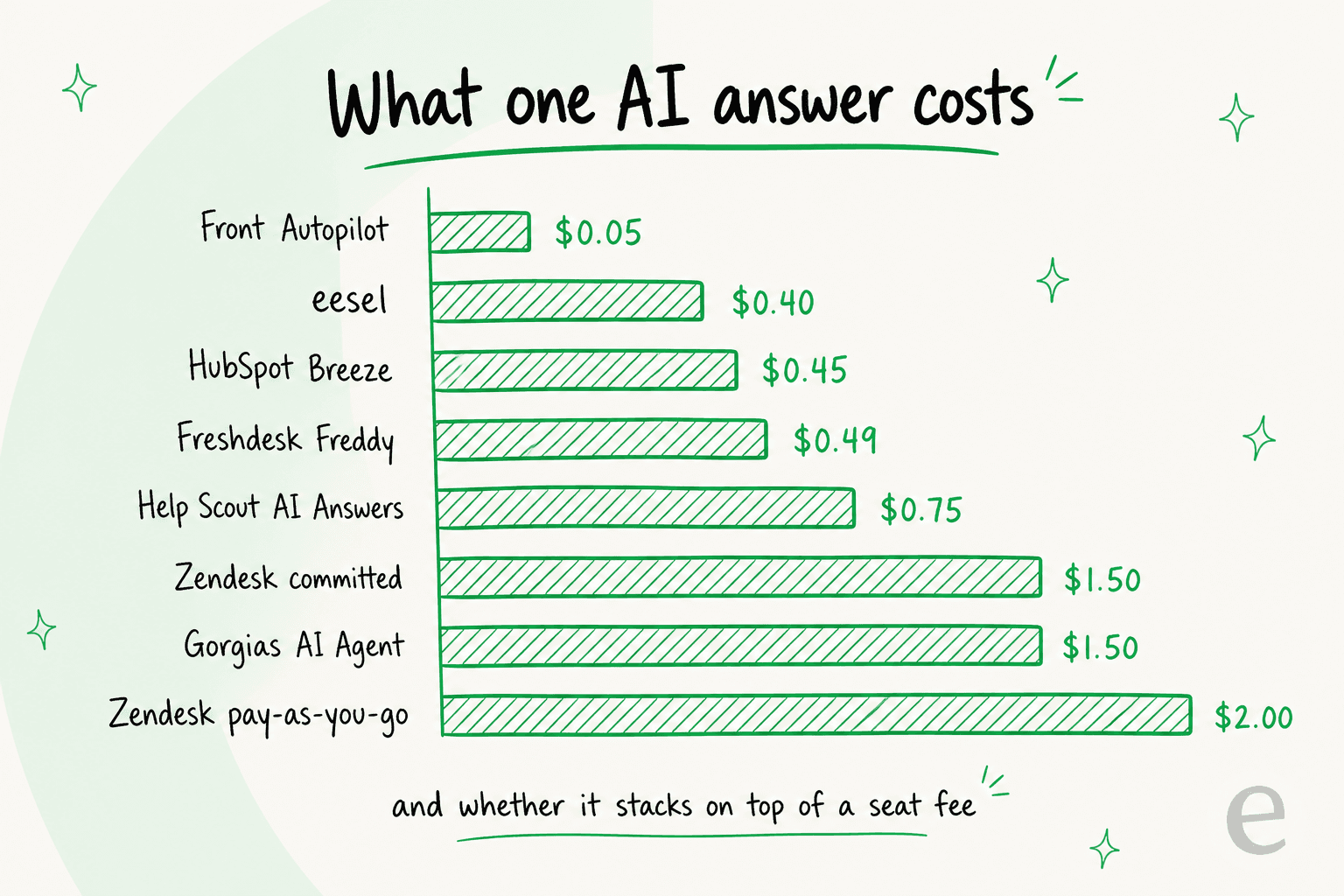
Freddy's $0.49 per session is not an outlier on the AI line, it sits mid-pack. What separates the options is whether that cost is predictable, whether it stacks on top of seat fees, and what happens on a bad day. A conversation that gets escalated still bills on Freshdesk and Gorgias, still bills on Tidio's Lyro meter, and costs nothing extra on eesel or Help Scout. A ticket that gets solved and reopened tomorrow bills a second Freddy session and a second Gorgias interaction, and nothing extra on a per-ticket model. So if your reopen rate is high, the meter you pick matters more than the rate.
Which one should you pick?
- Freshdesk is fine, the Freddy meter isn't. eesel AI. One fixed monthly price, no seats, capped overage, nothing to migrate. Drop to Growth seats while you are at it.
- You want out of Freshdesk and spending as little as possible. Zoho Desk Professional at $23 a user, with Zia included rather than metered.
- You want the easiest inbox and the best free AI trial. Help Scout: 5 free users, and 3 months of AI Answers at no cost before the $0.75 per resolution starts.
- You run a store. Gorgias, priced by ticket volume rather than per agent, with real order context in the conversation.
- You are hitting a platform ceiling, not a price ceiling. Zendesk, as long as you model $1.50 to $2.00 per automated resolution before you sign.
- You want a free AI answer bot on your website and nothing more. Botpress if you have a developer, Chatling if you don't.
Try eesel
If the thing you actually want is to keep Freshdesk and lose the Freddy session meter, that is the gap eesel AI was built for. It drops in as an AI teammate inside your existing Freshdesk, plus Slack, email, Shopify and 100+ other tools, learns from your past tickets and help docs in minutes, and resolves or drafts replies on one fixed monthly price from $299/month for 500 credits, with no per-seat fees and an overage cap you control, the two things Freddy's pricing model is missing.

Because it sits on top of Freshdesk rather than replacing it, there is no migration to schedule, and you can simulate it against your own historical tickets before a single customer sees an AI reply. Start with 100 free credits and no card. Try eesel and see how it handles your real tickets before you spend a cent.