How to add AI to BigCommerce (2026 step-by-step guide)

Rama Adi

Katelin Teen
Last edited July 14, 2026
What "adding AI to BigCommerce" actually means
BigCommerce runs your store: the catalog, checkout, multi-channel selling, and orders. It doesn't ship a support brain that answers your customers for you. So "adding AI" really means bolting an AI layer onto the store that can read your product data, look up orders, and talk to shoppers.
There are three practical ways to do that, and picking the right one up front saves you a rebuild later.
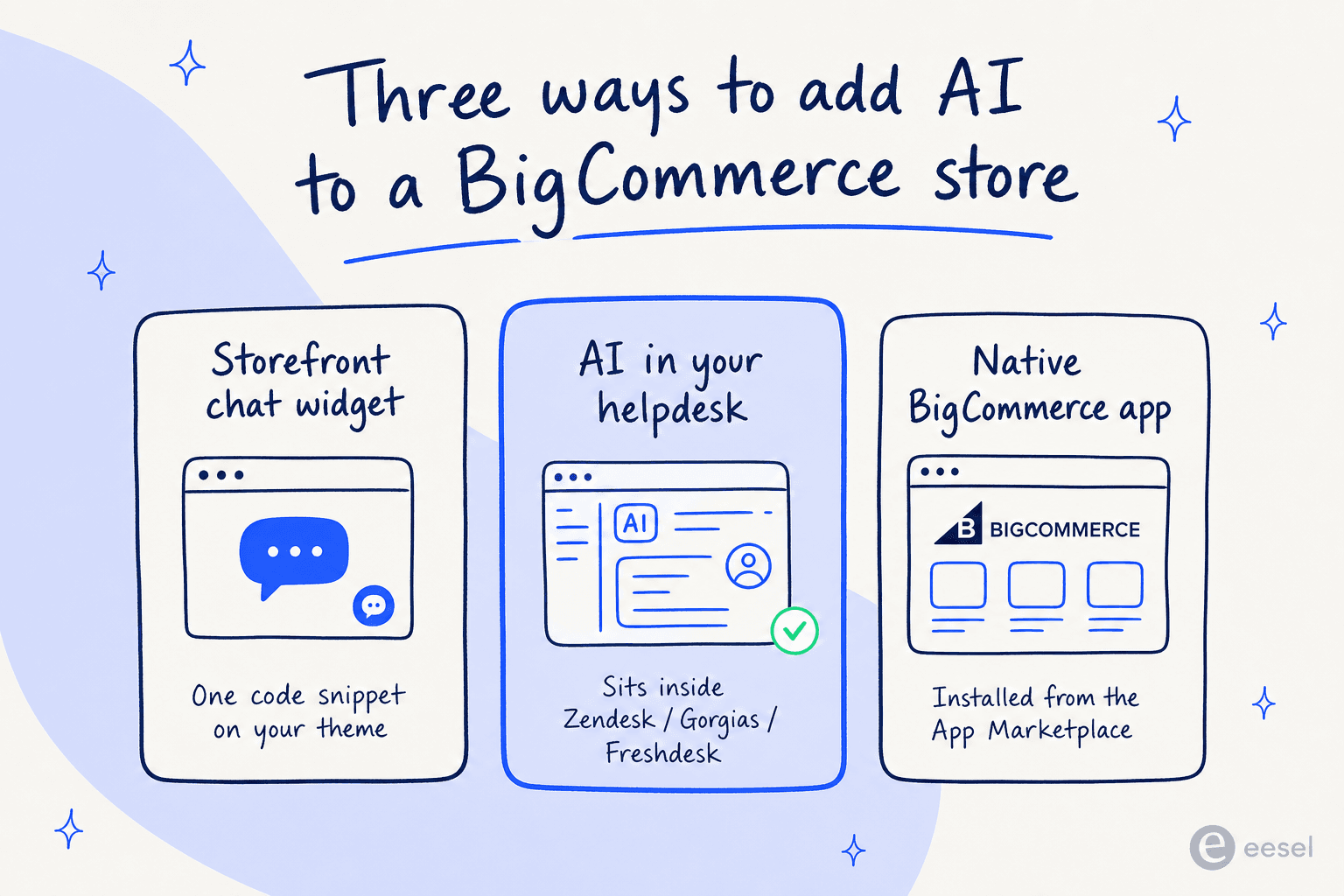
- Storefront chat widget. A chat bubble that lives on your store pages, installed with one code snippet on your theme. Great for pre-sale questions and product discovery, since it catches the shopper mid-browse.
- AI in your helpdesk. If you already run Zendesk, Gorgias, or Freshdesk, the AI joins as an agent inside that inbox, drafting and sending replies on tickets that arrive by email, chat, and social. This is the route most support teams should take, because it doesn't add a new tool.
- Native BigCommerce app. Installed straight from the App Marketplace, which is handy if you want everything managed inside the BigCommerce control panel.
Here's the honest read: if your goal is customer support, the helpdesk route wins almost every time. A widget-only bot creates a second, disconnected place for customers to ask questions, and your agents end up copy-pasting between it and the real inbox. When the AI sits inside the helpdesk you already use, it works the tickets your team already sees. For a deeper comparison of the tools in each lane, we keep a running list in the best AI for BigCommerce support.
Before you start: what you'll need
You don't need much, but having these ready makes setup a 20-minute job instead of a stop-start afternoon:
- Admin access to your BigCommerce store (to connect the catalog and, for a widget, to edit your theme).
- Your help center or FAQ content, wherever it lives, a help center, Google Docs, Notion, or a PDF.
- Access to your helpdesk if you're taking the helpdesk route, ideally with a few months of past tickets, because that history is what teaches the AI how your team actually answers.
- A shortlist of what you want the AI to handle first. For most stores that's order status, returns and exchanges, and product questions, which tend to be the highest-volume, most repetitive tickets.
That last point matters more than it sounds. The teams that get this right don't try to automate everything on day one. They pick the boring, repeated questions and let the AI clear those, then widen the scope.
Step-by-step: adding an AI support agent to BigCommerce
I'll use eesel AI for the concrete walkthrough because it's self-serve and covers all three routes, but the shape of these steps holds for most modern AI support tools.
Step 1: Connect your knowledge
The single biggest factor in whether an AI agent is good or embarrassing is what it's trained on. Before it touches a customer, point it at everything your team uses to answer questions: your help center, internal docs, and, crucially, your past tickets.
This is where importing past tickets earns its keep. Instead of a bot that only knows your published FAQs, the AI learns the way your team phrases refunds, the exceptions to your shipping policy, the workaround for that one recurring product defect, all the tribal knowledge that never made it into a help article. eesel connects to help centers, Google Docs, Notion, and past tickets, so years of support history becomes usable knowledge on day one.
Step 2: Connect your BigCommerce store
Answering "what's your return window?" only needs your docs. Answering "where's order #8294?" needs live store data. This step wires the AI into your BigCommerce catalog and orders so it can do real lookups instead of guessing.
Once connected, the agent can pull order status and tracking, check stock and variants ("do you have the Alpine Puffer in black, size M?"), and process or route returns. eesel lists BigCommerce alongside Shopify, WooCommerce, Magento, Amazon, and Recharge as native e-commerce store connectors, so the order-lookup actions work out of the box.
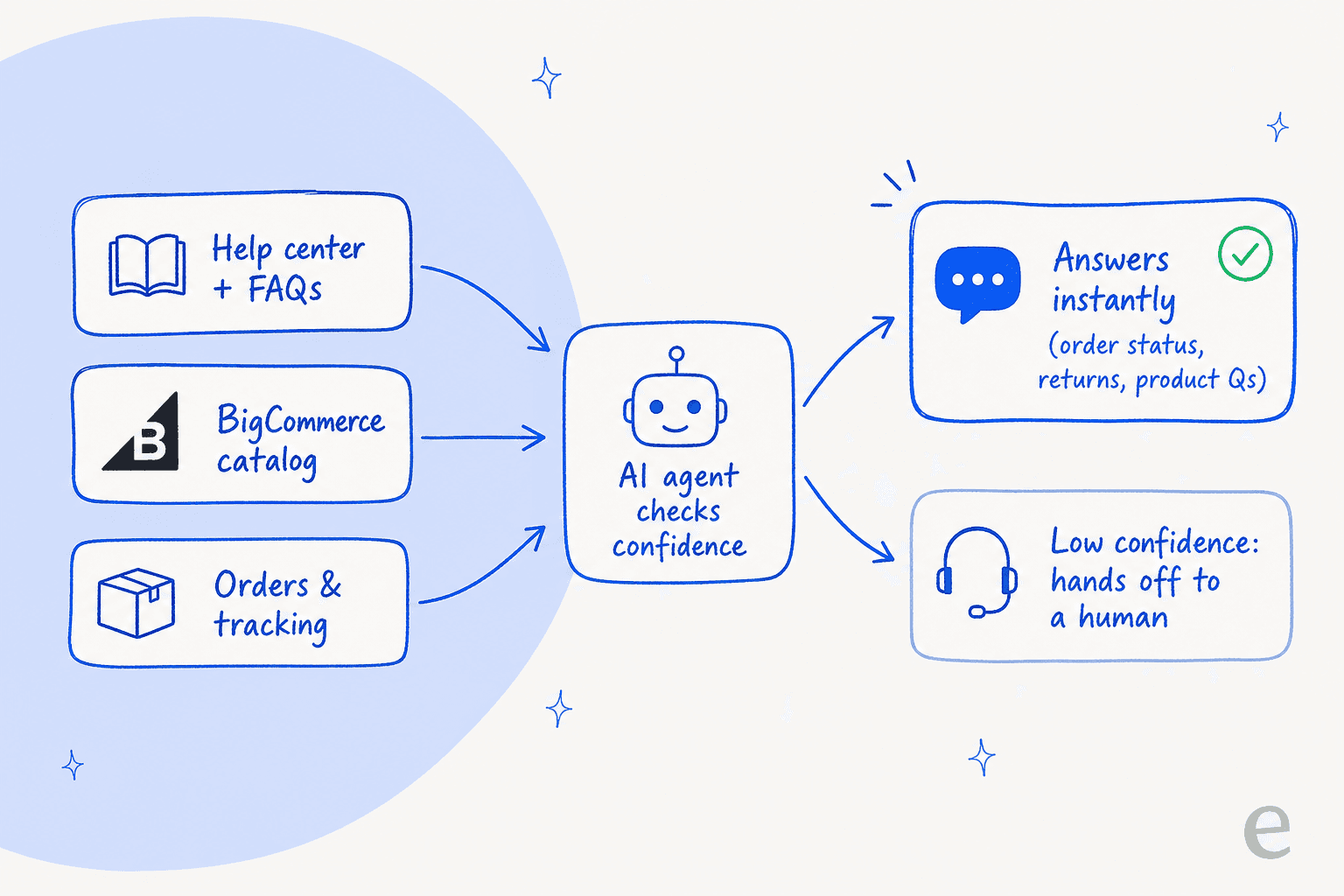
The reason this matters: order-status questions (WISMO, "where is my order?") are the highest-volume ticket type for most stores. An AI that can only recite policy but can't look up an actual order leaves the biggest, most repetitive pile of tickets untouched.
Step 3: Tell the AI how to behave
Now you set the personality and the guardrails. Good tools let you do this in plain language rather than a rules builder, so you write instructions the way you'd brief a new hire: the tone to use, which topics it's allowed to handle, and when to escalate.
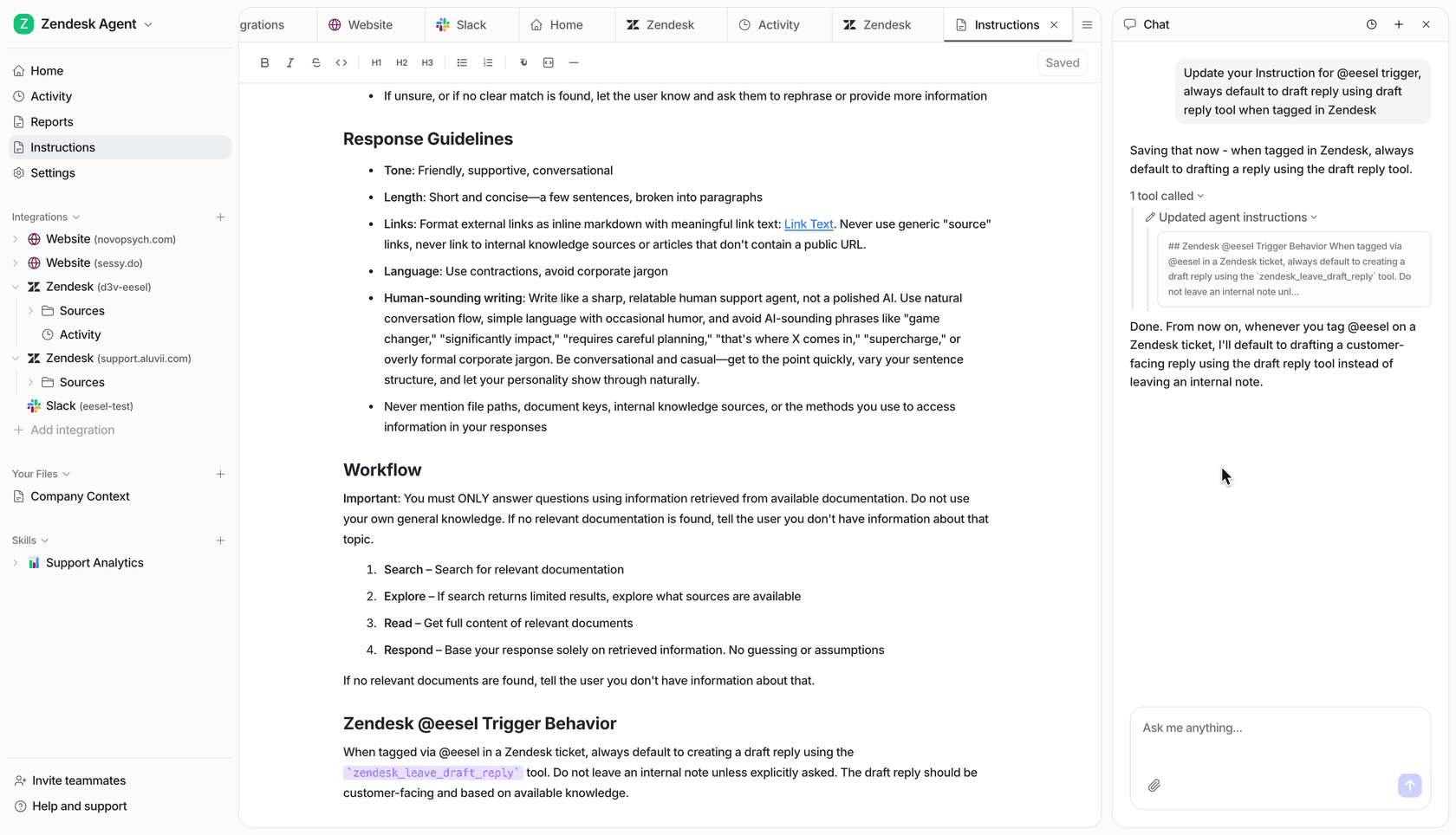
A few rules worth setting from the start:
- Scope: "Handle order status, returns, and product questions. For anything about wholesale pricing, hand off to a human."
- Escalation: "Always escalate to a person if a customer mentions a refund dispute or sounds upset."
- Tone: match your brand voice, and tell it to write like a real support person, not a corporate FAQ.
Step 4: Simulate before you go live
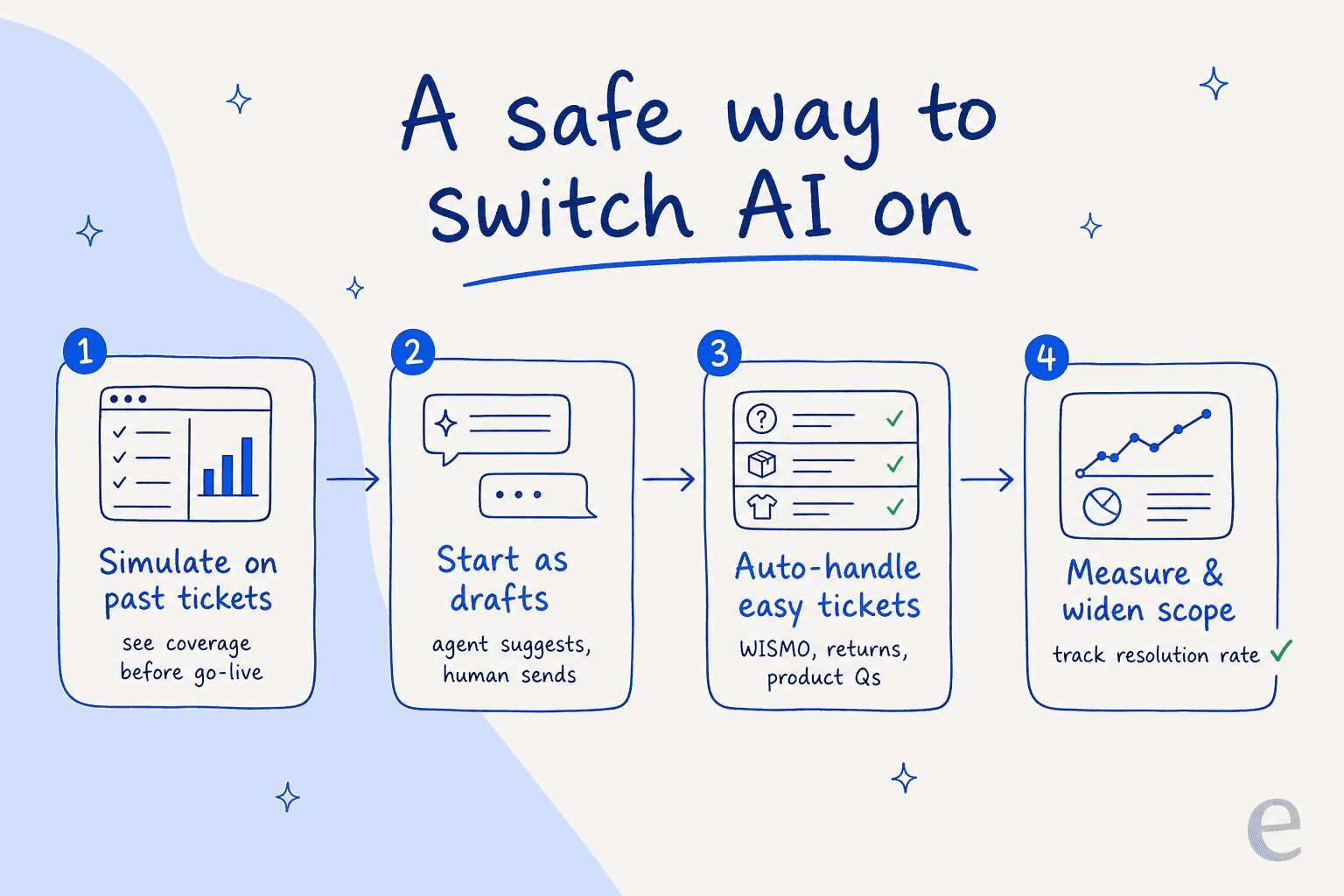
This is the step people skip, and it's the one that separates a smooth launch from an angry Trustpilot review. Before the AI replies to a single real customer, run it against your past tickets to see how it would have answered them.
We've watched a confident-sounding bot quietly give wrong answers, which is exactly why every rollout should be simulated against historical tickets first. A simulation shows you coverage by topic, surfaces the gaps where the AI doesn't know enough, and gives you a realistic resolution estimate, all before it's live. You fill the gaps, re-run, and only then flip the switch.
Step 5: Go live gradually, then measure
Don't switch it to full autopilot on launch day. The safe sequence is: start in draft mode (the AI suggests, a human sends), then let it auto-handle the easy stuff it's clearly good at, then widen scope as the numbers back you up.
Speaking of numbers, watch them. Track resolution rate, escalation rate, and customer satisfaction, and use them to decide what to hand over next.
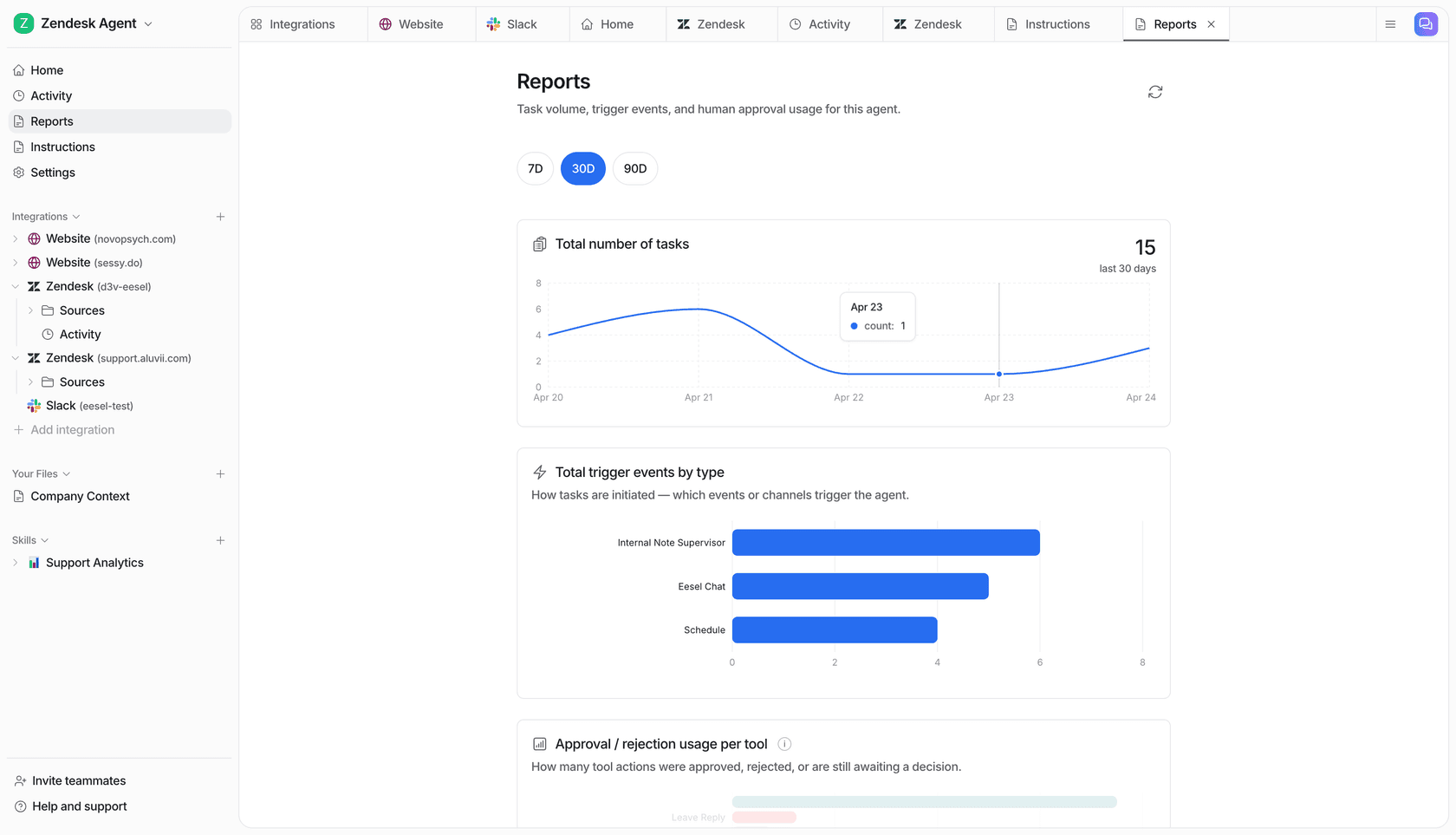
The proof that this approach works is in the results teams see with it: on a similar setup, eesel resolved 73% of tier-1 requests in the first month for one customer, and Ecosa runs 24/7 multilingual support across 10,000+ tickets a month. Those aren't day-one autopilot numbers, they're what "simulate, start small, widen" gets you.
Common mistakes to avoid
A few traps that trip up BigCommerce teams adding AI for the first time:
- Automating everything at once. The overconfident launch is the fastest way to lose trust, both your customers' and your team's. Start with the repetitive tickets and expand.
- Skipping the order-data connection. A bot that can't look up an order can't touch WISMO, and WISMO is the bulk of your volume. If a tool can't read your BigCommerce orders, it's a glorified FAQ.
- Only feeding it published FAQs. The good answers live in your past tickets. Skip that import and the AI sounds generic.
- No simulation. Going live blind means your customers become the test group. Always dry-run on historical tickets first.
- Choosing a widget-only tool for support. It creates a second inbox your agents have to babysit. For support, put the AI where the tickets already land.
What it costs
Two costs stack here: your BigCommerce plan, and your AI tool.
BigCommerce plans were renamed in 2026, and they're now tiered by your trailing-12-month sales:
| Plan | Annual price | Sales ceiling |
|---|---|---|
| Core | $29/mo | Up to $30K GMV |
| Growth | $79/mo | Up to $100K GMV |
| Scale | $299/mo | ~$400K GMV (0.9% overage above) |
| Performance | From $1,499/mo | Custom |
For the full breakdown, including the revenue-based auto-upgrades that catch a lot of merchants off guard, see our BigCommerce pricing guide.
On the AI side, pricing models vary a lot. Some tools charge per agent seat, others per resolution, and per-resolution pricing can spike exactly when a busy month means you most need predictability. eesel AI keeps it simple: one fixed monthly price, 1 credit per ticket or chat, no per-seat fee, no platform fee. A store handling 500 support conversations a month pays $299; 1,000 conversations is $499. Only tickets the AI actually works on use credits.
Try eesel for BigCommerce
If you want the shortest path from "we should add AI" to "it's live," eesel AI is built for exactly this. It plugs into your BigCommerce catalog and orders, learns from your help docs and past tickets, and either drops onto your storefront as a chat widget or joins your existing helpdesk as an AI agent, whichever route fits.
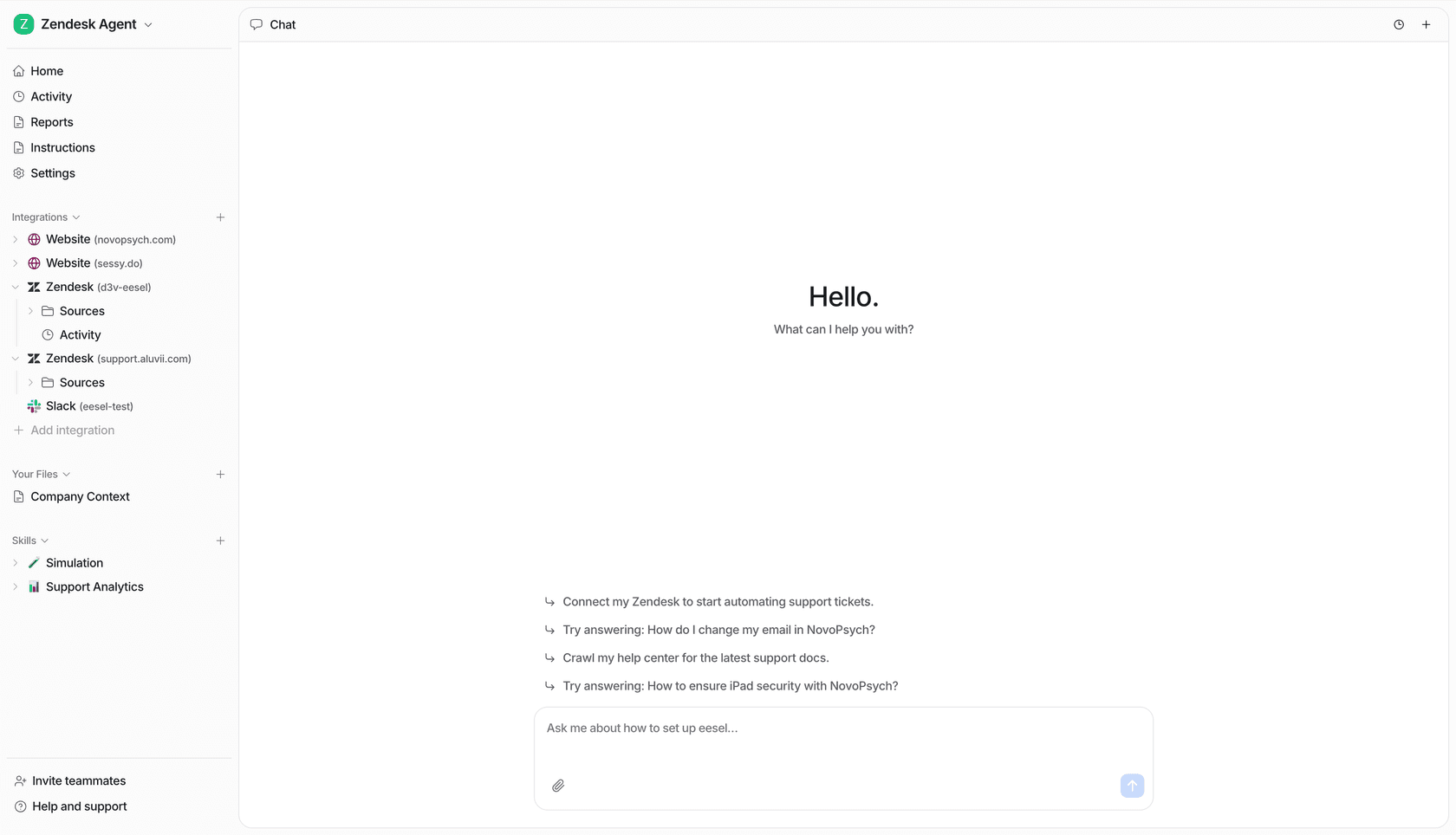
The differentiator worth knowing about is the simulation mode: you get to see exactly how it'll perform on your real tickets before a customer ever talks to it, so there's no leap of faith. It's free to try, no credit card, and you can be answering test tickets in the time it takes to read this guide. If you're weighing the wider field first, our roundup of AI for BigCommerce lays out the options.