How to add AI to Freshchat: a practical 2026 guide

Rama Adi

Katelin Teen
Last edited July 14, 2026
The two ways to add AI to Freshchat
I've spent the last few years shipping the connectors that plug AI into helpdesks, and the thing I've learned watching bots go live is that "adding AI" is never one decision. For Freshchat specifically, it splits into two:
- Native: turn on Freddy AI Agent, the AI that Freshworks builds into the Freshchat and Freshdesk Omni suite.
- A dedicated AI layer: bring in a separate AI that specialises in resolution quality and learns from your ticket history.
Neither is wrong. They fit different situations, and the cost and effort look nothing alike. Here is the shape of the decision before we get into the steps.
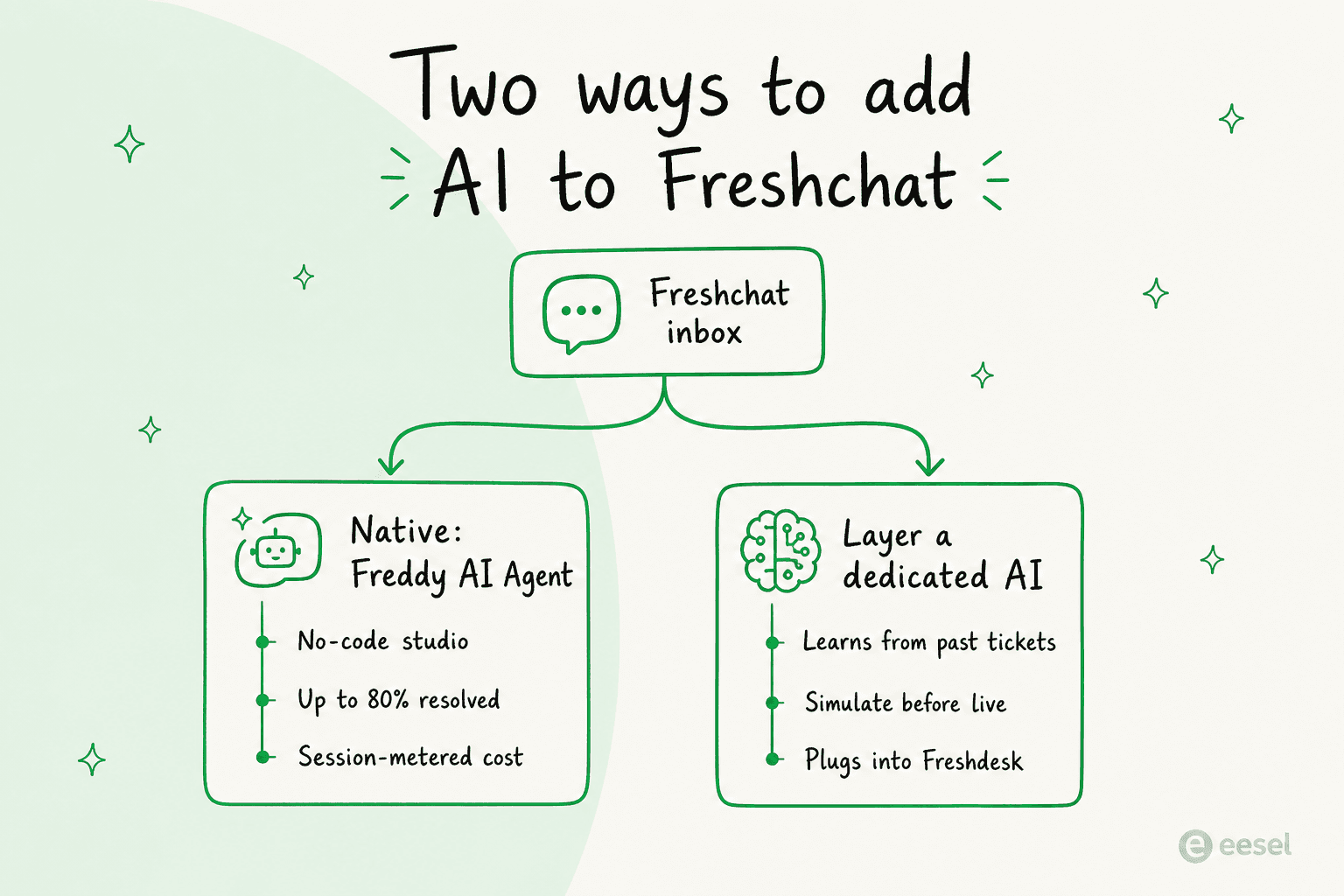
Option 1: turn on Freddy AI Agent (the native route)
If you already pay for Freshchat, Freddy AI Agent is the path of least resistance. Freshworks positions it as an "always-on digital teammate" that goes live in minutes and claims it can resolve up to 80% of queries across chat, messaging apps, and email, with an average conversational resolution time under two minutes. Those are vendor numbers, not independent benchmarks, so treat them as a ceiling rather than a promise.
The good news is that it really is no-code. You build and manage the agent inside AI Agent Studio, either starting from a ready-made vertical template or building your own from scratch. As one Freshworks PM puts it on the product page, "If you have your FAQs and data ready, you can just give those to it and have a new AI agent ready within minutes."
The setup, step by step
The flow is roughly the same whether you use a template or start blank. Here is what actually happens when you turn AI on inside Freshchat.
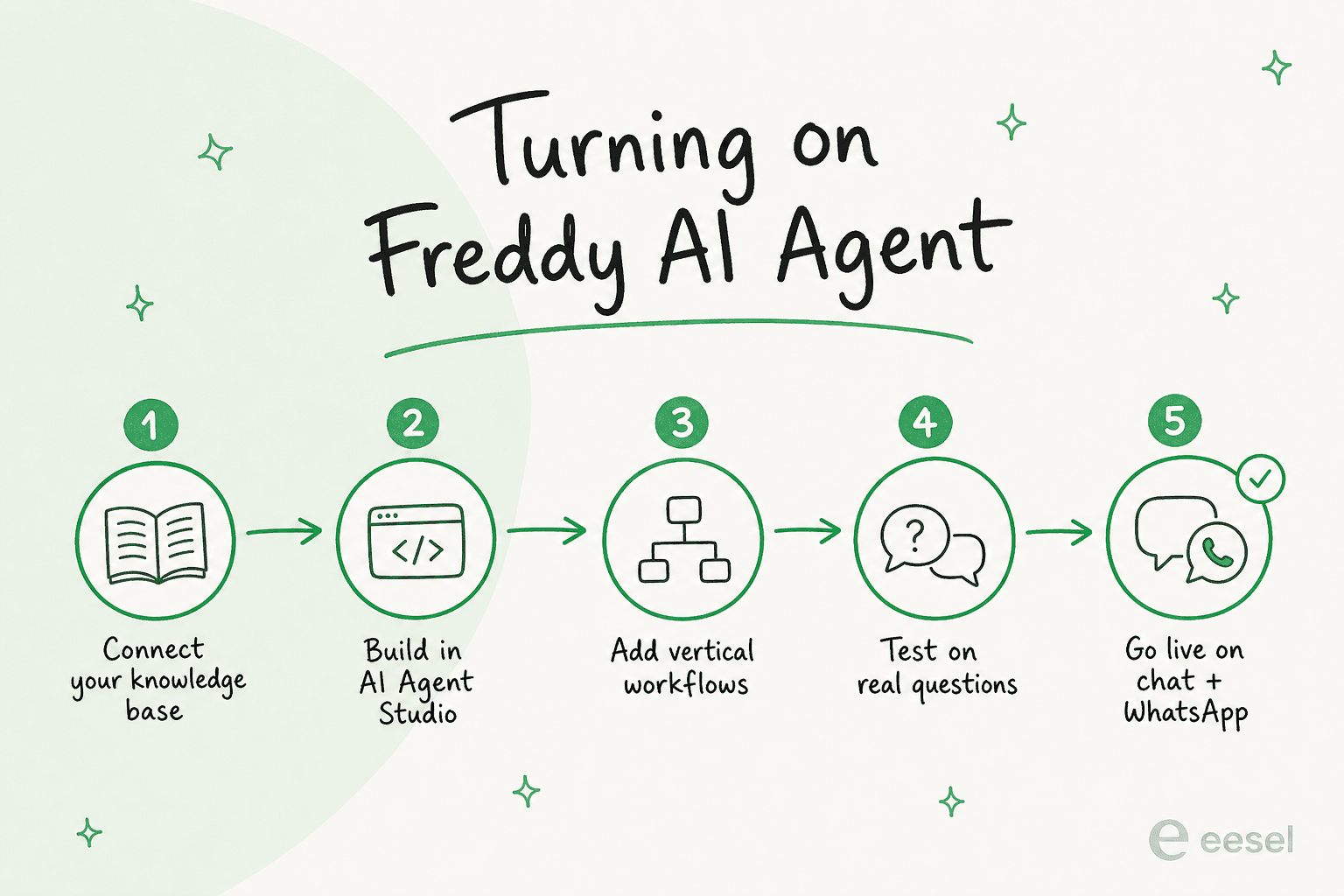
- Connect a knowledge base. Freddy grounds its answers in your knowledge base and any FAQs or data you upload. This is the single most important step, because a bot trained on thin docs gives thin answers. Get your help center in order first.
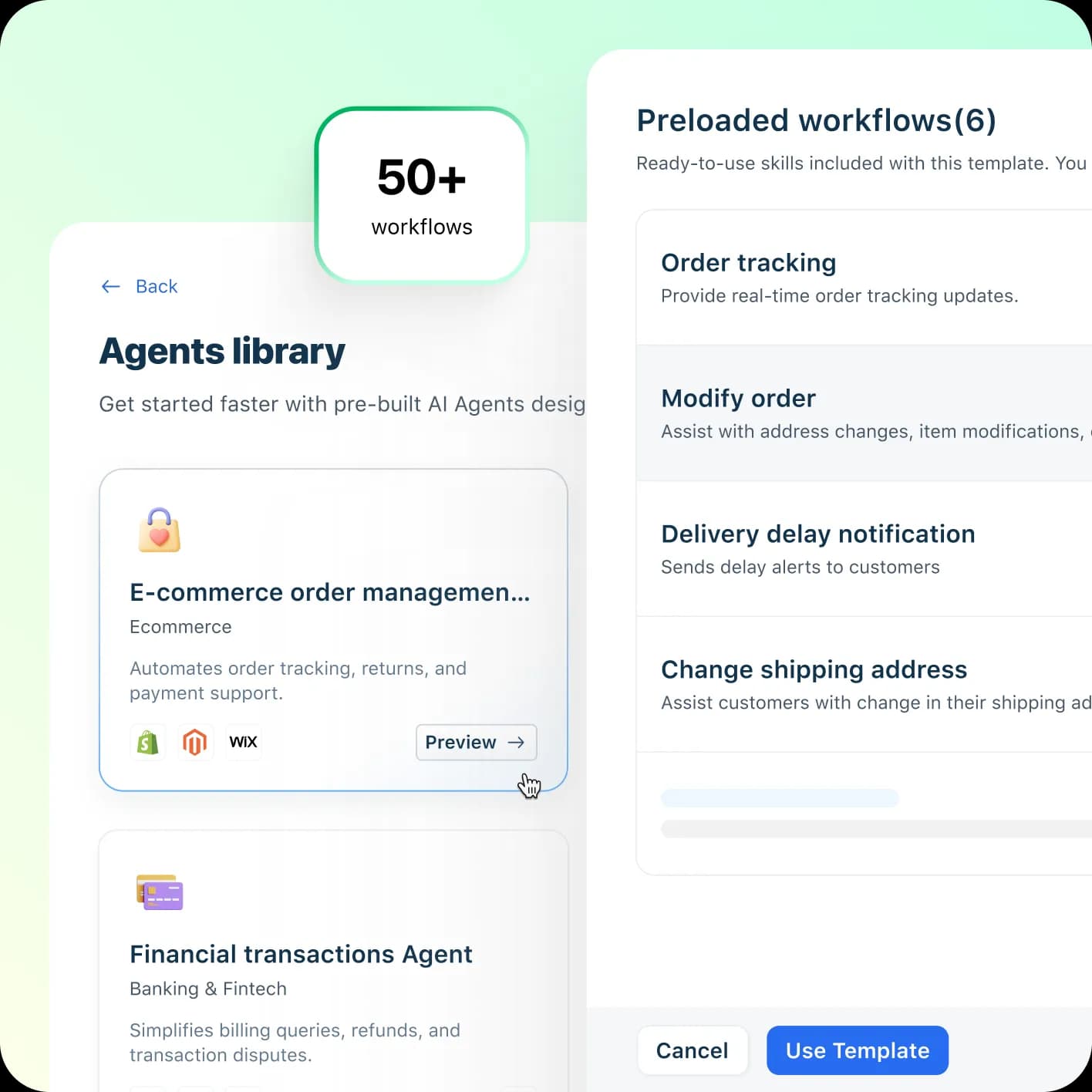
- Build the agent in AI Agent Studio. Pick a vertical template (Freshworks ships pre-built agents for e-commerce, banking, and more, each preloaded with skills) or start from the no-code builder and define intents yourself.
- Add the workflows you need. Freddy comes with 50+ agentic workflows for actions like order tracking, modifying an order, or sending a delivery-delay notification, with pre-built connections to Shopify, Stripe, PayPal, and FedEx. Turn on the ones that match your business.
- Test on real questions. Run the agent against the actual phrasing your customers use, not the tidy version in your head. This is where most rollouts either earn trust or lose it.
- Go live across channels. Freddy is built for omnichannel, so once it is ready it handles conversations consistently across web chat, WhatsApp, and social, with smart handoff to a human that carries full context so customers never repeat themselves.
The multilingual story is worth a line: Freddy AI Agent advertises 60+ languages out of the box, which is handy if you run support across regions. Just note where the cost lands, which brings us to the part the pricing page buries.
What Freddy AI Agent actually costs
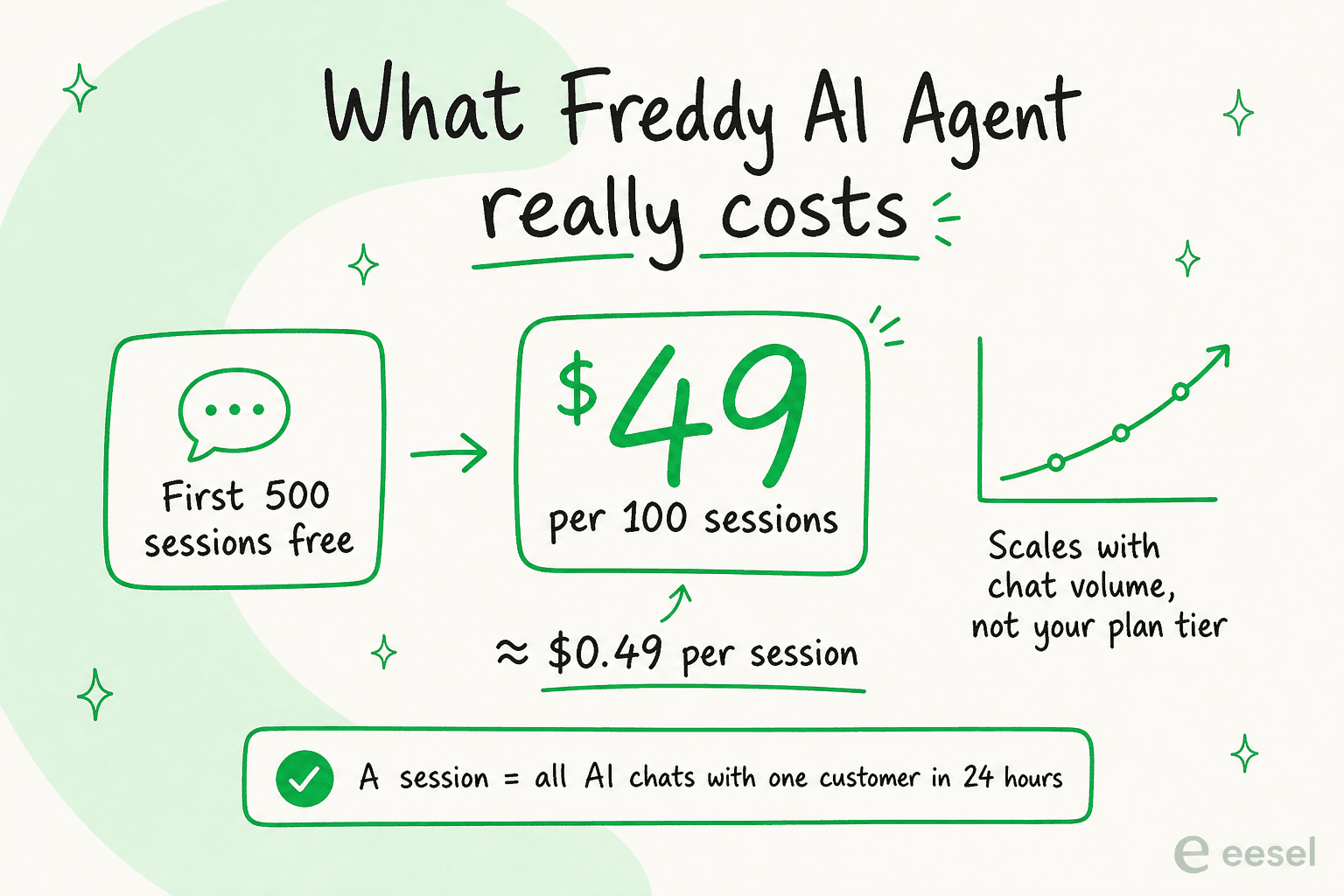
Here is the number people miss. Your Freshchat plan (Free, Growth at $19, Pro at $49, or Enterprise at $79 per agent/month) does not include unlimited AI. Freddy AI Agent is a metered add-on billed by session.
| What you pay for | Cost | Notes |
|---|---|---|
| Freshchat plan | $0 (Free) to $79/agent/mo (Enterprise), billed annually | Free is website chat + email only; social channels start on Growth |
| Freddy AI Agent | First 500 sessions free, then $49 per 100 sessions (~$0.49/session) | A session = all of one customer's AI chats in a 24-hour window |
| Freddy AI Copilot (agent assist) | $29/agent/mo | Pro and Enterprise only |
| Freshcaller (voice) | from $15/agent/mo | Optional add-on |
So a store handling 5,000 AI chat sessions a month is looking at roughly $2,205 in Freddy sessions ($49 × 45 after the free 500), plus per-agent seats, plus any Copilot licenses. The billable unit matters more than the sticker price here: because it is per session and not per seat, your AI bill scales with chat volume, which is exactly the direction you can't fully predict. If you are budgeting, model your busy month, not your average one.
Where the native route falls short
I want to be fair to Freddy, because the unified inbox and channel coverage are legitimately good, and Freshchat sits at a respectable 4.4/5 on G2 from 499 reviews. But the most consistent product criticism across verified reviews is the AI itself.
"The bot currently offered is not that great, despite training several times its not upto the mark. They really need to work on this."
It isn't a one-off. Even reviewers who like the product flag the same gap:
"The AI capabilities feel basic and outdated."

The pattern is that Freddy learns from your help-center content, so it is only ever as good as your docs, and it struggles with advanced flows and external variables. That is the exact ceiling a dedicated AI layer is built to break, because the best signal for how to answer a ticket isn't your FAQ page, it is the thousands of tickets your team has already solved well.
Option 2: layer a dedicated AI in front
The second route is to keep Freshchat for what it is good at (the widget, the omnichannel inbox) and bring in an AI that specialises in resolution quality. This is the approach I'd reach for when Freddy's answers aren't clearing the bar.
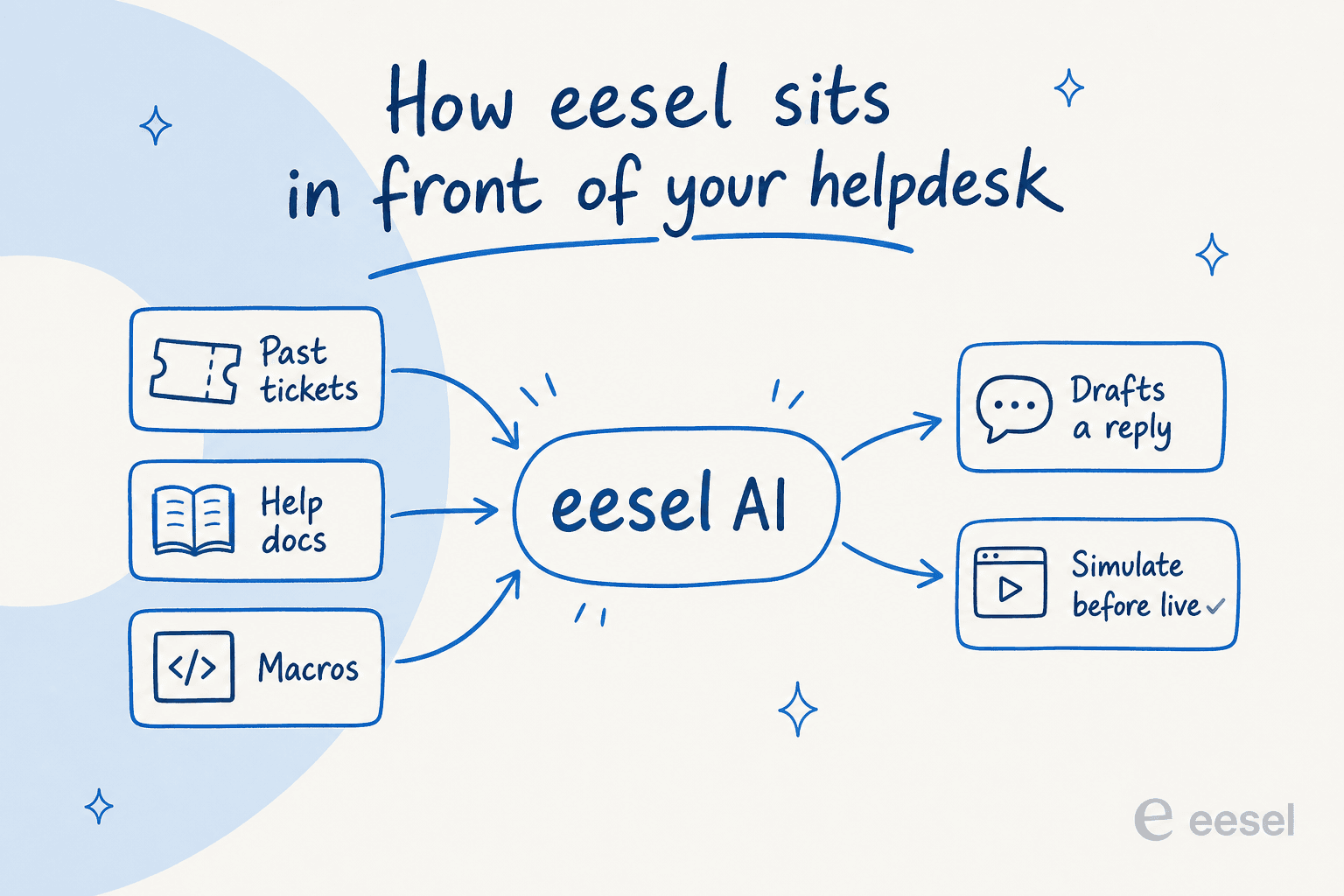
One honest caveat up front, since I build these connectors: eesel does not bolt directly onto the Freshchat messaging widget. It connects to Freshdesk, the ticketing side of the same Freshworks Omni suite, plus Zendesk, Gorgias, HubSpot, Front, and 100+ other tools. So if your Freshworks setup includes Freshdesk tickets (most Omni customers do), a dedicated layer handles that side; for pure widget chat, native Freddy is your route. It is worth knowing exactly where each tool plugs in before you commit, and if you want the full landscape, we compared the best AI for Freshchat separately.
What the dedicated layer buys you is the thing Freddy's reviews keep asking for: an AI trained on your solved tickets, not just your knowledge base, plus a way to prove it works before it goes live.
- It learns from history, not just docs. Point it at your past tickets and it picks up your brand voice, edge cases, and the actual answers your team gives, on day one.
- You can simulate before going live. Run the AI over thousands of your historical conversations to see exactly what it would have said and what it would have deflected, then fix the gaps before a single customer is affected.
- You control the autonomy. Start it drafting replies for human review, then hand it the easy tickets once you trust it, with confidence-based routing so low-confidence answers become drafts, not live replies.
That "test it on real history" step is the one I care about most, because it is what turns "we added a bot" into a number you can defend. When Gridwise added eesel, it resolved 73% of tier-1 requests in the first month, with results showing up during a 7-day trial.
Common mistakes when adding AI to Freshchat
A few traps I see teams fall into, whichever route they pick:
- Going live before testing. The fastest way to lose customer trust is a confident bot giving wrong answers. Always simulate against real tickets first.
- Feeding it thin docs. Both Freddy and any dedicated layer are only as good as what they learn from. A stale help center produces a stale bot.
- Ignoring the metered cost. Per-session billing means a viral spike or a big multilingual audience can blow your budget. Model your busy month.
- No human handoff plan. Decide early what the AI escalates and how, so the handoff carries context instead of making the customer start over.
- Treating AI as "set and forget." The teams that win keep correcting the AI so it improves, rather than launching once and walking away.
Add AI to your Freshworks support with eesel
If Freddy's answer quality is where your Freshchat rollout stalls, eesel is the layer worth trying. It plugs into Freshdesk and 100+ other helpdesks, learns from your past tickets and help docs, and lets you simulate the whole thing against your real conversation history before it answers a single customer, so you know your resolution rate before you commit, not after.
Pricing is one fixed monthly plan starting at $299/month for 500 credits (1 credit per ticket or chat, however long) with no per-seat fees, and there is a free plan with 100 credits and no credit card. You can start for free or book a demo to watch it run against your own tickets.