What "adding AI to Gorgias" actually means
"Add AI to Gorgias" sounds like one button. It's really a fork between two very different things, and the rest of this guide walks both.

Gorgias is already the Shopify-native helpdesk; it powers customer conversations for 40% of Shopify brands by its own count. The native AI Agent is the on-ramp most teams take first because it's right there in the product. But it isn't the only option: because eesel and similar tools connect to Gorgias rather than replacing it, you can keep your inbox exactly as-is and swap the brain doing the answering.
A quick reality check before you start, whichever path you pick: Gorgias's own marketing caps automation at around 60% of email and chat conversations. AI is here to clear the repetitive tier-1 pile (where-is-my-order, returns, "change my address"), not to fire your team. Set that expectation internally now and the rollout goes a lot smoother.
Path A: turn on the native Gorgias AI Agent
The AI Agent plays two roles from one subscription: a support agent for post-purchase questions (tracking, returns, cancellations) and a shopping assistant for pre-purchase ones (recommendations, discounts). Here's the honest order of operations.
1. Connect your Shopify store. This is non-negotiable: the AI Agent is documented as requiring a Shopify store connected to Gorgias, and you get one agent per store. If you're not on Shopify (BigCommerce, Magento, a custom cart), the native agent isn't really built for you, and that alone often pushes teams toward Path B. If you're setting up the store side too, our walkthrough on connecting a helpdesk to Shopify covers the same plumbing.

2. Feed it knowledge. Add your help center, website, and policies as knowledge, plus Guidance for general facts the agent should know ("do you have physical stores?"). You can hold up to 100 guidance entries per store, each up to 30,000 characters. This is your AI knowledge base, and the agent is only as good as it.
3. Write Skills. A Skill is how you direct behaviour: it bundles an intent (the trigger, like Return / Request), instructions in a WHEN / IF / THEN model, and a knowledge toggle. The docs are blunt about the best practice: one skill per request type, because focused skills are easier to test and keep behaviour predictable. Start with your highest-volume intent (usually order tracking) and resist the urge to write twenty skills on day one.
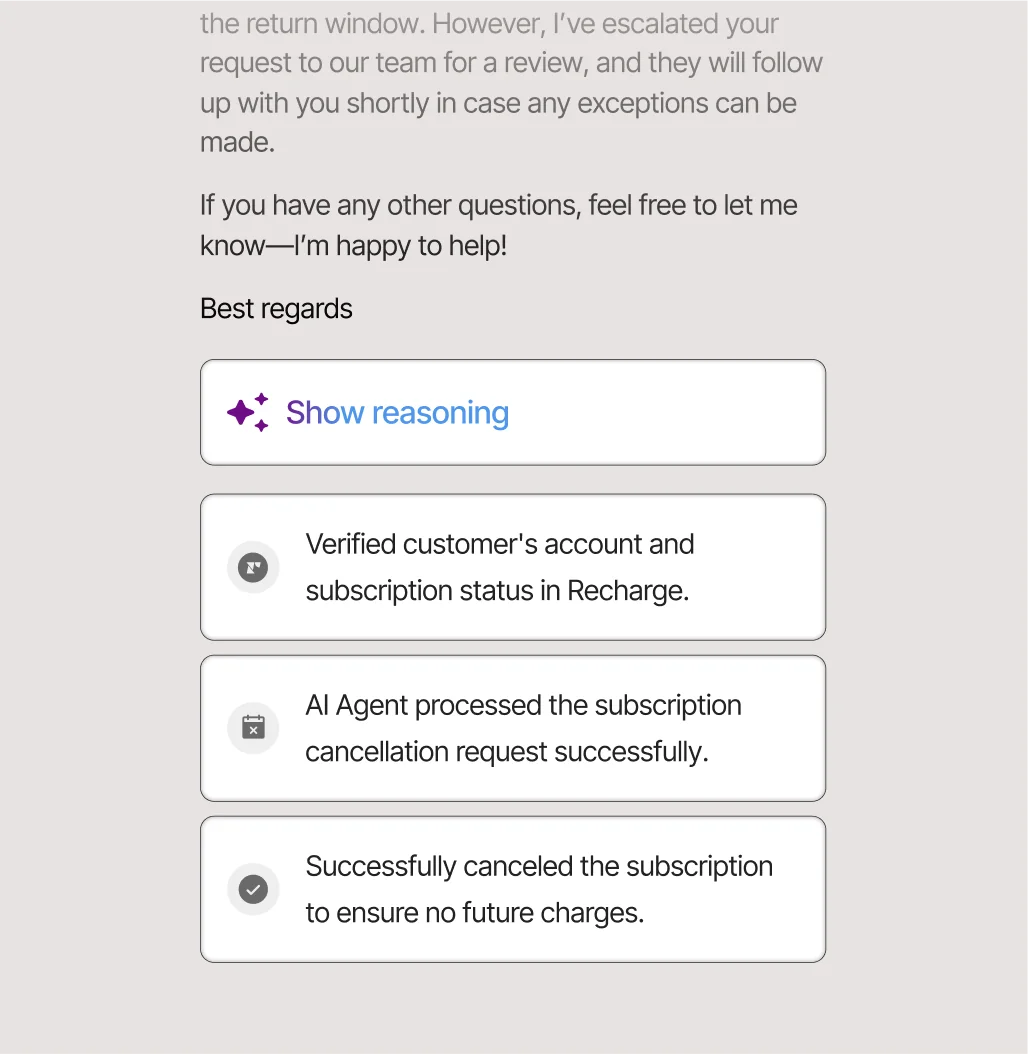
4. Build Actions for anything that changes data. An Action is what actually does something in Shopify or a connected app, like cancelling an unshipped order or starting a Loop Returns flow. When you configure one, the description is load-bearing (the agent reads it to decide if the action applies), and for irreversible steps like cancellations Gorgias forces "require customer confirmation" on. Our deep dive on AI Agent Actions goes further if you're wiring up custom ones.
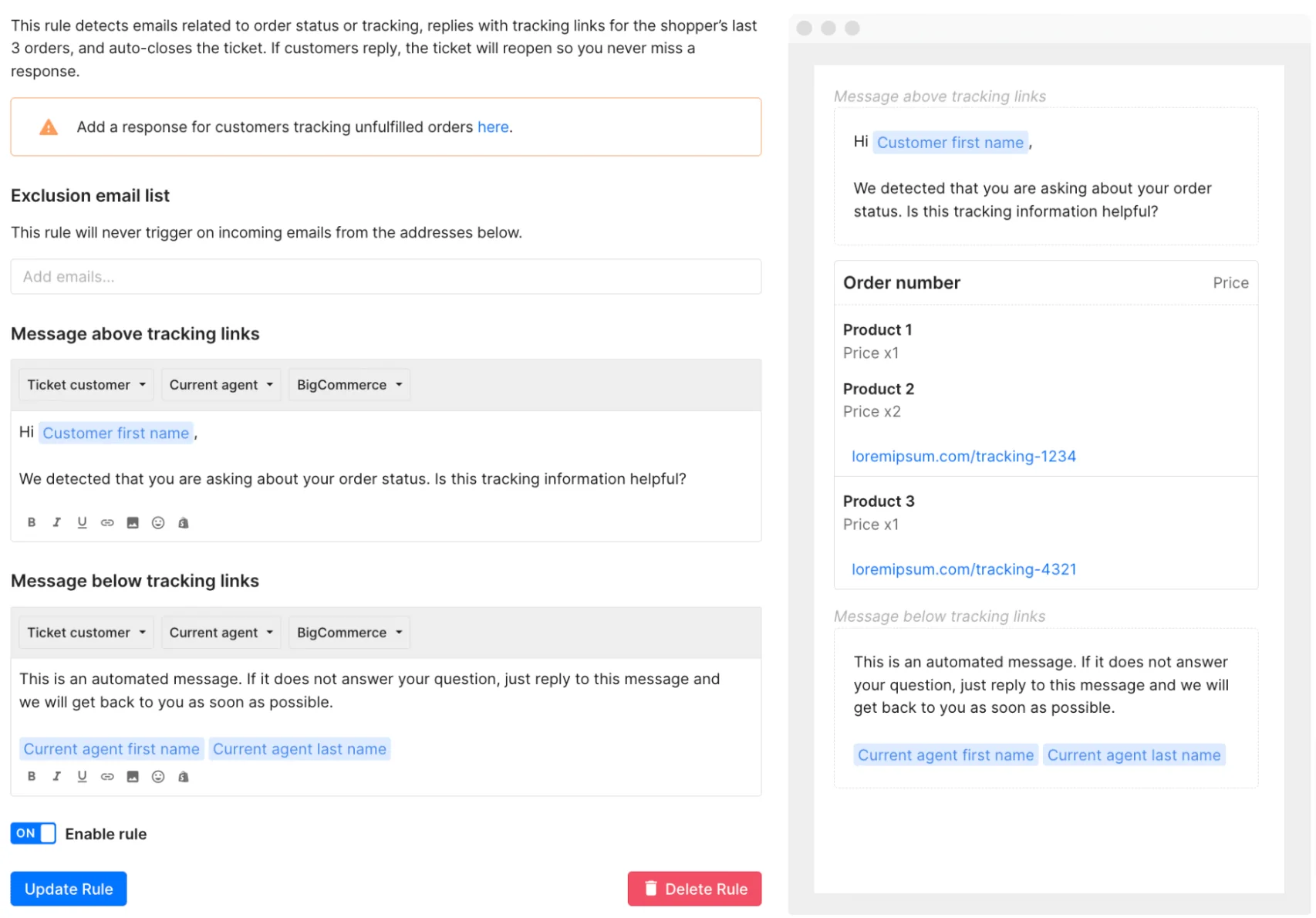
5. Reconcile your Rules. This is the step everyone skips and regrets. Gorgias Rules run before the AI Agent, so an old auto-reply rule plus the AI Agent means the customer gets two messages. Accounts created after September 2024 don't have the legacy autoresponders, and older accounts could only use them until January 30, 2026, when Gorgias says they stop working. Any other rule that sends a reply still needs to be turned off or conditioned.
6. Test, then enable. Use Save and Test to open a test conversation, and heed the warning: actions in test conversations can affect real customer and order data unless you point them at a fake profile. Once a skill behaves, enable it. Unenabled changes stay as drafts.
If you want the full official walkthrough, Gorgias's own set up an AI agent for your Shopify store flow and our Gorgias AI Agent overview both go screen by screen. The thing to internalise is that this is real configuration work, not a switch.
How the AI decides when to reply
Whichever path you take, the single most important setting is the one that decides when the AI stays quiet. Get this wrong and you've automated your worst reviews.

Gorgias's agent hands a ticket to a human when it can't confidently respond, hits a sensitive topic you've flagged, detects frustration, or can't ground an answer in your knowledge ("if it can't find an answer, it won't respond"). That grounding rule is the main guardrail against hallucinated replies.
This is also where the two paths visibly diverge, and it's worth being honest about. A CX lead at a DTC supplements brand running ~7,000 Gorgias tickets a month put the requirement to me about as clearly as anyone has:
"The AI will never be able to answer 100% of the questions, but if it tries and just answers 'sorry I don't know this,' I cannot go and check all my 7,000 tickets to see if the AI actually made a good answer. I need an AI who is only handling the tickets that it's confident to handle, and all the other ones, leave them alone."
That's the bar. If silent, confidence-based handover matters to you, check exactly how granular each option's confidence threshold is before you commit, because it's the difference between AI that helps and AI you have to babysit.
Path B: layer a dedicated AI on top of Gorgias
If you'd rather not rebuild your knowledge as skills, or you want the AI to learn from how your team has actually answered tickets, you connect a separate AI layer to Gorgias instead. This is the route I work on, so here's how eesel does it, and the shape is similar for any tool in this category.
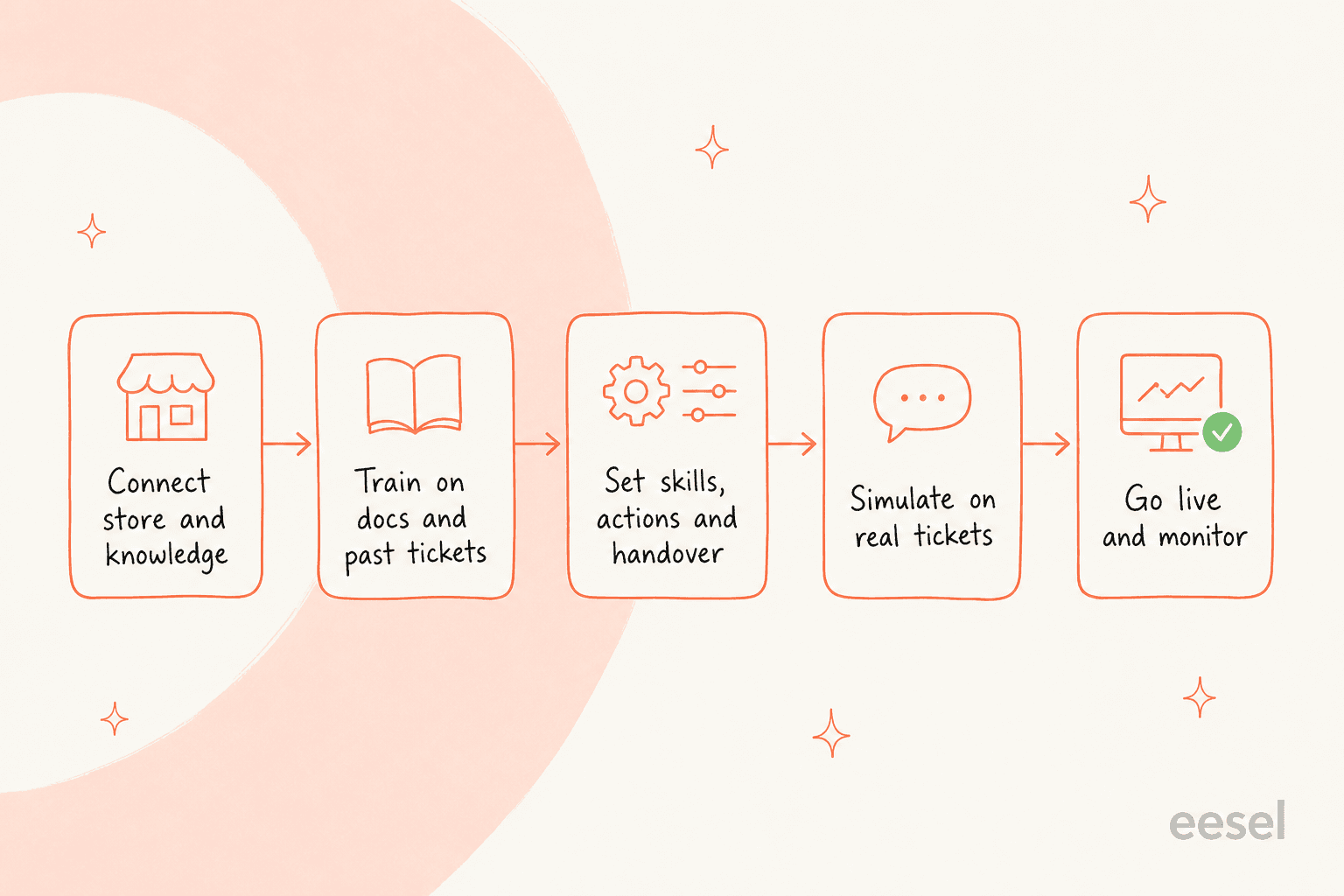
1. Connect Gorgias. You authorise the integration and the AI plugs into your existing inbox; nothing about your channels or workflows changes.
2. Train on past tickets, not just articles. This is the real difference. Instead of you hand-writing skills, the AI learns from your solved Gorgias tickets, help docs, and macros, so years of history become knowledge on day one. Across our sales calls, training on a team's own past tickets is far and away the most-requested capability, because it's what makes the AI sound like your brand instead of a generic bot.
3. Simulate before going live. This is the step the native flow doesn't really have. eesel runs the AI over your past tickets in simulation mode so you see exactly what it would have replied, the coverage by topic, and where the gaps are, before a single customer is affected. It's the safest possible way to answer the "will it embarrass us?" question, and it's how you turn the hallucination worry above into a number you can check.
4. Go live gradually. Start in draft mode (the AI suggests, your agents send), then grant autonomy on the easy intents once you trust it. The adoption pattern almost everyone wants is copilot first, full auto later, and a layered tool lets you dial automated resolution up one intent at a time rather than flipping everything on at once.
The trade-off is fair to name: the native AI Agent has the tightest possible access to live Shopify actions because it's first-party. A layered AI is stronger on training from history, confidence routing, and cost predictability. For a deeper head-to-head of the field, we keep a running list of the best AI for Shopify support.
What it costs (the part that surprises people)
Here's the moment I mentioned at the top. A Gorgias trial user I heard about recently ran 12 test chats, watched the agent perform beautifully, opened the billing page, and immediately filed a cancellation request. The product worked. The pricing model was the shock.
The reason is that Gorgias bills AI two ways that stack on the same ticket: a per-resolution automation fee, plus the fact that each AI resolution also counts as a billable helpdesk ticket. So a fully automated reply is a resolution fee and a ticket fee. Here's how the headline numbers compare.
| Gorgias AI Agent | eesel (layered) | |
|---|---|---|
| Billing unit | Per automated interaction | Per credit (1 credit = 1 ticket or chat) |
| Headline rate | $0.85 to $1.00, by plan | From $299/mo for 500 credits |
| Does it stack with a ticket fee? | Yes, each resolution is also a billable ticket | No, one ticket = one credit |
| Platform / seat fee | Helpdesk plans from $10/mo, AI Agent added on top | No platform fee, no per-seat fee |
| Free to try | Free trial, no card on Basic and up | 100 free credits, no card |
A worked example at 1,000 AI-resolved conversations a month: on a Gorgias Basic or Pro plan ($0.90 each) that's $900 in resolution fees alone, before the ticket fees that stack on top. eesel's 1,000-credit plan covers the same 1,000 conversations for $499 a month. The gap widens during a Black Friday spike, because per-resolution pricing charges you more exactly when volume surges, while a fixed monthly plan keeps the bill predictable up to your credit limit. Plug your own number in:
None of this makes Gorgias's AI bad, it's excellent at in-Shopify actions. But the community consensus on Reddit is consistent: the per-resolution model pays off when a big chunk of tickets need direct Shopify actions, and feels expensive when they're mostly conversational. Run your own support cost numbers before you commit to either.
Common mistakes when adding AI to Gorgias
A few footguns I see again and again, on both paths:
- Turning on everything at once. Enable one high-volume intent (order tracking is the classic), prove it, then expand. A big-bang launch is how you get surprises in production.
- Forgetting the Rules conflict. As above: an auto-reply rule plus the AI Agent sends two messages to the customer. Audit your rules before going live.
- Testing on real orders. Save-and-Test actions can mutate live customer data. Use a fake customer profile while you're experimenting.
- Skipping the handover topics. Define the sensitive subjects (legal, health claims, anything high-stakes) that should always go straight to a human, so the AI never improvises on them.
- Going live blind. If your tool can simulate against past tickets, use it. Guessing at coverage is how the billing-page-panic story happens.
If you want the broader playbook, our guides to tier-1 deflection and order-tracking automation go deeper on the highest-ROI first intents.
Try eesel for Gorgias
If you want AI on Gorgias without rebuilding your knowledge as skills, eesel is the layered route. It connects to your Gorgias account, trains on your past tickets and help docs so it sounds like your brand on day one, and lets you simulate on real historical tickets to see exactly what it would resolve before it talks to a customer. Pricing is a fixed monthly plan from $299/month for 500 credits (1 credit per ticket or chat), with no per-seat fee and no per-resolution surcharge, so your bill doesn't spike when volume does. You can start with 100 free credits, no card required, and keep your Gorgias inbox exactly as it is.