

If your business runs on Salesforce, you’re probably hearing about AI constantly. The promises are big: boost productivity, make smarter decisions, and create customer experiences that feel a step ahead. But let’s be real, figuring out where to actually begin with AI can feel a bit overwhelming.
The good news? You have options. This guide is here to cut through the noise and give you a clear look at the two main paths you can take. First, we’ll dive into Salesforce's built-in AI platform, Einstein. Then, we'll explore the faster, more flexible approach of using specialized third-party AI tools. By the end, you'll have a solid framework for deciding which route makes the most sense for your business, your team, and your budget.
What is AI integration with Salesforce?
At its heart, Salesforce AI integration is about connecting artificial intelligence directly to your CRM data and the things you do every day. It isn't about tacking on a single flashy feature; it's about making your whole Salesforce setup smarter, more automated, and more responsive.
Think of it as giving your Salesforce account a brain upgrade. Instead of just holding customer data, it starts to understand that data, predict what might happen next, and even take action on its own. There are two main ways to get there:
-
The native route: This means using the AI tools built and hosted right inside the Salesforce platform, namely Salesforce Einstein and Agentforce (formerly Einstein Copilot). They are designed from the ground up to work with your existing CRM data.
-
The third-party route: This involves connecting specialized, external AI apps to Salesforce. These tools often use simple, pre-built integrations to add powerful capabilities that you might not find in the native ecosystem.
The right choice isn't always obvious. It really comes down to where your company's knowledge actually lives, how much control you need over the AI’s behavior, and how fast you need to see a return on your investment.
The native approach: Understanding Einstein
Salesforce Einstein is the company's own collection of AI technologies. It’s not a standalone product but a layer of intelligence that's woven into their various clouds, from Sales and Service to Marketing. The core idea behind Einstein is to use the huge amount of data you already have in Salesforce to power its predictions, recommendations, and automations.
Key features of Salesforce Einstein
Einstein has a wide range of features for different parts of a business. For sales teams, Sales Cloud Einstein can do things like automatically summarize sales calls, draft personalized follow-up emails, and score opportunities to help reps focus on the deals most likely to close.
For support teams, Service Cloud Einstein can generate service replies based on a customer's case history, create work summaries to speed up handoffs between agents, and even draft new knowledge articles based on successful resolutions. All of this is managed through Einstein Copilot & Studio (Salesforce now calls the assistant Agentforce), a set of tools that lets admins build and customize these AI actions using things like Prompt Builder and Skills Builder.
One of Einstein’s biggest selling points is its Einstein Trust Layer. Salesforce knows that companies are cautious about sending sensitive customer data to external AI models. The Trust Layer is built to handle this by automatically masking personal information before it's sent to a large language model (LLM) and making sure your data isn't kept or used to train the general model.
Pros and cons of using Salesforce Einstein
While a native solution sounds good in theory, it comes with some important trade-offs. It’s built to work with Salesforce data first. Salesforce can also pull in outside data through Data 360 and MuleSoft connectors, but that takes extra setup, so it matters where your company's knowledge actually lives.
| Pros | Cons |
|---|---|
| Deep native integration: Works flawlessly with Salesforce objects and data right away. | Leans on the Salesforce ecosystem: Outside knowledge needs Data 360 or MuleSoft connectors, and some, like the Confluence connector, are still in beta. |
| Unified data source: Uses your existing CRM data without a complicated data migration. | Can be a huge, time-consuming project: A full rollout can be a major undertaking, often needing special skills and a long wait to see real results. |
| Single vendor: Simplified buying process and support from one company. | Can be inflexible: Might not work for companies that need very custom actions or want to automate specific, non-standard processes. |
| Strong security focus: The Einstein Trust Layer provides solid data privacy controls. | Usage-based pricing: Agentforce bills by Flex Credits or per conversation, so monthly cost tracks usage. |
The third-party approach: Using external AI tools
So, why would a company that’s all-in on Salesforce even look for an external AI tool? The reasons are usually pretty practical. Maybe your most valuable information isn't in Salesforce at all. Maybe you need an AI solution that’s working this week, not next quarter. Or maybe you need a level of customization that a one-size-fits-all platform can't offer.
This is where third-party tools come in. Modern AI tools are no longer clunky, developer-heavy projects. Most offer simple integrations that securely connect to Salesforce, letting you pull data and automate actions without writing any code.
A great example of this is eesel AI. Instead of requiring a massive platform overhaul, it’s designed to plug directly into your existing tools and workflows in minutes. A key difference is that eesel AI is built to bring together all of your company knowledge, not just what's in Salesforce. It connects easily with the places your team already works, like Confluence, Google Docs, Notion, and even your company's past Slack conversations. Salesforce can reach outside sources through its own connectors, but eesel connects to them directly with no data-platform setup.

Perhaps most importantly, this approach respects your time. You can sign up, connect your helpdesk, and start getting value on your own, without having to sit through mandatory demos or get stuck in a long sales process. It puts you back in control.
Key considerations for integrating AI with Salesforce
Choosing the right path isn’t about which technology is "better" on paper; it's about which one is better for you. To figure that out, you need to ask a few honest questions about how your business really works.
Where does your company knowledge live?
First, let's be realistic. Is every piece of information your sales and support teams need stored neatly inside Salesforce Knowledge articles? For most companies, the answer is a hard "no." Knowledge is usually scattered everywhere: project plans in Google Docs, technical guides in Confluence, troubleshooting chats in Slack, and policy updates in Notion.
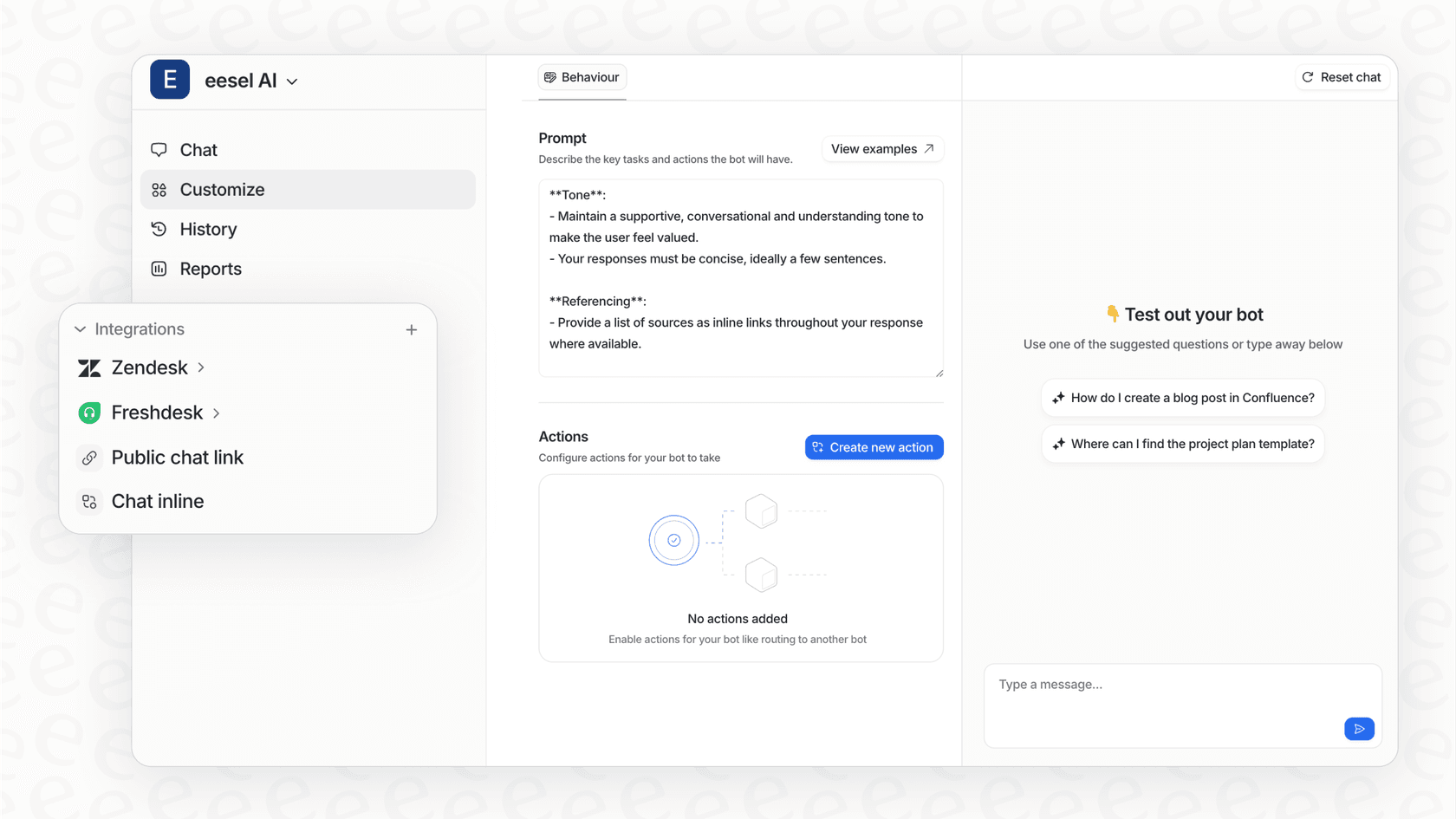
Native solutions like Einstein start from structured Salesforce data, and Data Libraries for outside content require Data 360 to be set up and consume Data 360 credits. Until that is done, your AI has blind spots on external knowledge. In contrast, tools like eesel AI are built from the ground up for this exact problem. They connect to and learn from 39 listed integrations, giving your AI the complete picture it needs to provide accurate, helpful answers.
How quickly do you need to see results?
An enterprise AI project can feel like a marathon. It often involves months of planning, setup, and training before you see any real impact. But what if you need to lower support costs or make your agents more efficient now?
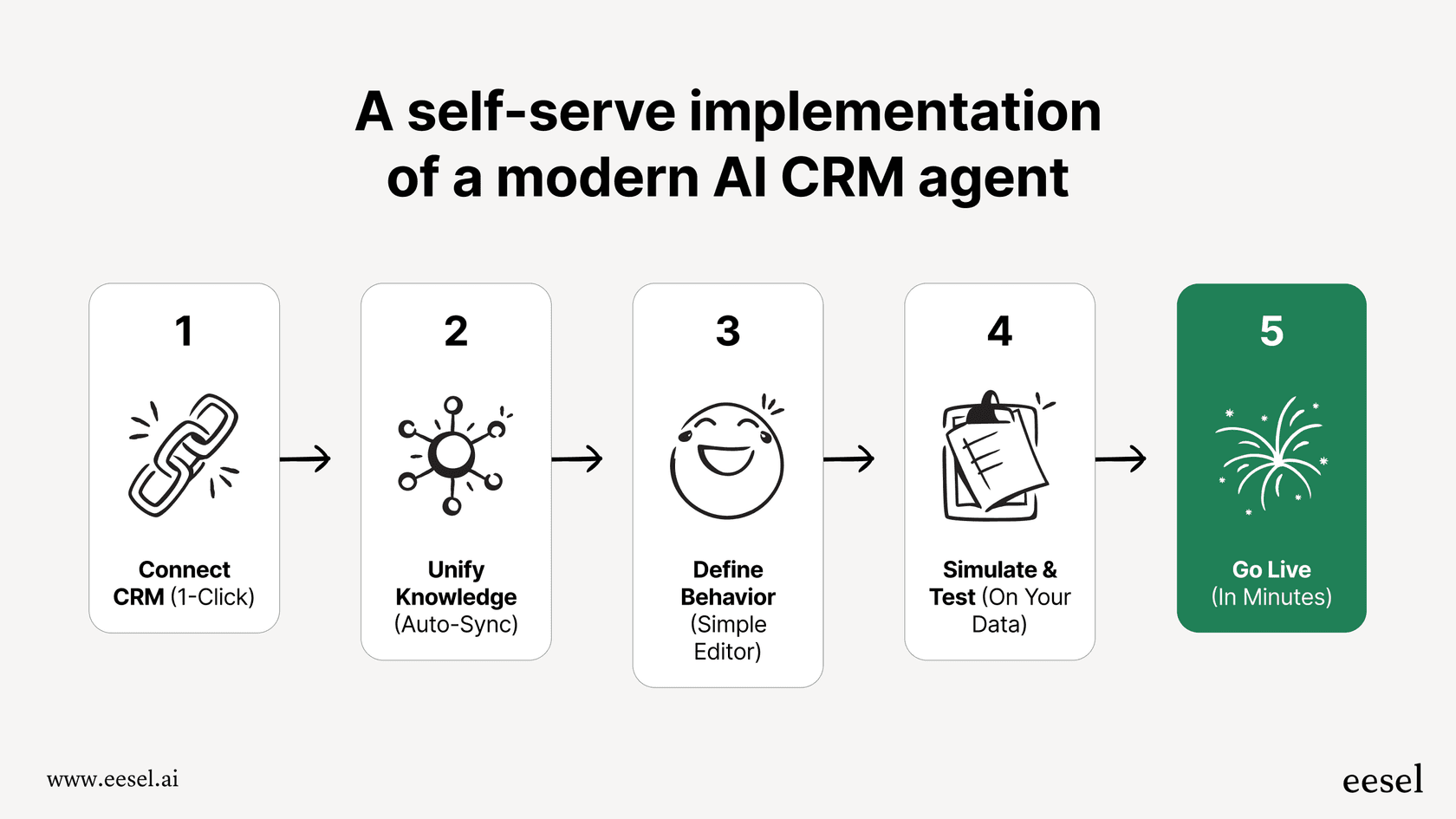
This is where you have to think about the timeline. A tool like eesel AI is built for speed. The whole idea is to "go live in minutes, not months," meaning you can connect your helpdesk, train the AI on your existing knowledge, and start automating tickets on the same day. It’s a completely different approach that focuses on delivering value right away.
How much control do you need over the AI?
Nobody wants a "black box" AI making decisions without any oversight. You need to be able to control exactly what gets automated and what gets passed to a human. This is essential for building trust with your team and your customers.
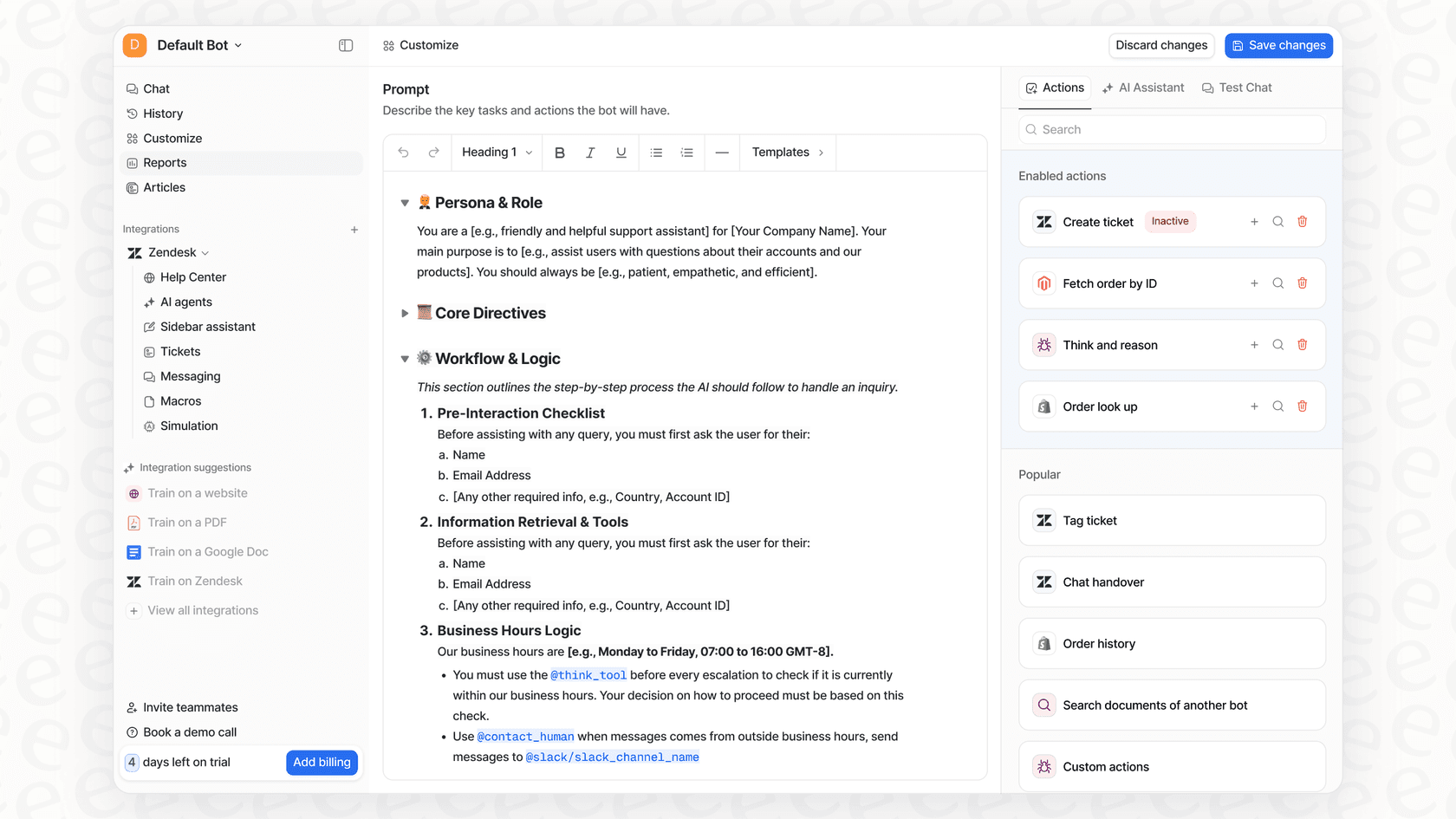
With eesel AI's selective automation, you get that fine-grained control. You can start small by telling the AI to only handle simple, repetitive questions like password resets. As you get more comfortable, you can gradually let it handle more. You can also tweak its personality with a simple prompt editor and set up specific actions it can take, like looking up an order status from your Shopify store or updating a ticket field in real-time. This level of customization makes sure the AI works exactly the way you want it to.
How can you test and deploy with confidence?
One of the biggest worries with customer-facing AI is that it will start giving out weird or wrong answers. How can you be sure it's ready for showtime?
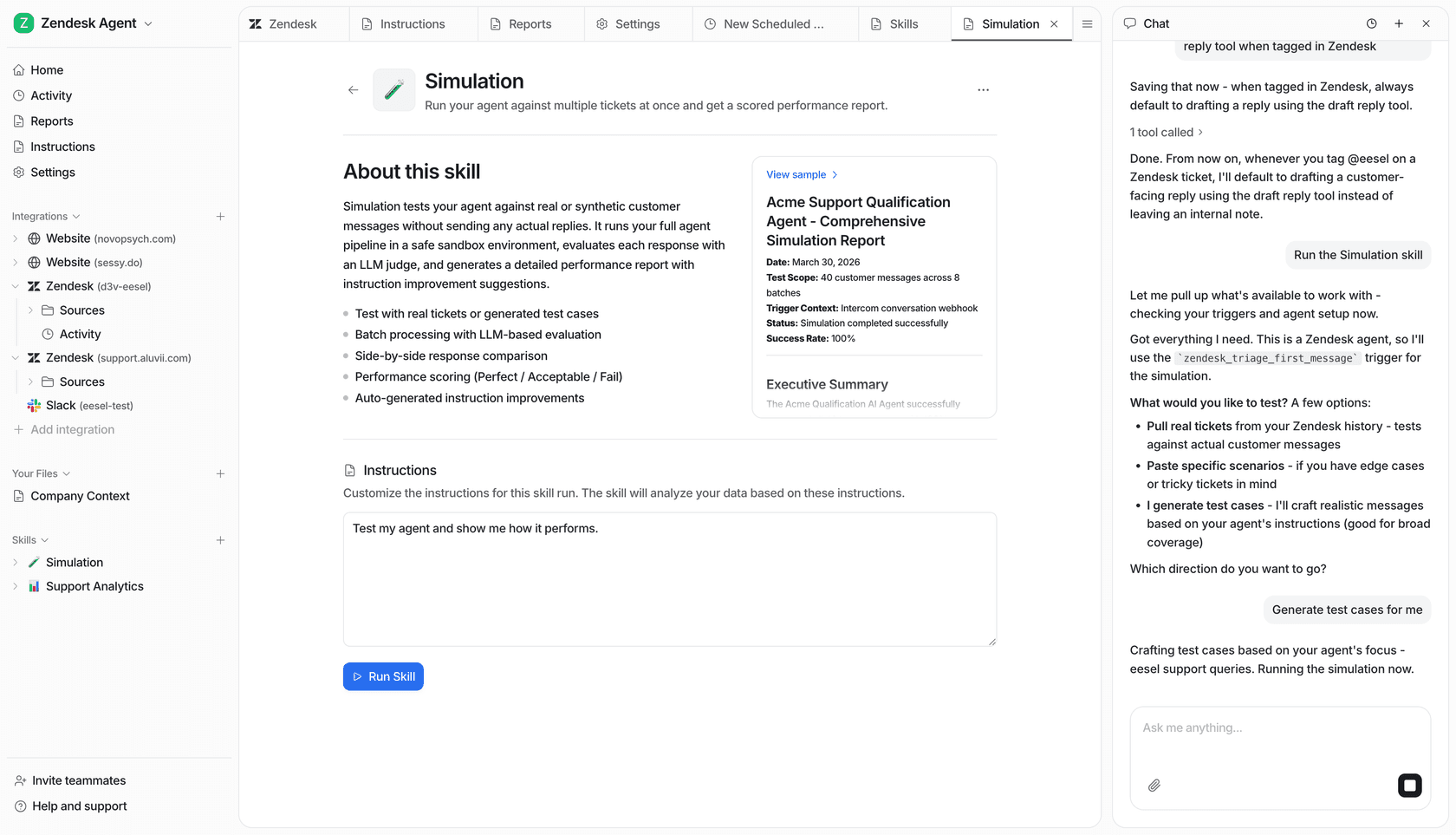
This is where eesel AI's powerful simulation mode comes in handy. It lets you test your AI setup on hundreds of your own past support tickets in a safe environment. You can see how the AI's answers score against what your team actually sent, get suggested instruction fixes, and adjust its behavior before it ever talks to a live customer. Salesforce has its own Testing Center, which runs in a sandbox and consumes requests and credits, so the difference is testing against your real ticket history.
Comparing pricing: Einstein vs. eesel AI
Clear and predictable pricing is key to figuring out your return on investment and making a good business decision. The two approaches we've talked about have very different ways of handling costs.
Salesforce Einstein pricing
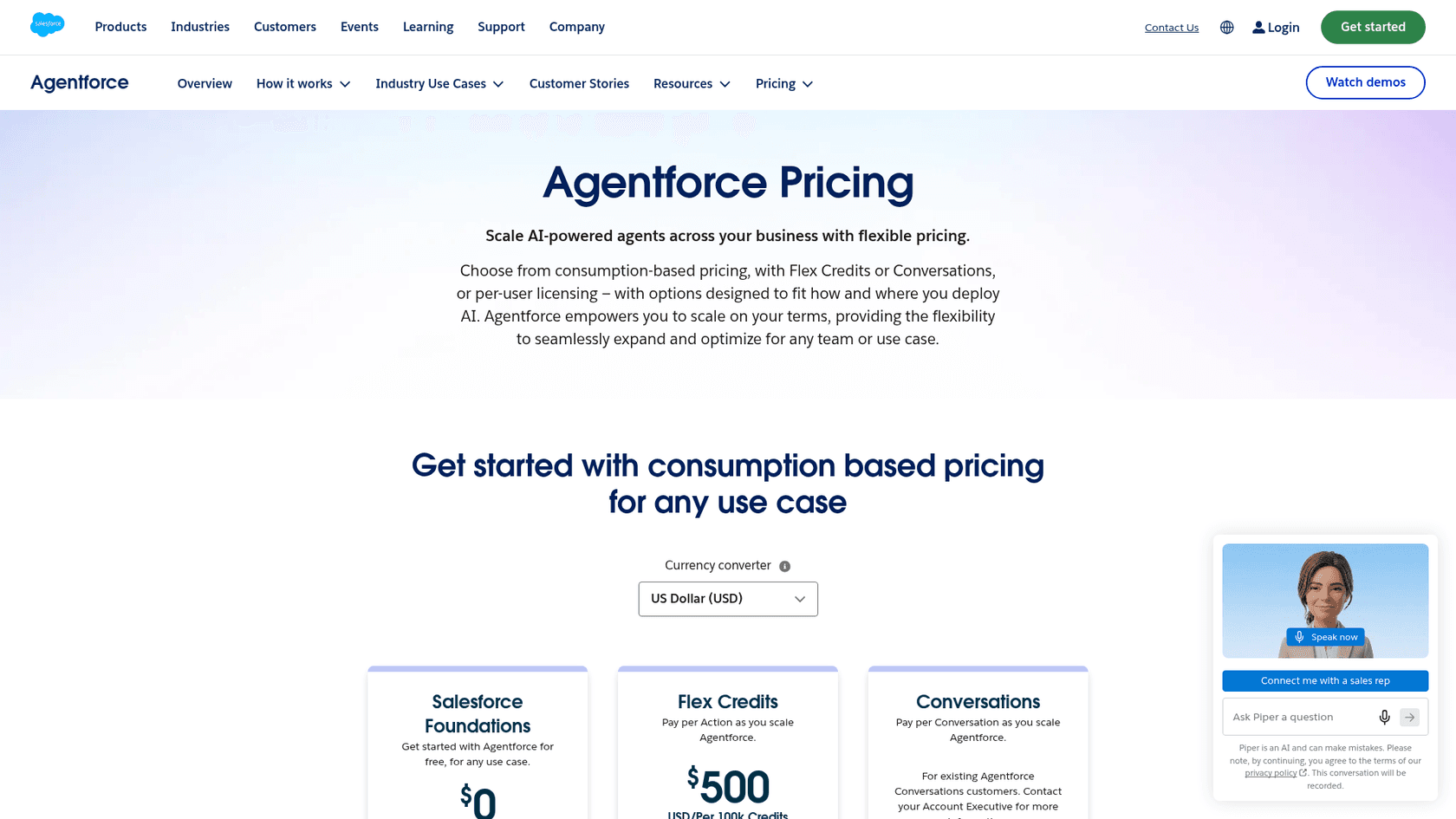
Salesforce now prices its AI through Agentforce. Flex Credits cost $500 per 100,000 credits, Conversations cost $2 each, and add-ons run $125 per user, per month. Editions start from $550 per user, per month and include 2.75M Flex Credits per org per year.
Flex Credits and Conversations can't be mixed in the same org, and unused Flex Credits don't roll over. Cost examples on the page also exclude Data 360 credits, so the final bill depends on how much you use.
eesel AI pricing
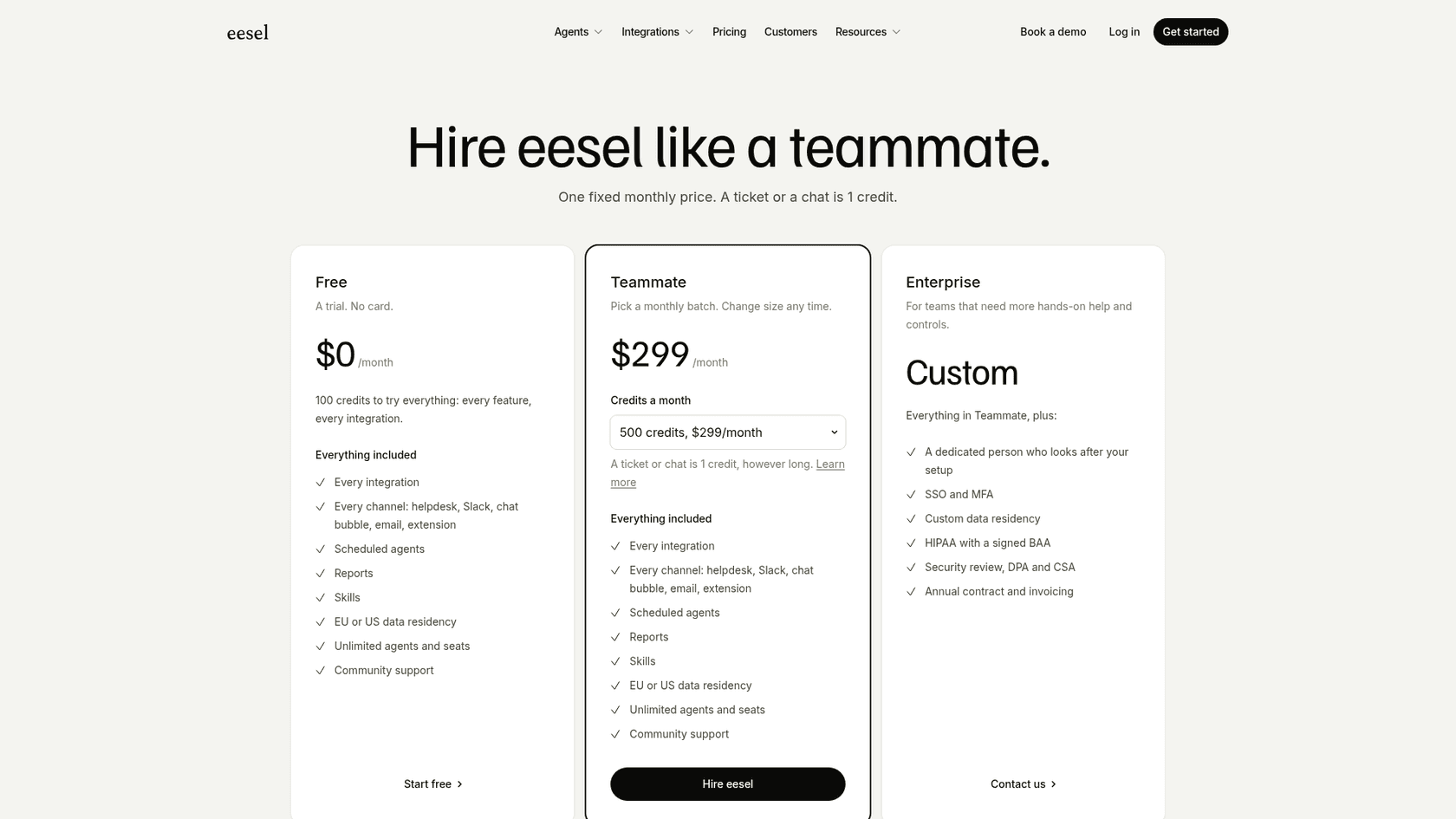
eesel AI has a much simpler, more transparent pricing model. Plans are fixed monthly credit batches, and a ticket or a chat is 1 credit, handled rather than resolved, so there are no per-resolution fees. Every plan includes every integration and unlimited agents and seats.
| Plan | Monthly Price | What you get |
|---|---|---|
| Free | $0 | 100 credits to try everything, no card. |
| Teammate | $299/mo | 500 credits; larger batches go to 1,000 for $499 and 2,500 for $999. |
| Enterprise | Custom | Dedicated setup help, SSO and MFA, HIPAA with a signed BAA. |
Making the right choice for integrating AI with Salesforce
Integrating AI with Salesforce is no longer a question of if, but how. The path you pick will have a big impact on your budget, your timeline, and your team's ability to get things done.
The decision really comes down to a core trade-off: the deep, native integration of Salesforce Einstein versus the speed, flexibility, and broader knowledge of a modern third-party platform. Einstein is a solid choice if your data and work live entirely within Salesforce and you have the time and resources for a major project.
However, if your company's knowledge is spread across different apps and you need to get results quickly without a massive, complicated project, then a tool designed for that world is almost always the smarter move.
Ready to see how easy Salesforce AI integration can be? eesel AI connects to your knowledge sources and helpdesk in minutes. Start free with 100 credits and run a simulation on your past tickets.
Frequently asked questions
What are the main benefits of integrating AI with Salesforce for my business?
Integrating AI can significantly boost productivity, automate routine tasks, and improve decision-making by making your CRM smarter and more responsive. It helps your Salesforce system understand data, predict outcomes, and even take proactive actions.
How do I choose between Salesforce Einstein and a third-party tool for AI integration?
The best choice depends on where your company's critical knowledge resides, how quickly you need to see results, and the level of customization and control you require. Einstein and Agentforce are native and deeply integrated with Salesforce data, while third-party tools offer more flexibility for scattered knowledge and faster implementation.
My company's knowledge is spread across many tools; will this affect my AI integration with Salesforce?
Yes, the location of your knowledge is a crucial factor. Native solutions like Einstein are primarily designed for data within Salesforce and need extra setup (Data 360, MuleSoft) to reach external information. Third-party tools such as eesel AI are built to connect with and learn from diverse knowledge sources across various applications.
How quickly can I expect to see results from integrating AI with Salesforce?
The timeline for results varies significantly. Enterprise-level Einstein projects can involve months of planning and setup, while modern third-party tools, like eesel AI, are designed for rapid deployment, often allowing you to go live and gain value in minutes or days.
What level of control can I expect over the AI's behavior and responses?
With many third-party solutions, you can expect fine-grained control over the AI. This includes features like selective automation, prompt editing, and the ability to define specific actions the AI can take, ensuring it operates exactly as intended and builds trust.
What are the typical pricing models for integrating AI with Salesforce?
Salesforce prices Agentforce by Flex Credits ($500 per 100,000) or $2 per conversation, which makes monthly costs depend on usage. eesel uses fixed monthly credit plans from $299, where a ticket or chat is 1 credit.
How can I ensure the AI is reliable before going live with a Salesforce integration?
Run a simulation first. Salesforce offers a sandbox Testing Center, and eesel's simulation skill replays hundreds of your past tickets and scores answers against what your team actually sent, so you can fix gaps before going live.