

Let's be real, IT and support teams are under a lot of pressure to bring AI into their workflows. The promise is huge: less grunt work, faster fixes, and happier everyone. But if you're working in a platform as complex as ServiceNow, you know that promise can feel a long way off.
You've probably heard the horror stories from developer forums and community threads. AI assistants that make things up (or "hallucinate"), setups that feel like a second job, and nagging worries about data privacy. So, how do you actually get this right?
This guide is here to cut through that noise. We'll walk through the three main ways you can integrate AI with ServiceNow, looking at the good, the bad, and the ugly of each. By the end, you'll have a clear idea of which path makes the most sense for your team.
Understanding how to integrate AI with ServiceNow
So, what are we even talking about when we say "AI integration with ServiceNow"? At its simplest, it just means hooking up some form of artificial intelligence to your ServiceNow setup to automate tasks, generate insights, and generally make it easier for users to get help. It’s all about making your service desk a little bit smarter and more efficient.
But there's no single way to do it. To make sense of the options, we can break them down into three main strategies:
-
Using ServiceNow's native AI (Now Assist): The built-in, out-of-the-box option.
-
Building a custom integration: The full DIY approach using a general-purpose AI like ChatGPT.
-
Using a specialized, plug-and-play AI platform: A third-party tool designed specifically for this kind of work.
Let's take a look at what each of these actually involves.
Using ServiceNow's native AI: Now Assist
Now Assist is ServiceNow’s own generative AI solution, baked right into the platform. It's designed to help with common IT service management (ITSM) tasks, from summarizing tickets and generating code to powering chatbots.
Now Assist's key features
On the surface, Now Assist comes with a pretty neat set of features:
-
Incident Summarization: This helps agents get up to speed on long, complicated ticket histories without having to read every single update.
-
Flow Generation: It promises to let you build workflows using plain English prompts, which could be a time-saver for admins.
-
Virtual Agent: This is the engine behind the chatbots that handle employee self-service requests, with the goal of deflecting common questions.
Limitations and challenges of using Now Assist
While a built-in tool sounds like the simplest path, teams often hit a few common snags. Digging into user feedback and community discussions reveals a few recurring issues that make Now Assist tricky to depend on.
The first big headache is that it can be inaccurate and just make things up. Developers report that when you get into low-code areas like the Flow Designer, the AI can get confused. It sometimes invents non-existent fields or references outdated parts of the UI, which makes it unreliable for anything more than basic scripts. This forces you to constantly double-check its work, which kind of defeats the point of automation.
Second, its effectiveness depends entirely on having perfect data. For Now Assist to give useful summaries or resolutions, it needs a deep history of tickets with comprehensive, well-written notes. Let’s be honest, that’s not the reality for most busy service desks. If your data isn't pristine, the AI's output won't be either.
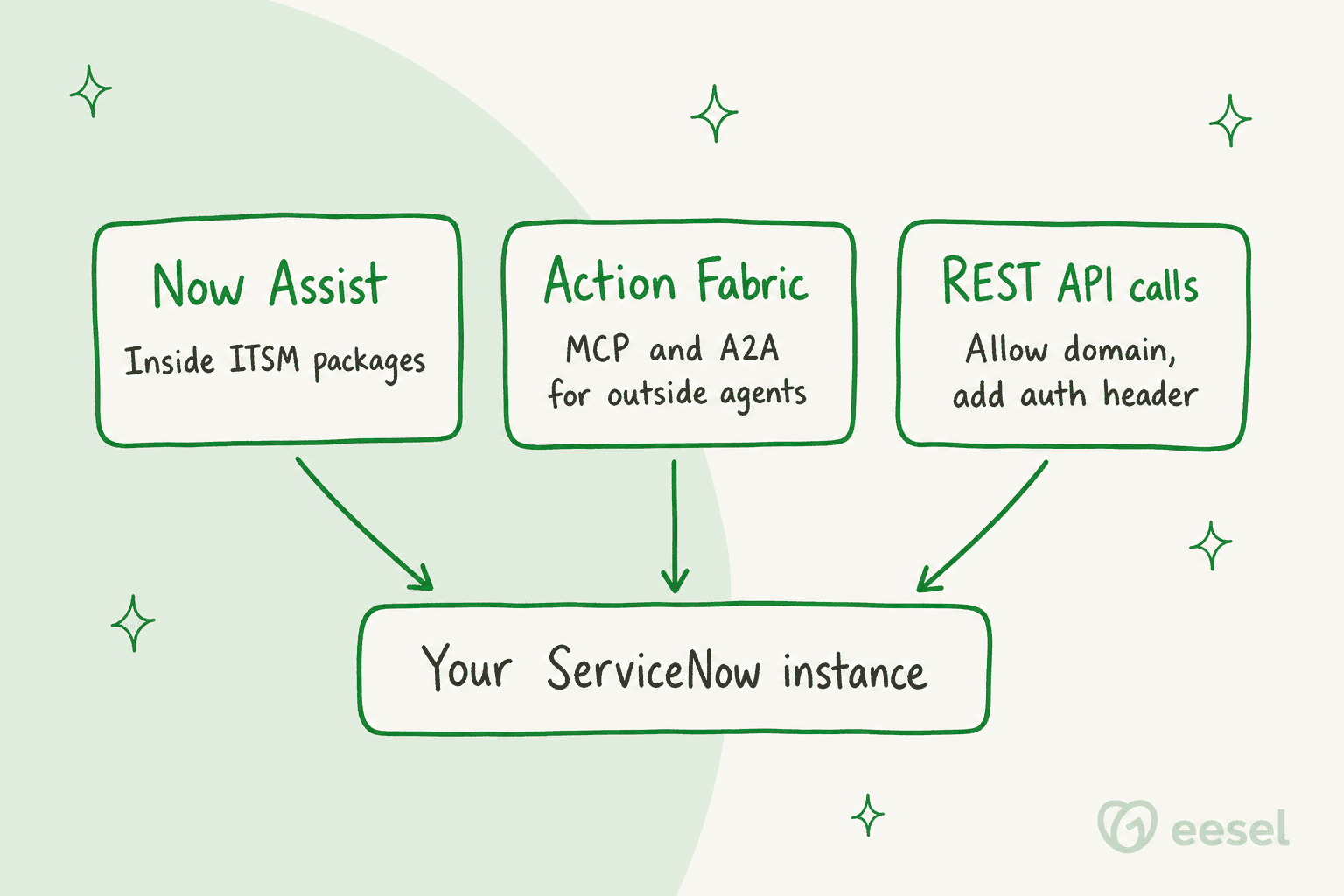
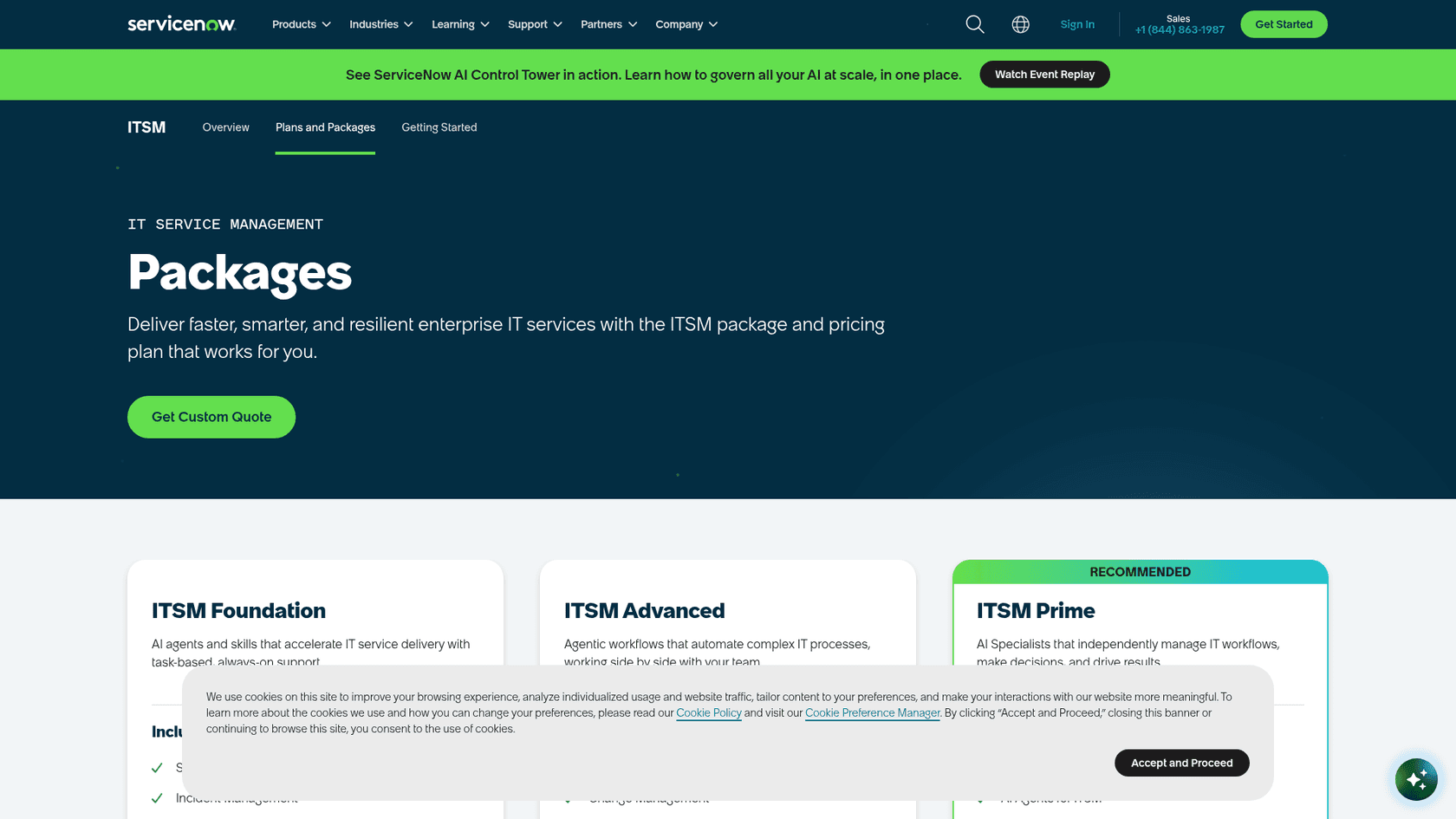
Finally, there’s the pricing and complexity. Budgeting starts from a quote for the package you choose, so costs are harder to estimate up front. On top of that, ServiceNow sells Now Assist inside its ITSM packages: ITSM Foundation includes Now Assist and Platform AI Foundation, and every package is priced by custom quote. And even though it's "native," it's not a simple switch you can flip, it still requires a good amount of time and expertise to configure correctly.
Building a custom AI integration
The next option is the full-on DIY route. This is where developers use APIs to connect large language models, like OpenAI's GPT-4, directly to their ServiceNow instance. You'll see this method pop up in developer forums, especially for highly specific, code-related tasks.
Common use cases for custom integrations
This approach can work well in a few niche areas:
-
Code Generation & Refactoring: It can be pretty handy for helping developers write or clean up backend scripts where the context is simple and well-defined.
-
Understanding Obscure Code: It can serve as a second pair of eyes for figuring out complex, out-of-the-box ServiceNow code that doesn't have great documentation.
Why this approach is risky
While it offers flexibility, building a custom integration is a path filled with hidden complexities and risks.
Custom AI Integration Workflow
It requires a massive development lift. You’re not just plugging something in; you’re building and maintaining API connections, creating custom tables to store conversation histories, and writing business rules to manage the logic. ServiceNow now also ships Action Fabric, which lets outside AI agents run governed ServiceNow actions through prebuilt MCP servers for ITSM, ITOM and CMDB, so a build no longer has to start from raw API calls. Even so, this isn't a side project; it requires dedicated, skilled developers who are experts in both ServiceNow and the AI platform you're using.
The biggest challenge, however, is the context problem. A generic AI like ChatGPT has no idea what your ServiceNow instance looks like. It doesn’t know your custom tables, your internal business rules, or your unique workflows. As a result, it hallucinates. To get around this, developers have to manually create and feed the AI "system context," often in the form of enormous, complex JSON files that detail your company's setup. It’s an incredibly inefficient and fragile solution that’s nearly impossible to scale or maintain.
Then there are the major data privacy risks. When you send a prompt to a third-party API, you're sending your company’s data along with it. This could include sensitive customer information or internal company details, creating a serious security and compliance issue. For many organizations, this risk alone is a complete non-starter.
Finally, you’re dealing with unpredictable costs. Most major AI APIs use a token-based pricing model. While a single API call might seem cheap, the costs add up fast in a high-volume ITSM environment. Budgeting becomes a guessing game, and one busy month could leave you with a surprisingly large bill.
Using a specialized AI platform
This leads us to a third option, one that strikes a balance between the power of a custom build and the simplicity of a native tool. Specialized AI platforms are designed from the ground up for support and ITSM teams, and they offer a much smoother path to an effective AI integration with ServiceNow.
Platforms like eesel AI are built to sidestep the exact challenges that make native and custom solutions so difficult. Instead of trying to be a jack-of-all-trades, they focus on doing one thing exceptionally well: making your service desk smarter.
How a specialized platform solves common challenges
Here’s how a dedicated tool changes the game:
-
Get it running in minutes, not months: Forget about long, drawn-out implementation projects. eesel has no native ServiceNow connector today, so I'd treat it as a layer beside your instance. Its Network Access feature lets the agent call any REST API once you allow the domain and add an auth header, and it's self-serve, so you can get it set up and working without a single sales call or mandatory demo. This helps you avoid the disruptive "rip and replace" projects that many other AI solutions require.
-
Stop hallucinations by unifying all your knowledge: This is the key to solving the context problem. eesel AI connects instantly to all of your knowledge sources, not just what's inside ServiceNow. It pulls information from Confluence, Google Docs, Slack, and 39 listed integrations to give the AI a complete and accurate picture of your organization. With this full context, the AI can provide reliable answers and stops making things up.

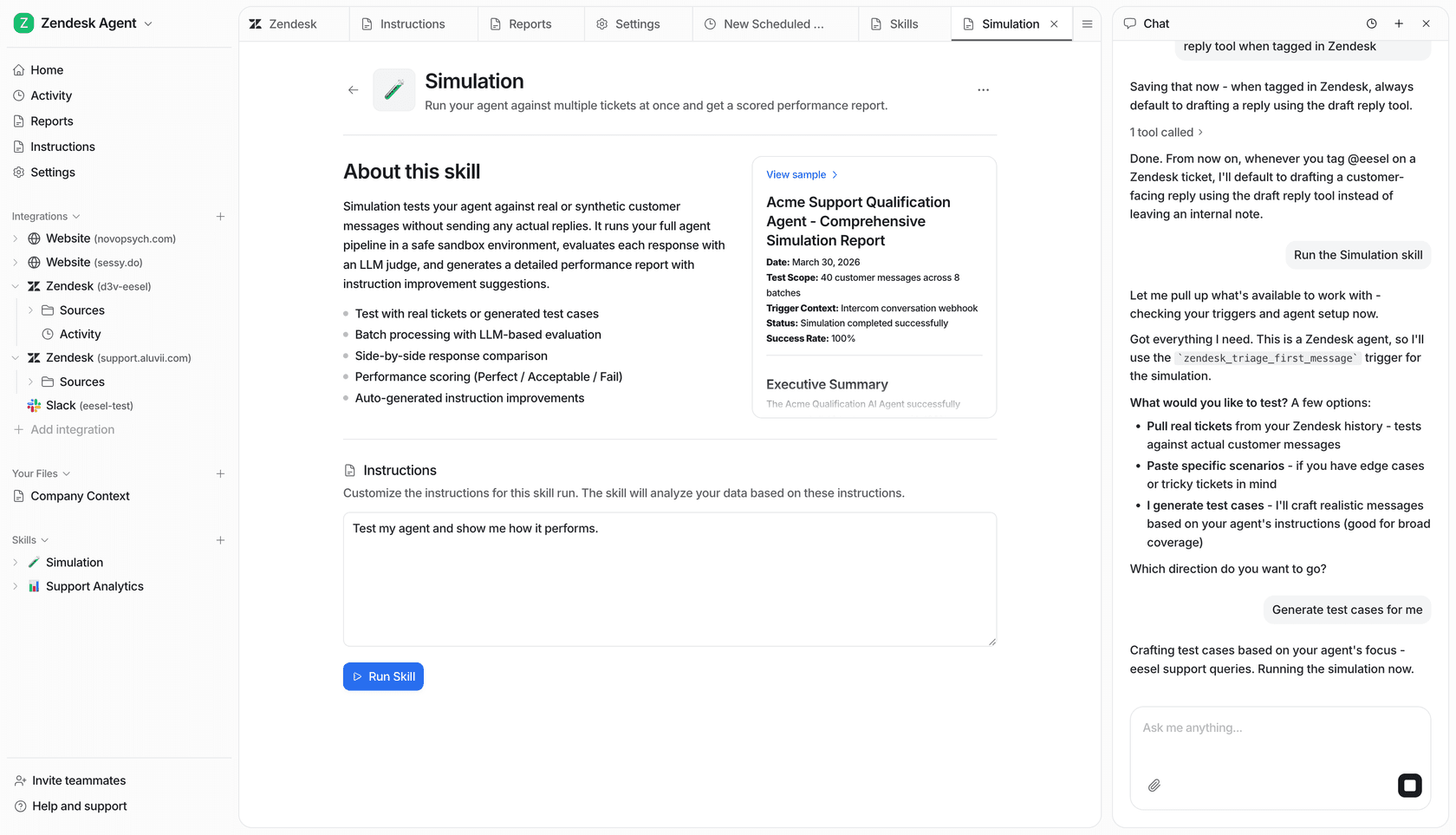
- Test it safely and keep full control: Deploying AI shouldn't feel like a leap of faith. eesel AI comes with a simulation mode that lets you test your setup on hundreds of historical tickets before it ever talks to a live user. Answers are scored against what your team actually sent, with suggested instruction fixes. You also get detailed control to automate selectively, maybe starting with simple Tier 1 tickets and escalating everything else to a human.
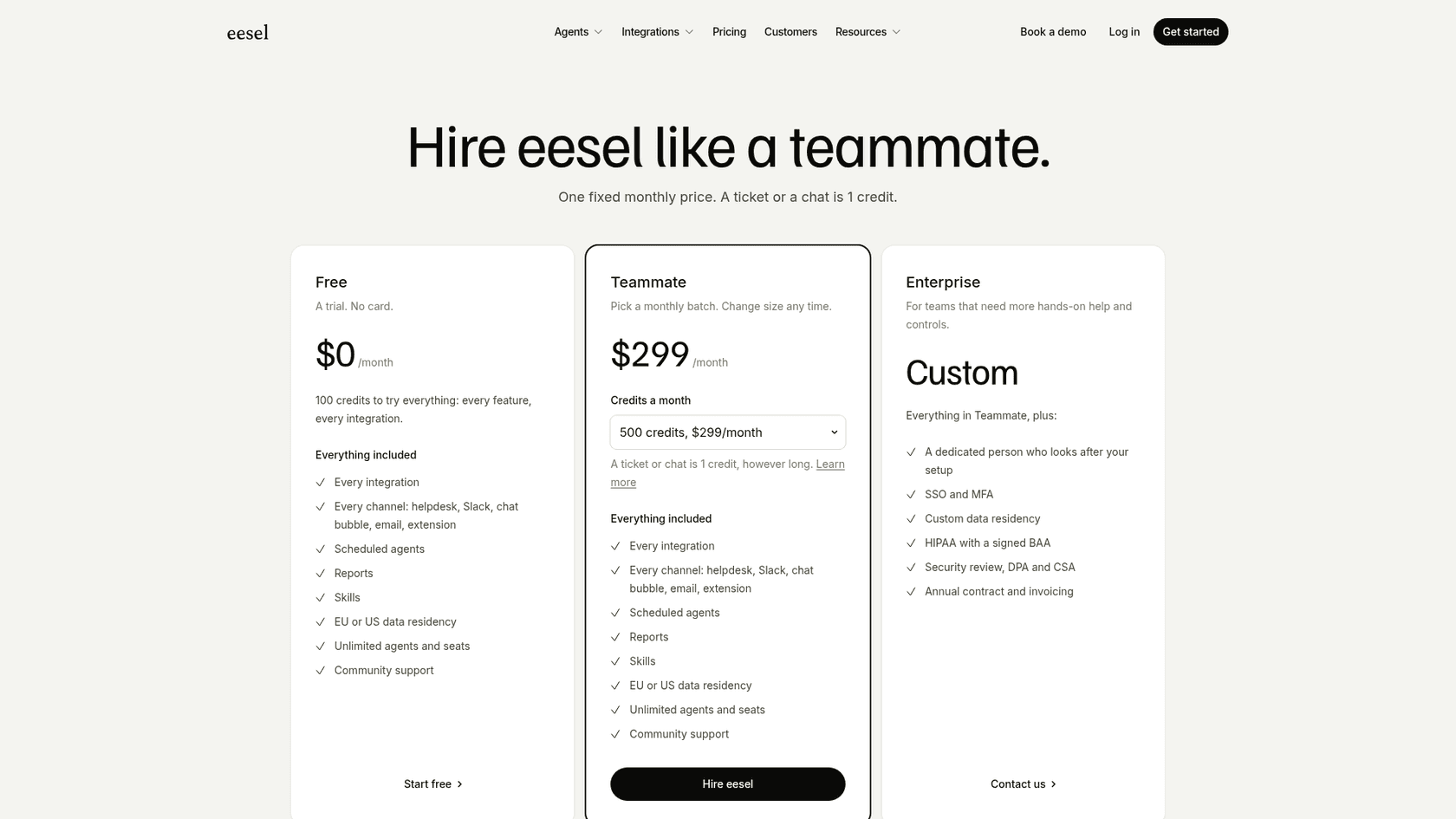
- Know exactly what you're paying: No more guessing games with your budget. eesel AI uses fixed monthly credit plans, from $299 for 500 credits, where a ticket or chat is 1 credit and there are no per-resolution fees. You know exactly what your bill will be each month, which makes it easy to calculate your return on investment. You can even start with a flexible monthly plan and cancel anytime.
Comparing the three approaches
When you lay it all out, the differences become pretty clear.
| Feature | Native AI (Now Assist) | Custom AI (ChatGPT API) | Specialized Platform (eesel AI) |
|---|---|---|---|
| Setup Time | Weeks to months | Weeks to months | Minutes to hours |
| Accuracy | Depends on your data and setup | Low without extensive context | High, grounded in unified knowledge |
| Data Privacy | Managed within ServiceNow | High risk (data sent to 3rd party) | Secure, with EU residency options |
| Maintenance | Ongoing configuration | High (API changes, custom code) | Low (managed by platform) |
| Cost Model | Custom quote per ITSM package | Unpredictable (per token) | Predictable (fixed monthly credits) |
| Testing | Depends on package | Manual, ad-hoc | Powerful simulation on past tickets |
Making the right choice
So, which path should you take? It really comes down to your team’s resources, goals, and how much risk you're willing to take on.
-
Go with the native AI if: You are deeply invested in the ServiceNow ecosystem, have budget for a custom-quoted ITSM package, and have the in-house technical experts to manage a complex, ongoing configuration.
-
Go with a custom AI if: You have a strong, dedicated development team with time to spare, a very narrow and specific use case (like script refactoring for developers only), and have already figured out how to handle the serious data privacy concerns internally.
-
Go with a specialized platform if: You need a fast, reliable, and secure solution that works right out of the box. This is the right choice if you want to bring all your scattered knowledge together, get a predictable ROI, and empower your team without having to hire a dedicated AI developer.
The future is integrated and intelligent
There you have it, a few different paths for how to integrate AI with ServiceNow, each with its own trade-offs. While native tools are slowly improving and custom builds offer ultimate flexibility for those with the resources, specialized platforms have emerged as the fastest and most reliable path to value for most ITSM and support teams.
The goal isn't just to have AI; it's to have AI that actually works for you. The right integration makes it a genuinely helpful teammate, not just another complex system you have to manage.
Ready to see how a specialized AI platform can transform your ServiceNow experience without the headaches?
Get started with eesel AI and connect it to your knowledge sources in minutes. You can simulate its performance on your past tickets and see the potential for automation and efficiency firsthand.
Frequently asked questions
What exactly does it mean to integrate AI with ServiceNow?
Integrating AI with ServiceNow means connecting artificial intelligence capabilities to your ServiceNow instance. This is typically done to automate tasks, generate insights, and enhance user experience by making your service desk more efficient and intelligent.
What are the primary methods for integrating AI with ServiceNow that are discussed in this guide?
This guide outlines three main strategies: using ServiceNow's native AI (Now Assist), building a custom integration with a general-purpose AI like ChatGPT, or utilizing a specialized, plug-and-play AI platform designed for ITSM. Each method has distinct advantages and challenges.
What are some common challenges when integrating AI with ServiceNow using Now Assist?
Users often report issues with Now Assist's accuracy, where it can "hallucinate" or invent non-existent fields. Its effectiveness is also highly dependent on having perfectly clean and comprehensive historical data, and pricing is by custom quote within ITSM packages.
What are the significant risks associated with a custom approach to integrating AI with ServiceNow?
Custom integrations demand a massive development effort, struggle with providing the AI sufficient context about your specific ServiceNow instance (leading to hallucinations), pose significant data privacy risks when sending data to third-party APIs, and come with unpredictable token-based costs.
How does a specialized platform like eesel AI simplify the process of integrating AI with ServiceNow?
Specialized platforms add knowledge from many sources, a testing step before launch, and fixed monthly pricing. eesel has no native ServiceNow connector, so the link to your instance goes through its Network Access feature, which calls any REST API once you allow the domain and add an auth header.
What should I consider regarding costs when deciding how to integrate AI with ServiceNow?
Cost models vary. ServiceNow sells Now Assist inside ITSM packages by custom quote, custom builds pay per token for API calls, and eesel uses fixed monthly credit plans from $299 where a ticket or chat is 1 credit.
What are the data privacy implications of integrating AI with ServiceNow using the different options?
With native AI, data generally stays within ServiceNow. Custom integrations carry high data privacy risks as sensitive company data might be sent to third-party AI APIs. Specialized platforms often prioritize security, offering features like EU data residency and ensuring data isn't used for training public models.