


So, you’re looking at HubSpot. It’s one of the biggest names out there for a reason, promising a single platform to get your marketing, sales, and service teams all on the same page. When you look at the HubSpot CRM pricing page, you'll see a wide range of options designed to meet different business needs.
With different product "Hubs," various subscription tiers, and all sorts of per-seat costs, there's a lot of flexibility to build the right setup for your company. This guide is here to give you a straightforward breakdown of how HubSpot’s pricing actually works. We’ll walk through what determines your final cost, take a closer look at the plans for support teams, and figure out how to best utilize the platform's features for your business.
Understanding the HubSpot customer platform
Before we get into the numbers, it helps to know that HubSpot isn't just one thing. It's a collection of software tools, which they call "Hubs," all built around their Smart CRM. Each Hub is tailored for a specific part of the business:
-
Marketing Hub: For all things related to attracting leads and running campaigns.
-
Sales Hub: Helps you manage your pipeline and close deals.
-
Service Hub: Built for customer support and ticketing.
-
Content Hub: For creating and managing your website and blog.
-
Data Hub: Focuses on syncing and cleaning up customer data.
-
Commerce Hub: Lets you handle payments and subscriptions.
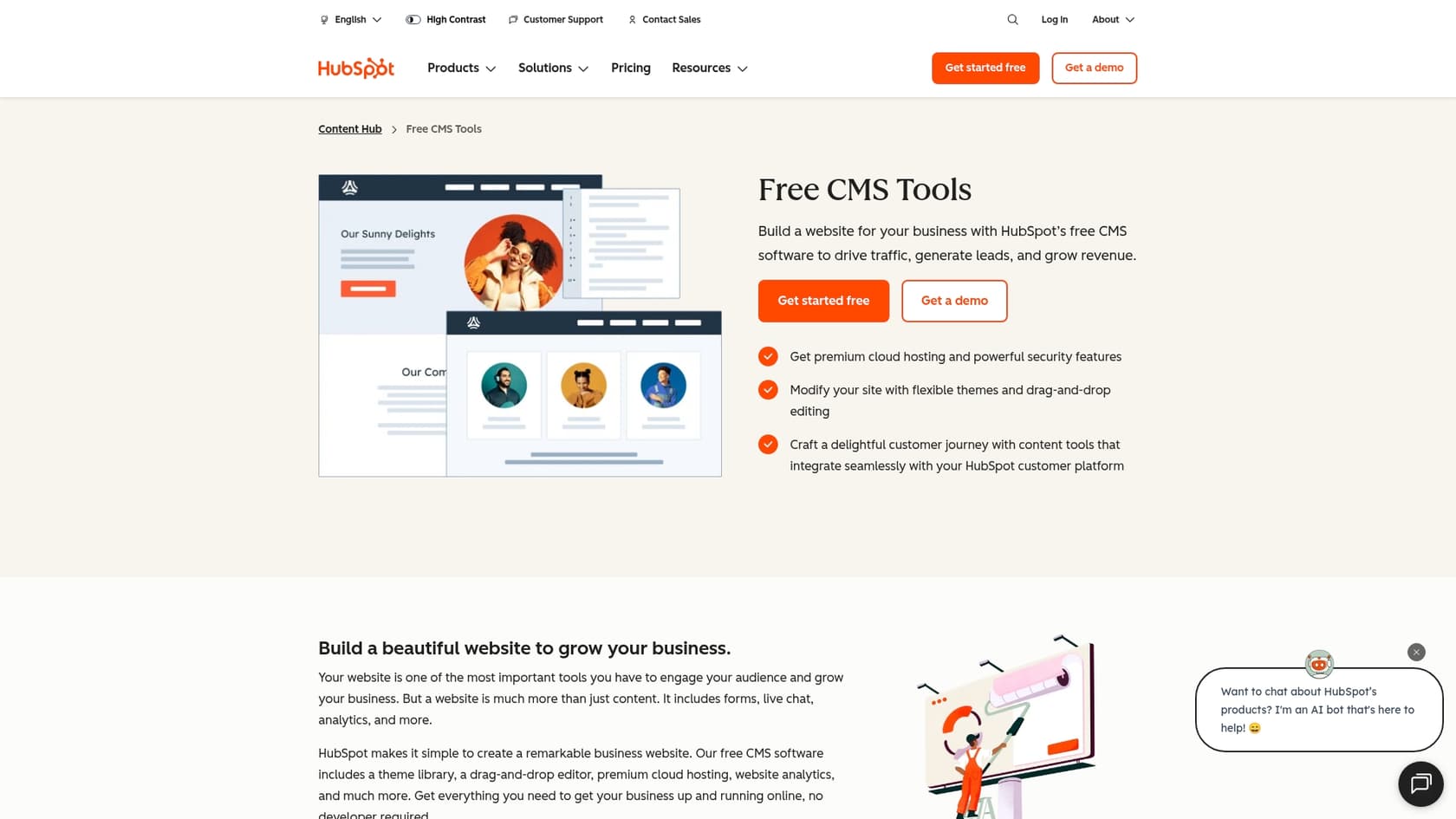
Your total cost is a mix of which Hubs you pick, the feature level you need in each one, and how many people on your team will be using it. This mix-and-match setup gives you significant flexibility to grow.
Key factors that determine your HubSpot CRM pricing
A few main things will move the needle on your final bill. Getting a handle on these is the first step to figuring out a realistic budget and planning for your growth in 2026.
The product Hubs you choose
The biggest factor in your cost is simply which Hubs you decide you need. You can get started with their free tools or go all-in by bundling everything into the "Customer Platform." Most growing businesses end up subscribing to one or more Hubs separately, allowing them to add functionality as they scale.
Your subscription tier
Each Hub has different tiers, and the transition between them provides more advanced capabilities to support your growing needs.
-
Free tools: A great starting point with basic CRM functions, perfect for teams just getting organized.
-
Starter: An affordable first step (usually around $15-$20 a month per user) that removes branding and raises limits for a more professional experience.
-
Professional: This tier represents a significant investment (starting around $800-$1000 a month) and is designed for scaling businesses. It unlocks powerful workflow automation and deeper reporting.
-
Enterprise: The top-of-the-line tier, built for large companies that need advanced security, reporting, and custom setups.
The number and type of seats
A core part of HubSpot's pricing comes down to "seats," or how many users need access. They've updated their pricing model recently, and costs are tied to individual user seats to provide clear value for each team member. You’ll see different types, like Core Seats for general access and specialized Sales or Service Seats for more advanced features.
Your number of marketing contacts
If you're using the Marketing Hub, your price is also connected to how many "marketing contacts" you have in your database. This model ensures the software scales alongside your marketing success and reach.
Onboarding considerations and long-term commitments
On top of the subscription price, there are a couple of other items to plan for:
-
Professional Onboarding: If you sign up for a Professional or Enterprise plan, there is a one-time onboarding fee. This is a valuable investment, typically between $1,500 and $7,000, to ensure your platform is configured correctly for your business.
-
Annual contracts: While Starter plans offer monthly flexibility, the Professional and Enterprise tiers typically involve an annual commitment, providing a stable foundation for your long-term strategy.
A detailed look at HubSpot pricing for support teams
If your business is focused on leveling up its customer service, the Service Hub is a mature and reliable choice. Choosing the right tier for your needs is key, especially when looking at automation features.
Service Hub plans
Here's a quick look at what you can expect for the Service Hub in 2026. These prices reflect an annual commitment.
| Feature tier | Starting price (Annual) | Includes | Key features | Onboarding fee |
|---|---|---|---|---|
| Starter | $15/mo per seat | 1 Core Seat | Ticketing, Shared Inbox, Live Chat, Basic Bots, 2 Ticket Pipelines | None |
| Professional | $100/mo per seat | 1 Service Seat | Everything in Starter + Help desk automation, Knowledge Base, Customer Portal, Surveys, SLAs | $1,500 (one-time) |
| Enterprise | $150/mo per seat | 1 Service Seat | Everything in Pro + Custom Objects, Conversation Intelligence, Playbooks, Advanced Permissions | $3,500 (one-time) |
What you get vs. what you really pay for
The Professional plan is highly sought after for its powerful automation. This tier allows you to route tickets, send follow-ups, and manage repetitive tasks more efficiently.
The Professional tier is a significant step up, designed for businesses that need the full power of HubSpot's integrated platform. In addition to advanced automation, it includes specialized onboarding to ensure your team is set up for success. For some, this comprehensive upgrade is the perfect fit, while others might look for complementary tools to enhance their existing plan.
The automation dilemma: A better way to scale support
If your main goal is to automate frontline support and answer common questions instantly, you have multiple paths to success. While HubSpot's Service Hub Professional is a robust choice, you can also consider specialized add-ons that work within the HubSpot ecosystem.
A dedicated AI tool like eesel AI offers a complementary option. Instead of changing your entire HubSpot plan, eesel AI integrates directly with the tools you already use.
Here’s how this approach can be beneficial:
-
Rapid implementation: While HubSpot’s Professional tier includes a comprehensive onboarding process, you can get started with eesel AI in just a few minutes, complementing your current HubSpot setup.
-
Enhanced flexibility: eesel AI works with your current helpdesk. You can stick with an affordable HubSpot Starter plan and simply add specialized AI capabilities on top as needed.
-
Simulation and testing: eesel AI's simulation mode lets you test the AI agent on thousands of past tickets before it talks to a live customer, providing peace of mind as you roll out automation.
-
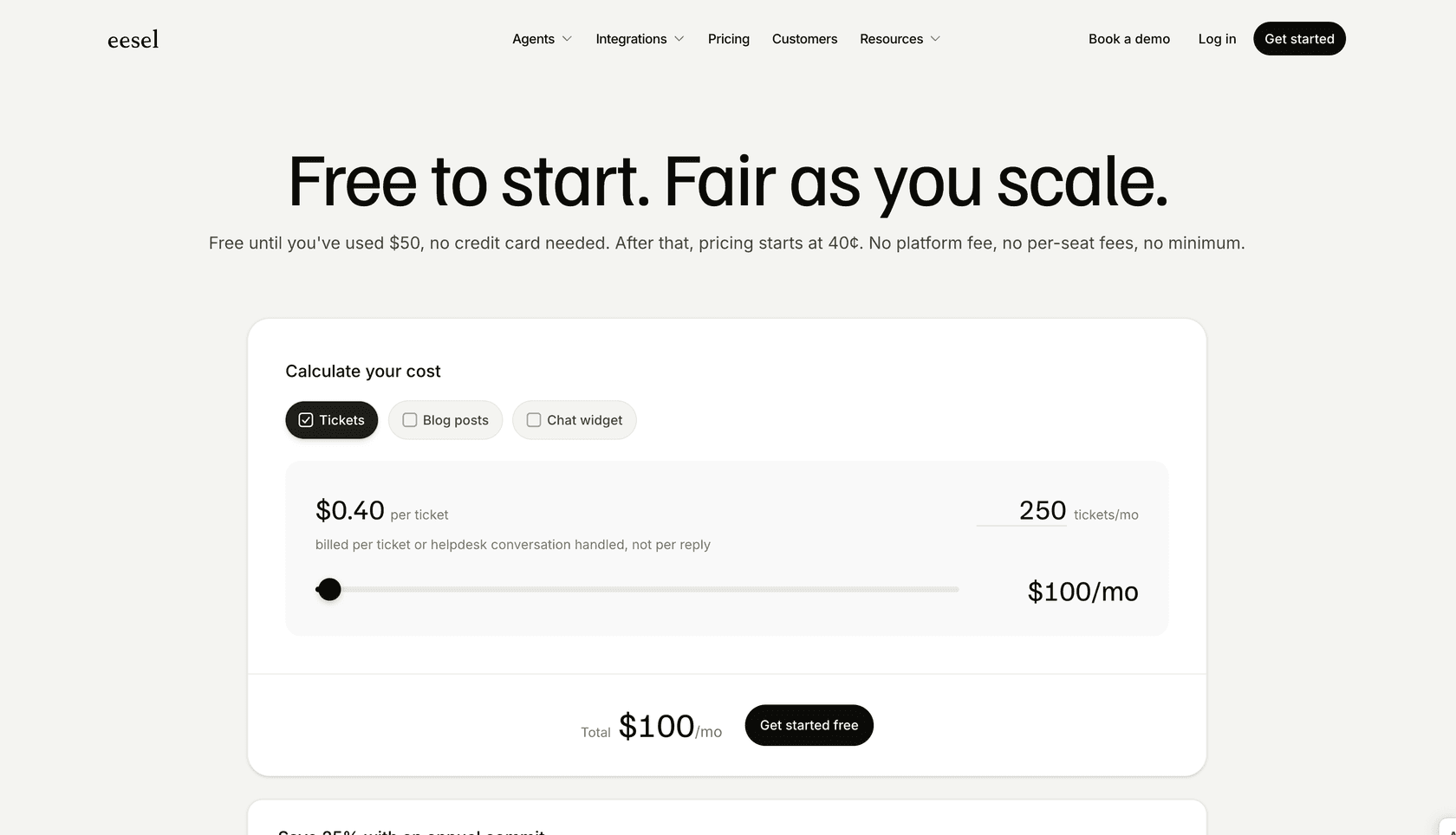
Complementary pricing model: eesel AI offers a clear, interaction-based pricing model. With flexible monthly plans, it can be a great way to manage specific support needs alongside your HubSpot subscription.
All-in-one vs. a best-of-breed approach
HubSpot's biggest strength is its all-in-one platform. Having all your data in one spot is a huge advantage for creating a unified customer experience. When considering this approach, keep these factors in mind:
-
Integrated investment: HubSpot's tiers reflect the value of having a fully integrated platform that connects every part of your business.
-
Comprehensive feature set: You gain access to a wide array of tools that your team can grow into over time.
-
Reliable partnership: Annual contracts provide a predictable foundation for your business operations.
-
Industry-leading ecosystem: HubSpot is a mature, trusted leader that provides a consistent and reliable experience across all functions.
The alternative is what’s often called a best-of-breed approach. This means you use a central CRM as your home base (like HubSpot's excellent free or Starter plan) and then connect specialized, complementary tools for specific jobs.
For example, you could use HubSpot for managing your core customer data and then integrate eesel AI for specialized support automation. This allows you to build a tailored solution while still benefiting from HubSpot's powerful infrastructure.
Making the right choice with HubSpot CRM pricing
Figuring out HubSpot CRM pricing in 2026 comes down to having a clear picture of what your business needs right now. The platform's free and Starter plans are a fantastic way to centralize your customer data and organize your sales and marketing efforts.
As you look to scale specific areas like customer support automation, you can choose to move into HubSpot's Professional tiers or enhance your existing plan with specialized integrations. HubSpot is a powerful, capable platform that provides the flexibility to grow your own way.
By integrating a solution like eesel AI, you can add advanced automation to your HubSpot setup quickly and efficiently, ensuring your team has the best tools for the job.
Ready to see how you can enhance your support setup? Explore eesel AI's AI Agent and see what it can do for your existing helpdesk.
Frequently asked questions
How does HubSpot CRM pricing typically start for a small business just looking for basic CRM functions?
For basic CRM functions, HubSpot offers free tools that include core CRM capabilities. The Starter plan begins around $15-$20 a month per user, removing branding and increasing limits for a more robust entry point.
Can you explain how the subscription tiers significantly impact HubSpot CRM pricing when moving from Starter to Professional?
Moving from Starter to Professional reflects an investment in a more robust platform. This tier unlocks advanced features like powerful workflow automation and provides the infrastructure needed for growing teams to scale effectively.
How does the number of users or "seats" directly influence the overall HubSpot CRM pricing structure?
The number of users, or "seats," is a major determinant of HubSpot CRM pricing, especially for paid plans. Costs align with each added Core, Sales, or Service seat, allowing you to scale the platform as your team grows.
For businesses using the Marketing Hub, how do marketing contacts factor into the overall HubSpot CRM pricing?
For the Marketing Hub, HubSpot CRM pricing is directly tied to the number of "marketing contacts" in your database. As your contact list grows, your subscription fee will adjust accordingly, which is a common model for marketing software that scales with your reach.
If our primary need is advanced customer support automation, how should we approach HubSpot CRM pricing for the Service Hub Professional tier?
The Service Hub Professional tier includes comprehensive help desk automation, with pricing around $100/month per seat, an onboarding fee, and an annual commitment. To further enhance your automation, consider specialized AI tools that integrate seamlessly with HubSpot.
What are the main differences in total cost when comparing HubSpot's all-in-one approach to HubSpot CRM pricing versus a best-of-breed strategy?
HubSpot's all-in-one approach provides a seamless, unified experience across your business functions. For teams with specialized needs, combining HubSpot's core CRM with specialized tools can offer a tailored solution that complements HubSpot's robust capabilities.