


What ticket routing actually does
Routing is the step between a ticket arriving and an agent answering it: deciding who, or what, handles it. Get it right and the billing question lands with billing, the urgent one jumps the queue, the Spanish ticket goes to a Spanish speaker. Get it wrong and tickets bounce between agents, first-response times balloon, and your SLAs slip.
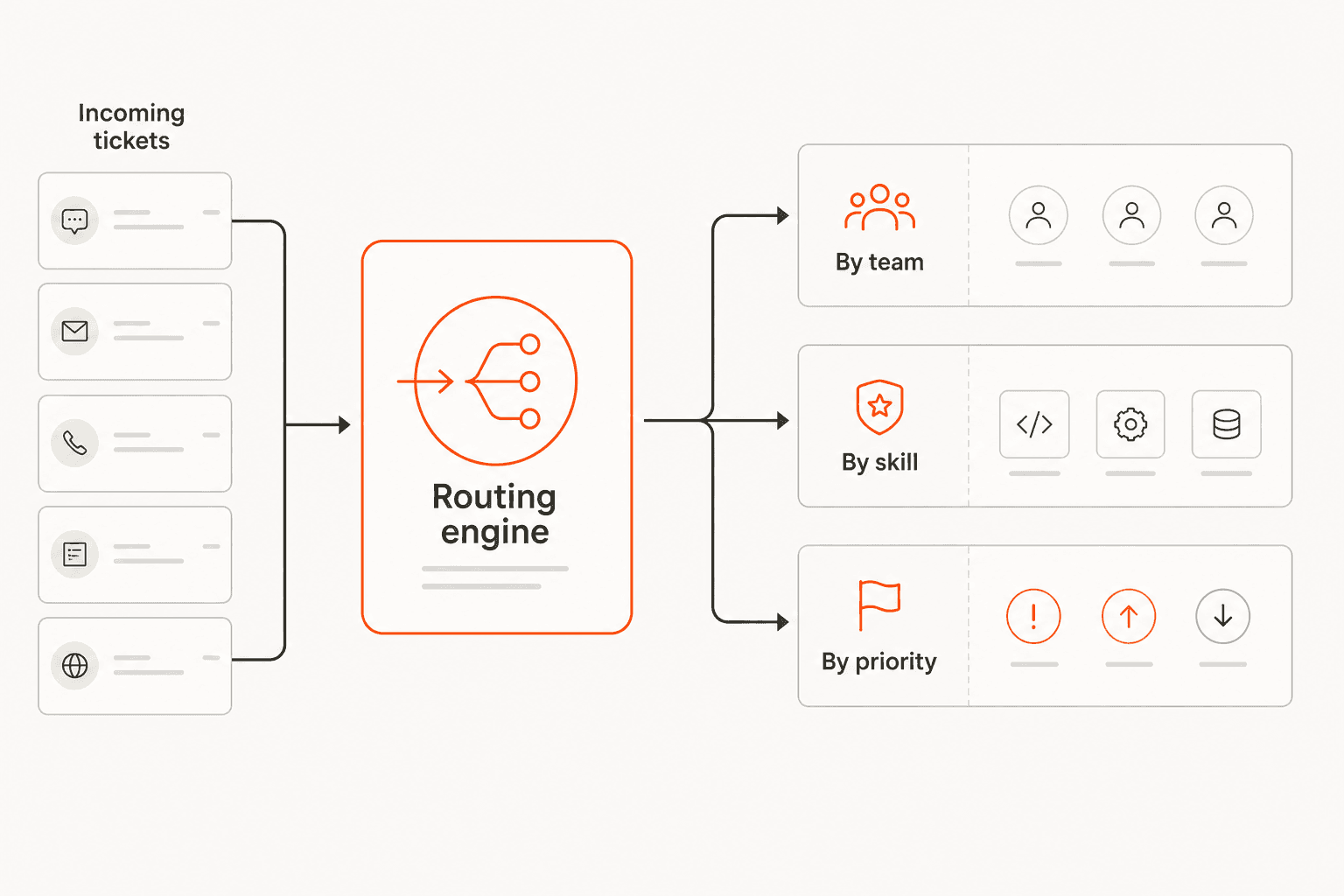
The thing to understand about routing is that the logic deciding the destination is what separates a good system from a frustrating one. Routing by a fixed rule is easy. Routing by what the customer actually needs is hard, and it's where HubSpot draws its pricing line.
How HubSpot Service Hub routes tickets
Service Hub is HubSpot's help desk, running natively on the Smart CRM so support works off the same customer record as sales and marketing. Ticket pipelines and basic routing are available across tiers, with simple ticket automation starting at Starter.
Here's the catch worth knowing before you buy, though: the routing that actually reads more than a keyword is gated to the top tier.
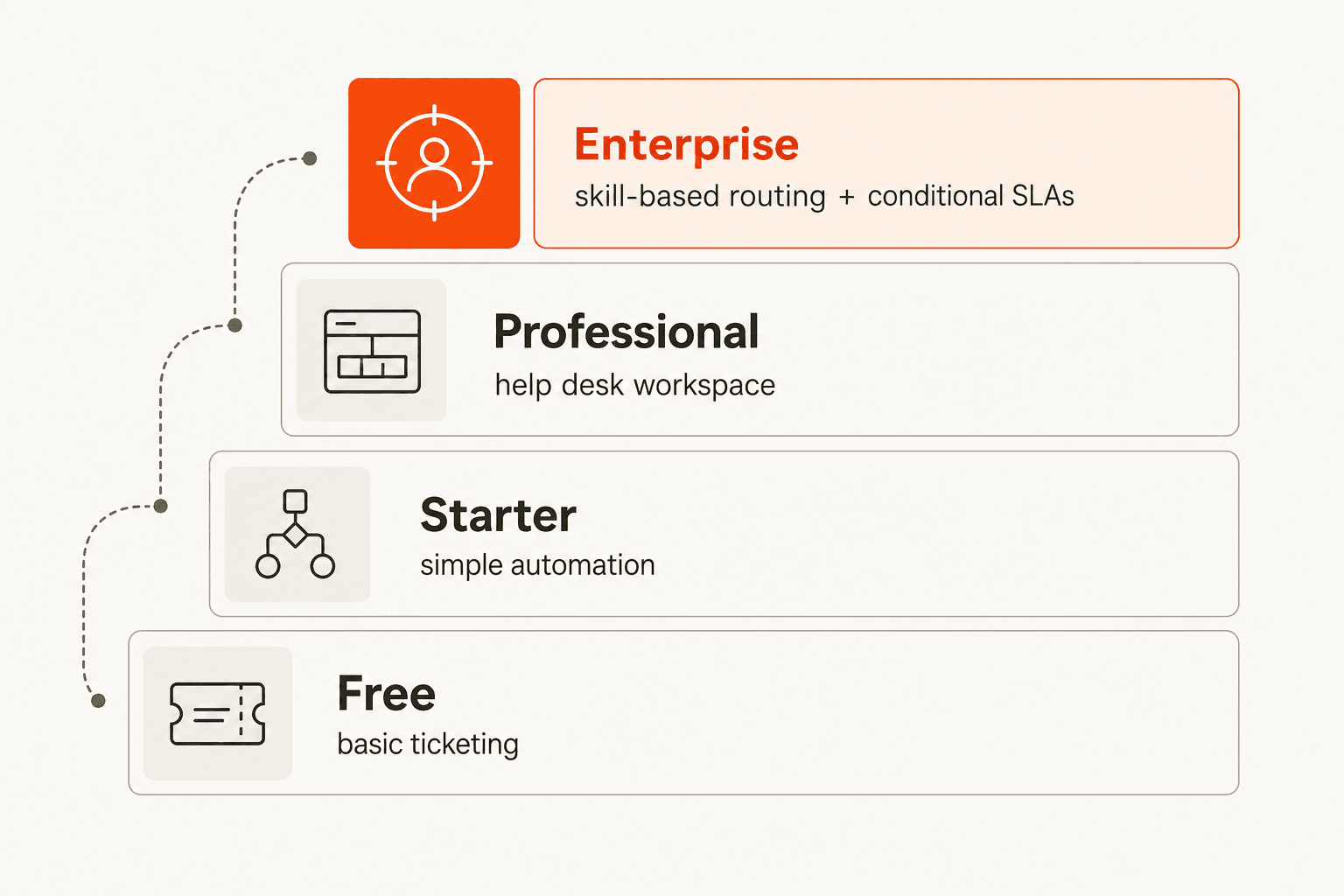
Skill-based routing and conditional SLAs live on Enterprise. So if you're on Professional and want to route by an agent's actual skills or language, you're either upgrading or building workarounds with workflows. For a lot of teams that's the moment the "Service Hub is affordable" story gets complicated, the routing they wanted is an Enterprise line item.
Where Breeze AI fits (and where it doesn't)
HubSpot's AI brand is Breeze, and the Breeze Customer Agent is good at what it does: resolving email and live-chat inquiries 24/7, with HubSpot claiming 70%+ of conversations resolved automatically and a 57% increase in ticket close rate after six months, which is why teams weigh it against a dedicated HubSpot AI chatbot. There's also a Breeze Knowledge Base Agent that turns resolved tickets into help articles.
But notice the gap: Breeze is built to resolve tickets, not to route them. It's a deflection and answering engine, not a triage engine. The intelligent-routing job, reading an incoming ticket's intent and sending it to the right place, isn't what Breeze is for, and it's not bundled into the lower tiers. For more on the broader suite, our Breeze Customer Agent breakdown goes deeper.
How to get AI-driven routing on any tier
This is the gap a layered AI agent fills. Instead of upgrading to Enterprise for skill-based routing, you connect an AI agent to your existing Service Hub that reads each ticket's intent and handles the triage.
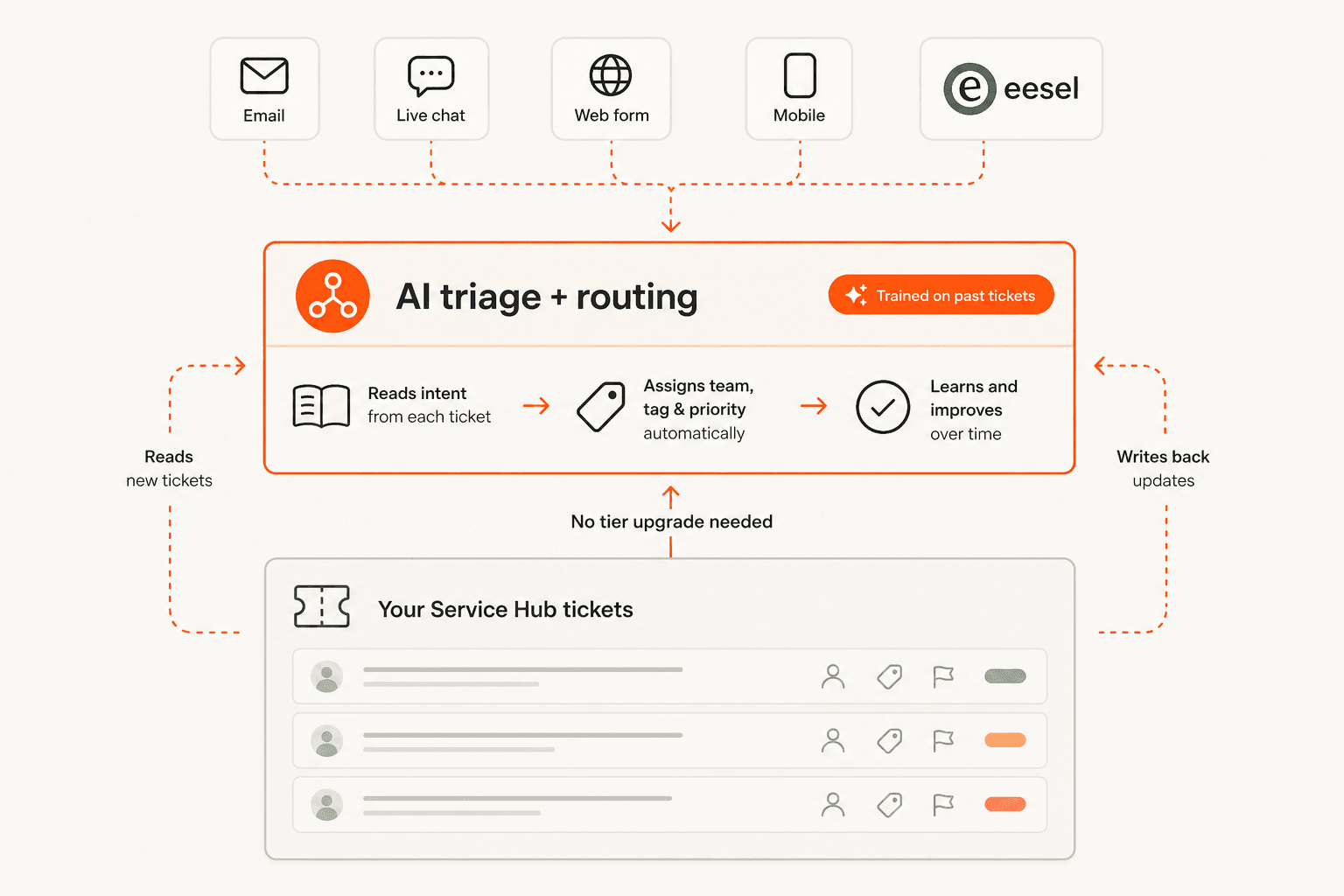
eesel AI is built for exactly this. It connects to HubSpot, reads incoming tickets, and applies tags, routing, and priority by what the ticket actually means, not by keyword rules, on whatever plan tier you're on. Because it trains on your own resolved Service Hub tickets, it learns your real categories rather than making you spell out every rule. And the part I'd never skip: it has a simulation mode, so you run it against your historical tickets and see exactly how it would have routed them before it touches a live one.
What good AI routing looks like
The pattern I'd recommend is to let the AI triage and route, and keep a human in the loop on the replies until you trust it. Route confidently, answer cautiously. That keeps control where it belongs while still removing the read-to-sort tax that eats your team's mornings, and it's the escalation-friendly way to build trust before handing the AI more autonomy. It also pairs naturally with ticket deflection once routing is solid.
Try eesel
If skill-based routing being Enterprise-only is the thing standing between you and a tidy inbox, eesel AI adds AI-driven routing on top of any Service Hub plan. It connects to HubSpot, trains on your past tickets, and routes by intent, with a simulation so you can prove the accuracy first.

It's one fixed monthly price (from $299/month for 500 credits) with 100 free credits to start. Try eesel and run a routing simulation on your own HubSpot tickets.