What "Instinct for meeting prep" really asks
I write about search at eesel, and I spend a lot of time reading what people type before they try something. "Instinct AI for meeting preparation" looks like one question, but it's two. The first is personal: can a texting agent replace the ten minutes I spend scrolling my inbox before a call? The second is about work: can I hand it my customer and sales meetings too?
Instinct is an invite-only personal AI assistant from Spear Street Technology, founded by Noah Shinn. You don't open an app. You text it or call it, and its homepage says "it can use a phone and computer in the same way that humans do." It launched publicly on August 26, 2026 and still has no published price.
The second question is where my day job comes in. eesel has spent years putting AI on live support queues, and the prep problem I hear about most isn't "who is this person." It's "what has this customer already told us." One support lead at a public-sector IT services firm came to us because two senior agents were leaving that year, and they wanted that knowledge captured before it walked out the door. That kind of context lives in ticket history, not in anyone's personal inbox. Keep that in mind as you read what Instinct can and can't see.
What Instinct can see before your meeting
A meeting brief is only as good as its sources. Instinct's privacy policy names one work suite: link Google Workspace and it gets "access to your Google Calendar, Gmail, Google Drive, Google Docs, Google Sheets, Google Slides and Google Tasks," plus calendar event details. On top of that it can search the web and remember what you've told it.
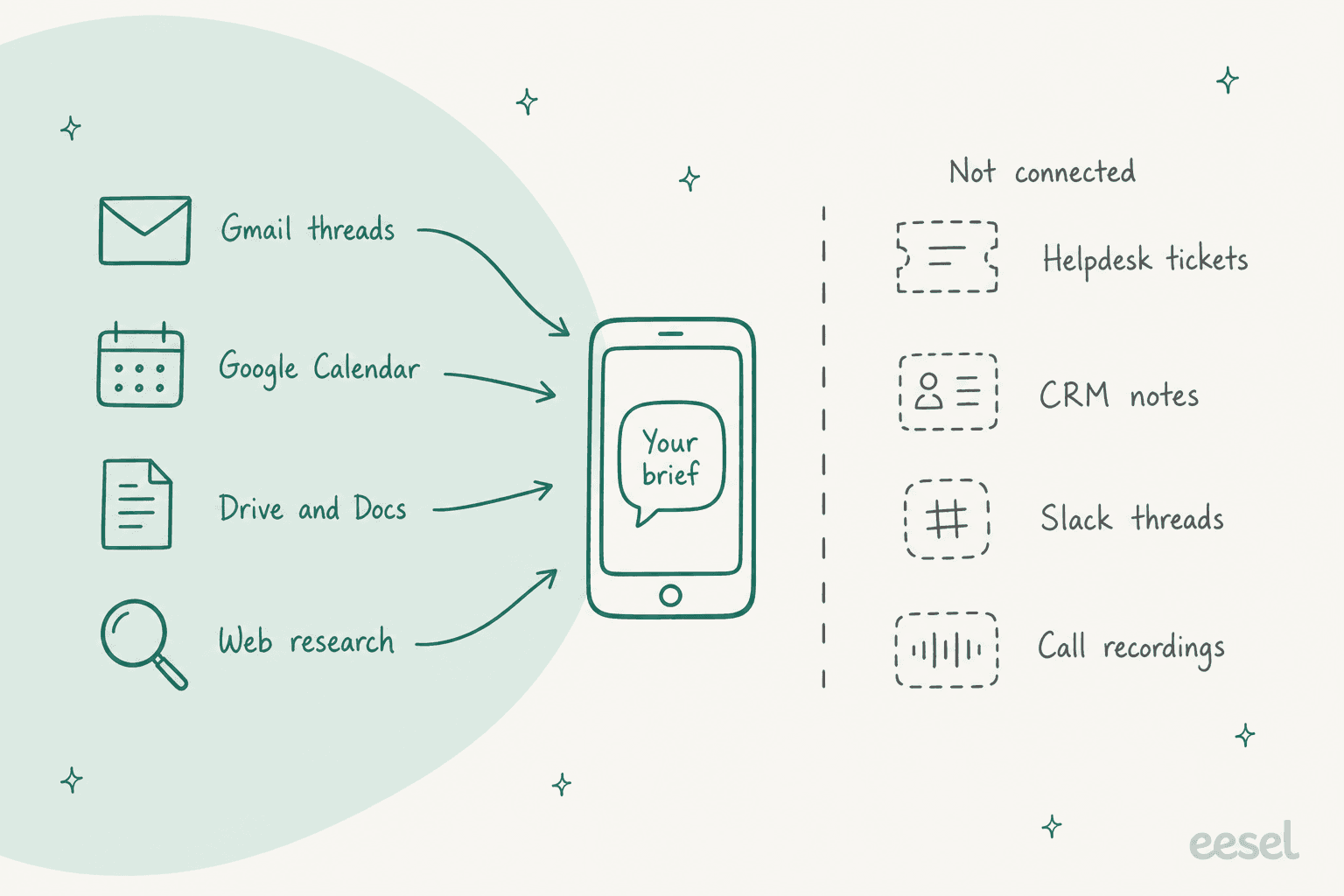
Here's what that means for prep, source by source:
| Prep input | Can Instinct use it? | Where it comes from |
|---|---|---|
| Who's on the invite, when and where | Yes | Google Calendar via Workspace |
| Your last email threads with attendees | Yes | Gmail |
| Shared decks, notes and docs | Yes | Drive, Docs, Sheets, Slides |
| Public info on a person or company | Yes, via web search | Instinct's own browsing |
| Outlook or Microsoft 365 calendars | No documented connector | Not named in the privacy policy |
| CRM records (Salesforce, HubSpot) | No documented connector | Not named anywhere |
| Support tickets (Zendesk, Freshdesk) | No documented connector | Not named anywhere |
| Slack threads | No documented connector | Not named anywhere |
| Recorded call notes | Only if you send or save them | Texts, files, or Docs you share |
One detail matters for anyone nervous about handing an agent their calendar. Instinct trains its models on your materials by default (you can opt out at app.instinct.com/settings), but the privacy policy carves out Google data: "We do not use information received from Google Workspace APIs to evaluate, fine-tune, train, or improve AI models." Your calendar and Gmail feed the brief, not the model.
The prep jobs Instinct does well
The public stories line up in one direction. Nobody I found posts a polished pre-call dossier from Instinct. What people post, again and again, is Instinct noticing something about their schedule before they did. That's the chief-of-staff side of meeting prep, and it's where Instinct shines.
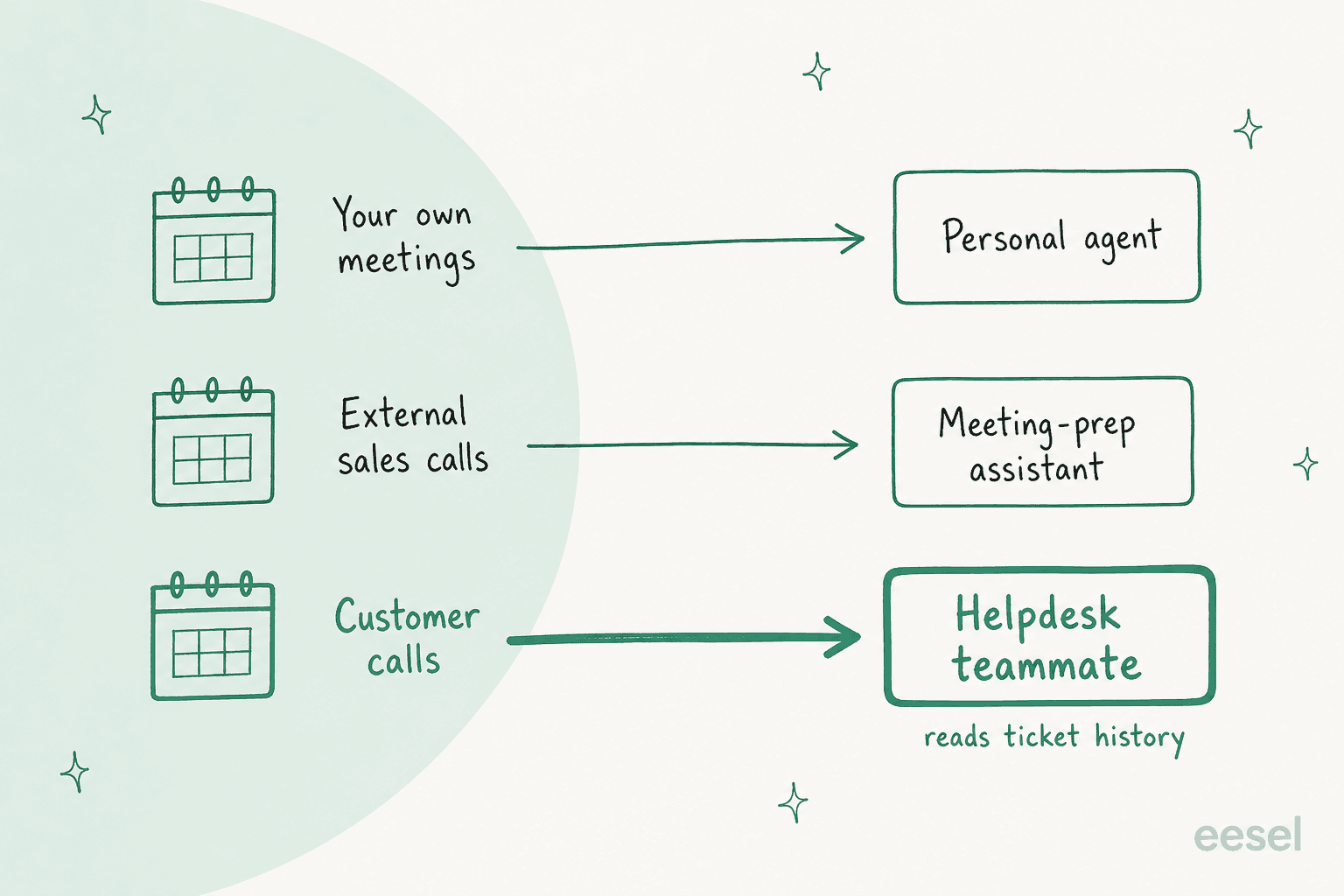
The night before: catching clashes. This is the best meeting-prep story in the whole community:
"Two jobs plus client calls means my calendar reshuffles itself weekly. Last Thursday a client booked a call right on top of a two-hour block at my other job. [...] Instinct watches the calendar. It texted me the night before: these overlap, want me to move the client call? I said yes. It found the only clean opening, sent the updated invite, and the client had accepted before I woke up."

Note the shape: it asked first, then acted. That's the pattern you want from anything touching invites other people can see.
The morning: a briefing by text. One user gets "a morning briefing off all my emails and things that are in my to do list" (u/Puppy_powers, Reddit). Another has Instinct pull new Gmail every morning and send "quick summary and priority list for which I should read first" (u/Various_Instance_167, Reddit). Neither is a per-meeting brief, but it's the same muscle: read the inbox so you don't have to. The Instinct email guide covers how far that inbox access goes.
The hour before: travel and timing. A UK user listed "travel time in between two meetings that I hadn't thought of for next week" as one of the things it warned him about (u/pswfreathy, Reddit). Lionel Sim, a solo founder who runs five assistants side by side, put his finger on why this lands:
"The moment it won me over was a small one. I was about to miss a meeting, and Instinct reminded me to give the other side a heads up before I had even realised I was running late."

Meetings buried in email. Dan Peguine's list of a day with Instinct includes a meeting-prep job most of us forget until it's too late:
"prepped both kids' school years: read the school emails, put the parents' meetings on my calendar, signed me up for the new school portal"
Prep docs and notes. A job seeker uses it for "drafting interview prep documents and pushing it to my drive" (u/HotFaithlessness9396, Reddit). And at conferences, one user sends Instinct slide photos, texts and voice notes during a session, then asks it to "put everything together" into a summary with follow-up research (u/Brilliant-Display954, Reddit). That's a scrappy meeting notes app that lives in your texts.
Where an Instinct brief runs thin
The same reports that praise the logistics are honest about the research side. Three limits come up for meeting prep.
It only knows what Google knows. Everything in the table above that says "no documented connector" is invisible to a brief. If your customer context sits in a CRM, a helpdesk or a Slack channel, Instinct won't pull it. And if you don't connect Gmail at all, it can't see your history with anyone. Tamara Winter, who used Instinct to find an apartment, noted that "Instinct doesn't have access to my Gmail, so I still handle anything human-facing" (Tamara Winter, X).
It can be slow when timing matters. A 9am brief that lands at noon is useless. During a rough patch in September, one user wrote:
"I asked it to change two appointments in my calendar, just the wording in the appointments, and it took 4 hours and 13 minutes before it came back to me. I haven't got that type of time to waste on something like this."
The fix is to schedule prep the night before, not ten minutes out. More on that below.
It waits to be told. The same user who drafts interview prep with it also wrote that "a human chief of staff would have action items to move the needle for a leader, which is what i'm expecting from instinct as well" (u/HotFaithlessness9396, Reddit). A sharper critic called it "not useful for anything other than a reminder service" (u/Commercial_Host1810, Reddit). I think that's too harsh, but it tells you where expectations land: Instinct is great at "don't forget," and weaker at "here's what you should say."
The terms question for work meetings
If you're prepping your own dentist appointment, skip this section. If you're prepping a client call or a sales meeting, read it, because the Instinct terms (last revised August 26, 2026) were written for personal use.
- Personal use only. "We hereby permit you to use the Services for your personal use only."
- Your company becomes "you." "If you use the Services on behalf of a company or other entity then 'you' includes you and that entity," and you warrant you can bind that entity to the terms.
- It acts as your agent. The terms appoint Instinct "as your agent to enter into agreements, commitments or transactions on your behalf," binding "as if entered into directly by you." Rescheduling a client meeting is a small version of that.
- Liability is capped at $100 (or what you paid, if more), and Instinct is free today. The Instinct AI pricing post covers where the real cost sits.
None of that stops a solo consultant from using it for their own calendar. It does mean a team shouldn't route customer meeting prep through one person's Instinct account. There's no shared workspace, no admin control, and no way for a colleague to see what it did. My colleague went deeper on this in the Instinct AI review.
How I'd set Instinct up for meeting prep
If your meetings are mostly your own, here's the setup I'd use. It takes about 15 minutes, and every step is a text message.
- Connect Google Workspace. Calendar and Gmail are the minimum. Without Gmail, a brief can't tell you what you last discussed. If you're on Outlook, stop here, because there's no documented Microsoft connector.
- Ask for a nightly clash check. Something like: "Every evening at 8pm, check tomorrow's calendar for overlaps and travel time between in-person meetings. Ask me before you move anything." The "ask me" part matters, since invites go out to other people.
- Set a morning briefing. "Every weekday at 7am, list today's external meetings. For each one, give me who's attending, our last email thread, and any doc they shared." Doing this in the morning dodges the speed problem.
- Test it on something you can check. A good first-hour test from r/Instinctai: "What is the first thing in my calendar next Tuesday and who is it with" (u/DefiantTop6188, Reddit). You already know the answer, so you'll spot a miss fast.
- Keep sensitive meetings out. HR, legal and board prep shouldn't sit in a free beta whose terms cap liability at $100. If you'd want an audit trail, it's the wrong tool.
- Opt out of training if you share notes. Google data is already excluded, but texts and files you send it aren't unless you opt out in settings.
That's a solid personal setup. The open question is what happens when the meeting is with a customer.
Instinct vs a meeting-prep tool vs a helpdesk teammate
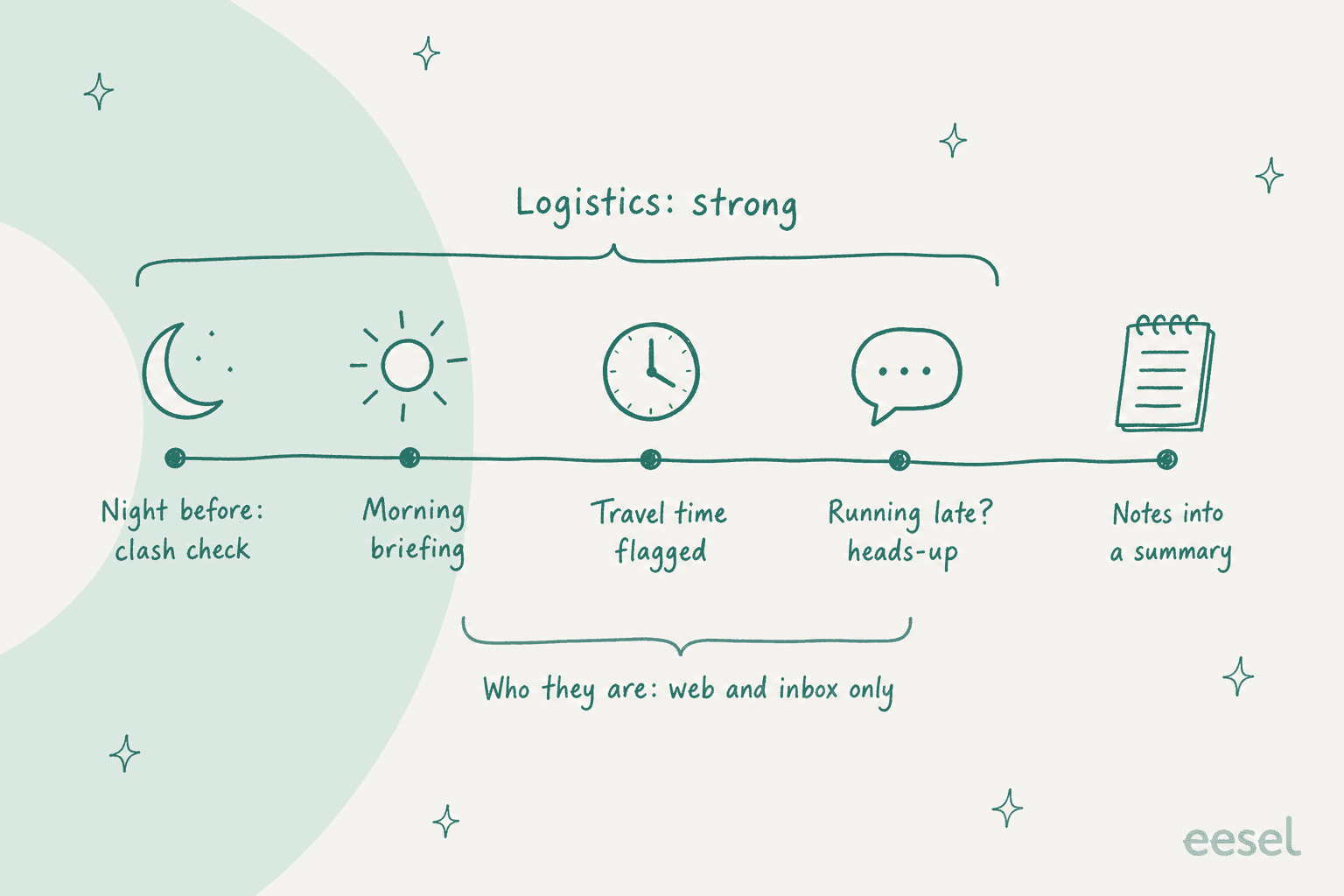
Meeting prep splits into three jobs, and they need different sources. Here's how I'd match them.
| Instinct | Town (meeting-prep assistant) | eesel helpdesk teammate | |
|---|---|---|---|
| Built for | Your personal life and calendar | Work meetings and follow-ups | A support team's queue |
| Calendar | Google Calendar | Google Calendar, Outlook | Not a calendar tool |
| Email history | Gmail | Gmail, Outlook | Ticket conversations |
| CRM | No documented connector | HubSpot and others | Not a CRM tool |
| Support tickets | No | No Zendesk, Freshdesk or Gorgias tile | Yes: search and read tickets, look up customers |
| Who can use it | One person (personal use terms) | Per user | The whole team, from the helpdesk or Slack |
| Price | No published price, invite-only | Town pricing post | From $299/month for 500 credits |
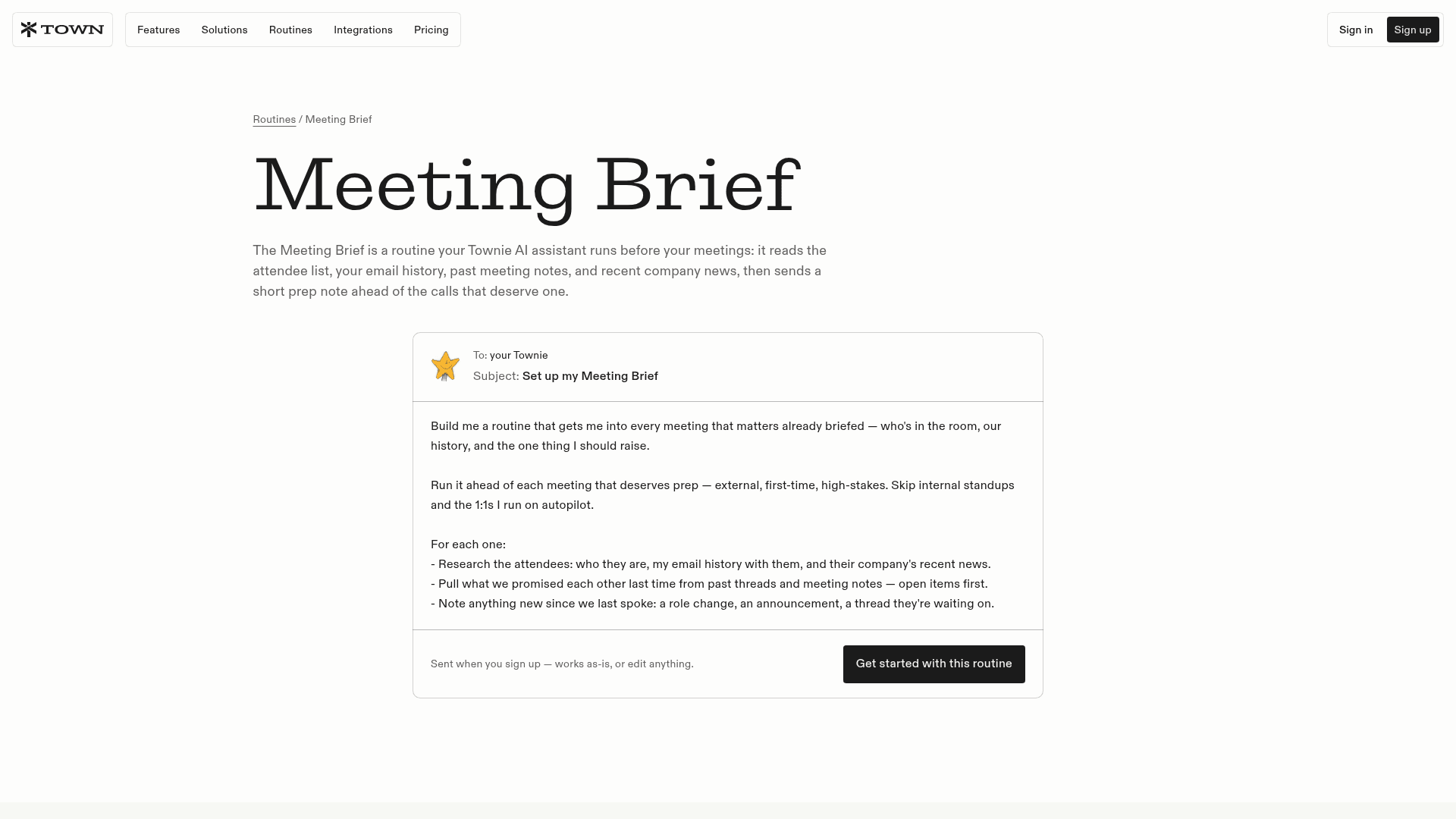
If your calls are sales or partner meetings, a work-first tool like Town is built for this. Its stock Meeting Brief routine "reads the attendee list, your email history, past meeting notes, and recent company news, then sends a short prep note." My colleague covered how that plays with support data in Town's meeting prep guide.
Other personal agents sit closer to Instinct than to Town. OpenAI Dots and Meta Muse also read your inbox and calendar. Grok Bot is the other name that comes up in the same comparisons.
Prepping customer calls from ticket history
Here's the gap none of the personal tools close. When a customer success manager hops on a renewal call, the questions that matter are support questions. What has this account raised in the last 90 days? Is there an open escalation? Did we promise a fix? That's the stuff of churn prevention, and it lives in Zendesk AI or Freshdesk, not Gmail.
This is the job eesel's AI helpdesk teammate already does all day. Connect it to Zendesk and it learns from your help center, macros and past tickets. Its Zendesk actions include "Read ticket / Search tickets / List tickets" and "Look up customer / Look up company." So before a call, you can ask it the prep question directly:
- "Summarize every ticket Acme opened this quarter and flag anything still open."
- "What did we tell Acme about the export bug, and when?"
- "Which of Acme's issues came up more than once?"
You can ask in the eesel dashboard or in Slack, where it answers in a thread with a link to its source. That source link is the difference between a brief you trust and one you double-check. If you'd rather script it, the eesel CLI drives the same teammate from a terminal. eesel chat "..." sends it a question and every command prints JSON, so a coding agent like Claude Code, or a scheduled script, can pull a customer summary before each call. There is more on that in AI agent CLIs.
It's also the same teammate that drafts replies, so the prep and the follow-up come from one place. (For personal follow-ups after a call, there's Instinct for follow-ups.) That's how it ends up useful well beyond the queue. Yellowdig's Director of Support & Operations put it like this:
"eesel has quickly become an integral part of our workflows. Recently, a new customer success hire joked that our eesel AI bot was their best friend during onboarding and interviewing."
To be fair about the limits: eesel doesn't watch your calendar, research attendees on LinkedIn, or warn you about travel time. It isn't a personal assistant. Pair it with Instinct for your own schedule and let the helpdesk teammate own what the customer has told your team. For more on this split, see AI ticket summarization and AI teammates.
Try eesel for customer call prep
Want customer call prep that knows the account's full support history? eesel's AI helpdesk teammate plugs into Zendesk, Freshdesk and the rest of your helpdesk stack, reads past tickets, and answers "what has this customer raised?" in a Slack thread with sources. It's free to start with 100 credits, then $299 a month for 500.