


If you work in customer support, you know the feeling all too well. The ticket queue is a relentless flood, and every single message feels like a top priority. You've got one customer who's furious about a late delivery, another who has a simple question about your return policy, and a third just popping in to say thanks. Trying to sort through this mess manually is slow, stressful, and a perfect recipe for important issues falling through the cracks.
But what if you could know, in an instant, what a customer wants (their intent) and how they feel about it (their sentiment)? This isn't some futuristic fantasy; it's something you can do right now with modern AI. Getting a handle on these two signals is the key to smarter workflows, quicker resolutions, and genuinely happier customers.
This guide will break down what Intents and Sentiments are, explain why they matter so much for today's support teams, and show you how AI makes this kind of analysis totally practical, without you having to rip out and replace your entire tech setup.
What are Intents and Sentiments?
People often use these terms interchangeably, but intent and sentiment are two very different pieces of the puzzle. Think of them as two sides of the same coin. Together, they give you a full picture of a customer's request. On their own, they only tell you half the story.
Sentiment analysis: Figuring out the vibe
Sentiment analysis is all about identifying the emotional tone behind a message. It’s a way to figure out how the customer feels. At its core, it's pretty simple and usually falls into one of three buckets:
-
Positive: "I love the new update, it works perfectly!"
-
Negative: "I'm so frustrated, my order still hasn't arrived."
-
Neutral: "What are your business hours?"
Sentiment is your first hint about how to handle a conversation. It helps agents adjust their tone, prioritize tickets from upset customers, and pass along positive feedback. But it doesn't tell them what to do. Knowing a customer is unhappy is a good start, but you still don’t know why or what they need to solve the problem. That's where intent comes in.
Intent detection: Getting to the point
Intent detection is focused on identifying the customer’s actual goal. It’s the “what” behind their message. What are they trying to do? What information do they need?
Some common support intents include:
-
Requesting a refund
-
Asking a billing question
-
Reporting a bug
-
Looking for product info
-
Updating account details
Intent tells your team the specific action required to close a ticket. When you combine it with sentiment, you get a much clearer picture. A "negative sentiment" + "refund intent" is a whole different level of urgency than a "neutral sentiment" + "product info intent."
How analyzing Intents and Sentiments helps your team
When you move beyond just matching keywords and start truly understanding your customers' Intents and Sentiments, you can make huge improvements in both your team's efficiency and the quality of your support. It’s about working smarter, not just harder, by letting AI do the initial triage so your team can focus on finding solutions.
Route and prioritize tickets with precision
Picture this: a new ticket comes in. An AI instantly analyzes it and spots a "negative" sentiment paired with a "refund" intent. Instead of just sitting in the main queue, it’s automatically sent to a senior agent or a specialized retention team and flagged as high priority.
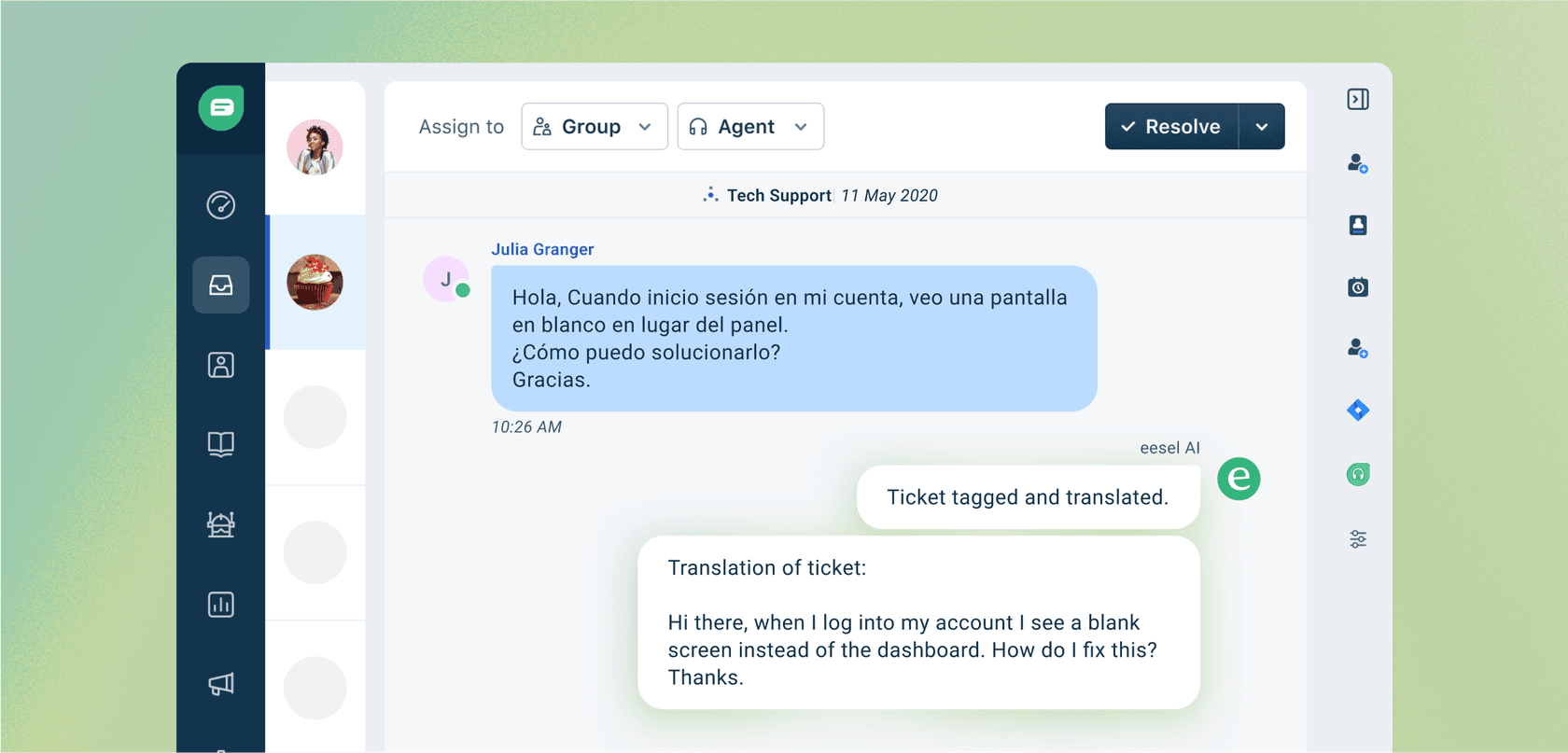
This is a massive step up from manual sorting, which is slow, inconsistent, and leaves a lot of room for error. While many helpdesks have built-in rules, they can be clunky and miss the nuance in customer language. A more flexible AI tool like eesel AI gives you a fully customizable workflow engine, so you can set up detailed rules for how tickets get handled based on the specific intent and sentiment combinations you care about.
Help agents be more efficient and keep customers happy
When an agent opens a ticket and already knows the customer's mood and goal, they can get right to work. They can skip the awkward discovery questions ("So, just to confirm, you want a refund?") and jump straight to solving the problem with the right tone.
This is where agent-assist tools really shine. An AI copilot can do more than just search for a relevant help article. For instance, the Copilot from eesel AI can draft a personalized and empathetic reply by analyzing the ticket's intent and sentiment. It pulls context from past tickets, macros, and your entire knowledge base to craft a response that's actually helpful. Agents can resolve issues faster, and customers feel like you "get it" from the very first message.
Find useful insights hiding in customer conversations
Tracking trends in intents and sentiments isn't just about managing the queue; it's basically free market research. Every conversation with a customer is packed with feedback, and with the right analysis, you can spot patterns that you'd otherwise miss.
For example, a sudden jump in negative sentiment around the "checkout" intent could be an early warning that there's a serious bug on your website. A growing number of questions about a certain feature might tell you that your documentation isn't clear enough. Good AI tools don't just look at individual tickets; their reporting can identify these bigger trends and even point out gaps in your knowledge base, turning messy customer feedback into a clear to-do list for improvement.
The problem with old-school intent and sentiment analysis (and how modern AI fixes it)
While the benefits are pretty clear, actually putting intent and sentiment analysis into practice used to be a huge pain. For a long time, the available tools were either too basic to be useful or too complicated for most companies to even consider.
The old way: Clunky, rule-based systems
The first attempt at sentiment analysis used what are called lexicon-based systems. In plain English, these tools relied on a dictionary of "positive" and "negative" words. If a message had "love" or "amazing," it was marked positive. If it had "hate" or "broken," it was negative.
The glaring flaw here is the total lack of context. These systems are easily tricked. Sarcasm flies right over their heads. A customer saying, "Great, another feature that doesn't work," would probably be tagged as positive just because of the word "Great." Plus, you had to constantly update these dictionaries by hand to keep up with new slang, product names, and the way people talk.
The complicated way: Building your own machine learning models
The next step up was to build custom machine learning (ML) models. This approach is way more powerful and can actually understand nuance, but it was incredibly difficult to get started. You needed:
-
Huge, hand-labeled datasets: This meant having people manually tag thousands and thousands of your own customer conversations. It's as tedious as it sounds.
-
Expensive data science talent: Building and maintaining these models is a full-time job for a team of specialists.
-
Months of development: You couldn't just buy this off the shelf; it was a major internal project.
For most support teams, this was just not realistic. The cost, time, and expertise involved made it a non-starter.
The smart way: AI that learns from what you already know
The big breakthrough in the last few years has been the development of AI that can be trained on a company's own data without needing a whole data science department. This new generation of AI platforms connects directly to the places where your knowledge is already stored.
This is exactly how eesel AI works. It plugs right into your existing knowledge sources. It learns from your past tickets in helpdesks like Zendesk, your internal docs in Confluence or Google Docs, and your public help center.
graph TD subgraph eesel AI A[AI Engine] end
subgraph Knowledge Sources B[Zendesk Tickets] C[Confluence Docs] D[Google Docs] E[Public Help Center] end
B --> A C --> A D --> A E --> A
subgraph Analysis F[Understands Business Lingo] G[Learns Brand Voice] H[Identifies Past Solutions] end
A --> F A --> G A --> H
By looking at all this information together, the AI can pick up on your business-specific lingo, your brand's voice, and the solutions that have actually worked in the past. It understands what "Project Titan" is or why a "Tier 3 escalation" is a big deal because it has learned from your real-world conversations. This approach avoids the pitfalls of both the rigid keyword systems and the generic, one-size-fits-all models.
How to get started with intent and sentiment analysis
So, you see the value. What's next? You basically have two main options for bringing this capability to your team: use the features built into your helpdesk or bring in a more powerful, specialized AI platform.
Option 1: Rely on your helpdesk's built-in tools
Many of the big helpdesk platforms now offer their own "intelligent triage" or AI features. While they might seem convenient, these built-in solutions often have some serious downsides:
-
They can be pricey add-ons. These features are often locked behind the most expensive plans or sold as separate, costly extras with confusing pricing.
-
They operate in a walled garden. They can only learn from the data inside that one helpdesk. This completely ignores all the valuable knowledge you have in other tools, like internal wikis in Notion or updates from your engineering team in Slack.
-
They offer little control or ability to test. You often get a "black box" system with few options to customize how it behaves. More importantly, most of them don't have a safe way to test the AI's performance on your real data before you let it talk to customers.
Option 2: Integrate a dedicated AI platform
A better, more flexible approach is to use a dedicated AI platform that works across your entire tech stack and doesn't lock you into one vendor. This is the whole idea behind eesel AI. Instead of a painful migration process, you can get it running in minutes, not months, just by connecting it to the tools you already use.
Crucially, eesel AI was designed for teams who want control and confidence. It has a powerful simulation mode that lets you test your entire AI setup on thousands of your own past tickets. You can see exactly how it would have replied, predict resolution rates, and tweak its behavior in a safe sandbox environment. This lets you get completely comfortable with its performance before you automate a single customer-facing response, which is something most built-in tools and competitors just don't offer.
Start understanding your customers with Intents and Sentiments today
Knowing what your customers want (their intent) and how they feel (their sentiment) is the bedrock of modern, scalable customer support. What used to be a complicated and expensive project is now within reach for teams of any size, thanks to this new wave of AI tools. The trick is to choose a platform that works with your existing setup, learns from your company's unique knowledge, and gives you the control you need to automate with confidence.
Stop guessing what your customers are trying to say. With eesel AI, you can set up an AI agent that genuinely understands Intents and Sentiments in just a few minutes. You can even simulate its performance on your own data to see the potential for yourself. Start your free trial today.
Frequently asked questions
What exactly are Intents and Sentiments, and why is it important to differentiate between them in customer support?
Intent is what a customer wants to achieve (e.g., a refund request), while sentiment describes their emotional state (e.g., frustrated). Differentiating helps support teams understand both the "what" and the "how" of a customer's message, enabling more appropriate and effective responses.
How can analyzing Intents and Sentiments directly improve our customer support team's efficiency?
By instantly identifying the customer's goal and mood, AI can automatically route high-priority tickets to the right agents and arm agents with relevant context. This reduces manual triage time, speeds up resolution, and ensures agents can focus on solving problems.
What's the easiest way for a company to start implementing analysis of Intents and Sentiments without a huge overhaul?
The easiest way is to integrate a dedicated AI platform that connects to your existing tools and knowledge bases, like your helpdesk and internal docs. This avoids needing to replace your current tech stack or invest heavily in custom development.
What were the main problems with old-school methods of analyzing Intents and Sentiments, and how does modern AI solve them?
Older systems relied on rigid keyword rules or required extensive manual data labeling and data science teams. Modern AI, especially large language models, can learn context and nuance from your existing company data, making analysis practical and accurate without massive upfront effort.
How does an AI platform learn to understand our specific company's nuances when analyzing Intents and Sentiments?
Modern AI platforms learn by connecting to your company's existing data sources, such as past support tickets, internal documentation, and knowledge bases. This allows the AI to understand your unique product names, internal processes, and customer language specific to your business.
How can we ensure the AI is accurate in detecting Intents and Sentiments before we fully rely on it for customer interactions?
Look for AI platforms that offer a powerful simulation mode. This allows you to test the AI's performance on thousands of your own past tickets in a safe sandbox environment, enabling you to refine its behavior and build confidence before deployment.