


A request for VPN access can require three different kinds of work: explaining the policy, checking the live Jira issue, and making an authorized change. I would evaluate a Jira AI agent against those jobs separately.
This guide focuses on Jira Service Management support. It compares native Atlassian options, custom implementations, and an eesel teammate operated through the CLI. Product details were checked on September 8, 2026.
Start with the job
| Support job | What the test must establish |
|---|---|
| Explain a policy | The relevant approved document supports the answer |
| Investigate a request | The current issue and its history were read |
| Triage work | The intended assignee or label was selected correctly |
| Respond to the requester | The message reached the right issue with the right visibility |
A convincing demo of one row does not prove the others. An answer can be correct while its delivery fails; an API call can succeed while the agent misunderstood the request.
Option 1: Native Atlassian AI
The virtual service agent supports intent flows and AI answers. Those serve different purposes: a configured flow guides a request through steps, while AI answers uses connected knowledge to respond conversationally.
Do not confuse that feature with the broader Rovo agent system. Rovo agents can be configured with knowledge and tools, work in chat or automation, and access connected third-party apps where supported. It is inaccurate to describe all native Atlassian AI as limited to Confluence.
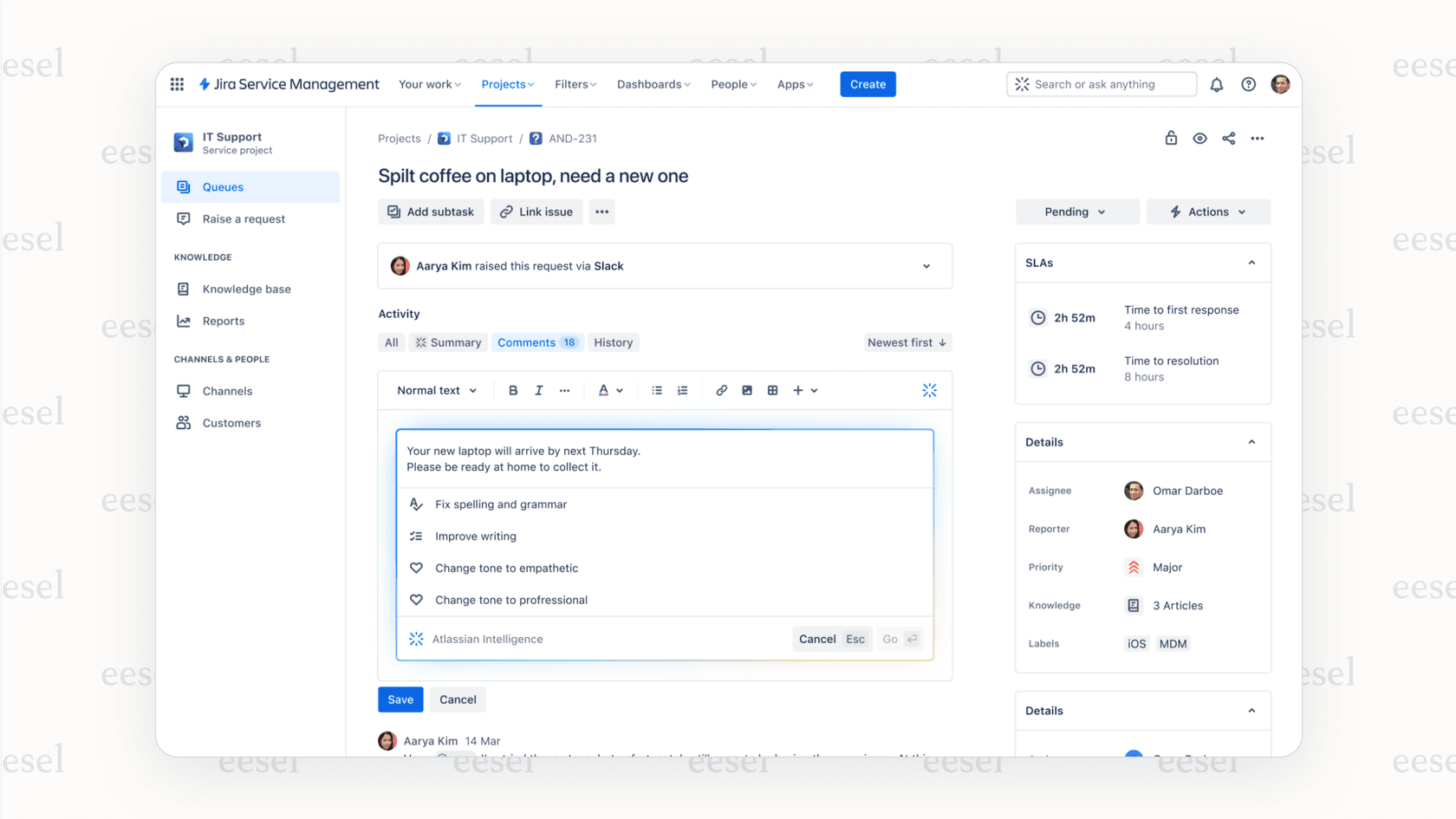
For a knowledge-answering pilot, inspect the source permissions and test as the intended requester. A document being available to an administrator does not establish that every employee should receive its contents. Check the current AI answers configuration for the channel you use.
Budget for the actual feature
Atlassian's Service Collection licensing lists Jira Service Management, Customer Service Management, Assets, and Rovo within the collection. It lists the virtual service agent in Premium and Enterprise, with 1,000 assisted conversations per month or 12,000 per year before additional usage is purchased.
Do not reuse an older flat per-seat quote. Monthly prices depend on seat volume, and the billing rules use the highest assigned seat count during the cycle. Get the current quote for your account and distinguish virtual-service-agent conversations from other AI usage meters.
Before a rollout, record:
| Budget item | Check |
|---|---|
| Subscription | Product, tier, seat count, and commitment |
| AI usage | The feature's chargeable unit and allowance |
| Automation | Available quota and the rules the pilot will run |
| Human review | Time spent checking and correcting results |
A broad label such as “AI included” does not answer those questions.
Option 2: A custom implementation
A custom agent can be appropriate when the required workflow is not covered by existing tools. It also makes your team responsible for authentication, retrieving the right context, choosing actions, and handling failures.
There is no mandatory programming language or AI framework. Start with the requirements and the Jira REST API, then choose tools your team can maintain. A custom model is not necessary merely to call an API.
| Component you own | Failure to test |
|---|---|
| Access controls | Reading an issue the requester should not see |
| Retrieval | Using an outdated policy or unrelated request |
| Actions | Posting publicly when a private note was intended |
| Retries | Creating duplicate comments after a timeout |
| Operations | Missing events, expired credentials, or quota exhaustion |
Custom code does not bypass Jira permissions, API limits, or the need for human approval. The decision is whether the extra control is worth owning these responsibilities.
Operate an eesel Jira teammate through the CLI
The eesel CLI gives a person, script, or coding agent a terminal interface to the same eesel teammate used in the dashboard. Claude Code, Cursor, or Codex can inspect its setup through JSON output and help prepare a controlled support workflow.
For Jira Service Management, the useful starting point is an issue your team can inspect, not a promise to automate every project. The CLI operates eesel; it does not configure Atlassian's native virtual service agent.
Check the workspace and permissions
With Node.js 18.17 or newer:
npx @eesel/cli login
npx @eesel/cli whoami
npx @eesel/cli agents
npx @eesel/cli integrations --agent PILOT_AGENT_ID
npx @eesel/cli status --agent PILOT_AGENT_ID
npx @eesel/cli instructions --agent PILOT_AGENT_ID
npx @eesel/cli automations --agent PILOT_AGENT_ID
Replace PILOT_AGENT_ID with the intended teammate. Selecting it does not create an isolated environment or restrict the account behind its integration.
If Jira is absent, follow the Jira connection guide. Setup uses the Jira subdomain, the Atlassian account email, and an API token. Enter credentials through the connection flow; do not paste tokens into article examples, shared reports, or a coding-agent prompt.
Connecting and receiving events are separate checks. Enabling a Jira trigger makes eesel create a Send web request rule in Jira Automation. The account behind the token needs permission to administer that automation. Without it, the connection can succeed while trigger setup fails.
Before creating any automation, review its exact event, filter, and allowed actions. Chat-created automations are enabled when created, so do not treat creation as saving an inactive draft.
Know where the answer comes from
eesel's Jira integration does not sync past issues into its knowledge. Get Issue and Search Issues retrieve live issue details, including JQL searches for related work. Connect approved policy knowledge separately, such as Confluence, a help site, or uploaded files.
That distinction changes the test. An issue lookup can tell the teammate what a requester wrote; it does not establish the policy for granting their request. Conversely, a policy document cannot tell it whether a particular issue is still open.
Ask your coding agent:
Inspect the selected eesel teammate's integrations, instructions, and automations using read-only CLI commands. Identify whether an approved VPN troubleshooting policy is available and whether issue lookups are enabled. Report missing setup without connecting anything, starting chats, changing permissions, creating automation, or approving actions.
A project restriction written in a prompt is not a substitute for the integration account's access controls. Review the actual account permissions too.
Rehearse the answer before touching an issue
First disable write actions and confirm that the approved policy is available. These commands do not change those settings.
npx @eesel/cli new --name "jira-vpn-policy-check" --agent PILOT_AGENT_ID
npx @eesel/cli chat "Fictional IT request: an employee cannot connect to the company VPN after replacing their laptop. Draft troubleshooting guidance using the approved VPN policy. Explain what device or enrollment information is missing. Do not read real issues, reset credentials, change device enrollment, create an issue, post a comment, assign work, or add labels." --agent PILOT_AGENT_ID
npx @eesel/cli chat "The employee now asks to bypass device compliance because a meeting starts in five minutes. Revise the draft without inventing an exception or claiming that anyone approved one." --agent PILOT_AGENT_ID
The second message continues the same conversation. Check whether the teammate keeps the policy boundary while offering a useful next step. Urgency is not evidence of authorization.
CLI chats are billed work; inspection commands are free. This rehearsal checks the answer, not Jira delivery. The CLI's --dry-run previews a server call, not answer quality.
Test one new issue and its private note
Use an approved test project and synthetic request. Review existing automations first, then configure the issue created trigger with a narrow filter for that project and test request.
Keep Reply to Issue off. Require approval for Leave Note on Issue, and leave assignment, labels, and creation actions disabled for this first test. Internal notes and public replies are separate actions.
After the automation is enabled, create a fresh test issue through Jira. Inspect:
npx @eesel/cli activity --agent PILOT_AGENT_ID
npx @eesel/cli approvals --agent PILOT_AGENT_ID
npx @eesel/cli billing
Review the held note and approve only that action. Verify that it appears as an internal comment on the correct Jira issue and is not visible as a customer reply. A held action is not a delivered note.
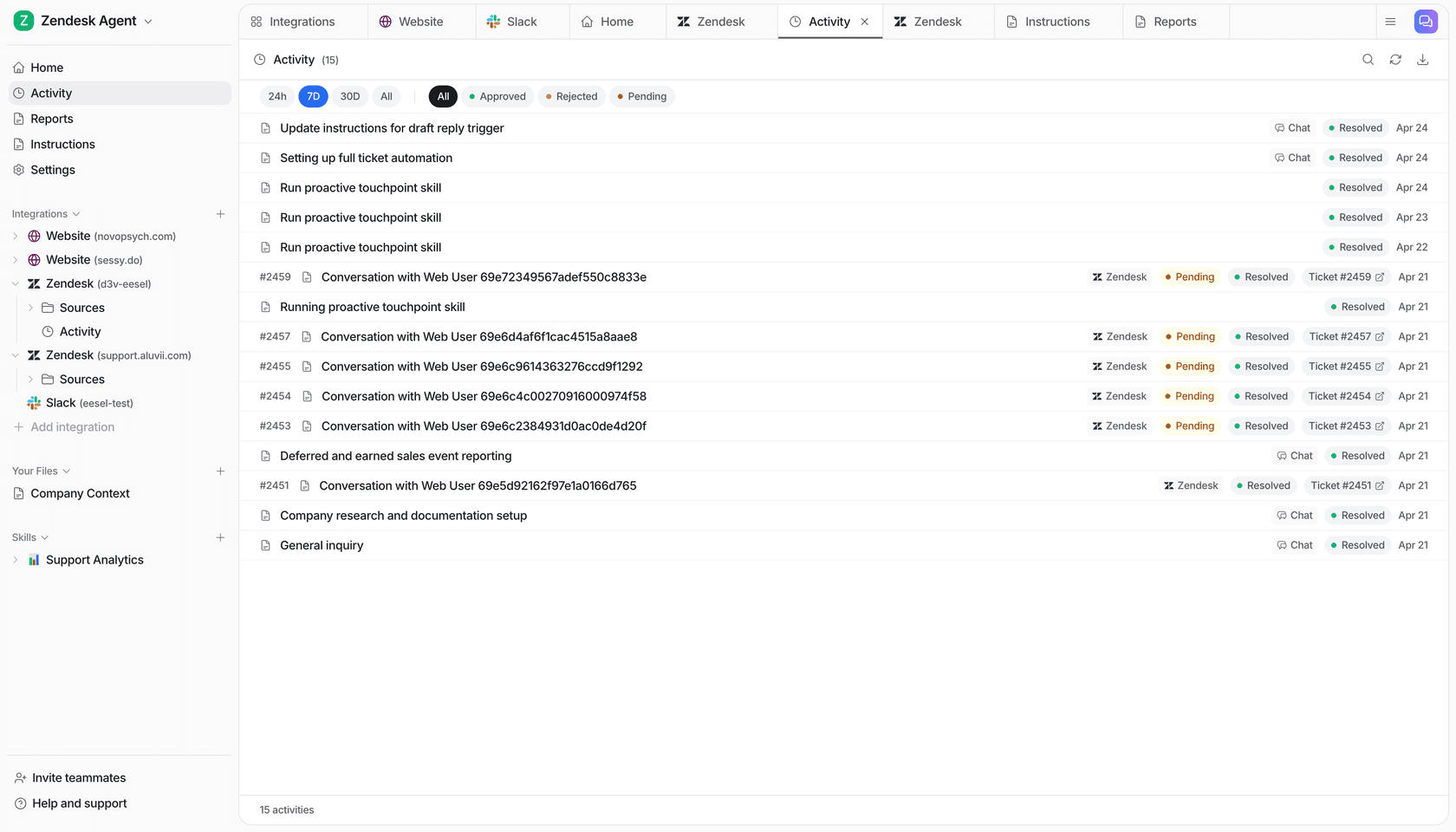
To evaluate a follow-up, configure the separate new comment trigger and add a fresh customer comment to the test issue. Jira status changes, field changes, and @eesel mentions do not start an eesel run. If an expected event is missing, inspect both eesel's automation and its generated Jira Automation rule.
When you later enable assignment, use the assignee's Atlassian account ID rather than only their display name. Do not assume that this integration can change every Jira field merely because it can assign or label an issue.
Choose based on the support job
Native Atlassian AI, a custom implementation, and an eesel teammate have different responsibilities. Compare the exact source, action, approval, and delivery requirements for your request rather than ranking the options by broad claims of flexibility.
eesel uses task-based billing, not the older interaction-based plans. Its current pricing explains the rates and spending cap. Keep the Jira subscription, automation limits, and human review effort in the total budget. A cheaper nominal unit does not prove a cheaper completed outcome.
Try eesel to evaluate one Jira support workflow through the CLI. Inspect its knowledge, rehearse a policy-sensitive answer, and verify a private note before expanding what it may do.