

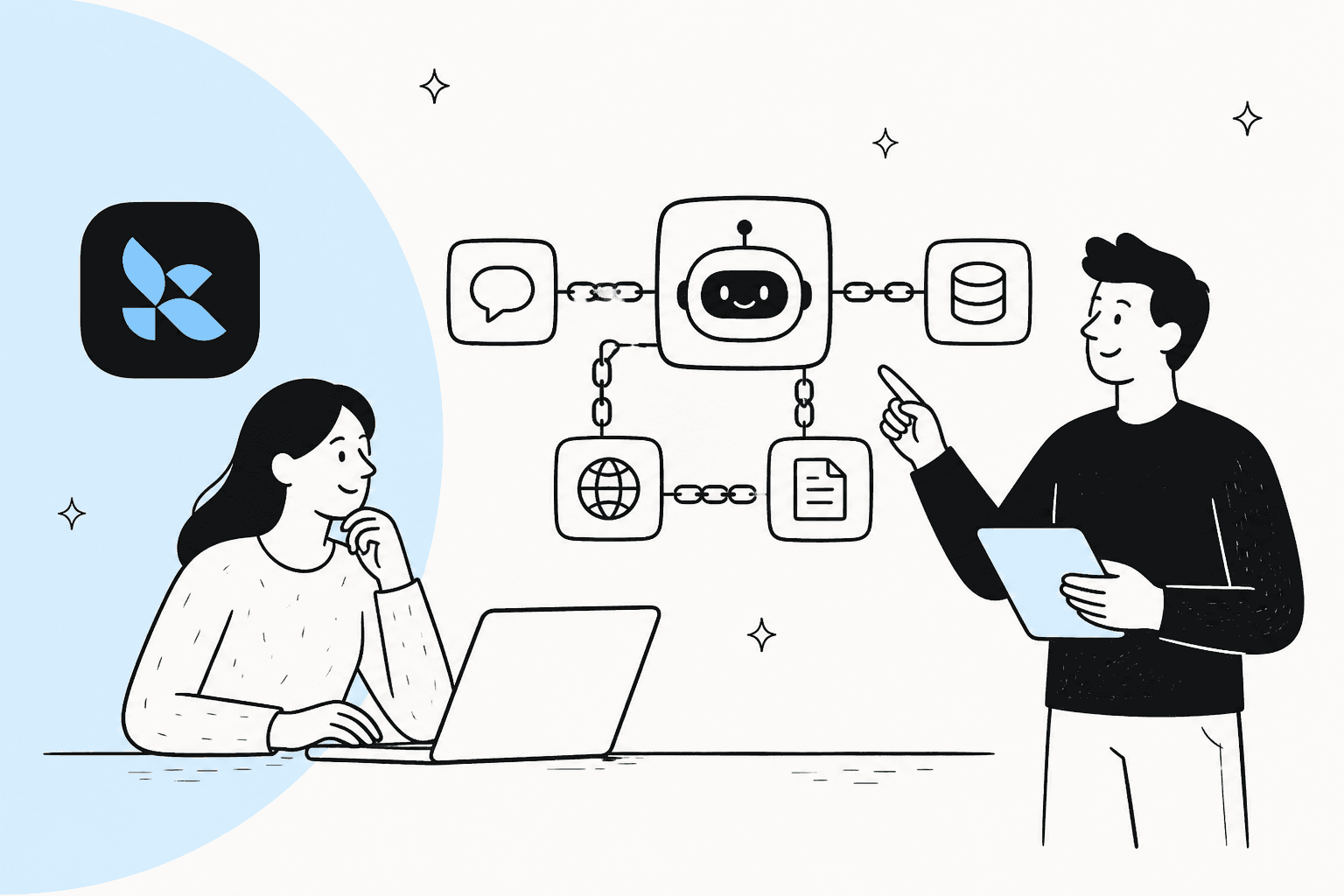
If you’re diving into building AI agents, you’ve likely stumbled across a few heavy-hitting frameworks: LangChain, LangGraph, and OpenAI's AgentKit. They all promise to help developers build powerful, autonomous agents, which sounds great.
But when you're a team just trying to solve a business problem, the differences can get a little blurry. When is a simple "chain" good enough? At what point do you need a more complex "graph"? And is a starter kit the right move, or will it box you in?
This guide cuts through the noise. We'll break down the core ideas behind LangChain vs LangGraph vs AgentKit, look at what they're actually good for, and talk about the real costs involved so you can pick the right tool for the job.
Breaking down LangChain vs LangGraph vs AgentKit
Before we get into the nitty-gritty, let's get a clear picture of what each of these frameworks brings to the table. They all help you build AI agents, but they come at it from pretty different angles.
What is LangChain?
Core Idea: LangChain is a popular open-source framework for building apps with large language models (LLMs). The main concept is "chaining" together different components, like an LLM, a prompt, and an output parser, to create a single application.
Analogy: Think of LangChain as a big box of Lego bricks for LLM development. It gives you all the individual pieces and connectors you need to build all sorts of things, from simple chatbots to more involved agents.
Key Features: It’s known for being model-agnostic, meaning it plays nice with models from OpenAI, Anthropic, and others. It also has a huge ecosystem of integrations for databases, APIs, and various tools. Its current centerpiece is create_agent, a configurable agent harness (prompt, tools, and middleware) that runs on LangGraph.

What is LangGraph?
Core Idea: LangGraph is LangChain's low-level orchestration framework and runtime, designed for creating more robust and stateful agents. LangChain's own agents run on it, and you can also use it without LangChain. Instead of simple, one-way chains, it lets you map out agent workflows as a graph. Nodes in the graph are steps, and the edges are the paths between them.
Analogy: If LangChain gives you a ready-made agent, LangGraph is the architectural blueprint. It’s built for workflows that aren't just a straight line. It can handle loops, branches, and even pauses for a human to step in, kind of like a flowchart.
Key Benefit: This graph structure gives you a ton more control and makes it easier to see what’s going on. That makes it a better fit for building reliable agents that can handle errors, reflect on their work, and tackle problems that take multiple steps to solve.
What are OpenAI's AgentKit and Agents SDK?
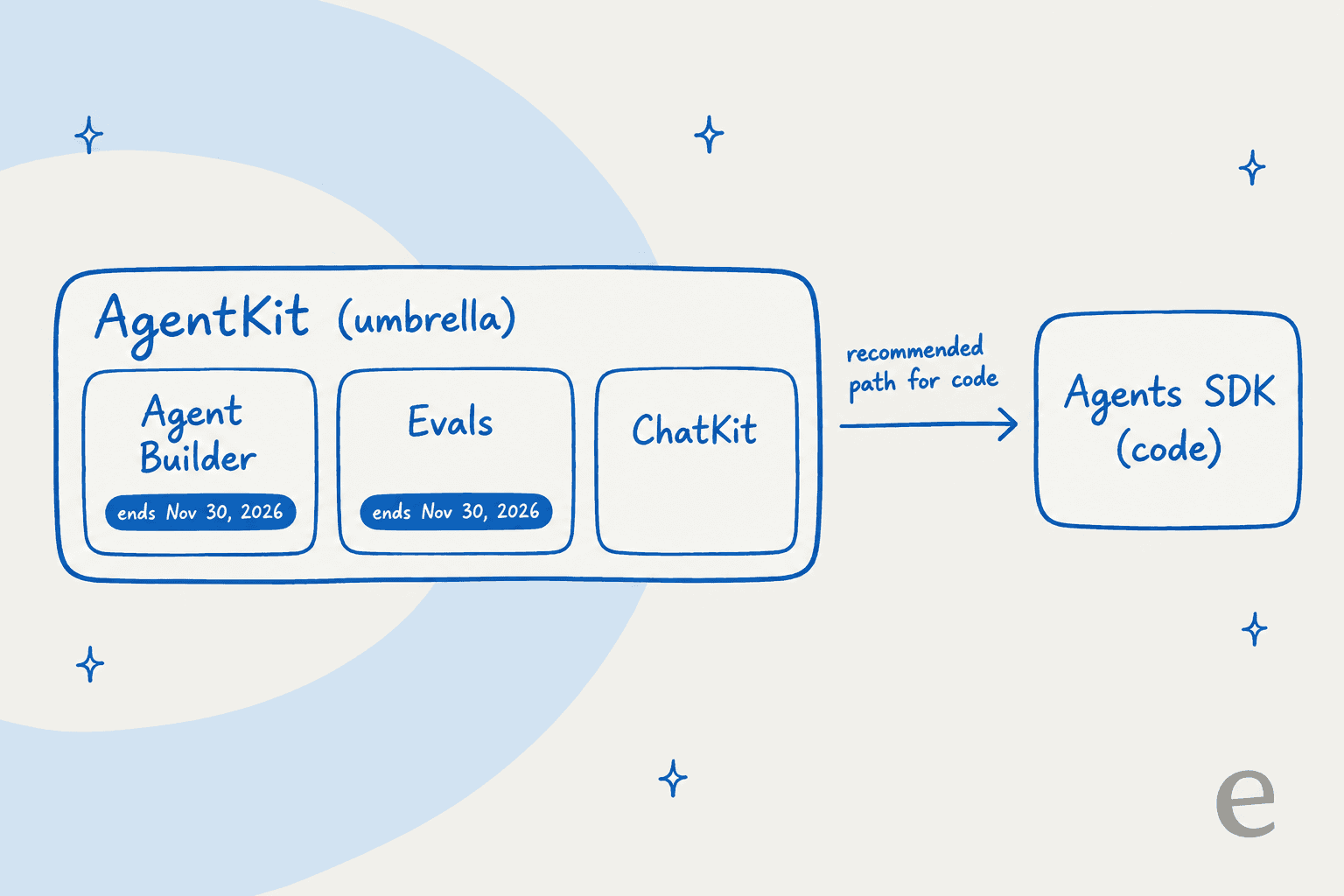
Core Idea: AgentKit is OpenAI's umbrella for building agents. It bundles a visual Agent Builder, ChatKit, a Connector Registry, Guardrails, and Evals, and it is separate from the open-source Agents SDK you use in code. OpenAI is winding down Agent Builder and Evals, which will no longer be available from November 30, 2026, and recommends the Agents SDK for workflows that should continue as code. The Agents SDK is a simpler, more opinionated "starter kit" that helps you get going faster, especially if you're already using OpenAI's models.
Analogy: This is more like a pre-fabricated model kit. It comes with the main pieces and clear instructions, helping you get a working agent off the ground quickly without getting bogged down in too many architectural choices.
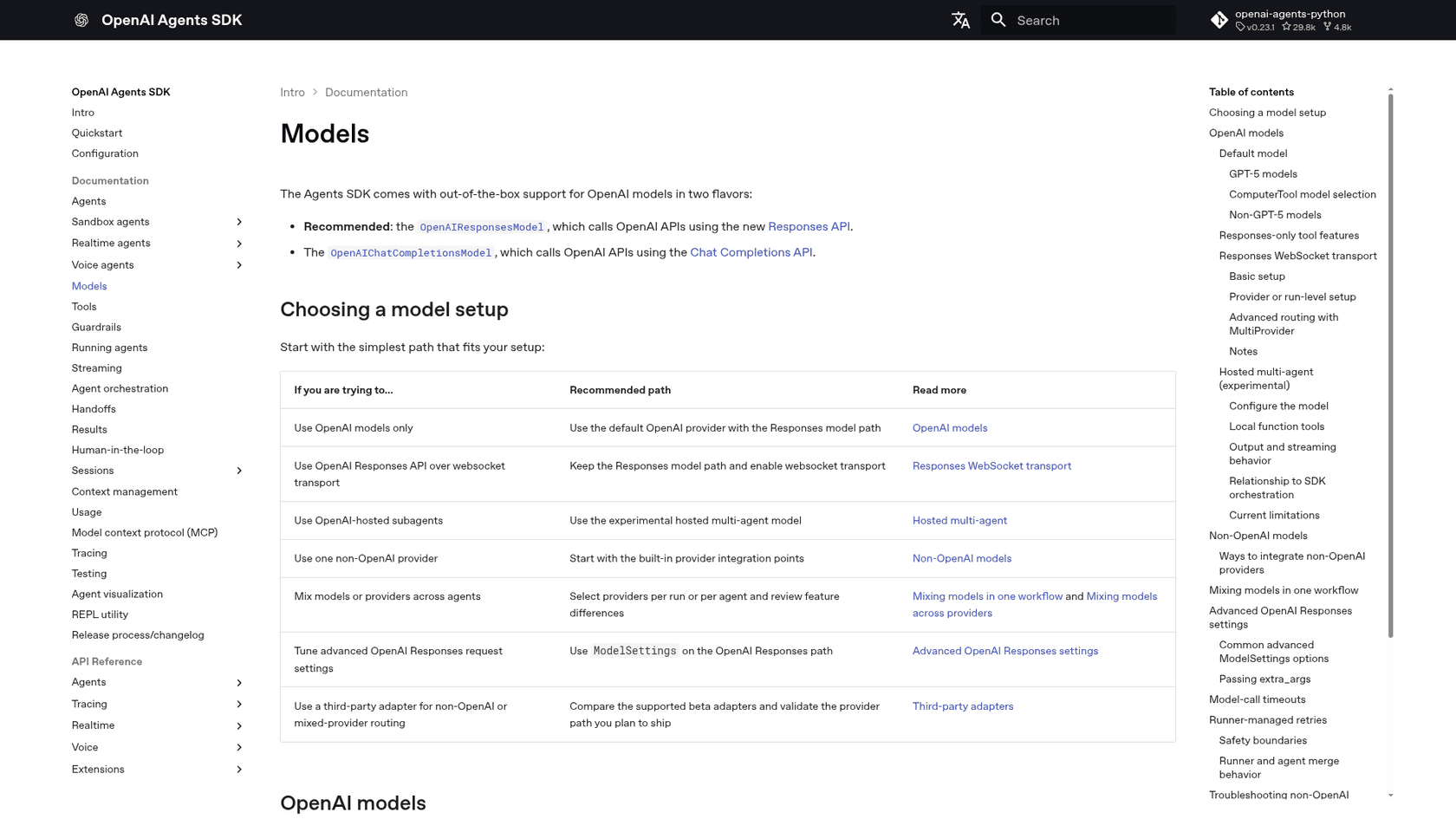
Key Features: The Agents SDK is designed for simplicity, with built-in ideas for things like guardrails and having agents "hand off" tasks to each other. It defaults to OpenAI's models and APIs, but its docs describe built-in provider integration points for non-OpenAI models, plus third-party adapters (some in beta) for mixed-provider routing, so lock-in is a choice more than a rule.
LangChain vs LangGraph vs AgentKit: Architecture and control
The biggest difference between these frameworks isn't just what they can do, but how they let you do it. The right choice for you really comes down to a trade-off: how much control do you need over the agent's inner workings versus how fast do you need to get a prototype up and running?
LangChain: The flexible composer
LangChain gives you a ton of flexibility by letting you piece together modular components: a model, agent tools, and middleware that shapes behavior. It’s fantastic for getting a working agent with a few lines of code, such as an LLM that calls a database lookup and formats the result.
Limitation: The harness owns the loop. If you need a custom retry rule, a mandatory approval step before one action, or a fixed hand-off order between agents, you drop down to LangGraph, because LangChain agents already run on it. Managing an agent's state across a long, cyclical task is where that explicit control starts to pay off.
LangGraph: The structured orchestrator
With LangGraph, you get fine-grained control because you have to define the workflow as an explicit state machine. Each node in your graph is a clear step (like "call a tool" or "ask for human input"), and you define the logic for every single transition.
This is perfect for tasks that need loops (e.g., try something, check the result, try again) or have conditional logic ("if this tool fails, use that one instead"). It makes you think through the agent's entire decision process, which usually leads to a more reliable and easier-to-debug system.
Limitation: All that explicit control comes with a cost. The learning curve is steeper, and you’ll find yourself writing more boilerplate code. For a simple task, defining a full graph can feel a bit like using a sledgehammer to hang a picture.
AgentKit and the Agents SDK: The opinionated starter kit
The Agents SDK hides a lot of this architectural complexity. For the most part, you just define the agent's instructions and the tools it can use, and its "Runner" component handles the execution loop for you. AgentKit's visual Agent Builder offered a no-code version of this, but OpenAI is retiring it on November 30, 2026. Here, control is less about wiring up a state machine and more about writing clear prompts and simple Python functions.
Limitation: While it’s easy to get started, it’s not as transparent as LangGraph. The agent's reasoning happens inside a pre-built loop that can be hard to visualize and debug. It also defaults to OpenAI's patterns and APIs. Other providers are supported through the SDK's provider integration points, but you should validate that path (especially adapters marked beta) before you ship if you want the freedom to switch models.
An alternative: Control for business outcomes, not code
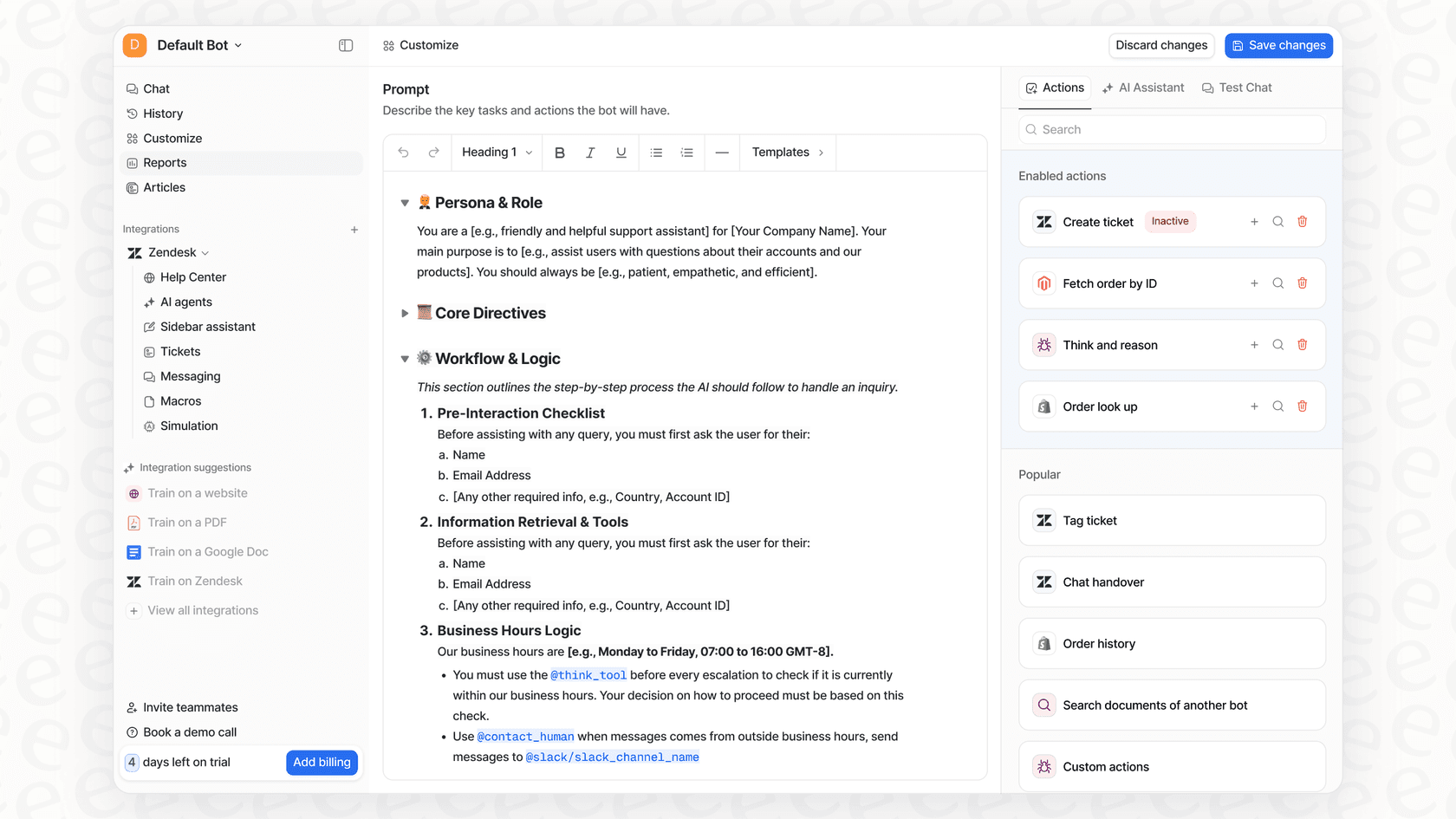
These frameworks give developers deep control through code, but that doesn't always line up with what a business actually needs. A support manager, for example, needs to control things like ticket resolution rates and customer satisfaction, not Python objects. They need to tweak an AI's tone, decide which tickets it should handle, and add new knowledge without having to file a request with the engineering team.
This is where a dedicated platform offers a different kind of control that’s more accessible. Instead of coding graphs, platforms like eesel AI let non-technical users define an AI agent's behavior, set up automation rules, and create custom actions through a simple dashboard. It gives teams the power of a custom agent without the heavy engineering lift.
When to use each framework
Picking the right framework is all about the job you're trying to do. You wouldn't use a power drill to stir your coffee, and you wouldn't use a simple chatbot builder for a complex, multi-agent system.
Best use cases for LangChain
-
Rapid Prototyping: It's perfect for quickly spinning up a proof-of-concept to see if an idea is even worth pursuing.
-
Simple RAG Systems: It's great for creating chatbots that can answer questions based on a set of documents, like a help center or an internal wiki.
-
Basic Tool-Using Agents: A good fit for agents that need to perform a clear sequence of actions, like looking up the weather and then sending you an alert.
Best use cases for LangGraph
-
Complex Multi-Agent Systems: This is the go-to for orchestrating a "team" of specialized agents that need to collaborate, like a researcher agent passing its findings to a writer agent.
-
Self-Correcting Workflows: It lets you build agents that can review their own work, spot mistakes, and try again until the output is right.
-
Production-Grade Agents: It’s a solid choice for building reliable agents for business processes where you absolutely need clear error handling and the option for human oversight.
Best use cases for AgentKit (Agents SDK)
-
OpenAI-Centric Projects: If you're already all-in on the OpenAI stack and want the smoothest experience possible, this is your best bet.
-
Fast Implementation: For teams that need to get a simple, functional agent running quickly in code without sweating the architectural details. Plan around Agent Builder's November 30, 2026 retirement if you were considering the visual route.
-
Simple Tool Use: It works well when the agent's task is straightforward enough that the model can handle most of the reasoning on its own.
The challenge of building for a specific domain like customer support
These frameworks are powerful, but they're also general-purpose. Building a customer support agent that's actually helpful requires more than just a generic toolkit; you need deep, domain-specific functionality.
Frameworks don't come with out-of-the-box logic for ticket triage, sentiment analysis, or understanding the nuances of your brand's voice from past conversations. You have to build all of that from scratch, which can easily turn into a months-long development project.
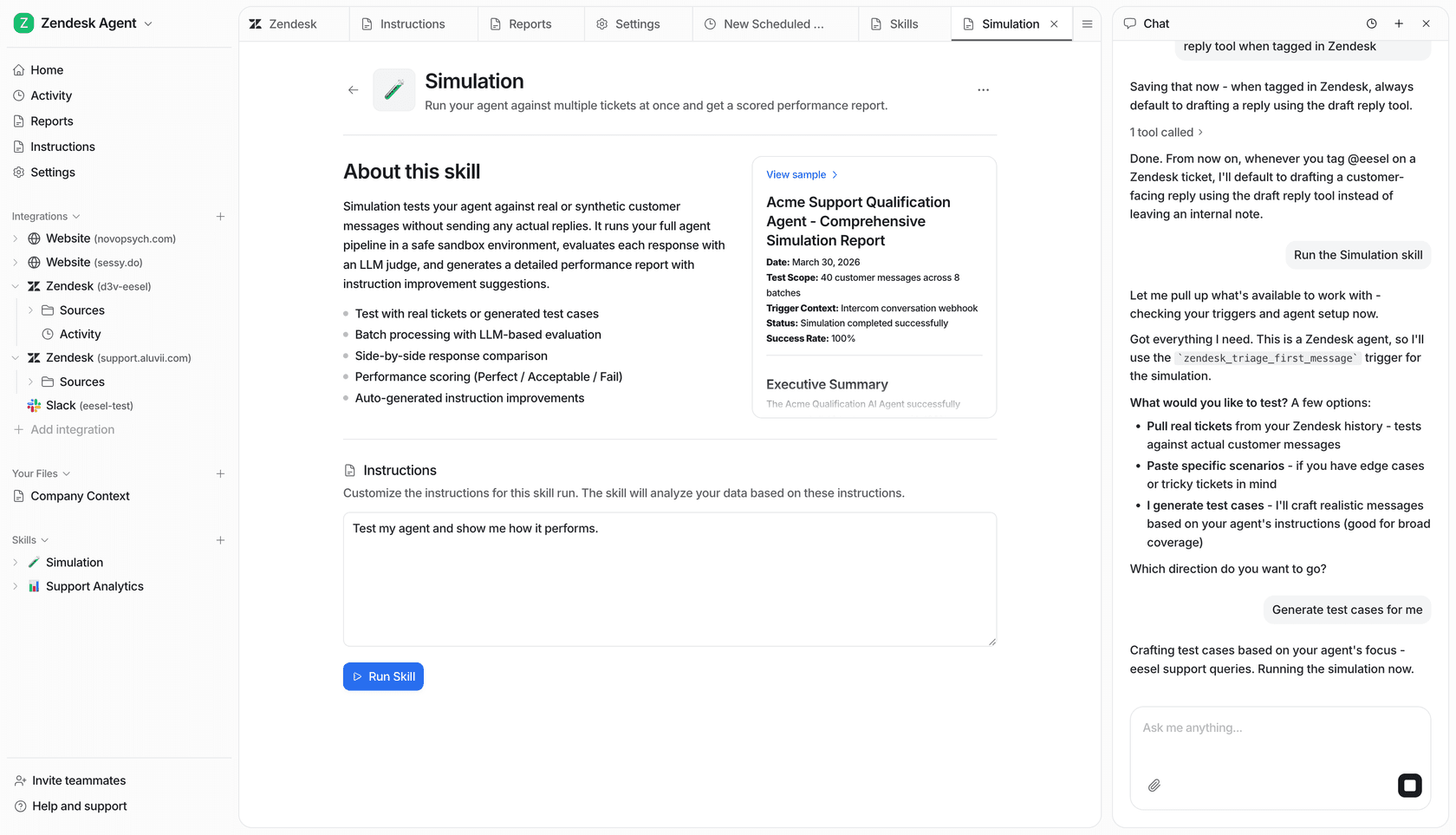
This is where a specialized platform can give you a major head start. A tool like eesel AI is built specifically for customer service. It goes beyond a generic framework by instantly learning from your past tickets, understanding support actions like tagging and escalating, and giving you a simulation that tests its answers against hundreds of your real past tickets and scores each one before you go live. That can save a team months of custom development and fine-tuning.
| Framework | Best For | Good Example |
|---|---|---|
| LangChain | Flexible composition & rapid prototyping | A simple chatbot that answers questions from a PDF. |
| LangGraph | Complex, reliable, multi-step orchestration | A multi-agent system that researches a topic, writes a draft, and asks for human approval. |
| AgentKit | Fast implementation in the OpenAI ecosystem | A simple agent that can look up order statuses via an API. |
Pricing and total cost of ownership
It’s easy to look at these open-source frameworks and think they’re "free." But as anyone who's managed a project knows, that’s rarely the full story. The real cost comes from everything else you need to get a reliable agent into production.
LangChain & LangGraph pricing
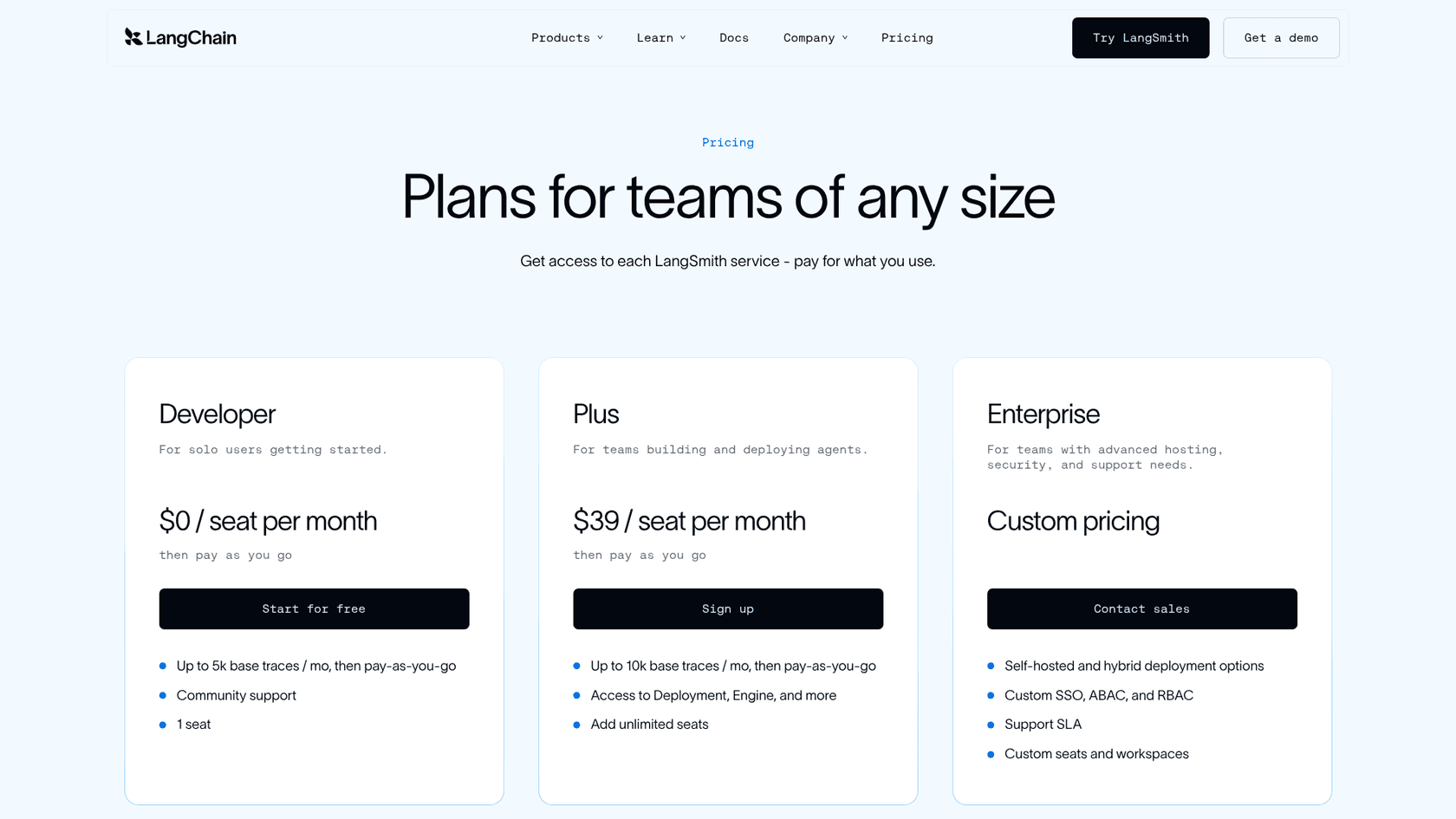
The libraries themselves won't cost you a dime. They're open-source. However, your main costs will be the LLM API calls, the infrastructure to host your application, and, most importantly, the developer time it takes to build and maintain it. For observability and debugging, you'll probably want a tool like LangSmith. While it has a free developer tier, its Plus plan runs $39 per seat per month, plus usage-based fees, and includes access to LangSmith's deployment tooling.
AgentKit (Agents SDK) pricing
The SDK is also open-source and free to use. But since it defaults to OpenAI's APIs, your costs are tied directly to your model usage. The fees for tokens and tool use can be hard to predict and can scale up quickly, which makes budgeting a real challenge for a growing business.
The hidden costs: Development and maintenance
The "free" framework is just the tip of the iceberg. The total cost of ownership for a self-built agent includes engineering salaries, cloud hosting bills, API fees, and the ongoing work to maintain and update the system as frameworks and models change. An AI agent isn't a "set it and forget it" kind of project.
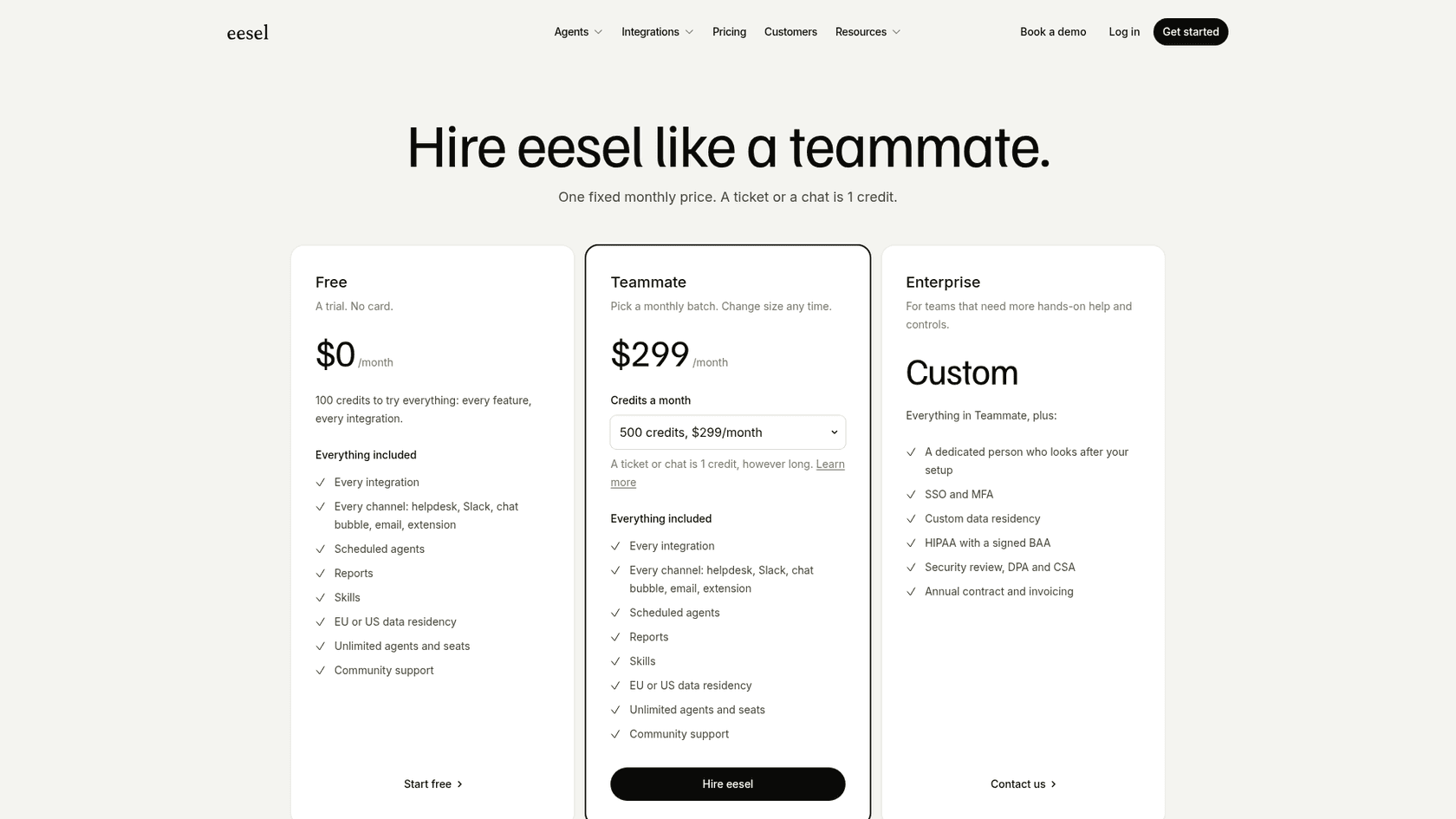
This is a huge factor when deciding whether to build from scratch or go with a dedicated platform. A platform like eesel AI offers predictable pricing: one fixed monthly price sized to your volume (from $299 a month for 500 credits, with a ticket or chat costing 1 credit) and 100 free credits to start, no card needed. The subscription covers the AI models, infrastructure, integrations, and maintenance, turning a large, unpredictable development cost into a simple, manageable operational expense.
Frameworks vs. platforms
So, to wrap it all up: LangChain is your flexible toolkit for piecing together LLM apps, LangGraph is the heavy-duty orchestrator for complex and reliable agents, and AgentKit (through its Agents SDK) is the streamlined starter kit for building quickly in the OpenAI world.
All three are fantastic tools for developers. But they all require a serious investment in engineering time, infrastructure, and ongoing maintenance to turn a cool technical framework into a dependable business solution.
For specific business challenges, like automating customer support, a dedicated platform can often get you better results, faster, and with a lower total cost. It handles the technical complexity for you, so you can focus on the business outcome, not the code underneath.
Take the fast track to AI-powered support
Instead of spending months building an AI agent from the ground up, you could have one live this week. eesel AI integrates with your existing helpdesk and knowledge bases to deploy a powerful, context-aware AI agent in minutes, not months.
You can even run a simulation on your own historical tickets to see how it would have answered them before you go live.
Frequently asked questions
What's the fundamental difference between LangChain vs LangGraph vs AgentKit in their core approach to building AI agents?
LangChain focuses on chaining modular components for sequential workflows. LangGraph is the low-level runtime that LangChain agents are built on, and you use it directly to design stateful, graph-based agents for complex, multi-step tasks with loops. AgentKit is OpenAI's umbrella for building agents; its code path, the Agents SDK, is an opinionated starter kit for quick development, especially within their ecosystem.
When should a team choose one option over the others, specifically concerning LangChain vs LangGraph vs AgentKit for different project needs?
Choose LangChain for rapid prototyping and simple, sequential tasks. Opt for LangGraph for complex, self-correcting, or multi-agent systems requiring explicit control. AgentKit is best for fast implementation within an OpenAI-centric project.
What are the key architectural and control differences developers can expect when working with LangChain vs LangGraph vs AgentKit?
LangChain offers modular flexibility for sequential flows. LangGraph provides fine-grained control via explicit state machines for complex workflows with loops. AgentKit simplifies architecture with a pre-built execution loop, offering less transparency but faster setup.
Beyond the initial setup, what are the total costs of ownership to consider for LangChain vs LangGraph vs AgentKit solutions?
While the frameworks are open-source, hidden costs include LLM API calls, infrastructure, significant developer time for building and maintenance, and potentially observability tools like LangSmith. These operational costs can be substantial and unpredictable.
Can LangChain vs LangGraph vs AgentKit be used together, or are they mutually exclusive choices for building agents?
LangChain's agents are built on top of LangGraph, so they are used together by design, and you can also use LangGraph without LangChain. AgentKit, however, is a separate toolkit from OpenAI, generally used independently of LangChain/LangGraph due to its distinct approach and ecosystem focus.
For someone just starting out, which option among LangChain vs LangGraph vs AgentKit offers the fastest path to a working prototype?
The OpenAI Agents SDK (the code side of AgentKit) typically offers a fast path to a working prototype, especially if you're committed to the OpenAI ecosystem, due to its streamlined and opinionated nature. Note that OpenAI is winding down AgentKit's visual Agent Builder on November 30, 2026. LangChain is also good for rapid prototyping of simpler, sequential tasks.