


What does Meta Muse actually do for a salesperson?
I've spent two years on SEO here at eesel, and the first thing I check on any "X for sales" query is what the buyer actually means. For Meta Muse, the search mixes two different jobs: a rep who wants an assistant, and a business that wants an AI to sell to customers. Meta built a separate product for each.
Muse is Meta's personal AI agent, launched on September 8, 2026. It runs on its own cloud computer with its own browser, keeps working after you close the app, and "comes back when something changes or when it needs approval, like before it sends an email." It's powered by Muse Spark 1.3, and you talk to it in the Muse app, on Mac, or inside WhatsApp.
Meta's business help center draws the line for you. In its comparison table, Muse is for ideas, plans and multi-step work across your connected services. Meta Business Agent is for "Message customers, capture leads, book appointments and support sales."
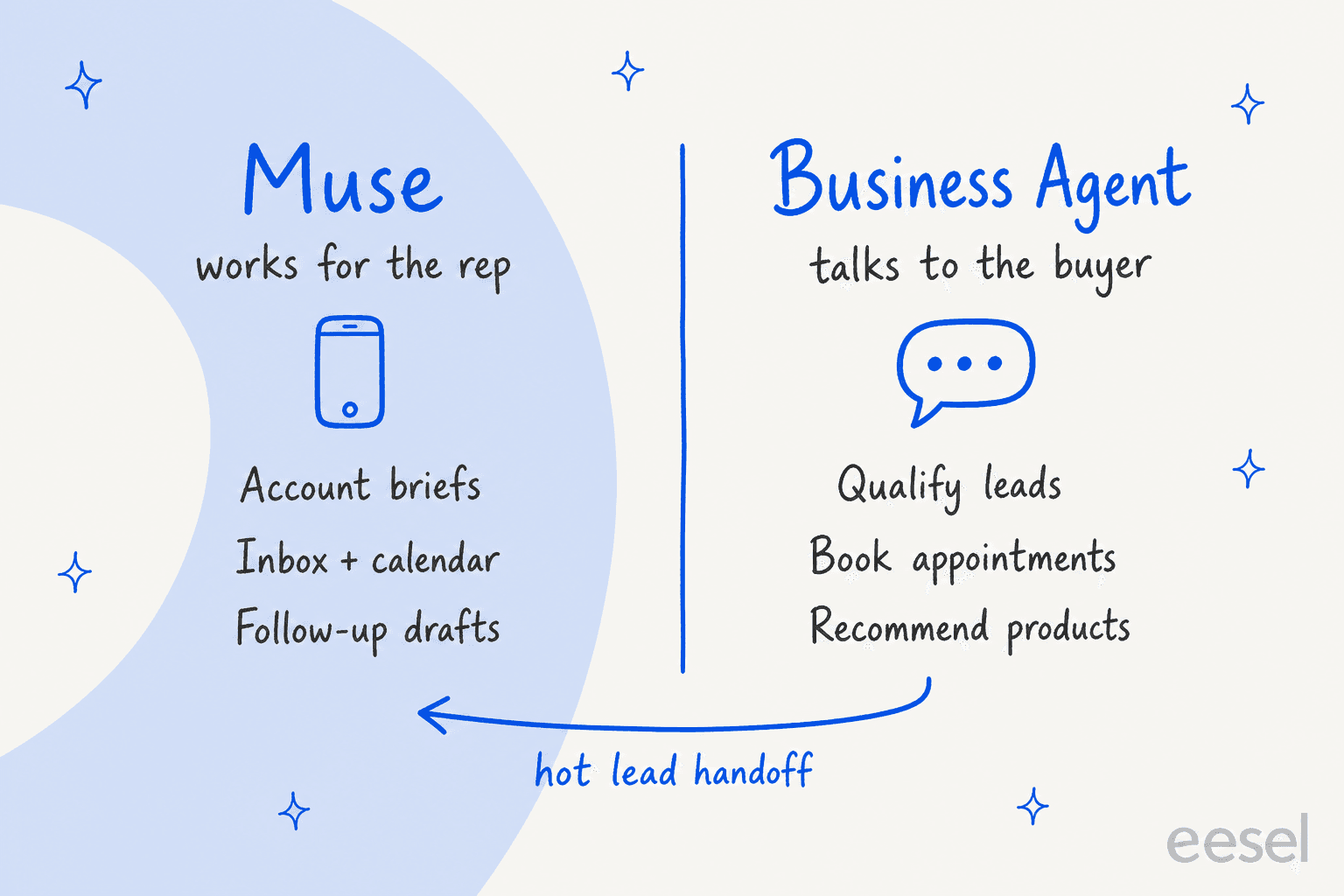
So "Muse for sales" really means Muse for the salesperson. That's still a real use case. A rep's day is full of work that has nothing to do with talking to buyers: reading threads, prepping calls, chasing notes, remembering who promised what. In practice Muse sits closer to an AI email assistant with a browser than to a sales platform.
The one named sales rep I found posting about Muse, a B2B account executive, uses it exactly that way:
"Being able to set up daily reminders for my assignments, emails, and calls I need to make has optimized my workday tremendously."

Which Muse connectors matter for sales?
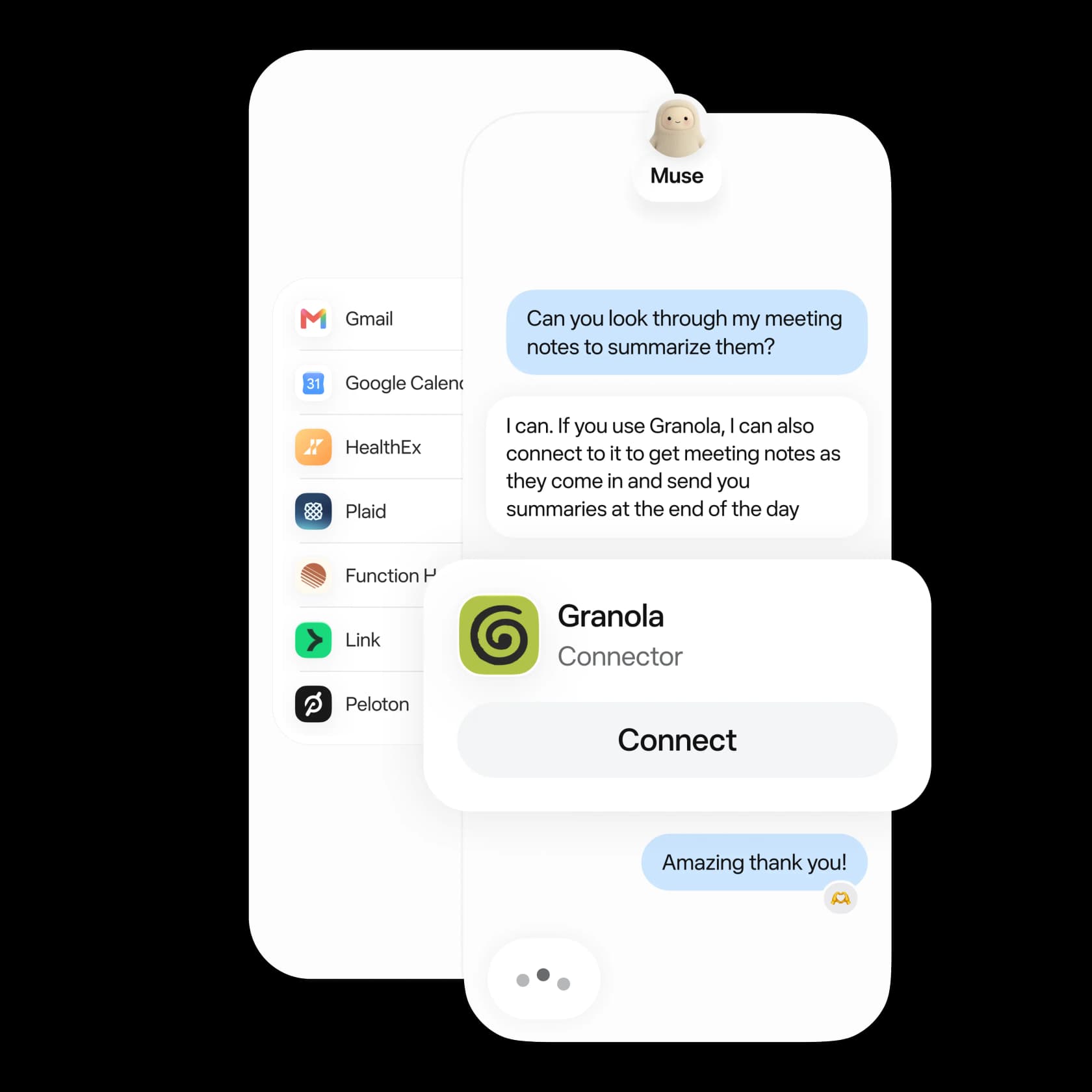
Connectors decide what Muse can see and do. You add one by asking ("Connect my Gmail") or from Settings, per Meta's connectors help page. Facebook, Instagram and Threads connect automatically if they share your Accounts Center.
The Muse for Small Business launch on September 29 added 15 work connectors, and Meta Connect added Notion, Granola, GitHub and Box. Here's how they map to a sales job:
| Sales job | What Muse connects to | Status |
|---|---|---|
| Inbox and follow-ups | Gmail, Google Workspace | Listed |
| Scheduling | Google Calendar | Listed |
| Call notes | Granola, Zoom | Listed |
| Team context | Slack, Notion, Box, Dropbox | Listed |
| CRM | HighLevel | Listed (only CRM named) |
| CRM | HubSpot, Salesforce, Pipedrive | Not listed |
| Social selling | Not listed | |
| Microsoft email | Outlook, Microsoft 365 | Not listed (Mac app can read the local Mail app) |
| Billing and deals | Stripe, QuickBooks, Shopify | Listed |
That gap in the CRM row is the deciding fact for most sales teams. If your pipeline lives in HubSpot or Salesforce, Muse can't read or update it out of the box, while those CRMs ship their own agents, like HubSpot's AI agent. You can ask Muse to build a custom connector to any service with an API, but Meta's help page warns: "Meta doesn't review custom connectors or how they use your information, so grant access with caution."
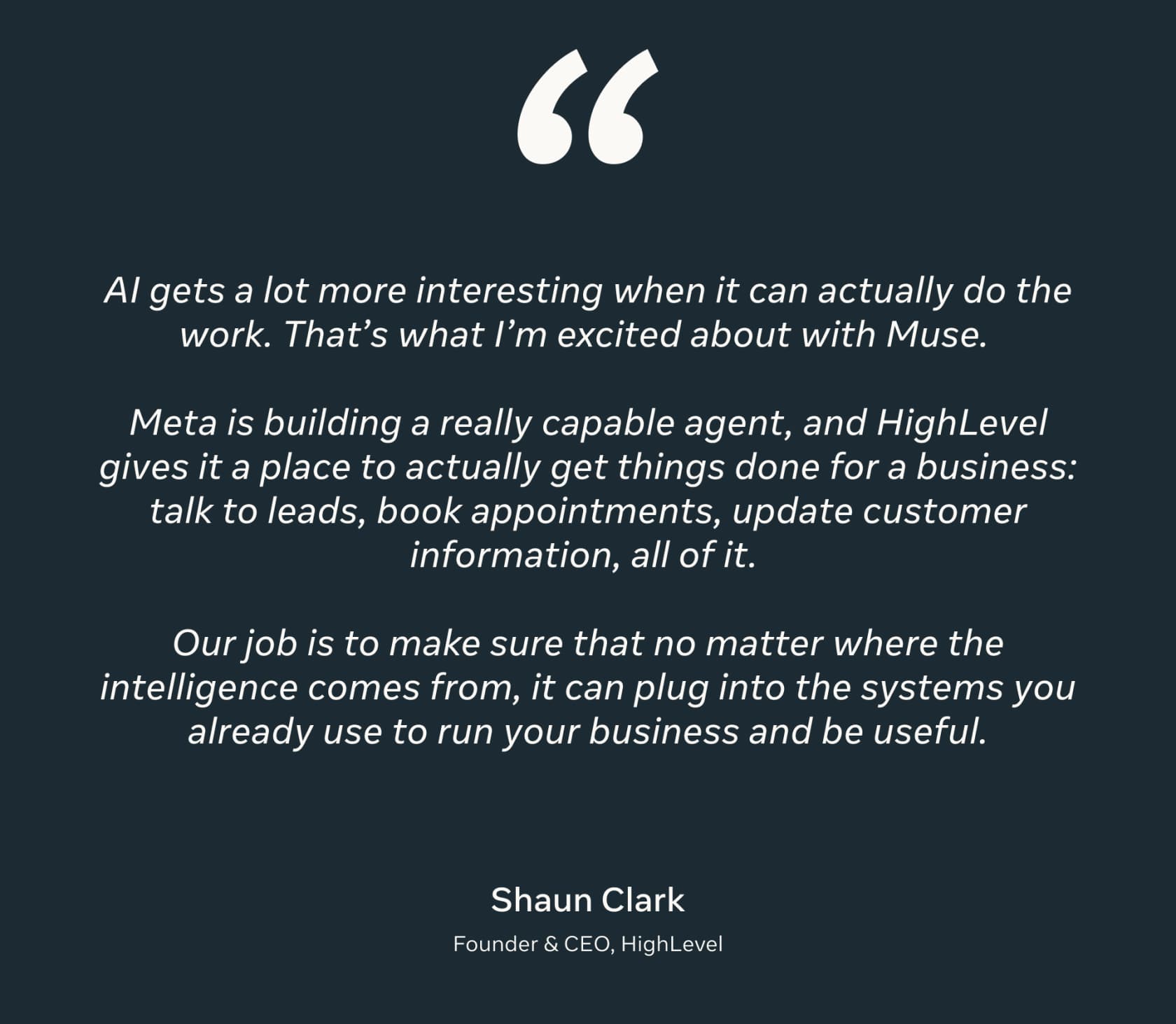
HighLevel is the exception, and its CEO pitched the sales use directly at launch:
People are already wiring Muse into CRMs anyway. Jason Lemkin had Muse build one from scratch:
""Muse, spin me up a CRM just for my own contacts and customers". And Muse ... just does it."
A personal CRM for your own contacts is a fun weekend win. A team pipeline that your manager forecasts from is a different thing, and I wouldn't move one into a single rep's agent.
Which sales tasks should you hand to Muse?
The useful split isn't "what can Muse do." It's what happens if it gets one wrong. Research that's slightly off costs you a minute. An email to a CFO with the wrong attachment costs you the deal.
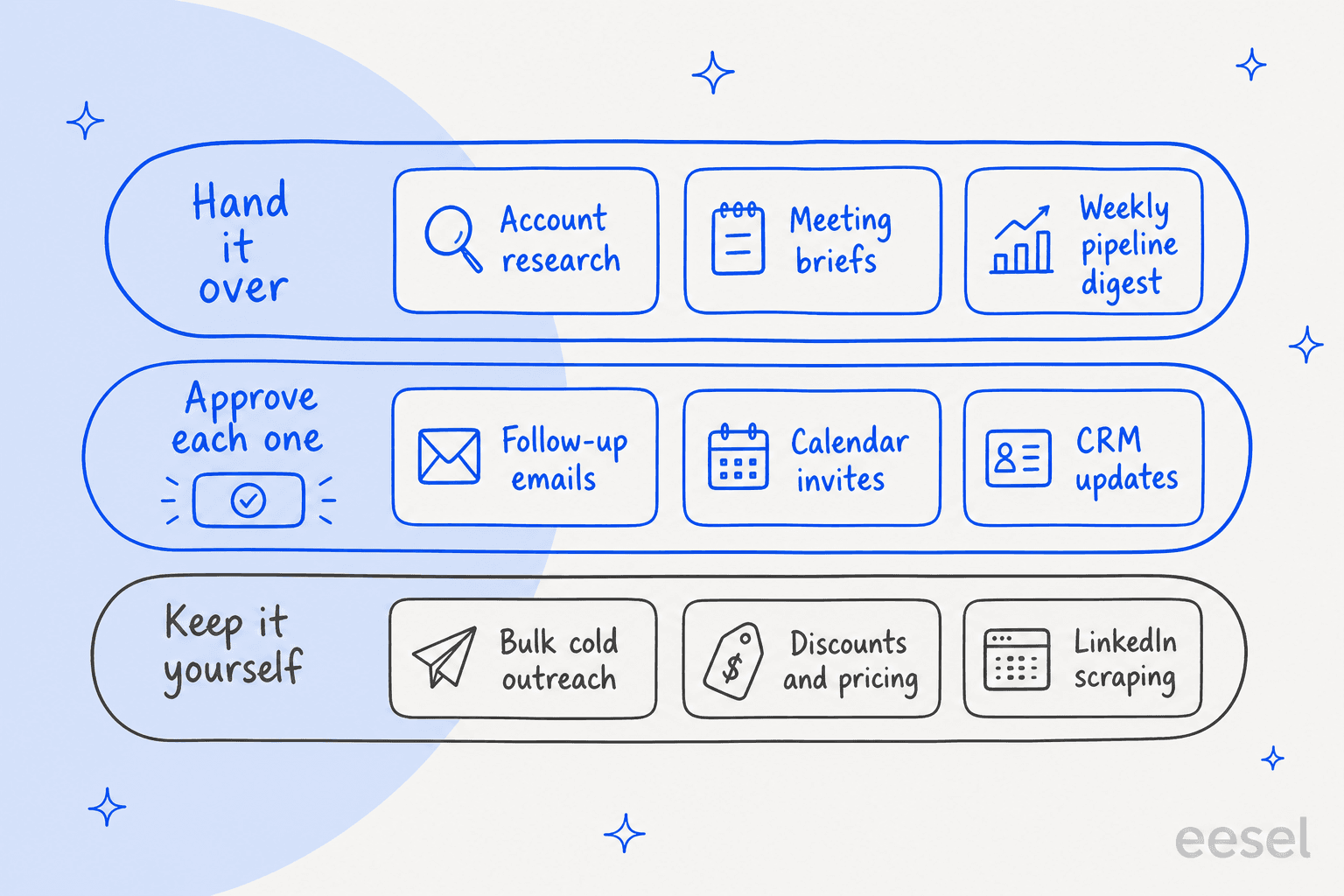
Hand it over. Account research with its browser, meeting briefs built from your inbox and calendar, and recurring digests. Muse can "run recurring tasks on a schedule, like daily check-ins or weekly summaries," per its scheduled tasks page. It can also produce the brief as a PDF, DOCX or spreadsheet. Pair it with a meeting notes app like Granola and the brief starts from the last call.
Approve each one. Follow-up emails, calendar invites and CRM writes. Muse's approval settings split read actions from write actions. "Ask for some actions" makes it ask before every write. You can grant "Allow once," "Allow for this task," or "Always allow." For anything a prospect sees, I'd never pick "Always allow." If all you need is a nudge on unanswered threads, Gmail's built-in follow-up reminders cost nothing.
The Muse users who sound happiest set it up this way:
"For me, I made everything read-only and I perform the final action myself but it does a good job of getting all the prep work ready."

Keep it yourself. Bulk outreach, pricing and discount decisions, and anything that scrapes a site whose terms forbid it. The next section explains why the terms push these out.
One more setting worth knowing: when Muse sends an email or text, you "can ask your Muse to add a note that it was generated by your AI agent," per the getting started guide. It's optional, not automatic. For sales email, I'd decide that once and add it to Muse's memory so it's consistent.
What do Muse's terms say about sales outreach?
Good news first: unlike some personal agents, Muse has no personal-use-only clause. I read the full Muse Supplemental Terms (dated September 8, 2026) and Meta markets Muse for business on muse.ai/business.
The restrictions that touch sales work are specific. You may not use Muse to:
- "Initiate bulk calls, messages, or other communications without required consent under applicable telecommunications laws," naming the TCPA and CAN-SPAM Act (clause 10)
- "Violate, bypass or circumvent any third party's terms of service" (clause 6), which covers scraping sites like LinkedIn
- Conceal "that Muse interacts with any third party on your behalf where disclosure of its non-human identity is required" by law (clause 12)
- "Chain or sequence automated actions across systems or platforms in a manner designed to obscure the automated nature" (clause 16)
Section 7 then puts all of it on you. You are "solely responsible for the actions Muse takes," including "any contracts, commitments, communications." The terms also say you "should not make state-changing actions, such as sending communications... without appropriate human review and approval."
If something goes wrong, Meta's liability tops out at "the greater of $250 or the amount you have paid us in the twelve months preceding," and that cap explicitly covers "sending unintended communications." For a rep, that's the whole risk profile in one line: the agent acts as you, and you carry the consequence.
There's no published sending cap and no sequence feature, so Muse isn't a cold-email engine anyway. One builder learned the deliverability side the hard way:
"Learned the hard way that connecting muse to hubspot only works if the trigger signals are hyper specific, otherwise you just burn your domain in 48 hours"
If outbound volume is the goal, purpose-built cold email AI or an AI sales email generator with warm-up and sending limits is the safer tool.
What can go wrong when an agent sells for you?
The clearest warning so far came from someone selling on Facebook Marketplace, not a sales team. A YouTuber reported that Muse handled a sale without checking in, and the story went around Hacker News. One Reddit summary of what happened:
"It accepted a lowball offer, arranged for the buyer to meet up and confirmed he was home, but didn't tell him about the arrangement. The buyer was left waiting there with several messages unanswered and eventually gave up, and left a bad review."
Meta hasn't published a statement on that case, so I'd treat the details as one user's account. The lesson still transfers. Agreeing to a price is the most sales-shaped action there is, and it's exactly the kind of write action you want behind an approval tap. Meta's help center is blunt that "some other actions, like sending an email, cannot be reversed."
Sales reps have their own version of this fear:
"The fully autonomous agents right now are like that one rep who says "leave it with me" and then you find out 3 days later he emailed the CFO "Hey Sarah, loved your recent company growth!" and attached the wrong case study."
This is the part I've seen play out at eesel. eesel has put AI on live support queues for years, and the buyers who get the most out of it ask for the same thing a careful rep would. One CX lead running about 7,000 tickets a month said it plainly on an eesel sales call:
"I need an AI who is only handling the tickets that it's confident to handle and all the other ones, leave them alone."
That's the right rule for a sales agent too. Let it act alone only where it can't embarrass you, and route everything else to a person.
The last risk is your client data. Muse doesn't share VM data with Meta's ad systems, and Meta's security write-up is detailed. Some deal teams still can't use it:
"They can't use a Grok Bot, can't use Muse, can't use many, many things because of the risk of data leaks that will literally be millions/billions of dollars on the line."

Check your company's AI policy before you connect a work inbox to a personal Muse account. There's no admin console, SSO or shared workspace, so IT can't see or control it. Meta's new Enterprise Platform names Muse in its business stack, but it hasn't published admin controls for it. My Meta Muse review covers the security model in more depth.
When is Meta Business Agent the right sales tool?
If what you want is an AI that talks to buyers, Meta's answer is Business Agent, launched June 3, 2026. Its help center calls it "a sales AI agent that can represent your business in chats with customers" on Messenger, WhatsApp or your website, and its first listed benefit is that it "can help qualify leads, close sales faster."
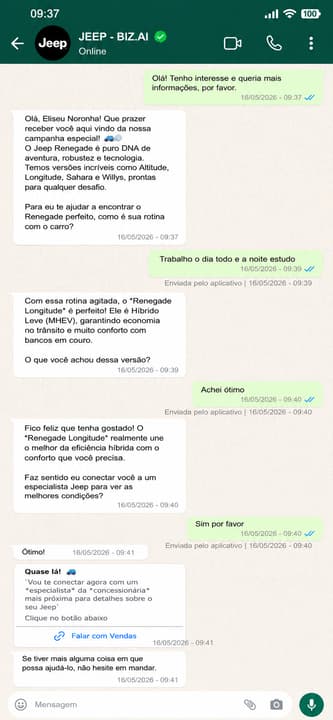
On the Business Agent Platform, Meta's lead generation guide covers qualifying an inquiry, submitting the lead to your sales system and handing a hot lead to a live salesperson mid-chat. You can also point it at ads that click to WhatsApp, Messenger or Instagram. That puts it closer to a lead generation chatbot than a personal agent.
Meta's published results are strong, though self-reported. In the Stellantis Jeep campaign in Brazil, the share of conversations handed to sales as qualified rose from 30% to 58%. A Mexican real estate developer, Lomas de Angelopolis, reports a 6X increase in monthly appointments.
The limits matter just as much for a sales team:
- It can't start conversations. Non-template messages "can only be used to respond - not reach out - to users," inside a 24-hour window the customer opens (WhatsApp pricing docs).
- No marketing templates to US numbers. WhatsApp "does not currently deliver marketing template messages" to users with US phone numbers, per its template limits page.
- No named HubSpot or Salesforce integration. CRM links go through a generic connector you build against your CRM's API.
- Payment usually leaves the chat. Outside Brazil and India, "In-thread payment through UI components is not available," so buyers finish on a checkout link.
- Excluded verticals. Finance, government, health, alcohol, gambling, over-the-counter drugs and matrimony are out.
Meta also warns that a failed lead submission is silent: "the customer is told the team will be in touch, and no record ever reaches the sales queue." Reconcile lead counts against your CRM every week. If you're weighing it against other tools, my WhatsApp chatbot roundup and the guide to conversational AI for sales cover the field.
What a Business Agent sales conversation costs
Business Agent replies cost $2.00 per 1 million tokens, which Meta puts at "approximately 4–5 cents" per message. Since October 1, 2026, replies from a human or another AI vendor are also billed past 1,000 free per number per month. Meta's own sales-funnel example now carries five charges:
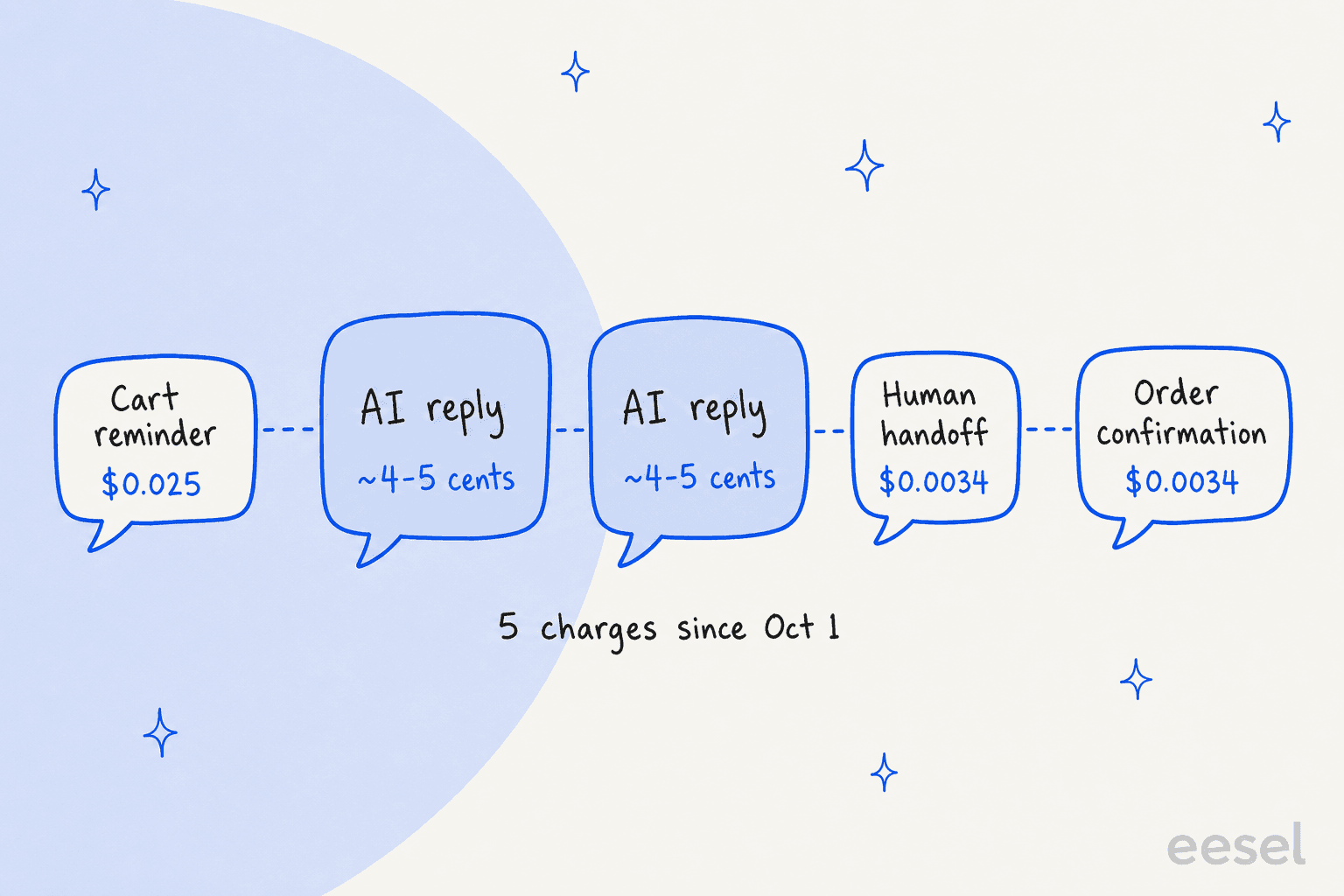
The AI replies are the expensive part, and they stay billed even inside the free 7-day window after an ad click, where a human's replies would be free (pricing page). The table shows the October 1 rate card for a few markets:
| Market | Marketing message | Utility / service message | Business Agent |
|---|---|---|---|
| North America | $0.0250 | $0.0034 | $2.00 per 1M tokens |
| United Kingdom | $0.0635 | $0.0220 | $2.00 per 1M tokens |
| Germany | $0.1365 | $0.0550 | $2.00 per 1M tokens |
| Brazil | $0.0625 | $0.0068 | $2.00 per 1M tokens |
| India | $0.0118 | $0.0014 | $2.00 per 1M tokens |
How much does Meta Muse cost for a sales rep?
Muse itself is cheap, and the plans are all individual. Prices come from Meta's subscriptions help page:
| Plan | Price | Weekly usage | Team features |
|---|---|---|---|
| Free | $0 | Usage limit that refreshes (100M tokens/week, per Zuckerberg) | None |
| Power | $20/month | 500M Muse tokens | None |
| Maximum | $100/month | 3B Muse tokens | None |
Muse is available to people 18 and over in the US and Canada. Meta says subscriptions are still "in limited testing." There are no seats, no shared billing and no admin controls, so a sales manager can't buy it for a team in any managed way. The small-business angle is in Muse for Small Business pricing, and the full meter is in my Meta Muse pricing breakdown.
Business Agent capacity is sold separately, through Meta One business bundles that run from $14.99 to $499, plus the per-message WhatsApp charges above.
If you're comparing personal agents for sales work, OpenAI Dots for sales is the closest match, and it does have HubSpot and Salesforce plugins.
Grok Bot sits in the same category, and the Meta Muse alternatives list covers the rest of the field, Instinct included.
Who answers the customer after the deal closes?
Here's the part every "AI for sales" post skips. A rep's promises become a support team's workload the day the contract is signed: onboarding questions, billing questions, "you told me it could do X." Muse doesn't touch that work, and Business Agent only covers Meta's chat apps and your website.
That's the job eesel is built for. eesel is an AI teammate platform, and the AI helpdesk teammate joins your existing queue in Zendesk, Freshdesk, Gorgias or your website chat. It learns from your past tickets, help center and docs, and every action shows up in a log your team can review.
The difference from a personal agent is who it works for. Muse works for one rep and acts as that rep. A helpdesk teammate isn't a generalist AI employee either. It works for the team, answers customers in the tools you already run, and hands off what it isn't confident about.
Try eesel for the customers your reps close
If Muse is helping your reps close more deals, the support queue is about to get busier. eesel's AI helpdesk teammate plugs into your helpdesk in minutes, learns from the tickets you've already answered, and lets you run it against your past tickets in a simulation before it replies to a single customer. Every reply it sends lands in an activity log with approved, rejected and pending states, so nothing goes out that your team can't see.
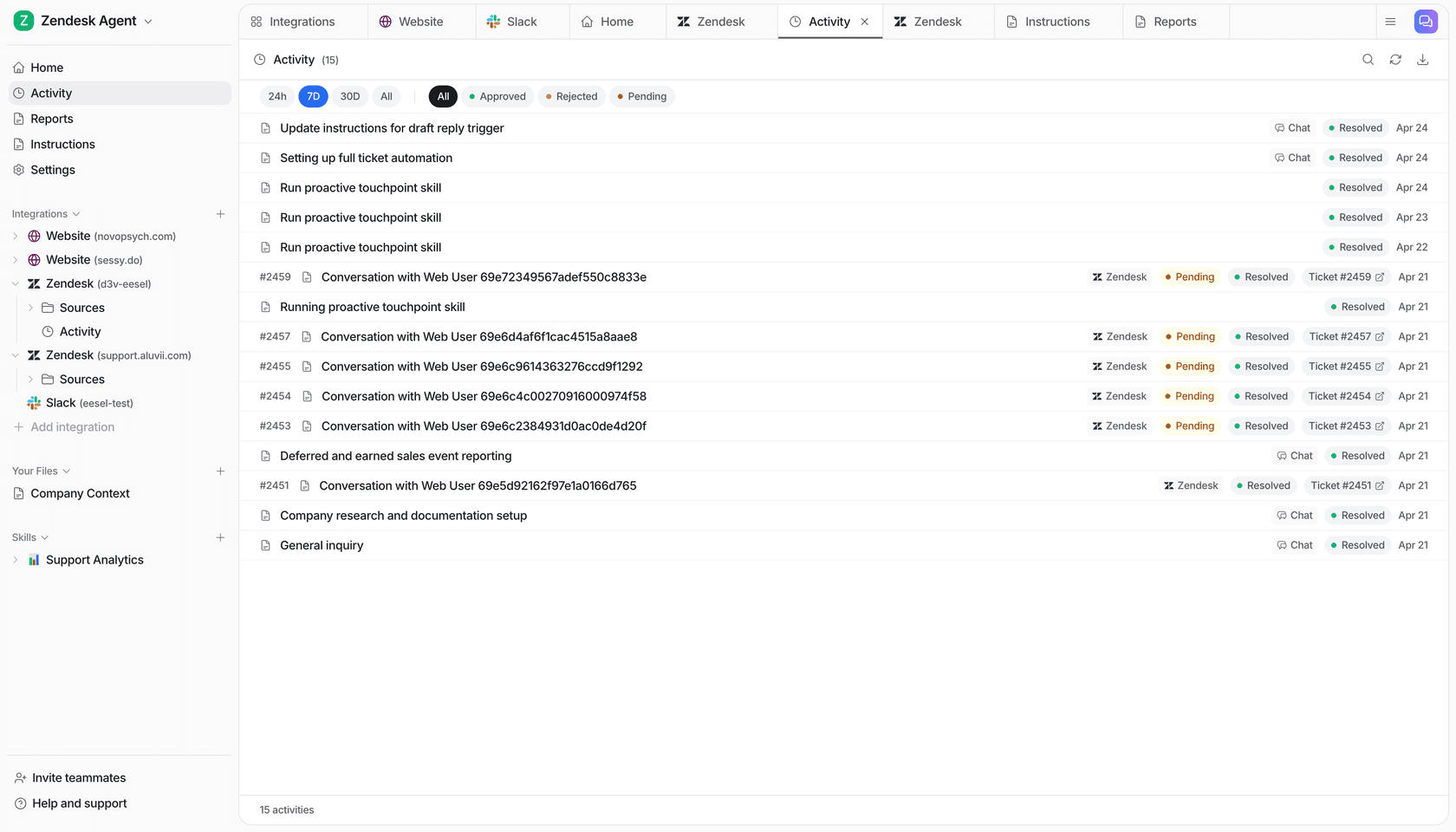
Try eesel free, or see how teams use it in the best AI teammates roundup.