

What the "OpenAI Agents API" actually is
Worth untangling first, because the phrase points at a few related things that arrived at different times, and the naming is genuinely confusing.
It started in March 2025, when OpenAI shipped the Responses API and the open-source Agents SDK together, along with the first built-in tools. The Responses API is the primitive: a superset of Chat Completions that models generate through, and the surface every hosted tool plugs into. It's also the eventual replacement for the older Assistants API. The Agents SDK is the orchestration layer on top of it, handling the agent loop, handoffs between agents, and guardrails inside your own application.
Then in October 2025 came AgentKit, a set of tools for people who didn't want to write the loop by hand: Agent Builder (a drag-and-drop canvas), the Connector Registry, ChatKit (an embeddable chat UI), and expanded Evals. More recently, OpenAI added a fully managed Agents API runtime that runs the loop for you on its own Codex harness, with context compaction and multi-agent orchestration built in.
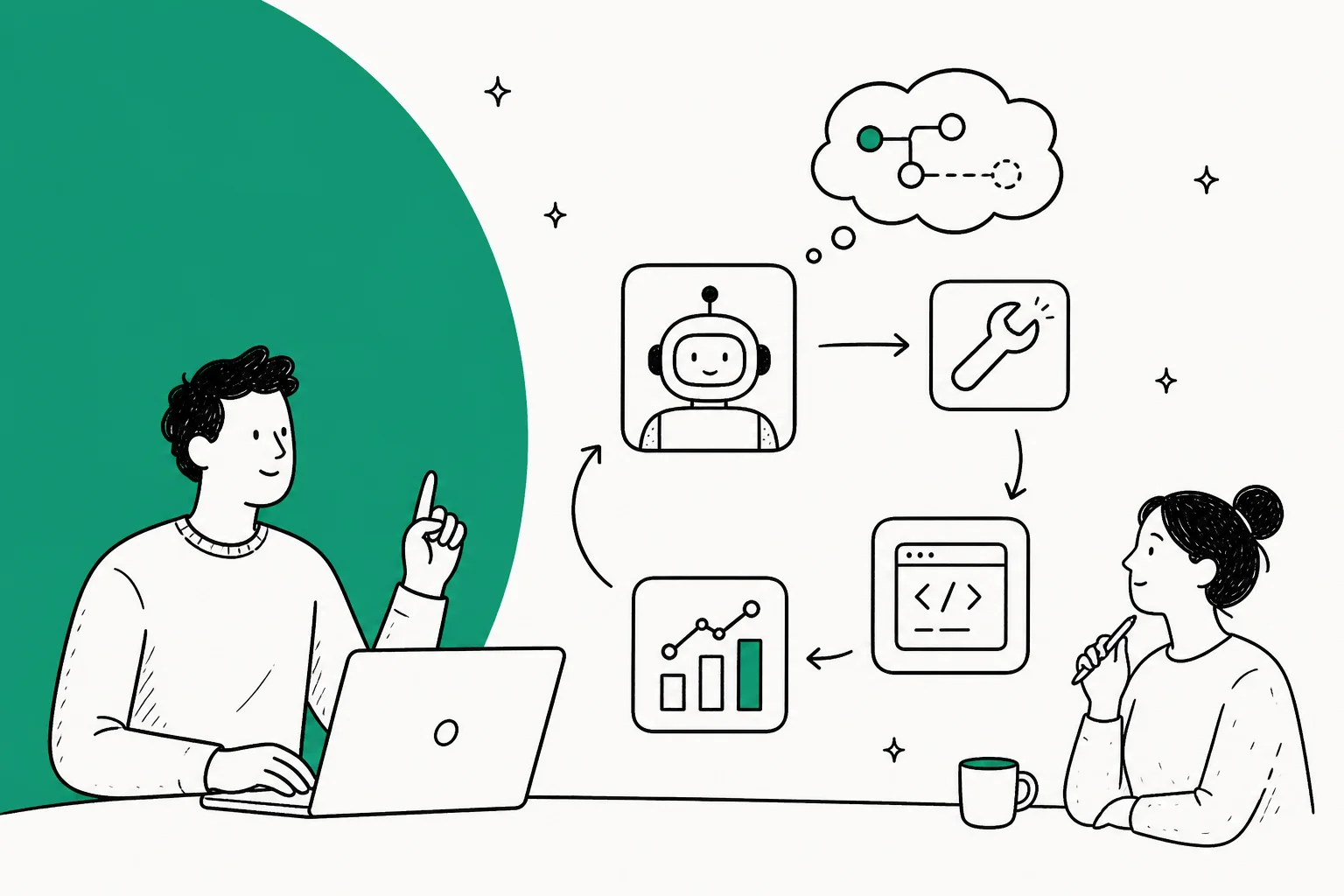
I ship eesel's integrations, so I've built this exact loop by hand more than once, and the mental model that helps most is this: none of these are magic. An agent is a model you've handed a job, a set of tools, and permission to keep calling itself until the job is done. Everything else, the SDK, the managed runtime, the visual canvas, is a different answer to one question: who runs that loop, and where?
How the agent loop actually works
Here's the single most important concept, and the one that trips up every team new to this. A regular API call is one request, one response. An agent is a loop of them.
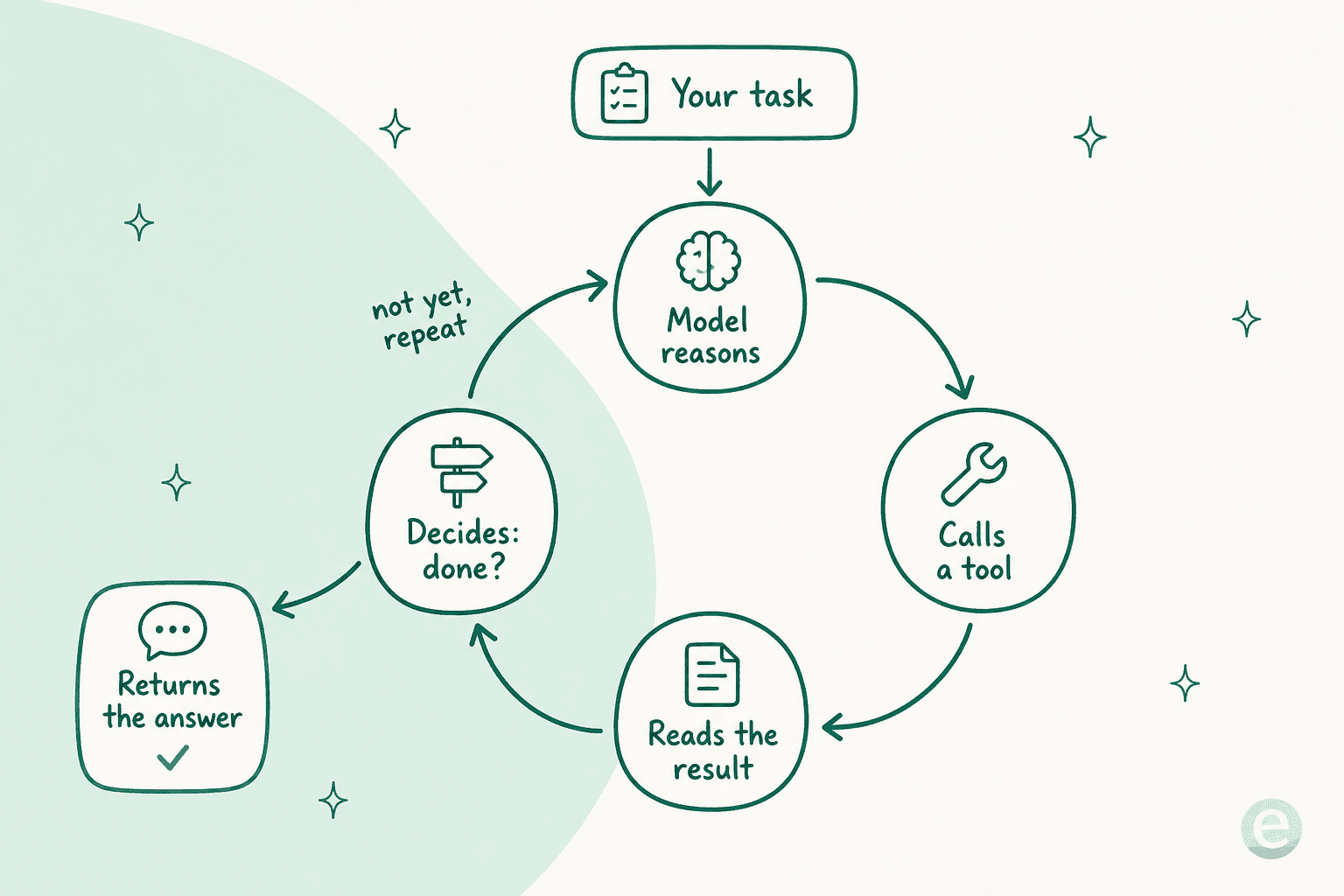
You give the agent a task. The model reasons about it, decides it needs information, and calls a tool (a web search, a database lookup, a function you wrote). The tool returns a result, that result gets fed back into the model's context, and the model reasons again with the new information. If it's done, it answers. If not, it calls another tool. Round and round until the task is complete or a limit stops it.
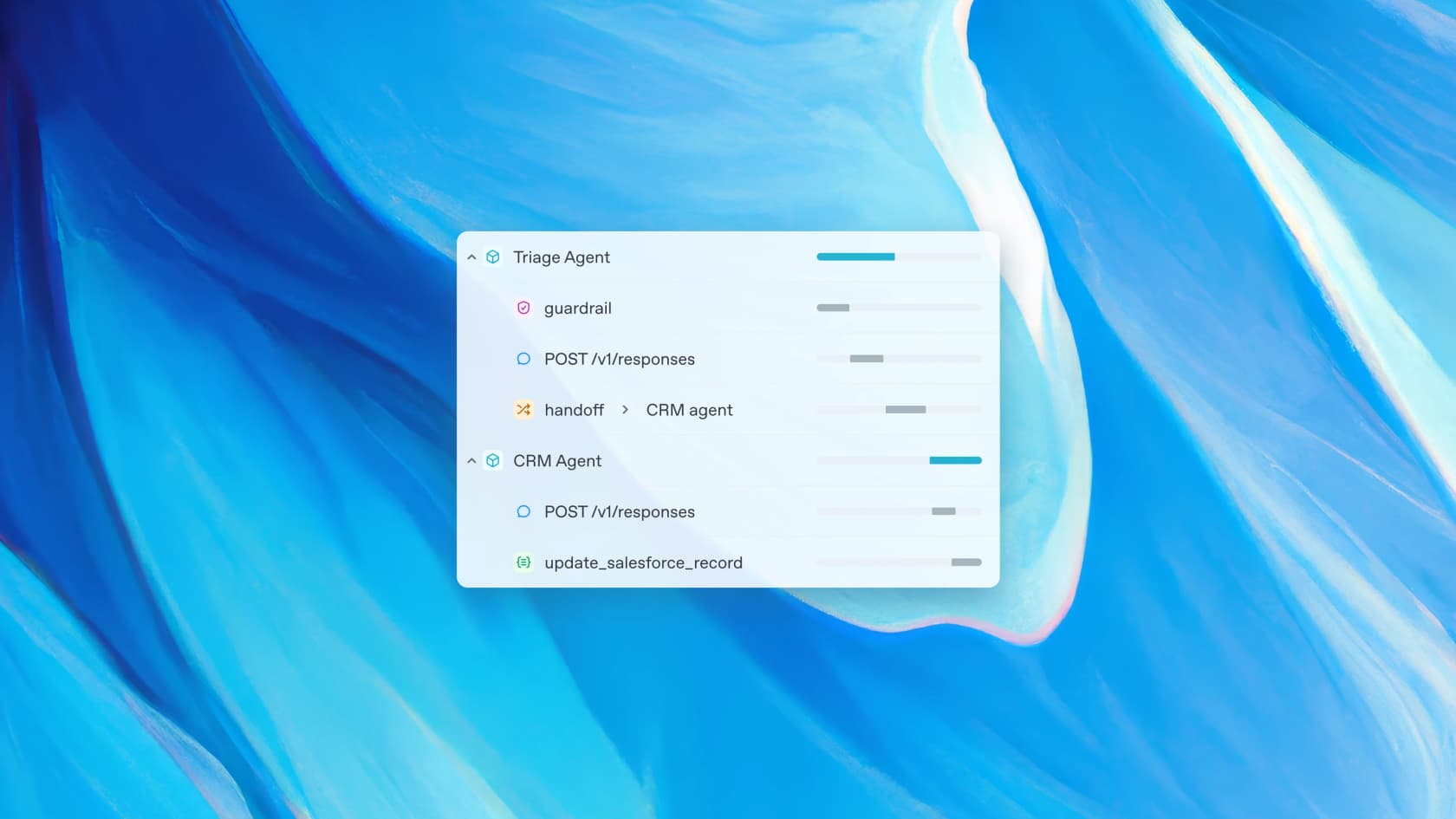
OpenAI's own runtime diagram makes the multi-agent version concrete: a Triage Agent calls POST /v1/responses, hits a guardrail, then hands off to a CRM Agent, which calls the model again and fires a tool. That's already several model calls for one task.
The part that surprises people is context growth. Every tool result piles back into the next call's prompt, so the loop doesn't just multiply calls, it inflates the size of every later one. One developer put the reality more bluntly than any docs page:
"I was spending $200/day running agents with tool calls. The problem: tools return huge JSON (search results, DB queries, file listings). Each response bloats context. By turn 10, you're paying for 100k+ tokens on every LLM call."

That's not a warning to scare you off, it's the thing to design around. The loop is your power (it's what lets an agent chain research, decisions, and actions) and your main lever. Shorter loops, tighter tool outputs, and capped retries are most of what separates a cheap agent from an expensive one. The best AI agents are the ones where someone thought hard about how few turns each task really needs.
The four runtimes: pick where the loop runs
Once you accept that an agent is a loop, the next decision is where it runs. OpenAI now gives you four runtimes, and they mostly differ on how much of the loop you own.

- Agents API runs the loop for you on a managed Codex harness, with automatic context compaction, multi-agent orchestration, and an optional hosted sandbox. The most hands-off option, and the compaction genuinely helps keep the loop lean.
- Agents SDK runs the loop inside your own application. You own deployment, storage, and approvals; the runner handles the loop and the handoffs. This is where most teams that want real control land.
- Responses API is building from the primitive: you call the model directly and wire up your own orchestration and history. Maximum control, maximum responsibility.
- ChatKit is the embedded chat front-end you drop into your product, sitting on top of whichever of the above is doing the real work.
None of these change what the model or the tools do. They change who is responsible for firing the loop, which is the decision that shapes your whole architecture. If you want the agent to be your product, the SDK or Responses API give you the control. If you want an agent inside an existing app without hosting a runner, the managed Agents API is the shortcut.
The hosted tools an agent can reach for
An agent is only as useful as the tools it can call. Alongside your own functions, OpenAI ships a set of built-in tools that plug straight into the Responses API:
- Web search lets the agent pull live information from the internet, with a
return_token_budgetknob that caps how many result tokens flow back into the model. Handy, because search results are exactly the kind of bulky output that bloats a loop. - File search runs retrieval over your own documents in a vector store, built on embeddings. It's how you give an agent your knowledge base, and you can cap the number of retrieved results to keep the context tight.
- Code Interpreter runs Python in a sandboxed container, for data analysis, file manipulation, and math the model shouldn't do in its head.
- Computer use lets the agent operate a browser or desktop. For the newest models, OpenAI's recommended path is a code-execution loop where the model writes a script your own sandbox runs, rather than a dedicated hosted action.
The tools are what turn a chatbot into an agent, and choosing them well is half the design work. A support agent that can search your help center and read order history is doing something a plain FAQ bot never could. Each tool call is also a turn of the loop, so the rule of thumb is to give the agent exactly the tools the job needs and no more.
AgentKit, and what's being wound down
If writing the loop by hand sounds like a lot, AgentKit was OpenAI's answer: a visual layer for assembling agents without code. Agent Builder is its drag-and-drop canvas, and it's worth a look because it makes the multi-agent shape visible.
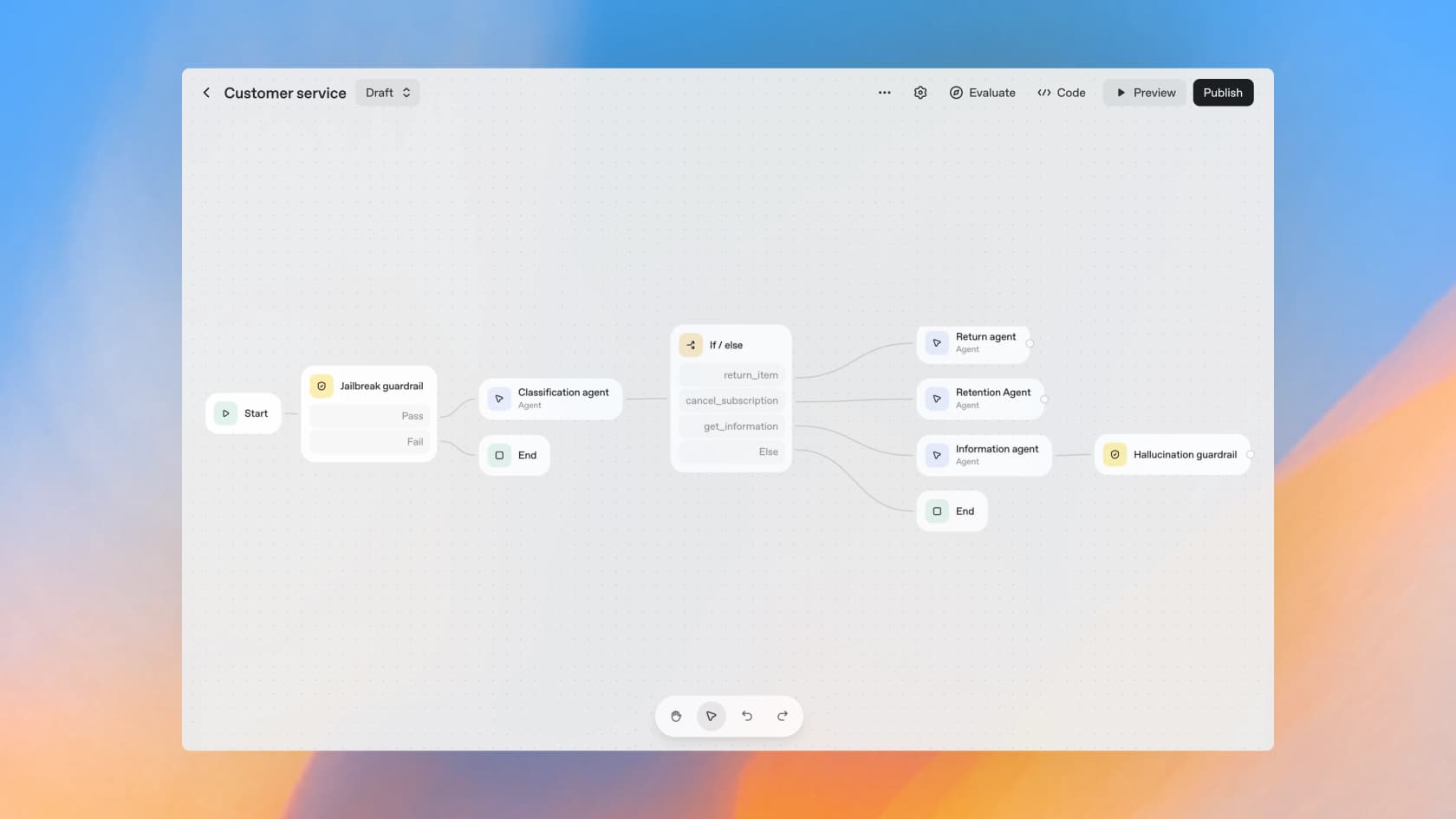
That flow (start, a jailbreak guardrail, a classification agent, an if/else that routes to a return, retention, or information agent, then a hallucination guardrail before the reply) is a fair picture of what a real support workflow actually needs. Every node that says "agent" is at least one more POST /v1/responses.
Here's the catch, and it matters if you're choosing a surface today. OpenAI is winding down Agent Builder and Evals, and from November 30, 2026 they'll no longer be available. In the docs they already sit under a "Legacy APIs" heading, and OpenAI now steers you toward the code-first Agents SDK or Workspace Agents in ChatGPT instead.

So build on the durable surfaces: the Responses API, the Agents SDK, the managed Agents API runtime, ChatKit, and the Connector Registry. Treat the visual canvas as a nice way to prototype and understand the shape, not the thing you commit production to. The good news is the layers themselves carry no separate fee, OpenAI is explicit that AgentKit tools are "included with standard API model pricing," so the choice is about durability, not cost.
How to actually build one
Enough concepts. Here's the sequence I'd follow to get a first agent running, whichever runtime you pick.
- Pick a model. Match it to the job, not the brochure. A simple router or classifier is fine on a cheaper model like gpt-5.6-luna; a multi-step research or reasoning agent wants a stronger one. You can even mix models across a multi-agent flow, a small one for triage, a bigger one for the hard step.
- Choose a runtime. Managed Agents API if you want OpenAI to run the loop, the Agents SDK if you want to run it in your own app with full control.
- Write the instructions and pick the tools. The system prompt is the agent's job description. Then give it exactly the tools it needs: built-in ones like web search and file search, plus your own function calls for anything specific to your product.
- Add guardrails. Input guardrails (jailbreak and topic checks) and output guardrails (a hallucination or safety check before the reply reaches a user). This is the part teams skip and regret.
- Test before it's live. Run the agent against realistic inputs and watch the whole loop, not just the final answer. Seeing that an agent looped four times because the first three outputs failed validation is exactly the kind of thing you want to catch before a customer does.
- Ship, then watch the run cost. The unit that matters is the whole run, retries and tool calls included, not a single token price. Instrument it so you can see loop length per task from day one.
If that list reads like a real engineering project, that's because it is. Building an agent on raw infrastructure is the right call when the agent is your product and you want control down to the token. It's the wrong call when you just need a job done, like customer service handled well, and don't want to own a loop, an eval harness, and a monitoring stack forever.
What it costs (the short version)
There's no single "Agents API price." You stack model tokens on every turn, per-call fees for hosted tools, and container time for code execution, and the loop length is what actually moves the bill. Model rates run from $0.20 per 1M tokens on the cheapest model up to $10 per 1M input on the top one; web search is $10 per 1,000 calls; file search is $2.50 per 1,000 calls.
That's the headline, but the real math is in the loop, so we gave it its own guide: the full breakdown, a worked example, and a live cost estimator all live in OpenAI Agents API pricing. If you're comparing providers, our OpenAI API vs Anthropic API piece runs the same numbers for Claude.
Try eesel, and skip the loop entirely
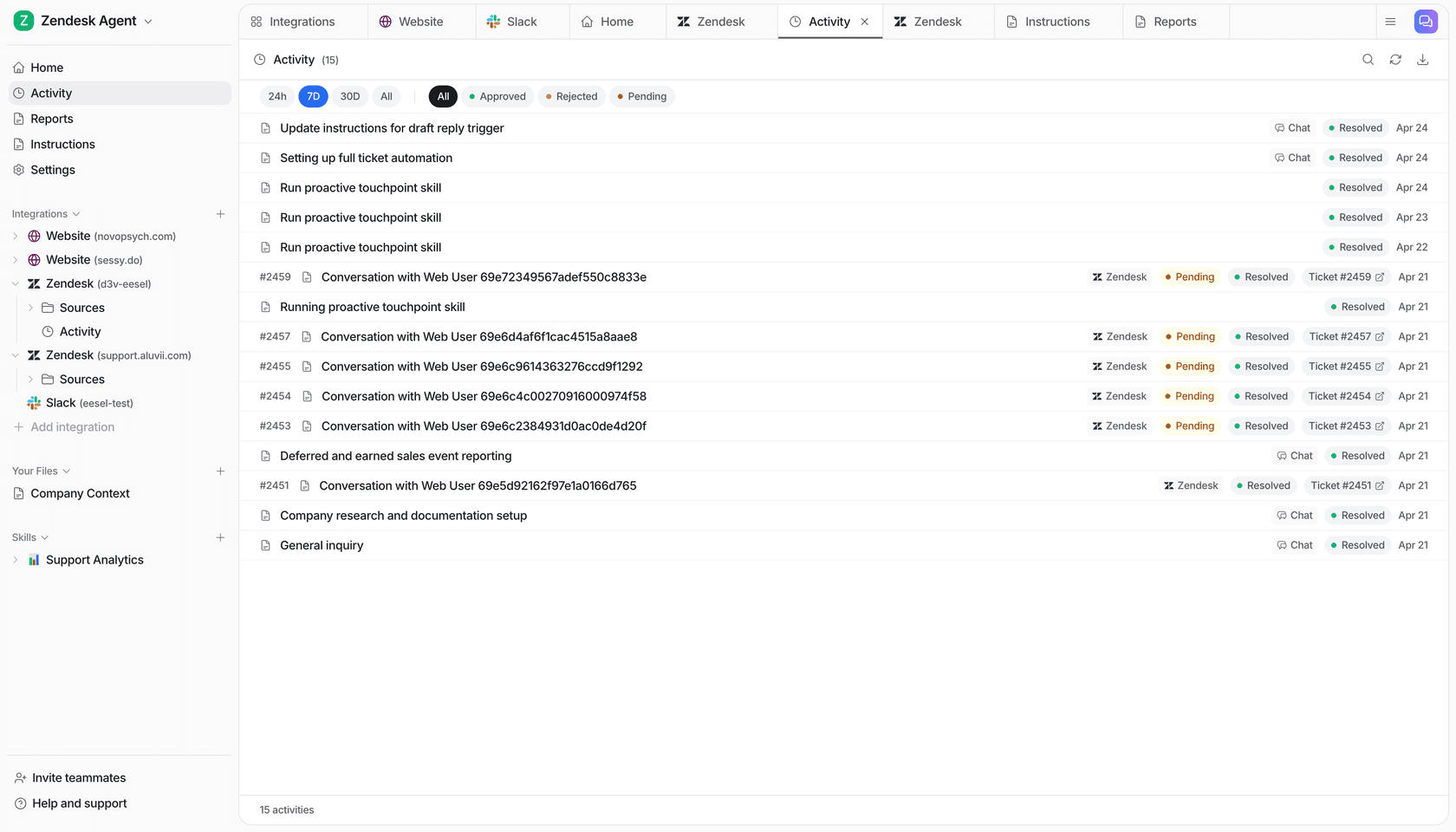
Here's the honest framing. The OpenAI Agents API is infrastructure: the raw material you assemble an agent from, plus the loop, the evals, and the monitoring you build and maintain yourself. That's the right choice when the agent is your product.
eesel is the other end of that trade, not infrastructure, but a ready-to-work teammate. You hire the AI support teammate, plug it into your helpdesk, and it arrives already knowing your company from your past tickets and help center. We've spent years putting AI agents on live support queues, which is why every rollout gets simulated against your historical tickets before it answers a single real customer. There's no loop for you to meter, because the price is fixed: from $299 a month for 500 credits, where 1 credit is one ticket or chat, not billed on how many model calls or tool hops it took to resolve it. The unpredictable loop is our problem, not yours.
And if it's the programmatic control that drew you to the Agents API, eesel keeps that. There's a real public CLI (@eesel/cli) plus an MCP server, webhooks, and network access, so you can connect an integration, edit the agent's standing instructions, list and approve human-in-the-loop actions, and read the run-by-run activity log from a terminal or a script. The docs put it plainly, "everything on this site can be done from the terminal," and coding agents like Claude Code and Cursor can drive it directly. You get the agent-friendly surface without building and babysitting the agent itself.
If you're building an agent because you want to own every token, the OpenAI Agents API is a genuinely good place to do it. If you're building one because you need customer service handled, start a free trial and let the teammate do the job instead.