

Let's be honest, AI assistants are everywhere now, built right into the tools we already use. Two of the big ones you might have heard of are Opera's browser AI, Aria (now called Opera AI), and Google's powerful Gemini models. Both promise to make browsing the web and getting through your day a little easier.
But what’s the actual difference between them? This article is a straightforward comparison of Opera Aria vs Gemini Advanced. We’ll break down what each one does, line up their features and pricing, and take a realistic look at where they fall short, especially for business use.
Opera Aria vs Gemini Advanced: What are they?
While both Opera Aria and Gemini Advanced are making a splash, they're different tools designed for different jobs. One is a handy assistant that lives inside your browser, while the other is a heavy-hitting AI model you go to for the big tasks. Let's dig in.
What is Opera Aria?
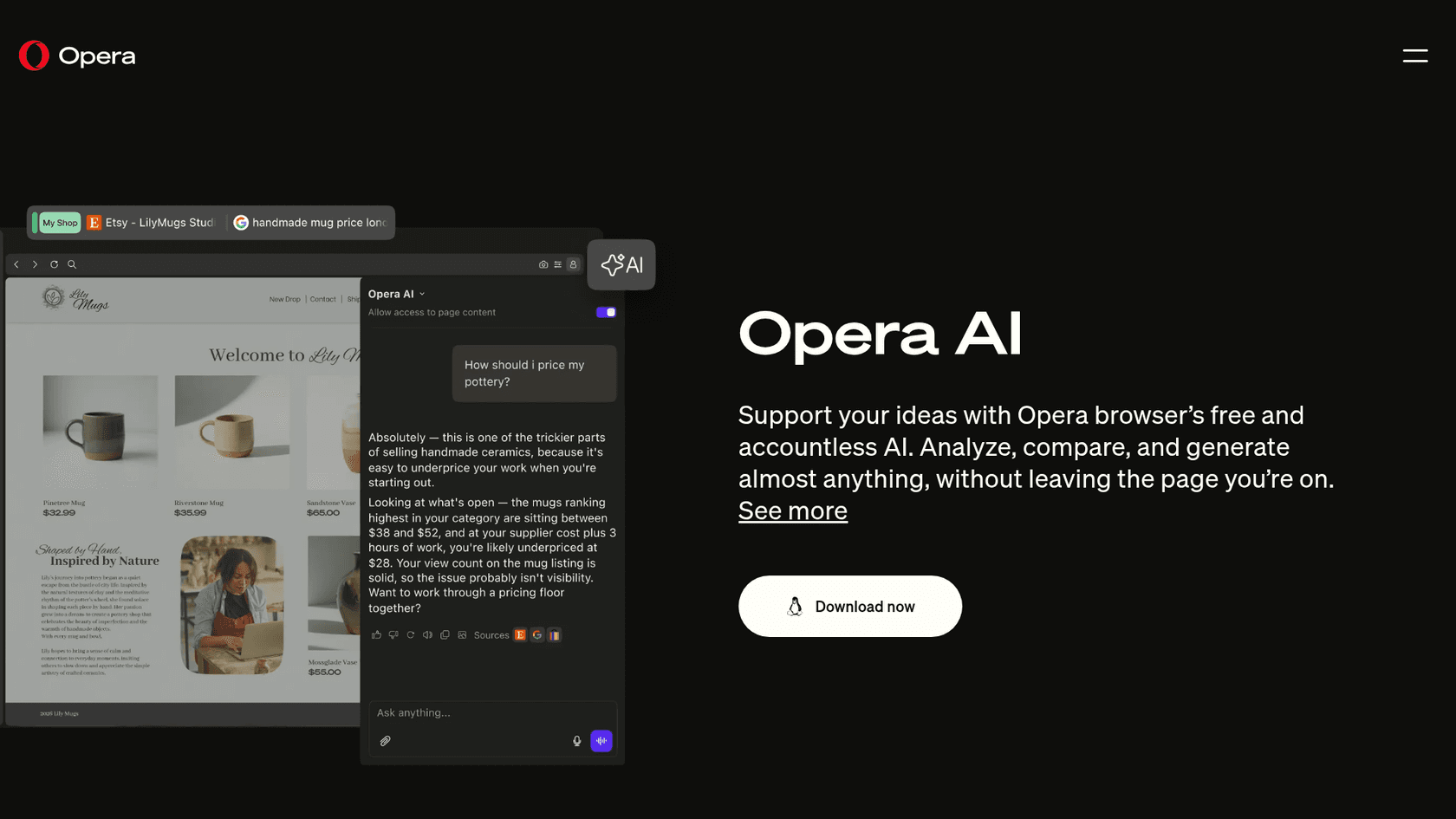
Opera Aria is a free AI assistant that comes built directly into the Opera and Opera GX web browsers. You don't have to install a separate extension or anything, it's one click away from the AI button in the top-right corner.
What's interesting is that Aria has changed over time. It started out using models from OpenAI but has since teamed up with Google Cloud to bring Google's Gemini models into the mix. This means some of the same powerful tech behind Google’s own products is now powering Aria. Its main goal is to help you with things while you browse, like getting quick answers, summarizing a webpage, creating text or images, and translating content without you having to open a new tab.
What is Gemini Advanced?
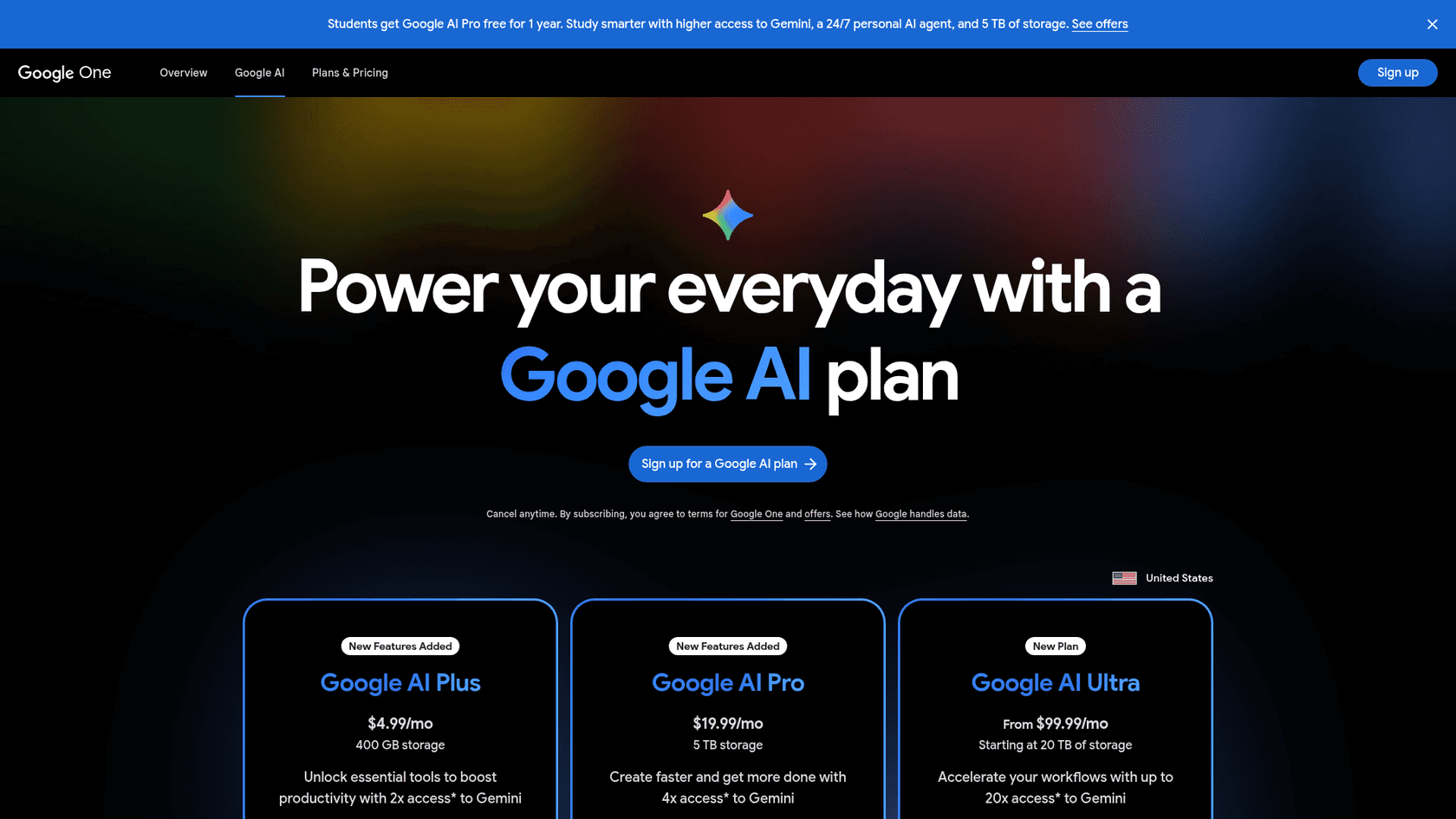
Gemini Advanced isn't part of a browser, it's Google's premium AI tier, available through a paid subscription (Google now sells it as Google AI Pro). Think of it as the super-powered engine behind Google's best AI experiences and a direct competitor to tools like ChatGPT Plus.
You get access to Gemini Advanced through the Google AI Pro plan (formerly Google One AI Premium), and it's designed for tough problem-solving. It has more advanced reasoning skills, can handle much longer conversations and documents, and understands different formats like text, images, and code all at once. It's a powerful, all-purpose AI you use for in-depth research, creative brainstorming, or any task that needs more muscle than a simple web search.
A deep dive into features
Now that we have a feel for them, let's see how they stack up in a real-world comparison.
-
Text and Content Generation: You can really see the difference in what they're built for here. Aria is great for tasks related to browsing. Need a quick summary of a long article or a draft for an email? It's convenient and fast. Gemini Advanced, on the other hand, is meant for heavier lifting. It’s better for creating long-form content, running complex analyses, and helping with creative writing projects that need a bit more depth.
-
Image Generation: Both tools can create images from your text prompts. Aria includes this feature for free as a built-in image generator, which is a nice bonus for a free tool. Gemini Advanced also has image generation built-in, likely offering more advanced controls or higher-resolution images as part of its paid plan.
-
Web Browsing and Information Access: Since Aria is part of the browser, it’s always connected to the web for real-time information. You can ask it about something happening right now, and it will pull up-to-date answers. Gemini Advanced also has live web access through Google Search, so it's just as current. The main difference is simply where you use it: Aria is part of your browsing flow, while Gemini Advanced is its own separate app.
-
Unique Features: Aria has a few cool touches, like voice input and output so it can read responses aloud, and a Ctrl+O shortcut that opens the chat without hunting for a button. The standout features for Gemini Advanced are its huge context window, which helps it remember more of your conversation, and its growing integration with Google apps like Google Workspace.
| Feature | Opera Aria | Gemini Advanced |
|---|---|---|
| Primary Function | Integrated Browser Assistant | Standalone Advanced AI Model |
| Core Technology | OpenAI and Google models | Google Gemini 3.1 Pro (expanded access) |
| Text Generation | Good for summaries, quick drafts | Excellent for complex, long-form content |
| Image Generation | Yes, free | Yes, integrated and advanced |
| Web Access | Real-time, native to the browser | Real-time, via Google Search |
| Integration | Limited to Opera browser | Google Workspace, other Google services |
| Cost | Free (with Opera browser) | Paid subscription (Google AI Pro, $19.99/mo) |
Accessibility, pricing, and integration
A tool is only as good as your ability to use it. How it fits into your daily routine often boils down to three things: how easy it is to get, what it costs, and whether it works with your other software.
Opera Aria pricing and access
-
Accessibility: It doesn’t get much simpler than this. Aria is free and baked right into the Opera browsers for both desktop and mobile. You don't even need a separate account to use its basic features.
-
Pricing: Aria is completely free. For anyone who just wants a helpful AI sidekick without paying for another subscription, this is a huge win.
-
Integration: This is where you start to see its limits. Aria works within the Opera browser, and Opera doesn't list connectors for business tools like help desks, project management software, or your company's internal wiki.
Gemini Advanced pricing and access
-
Accessibility: You can use Gemini Advanced through its website or mobile app. To get higher access, you subscribe to the Google AI Pro plan (formerly Google One AI Premium).
-
Pricing: Google AI Pro is $19.99 per month in the US. It gets you 4x the Gemini access of the free tier, 5 TB of Google storage, and Gemini in Gmail, Docs, and Sheets. A lighter Google AI Plus plan is $4.99 per month with 400 GB of storage.
-
Integration: It's woven deeply into Google's own suite of products, which is great if your team lives in Google Workspace. But just like Aria, it isn't set up out of the box to connect with third-party business software for specific jobs.
The Integration Gap Here’s the main takeaway: both Aria and Gemini Advanced are impressive tools for individuals, but they aren't designed for deep integration into business workflows. Neither comes set up to connect to your company's internal knowledge in Confluence, learn from past customer chats in Freshdesk, or automatically handle tasks in other systems. And that’s a huge roadblock for any team trying to automate their work.

Limitations for business
While Aria and Gemini are great for personal productivity, they just don't cut it when you try to use them for structured business tasks like customer support or internal help desks. They’re like having a brilliant intern who has read the entire internet but has zero access to your company’s internal files or context.
Here are the main limitations for any business:
-
No Workflow Automation: Neither tool is set up to do things in your business software out of the box. They aren't configured to tag a ticket in Zendesk, escalate an issue in Jira, or look up order details in Shopify. They can find information for you, but you still have to do all the manual work.
-
Lack of Custom Knowledge: Their knowledge comes mostly from the public web and whatever you paste or upload. They aren't trained on your company's private data, like past support tickets or internal process docs, so answers tend to be generic and lack company-specific context.
-
No Control or Simulation: Neither includes a way to control when the AI should answer on your support channels, or to replay your past tickets and test its performance before it talks to customers.
A better alternative: eesel AI
That's the exact problem a platform like eesel AI was built to solve. It's designed from the ground up to tackle these specific business challenges.
-
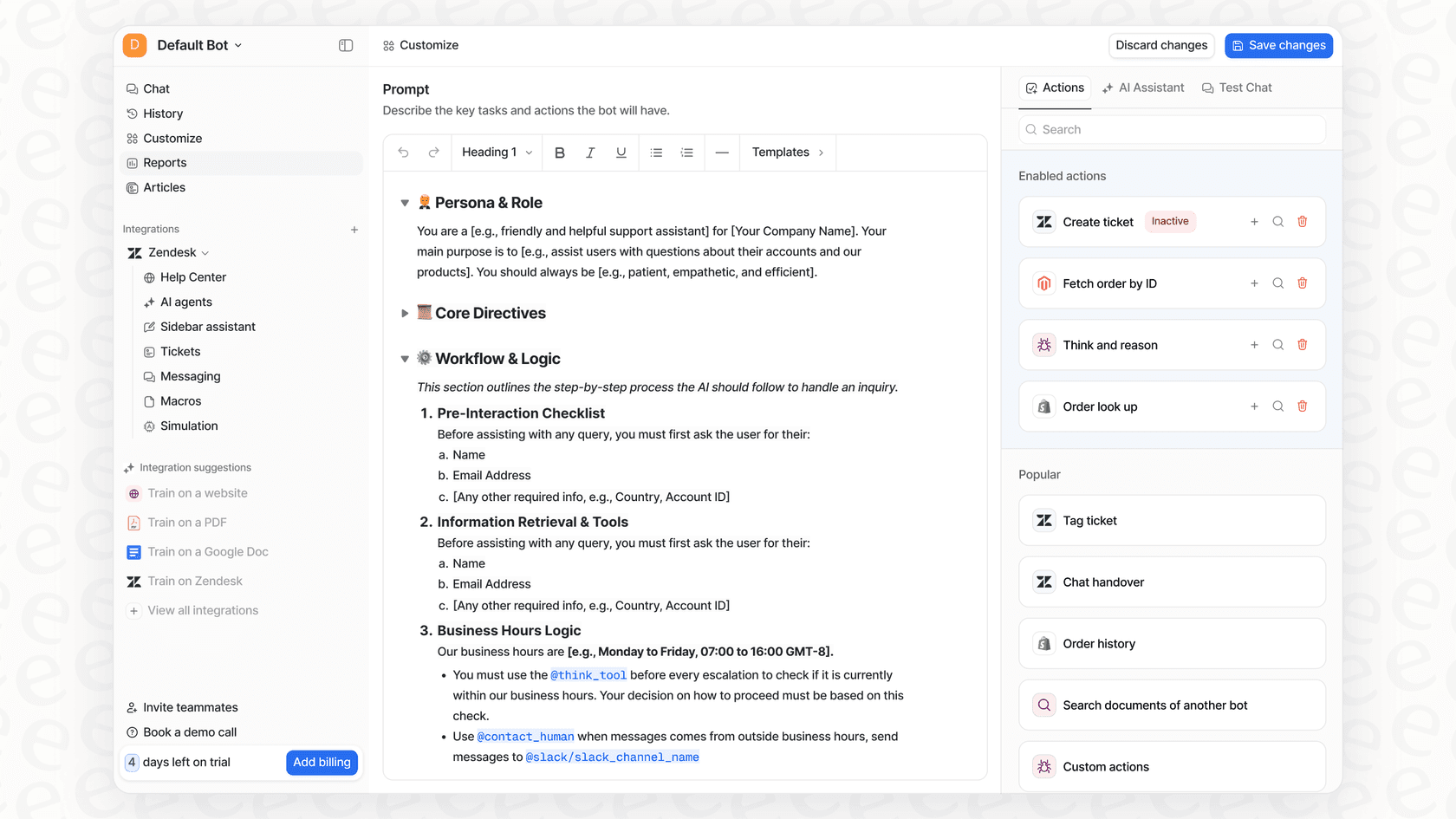
Unify Your Knowledge: eesel AI connects to the tools you already use. It plugs right into your help desks, internal wikis like Confluence, document hubs like Google Docs, and chat platforms like Slack. It learns from your past support conversations to understand your business from day one, creating a single, secure source of knowledge for your AI.
-
Total Control and Automation: With eesel AI's workflow engine, you can build custom AI Agents that do more than just find answers. They can take action: automatically triaging tickets, tagging issues with the correct category, and even calling out to other systems to get live data like an order status.
-
Go Live in Minutes: Forget about long, complicated setup projects. eesel AI is a self-serve platform you can get running yourself. Its simulation mode lets you test your AI on thousands of your past tickets, so you can see exactly how it will perform and calculate your potential savings before you ever turn it on for customers. This lets you roll out automation confidently and at your own pace.
Choosing the right tool for the job
So, which AI is right for you? It really comes down to what you need to do.
Opera Aria is a fantastic, free, and super convenient AI assistant for anyone who uses the Opera browser. It's perfect for getting quick answers, summarizing articles, and doing some light writing without breaking your stride.
Gemini Advanced is an AI powerhouse for professionals and anyone who needs top-notch creative and analytical help, especially if you're already using Google's other tools. It’s what you pick for deep research and tackling complex projects.
But if you're trying to automate actual business processes, neither one is the right choice. While they're great for personal use, they simply aren't built to connect with and automate core business workflows like customer support.
Move to business-first automation
If you're ready to go beyond generic AI assistants and use a solution that understands your unique business data and automates real work, your next step is pretty clear.
eesel AI offers a powerful, self-serve platform that integrates with the tools your team relies on. Start your free trial today to see how quickly you can automate support and bring all of your company’s knowledge together.
Frequently asked questions
What is the fundamental distinction between Opera Aria vs Gemini Advanced?
Opera Aria is a free AI assistant integrated directly into the Opera browser, primarily for real-time browsing help. Gemini Advanced is a premium, standalone AI model from Google, designed for complex problem-solving and in-depth tasks.
For casual web browsing and quick tasks, which is more suitable: Opera Aria vs Gemini Advanced?
Opera Aria is ideal for casual browsing assistance, such as summarizing articles, generating quick text, or translating content directly within your browser. Gemini Advanced, while powerful, is generally overkill for these simple, browser-integrated tasks.
What are the pricing differences when comparing Opera Aria vs Gemini Advanced?
Opera Aria is completely free, available to anyone using the Opera browser. Gemini Advanced is now part of the paid Google AI Pro plan (the successor to Google One AI Premium), which costs $19.99 per month in the US.
How do the business integration capabilities of Opera Aria vs Gemini Advanced stack up?
Neither tool comes set up with deep integration for third-party business software like help desks or project management tools. They are designed more for individual productivity rather than automating company-specific workflows or leveraging private company data.
Which of the two, Opera Aria vs Gemini Advanced, offers more advanced content generation features?
While both can generate text and images, Gemini Advanced is built for more complex and long-form content creation, offering superior reasoning skills and a larger context window for in-depth projects. Aria is better for quick drafts and summaries related to browsing.
Are there specific unique features that differentiate Opera Aria vs Gemini Advanced?
Aria (now Opera AI) offers voice input and output, plus a Ctrl+O shortcut that opens the chat directly in the browser. Gemini Advanced boasts a huge context window and deep integration with Google Workspace apps, allowing for advanced, multi-modal interactions.