


What the Models API actually provides
The Models API supports models enabled in Salesforce and sends calls through the Einstein Trust Layer. Salesforce documents it as Apex classes and REST endpoints, so a team can build directly in an org or call it from an existing implementation.
The REST API has four capabilities:
| Capability | Endpoint family | Useful support job | What it does not decide |
|---|---|---|---|
| Generate Chat | chat-generations | Draft a reply from a role-labelled conversation | Whether the reply may be sent |
| Generate Text | generations | Summarize a case or draft an internal note | Whether the summary is complete or safe |
| Generate Embeddings | embeddings | Represent approved text for similarity search | Which source is current or allowed |
| Submit Feedback | feedback | Record a review of generated text | Whether the underlying case was resolved |
A chat request takes a list of messages with user, system, or assistant roles. A text-generation request is better suited to a single prompt. Embeddings are numerical representations that can support semantic search or retrieval. These are useful technical capabilities, but a fluent response is still only an output: your application has to decide its data access, business rule, and next action.
Salesforce's REST access guide documents the setup. Create an External Client App, enable the required OAuth and JWT settings, configure the named caller, and protect the consumer secret. The guide lists API, refresh-token or offline-access, and Salesforce API Platform scopes for its setup path. Give the caller only the privileges the workflow needs. A long-lived credential with broad record access is not a shortcut around design work.
Build the case flow before the prompt
Start with a job a support lead can describe in one sentence. For example: “draft a follow-up for a Service Cloud case that is missing installation evidence.” The service may read a redacted case summary and approved troubleshooting guidance; it may draft questions for the customer; it may not promise a replacement, edit an entitlement, or send a reply without the policy and approval path you choose.
Write the boundary down before connecting a model:
| Stage | Example decision | Evidence to review |
|---|---|---|
| Read | Which case fields and articles are available? | Field access, privacy rules, source freshness |
| Draft | Can the system suggest the next question? | Cited policy, missing evidence, tone |
| Request | Can it request a case task or update? | Permission, approver, idempotency and failure path |
| Verify | Did the intended work happen? | Salesforce record and the connected system that owns the outcome |
That separation is especially important for a support action. A call can return generated text even when a source is stale, a required field is absent, or the API-backed update failed. Where your workflow sends a request to another system, use an explicit approval or other guard that fits your policy, and check the external result after it runs.
Test the output and the outcome
Use a small, controlled evaluation set before release. Include a normal case, a case with missing serial-number or purchase evidence, a request outside policy, conflicting knowledge, an unavailable tool, and an attempt to override the workflow instructions. Test authentication and error handling as deliberately as the prompt.
For every case, record four things: the input provided, the model output, any action request, and the state of the Salesforce record or downstream service after the action. The Models API also provides a feedback endpoint; use feedback as a quality signal, not as evidence that a customer-facing action completed. Salesforce lists usage and billing rates for Einstein Requests in its current documentation, so check the current terms and measure the workload you actually plan to run rather than copying an old credit estimate.
Use eesel CLI for the support teammate around Salesforce
eesel gives a support team a ready-to-work teammate. Its CLI is a second interface to that teammate, not a second workspace: what you inspect in terminal is the same teammate and workspace visible in the eesel dashboard. That is useful when a Salesforce implementation needs an auditable check of the approved support knowledge and instructions that surround a case.
For example, ask a coding agent to prepare a read-only report before you ship a Models API feature for installation cases. It can identify the selected eesel teammate, list its connected sources and manual files, and show the instruction that governs a case missing evidence. The report must not connect an account, change a permission, or enable automation. Node.js 18.17 or later is required for the CLI.
npx @eesel/cli login
npx @eesel/cli whoami
npx @eesel/cli agents
TARGET_EESEL_AGENT="paste-agent-id-or-name-here"
npx @eesel/cli status --agent "$TARGET_EESEL_AGENT"
npx @eesel/cli integrations --agent "$TARGET_EESEL_AGENT"
npx @eesel/cli files ls --agent "$TARGET_EESEL_AGENT"
npx @eesel/cli instructions --agent "$TARGET_EESEL_AGENT"
If an owner approves a supported eesel configuration change, preview it first with --dry-run and re-check the exact teammate. Keep actions contained before a test chat. Then use a new, redacted test conversation that resembles the API feature's intended case:
npx @eesel/cli new --name "Salesforce installation-evidence check" --agent "$TARGET_EESEL_AGENT"
npx @eesel/cli chat "A Service Cloud case says device setup failed after a firmware update but has no serial number. Cite the approved setup guide, list the evidence to request, and state when a human reviewer must decide." --agent "$TARGET_EESEL_AGENT"
npx @eesel/cli approvals --agent "$TARGET_EESEL_AGENT"
Review the cited guide, evidence request, and handoff. If the test creates a held action, inspect it before approval. Then verify the Salesforce case and any linked system result—not merely the chat transcript. This gives the person operating the Salesforce feature a concrete check of the eesel support workflow while keeping each product in its actual scope.
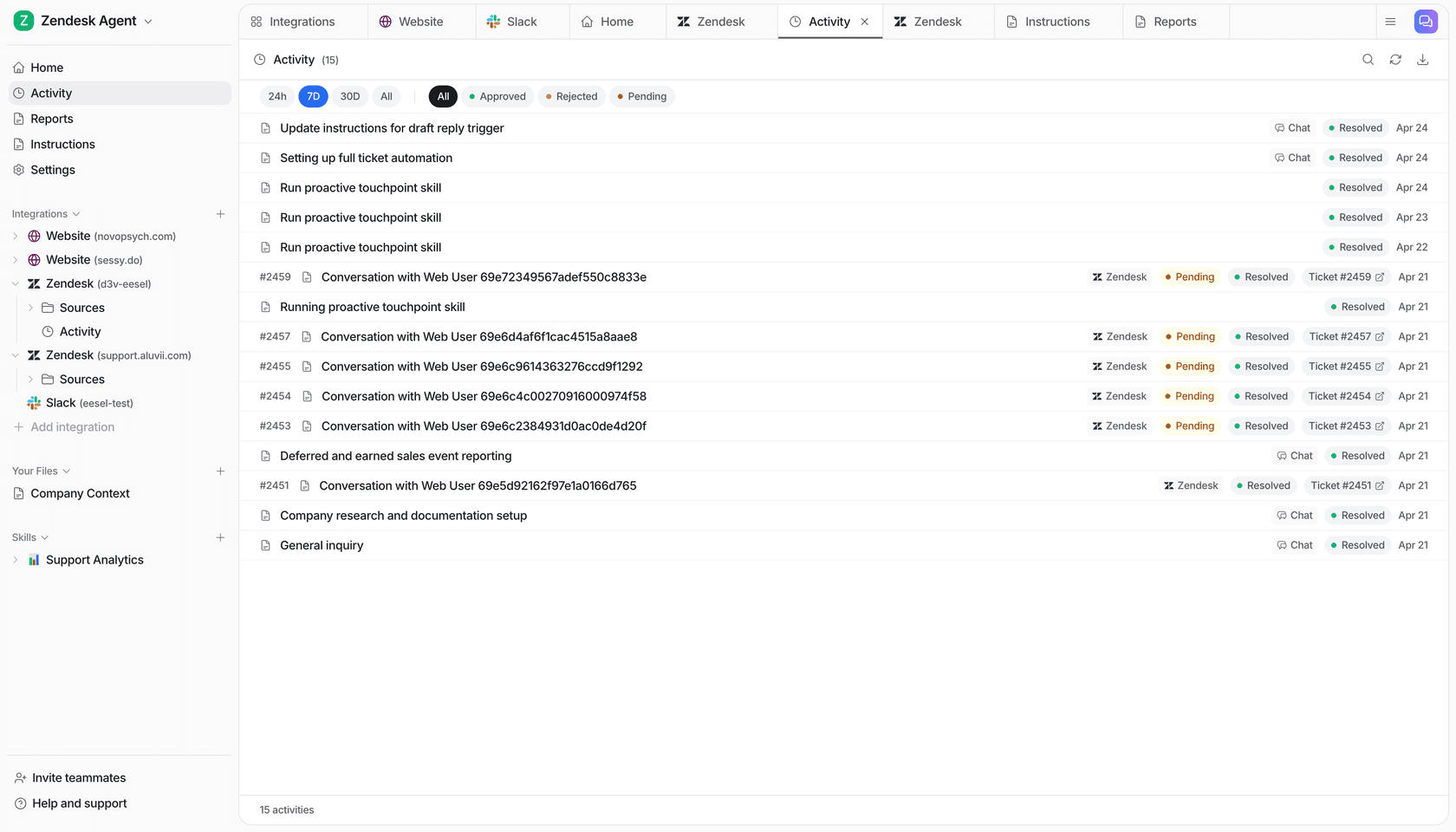
The eesel Activity page shows a work list and filters for approved, rejected, and pending items.
Use the API for the feature, and verify the work
Use Models API when you own the Salesforce application, its credentials, its data boundary, and its operation. Use eesel for Salesforce when you need an eesel support teammate and its workflow. In both places, start narrowly, test representative cases, approve consequential work deliberately, and confirm the result in the system that owns it.
Review installation-case guidance with eesel
Try eesel. Inspect the approved guide and test how your teammate requests missing installation evidence. Your support lead can review the same work in the dashboard.
Frequently asked questions
What is the Salesforce AI API?
This guide focuses on Models API: Apex classes and REST endpoints for Salesforce-enabled large language models.
What can Salesforce Models API do?
Its REST API supports Generate Chat, Generate Text, Generate Embeddings, and Submit Feedback. These capabilities do not decide customer actions.
How do I authenticate to Models REST API?
Salesforce documents an External Client App with OAuth and JWT. Use only required scopes, protect the consumer secret, and test access before production.
Does a generated answer update Salesforce?
No. Generated text is not proof that a case, entitlement, or order changed correctly. Inspect Salesforce and downstream results separately.
How should teams test Salesforce AI workflows?
Use routine cases, missing data, exceptions, tool failures, old knowledge, and override attempts. Review output, requested action, record, and outcome.