

Here’s the practical guide to using Slack AI to summarize PDFs and images.
Let's be honest: Slack is where work gets done, but it's also where important documents go to get buried. Trying to find a specific answer inside a 200-page PDF that someone dropped in a channel last week can feel like a nightmare. You end up breaking your focus (and probably bugging a coworker) just to track down what you need.
To fix this, Slack rolled out its own AI, promising it could summarize files and pull out answers for you in seconds. But how well does it actually hold up, especially when you throw a long, complicated document its way?
This guide gives you a straight, no-fluff look at how the Slack AI summarize PDFs and images feature works. We’ll walk through what it can do, how much it costs, and where it falls short. More importantly, we'll show you when a dedicated knowledge tool is the smarter, more powerful way to go.
What is Slack AI?
Slack AI isn't just one single tool; it's a collection of AI features built right into the platform. It's only available on their paid plans (Pro includes conversation summaries, while the rest sit on Business+ and Enterprise+) and is designed to help you make sense of the never-ending stream of information.
While it does a few different things, here are the features that matter most for this topic:
-
AI-powered Search: This lets you ask questions in normal language (like, "what did we decide in the Q3 planning doc?") and get answers pulled from your team's conversations and files.
-
Conversation Summaries: A real lifesaver when you need to catch up on a busy channel or a long thread without having to read every single message.
-
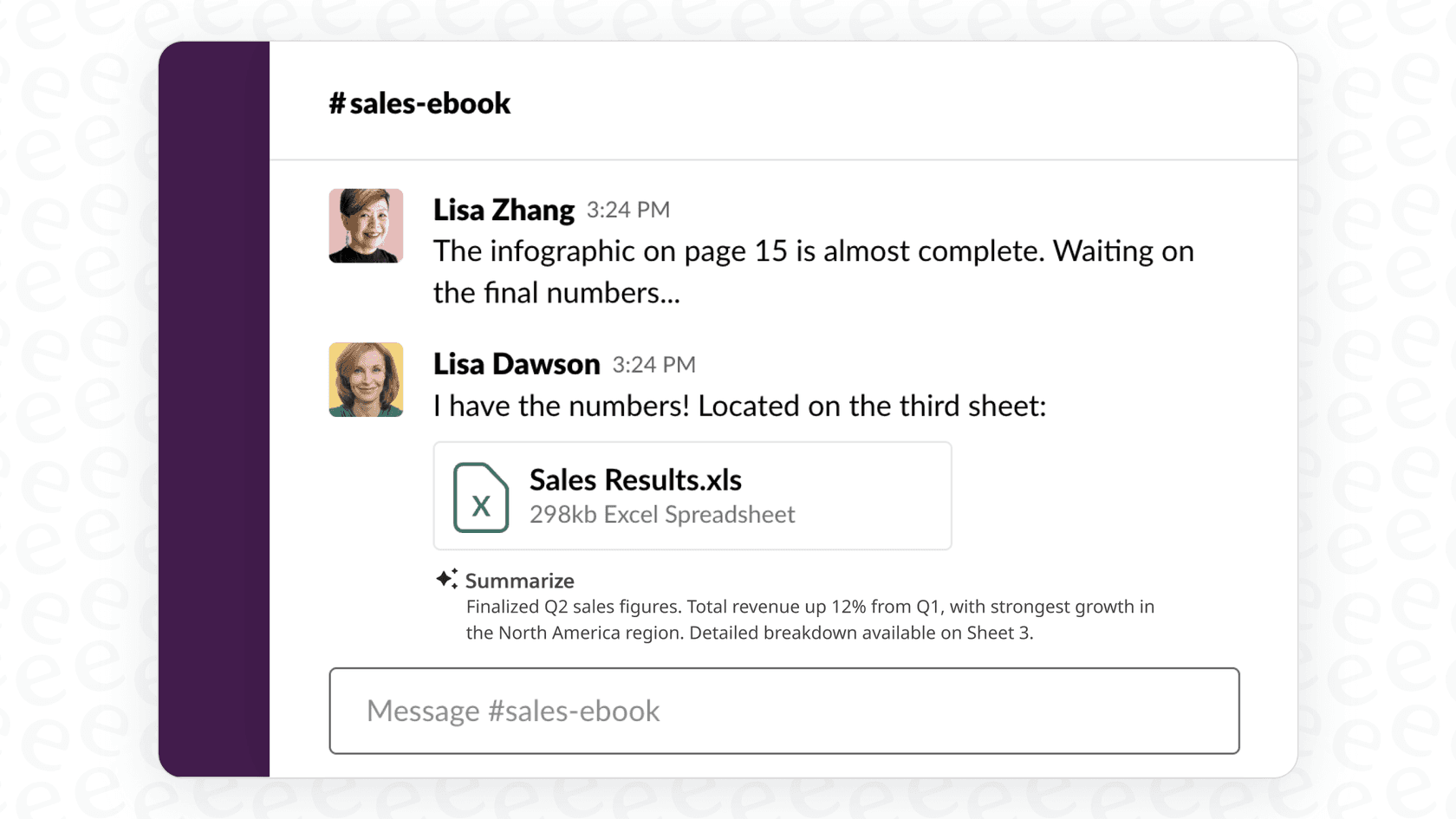
File Summaries: This is the main event. It’s supposed to give you a quick summary of text-based files shared in Slack, so you can understand the main points without even opening the document.
At its heart, Slack AI is all about making things a little easier. It wants to give you quick answers and recaps right inside the app you’re already using all day.
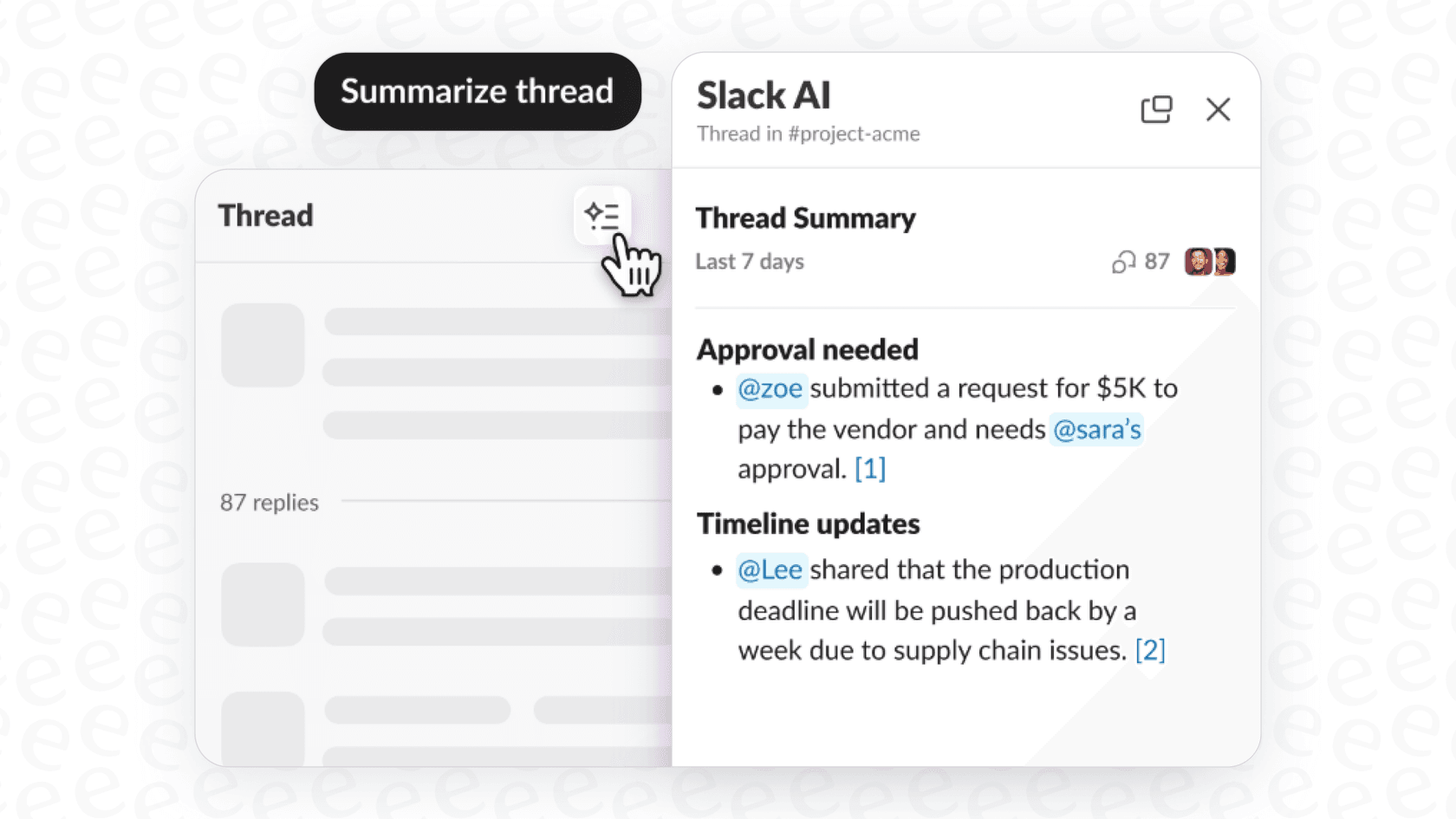
How the Slack AI summarize PDFs and images feature works
When someone on a Business+ or Enterprise+ plan shares a file like a PDF, .docx, .pptx, or .xlsx, Slack AI can spit out a short summary of what's inside. This is supposed to happen automatically for files that are accessible to everyone in the channel, with the goal of saving you the time of downloading, opening, and skimming the document yourself. Slack's guide to AI features says you can hover over a file and select View summary for a longer version, or click Translate to read it in your default translation language. Each person can also switch file summaries off under Preferences, then AI.
The user experience
This feature is genuinely handy for quick peeks. Think about getting the main takeaways from meeting notes, a short project report, or a presentation deck without ever leaving your Slack window.
For instance, say a marketing team shares a 5-page campaign brief as a PDF. Instead of everyone on the team stopping what they're doing to read through it, Slack AI could pop up with a three-bullet summary of the campaign's goals, target audience, and timeline. It's a great fit for low-stakes, high-level info.
Limitations you should know about
While it's great for simple files, Slack AI starts to show its cracks when you need more than a surface-level overview.
-
File Type and Size: It works best with files that are mostly text. As many have found out, its performance gets pretty inconsistent with very large, dense, or multi-hundred-page documents. It's built to give you the gist, not a deep analysis.
-
Accuracy and Depth: The AI gives a high-level summary, but it often has a hard time providing deep, nuanced answers or pointing to specific page numbers and sections. This is a dealbreaker if you're dealing with technical manuals, legal documents, or compliance materials where getting the details right is everything.
-
Image Content: The name "Slack AI summarize PDFs and images" is a bit misleading. Slack's help page lists .pdf, .docx, .pptx, and .xlsx files for summaries, and image files aren't on that list, so the feature is built around text. I wouldn't count on it to interpret charts, diagrams, or technical drawings embedded in a PDF.
Key challenges of relying only on Slack AI
Looking past its technical limits, trying to use Slack AI as your main source of truth creates even bigger problems. It's a nice feature, but it's not a real knowledge management system.
Your knowledge doesn't just live in Slack
Let's be real, most of your company's important information isn't floating around in Slack channels. It’s spread out across Confluence, Google Docs, Notion, and thousands of old support tickets.
Slack AI’s biggest blind spot is that, on Business+, it mostly works from what’s shared in Slack. Enterprise+ adds enterprise search with connectors for Google Drive, Confluence Cloud, Jira Cloud, and a few other apps. Below that plan, if the latest version of a process doc is sitting in Google Drive and no one has shared the link recently, the AI has nothing to summarize. That can lead to answers that are outdated or incomplete.

A lack of control and customization
Slack's controls for file summaries are simple: admins can switch each AI feature on or off, and each person can turn file summaries off in Preferences. Slack's guide doesn't list a way to set a persona, define what happens when it doesn't know an answer, or point it at the sections of a document that matter most.
For any team that needs to give precise, on-brand answers (like customer support or HR), that is a real gap, because the output is whatever the summary produces.
An answer engine, not an action engine
A Slack file summary is a recap. Acting on it, like pulling action items from a PDF into a Jira ticket, assigning a customer's question to the right agent in Zendesk, or checking a product SKU from a spec sheet in Shopify, means building a workflow or connecting a separate app.
That keeps the feature closer to a convenience than a workflow tool.
Go beyond summaries with an integrated knowledge platform
To solve these problems, you need a tool that connects to all your existing apps and brings your knowledge together into a single, smart brain. This is where a platform like eesel AI comes into the picture.
Unify all your knowledge, not just your chats
The biggest advantage of eesel AI is that it connects to all of your knowledge sources in just a few minutes. You can easily link Confluence, Google Docs, PDFs, Notion, your helpdesk, you name it.
This means when a team member asks a question in Slack, they get a complete answer pulled from the official source of truth, not just from some file that happened to be shared in a random channel three months ago.
Get accurate, controllable answers from large documents
Unlike Slack AI, eesel AI is built specifically for deep, accurate Q&A on large and complex documents. It doesn't just give you a vague summary; it gives you precise answers with clear source citations, so you can actually trust the information.
More importantly, eesel AI puts you in control:
-
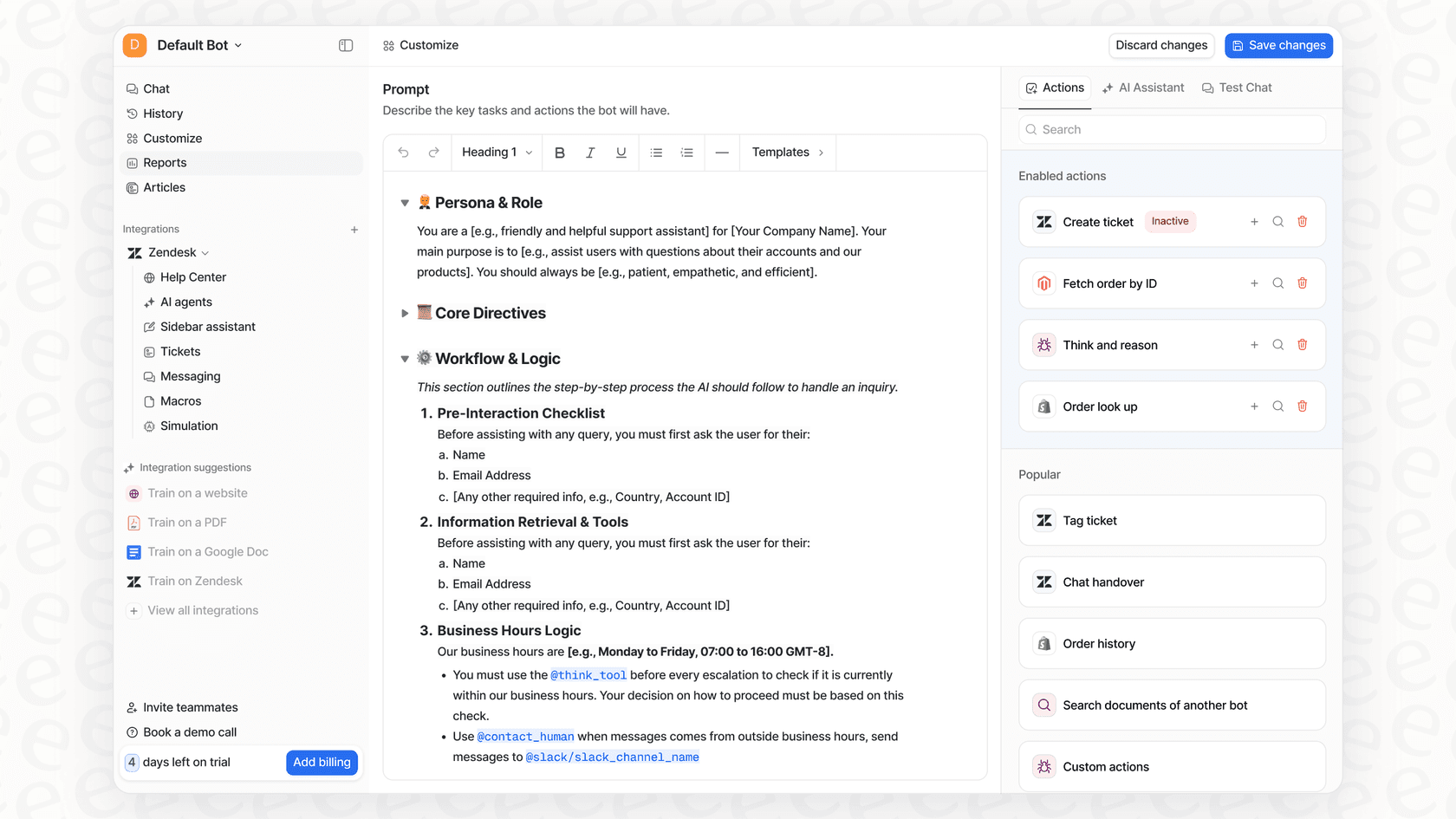
Custom Prompts: You can define the AI's persona, tone, and the rules it has to follow. Want it to be professional and direct? Or friendly and helpful? It's up to you.
-
Scoped Knowledge: You can easily limit the AI to answer questions only from specific documents or sources. This is perfect for creating specialized bots for different teams (like HR, IT, and Finance) and making sure they always stay on topic.
-
AI Actions: This is where it gets really interesting. You can empower your AI to do more than just talk. It can create tickets in Jira Service Management, tag issues in Zendesk, or even call external APIs to pull real-time information from your other systems.
Slack AI pricing
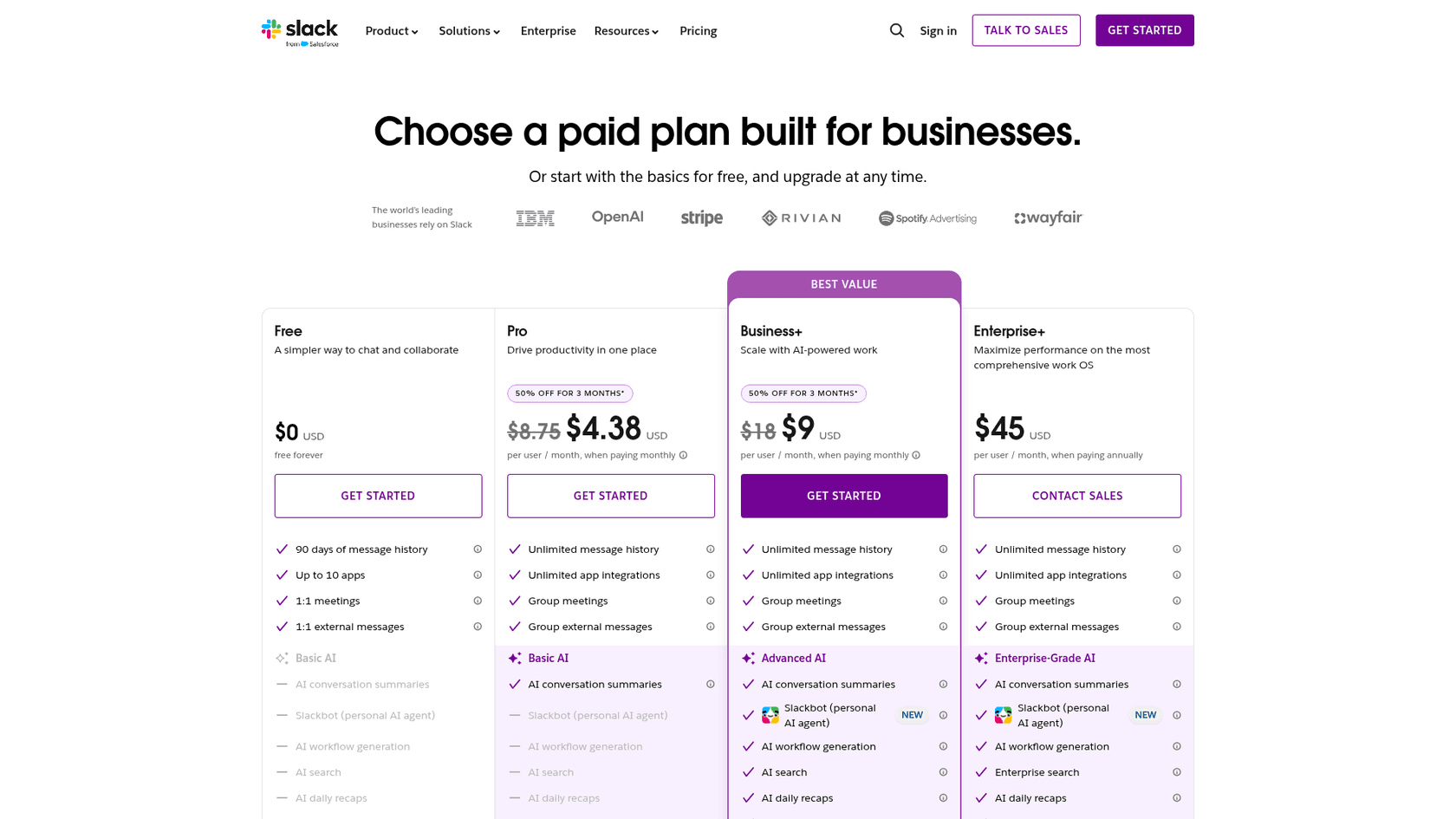
It's important to remember that Slack AI features, including file summaries, aren't available on the Free or Pro plans. To get this functionality, your entire organization has to be on a more expensive plan.
Slack also no longer sells AI as a separate add-on, so file summaries come with the plan. Here's a breakdown of the pricing from Slack's official page:
| Plan | Price (Billed Monthly) | Price (Billed Annually) | Key AI Features Included |
|---|---|---|---|
| Pro | $8.75/user/mo | $7.25/user/mo | Basic AI (Conversation summaries, huddle notes) |
| Business+ | $18/user/mo | $15/user/mo | Advanced AI (File summaries, AI search, translations) |
| Enterprise+ | Contact Sales | $45/user/mo | Enterprise-Grade AI (All features + enterprise search) |
To get the Slack AI summarize PDFs and images feature, the workspace needs at least the Business+ plan. For a team of 50 people, that comes to $9,000 per year on annual billing, versus $4,350 on Pro.
Should you use the Slack AI summarize PDFs and images feature?
So, what's the final call? Slack AI is a nice, built-in feature for getting quick, high-level summaries of simple documents that are already flying around your workspace. If your team is already paying for the Business+ plan, it’s a decent little perk for quick catch-ups.
However, for any team that needs accurate answers from large or complex documents, wants to search for knowledge across all company apps, and needs an AI that they can actually control and put to work, a Slack-only setup leaves gaps.
Instead of moving the whole workspace up a plan for one summarization feature, think about a tool built for document Q&A. eesel AI works with your existing tools (including the free version of Slack) to give you a far more powerful, accurate, and unified knowledge solution that you can set up in minutes. You get a smarter AI without having to force your entire company into a plan you don't really need.
Frequently asked questions
What are the main limitations I should consider when using Slack AI summarize PDFs and images for large or complex documents?
This feature performs best with mostly text-based files and can be inconsistent with very large, dense, or multi-hundred-page documents, often providing only surface-level summaries. Its ability to analyze complex diagrams or charts within PDFs is also very limited, primarily focusing on text.
Can Slack AI summarize PDFs and images effectively analyze visual content like charts, diagrams, or images within a PDF?
The "images" aspect of the name is somewhat misleading. Slack's help page lists .pdf, .docx, .pptx, and .xlsx files for summaries, and images aren't on the list. Charts, graphs, or technical drawings embedded in PDFs aren't something I'd expect it to interpret.
Which Slack plan do I need to access the Slack AI summarize PDFs and images feature?
To utilize the Slack AI summarize PDFs and images feature, your organization must subscribe to at least the Business+ or Enterprise+ paid plans. It is not available on the Free or Pro Slack plans.
When is it most beneficial to use Slack AI summarize PDFs and images, and when might a different tool be better?
It's most beneficial for quickly getting the gist of simple, text-heavy documents for general awareness. However, for obtaining accurate, deep, or cross-platform knowledge from complex documents, or for actionable insights, a dedicated integrated knowledge platform often proves to be a more powerful solution.
Does Slack AI summarize PDFs and images integrate with other tools or allow for custom actions beyond just summarization?
Slack AI primarily functions as an "answer engine" providing summaries and information within Slack. Creating tickets in Jira or Zendesk from a summary means building a workflow or connecting a separate app, and Enterprise+ enterprise search adds read access to apps like Google Drive and Confluence Cloud.