

What Lyro gives a support team
Tidio's current guide groups Lyro configuration around Knowledge, Behavior, Playground, Configure, Conversations, and Analytics. Knowledge sources can include URLs, manual question-and-answer entries, products, and suggestions. Guidance controls behavior such as preferred style and escalation direction. The Lyro overview documents handoff and audiences, including what happens when a visitor asks for a human or Lyro does not have an answer.
| Component | Useful job | Check before release |
|---|---|---|
| Knowledge | Provide an approved shipping or setup answer | Correct source and current wording |
| Guidance | Tell Lyro when to collect details or hand off | No promise outside policy |
| Handoff | Transfer a visitor or create a ticket | Correct destination and customer message |
| Action | Call an external API | Permission, failure path, and result check |
| Playground | Exercise a controlled question | Reply and intended follow-up |
This division matters because the pieces fail differently. A good answer can come from an old page. A handoff can have a polite message but route to the wrong queue. An API action can return successfully but leave an order unchanged. Treat each one as a separate thing to test.
Configure knowledge and handoff before actions
When Lyro is enabled, Tidio says existing Visitor says flows are disabled unless you enable them again. That is a configuration change worth checking in a test project rather than assuming an existing path will still behave the same way. Tidio also documents custom audiences that can control portions of knowledge and send selected visitors straight to a human.
Use that capability to make the boundary plain. An agent may explain how to change a delivery address before dispatch; it should hand off when an order is already in transit, when identity evidence is missing, or when the customer asks for a person. Write the customer-facing handoff message and test the actual inbox or ticket path.
Actions deserve an extra review. Lyro Actions connect to external systems through APIs. Before an action can change order data, send an email, or reveal account information, name the target, credential owner, allowed input, approval rule, retries, and external result to verify. A generated request is not proof that the other system accepted the change.
Test in Playground, then check operations
Tidio's Playground lets a team test questions, including live-chat and email contexts. Build a compact test set: a routine question, a question that needs an approved article, a request outside policy, a missing account detail, a direct request for a person, and a failed external dependency. Review the source that informed the reply, the exact handoff wording, and any action request.
After a controlled test, check the thing that owns the result. If the expected outcome is a ticket, inspect the new ticket. If it is an order lookup, check the order system. If it is no action, make sure no hidden side effect occurred. Lyro Analytics can help observe live performance later; it does not replace a representative pre-release test.
Use eesel CLI for a complementary helpdesk workflow
eesel CLI operates its own ready-to-work support teammate. The terminal, dashboard, scripts, and coding agents all address the same selected eesel teammate and workspace. For example, a support lead evaluating Tidio's handoff design can ask a coding agent to check the eesel teammate's approved account-recovery guide and its instruction for an expired login link. That is a read-only report; it must not change sources, permissions, or automations. Node.js 18.17 or newer is required.
npx @eesel/cli login
npx @eesel/cli whoami
npx @eesel/cli agents
TARGET_EESEL_AGENT="paste-agent-id-or-name-here"
npx @eesel/cli status --agent "$TARGET_EESEL_AGENT"
npx @eesel/cli integrations --agent "$TARGET_EESEL_AGENT"
npx @eesel/cli files ls --agent "$TARGET_EESEL_AGENT"
npx @eesel/cli instructions --agent "$TARGET_EESEL_AGENT"
After the support owner approves any supported eesel change, preview it with --dry-run. Contain actions before a test chat. Then make a new redacted conversation and test the handoff boundary:
npx @eesel/cli new --name "expired-login-link handoff check" --agent "$TARGET_EESEL_AGENT"
npx @eesel/cli chat "A customer says their account-recovery link expired. Cite the approved recovery guide, explain the safe next step, and state when account-specific help must go to a human. Do not claim access was restored." --agent "$TARGET_EESEL_AGENT"
npx @eesel/cli approvals --agent "$TARGET_EESEL_AGENT"
Check the source, the account-safety boundary, and the stated handoff. If a held action appears, inspect it before approval and verify any ticket or account result in the system that owns it. This is an eesel workflow test, not a test or configuration command for Lyro.
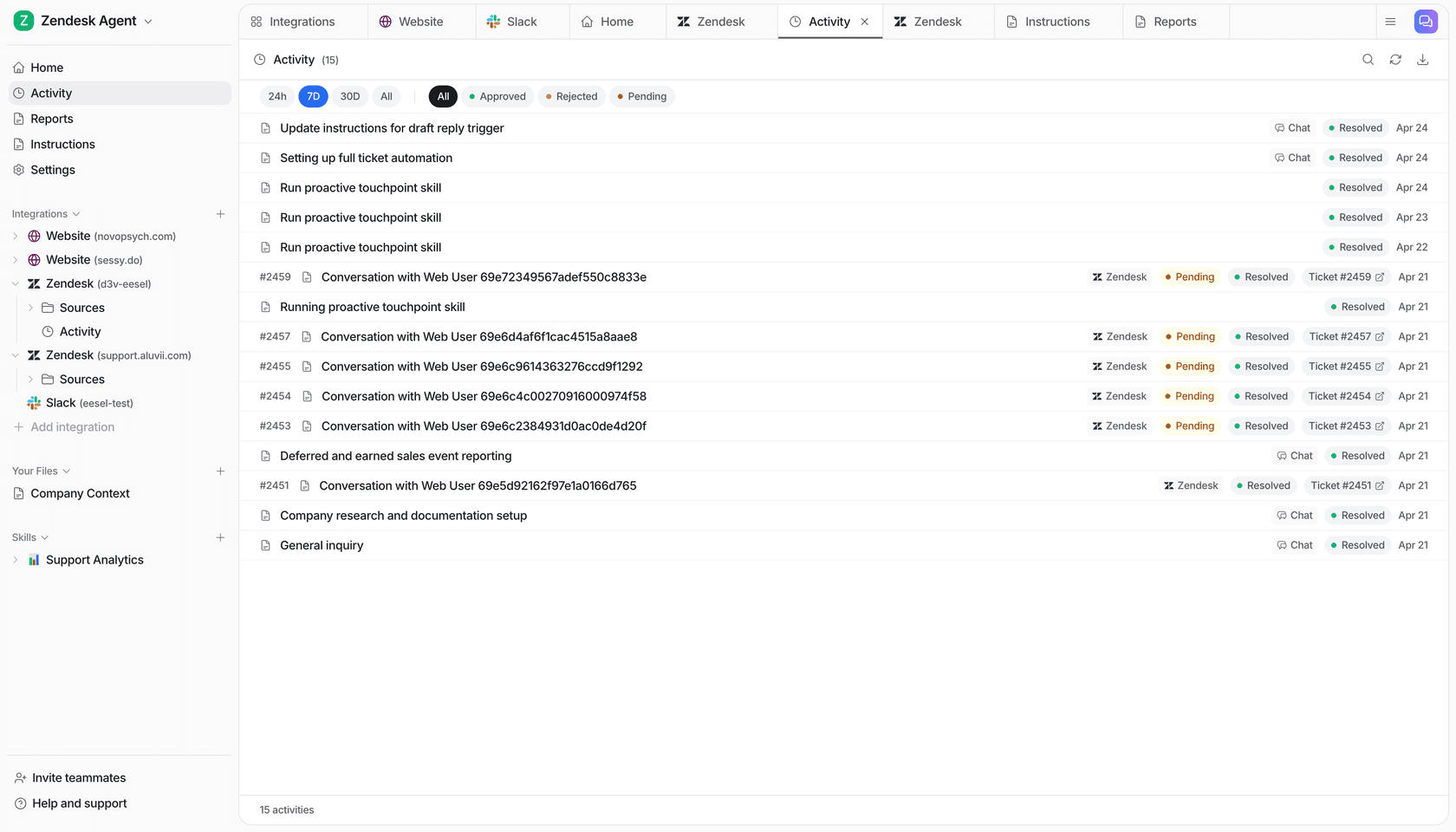
The eesel Activity page shows a work list and filters for approved, rejected, and pending items.
Choose the workflow you can operate
Use Lyro when its configured knowledge, channels, handoff, and Actions fit the Tidio operation you own. Use eesel when an eesel teammate fits the support job. In either case, scope the agent, test its sources and exceptions, approve consequential work, and verify results where they happen.
Check an account-recovery handoff with eesel
Try eesel. Use terminal or dashboard to review an expired-link case against your recovery guide, then confirm the handoff reaches the right support owner.
Frequently asked questions
What is Tidio Lyro?
Lyro is Tidio's conversational AI agent. Tidio documents knowledge sources, Guidance, handoff, actions, testing in Playground, and analytics as parts of its configuration.
How does Lyro get knowledge?
Its documentation describes website URLs, manual questions and answers, uploaded sources, products, suggestions, and other configured data sources. Test that a current approved source answers the intended question.
What is Lyro Guidance?
Guidance sets behavior and preferences such as escalation rules and communication style. It is not a replacement for access controls or checking an external action result.
Can Lyro hand a conversation to a person?
Yes. Tidio documents configurable handoff behavior and audiences, including paths for a requested human or an unanswered question. Test the customer message and the destination ticket or conversation.