

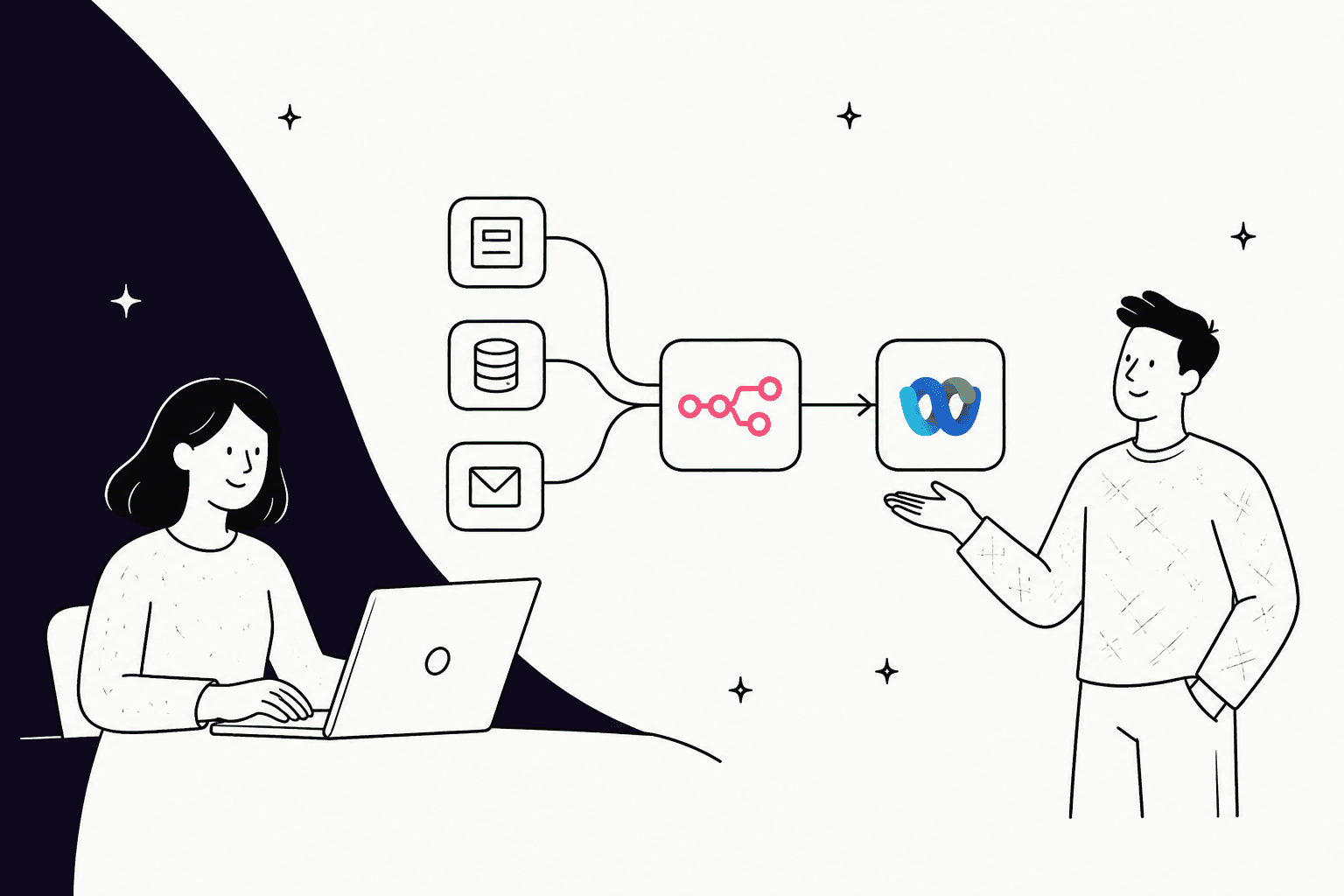
If you’re a team lead, your day is probably a constant shuffle between Webex demos, urgent Slack pings, and a growing pile of help desk tickets. You know there must be a better way to connect all these apps than just copying and pasting all day, but the thought of kicking off a huge IT project is exhausting.
This is where workflow automation tools can feel like a lifesaver. One you might have heard of is n8n, a pretty powerful platform for building custom Webex integrations. This guide is for anyone who’s curious about what you can do with n8n and Webex. We’ll walk through what you can build, where you’re likely to get stuck, and why for some jobs, especially AI-powered support, a specialized tool is a much better choice.
Understanding Webex
Most of us know Webex as a video conferencing app, but it’s really a whole collaboration suite from Cisco. It bundles calling, meetings, messaging, and webinars into one platform, and even has its own contact center product. For a lot of companies, it’s the main hub for talking with both colleagues and customers.
Since it’s so central to communication, connecting Webex to your other tools, like your CRM, project management software, or help desk, is a huge deal. Making these apps talk to each other is how you start to get some real work done without all the manual effort.
Understanding n8n
n8n is a workflow automation tool that connects different apps so they can pass data back and forth and trigger actions. It uses a visual editor where you drag and drop "nodes" (which are just blocks that represent an app like Webex or an action like sending an email) and link them together to create a workflow.
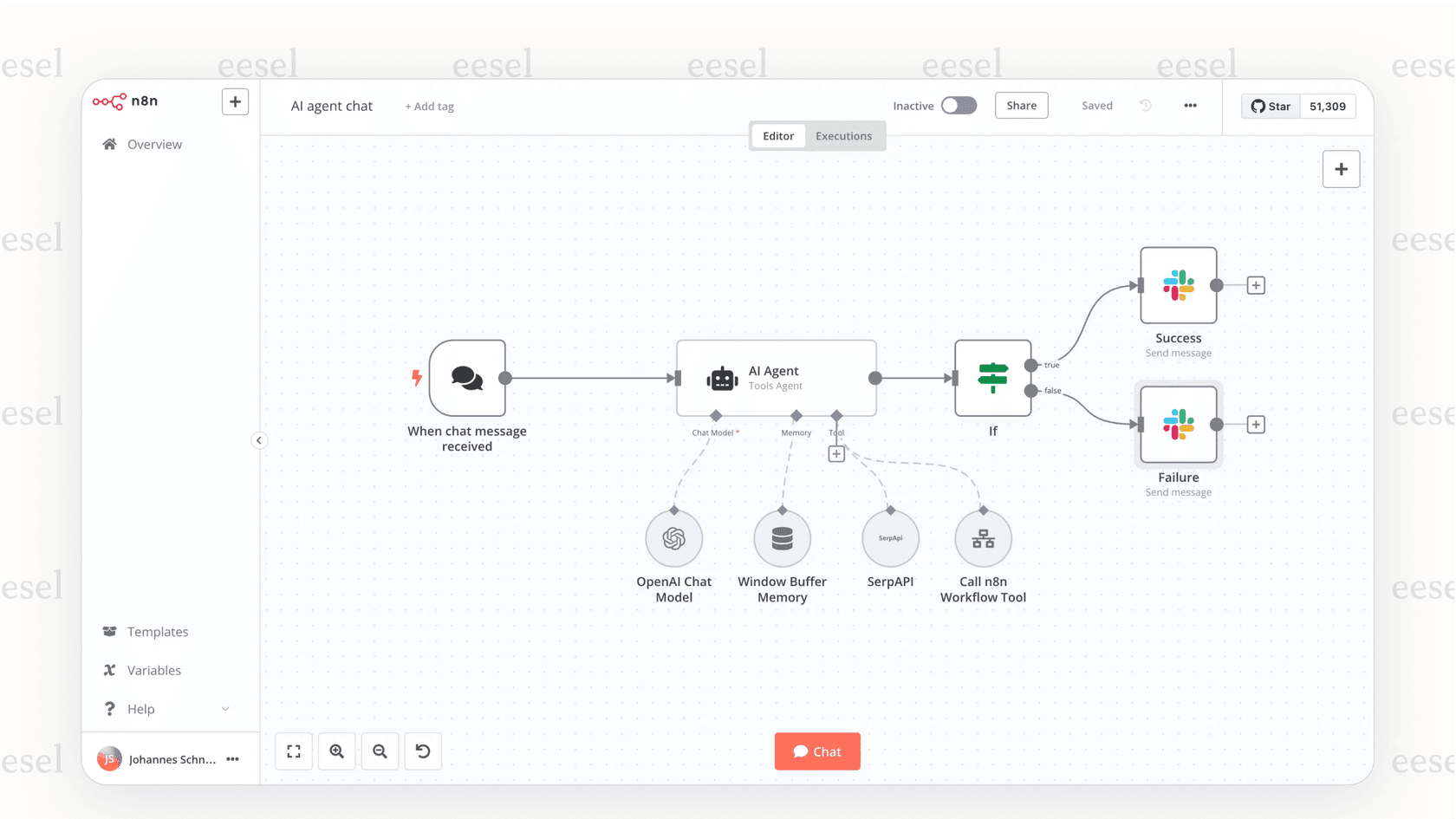
It’s known for being super flexible, but it’s often geared toward a more technical crowd. While you can build some really neat automations, it definitely helps to have a handle on things like APIs, webhooks, and data formats like JSON. Think of n8n as a powerful switchboard that can connect 1,500+ integrations, from Google Sheets and Slack to OpenAI and, of course, Webex. n8n Cloud starts at $20 a month billed annually for 2,500 workflow executions, counted per execution regardless of workflow complexity (n8n pricing).
The promise of Webex and n8n integrations
The real appeal of using n8n with Webex is that you can build workflows that are tailored to your team’s specific quirks and needs. When you get it right, you can ditch a ton of boring manual work, cut down on mistakes, and keep everyone in the loop, no matter which app they live in.
Taming meeting chaos
Just think about all the little tasks that go into a single Webex meeting. You have to schedule it, invite everyone, send reminders, share notes, and log what needs to be done afterward. It's a ton of admin work. With n8n, you can automate that entire process.
For instance, you could build a workflow where scheduling a new Webex meeting also creates an event on your team's Google Calendar, sends a heads-up to a Slack channel, and adds a new line to a Google Sheet to track attendees. Everything stays in sync automatically.
Connecting chat apps
Most teams use more than one tool for communication. Your main chats might be in Webex, but critical alerts could pop up in Microsoft Teams, while customer questions are flowing into your help desk. n8n can act as a bridge between them all, so nothing important gets lost.
Let’s say a message containing the phrase "urgent ticket" is posted in a Webex space. An n8n workflow could see that, create a new high-priority ticket in Zendesk, and ping the on-call support channel in Microsoft Teams with a link. This is more than a simple notification; it’s a smart process that understands a bit of context and takes the right next step. n8n also ships a separate Webex by Cisco Trigger node, so a workflow can start from Webex events.
Hooking Webex into core tools
For communication to be really useful, it needs to be connected to your main business systems. Manually logging meeting notes in your CRM or creating tasks in your project tool is not only slow but also a recipe for things getting missed.
n8n can link Webex directly to these systems. For example, after a sales demo on Webex, a workflow could automatically log the meeting in a CRM like HighLevel, create a follow-up task for the rep, and even email the prospect a link to the recording. This kind of automation is exactly what n8n is for, but as you'll see, it's not always a walk in the park to set up.
The challenge of integrating Webex with n8n: Why custom automations are hard
While those examples sound great on paper, the reality of building and maintaining them in a tool like n8n can be a real headache, especially if you aren't a developer. What seems like a simple drag-and-drop can quickly become a complicated technical puzzle.
The limits of pre-built nodes
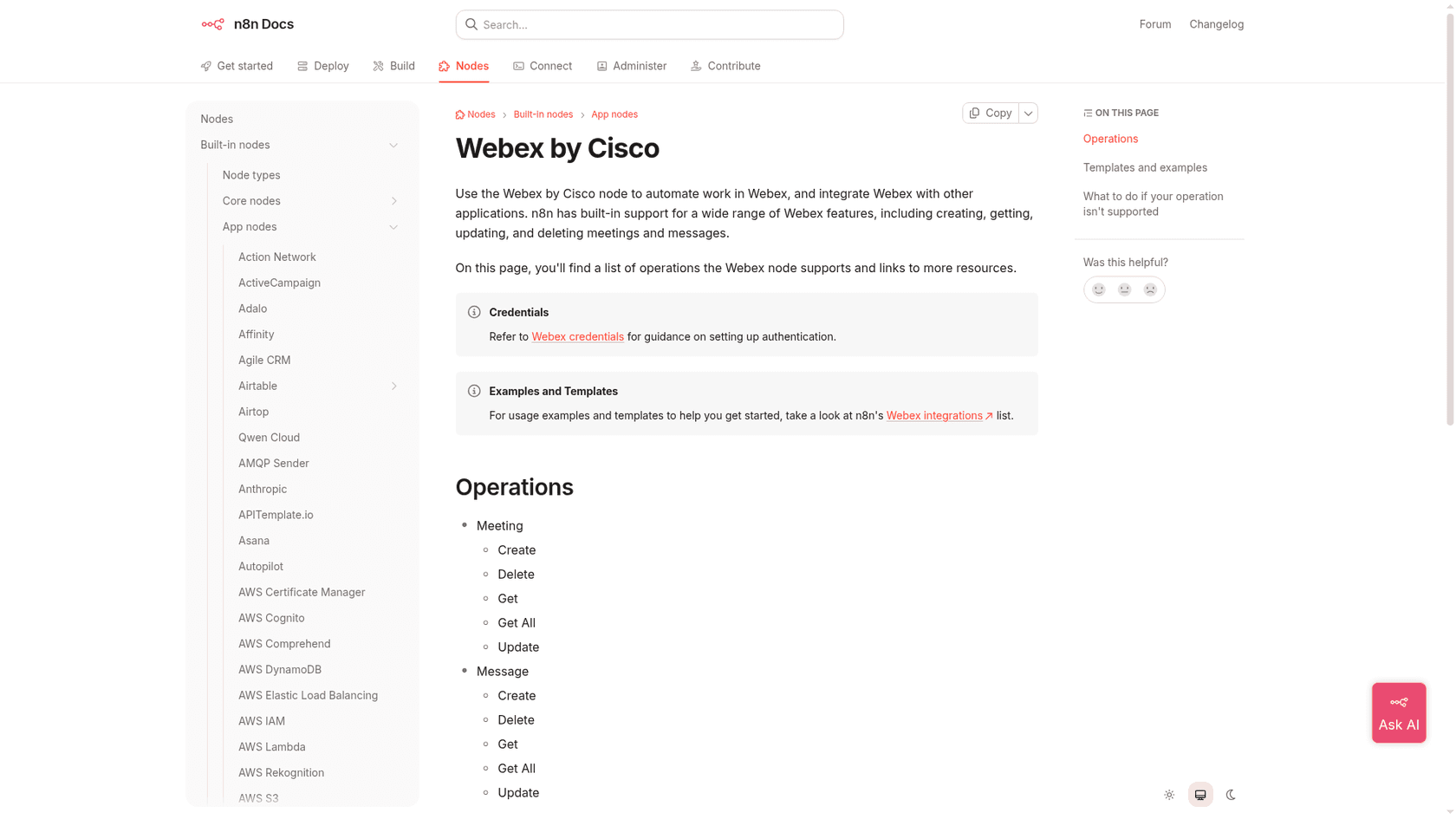
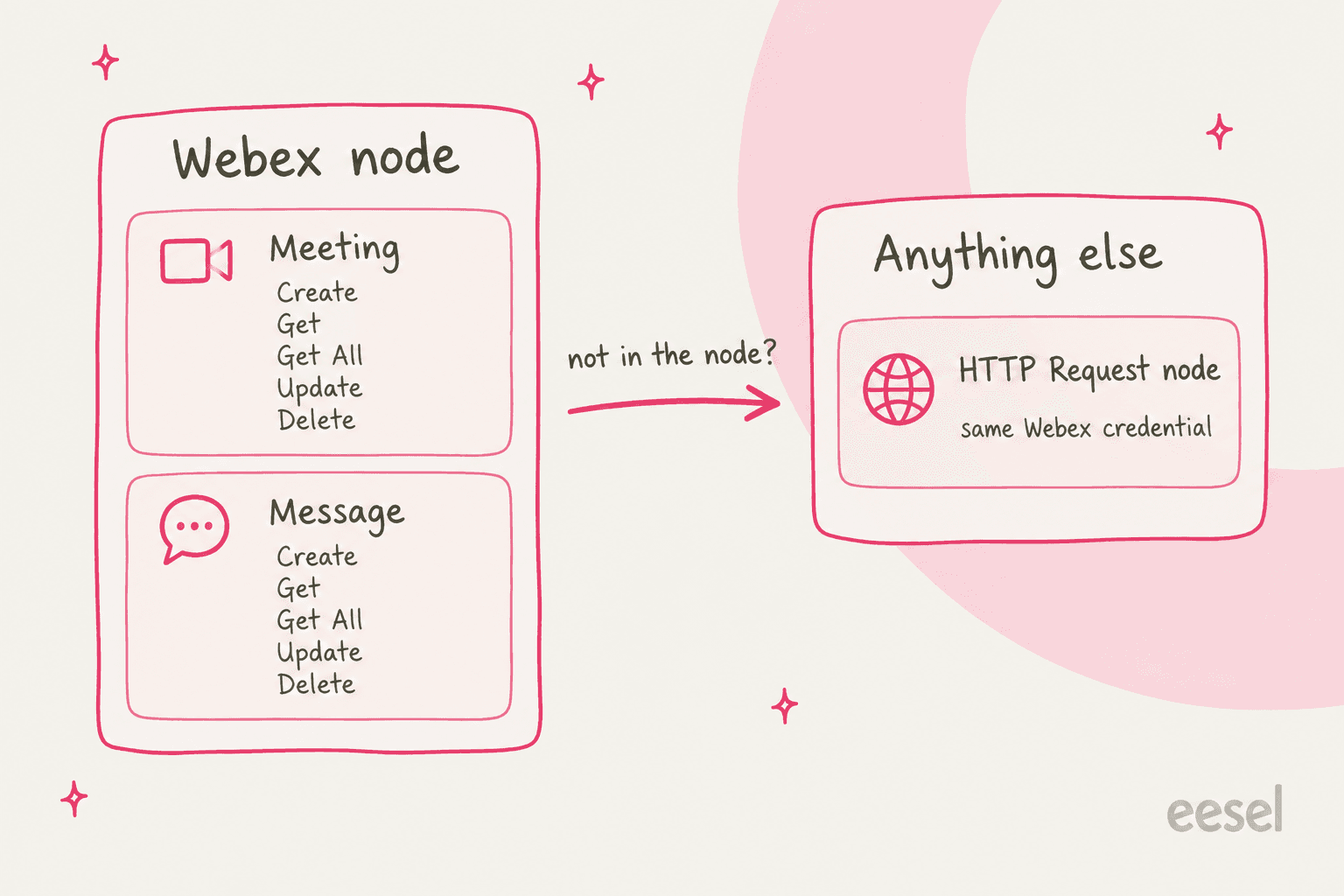
When you first open n8n, you'll look for the pre-built "Webex by Cisco" node. But if you check the official n8n documentation, you'll find it’s pretty basic. It only handles a few core actions for Meetings and Messages, like creating, fetching, or deleting them.
So what does that mean in practice? If you want to do anything more advanced, like manage who's on a team, pull meeting transcripts for review, or work with the Webex Contact Center, those operations aren't listed on the node, so you'd call the Webex API yourself.
The complexity of the HTTP request node
For anything the standard nodes don't cover, n8n's solution is the "HTTP Request" node. This little block is incredibly powerful, but it’s basically a blank canvas that lets you talk directly to a service's API. When you use it, you’re not just connecting blocks anymore; you're building a custom integration from scratch.
To get it to work, you have to:
-
Read through the official Webex API documentation to find the right endpoint for the action you need.
-
Set up the authentication correctly. For Webex that means an OAuth2 credential, the only method n8n's docs list for the node. n8n's docs say you can reuse your existing Webex credential in the HTTP Request node through its predefined credential type.
-
Structure your data (usually in JSON) in the exact format the Webex API is expecting. One misplaced comma and the whole thing breaks.
This is squarely in a developer's territory. A support manager who just wants to streamline a process shouldn't have to become an API expert to do it.
The struggle with AI and context
Maybe the biggest gap of a general-purpose tool like n8n is that it’s great at moving data around, while understanding that data is left to the AI nodes you add and configure yourself. It follows the rules you program, and any nuance has to be built in.
For example, you could technically set up a workflow to send Webex transcripts to an AI service like OpenAI to get a summary. n8n's AI nodes and agents make that possible, but you still design the prompts, the logic, and the knowledge connections yourself.
More importantly, n8n doesn't learn from your team’s history on its own, so your brand’s tone and the line between simple tickets and ones that need a human agent are rules you write yourself, one rule at a time.
A better alternative: AI-native integration with eesel AI
This is the exact gap a purpose-built platform like eesel AI is designed to fill. It's built specifically to solve these kinds of complex automation challenges for customer support, IT service management, and internal knowledge sharing. It offers all the power of a deep, smart integration without the months of engineering work.
Go live in minutes, not months
Getting a sophisticated workflow running in n8n can take a developer weeks. In contrast, eesel AI is built to be completely self-serve. You can connect your tools and launch your first AI agent without ever having to talk to a salesperson.
With one-click integrations for help desks like Zendesk and Freshdesk, you can be up and running in a few minutes. Instead of fighting with HTTP requests, you're getting value right away.
Unify knowledge without building custom pipelines
With n8n, connecting each of your knowledge sources, your help center, your internal wiki, your past tickets, is a separate project. You have to build a unique data pipeline for every single one.
eesel AI, on the other hand, unifies all your knowledge instantly. It connects seamlessly to your help docs, wikis like Confluence, shared drives like Google Docs, and even learns from your past support tickets automatically. This lets it understand your business, common customer questions, and your unique tone from day one.
Get total control with an engine built for support
n8n gives developers fine-grained control over APIs. eesel AI gives that same level of control to the people actually running support and IT teams, with features built for their specific worries:
-
Simulation Mode: You don't want an AI going rogue on your customers. eesel AI lets you test your setup against hundreds of your past tickets or generated test cases, scoring each answer and suggesting instruction changes before it goes live.
-
Selective Automation: You don't have to automate 100% of your tickets from the start. With eesel AI, you can easily set rules to decide which kinds of tickets the AI should handle and which it should pass straight to a human.
-
Custom Actions: Go beyond just answering questions. You can empower your AI agent to do things like look up order info in Shopify, add tags to a ticket, or update a customer's record, all through a simple interface.
| Feature | n8n + Webex | eesel AI |
|---|---|---|
| Setup Time | Hours to weeks (and you'll need a dev) | Minutes (truly self-serve) |
| AI Context | Bring your own AI and code it yourself | Learns from your docs & tickets on its own |
| Primary User | Developers, technical folks | Support Managers, IT Leaders, Ops teams |
| Maintenance | You have to monitor and fix API changes | Fully managed by eesel AI |
| Simulation | Evaluations run on a test dataset you assemble yourself | Powerful simulation on your historical data |
| Knowledge Sources | Each source is a workflow you build | Unifies all sources (docs, tickets, help centers) instantly |
Choosing the right tool for Webex integrations with n8n
Webex integrations with n8n are a great choice for technical users who need to build custom automations from scratch. If you have developers ready to design, build, and maintain these workflows, n8n offers a ton of flexibility.
But for specialized tasks like intelligent customer support, a purpose-built platform is usually the faster route. Building a context-aware support agent from general automation parts takes real time and developer upkeep.
eesel AI is built for this exact purpose. It delivers the smart, time-saving automation that modern support and IT teams actually need, without making them become software developers to get there.
Get started with effortless AI automation
Ready to see what an AI-native platform can do for your team? Stop wrestling with APIs and start automating. Try eesel AI for free and set up your first AI agent in under five minutes.
Frequently asked questions
What exactly are Webex integrations with n8n, and who are they best suited for?
Webex integrations with n8n refer to building automated workflows that connect Webex with other applications using the n8n platform. They are best suited for technical users or developers who need highly customized automations and are comfortable working with APIs and data formats.
How much technical expertise is needed to set up effective Webex integrations with n8n?
While n8n uses a visual drag-and-drop interface, setting up effective Webex integrations with n8n often requires a good understanding of APIs, webhooks, and data formats like JSON. For anything beyond basic actions, you'll likely need developer-level skills.
What are the primary benefits of automating workflows with Webex integrations with n8n?
The main benefits of Webex integrations with n8n include eliminating manual tasks, reducing errors, and keeping information synchronized across different applications. This can significantly streamline processes like meeting management, cross-platform communication, and connecting Webex to core business tools.
Are there limitations to what I can achieve with the standard Webex nodes for Webex integrations with n8n?
Yes, the pre-built Webex nodes in n8n are quite basic, typically handling only a few core actions for meetings and messages. For more advanced functionalities, such as managing team members or interacting with Webex Contact Center, you'll need to use the HTTP Request node and directly interact with the Webex API.
When should I consider an alternative to building Webex integrations with n8n, especially for AI-powered support?
You should consider an alternative if you need intelligent, context-aware automations, especially for customer support or IT service management. General-purpose tools like n8n struggle with data understanding and require extensive custom coding for AI, making specialized platforms like eesel AI a more efficient choice.
What does the maintenance process involve for custom Webex integrations with n8n?
Maintaining custom Webex integrations with n8n involves monitoring workflows for errors, updating them when Webex API changes occur, and ensuring all connected services are still authenticating correctly. This can be a significant ongoing effort, particularly for complex automations.