


If your company runs on ServiceNow, you know it's a powerhouse. It’s the central nervous system for IT and customer service at thousands of businesses. But all that power generates a mountain of data, and helping people find the right answer in that sea of knowledge is a real challenge. Let's be honest, a basic search bar just doesn’t cut it anymore.
This is ServiceNow's answer to the search problem: AI Search. It promises a smarter, "consumer-grade" experience that feels more like using Google than a clunky internal tool. But what does that mean in the real world? This article will give you a complete, no-fluff overview of what AI Search in ServiceNow is, its main features, the benefits, and, just as importantly, the limitations and headaches you should know about before you jump in.
What is ServiceNow AI Search?
Think of ServiceNow AI Search as a smart search engine built right into the platform. Its whole purpose is to move beyond simple keyword matching to give you a more intelligent, context-aware search. Instead of just dumping a list of links on you, it tries to understand what you're really asking for and give you a straight answer or a clear next step.
It’s designed to pop up wherever your users are, whether that's the main Service Portal, the Now Mobile app, or even in the middle of a chat with a Virtual Agent. It uses natural language understanding (NLU) and machine learning to figure out what someone means, not just what they typed, to serve up better results.
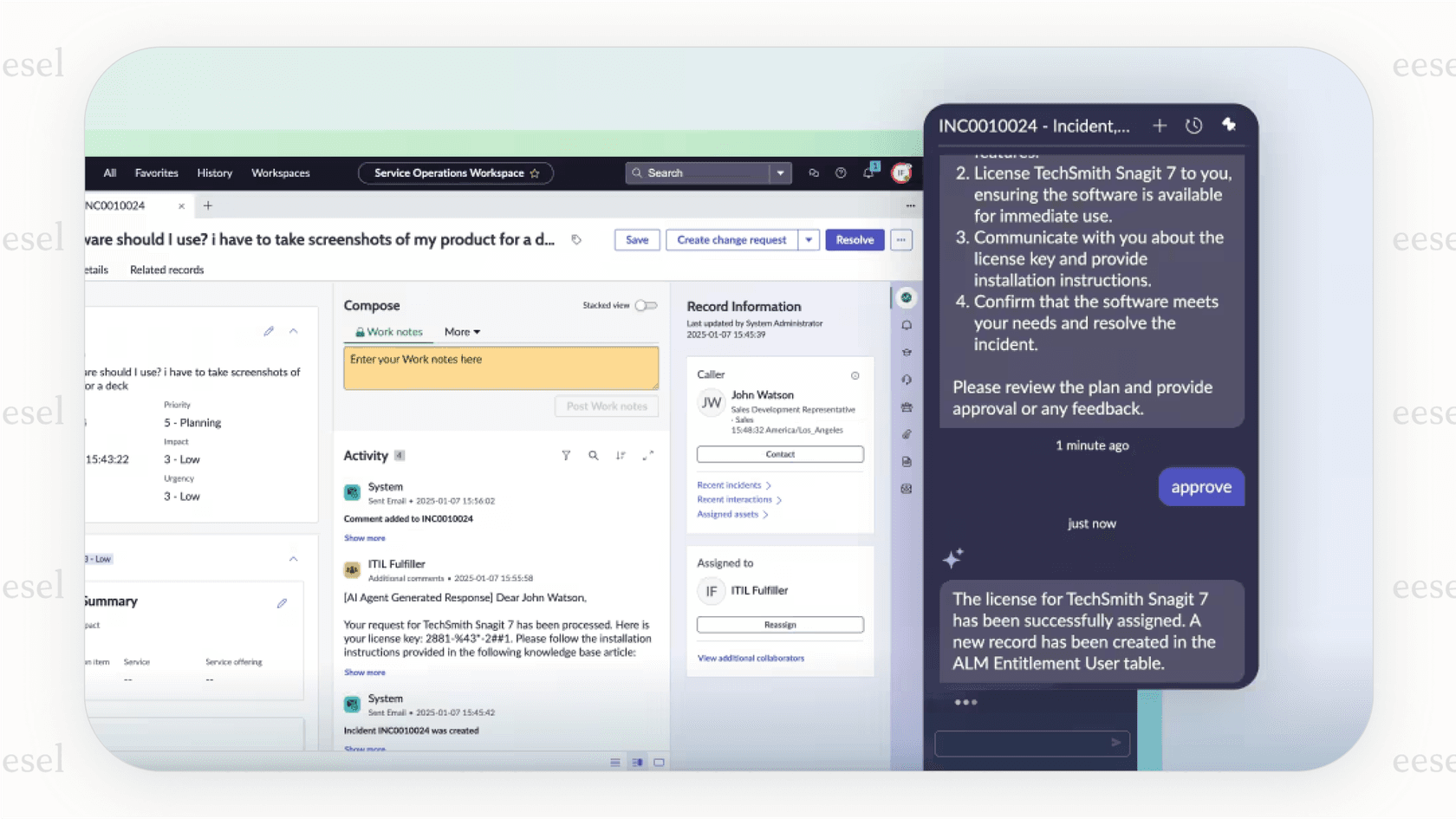
One key thing to understand is that AI Search isn't something you can just buy and switch on. It’s a built-in piece of the much larger ServiceNow AI Platform. That means choosing it is a real commitment to the ServiceNow ecosystem, which has big implications for how you set it up, how much it costs, and how much flexibility you have down the line.
The core capabilities
ServiceNow AI Search is more than just a search bar with a fancy label; it’s a group of features working together to deliver a modern search experience.
Intelligent query and language processing
This is where the "AI" part really gets to work. Instead of just matching the exact words you type, the system tries to figure out what you actually mean.
-
Semantic Search: This is the engine's ability to get the meaning behind your search. For example, it understands that a search for "my laptop is broken" is really a request for IT help. It’s looking for concepts, not just keywords.
-
Natural Language Understanding (NLU): AI Search uses NLU to analyze the intent behind your search. It breaks down your sentence to figure out what you’re trying to do, which helps it find more relevant information.
-
Linguistic Features: To make the whole thing feel smoother, it includes stuff you’d expect from any modern search engine. This means typo handling to fix misspellings, synonyms to know that "PC" and "laptop" might refer to the same thing at your company, and stop words to ignore common words like "a" or "is" that don't add much meaning.
Advanced result presentation
One of the most obvious features is how AI Search shows you information. The goal is to give you answers, not just more stuff to read. ServiceNow's AI Search page also lists generative AI answers and Natural Language Query for data discovery. The main way it does this is with Genius Results. These are special, actionable cards that appear at the top of your search results to provide direct answers or shortcuts.
Here are the main types:
-
Q&A Genius Results: If a user asks a question, this feature can pull a direct snippet from a knowledge article that answers it. That way, they don't have to click through and read the whole thing.
-
Catalog Item Genius Results: For a search like "request a new monitor," this can show the exact service catalog item, letting the user order it right from the search results page.
-
People Genius Results: When someone looks up a coworker, this can display their profile, contact info, and even where they sit in the org chart.
Self-learning and continuous improvement
The system is built to get smarter over time without you having to constantly fine-tune it by hand. It does this by looking at "search signals", which is a fancy way of saying it tracks how people interact with the search results. It pays attention to which results get clicked, which ones lead to a solved ticket, and which ones get ignored.
Using machine learning, this data is used to automatically re-tune the relevancy model every 30 days. In theory, this means your search results should slowly get better and more specific to your organization's needs. ServiceNow's Search Analytics dashboard reports the self-solved rate and the queries that returned no results, so you can see where it falls short.
Content indexing and sources
For any of this to work, your content has to be indexed so the search engine can find it. AI Search can index records from your ServiceNow tables, like your knowledge base and service catalog. You can also configure it to pull in content from outside sources.
For those sources, ServiceNow's External Content Connectors cover 38 systems, including Confluence Cloud, SharePoint Online, Slack, Google Drive, Notion and Zendesk Knowledge (formerly Guide). They keep the source system's permissions and consume Integration Hub transactions, which is a licensing detail to check. By comparison, eesel AI is built around one-click integrations with dozens of sources like Confluence, Google Docs, and even your old helpdesk tickets to bring all your knowledge together instantly.
Key benefits and common use cases
When it's all set up properly, ServiceNow AI Search can offer some real wins for different teams.
For employees and IT teams (internal focus)
Here, the main goal is to get employees to help themselves and cut down on the number of tickets your service desk has to handle.
-
Benefit: More self-service and fewer tickets. When employees can find their own answers without any fuss, they don't need to ask for help.
-
Use Case: An employee searches "how to set up VPN" on the company portal. A Q&A Genius Result pops up with step-by-step instructions from a knowledge article. They solve the problem on their own in just a few minutes.
For customer support agents (external focus)
For agents, it’s all about speed. The faster they can find the right information, the faster they can solve customer problems.
-
Benefit: Quicker resolution times and a more efficient support team.
-
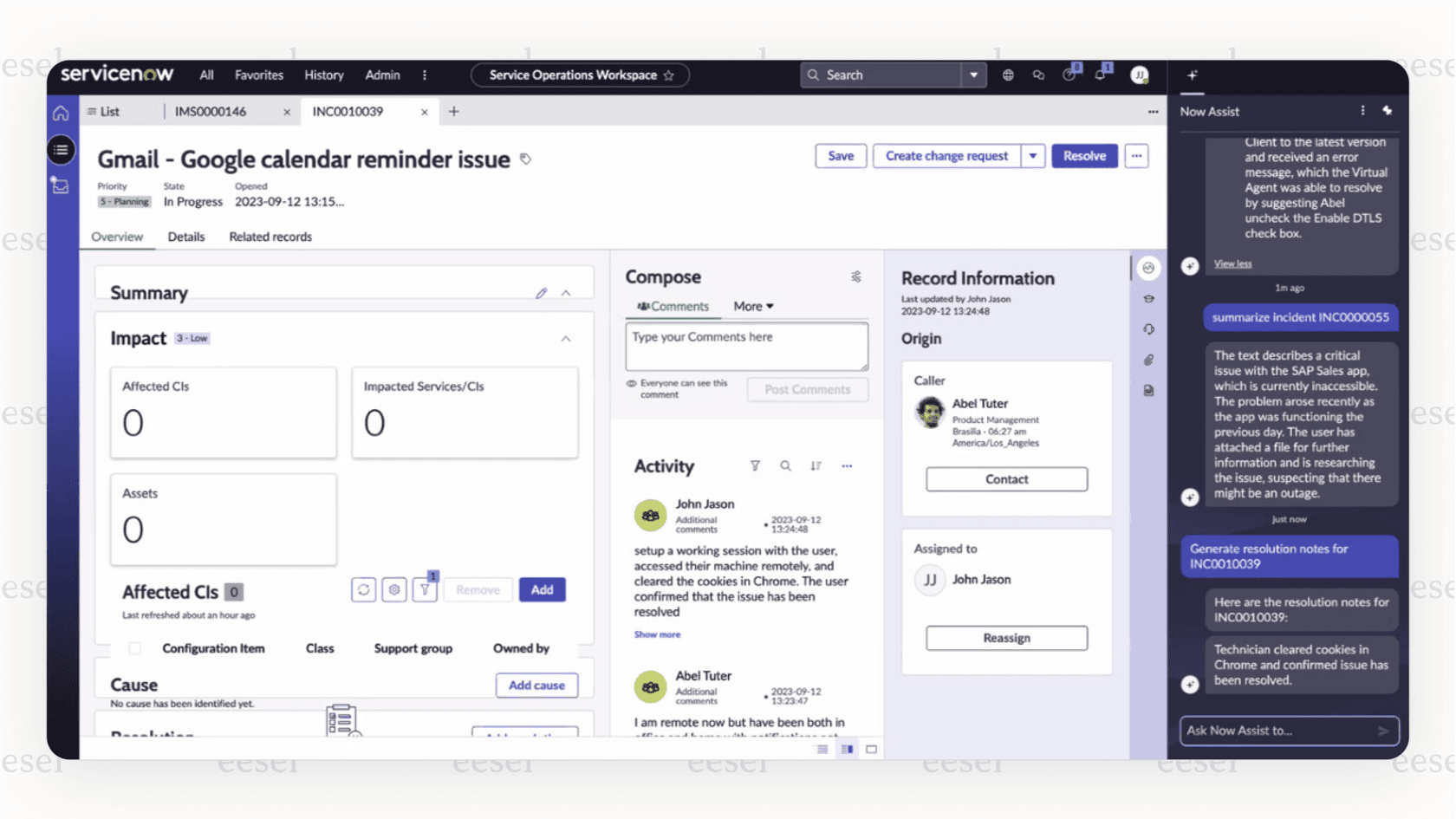
Use Case: A user starts a request through a record producer in the Service Portal. The AI Search Assist widget shows the most relevant knowledge articles and catalog items, per ServiceNow's docs, so many questions are answered before a ticket exists. Once an incident is open, an agent can get suggested knowledge articles from Agent Assist in the workspace and resolve it on the first try.
Limitations to consider
While the features sound promising, it’s important to be realistic about the practical challenges that come with setting up and managing ServiceNow AI Search. For a lot of companies, these limitations can be major hurdles.
The challenge of platform lock-in
AI Search isn't a separate tool; it's deeply woven into the ServiceNow ecosystem. If your company already does everything in ServiceNow, that might work out. But if your knowledge and tools are spread out across different apps, like they are at most companies, this creates a problem. Your search setup depends on one platform's way of doing things.
Setup takes planning. Getting AI Search running means configuring indexed sources, search sources, search profiles, and search application configurations, which usually sits with a ServiceNow administrator or developer rather than a support manager.
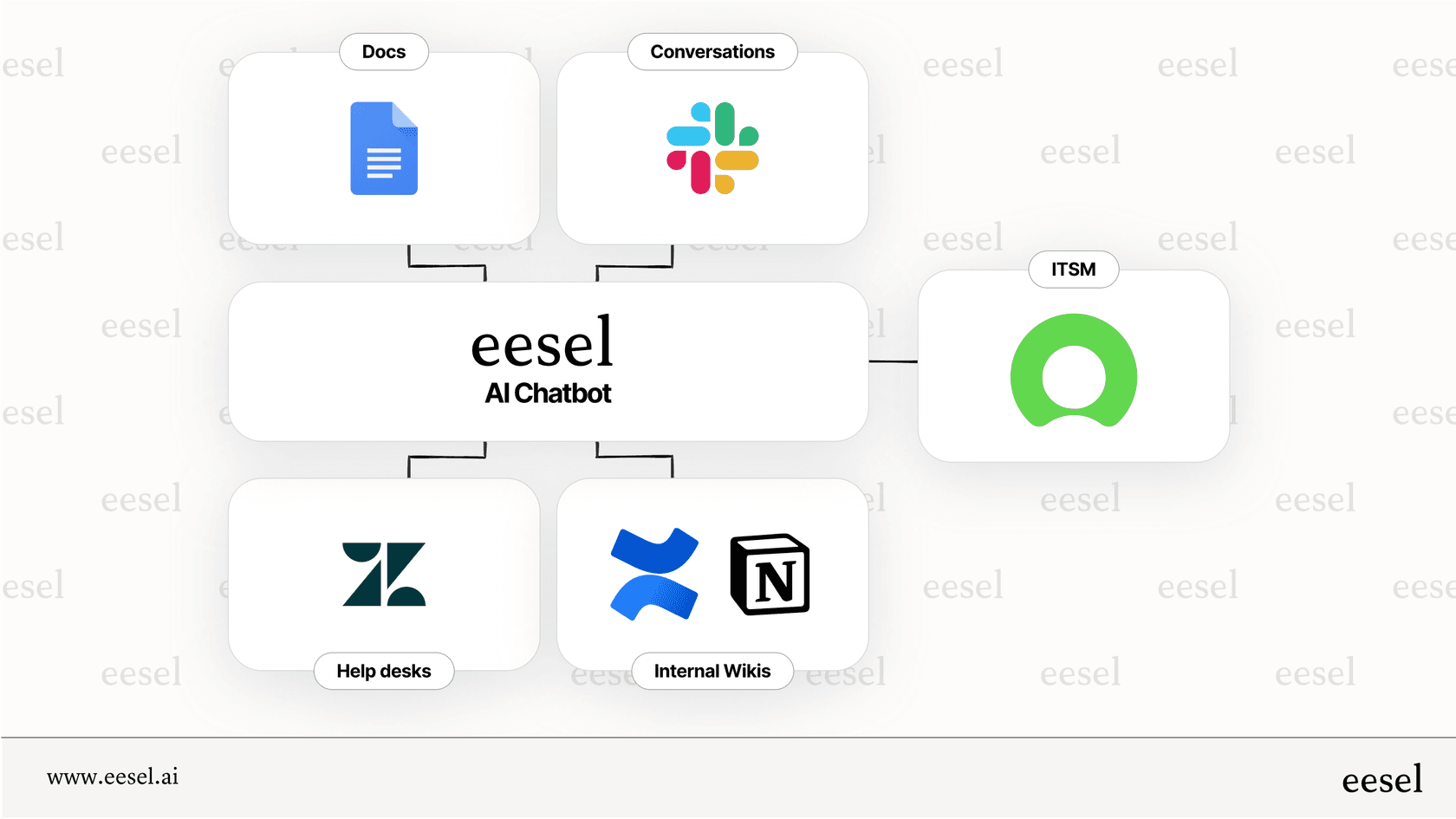
This is a huge difference compared to a platform-agnostic tool like eesel AI. eesel AI is made to work with the tools you already use. It plugs right into your help desk, whether it’s Zendesk, Freshdesk, or Intercom, in minutes, without forcing you to move your knowledge or change your setup.
The long and technical road to value
Even after you get it set up, tweaking the search experience is still a technical task. Want to make a rule to push a certain article to the top for specific keywords? Or fine-tune when a Genius Result shows up? You’ll find yourself digging through complicated menus and settings that weren't designed for the average business user.
This is where a "radically self-serve" tool like eesel AI really stands out. Its simple dashboard puts the control back into the hands of the people who actually run the support team. You can use a simple prompt editor to define your AI's tone of voice, tell it exactly which types of tickets to automate, and even test your answers on hundreds of your past tickets with the simulation skill. It scores each answer and suggests instruction changes before you go live with customers.
Opaque pricing and enterprise-level costs
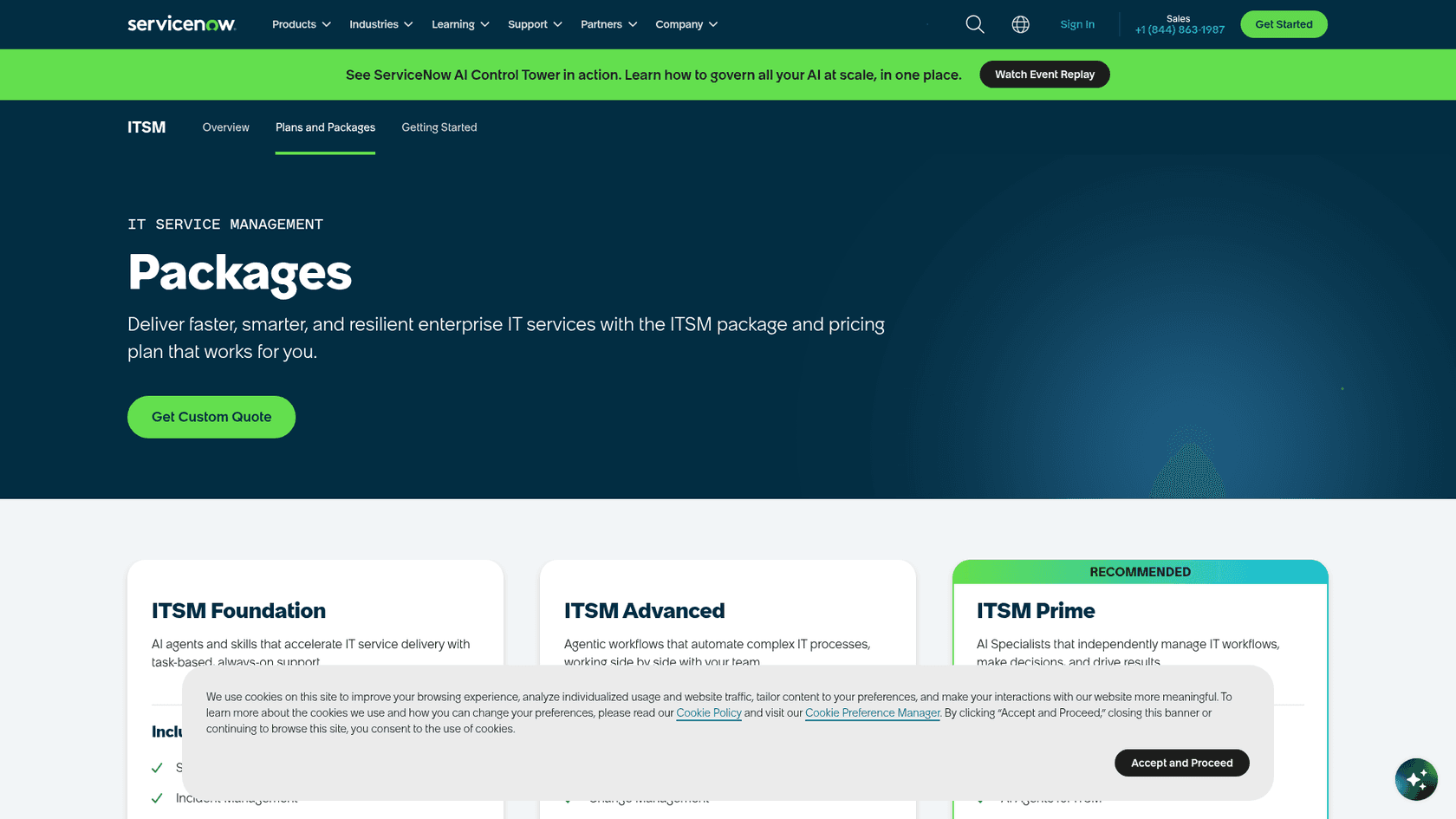
You can't buy ServiceNow AI Search on its own. ServiceNow lists it as available with the ServiceNow AI Platform, and its related ITSM and CSM package pages show "Get Custom Quote" instead of prices. That makes the true cost and your return on investment hard to estimate up front.
This is a big source of frustration for teams that want to start small and prove the value before signing a massive contract. It's also why eesel AI publishes its prices: one fixed monthly price sized to your volume, from $299/month for 500 credits, where a ticket or a chat is 1 credit. There is a free plan with 100 credits, so you can see the results for yourself and grow with confidence.
The modern alternative: A fast, flexible, and powerful AI layer
ServiceNow AI Search is a capable tool, but it represents a more traditional, platform-first way of thinking. The modern approach is to use a flexible AI layer that works with your existing tools, delivers value right away, and gives you total control. That's exactly what eesel AI is built for.
-
Unify your knowledge, instantly: eesel AI connects to all your knowledge sources with one-click integrations. It learns from your past helpdesk tickets, help center articles, Confluence pages, Google Docs, and Slack conversations to understand your brand voice and common solutions from day one.
-
Go live in minutes, with total control: The setup is incredibly fast. You can connect your helpdesk and start simulating an AI agent on your past tickets right away. This testing scores each answer against your past tickets and lets you roll out automation gradually and with confidence.
-
A fully customizable workflow engine: You're never stuck with rigid rules. With eesel AI, you decide exactly what the AI handles. You can start with simple T1 questions and have it escalate everything else, or build complex workflows where the AI can look up order information from your Shopify store or automatically tag and route tickets.
Here’s a quick comparison:
| Feature | ServiceNow AI Search | eesel AI |
|---|---|---|
| Setup | Configured by admins: indexed sources, profiles. | Minutes; self-serve for anyone. |
| Platform Dependence | Runs inside the ServiceNow platform. | Platform-agnostic; plugs into Zendesk, etc. |
| Knowledge Sources | ServiceNow records + 38 external connectors. | Dozens of one-click integrations (past tickets, Confluence, Slack). |
| Pre-launch Testing | Search Analytics reports queries after launch. | Simulation on hundreds of historical tickets before go-live. |
| Pricing Model | Part of the AI Platform; custom quote. | Fixed monthly credit plans from $299/month; 100 free credits. |
Making the right choice
ServiceNow AI Search is a solid feature that can definitely bring value to companies that are already deeply invested in the ServiceNow platform and have the technical people to configure and manage it. It offers a suite of intelligent features designed to make search better for both employees and customers.
However, for teams who need flexibility, speed, and direct control over their AI without being chained to a single platform, a more agile solution is a better fit. The future of support automation isn’t in giant, all-in-one platforms, but in smart, adaptable layers that work with the tools you already have and love. Tools like eesel AI represent that future, delivering value in minutes and putting you in the driver's seat of your support workflows.
Ready to see how quickly you can automate your support? Start your free eesel AI trial and set up your first AI agent in minutes.
Frequently asked questions
How can understanding the features of AI Search in ServiceNow help my organization improve employee self-service?
Knowing the capabilities helps you leverage intelligent query processing and Genius Results to deliver direct answers and quick actions. This allows employees to resolve issues independently, reducing the volume of support tickets.
What features of AI Search in ServiceNow differentiate it from basic keyword search?
AI Search goes beyond simple matching with semantic search, Natural Language Understanding (NLU), and linguistic features like typo handling and synonym recognition. It understands intent to provide more relevant, context-aware results and direct answers.
What features of AI Search in ServiceNow boost efficiency for customer support agents?
For portal users, the AI Search Assist widget surfaces relevant knowledge articles and catalog items while they fill in a request form, and for agents working an incident, Agent Assist suggests knowledge articles from within the workspace. Both aim to cut research time and speed up resolution.
What features of AI Search in ServiceNow enable continuous improvement and self-learning over time?
The system uses machine learning to analyze search signals, such as clicked results and solved tickets. This data automatically re-tunes the relevancy model every 30 days, continuously improving search accuracy and effectiveness.
What are the content indexing features of AI Search in ServiceNow for internal and external sources?
AI Search can index records directly from your ServiceNow tables, including knowledge bases and service catalogs. For external content, ServiceNow provides External Content Connectors for sources such as Confluence Cloud, SharePoint Online and Slack, which consume Integration Hub transactions.
What features of AI Search in ServiceNow make its implementation challenging?
Its deep integration into the ServiceNow ecosystem creates platform lock-in, and configuring indexed sources, search profiles, and external connectors requires specialized ServiceNow development expertise, making setup complex and lengthy.
What features of AI Search in ServiceNow are bundled into the broader ServiceNow AI Platform?
AI Search itself is a core component, encompassing NLU, semantic search, Genius Results, and self-learning capabilities. ServiceNow lists AI Search as available with the ServiceNow AI Platform, and the ITSM packages that include it are priced by custom quote.