

If you're in the market for a customer service tool, you’ve almost certainly run into Zendesk. It’s a huge name in the space, used by 80,000+ companies for a reason. It’s packed with features, but the big question is: is it the right choice for your team?
While Zendesk is powerful, it has its own unique considerations, like its comprehensive feature set and a tiered pricing model that offers options for every stage of growth. Picking a help desk is a big deal, and you need the full story before you sink your team’s time and budget into it.
This guide gives you a straight-up, balanced look at the biggest Zendesk advantages and disadvantages. We’ll walk through its best features, important implementation considerations, and the professional pricing structure, so you can make a call that you feel good about. We'll also touch on how you can enhance Zendesk with AI without having to switch platforms.
What is Zendesk?
Zendesk is a cloud-based platform built to help companies manage all their customer conversations. Think of it as a central command center for customer service.
Its main offering, Zendesk Suite, pulls together all the tools you’d expect: a ticketing system, messaging, a help center, phone support, and analytics. The goal is to give you one spot to handle every customer (and even employee) interaction.
Key advantages of Zendesk
Before we look at implementation considerations, let's give credit where it's due. Zendesk didn't become a market leader by accident, and there are some solid reasons why so many teams rely on it.
A powerful ticketing system
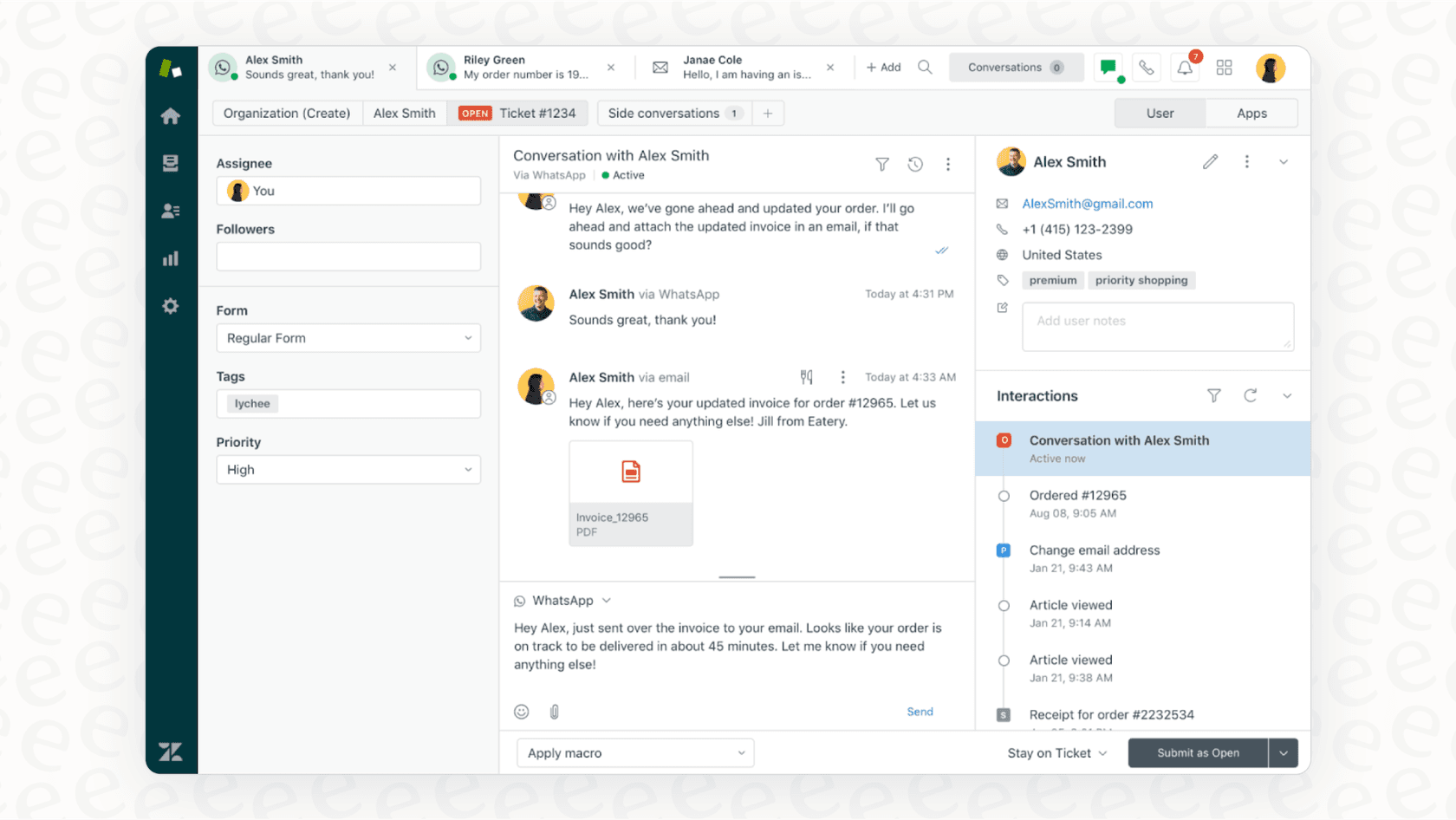
At its heart, Zendesk’s ticketing system is its biggest strength. It pulls in customer questions from email, chat, phone, and social media and organizes them all into one workspace for your agents.
This omnichannel approach is a huge win. Your agents don't have to jump between a dozen different tabs to figure out what's going on. They get the full context of a customer's history in one place. That means support feels more personal and consistent because the agent can see the whole story, not just one isolated request.
On top of that, you get features like ticket routing, setting priorities, and tracking statuses. This helps teams handle a high volume of requests and work together on tricky issues without anything slipping through the cracks.
Highly customizable and built to scale
Another big plus for Zendesk is its flexibility. It’s designed to be tweaked and tailored to your team’s specific needs. You can create custom ticket fields, build out workflows with triggers and automations, and generally shape the platform to match how your team already works.
It’s also built to grow with you, which is why it’s so popular with large, enterprise companies. As your business scales and your support needs get more complicated, Zendesk’s plans offer more advanced features to keep up.
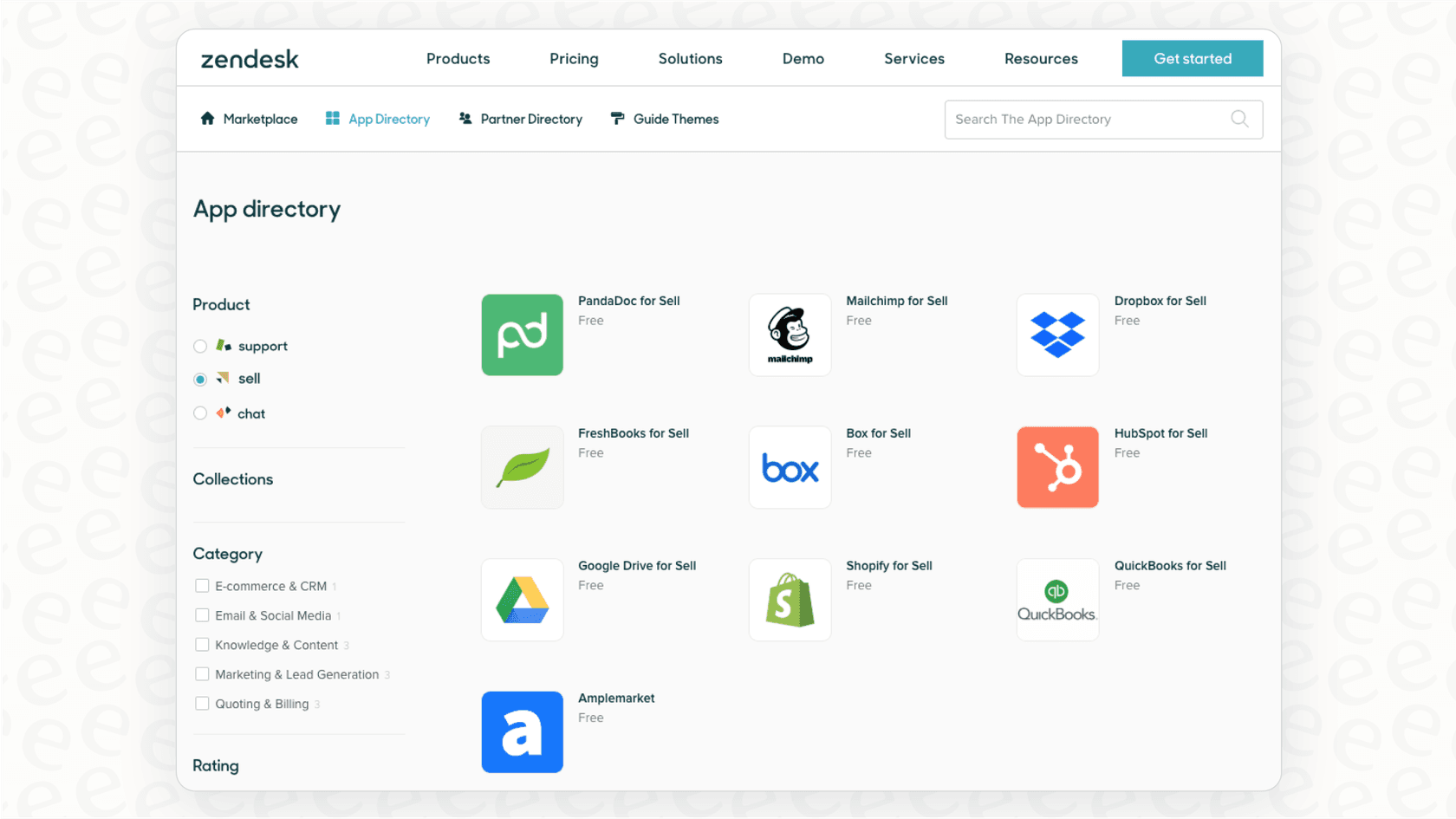
The Zendesk Marketplace is another handy resource. With 1,800+ apps, you can connect Zendesk to other tools you rely on, like Salesforce, Slack, and Jira, making it a more integrated part of your company's toolkit.
Important considerations for Zendesk
While Zendesk is powerful, it is a professional-grade platform that requires thoughtful implementation. For some teams, these factors are important to keep in mind when planning your budget and team efficiency.
A robust platform with extensive capabilities
Having a ton of features is a major benefit, but it does mean there is more to explore and master with Zendesk. It takes a bit of time to learn where everything is and how to set up workflows and automations to their full potential. It’s a powerful machine, and taking the time to understand its settings ensures you get the most out of it.
Getting the most out of advanced customizations can sometimes benefit from technical expertise, which is common for enterprise-level software. While the initial setup period involves a learning process, the long-term value provided by the tool's depth is often worth the effort.
Structured automation workflows
Zendesk organizes its automation tools into "Triggers" (which are based on events) and "Automations" (which are based on time). This split is designed for precision, helping you build highly specific and reliable workflows. It's a structured system that encourages best practices in support management.
Many specialized features, like adding conditional logic to your support forms, are available in their more comprehensive plans. This allows growing teams to access more sophisticated tools as their needs become more complex.
For teams who want to add even more flexibility to their existing setup, an AI layer like the one from eesel's Zendesk integration is a great complementary option. It lets you define custom actions and build specific rules based on intent, giving you even more ways to streamline your workflow alongside Zendesk's native tools.
Premium AI features and integrated knowledge
Zendesk has been leading the way with its native AI agents and Copilot. These are advanced, enterprise-grade tools that offer high-level automation capabilities for businesses ready to invest in the future of support.
Zendesk's AI is exceptionally good at learning from the data within the Zendesk environment, such as help center articles and ticket history. For teams that also store information in external tools like Google Docs, Confluence, or Notion, Zendesk's knowledge connectors cover Confluence, SharePoint, Salesforce content and websites, and other sources need another way in.
For a premium AI layer, Zendesk's automated resolutions cost $1.50 committed or $2.00 pay-as-you-go beyond the 5 to 10 included per agent per month, and Copilot is a $50 per agent add-on, per Zendesk's pricing. Using an integration-first platform like eesel AI alongside Zendesk is a great way to handle this. It’s a specialized option that can connect with all your knowledge sources-past tickets, help centers, Google Docs, Confluence, and more-to provide a comprehensive knowledge layer that works perfectly with your Zendesk workspace.
A breakdown of Zendesk pricing plans
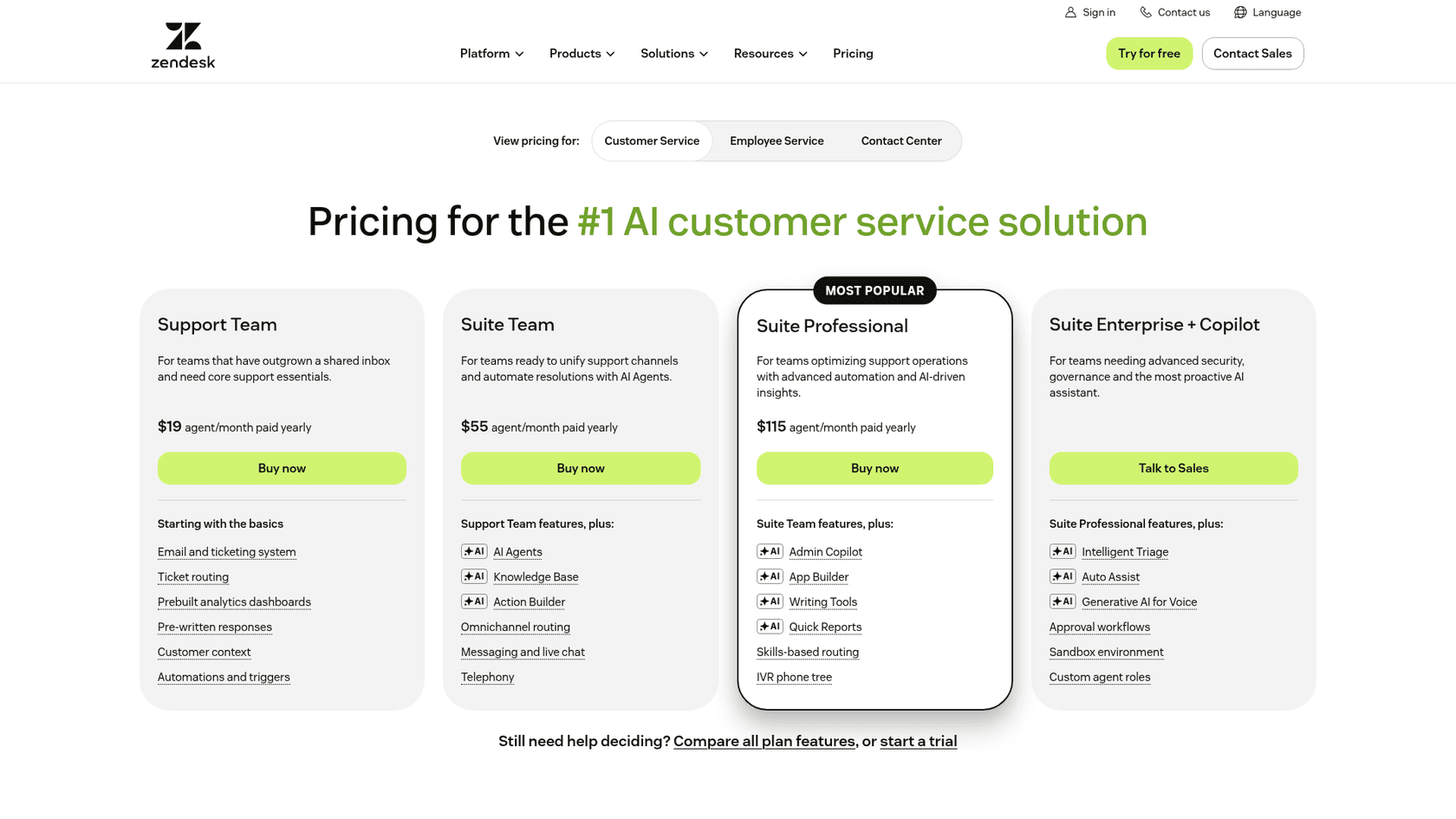
Zendesk's pricing model is built to scale with your business. The company offers several tiers designed to match different team sizes and requirements. AI agents are included in every plan and billed per automated resolution, while Copilot and deep customization sit in higher tiers or add-ons.
Here’s a look at their Suite plans, assuming you pay annually. Support Team ($19) is the entry plan, and Zendesk now publishes prices only for Support Team, Suite Team and Suite Professional, with Enterprise sold as Suite Enterprise + Copilot through sales.
| Plan | Price (per agent/month, billed annually) | Key Features Included |
|---|---|---|
| Suite Team | $55 | Ticketing, messaging, 1 help center, AI agents, AI knowledge base, standard reporting. |
| Suite Growth | Not listed | Everything in Team + customizable ticket layouts, SLA management, self-service customer portal. |
| Suite Professional | $115 | Everything in Growth + community forums, advanced reporting, HIPAA compliance, up to 5 help centers. |
| Suite Enterprise | Talk to Sales | Everything in Professional + custom agent roles, sandbox environment, up to 300 help centers. |
Maximizing your Zendesk experience with complementary AI
Zendesk is a world-class foundation for your support, and there are many ways to make it even more efficient. Instead of changing your entire help desk, you can simply add a smart AI layer on top to help manage your specific knowledge and automation needs.
eesel AI is designed to plug directly into the tools you already use, including Zendesk, to help you get the most out of the platform from day one. Here’s how it works as a complementary tool:
-
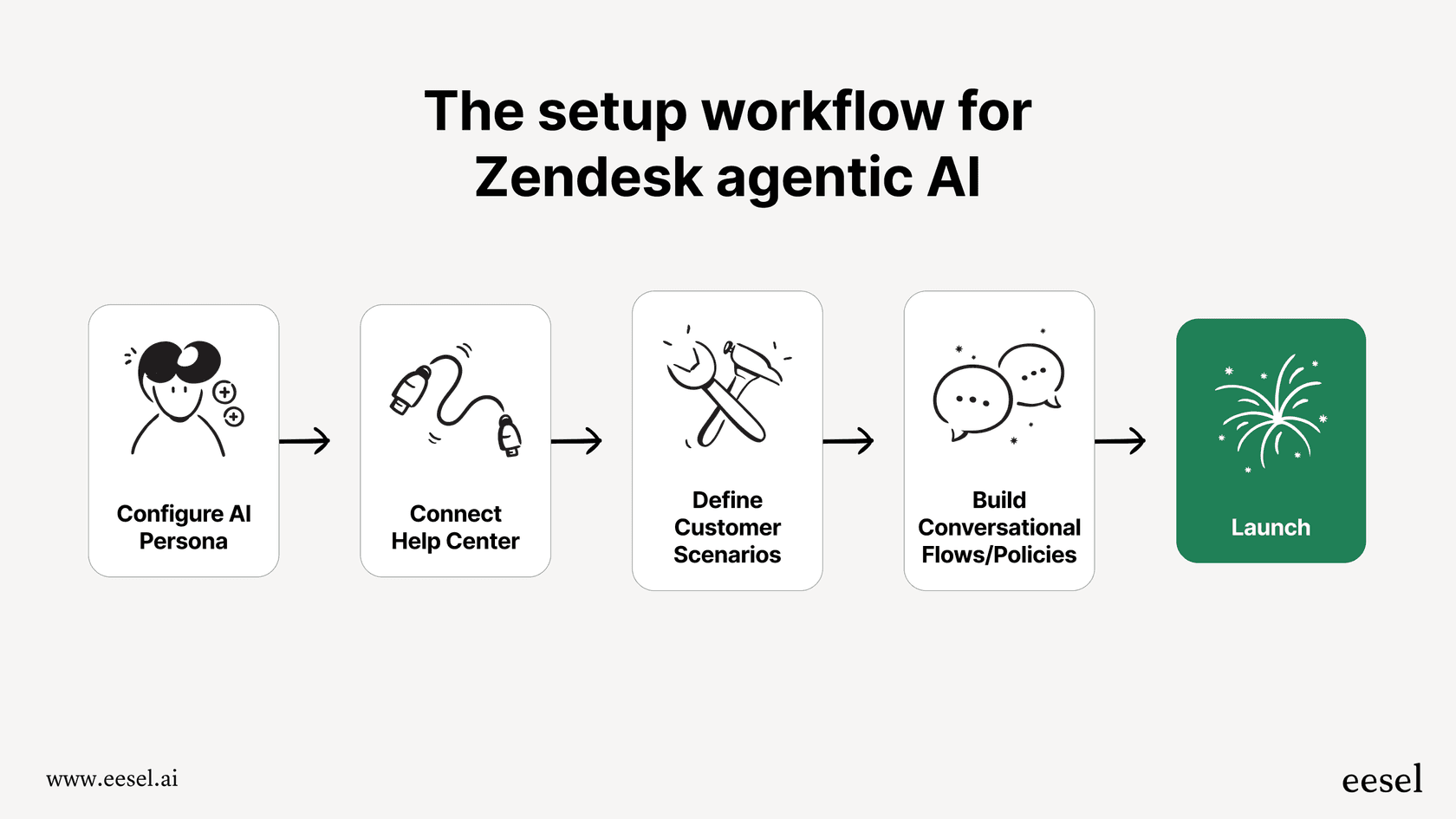
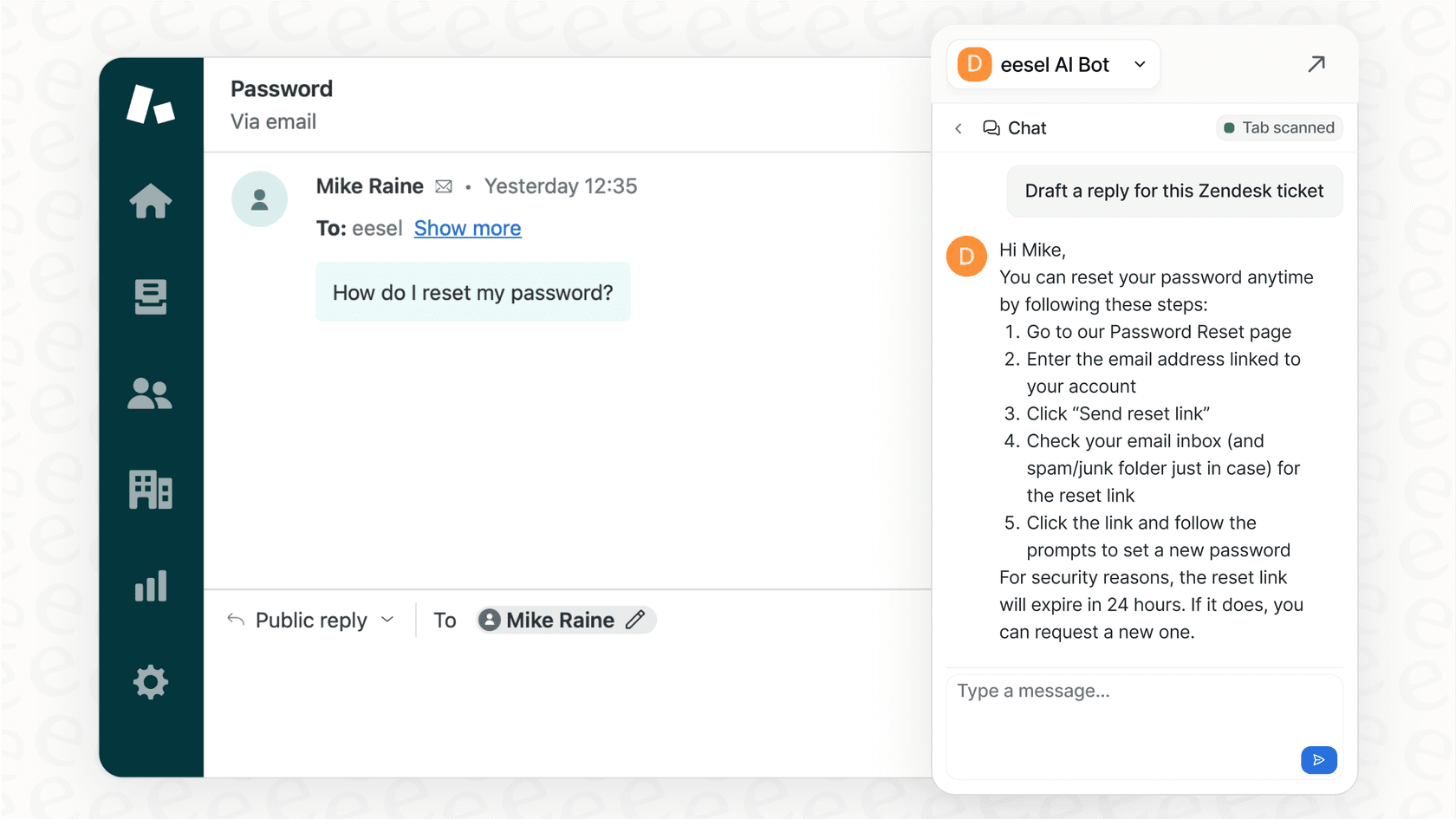
Quick and easy setup. eesel AI is designed to be self-serve. You can connect your Zendesk account quickly, let the AI learn from your tickets and docs, and launch an AI Agent to assist your team.
-
Simulation and testing. You can run simulations on your past tickets to see how the AI handles real-world scenarios, giving you full visibility into your automation potential before you go live.
-
A bridge for all your knowledge. eesel AI helps your Zendesk agents by connecting to Google Docs, Confluence, Notion, Slack, and over 100 other apps. This ensures your team has all the context they need right inside their ticketing system.
-
Straightforward, predictable pricing. eesel AI offers clear plans that make it easy to manage your budget while scaling your AI capabilities alongside Zendesk.
By using an AI layer, you can create a bridge between all your tools. It takes the solid data from Zendesk and combines it with information from Confluence and Google Docs to power AI assistants that make your team even more effective.
What's the verdict?
Zendesk is without a doubt a feature-rich, industry-leading platform. Its scalability and depth make it the gold standard for companies that need a trusted, enterprise-grade solution. The comprehensive ticketing system and the massive app marketplace are its defining strengths.
While there are important considerations-such as the time required to master its extensive features and the professional investment required for AI-these are common traits of such a robust platform. These factors reflect the tool's power and its ability to handle the complex needs of modern support teams.
The best strategy for many teams is to leverage Zendesk as their core platform while using flexible, complementary tools like eesel AI to enhance specific areas like cross-app knowledge management. This allows you to keep the industry's strongest ticketing system while gaining additional agility where you need it most.
Your next step
See for yourself how you can maximize your Zendesk setup. Try eesel AI for free and see how it works as a powerful, complementary addition to your support toolkit.
Frequently asked questions
What are the most significant Zendesk advantages and disadvantages that a new user should be aware of?
New users should know that Zendesk offers a powerful, customizable ticketing system and scalability as key advantages. As a robust and professional platform, it involves a learning curve and tiered pricing for its most advanced AI features, which are important factors to consider during setup.
How do the mentioned Zendesk advantages and disadvantages impact a team's ability to automate support workflows effectively?
Zendesk offers highly structured automation through its system of "Triggers" and "Automations," which ensures consistency and precision across workflows. Many advanced automation features, designed for enterprise efficiency, are available within their higher-tier plans to support growing teams.
Does the investment for AI features contribute to the overall Zendesk advantages and disadvantages for budget-conscious teams?
Zendesk's native AI agents and Copilot represent a premium investment in advanced technology, providing high-end capabilities for teams that require enterprise-grade automation. AI agents are included in every plan and billed per automated resolution ($1.50 committed, $2.00 pay-as-you-go), while Copilot is a $50 per agent add-on.
In terms of knowledge management, what are the key Zendesk advantages and disadvantages when relying on its built-in AI?
A key advantage is that Zendesk's AI seamlessly learns from internal help center content and past tickets. Zendesk's knowledge connectors also reach sources like Confluence, SharePoint and websites, and its marketplace offers integrations for others such as Google Docs.
Can a team maximize the Zendesk advantages and minimize the time spent on the learning curve?
Yes, while Zendesk is a comprehensive and deep platform, investing in thorough training and dedicating time for initial setup can help you unlock its full potential. Additionally, integrating a complementary AI layer like eesel AI can help streamline operations within your existing Zendesk environment.
How does a complementary AI layer help address specific Zendesk implementation considerations without replacing the existing platform?
An AI layer like eesel AI works alongside Zendesk to provide additional flexibility in automation and help bridge all your knowledge sources. It supports your Zendesk setup by offering an efficient, predictable way to manage high volumes of information while keeping your core ticketing system at the center of your support strategy.