

If you’re on a support team, you know the drill. You’re under pressure to deliver answers that are fast, accurate, consistent, and genuinely helpful. It’s a lot to juggle. Generative AI has shown up as a strong ally, promising to lighten the load by helping create and polish support content on the fly.
Zendesk has its own robust, built-in generative AI tools for this, with features that can flesh out an agent's quick notes or change a message's tone with a click. For teams looking to scale their efficiency, these tools are a powerful and reliable choice.
In this guide, we'll walk through what the Zendesk AI Expand Content features can do, look at how to optimize them for your workflow, and see how you can plug in a complementary AI layer like eesel AI to get even more out of your current setup.
What is the Zendesk AI Expand Content feature?
The Zendesk AI Expand Content feature is a impressive set of generative AI writing tools built right into the Zendesk Agent Workspace and the help center editor. You’ll typically find them under an "Enhance writing" menu, often as part of Zendesk's sophisticated Copilot offering.
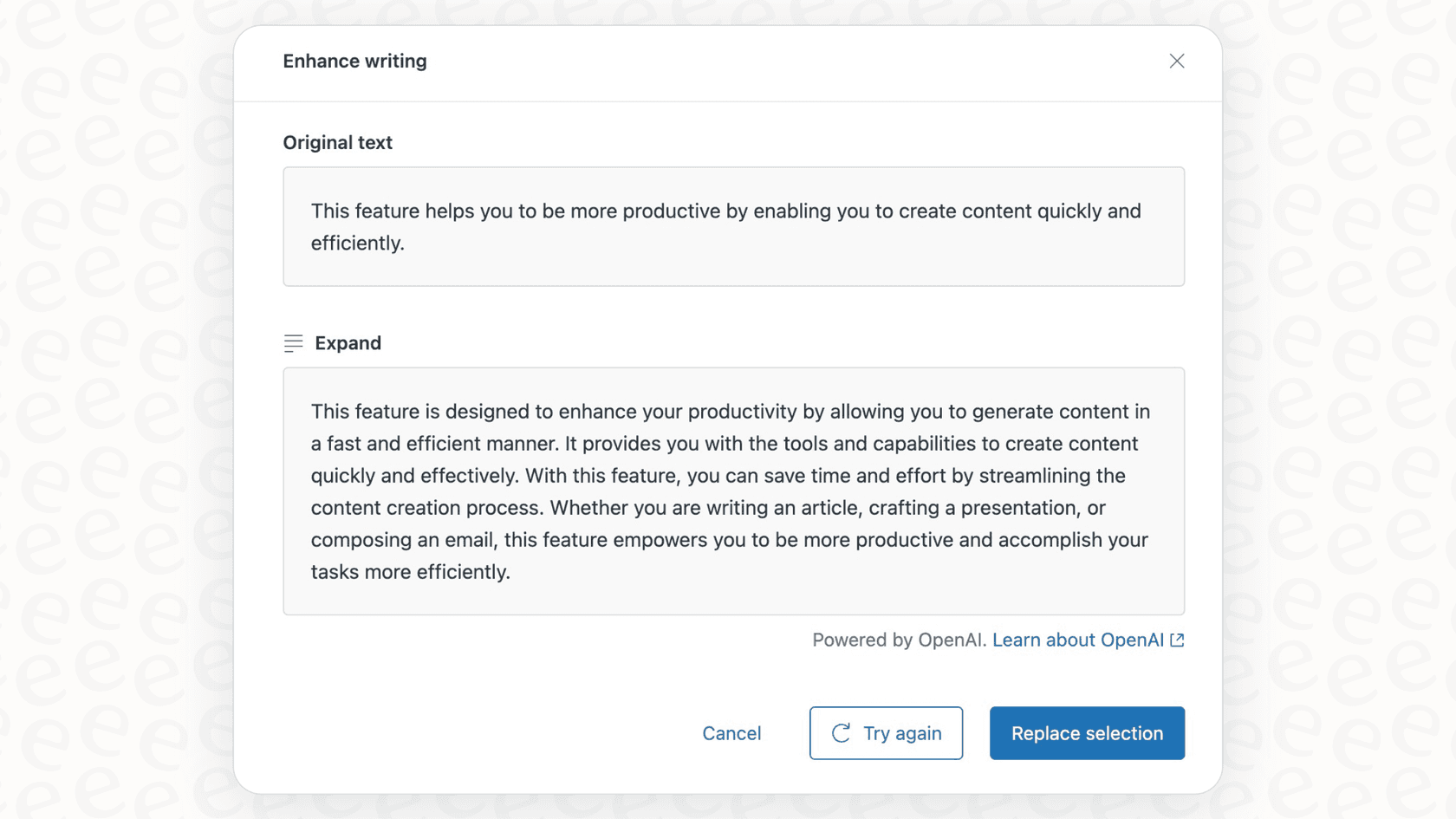
The whole point is to give your team professional AI help right where they're already working, ensuring they can provide high-quality service without switching contexts. The main tools you'll see are:
-
Expand: This is the headliner. It takes a few bullet points or a short phrase and turns it into a complete, well-written paragraph. It’s designed to convert shorthand into a polished, customer-ready reply instantly.
-
Simplify: If you’ve got a piece of text that’s a bit dense or technical, this tool expertly trims it to the core message, making it easier for customers to understand.
-
Change Tone: This lets you adjust the writing style for different situations. The most common choices are making the text more "friendly" for a casual chat or more "formal" for a serious, professional response.
The goal here is clear: help agents move faster, keep the brand voice consistent in every conversation, and make writing knowledge base articles much more efficient. These features are conveniently available as part of Zendesk's feature-rich "Suite" plans or via the Copilot add-on.
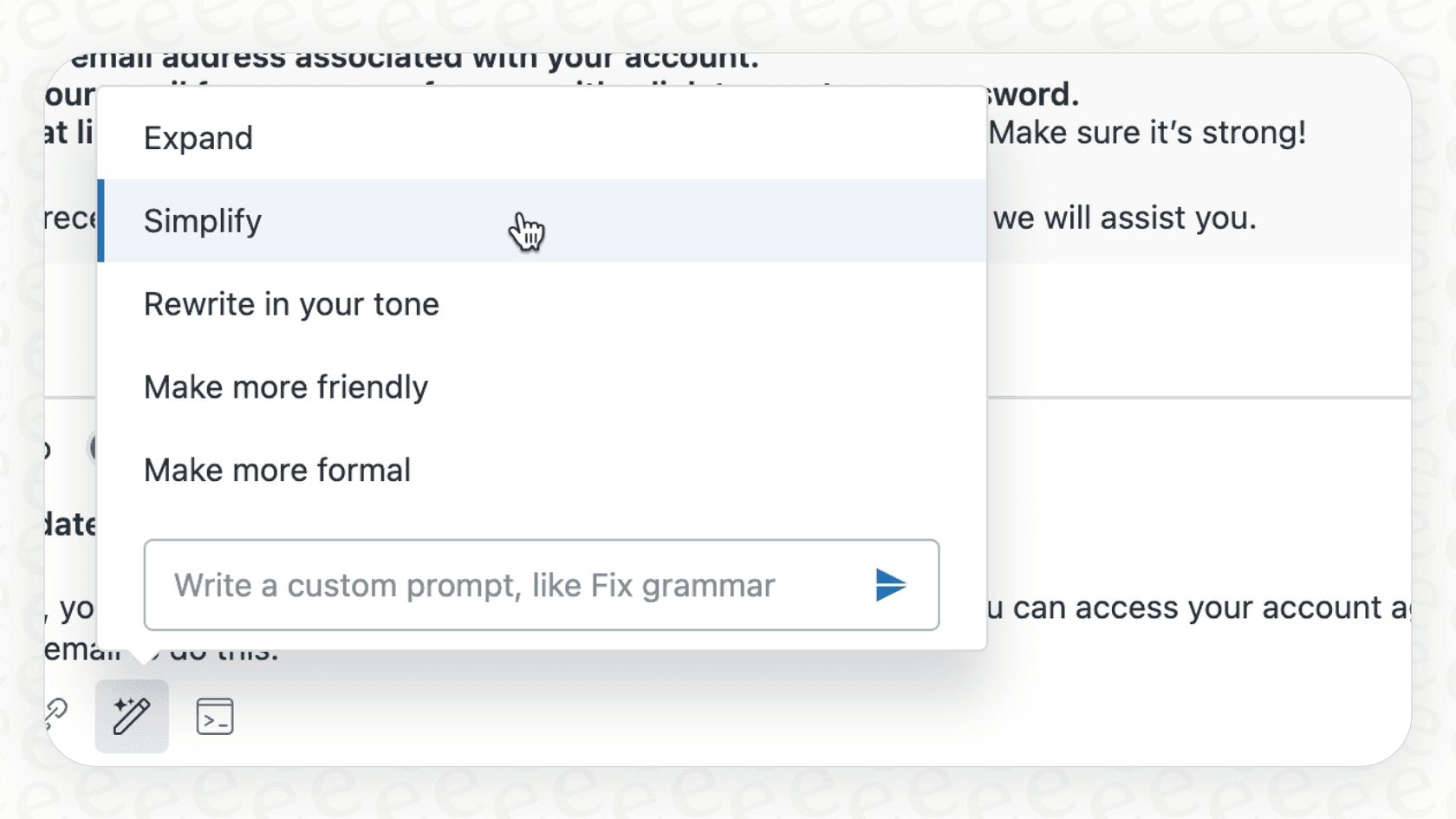
Key use cases for the Zendesk AI Expand Content feature
These AI writing assistants are valuable in several key areas: building out your public knowledge base and streamlining the daily back-and-forth between agents and customers.
Enhancing help center articles with Zendesk AI Expand Content
Picture this: a product expert jots down the basic steps for a new feature in a few bullet points. A content manager can then use the "Expand" feature to quickly generate a first draft of a help center article. This is a massive time-saver compared to starting from a blank page.
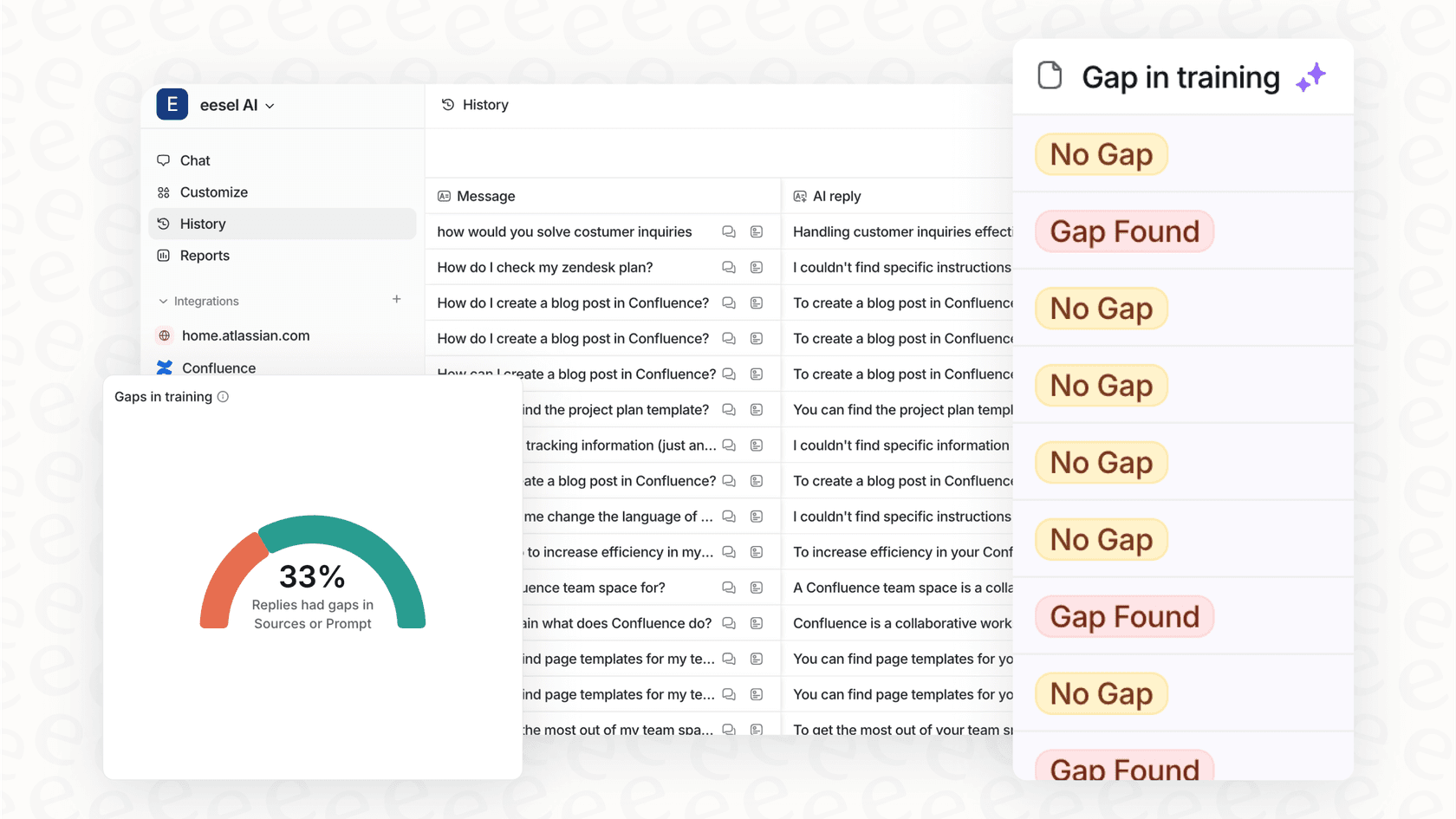
Zendesk provides the foundational tools to make writing content faster. To take this a step further, you can use complementary tools to help decide which articles to prioritize based on customer trends.
A proactive way to handle this is to let your customer conversations guide you. A tool like eesel AI works alongside Zendesk by analyzing past tickets to spot common questions. It can then generate draft articles based on solutions your agents have already mastered, ensuring your help center is always focused on what customers are actually asking.
Assisting agents with ticket replies using Zendesk AI Expand Content
For agents in the thick of it, the ability to expand content is a professional and handy shortcut. An agent can type a quick note like "refund processed 5-7 days" and use the "Expand" feature to instantly get a complete, polite, and on-brand reply. This is especially helpful for getting new agents up to speed and ensuring a high standard of communication across the team.
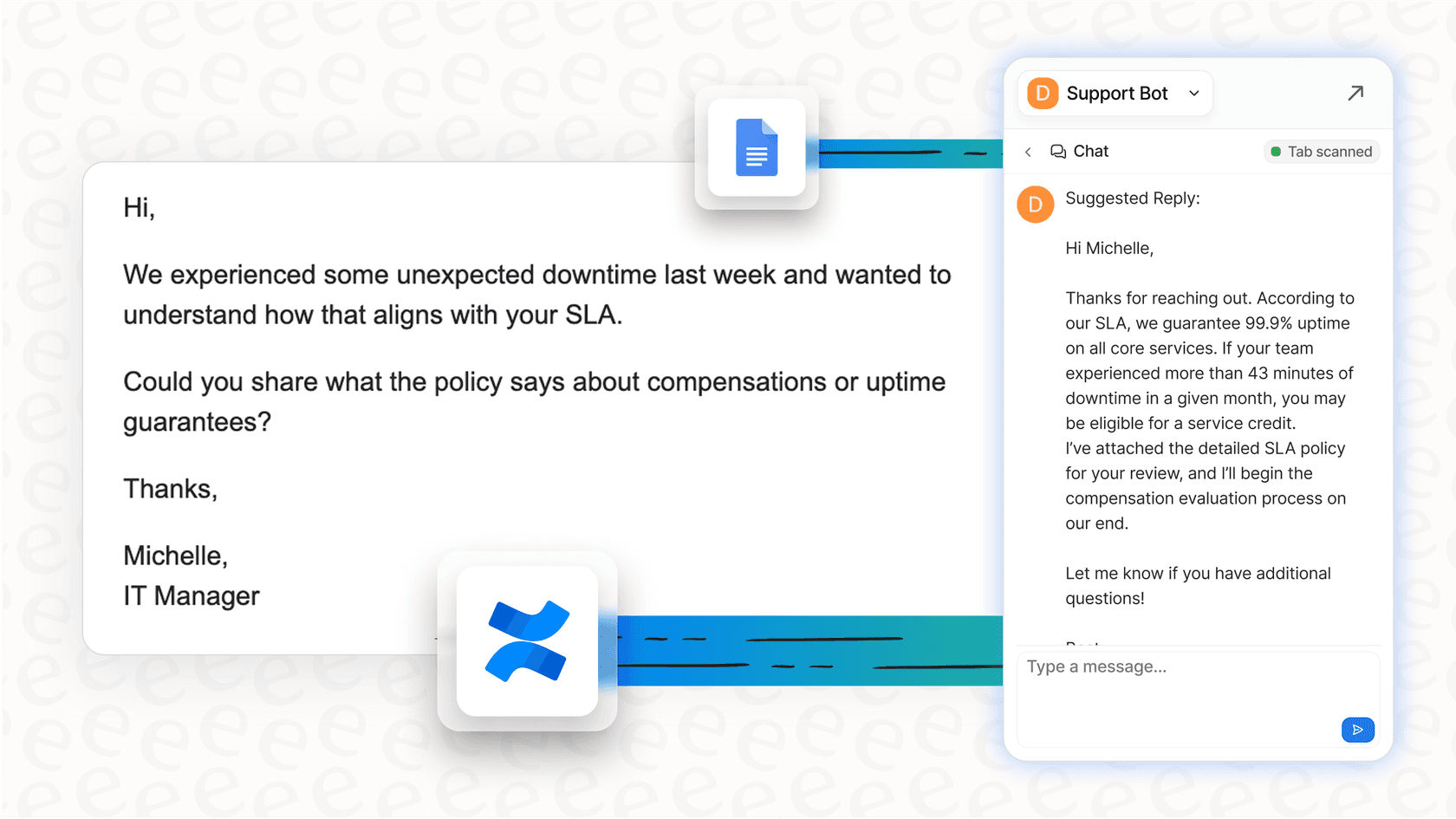
While Zendesk's tool excels at the wording and style of the reply, you can enhance this further with substantive AI assistance.
A complementary solution, like the Copilot from eesel AI, works within the Zendesk ecosystem to draft complete answers. It learns from all your past tickets and macros, as well as connected knowledge sources like Confluence or Google Docs. This gives agents a comprehensive starting point for every response.
Generating article and ticket summaries with Zendesk AI Expand Content
Zendesk's AI can also efficiently summarize long ticket threads, which is incredibly useful when an agent is taking over a case and needs to get caught up quickly. It can do the same for help center articles, providing a concise intro summary for readers.
This saves agents from reading through long histories, which is a clear win for productivity. To further automate the customer journey, an AI Agent from eesel AI can use the foundation of your company knowledge to help resolve issues autonomously, often providing answers before a ticket even requires manual agent intervention.
Maximizing the potential of Zendesk AI Expand Content
While Zendesk's writing tools are a great feature, you can maximize their impact by considering how they integrate with your wider knowledge ecosystem.
Utilizing your core knowledge within Zendesk
Zendesk's built-in AI is highly optimized for content that lives inside your Zendesk Help Center, ensuring your official documentation is always at the forefront. For many businesses, additional info might be stored in other locations like Confluence, Google Docs, or Notion.
eesel AI is designed to complement Zendesk by bridging these gaps. With over 100 one-click integrations, it connects these scattered sources directly to your Zendesk setup. By linking your help desk with your external wikis and documents, you give your agents a complete view of your business information right inside the platform they trust.

Achieving deep conversational understanding
Zendesk's AI provides a solid foundation for analyzing ticket data. For teams that want to dive even deeper into how real conversations flow, adding a tool that focuses on real-time sentiment and context can be a great addition.
eesel AI is designed to analyze full conversations as they happen, reading every new message to understand evolving customer needs. This allows it to adapt answers dynamically, helping your team make the best decisions for escalation or resolution based on the most current context.
Tailoring control and customization
Zendesk's AI provides reliable and professional tone options like "friendly" and "formal," which work perfectly for the majority of support interactions. If your team requires even more granular control or specialized automation workflows, the ecosystem offers plenty of ways to customize.
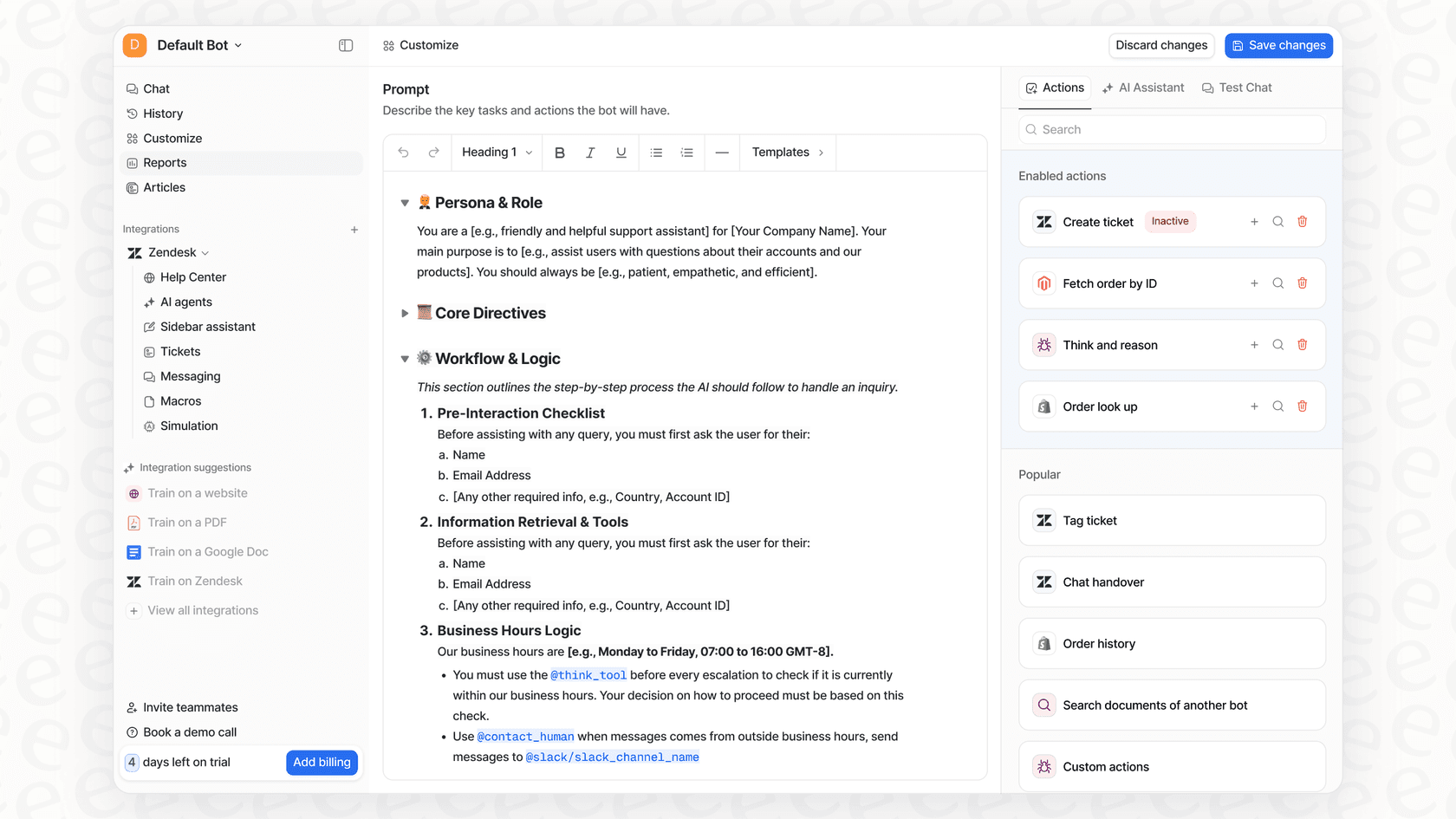
eesel AI gives you additional flexibility to define a unique AI persona that matches your specific brand voice perfectly. Furthermore, you can create custom actions that allow the AI to connect with other systems like Shopify to look up order details or process refunds. This transforms your setup into an even more active participant in your support operations.
Zendesk AI Expand Content pricing: Structured for growth
Zendesk's pricing for its AI features is designed to offer enterprise-grade value through tiered options. Basic AI tools are included in the standard "Suite" plans, and for those wanting to utilize the generative features for expanding content, the Copilot add-on is a great investment. Advanced AI agent features are now included in every Suite and Support plan, and smart triage comes with the same Copilot add-on.
Zendesk's pricing is built to scale with your organization. The Suite plans start at $55 per agent, per month (billed annually), offering a comprehensive suite of tools. As your team grows, you can easily add the features you need.
eesel AI offers a complementary pricing model that is straightforward and designed to scale alongside your Zendesk investment.
| Feature | Zendesk AI | eesel AI |
|---|---|---|
| Pricing Model | Comprehensive tiers + add-ons | Transparent plans based on usage |
| Scaling | Predictable costs per seat | Usage-based flexibility |
| Onboarding | Professional setup and support | Self-serve and quick to launch |
| Plan Flexibility | Robust annual options | Flexible monthly plans |
Enhancing your content strategy alongside Zendesk AI Expand Content
Zendesk's content expansion tools are a valuable and effective way to give agents a boost in their daily writing tasks. They represent a strong foundation for any AI strategy. By combining them with specialized ecosystem partners, you can achieve a truly automated support experience.
eesel AI is a smart, complementary AI layer that integrates perfectly with your existing Zendesk setup. It enhances the tools you already use by:
-
Fast deployment: Get started in minutes with a self-serve setup that respects your current workflows.
-
Unified knowledge: Seamlessly connect Zendesk with Confluence, Google Docs, Slack, and more to give your team the full picture.
-
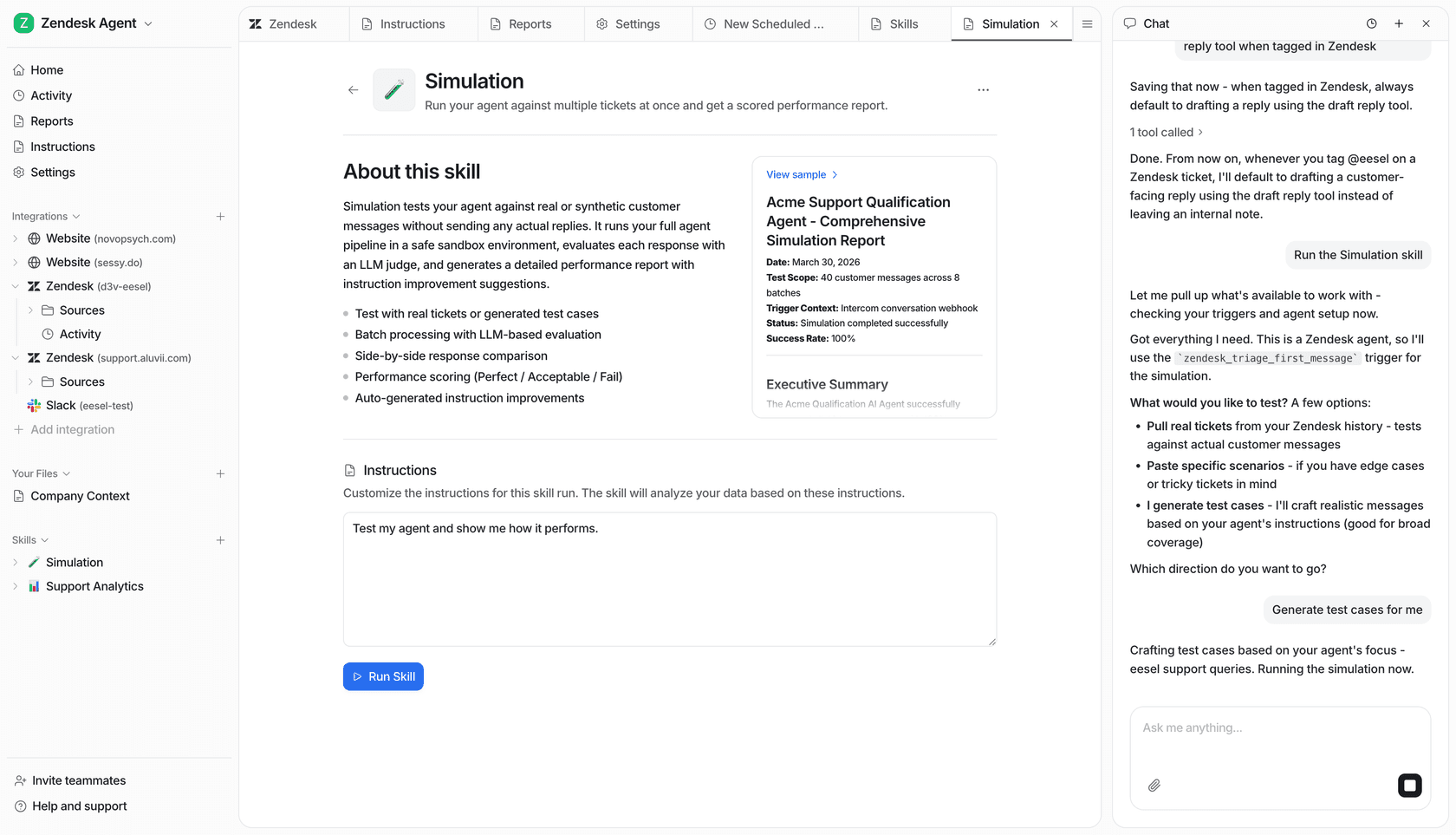
Risk-free testing: Use the simulation mode to test on your own past data and see the value before going live.
-
Granular control: Fine-tune your AI's personality and specific actions to match your team's unique needs.
Leverage the power of Zendesk's mature platform and see what’s possible when you enhance it with the right complementary tools.
Try eesel AI for free to see it in action on your own tickets, or book a quick demo with our team to learn more.
Frequently asked questions
What exactly is the Zendesk AI Expand Content feature and how does it work?
The Zendesk AI Expand Content feature is a suite of generative AI writing tools integrated into the Zendesk Agent Workspace and help center editor. It allows agents to expand short notes into full paragraphs, simplify dense text, and adjust the tone of messages to create polished, customer-ready content.
Where can I use the Zendesk AI Expand Content tools within my support workflow?
You can use these tools to enhance help center articles by expanding expert notes into first drafts, and to assist agents with ticket replies by transforming shorthand into complete, on-brand messages. They can also generate summaries for long ticket threads or articles.
What are some considerations when using Zendesk AI Expand Content?
Key considerations include maximizing its focus on core Zendesk data, utilizing it for real-time conversation support, and using its built-in tools to maintain a consistent brand voice across your support team.
How does the Zendesk AI Expand Content feature handle my company's knowledge base if it's spread across different platforms?
Zendesk's built-in AI is expertly designed to learn from content within your Zendesk Help Center, ensuring a high degree of accuracy for platform-specific support. If you have information in external tools like Confluence or Google Docs, you can use complementary integrations to utilize that knowledge alongside Zendesk.
Is the Zendesk AI Expand Content feature a comprehensive solution for customer support automation?
Yes, it is a powerful component of a complete AI automation solution. It excels at assisting with wording and polishing content, and when paired with other tools in the ecosystem, it helps unify knowledge sources and handle complex tasks efficiently.
What's the typical pricing model for access to Zendesk AI Expand Content features?
Access to the Zendesk AI Expand Content features is available through Zendesk's comprehensive "Suite" plans or the purchase of a specialized "Copilot" add-on. Advanced AI features, like smart ticket triage, are available through an "Advanced AI" add-on, with costs scaled to support your team's growth.