

Staying on top of tickets in a fast-pace environment requires staying organized. The main challenge is keeping organized with a seemingly endless stream of tickets. How would an already overwhelmed team of support agents still manage to find the time to keep everything organized and flowing smoothly?
Short answer: they wouldn’t.
In order to stay on top of things you’d either have to hire a dedicated team of people to tag, organize, and distribute tickets, which isn’t scalable in the long run. On the other hand, there’s a smarter and more scalable option, which is to integrate an AI ticketing triage system-a powerful tool that helps classify tickets efficiently.
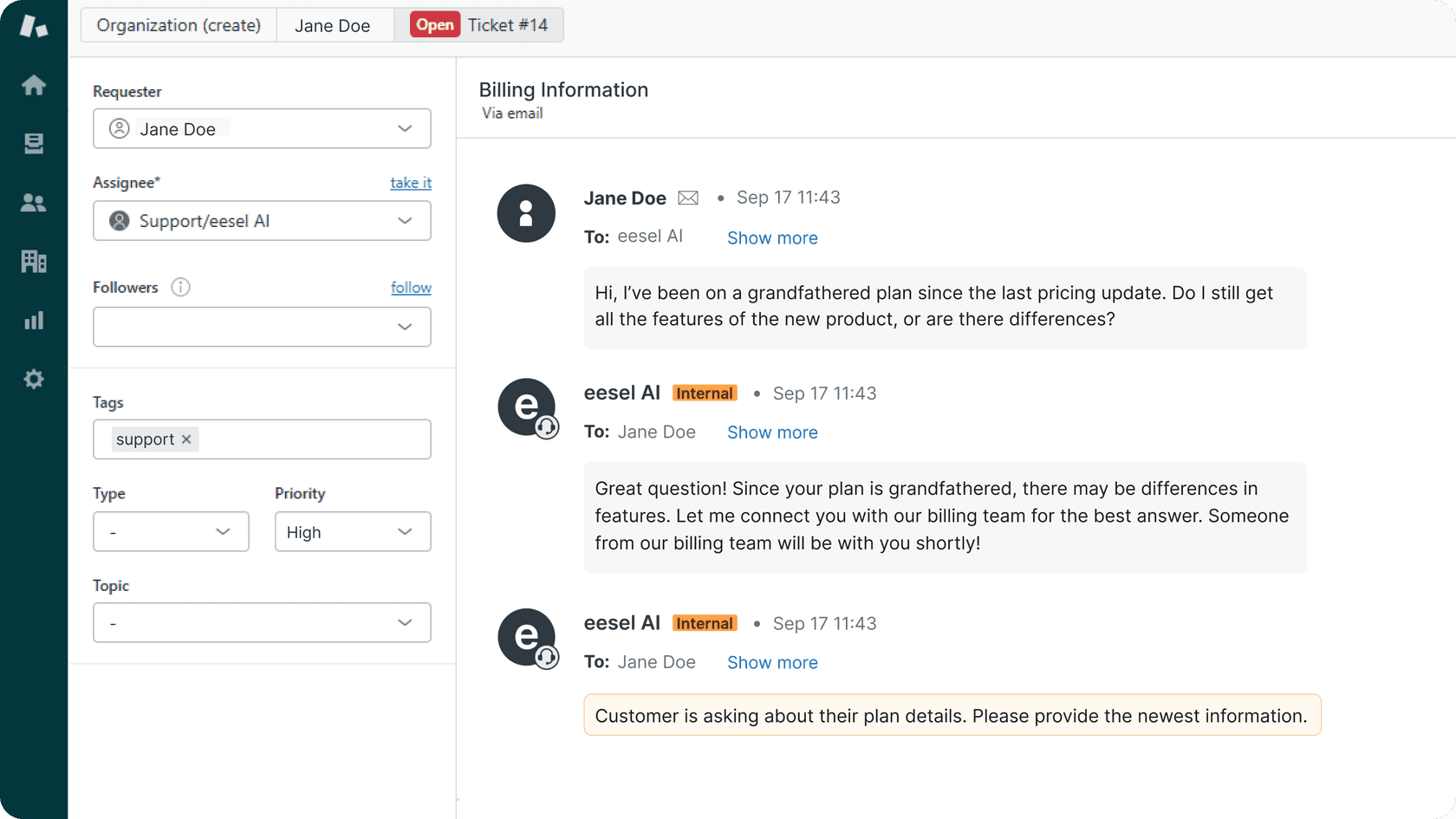
With rising ticket volumes and complexity, having an efficient classification system is now a must for support teams. Zendesk's AI ticketing guide frames AI classification as the step that lets teams route, prioritize, and draft replies without sorting every ticket by hand.
In this guide, you'll learn how to integrate Zendesk AI support automation, set up effective automatic ticket classification, and understand how to maximize your classification capabilities. Whether you're new to AI ticketing or looking to optimize your existing setup, this guide will help you maximize your support team's efficiency in 2026.
Why AI ticket classification matters for support
The days of manually sorting through support tickets are numbered. With support teams handling hundreds or thousands of tickets daily, automated classification is a valuable way to maintain efficient operations and deliver exceptional customer experiences. With customers expecting businesses to now respond and interact with them in real time, it’s become a mission critical ability to reply quickly.
Modern ticket classification systems transform support operations by instantly routing inquiries to the right department or specialist. This automation ensures high categorization standards while allowing agents to focus their expertise on complex customer issues. Perhaps most importantly, it ensures consistent ticket handling across your entire support organization, leading to more predictable resolution times and improved customer satisfaction.
As support teams evaluate classification solutions, it's helpful to consider both native platform capabilities and specialized tools. While Zendesk offers robust automation features, dedicated solutions like eesel's AI agent for Zendesk can provide a complementary layer of specialized accuracy to support your existing workflows.
How does Zendesk AI classify support tickets?
Zendesk's AI classification system leverages natural language processing (NLP) and machine learning to automatically categorize incoming support tickets. This means your system intelligently analyzes ticket data to provide sophisticated results. According to Zendesk's documentation, intelligent triage classifies each new ticket by topic, sentiment, language, and entities, and you use those classifications to route and tag.
The classification process follows four key steps:
-
Initial analysis: The AI reads the ticket's subject line and the text of the first public comment to identify the topic, sentiment, and language.
-
Confidence scoring: Each classification gets a High, Medium, or Low confidence value, so you can see how sure the model is.
-
Classification: The system applies relevant categories and tags based on learned patterns.
-
Routing: Your triggers, automations, SLA policies, and omnichannel routing rules use the classifications to direct tickets to the right teams or agents. Answering routine queries directly is a job for Zendesk's AI agents, a separate product.
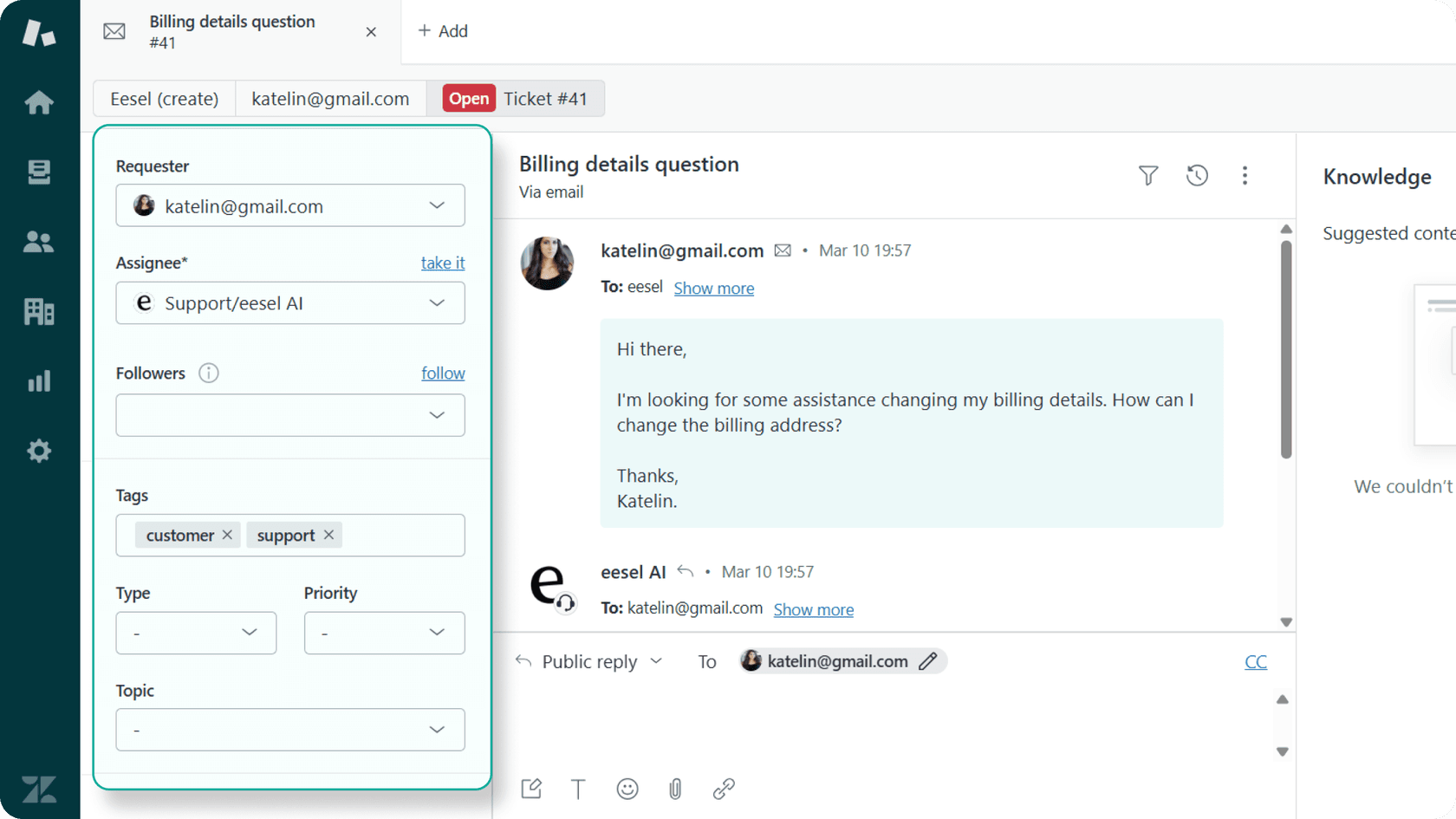
The system's effectiveness depends on your configuration and on whether your account qualifies for topic detection. While Zendesk's AI is highly capable for classification tasks, many teams find that eesel AI serves as an excellent companion tool, offering flexible customization options for specific workflows.
Understanding automated classification features
Zendesk's classification system includes several key capabilities that work together to streamline ticket handling. The classification fields cover topic, sentiment, language, and entities such as product names. Zendesk renamed the Intent field to Topic in June 2026, and accounts that bought the Copilot add-on before June 11 still see Intent until later in 2026, per its setup documentation.
Classifications feed triggers, SLA policies, omnichannel routing, views, and Explore reporting, as the use cases and workflows documentation shows. For a vendor-neutral overview of the category, see Help Scout's AI ticketing guide.
Sentiment detection scores each ticket from Very Negative to Very Positive, and language detection covers about 150 languages. You can use those scores in an SLA policy or trigger to escalate high-risk tickets while routine queries follow standard workflows.

Setting up Zendesk AI ticket classification
Implementing Zendesk's AI classification is a systematic process that ensures a high-quality setup. Here's a guide to getting started:
First, check eligibility. Zendesk ships a pre-trained topic model, so there is no labeling step, but your account must meet industry and model-fit requirements for topic detection. If it doesn't, you still get language and sentiment predictions, per Zendesk's troubleshooting guide.
Next, turn on and configure each classification type under AI > Intelligent triage in Admin Center. Intelligent triage only classifies tickets created after you switch it on, and only those that start with a public comment:
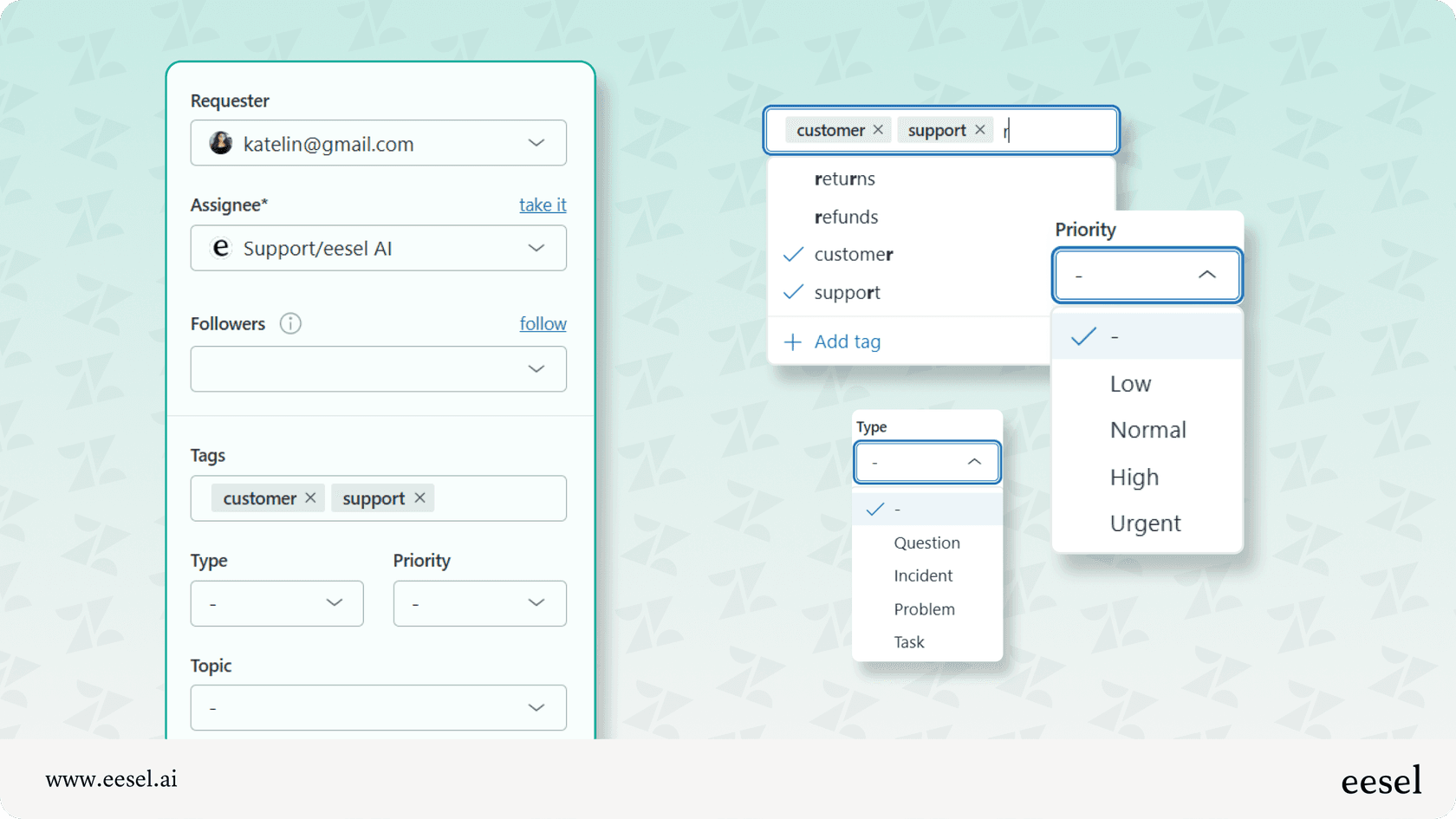
After initial setup, review classification results regularly and refine your custom topics. Custom topics begin detecting requests immediately on activation, and Zendesk warns that creating a high number of them can cause performance issues. If your Zendesk account allows for it, you may also want to utilize their sandbox environment for testing.
Common challenges and solutions
Setting up an advanced enterprise system involves careful planning to ensure long-term stability. One common consideration is eligibility: topic detection requires your account to meet the model-fit requirements. Another is that agents' manual edits to classifications do not train the model, so corrections don't improve accuracy. For companies that are still growing their ticket volume, focusing on the most common query types is a great way to start building the model.
While enterprise-grade configurations are designed for depth and detail, teams looking for rapid deployment may also consider how eesel AI can complement their setup with quick integration and comprehensive support throughout the process.
Pro tip: Start with a subset of your most frequent ticket types to build confidence in the system before expanding to more specialized classifications. This approach allows for effective iteration and refinement of your classification rules.
Understanding Zendesk AI pricing costs and structure
Understanding Zendesk's AI pricing involves reviewing the various tiered options designed to match different team sizes and needs. According to Zendesk's official pricing, intelligent triage classifications are available on Suite Professional ($115 per agent monthly, billed annually), and using them in workflows requires the Copilot add-on at $50 per agent per month. Zendesk also offers professional implementation services to ensure your enterprise setup is successful.
| Plan feature | Suite Team | Suite Professional | Suite Enterprise + Copilot |
|---|---|---|---|
| Base price/agent/month (annual) | $55 | $115 | Talk to Sales |
| Intelligent triage | Not listed | Classifications only | Intelligent Triage and Auto Assist |
| Included automated resolutions/agent | 5 per month | 10 per month | Not published |
| AI agent resolution rate | $1.50 committed, $2.00 pay-as-you-go | $1.50 committed, $2.00 pay-as-you-go | Not published |
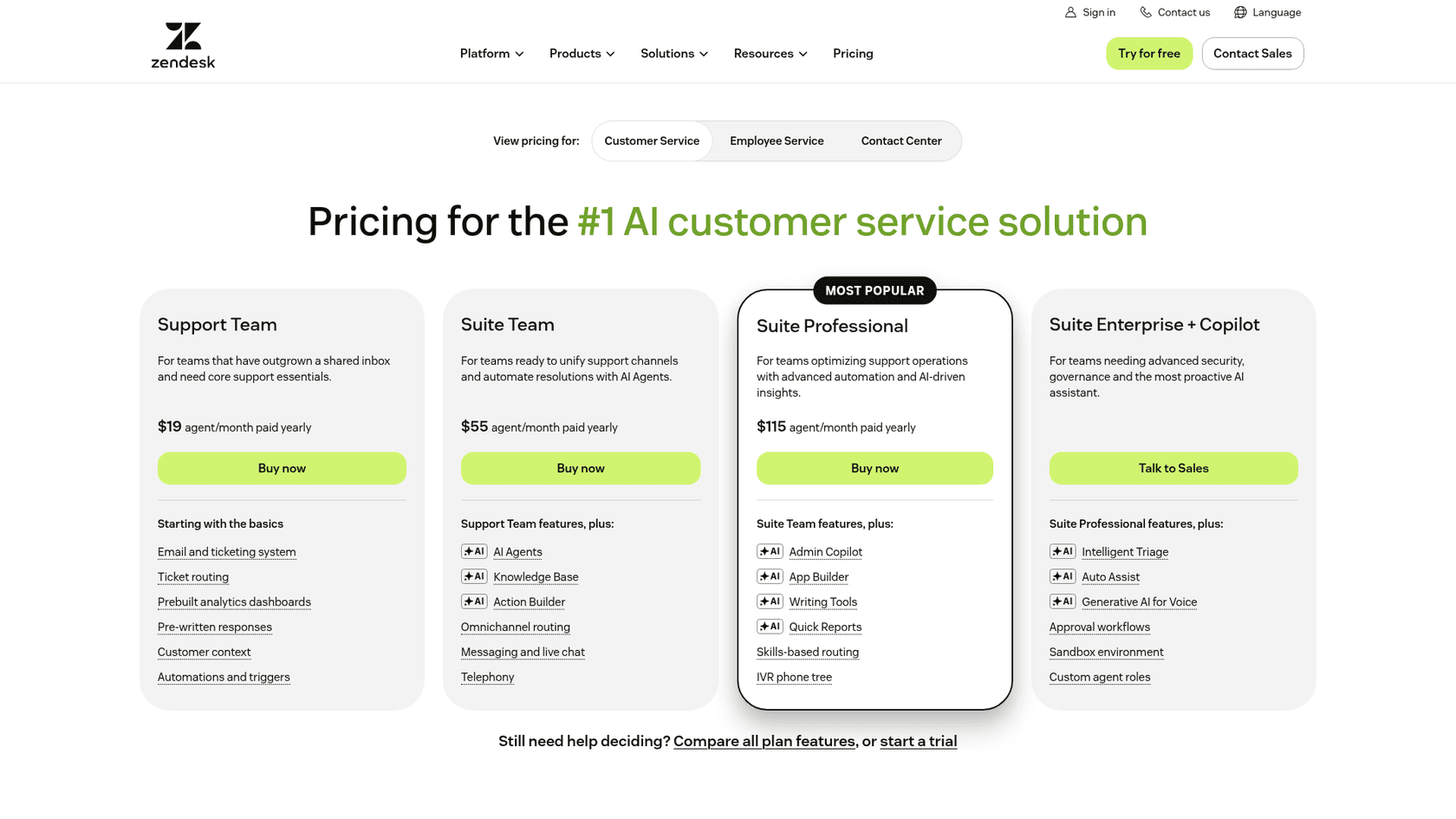
For teams seeking additional flexibility, eesel AI offers a complementary solution with fixed monthly pricing: a free plan with 100 credits, then from $299 a month for 500 credits (one credit per ticket or chat). With a focus on flexible integration options and a suite of tools that work alongside your helpdesk, eesel AI is a great way to add value to your support ecosystem.
Measuring classification accuracy and ROI
When you deploy Zendesk AI ticket classification, it’s important to measure its effectiveness to see the positive impact on your team. In Zendesk's documentation, Zendesk doesn't publish a single accuracy figure there. What it does give you is a High, Medium, or Low confidence value beside each classification, so I'd track the share of High-confidence tickets and spot-check a sample.
Effective measurement involves monitoring key metrics in your Zendesk dashboard: the percentage of correctly classified tickets, routing accuracy, and the time savings achieved per ticket. Understanding these metrics helps you optimize your overall automation strategy.
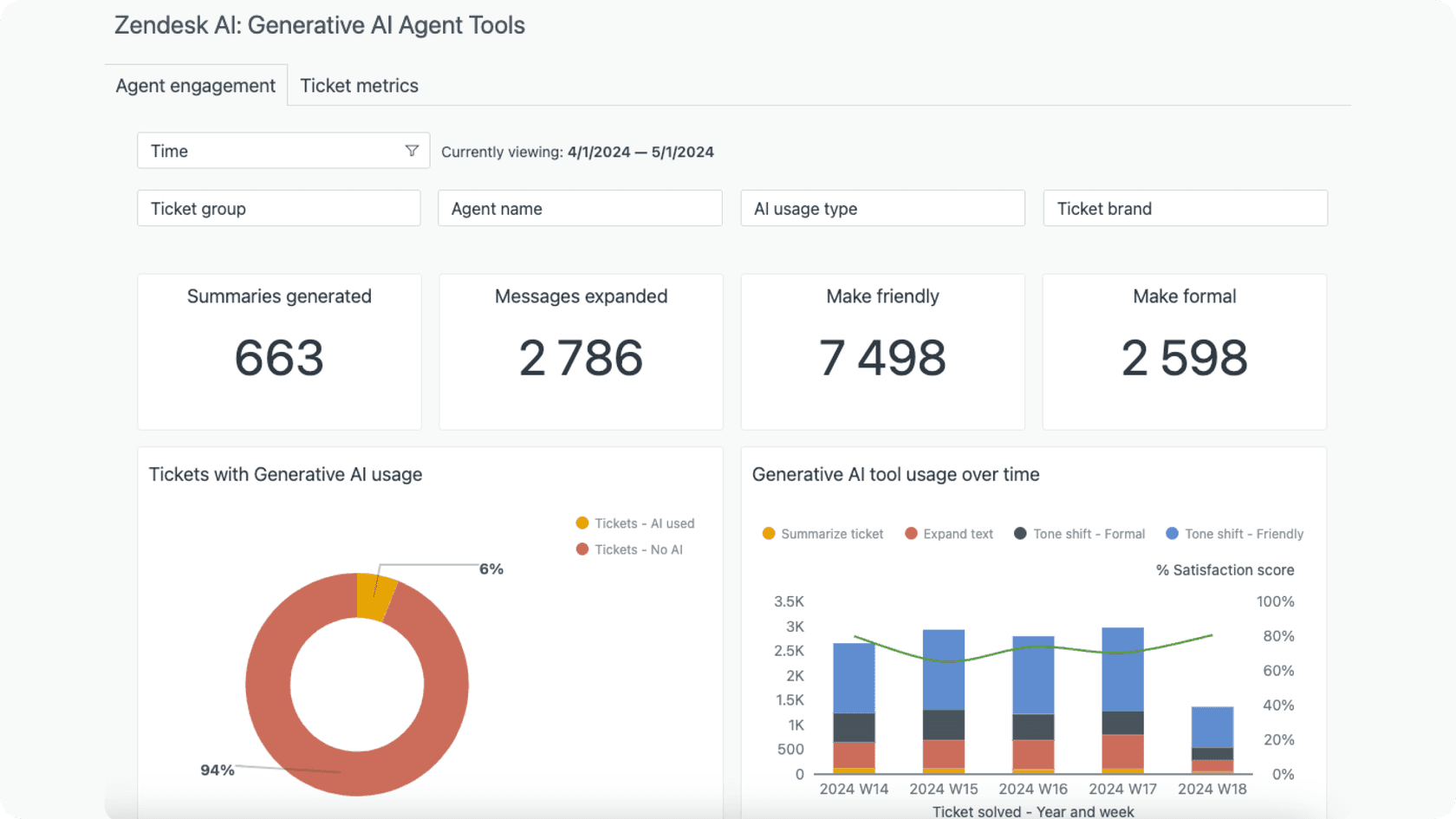
When calculating ROI, analyze these key performance indicators:
-
Average time savings per ticket, allowing agents to focus on high-value interactions.
-
Significant reduction in misrouted tickets, leading to faster resolutions.
-
Quantifiable agent productivity improvements and enhanced workflow efficiency.
-
The long-term value of a scalable, automated support system.
For additional precision, eesel AI can work alongside Zendesk to deliver enhanced accuracy rates through advanced contextual processing and continuous learning algorithms.
Maximizing the capabilities of Zendesk AI classification
To get the most out of your automated classification system, it helps to be aware of how to best configure it for your unique needs.
Zendesk's language detection covers about 150 languages, and teams with specific regional dialect requirements for replies can look at tools like eesel AI.
For complex tickets with multiple intents, the AI acts as a great first filter. While some highly intricate queries may still benefit from a human touch, the AI significantly reduces the noise, allowing your specialists to handle those complex cases more effectively.
Topic detection has eligibility requirements, so check the Topic page in Admin Center to see whether your account qualifies and which topics your tickets map to.
Regular maintenance and knowledge base updates ensure the AI stays perfectly aligned with your current product offerings. By keeping your data sources current, you ensure that the AI continues to be a reliable and high-performing asset for your ticket classification workflow.
Implementing AI classification: Next steps
A successful AI ticket classification launch is a great step toward a modern support workflow. Start by documenting your current ticket volumes and response times to establish baseline metrics. While enterprise-grade solutions like Zendesk are built for depth and scale, you can also look at eesel AI for complementary features that can be deployed rapidly.
Ready to streamline your ticket classification? Start a free trial or book a demo to see how you can enhance your support workflow in just two weeks.
Frequently asked questions
How does Zendesk AI ticket classification improve response times for high-volume support teams?
Zendesk AI analyzes ticket content in real-time to automatically route inquiries to the right team, reducing misrouted tickets and helping teams respond faster, as explained in Zendesk’s official guide.
What kind of training data is needed for Zendesk AI ticket classification to work effectively?
Zendesk ships a pre-trained topic model, so there is no labeling requirement. Your account does need to meet industry and model-fit requirements for topic detection, while language and sentiment predictions work either way.
Can Zendesk AI handle tickets with multiple intents or complex queries on its own?
While tickets with multiple issues may still benefit from human review, combining Zendesk AI with platforms like eesel AI provides a great way to handle multi-intent classification across various languages.
How customizable is Zendesk AI ticket classification for unique business workflows?
You can easily configure categories, tags, and routing logic. For highly specific or cross-system workflows, Zendesk offers custom integrations to help achieve even deeper automation.
What metrics should teams monitor to evaluate the ROI of Zendesk AI ticket classification?
Track classification accuracy, time saved per ticket, and misrouted ticket reduction, as detailed in Zendesk analytics, to measure the effectiveness of the system.