

If you're running a small business, you know the drill. You’re the marketer, the accountant, and most definitely, the entire customer service department. Trying to keep up with customer emails, social media messages, and phone calls can feel like you’re constantly just putting out fires. You know there has to be a better way to organize it all, a system that helps you look as buttoned-up as the big guys.
That's usually when someone brings up Zendesk. It’s a huge name in the customer service world, and for good reason. But is it the right tool for a small, scrappy team?
This guide is an honest look at using Zendesk for small business. We’ll walk through its main features, explore its tiered pricing, and highlight important considerations to ensure you get the most out of the platform. Because while Zendesk is a powerful platform, layering some smart AI on top is what really unlocks its potential seamlessly.
What is Zendesk for small business?
At its heart, Zendesk is a tool designed to bring all your customer conversations into one, tidy place. Think of it as a central command center. Whether a customer reaches out via email, chat, or social media, the message lands in a shared inbox as a "ticket."
Instead of important questions getting buried in a personal inbox, every query becomes a trackable conversation. This simple shift brings a sense of order to the chaos. Your whole team can see who’s handling what, and you have a complete history of every customer interaction. It’s built to work for everyone from a solo founder to a massive company, which is both its greatest strength and a source of immense scalability for small businesses.
Key features of Zendesk for small business
Zendesk is loaded with features, but let’s be real, you won’t use most of them when you're just getting started. Here are the parts that actually matter for small and growing businesses.
Unified ticketing system: The core of Zendesk
This is the core of Zendesk. The ticketing system is where every customer interaction lives. When a customer emails you or sends a chat, a ticket is automatically created and assigned.
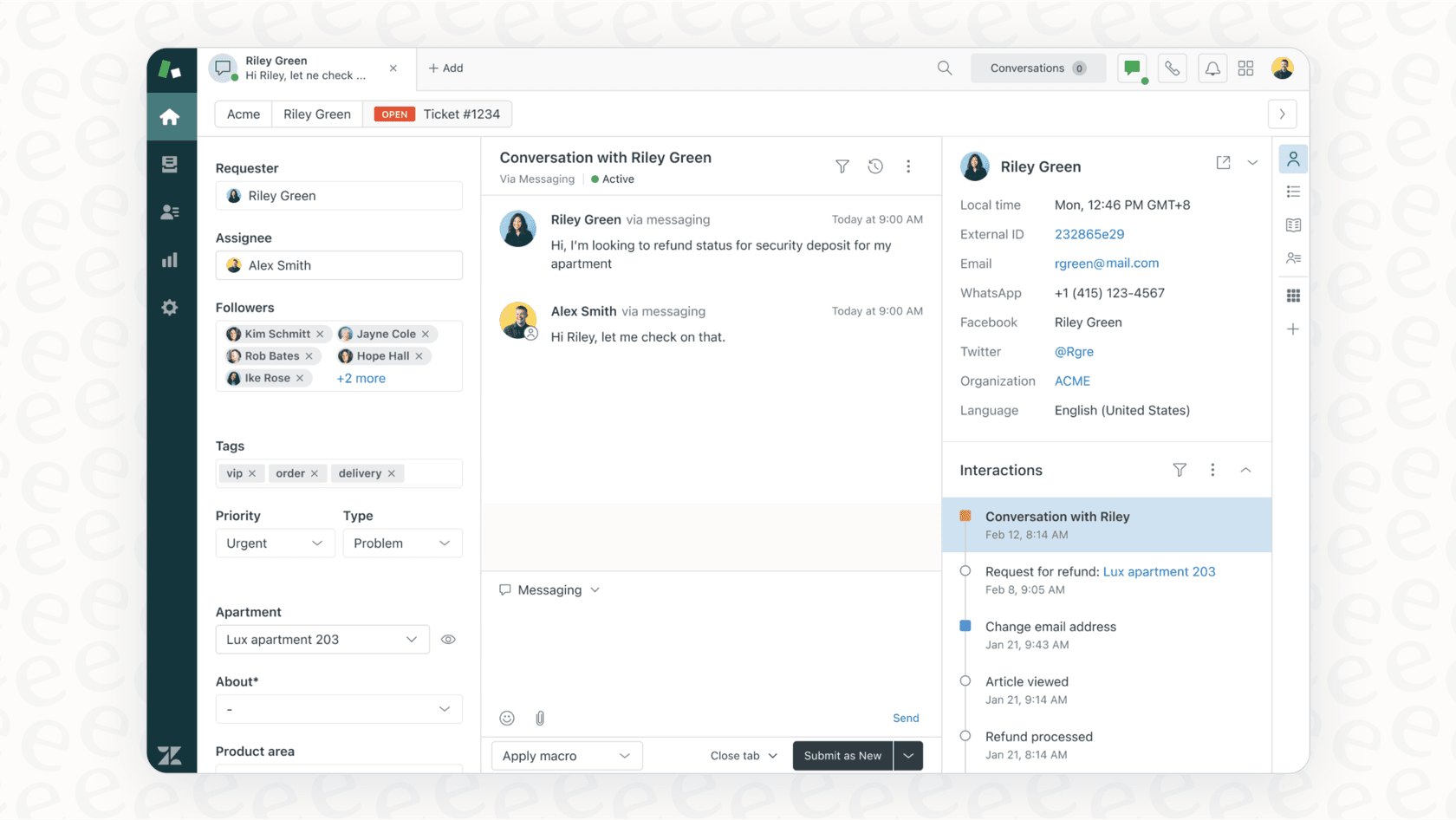
For a small team, this is huge. Nothing slips through the cracks. You can see a customer's entire history in one view, assign tickets to the right person, and add internal notes to collaborate behind the scenes. It also includes helpful tools like macros (which are basically canned responses for common questions) and simple automations to help route tickets, saving you time on repetitive work.
Omnichannel support
"Omnichannel" is just a fancy term for supporting your customers on whatever platform they prefer, without making them repeat their story. With Zendesk, you can manage conversations from email, live chat, social media, and phone calls, all from the same dashboard.
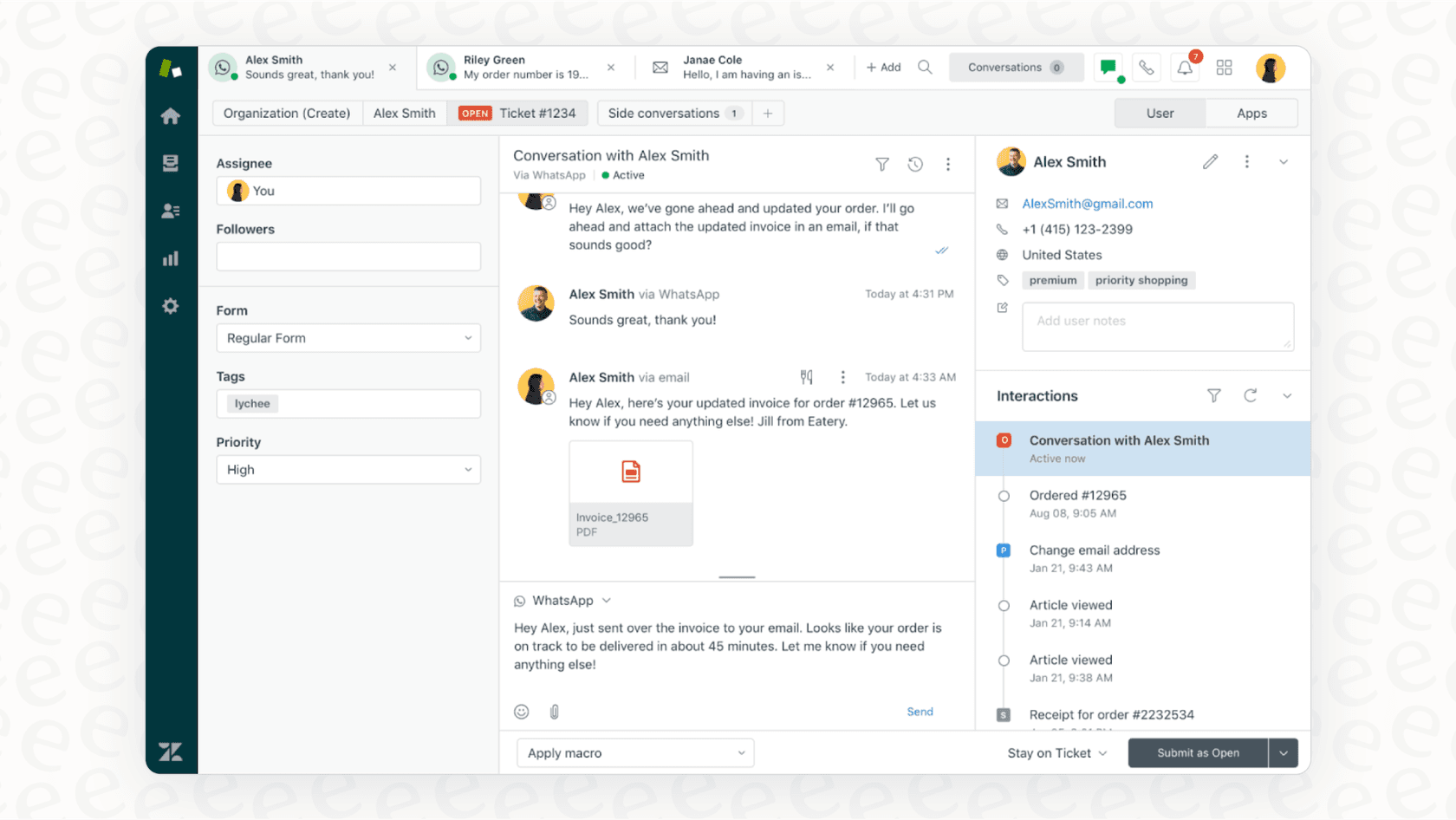
This helps a small business present a really polished, professional front. You’re available where your customers are. To access the full range of omnichannel features-like messaging through WhatsApp or Instagram DMs-you can explore the "Suite" plans, which offer a comprehensive set of tools for teams ready to expand their reach.
Self-service knowledge base
Zendesk has a help center feature that lets you build your own knowledge base, which is basically an online FAQ or resource hub. This is one of the best ways to lighten your support load. If customers can find their own answers with a quick search, that’s one less ticket you have to handle.

But a knowledge base is only useful if it’s kept up to date. This is an area where modern AI can make a real difference. Instead of guessing what articles your customers need, a tool like eesel AI can look at your past support tickets, spot the most common questions you haven't answered yet, and even draft new articles based on solutions your team has already provided. It helps you build a resource that people actually use, complementing Zendesk's core features.
Zendesk for small business: Pricing explained
Alright, let's talk about the price. Zendesk’s pricing is structured to offer variety based on your needs. It’s split into two main products, "Support" and "Suite," and each of those has its own pricing tiers.
Here’s the simple version: Support is the basic ticketing system, mostly for email and social media posts. Suite is the whole package, bundling in features like live chat, a knowledge base, and phone support. If you're looking for an all-in-one solution, you’ll probably be looking at the Suite plans.
Here’s a breakdown of the plans most relevant to small teams in 2026:
| Plan | Price (Billed Annually) | Best For | Key Features Included | Key Features Optional/Add-on |
|---|---|---|---|---|
| Support Team | $19 per agent/month | Tiny teams just needing email & social ticketing. | Ticketing System, Macros, Basic Reporting, 1000+ Integrations, AI Agents | Live Chat, Help Center, Voice |
| Suite Team | $55 per agent/month | Teams wanting an all-in-one solution with the main channels. | Everything in Support, plus a Knowledge Base, Live Chat, Social Messaging, Phone Support, AI Agents | Copilot ($50 per agent/month add-on) |
| Suite Professional | $115 per agent/month | Growing teams who need more data and customization. | Everything in Suite Team, plus CSAT Surveys, SLA Management, Skills-based Routing, Quick Reports, HIPAA-enabled (BAA) | Sandbox Environment, Copilot ($50 per agent/month add-on) |
Zendesk uses a per-agent pricing model, which makes it easy to calculate your costs as you scale your team. This model ensures you have a dedicated seat for every professional on your staff, providing clear accountability and access.
AI agents are included in every Suite and Support plan, and Zendesk bills them by automated resolution. Each plan includes 5 to 10 resolutions per agent per month, and extra ones cost $1.50 on a committed plan or $2.00 pay-as-you-go.
For businesses looking for different structures, platforms like eesel AI use one fixed monthly price sized to volume: a free plan with 100 credits, then from $299 a month for 500 credits (one credit per ticket or chat), with unlimited seats. This can be a great way to augment your Zendesk setup, keeping your human agent count focused on high-touch support.
Considerations for your Zendesk journey: Getting the most out of the platform
While Zendesk is a powerful market leader, its robust nature means there are several ways to optimize its use for a small business environment.
Maximizing your setup and workflows
You can get Zendesk working for basic email ticketing right out of the box. To fully realize its potential, you can invest time in customizing it. Setting up workflows, triggers, and automations that fit your business is a rewarding project that pays off in efficiency.
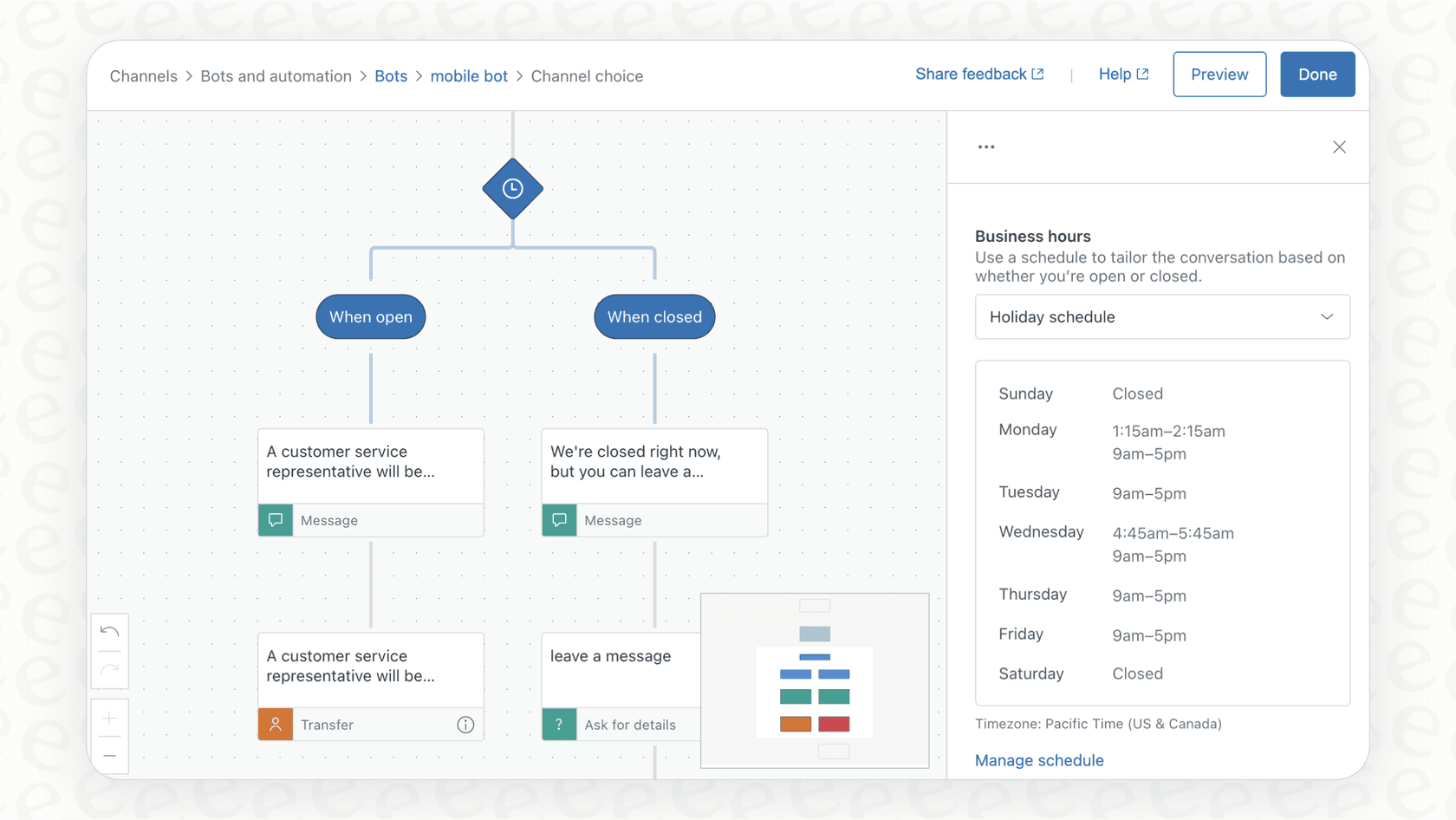
This is where a simple AI layer can be a great addition. Instead of building every complex rule yourself, a solution like the eesel AI integration for Zendesk plugs right in. It’s self-serve, allowing you to add powerful AI automation to your Zendesk setup in minutes.
Optimizing automation for your workflow
Zendesk’s built-in automation is highly reliable and provides precise control. You can define specific conditions for how tickets are handled, ensuring consistent service.
For teams that want additional flexibility, a tool like eesel AI lets you decide exactly how much the AI handles. You can start small, telling it to handle simple questions like "Where's my order?" and routing the rest to your team. It offers an intuitive way to manage the AI's personality and tone of voice alongside Zendesk's native tools.
Unifying company knowledge
Every small business has this problem: your company knowledge is scattered everywhere. It’s in old support tickets, internal Google Docs, and Confluence. Zendesk's own AI provides a solid foundation by utilizing your help center articles and, through knowledge connectors, external sources such as Confluence and SharePoint.
This is where eesel AI acts as a perfect partner. It’s built to connect those scattered sources and works in harmony with Zendesk. It learns from your past tickets and other connected knowledge sources to provide answers that are highly accurate, ensuring your customers always get the best information.
Rolling out new features with confidence
Launching new automation is an exciting step for any business. To ensure every interaction meets your standards, it helps to have a testing phase.
That's why eesel AI's simulation mode is a valuable addition to the Zendesk ecosystem. Before you enable the AI for your customers, you can run it on past tickets in a test environment. It shows you exactly how it would have responded, allowing you to refine answers and roll out your automation with complete confidence.
Supercharge Zendesk with an AI co-pilot
So, is Zendesk the right choice for your small business? Absolutely. It’s a mature, reliable platform that will make your customer service professional, organized, and scalable. It is the gold standard for a reason.
For many small businesses, the best approach is to enhance this industry-leading tool. By adding an intelligent AI layer on top of Zendesk, you get the best of both worlds: the power and reliability of Zendesk combined with flexible, modern AI.
Ready to make your Zendesk even smarter?
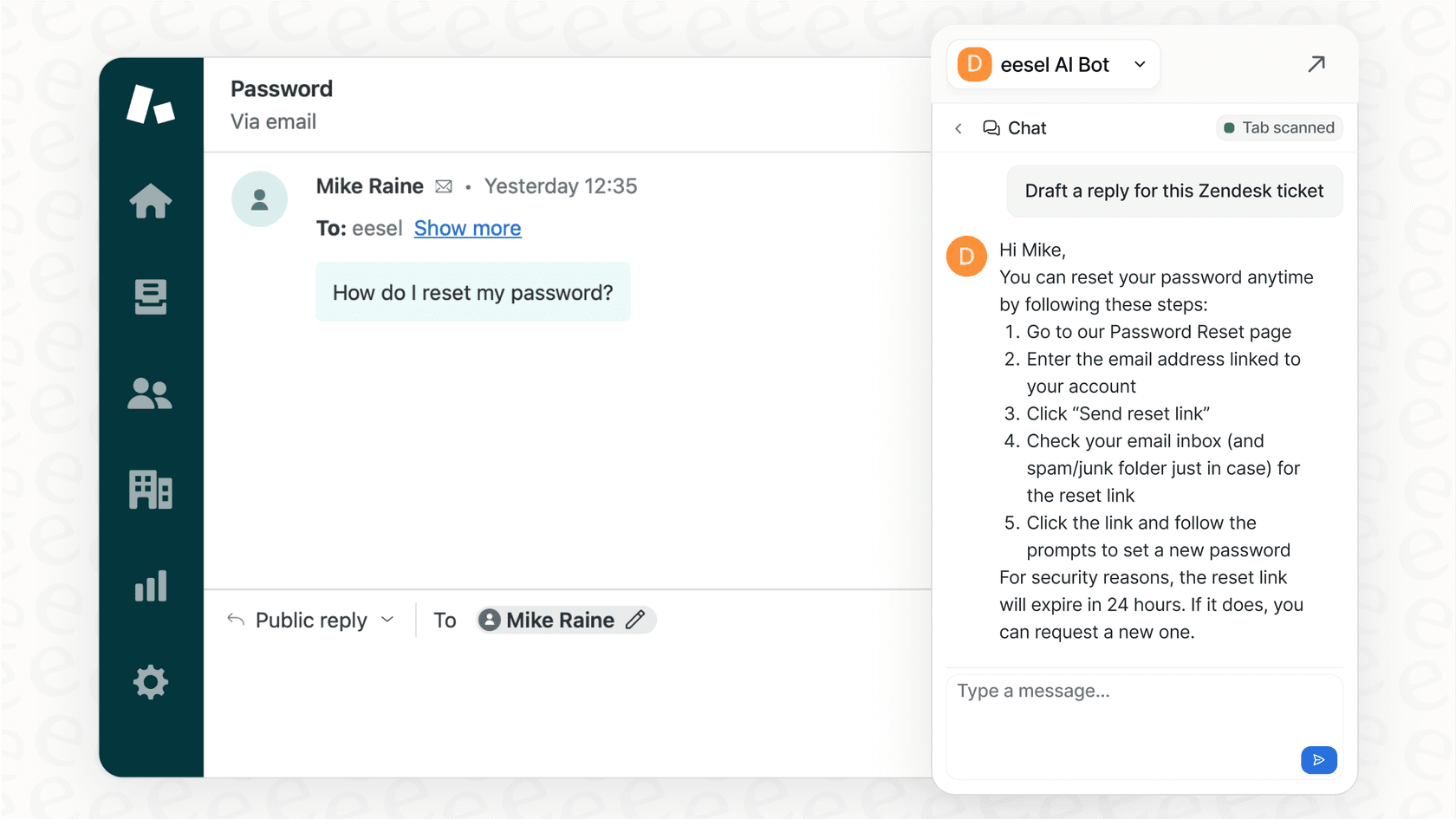
Don't replace your help desk, supercharge it. eesel AI connects with Zendesk in minutes to automate frontline support, help agents draft replies, and bring all your company knowledge together. Give the free trial a spin and see how much you can achieve with Zendesk and AI.
Frequently asked questions
Is Zendesk for small business truly cost-effective for a growing team?
Zendesk's per-agent pricing model offers structured tiers that grow with your team, allowing for predictable planning as you hire. This helps small businesses scale with a platform that is trusted by industry leaders.
What are the essential features of Zendesk for small business that my team would actually use?
For small teams, the unified ticketing system for managing emails and chats is core. The ability to build a self-service knowledge base is also highly beneficial for reducing support volume by empowering customers to find their own answers.
How difficult is the initial setup and ongoing maintenance for Zendesk for small business?
While basic email ticketing can be set up easily, customizing workflows and automations to fit your business is a powerful way to tailor the platform. Zendesk is a robust tool that allows for continuous optimization to ensure it works perfectly for your unique needs.
Can I integrate my existing knowledge sources beyond a formal help center when using Zendesk for small business?
Zendesk's AI agents can use your help center plus connected external sources such as Confluence and SharePoint. Third-party AI tools like eesel can also connect to sources like Google Docs and past Slack threads, so you can pull more of your company knowledge into your Zendesk workflow.
How can AI tools like eesel enhance Zendesk for small business without adding more complexity?
AI co-pilots like eesel integrate directly with Zendesk, offering self-serve automation that can be deployed quickly. They can handle frontline support, help agents draft replies, and bring all your knowledge together in a way that complements your existing Zendesk setup.
What's the biggest difference between Zendesk Support and Zendesk Suite when choosing Zendesk for small business?
Zendesk Support is a basic ticketing system mainly for email and social posts. Zendesk Suite bundles in additional features like live chat, a knowledge base, and phone support, offering a more comprehensive, all-in-one solution for omnichannel support.
How can I ensure a smooth rollout of new automation features within Zendesk for small business?
Tools like eesel AI offer a simulation mode that allows you to test how AI would respond to thousands of past tickets before going live. This provides a way to forecast automation potential and refine responses, ensuring confidence in your rollout of new automation features alongside Zendesk.