

We've all been on the receiving end of it. You contact customer support, and the first ten minutes are spent re-explaining an issue you already described last week. You repeat your account number, you retell the story, and your frustration builds. It’s a pain for customers and a massive time-waster for support agents. The problem almost always boils down to one thing: a lack of context.
AI is supposed to be the solution, giving agents the full backstory on every ticket in a flash. In this post, we’re going to take a close look at Zoho Desk's own AI assistant, Zia, and its Zoho Desk Zia Ticket Context Awareness features. We'll unpack what it does, how it can help your team, and where you might find its limitations a bit too confining.
What is Zoho Desk Zia?
Zia is the AI assistant built right into Zoho Desk. It’s designed to help support teams out by automating some of the grunt work and offering up useful insights. The idea is to make an agent's day a little less hectic by making better sense of customer conversations.
Zia wears a lot of hats, from customer-facing chatbots to tools that help agents write replies. But for our purposes, we're focusing on the features that help build a complete picture around a support ticket. Because an AI that truly understands why a customer is reaching out is the secret to faster, better support.
How Zia determines ticket context
A good support AI needs to figure out what a customer is saying, and fast. It’s about more than just picking up on keywords; it's about getting a feel for the customer's mood, history, and how urgent their problem is. Zia uses a few different features to try and piece this puzzle together.
Sentiment, tone, and key topic analysis
When a new ticket lands in the queue, Zia's "Insights" tools get to work reading the text to understand a few things:
-
Sentiment: Is the customer happy, annoyed, or somewhere in between? Zia labels this as positive, negative, or neutral, giving agents a quick heads-up on the customer's mood.
-
Tone: Going a bit deeper than just sentiment, Zia tries to pick up on the customer's writing style. Are they being formal, appreciative, or maybe a little snippy?
-
Key Topics: It pulls out the main subjects of the conversation, like a product name or a specific problem, to give agents a quick summary of what’s going on.

This is a pretty good starting point. It helps agents know which tickets to tackle first (usually the angry ones) and how to shape their own communication style. The main drawback, though, is that Zoho's documentation describes this analysis at the level of the current ticket's conversations, not across the customer’s other tickets.
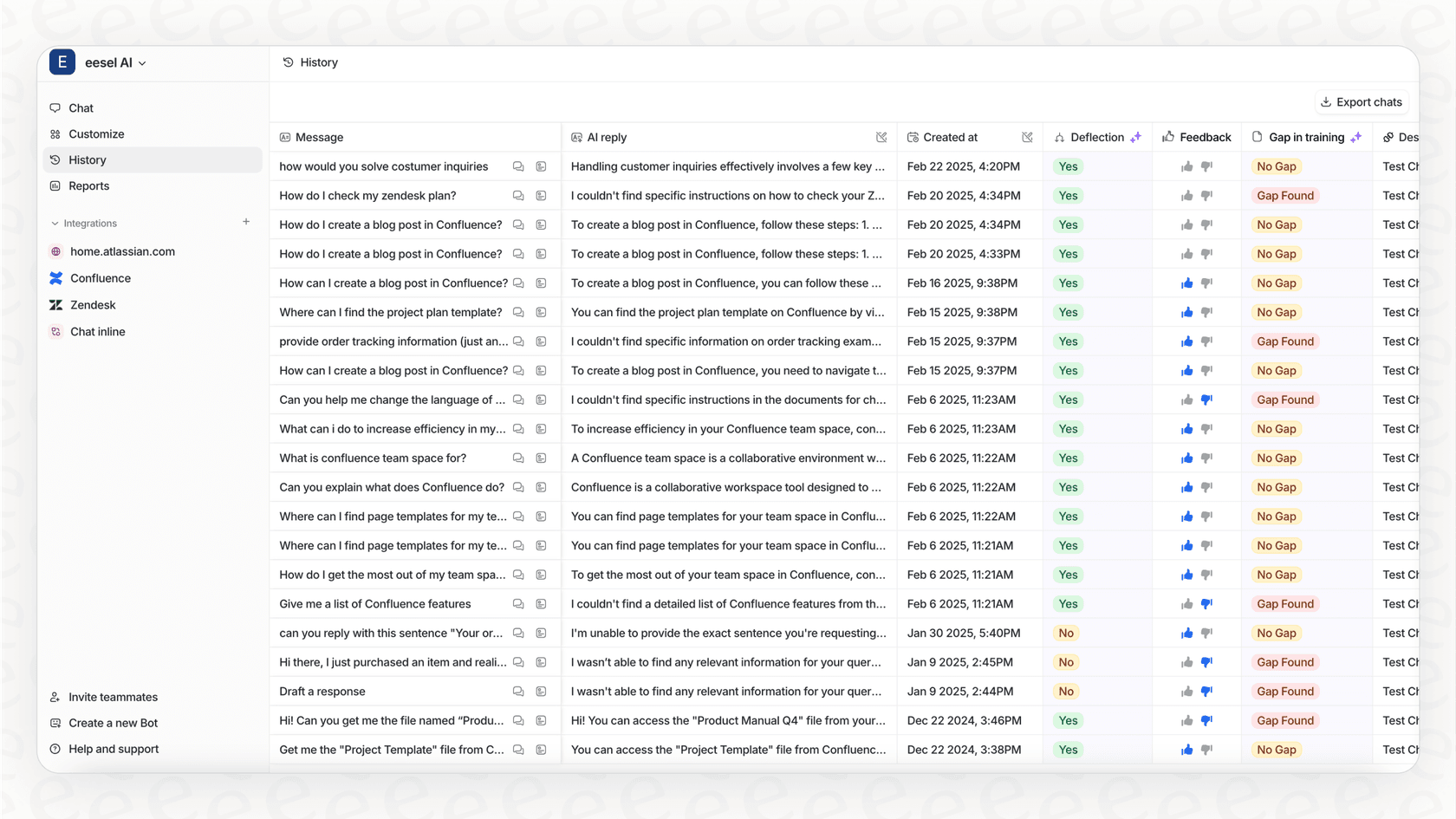
That’s a different approach from eesel AI, which learns from your help center and past tickets, not just the ticket in front of it. When you connect it to Zoho Desk, it reads both your Help Center and your Tickets, so a reply can draw on more than a single-ticket analysis.
Automated tagging and keyword generation
To keep things tidy, Zia can automatically tag tickets based on the keywords it detects. It also generates a new set of keywords for each message in a thread, which helps track how a conversation is shifting. This is handy for sorting tickets and setting up basic routing rules, saving agents from having to manually categorize every ticket that comes in.
But it’s still an approach that leans heavily on specific keywords. If a customer describes their problem with slightly different phrasing, the automation can miss it entirely. The context it builds is really just a reflection of what's been explicitly typed out.
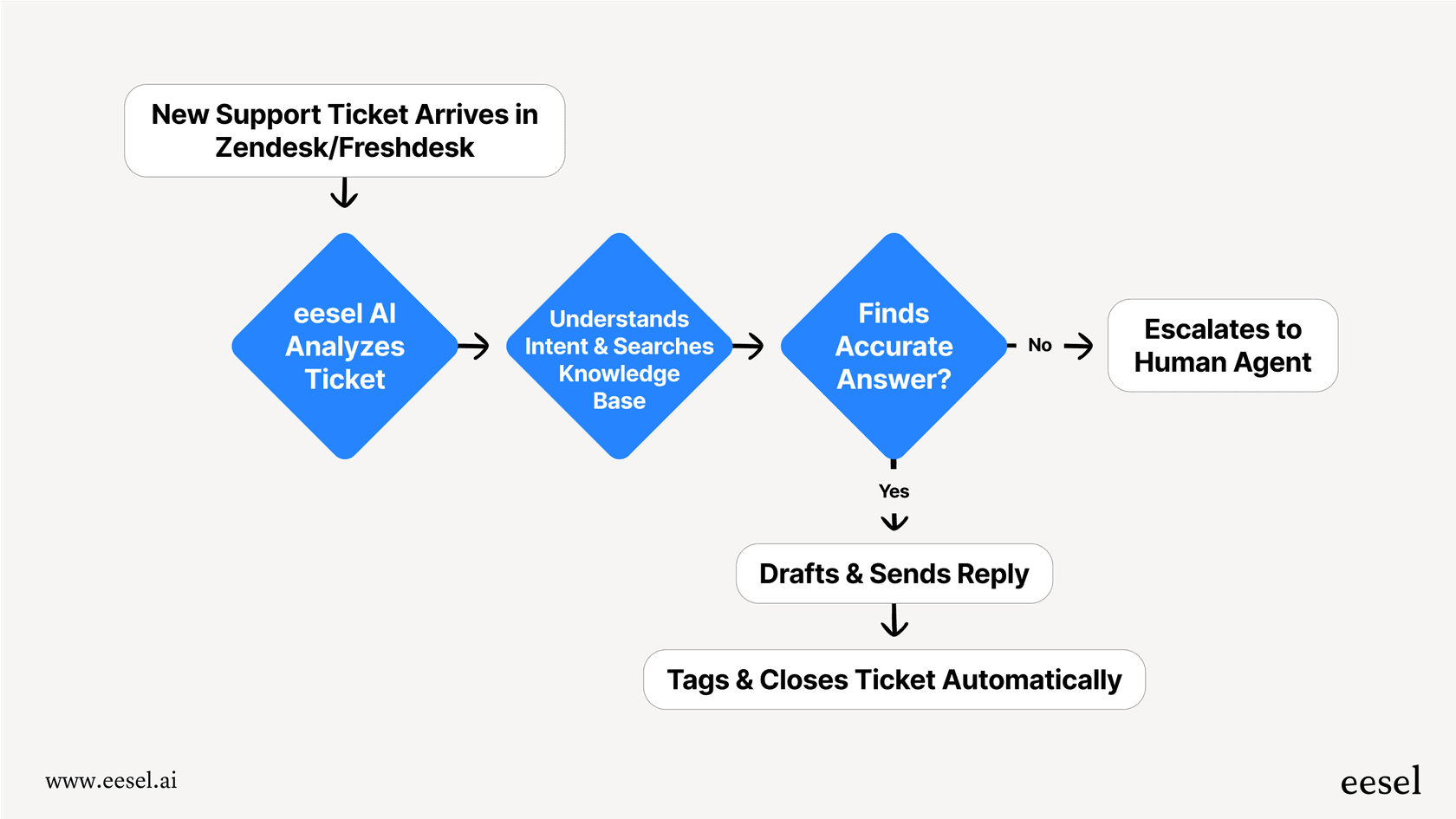
A more modern take is to connect context directly to action. An AI agent from eesel AI doesn't just slap a "order status" tag on a ticket. It can be set up to spot an order number, automatically look it up in your Shopify store, grab the real-time shipping info, and drop that update right into the ticket before an agent even lays eyes on it. That’s not just being aware of context; it’s acting on it.
Ticket and thread summarization
For those long, winding ticket threads, Zia can generate a summary. It creates a bulleted list of what’s been discussed so agents can get caught up without having to read every single back-and-forth. This is a real help, especially when a ticket gets passed from one agent to another.
There are a couple of hitches, though, as pointed out in Zoho's own documentation. Zia's summaries only look at the last 30 messages, and each one has to be at least 50 words long to make the cut. This means important details from the beginning of a complex support issue could easily get left out, leaving your agent with only part of the story.
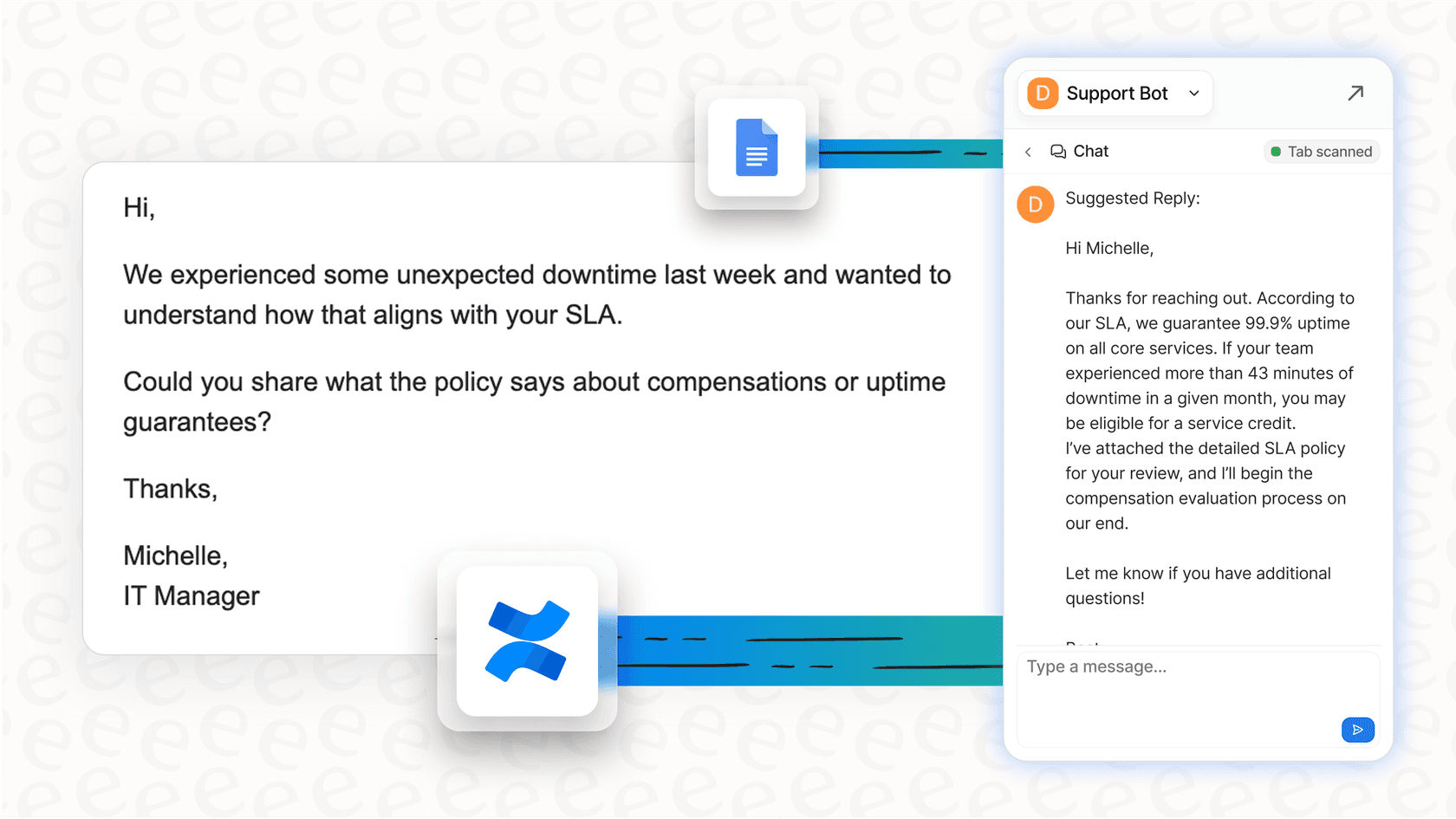
By contrast, eesel AI learns from your past tickets and help center, not only the latest messages in one thread. It can also securely connect to your other knowledge sources, like a technical guide in Confluence or a policy doc in Google Docs. This lets its answers draw on more than the most recent messages in a thread.

How Zia helps agents with automation
Understanding a ticket is just the first step. The real test is using that knowledge to solve the problem quickly. Here’s how Zia tries to help your support team turn context into resolutions.
Reply and writing assistance
Once Zia has an idea of what the issue is, it can draft replies for your agents using its Reply Assistance feature. It does this by pulling information straight from your company's Knowledge Base (KB). For common questions, this can definitely speed things up. It also has a Writing Assistance tool that can help polish the tone, fix grammar, or tweak the length of a reply. Zoho's help doc says Reply Assistance reads only the ticket subject and the latest incoming email thread, not other ticket fields, comments, or earlier threads, and that the department needs Answer Bot enabled (Standard and above).
The biggest hurdle here is that it leans heavily on a perfect, always-updated Knowledge Base. If there’s no article for a particular issue, Zia prompts the agent to add the information and retrain it. You can hook it up to ChatGPT to pull answers from the web, but that brings its own API costs and data privacy questions. This leaves teams constantly chasing down and filling content gaps.
This is where eesel AI’s helpdesk agent works differently. It doesn't just learn from your KB; it also learns from your past tickets. It can draft a reply based on how your team has already handled that kind of question, even if a KB article was never written, and in Zoho Desk it can leave the draft as a private comment for your team to review.
Answer bot and guided conversations
For customers who want to help themselves, Zia has an Answer Bot that also pulls from your KB to provide instant answers. It also gives you a low-code tool called "Guided Conversations" to build simple, rule-based chatbot flows for common problems. It’s a solid way to deflect some of the easy, repetitive questions and offer support around the clock. Zoho has since layered on Zia Agents, packaged AI personas aimed at specific support jobs. The Support Specialist and Resolution Expert are available in the IN and US data centers, while the Sentiment Analyst and Quality Manager are listed as coming soon, and they run inside Zoho Desk. Zoho describes the Resolution Expert as analyzing past conversations and surfacing similar tickets.
The catch is that you're playing in a walled garden. The bot, its knowledge, and its logic are all tied to Zoho Desk. If your team's knowledge is spread across different platforms, or if you want a single brain for AI that works across all your tools, you're pretty much stuck.
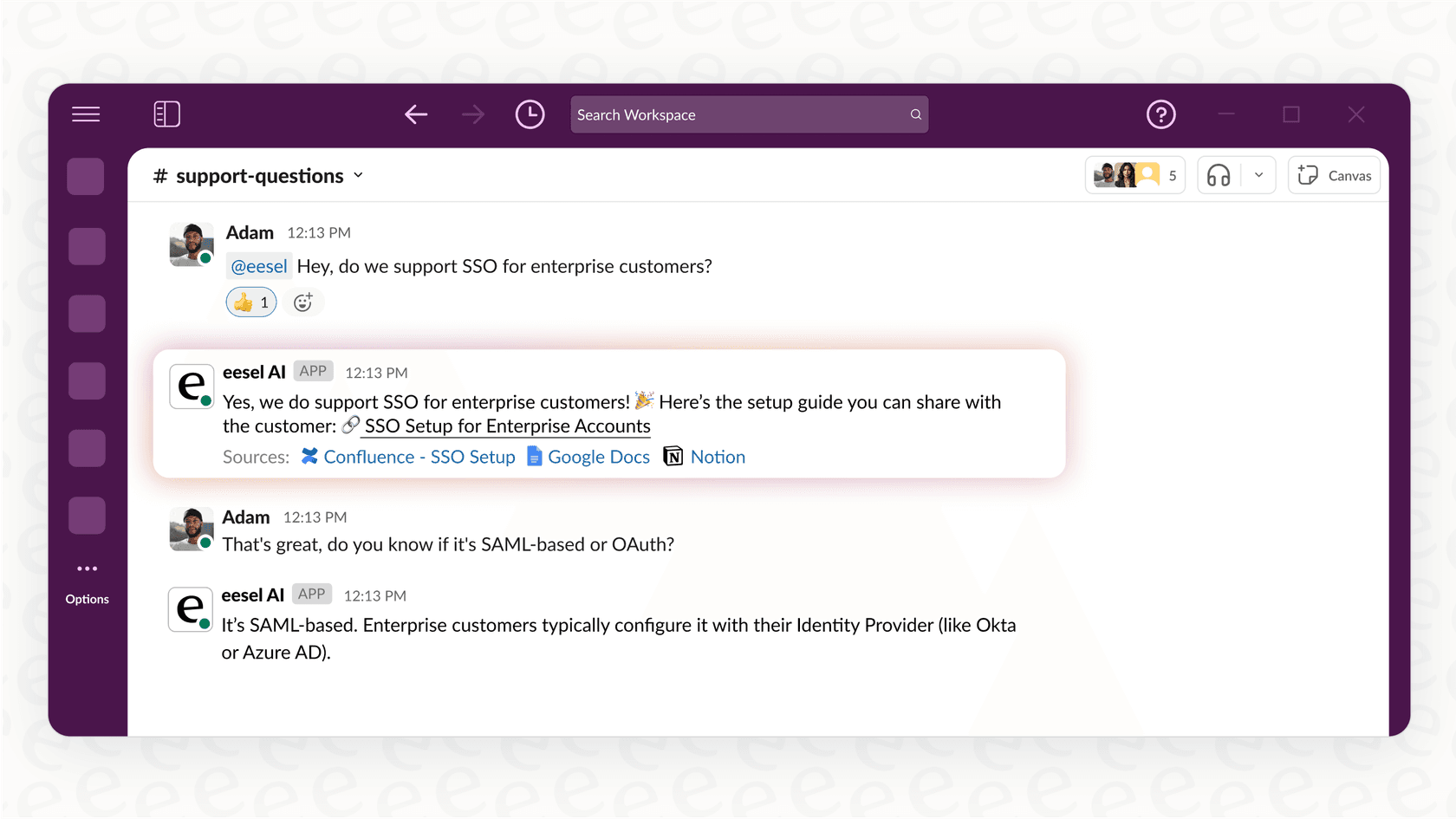
eesel AI was built to solve that exact issue. It connects to all your knowledge sources in a few clicks, wherever they live, Confluence, Google Docs, Notion, you name it. You can train one super-smart AI assistant on everything and then put it to work wherever you need it: as a website chatbot, an internal helper in Slack, or as an agent inside your helpdesk. You get one source of truth for your AI without being locked into one platform.
The bigger picture: Using Zoho Desk Zia
So, what's it really like to get Zia up and running? The "built-in" aspect of it sounds easy, but that convenience comes with some big trade-offs worth thinking about.
Setup and implementation
Zoho highlights that Zia is easy to set up because it's already part of Zoho Desk. While you don't have to deal with a third-party integration, you do have to commit to using Zoho Desk as your helpdesk. For any team that already has a system they like, that means a huge migration project that could take months of planning, data transfers, and retraining everyone.
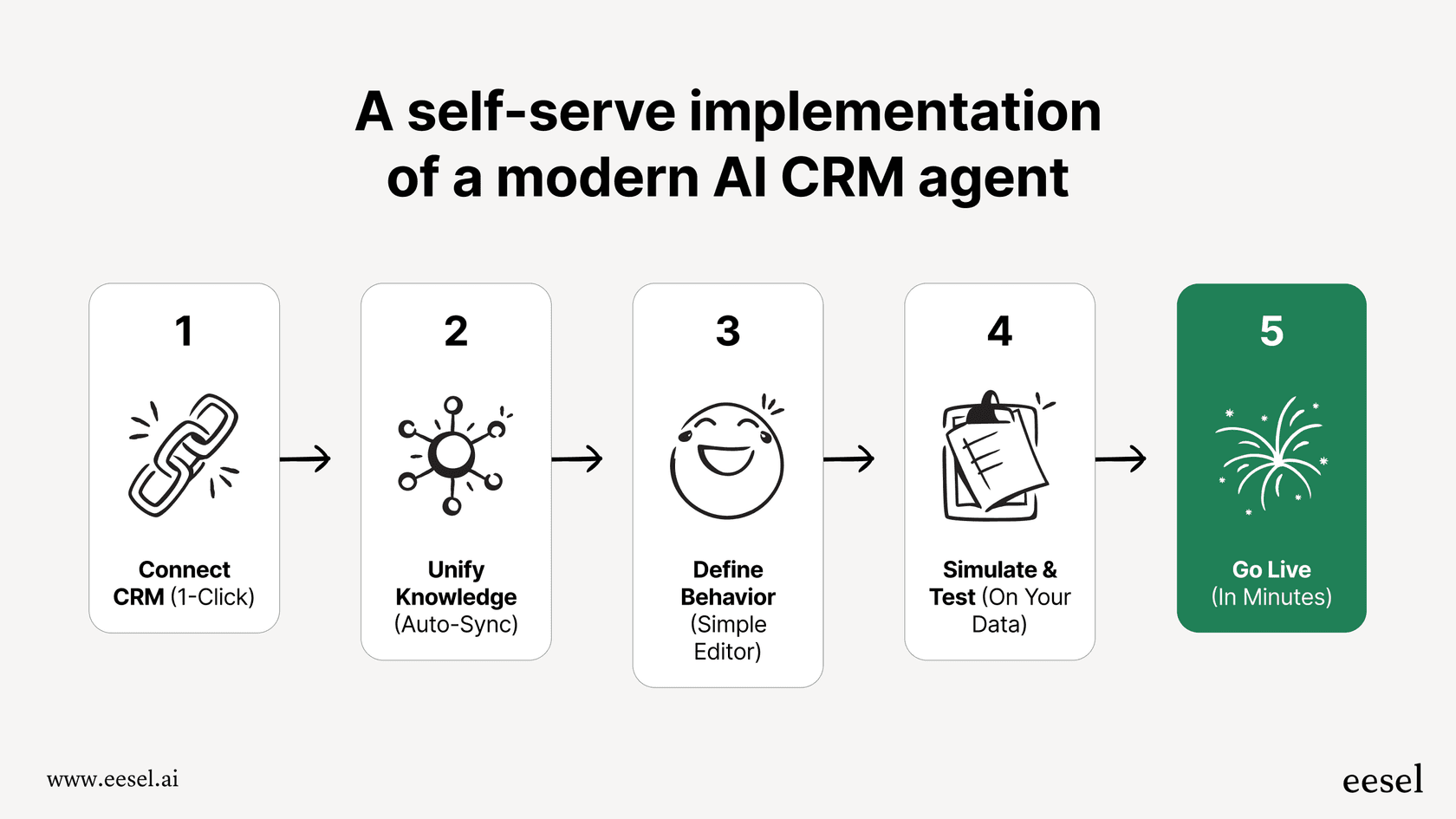
That’s a world away from eesel AI's "go live in minutes" philosophy. With simple, one-click integrations, eesel AI connects directly to the helpdesk you already use, whether that’s Zendesk, Freshdesk, Intercom, or another platform. The setup is designed so you can do it all yourself, connect your tools, run some tests, and launch your first AI agent without ever having to sit through a sales demo.
Pricing and cost
Zia's main AI features come bundled with Zoho Desk's subscription plans, and Zoho now spreads them across tiers: sentiment, summaries, and smart replies start on Express at $7/user if you bring your own OpenAI or DeepSeek key, the Answer Bot sits on Standard ($14), and Zia's built-in AI lands on Professional ($23). On the surface, it seems simple. But it means the cost of your AI is permanently tied to the cost of your helpdesk. You can't have one without the other. And if you want to use the ChatGPT integration for smarter replies, you'll be paying separate, usage-based API fees on top of your subscription.
With eesel AI, the pricing is transparent and predictable and isn't tied to your helpdesk at all. You pay one fixed monthly price from $299/month for 500 credits, where 1 credit is one ticket or chat however many replies it takes, with no per-seat fees and no platform fee. Past your plan's credits, overage is $0.80 per credit with a cap, so a busy month stays bounded. You can forecast your costs and avoid the massive "rip and replace" expense of changing your entire support platform just to get better AI.

Control and confidence
Zia has some neat predictive tools, like anomaly detection that can give you a heads-up about a sudden spike in tickets. But when it comes to turning on automation, you're mostly guessing at how it will perform until it's live with customers.
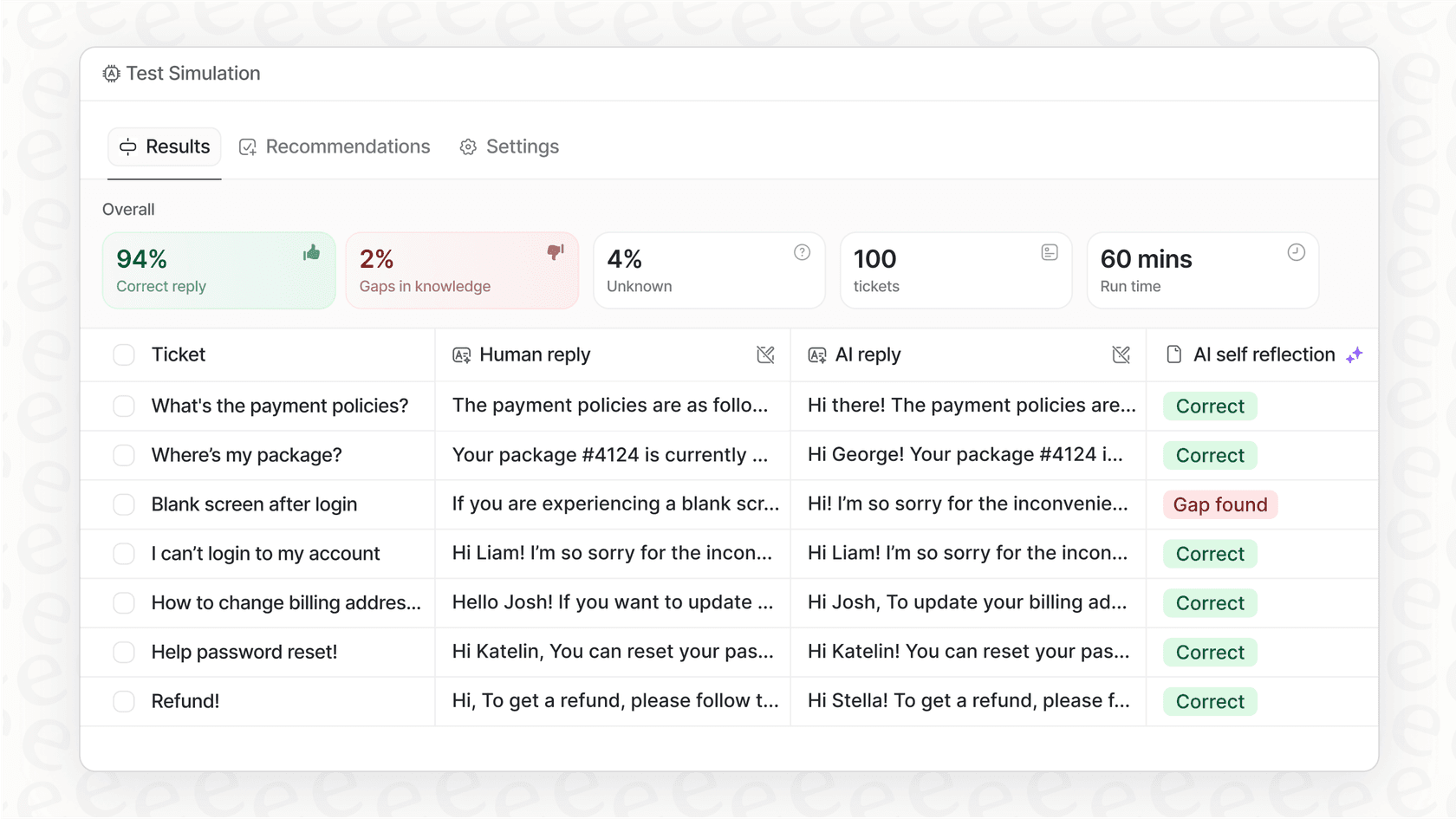
This is where eesel AI’s simulation mode makes a real difference. Before you switch on your AI agent, you can test it against hundreds of your own past tickets in a safe environment. You can see exactly how it would have replied, scored against what your team actually sent, and spot areas where it could be improved. That risk-free testing gives you a level of confidence and control that you just don't get with most built-in tools.
Is Zoho Desk Zia Ticket Context Awareness enough?
For teams already all-in on the Zoho ecosystem, Zia is a decent, integrated AI assistant. Its context awareness is good enough for basic sentiment analysis and for drafting replies from a well-kept Knowledge Base. For simple use cases, it gets the job done.
But for teams that need more power and flexibility, its weak spots start to show. The heavy reliance on a perfect KB, the "walled garden" that locks you into Zoho, the focus on knowledge base articles over how your best agents solved past tickets, and the requirement to adopt the entire Zoho Desk platform are pretty big downsides.
For most modern support teams, a more specialized AI platform that works with the tools you already love is almost always a better bet. After all, you shouldn't have to switch your entire helpdesk just to get a smarter AI.
Supercharge your support with AI that gets the full story
Don't overhaul your helpdesk just for better AI. eesel AI plugs into your existing tools and learns from all your knowledge, past tickets, documents, and wikis, to provide context that’s second to none.
Start your free trial and see how it works in minutes, not months. You can even simulate it on your own tickets, completely risk-free.
Frequently asked questions
What exactly is Zoho Desk Zia Ticket Context Awareness?
This refers to Zia, Zoho Desk's built-in AI assistant, and its features designed to help support teams understand customer conversations and the full backstory behind each support ticket. It aims to make sense of interactions to provide agents with useful insights quickly.
How does Zoho Desk Zia Ticket Context Awareness typically function for support agents?
Zia uses tools like sentiment analysis, tone detection, and key topic identification to analyze incoming tickets. It also provides automated tagging, keyword generation, and summarization of ticket threads to give agents a quick overview of the customer's issue and mood.
What are some limitations of Zoho Desk Zia Ticket Context Awareness that teams should be aware of?
A key limitation is its reliance on the current ticket and a perfectly updated Knowledge Base; Zoho's documentation describes ticket-level analysis rather than analysis across a customer's other tickets. Also, ticket summaries are limited to the last 30 messages, potentially missing crucial earlier details.
Can Zoho Desk Zia Ticket Context Awareness assist with drafting customer replies?
Yes, Zia offers Reply Assistance by pulling information from your Knowledge Base and Writing Assistance to polish the tone, grammar, or length of a reply. This helps speed up agent responses for common inquiries.
How does the setup and implementation of Zoho Desk Zia Ticket Context Awareness generally work?
Zia is built directly into Zoho Desk, making its setup seem straightforward for existing Zoho users. However, for teams not already using Zoho Desk, implementing it means committing to a full helpdesk migration, which can be a significant undertaking.
What kind of support teams would find Zoho Desk Zia Ticket Context Awareness most beneficial?
It's most beneficial for teams already fully integrated into the Zoho ecosystem and those with relatively simple support needs. For basic sentiment analysis and KB-driven replies, it can be a decent, integrated solution.
How are costs typically structured when using Zoho Desk Zia Ticket Context Awareness?
Zia's main AI features are bundled with Zoho Desk's subscription plans, from the Express tier up depending on the feature. This means its cost is tied to your helpdesk subscription, and using external integrations like ChatGPT for smarter replies can incur additional usage-based API fees.