

What is Agentforce in 2026?
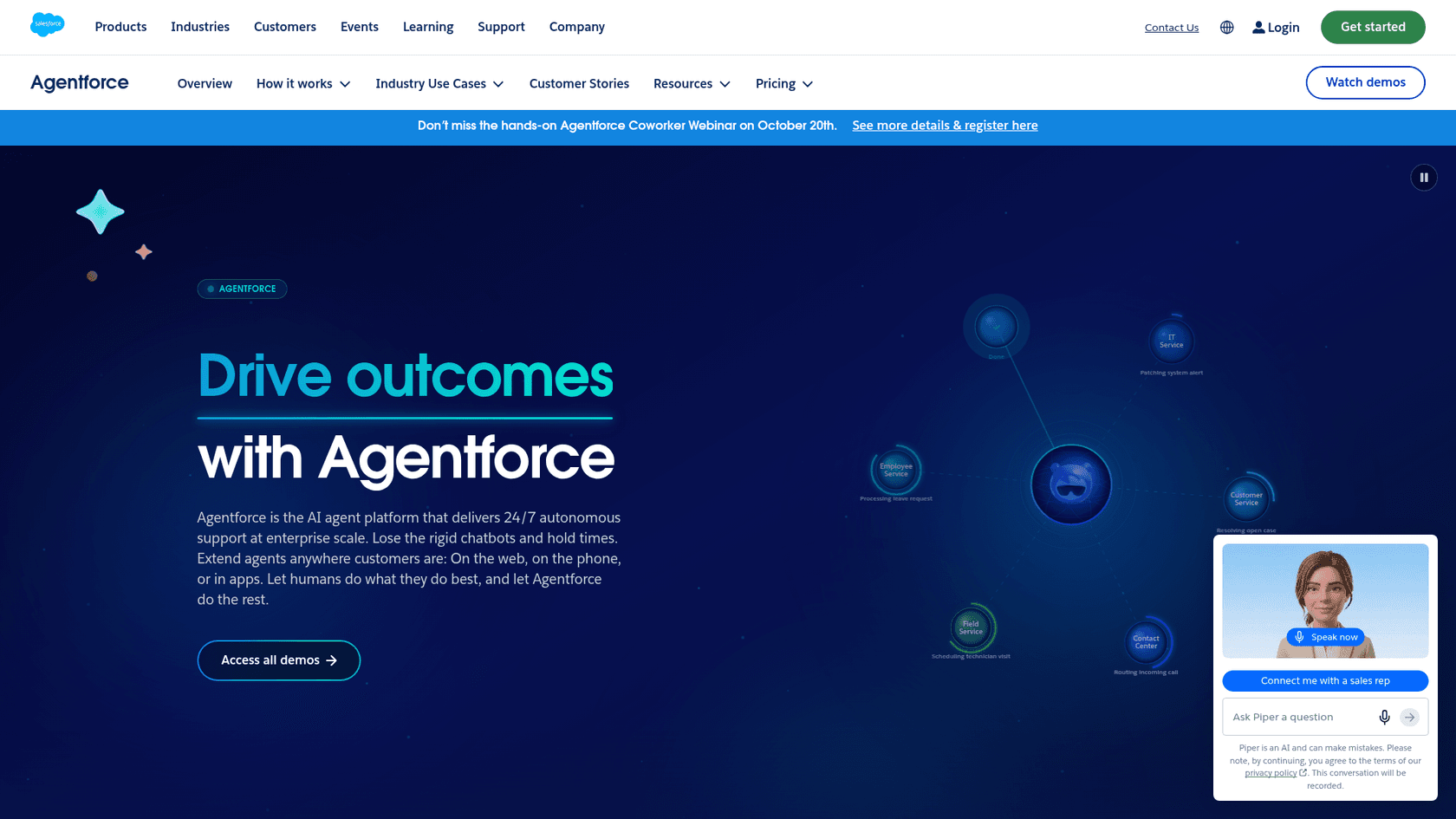
Agentforce is Salesforce's platform for building and running AI agents across service, sales, commerce, and internal support. Salesforce's own description is short: the AI agent platform that "delivers 24/7 autonomous support at enterprise scale."
I work the support queue at eesel every day, so I read this product the way a support lead would: what lands on the case, what it costs per conversation, and what breaks when a customer goes off-script. For this review I went through Salesforce's pricing pages, the Flex Credits rate card dated August 31, 2026, the help docs, and the 1,696 reviews on G2.
A few naming changes trip people up, so here is the 2026 vocabulary:
| Term you'll see | What it means now |
|---|---|
| Subagents | What Salesforce used to call topics. Since April 2026, topics are called subagents, with no change in function |
| Actions | The things an agent can do: run a Flow, call Apex, hit an API, run a prompt |
| Atlas Reasoning Engine | The planner underneath, which Salesforce calls the brain of Agentforce |
| Agent Script | Salesforce's scripting language for mixing fixed rules with AI reasoning |
| Data 360 | The product formerly called Data Cloud, used to ground agents in unified customer data |
| Casey | The prebuilt help agent for customer service, generally available since September 11, 2026 |
The September 2026 launch matters most for support teams. Salesforce shipped a roster of job-ready agents (Casey for service, Paige for IT and HR, Carter for shoppers, and others), each arriving with skills, actions, and data models for its job. You no longer start from a blank canvas, which was the biggest complaint about the 2024 version.
How Agentforce works under the hood
When a customer message arrives, Agentforce first decides which subagent should handle it, then runs a reasoning loop: plan a step, take an action, look at the result, repeat. Salesforce says it moved from chain-of-thought planning to a ReAct-style loop (reason and act) because testing showed much better results.
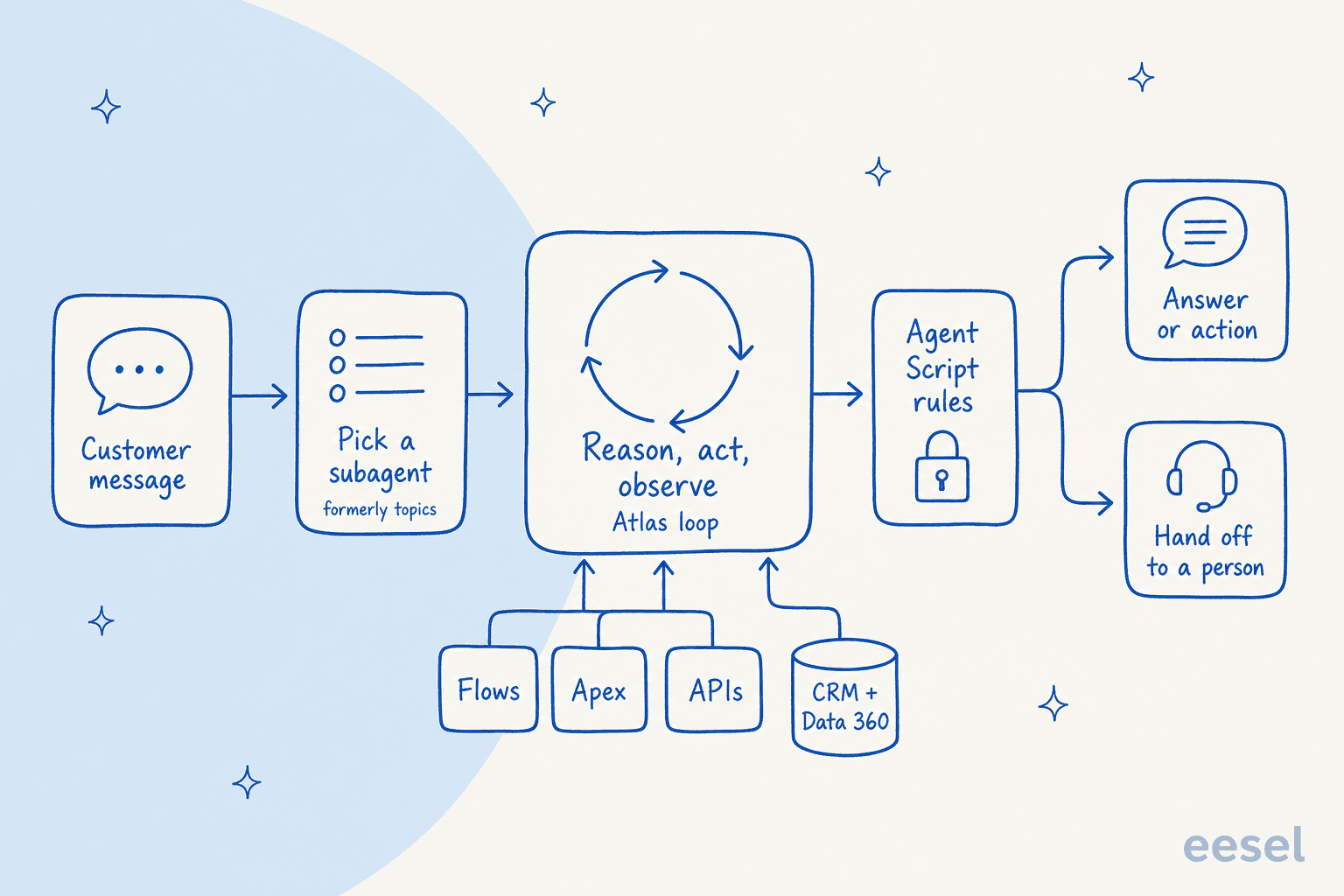
The pieces that make it different from a chatbot:
- Actions reuse what you built. Salesforce says you can turn existing workflows, prompt templates, Apex, and APIs into agent actions. If your admins already have a "process return" Flow, the agent can call it.
- Grounding in your data. Answers draw on CRM records, knowledge articles, and Data 360. This is AI grounding done natively, which is the main reason to pick Agentforce over a bolt-on tool.
- Permissions come along. The agent works inside your org's sharing rules and field-level security, so it can't read what its user profile can't.
- Guardrails and the Trust Layer. The Einstein Trust Layer adds zero data retention, toxicity detection, and an audit trail.
- Agent Script for the parts that must be exact. Refund thresholds, identity checks, and compliance wording can be fixed in script rather than left to the model.
That last point is the quiet 2026 story. Salesforce's own team pushed hard on deterministic control, and open-sourced the language:
"Our team at Agentforce recently open-sourced our solution to this and we've gotten very valuable feedback -- would love to hear from more of you about it"

You build all of this in Agentforce Builder. The screen below is Salesforce's own product shot: subagents (shown under their older name, topics) on the left, the reasoning trace in the middle, and a live preview on the right.
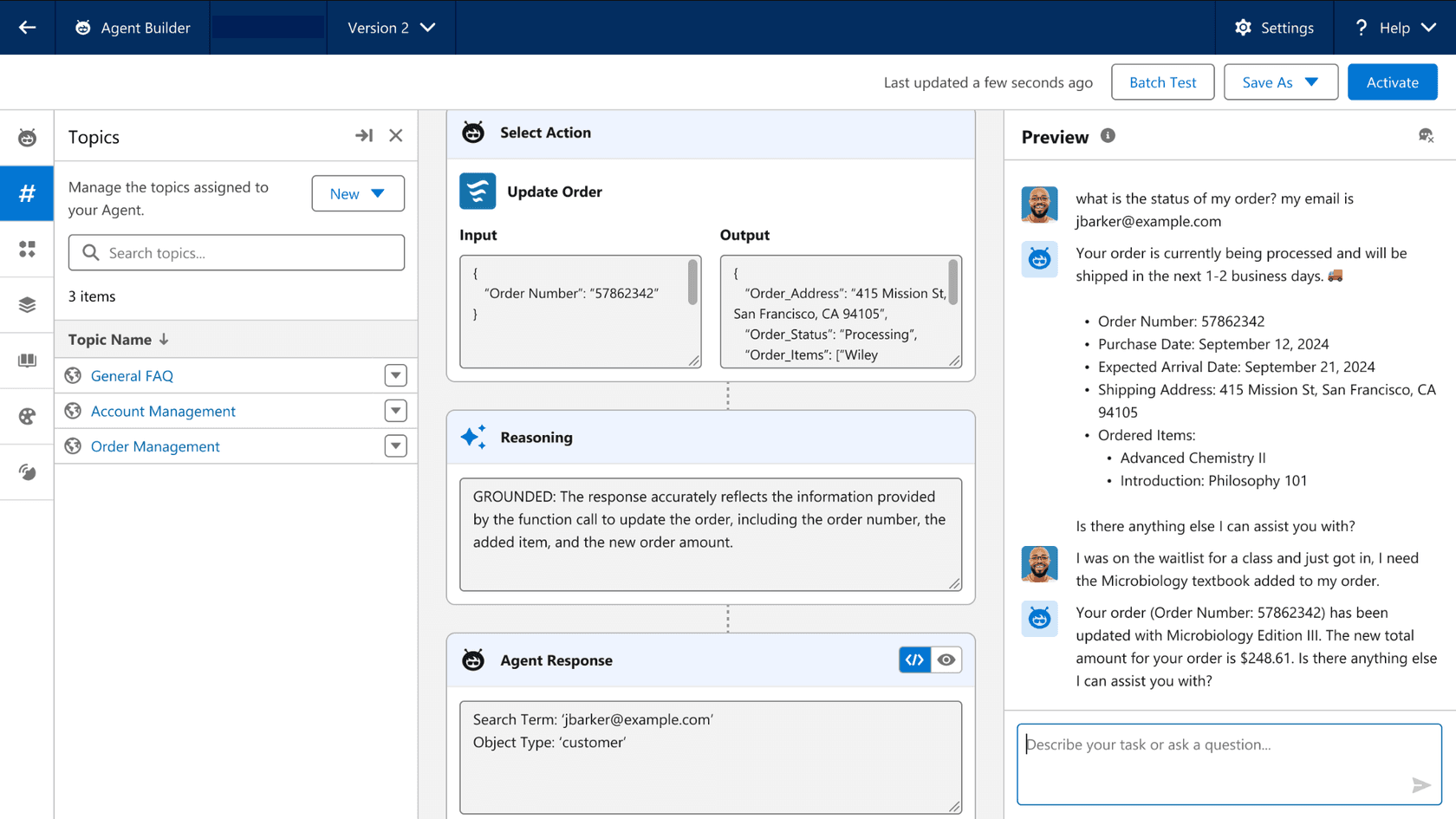
Look at the "Batch Test" button in that header. Testing is built in, and you'll need it. More on that in the setup section. If you want to go deeper on the builder itself, I covered it in the Agent Builder walkthrough.
What Agentforce for Service gives a support team
For a support lead, the product that matters is Agentforce for Service, now fronted by Casey. Salesforce says Casey resolves customer service issues across voice, SMS, WhatsApp, and web chat, with prebuilt support for FAQs, returns, account management, and human escalation. You can rename it to match your brand. My full Casey breakdown covers the persona in detail.
What you get, concretely:
- Channels. Web chat, messaging, and voice. Marc Benioff announced that Agentforce Voice is available globally in February 2026, which matters if phone is a big share of your volume. My Salesforce voice agent post goes further.
- Handoffs with context. When the agent hits a limit, it passes the case to a person with the history attached. How you set those rules decides your escalation rate, so read up on Salesforce AI escalation before launch.
- Case work, not just chat. Because actions touch real records, the agent can update a case, check an order, or log a return, the same as the case automation your admins already run.
- Real numbers from Salesforce's customers. Salesforce reports that 50% of Engine's chat inquiries are fully resolved by its help agent, Eva, per the September launch note.
Salesforce also added three platform pieces in the same release: Multi-Agent Orchestration (generally available now), Agent Optimizer for refining agents and reading session traces (GA October 2026), and a long-horizon runtime for agents that work over days. For a support queue, the optimizer is the one to watch, because it targets the tuning work that G2 reviewers complain about.
How much does Agentforce cost in 2026?
This is where most buying conversations stall, so I'll be precise. Everything below comes from Salesforce's Agentforce pricing page, its Service Cloud pricing page, and the official rate card.
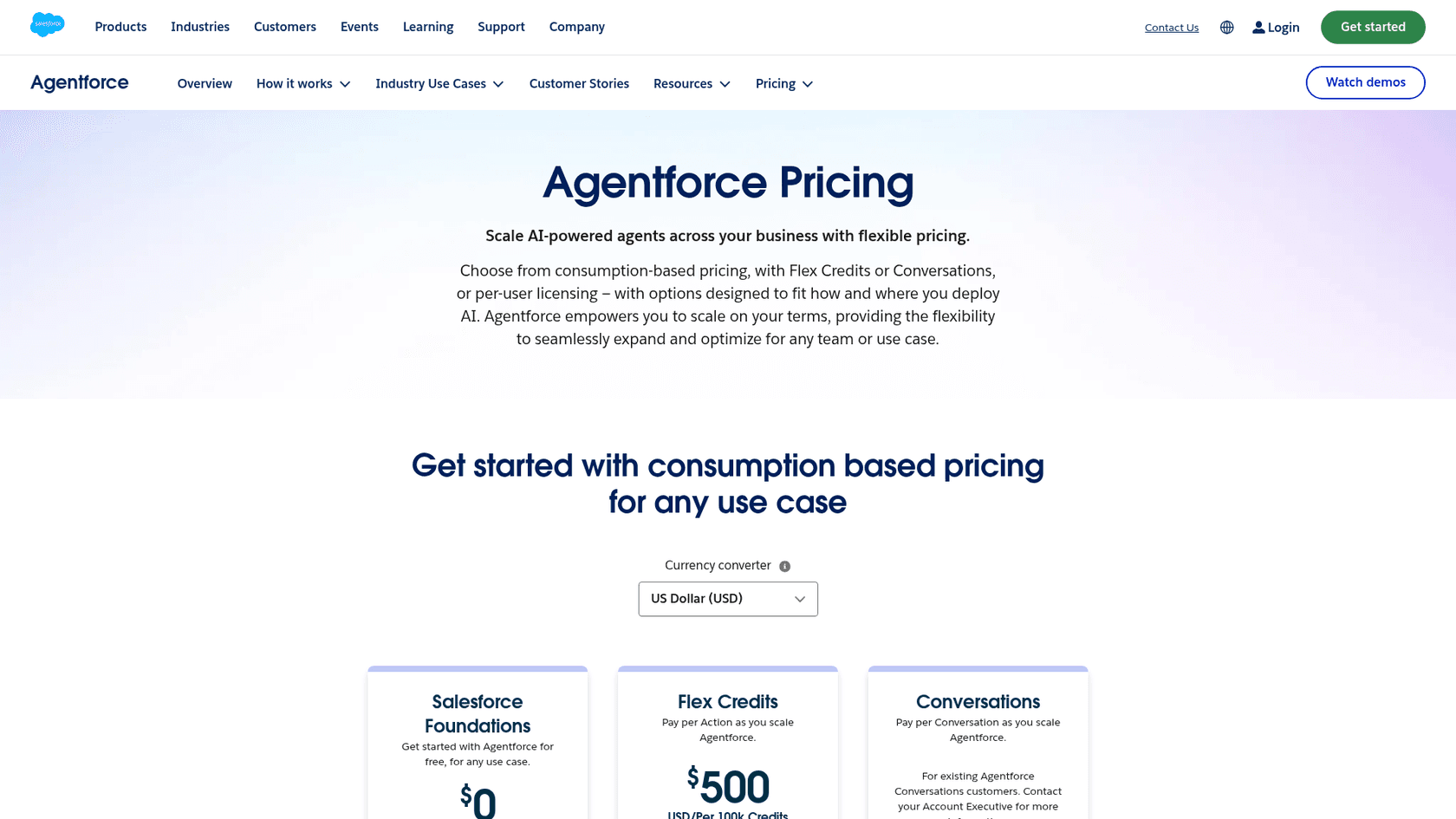
Agentforce pricing options
| Option | Listed price | What it covers |
|---|---|---|
| Salesforce Foundations | $0 | Agentforce Builder, Prompt Builder, Agent Script, Agentforce Coworker. Salesforce says it includes credits for the first 1,000 Agentforce for Service conversations |
| Flex Credits | $500 per 100,000 credits | Customer-facing and employee agents, Agentforce Voice, Slackbot, Digital Wallet |
| Conversations | $2 per conversation | Customer-facing agents. The live page now labels it for existing Conversations customers |
| Agentforce add-ons (Sales, Service, Field Service) | $125 per user / month | Unmetered Agentforce use for employees |
| Agentforce Industries add-ons | $150 per user / month | Same, for Industries Clouds |
| Max Edition | From $550 per user / month | Agentforce add-on included, plus 2.75M Flex Credits per org per year |
| Agentforce User License | $5 per user / month | Agentforce access for every employee; requires Flex Credits |
Here's the shift most pricing write-ups miss: the $2 conversation price is no longer what a new buyer gets. On the live page, Salesforce hides that card's price and shows "For existing Agentforce Conversations customers. Contact your Account Executive for more information." New customer-facing deployments land on Flex Credits. Salesforce's pricing FAQ also says Flex Credits and Conversations can't run in the same org, and that unused Flex Credits don't roll over.
What a Flex Credit buys
The rate card sets a multiplier per usage type. At $0.005 per credit:
| Usage type | Credits (production) | Cost at list | Credits (sandbox) |
|---|---|---|---|
| Standard or custom action | 20 | $0.10 | 16 |
| Standard or custom voice action | 30 | $0.15 | 24 |
| Help Agent resolution | 400 | $2.00 | 0 |
| Standard prompt (Salesforce-enabled LLM) | 4 | $0.02 | 4 |
| Advanced prompt | 16 | $0.08 | 16 |
Two details from that card are worth knowing before you sign. Help Agent resolutions cost nothing in a sandbox, so you can test Casey there without burning credits. And Data 360 work (data prep, unification, queries) is metered in Flex Credits too, on its own tiered multipliers. Salesforce's own worked examples state they don't include Data 360 credits or other consumption services.
The seat underneath
Agentforce for Service sits on a Service Cloud license. Current editions, billed annually:
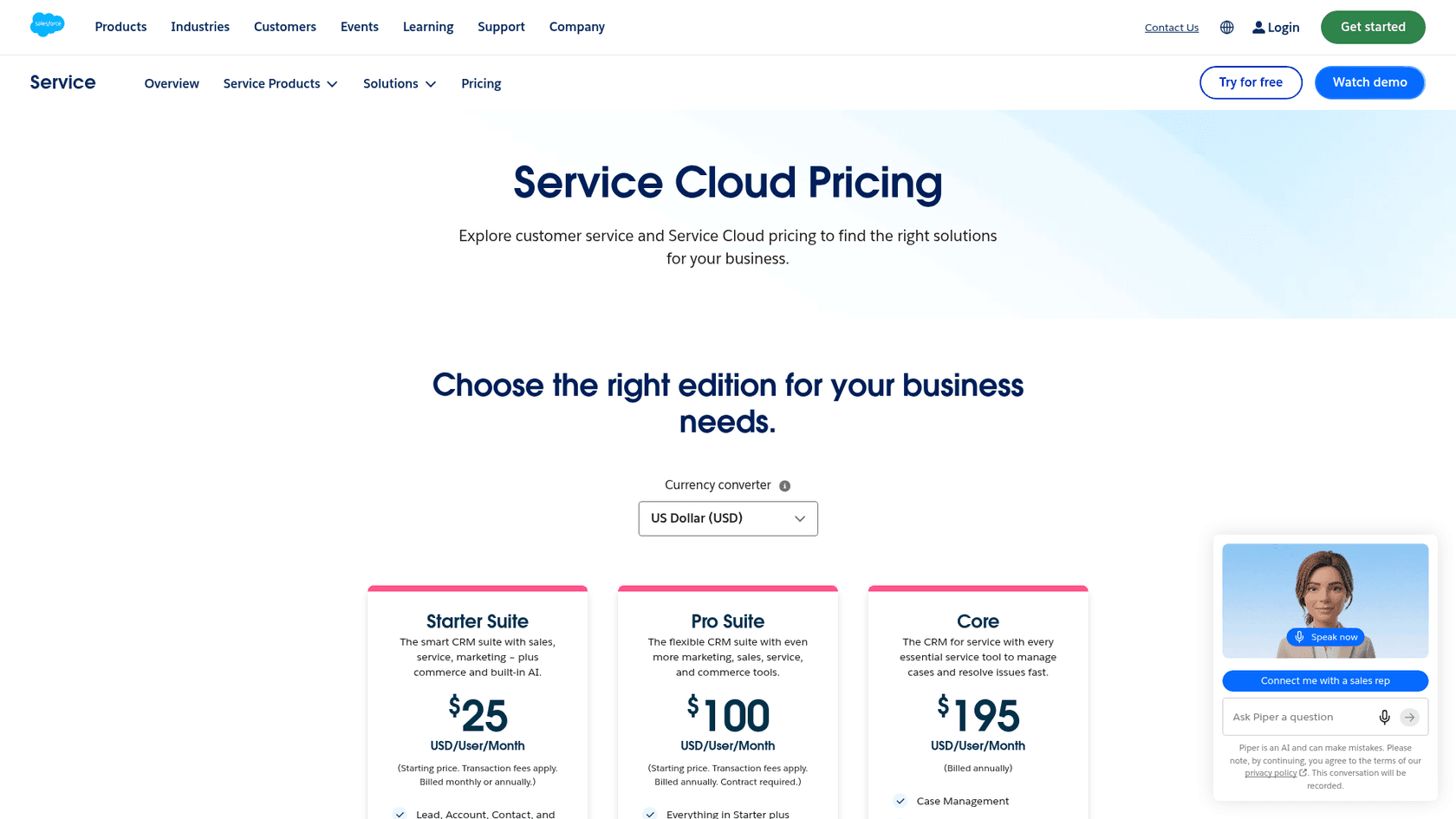
| Edition | Price per user / month | AI relevant to this review |
|---|---|---|
| Starter Suite | $25 | CRM suite with built-in AI |
| Pro Suite | $100 | Adds real-time chat and AgentExchange |
| Core | $195 | Case management, help center, Slack Business+ with Slackbot |
| Advanced | $395 | Adds Casey, your help agent |
| Max | $550 | Full Agentforce for Service, unmetered Agentforce Coworker, 2.75M Flex Credits per org per year |
Put it together and a support rollout draws on several meters at once. For a deeper tour of the credit math, see Salesforce Flex Credits. The per-user side is covered in Service Cloud AI add-on pricing.
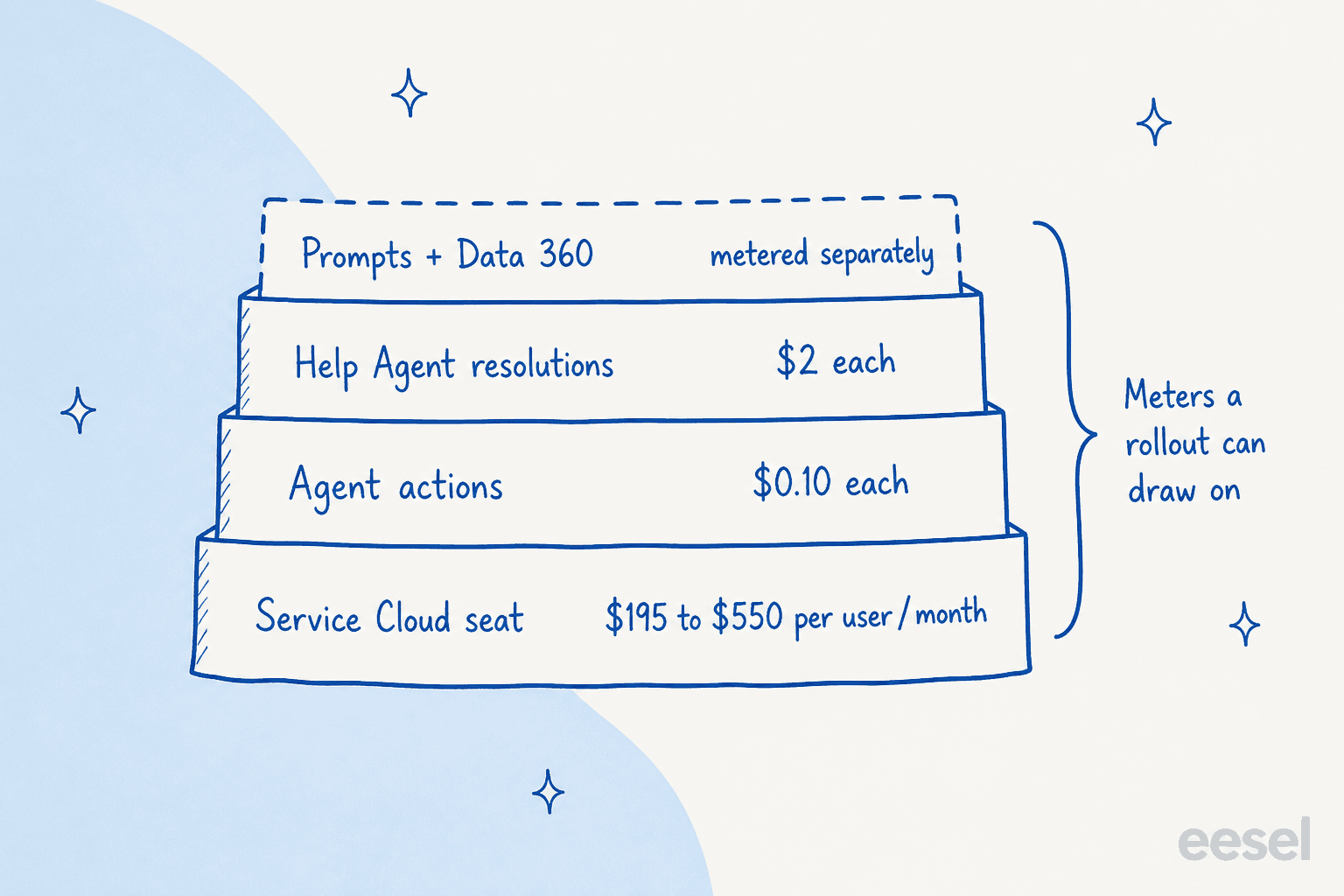
Estimate your own bill
Plug in your team and volume. The calculator only uses Salesforce's published list prices, shows the per-action and per-resolution meters side by side (which one applies depends on your agent type and contract), and leaves out Data 360 and prompt credits, which Salesforce meters separately.
On the default inputs (10 Advanced seats, 3,000 conversations, 3 actions each, half resolved by the Help Agent), the seats alone are $3,950 a month, the per-action meter adds $900, and the per-resolution meter adds $3,000. The seat is usually the bigger line, which surprises teams that budget only for "the AI part." If you'd rather model ROI than cost, there's a separate Agentforce ROI calculator.
Salesforce does give you a way to watch the meters. Digital Wallet is free for consumption products and shows credit use by type, with threshold alerts.
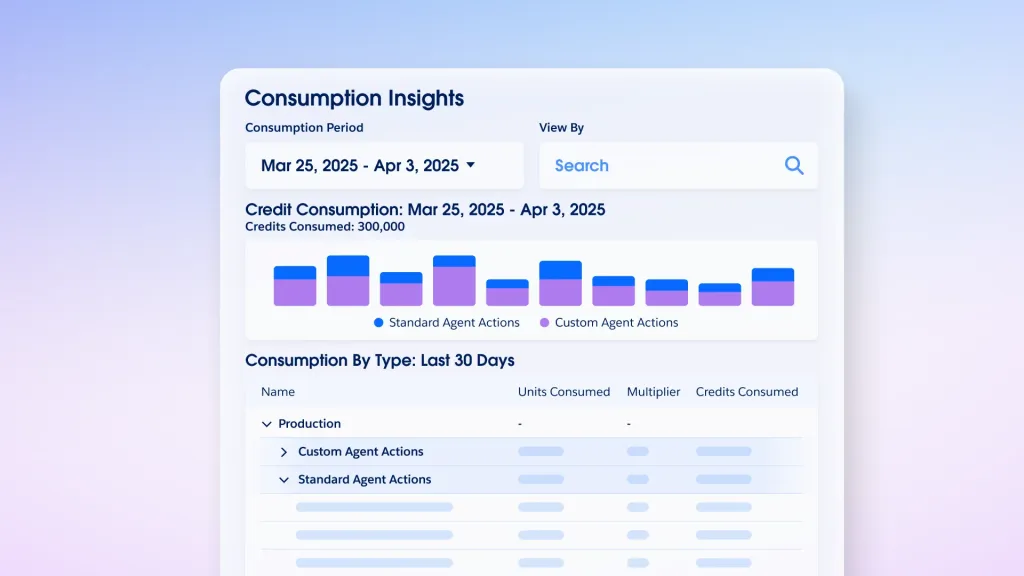
There's no overage penalty either: Salesforce says usage past your entitlement is billed at your contracted rate, monthly in arrears. That is fair. It also means the alert, not the contract, is what stops a bad month.
What setup actually takes
Agentforce requires Enterprise, Performance, Unlimited, or Developer Edition, per Salesforce Help, and the add-on licenses vary by agent type. That rules out Starter and Pro Suite teams from the full product, even though those suites include some built-in AI.
The work itself breaks into four parts:
- Clean the data the agent will read. Knowledge articles, case fields, and customer records. If a policy lives in someone's head, the agent won't find it.
- Design subagents and actions. Decide which jobs the agent owns (order status, returns, password resets) and wire each to a Flow, Apex class, or API. This is admin and developer work.
- Write the instructions and the fixed rules. Plain-language guidance plus Agent Script for anything that must never vary.
- Test, then test in production conditions. Batch Test in the builder, then a limited launch.
Step four is where I'd spend the most time, and a Salesforce architect who has shipped it says the same:
"The biggest surprise? The agent can behave perfectly in preproduction and then behave completely differently in production."

That matches what I've learned from years of putting AI on live support queues at eesel. A confident agent giving a wrong answer is worse than no agent, which is why I now want every rollout tested against real past tickets before customers see a reply. My AI support pilot scorecard has the gates I'd use for any vendor, Agentforce included. For budgeting the people side, see Agentforce setup cost.
What Agentforce does well
Credit where it's due. These are the parts I'd point a Salesforce-native support lead toward:
- Native data access. The agent works on the same records your reps see, so "where's my order" and "update my address" can be answered and executed in one conversation.
- Reuse of existing automation. Years of Flows and Apex become agent skills instead of sunk cost.
- Security that inherits your model. One G2 reviewer, a Salesforce admin and developer, put it precisely:
"Because it runs within the Salesforce trust boundary, it natively inherits Object-Level Security, Field-Level Security, sharing rules, and user-context permissions."

- A real starting point. Casey and the job-ready roster mean less blank-page building than in 2024 and 2025.
- Breadth. One platform covers service, voice, IT help, and sales agents, with Slack and Agentforce tied together for internal requests.
Where Agentforce falls short
None of these are hidden. They are the trade-offs of a platform this deep.
- Cost forecasting is hard. Seats, actions, resolutions, prompts, and Data 360 are separate meters, and how many actions a conversation triggers depends on how you built the agent. Digital Wallet helps you watch spend; it doesn't predict it.
- Setup needs Salesforce skills. Subagents, actions, and Agent Script are admin and developer work, which is fine for a team with a Salesforce practice and slow for one without.
- Output quality tracks data quality. If knowledge articles are stale or case fields are inconsistent, the agent reflects that. This is true of every AI agent, but Agentforce's strength (deep CRM grounding) makes it more sensitive to messy CRM data.
- It's built around Salesforce. If your cases live in another helpdesk, much of the value disappears. Teams in that spot should start with Agentforce vs Zendesk AI. ServiceNow shops have their own head-to-head comparison.
- The plan sheet keeps moving. Conversations pricing, Foundations credits, Max Edition, topics renamed to subagents, Data Cloud renamed to Data 360: all changed within about a year. I list the current Service Cloud AI limitations separately.
What users say
On G2, Agentforce holds 4.3 out of 5 across 1,696 reviews, with 56% five-star and 34% four-star ratings. Praise centers on ease of use once it's running and on CRM integration. Criticism centers on setup and pricing, and it's consistent across company sizes.
"What I dislike most is that Agentforce can require significant setup, testing, and ongoing optimization to ensure the responses and actions are accurate. The quality of the experience also depends heavily on how well the underlying Salesforce data is structured and maintained."
"Additionally, consumption-based pricing models require tight monitoring to avoid unexpected costs during high-volume usage, and extensive testing is needed before deploying agents to production."
Outside review sites, the debate is less about features and more about where Salesforce is aiming. Engineer and writer Gergely Orosz put the strategic version bluntly in a post with over a thousand likes:
"It's almost comical seeing Salesforce push Agentforce so much for AI (and most tech companies not giving a damn about it), and ignoring that Slack is THE tool that each and every tech company is using as their AI connective tissue."
My read of the sentiment: people who run it like it, and people who are deciding whether to buy it worry about cost and effort. That split is useful. It tells you the product works once it's set up, and that the risk sits in getting there. The older Einstein AI reviews followed a similar pattern.
Who should pick Agentforce (and who shouldn't)
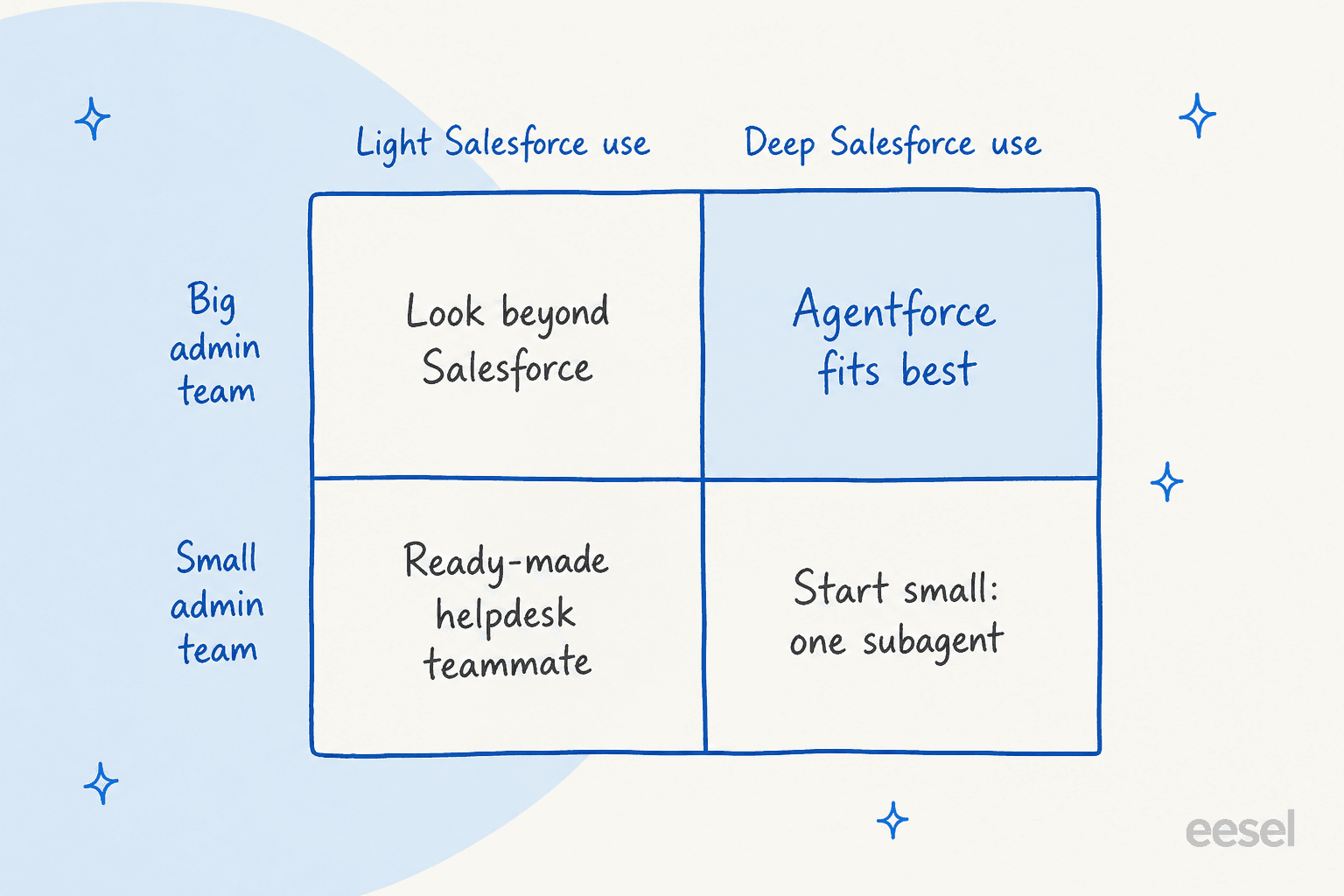
Pick Agentforce if Service Cloud is your system of record, you're on Enterprise Edition or above, you have an admin or partner who can own the agent, and you want one vendor for service, voice, and internal agents. Casey plus Max Edition's bundled credits is the cleanest path for that buyer.
Start small if you run Salesforce deeply but have a thin admin bench. Launch one subagent on one high-volume intent (order status is the usual one), use the free sandbox resolutions to test, and expand once the numbers hold. The implementation guide lays out that sequence.
Look elsewhere if your cases aren't in Salesforce, you're on Starter or Pro Suite, or finance needs a fixed monthly AI number. The Agentforce alternatives roundup covers those routes. If you're replacing the helpdesk too, start with Service Cloud alternatives. Either way, my guide on choosing an AI support agent has a checklist that works for any vendor.
Where eesel fits for Service Cloud teams
I'll be straight about eesel's place here, since I'm on its support team. eesel isn't a CRM or an agent-building platform. It's an AI teammate platform, and for support the relevant teammate is the AI helpdesk teammate: it joins your existing queue and works cases like a new hire would.
On Salesforce Service Cloud, that means it reads your past cases, knowledge articles, and email templates on connect, then drafts or sends replies, adds internal notes, updates case fields, and routes cases to queues. You change its behavior by describing what you want in plain language rather than building subagents. Before it touches a live case, you can run it against your past Salesforce cases to see where it's strong and where the knowledge has gaps.
The question I hear most in sales calls is about control, not capability. One CX lead running about 7,000 tickets a month told our team: "I need an AI who is only handling the tickets that it's confident to handle and all the other ones, leave them alone." That's the job the dry run on past cases is for. And honestly, earlier this year I watched Service Cloud teams pass on eesel because we didn't plug into Salesforce natively yet. That gap is closed now.
The clearest public example of the pattern is smava, a Berlin loan comparison platform. smava runs eesel on Zendesk rather than Salesforce, but the setup is what a regulated Service Cloud team would want: separate agents for categorising, drafting, and per-brand replies, about 27,000 tickets handled in a month, about 15,300 draft replies prepared, and eesel never sending a reply itself. A person approves each one. Every rule lives in plain-text instructions, so changing what the agent may say is an edit, not a project.
On price, eesel uses fixed monthly plans: 500 credits for $299 a month, and one case is one credit however many replies it takes. There are no seat fees and no separate meters for actions or data, which is the opposite trade-off from Agentforce's metered model, where a Help Agent resolution is a form of outcome-based pricing. Where eesel is the wrong fit: if you want one Salesforce-native platform running service, sales, and voice agents on the same metadata, Agentforce does that and eesel doesn't try to.
My verdict: 3.7 out of 5
| Category | Score | Why |
|---|---|---|
| Capability inside Salesforce | 4.5/5 | Native records, reused Flows and Apex, inherited permissions |
| Support-team readiness | 4/5 | Casey, handoffs, voice, and Batch Test cover the core service job |
| Setup effort | 2.5/5 | Needs Enterprise Edition and real admin or developer time |
| Pricing clarity | 2.5/5 | Seats plus several credit meters, and the plan sheet keeps changing |
| User sentiment | 4/5 | 4.3/5 on G2 across 1,696 reviews, with consistent cost and setup caveats |
| Overall | 3.7/5 | Excellent for Salesforce-native teams with admin capacity, a stretch for everyone else |
Agentforce in 2026 is a better product than the 2024 launch, mostly because of job-ready agents, Agent Script, and built-in testing. It earns its score on depth. It loses points on how much work and forecasting it asks of the buyer before the first case gets resolved. For more context on where the wider agentic AI category is heading inside Salesforce, see my Service Cloud AI guide.
Try eesel on your Service Cloud queue
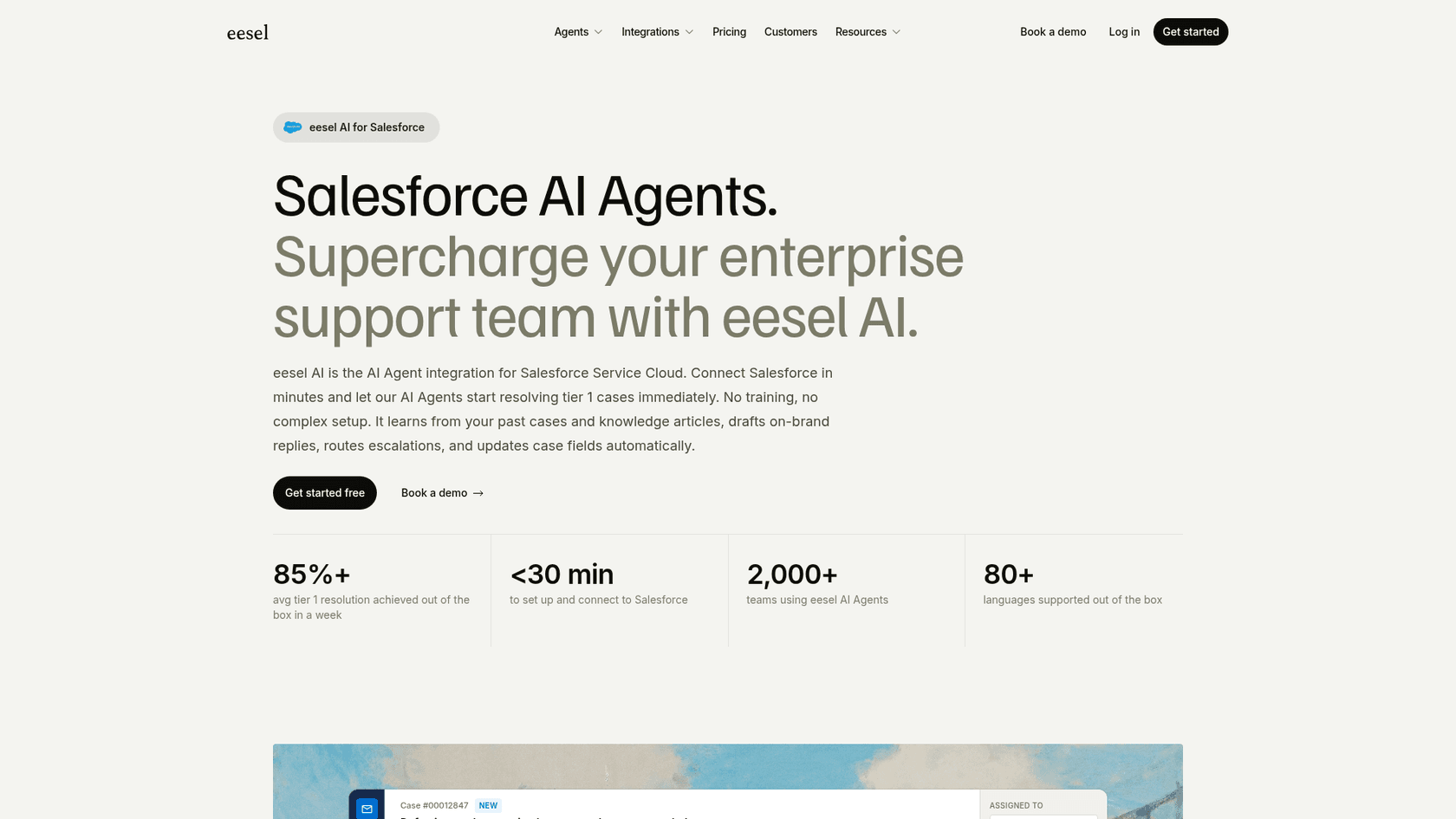
If you run Service Cloud and want an AI teammate on your cases without designing subagents or sizing Flex Credits, try eesel. It connects to Salesforce, learns from your past cases and knowledge articles, and lets you test it on past cases before any customer sees a reply. You pay one credit per case on a fixed monthly plan, and you can start on the free plan with 100 credits.
Try eesel on a slice of your Service Cloud queue this week, and compare the drafts against what your team actually sent.