

What is an AI coworker, really?
I build AI agents at eesel for a living, so I'll give you the definition I use when I'm deciding whether something is done: an AI coworker takes a job from start to finish inside your real tools, and only hands it back when a person is needed. A chat window that writes a nice reply for you to copy is an assistant. A coworker reads the ticket, checks the order, follows the policy, takes the action, updates the record, and tells you about the cases it couldn't handle.
That gap is bigger than it sounds. In one eesel trial on a live e-commerce inbox, the AI's draft replies were directionally right most of the time, but support agents sent only 12% of them as written. The rest got the "glance and rewrite" treatment, mostly for length and tone. A draft that someone has to rewrite saved them a lookup, not a job. That trial is why I now judge every AI agent by where it stops, not by how good its first answer sounds.
Under the hood, every tool in this post runs some version of the same agent loop: a trigger fires, the agent gathers context, picks a tool, acts, checks the result, and either keeps going or escalates. What differs is who designs that loop (you or the vendor), which tools it's allowed to touch, and what happens when it isn't sure.
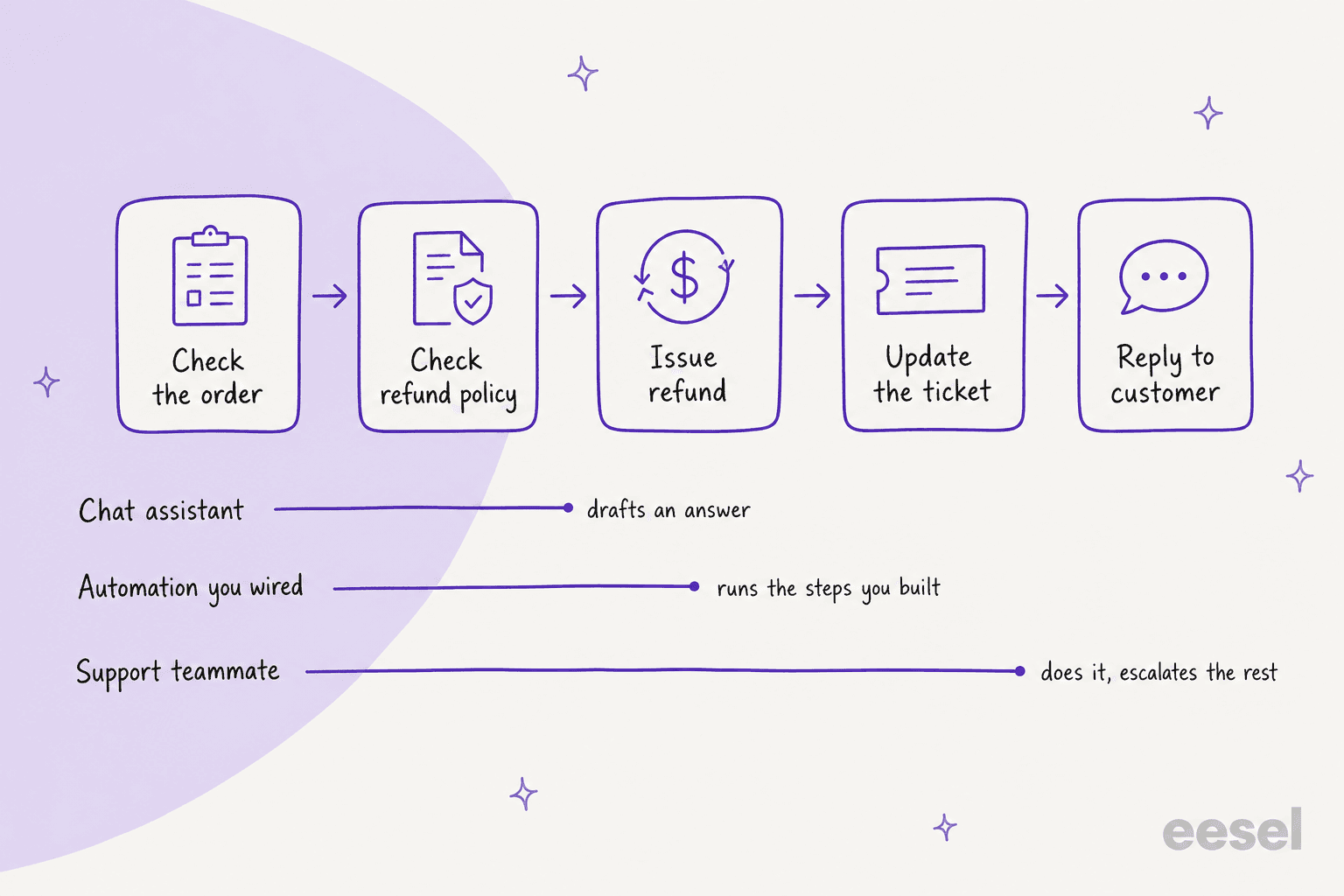
Take a refund request. A chat assistant can draft an answer once it has checked the order and the policy. An automation you built will run whichever steps you wired, and stop at the first case you didn't plan for. A support teammate does the lookup, applies the policy, issues the refund inside your limits, updates the ticket and replies, then routes the odd ones to a person with the evidence attached. Same request, three very different amounts of work taken off the plate.
The five kinds of AI coworker
Most "best AI coworker" lists put a coding agent, a Zapier add-on and a Salesforce feature in one ranked list, which is a bit like ranking a forklift against a spreadsheet. They're sold under the same label, but they ask very different things of you. Here's how I group them.
- General assistants, like Lindy and Relevance AI. You describe a job in plain English, connect your apps, and the assistant runs it on a schedule or a trigger. Broad, flexible, and you own the instructions.
- Automation builders, like Zapier Agents and n8n. Workflow tools that added an AI step that can choose its own next action. Maximum control, maximum upkeep.
- Platform agents, like Copilot Studio, Agentforce and ServiceNow. Agents that live inside a system of record and inherit its data and permissions. Strong when your work already sits there, awkward when it doesn't.
- Coding agents, like Devin. They take an engineering ticket, work in their own environment, open a pull request. Coworkers for engineers specifically.
- Ready-made teammates, like eesel and Zendesk's AI agents. Built for one job, shipped with the skills, integrations and guardrails for it. Less to build, narrower scope. This is the bucket I'd call an AI employee in the strict sense.
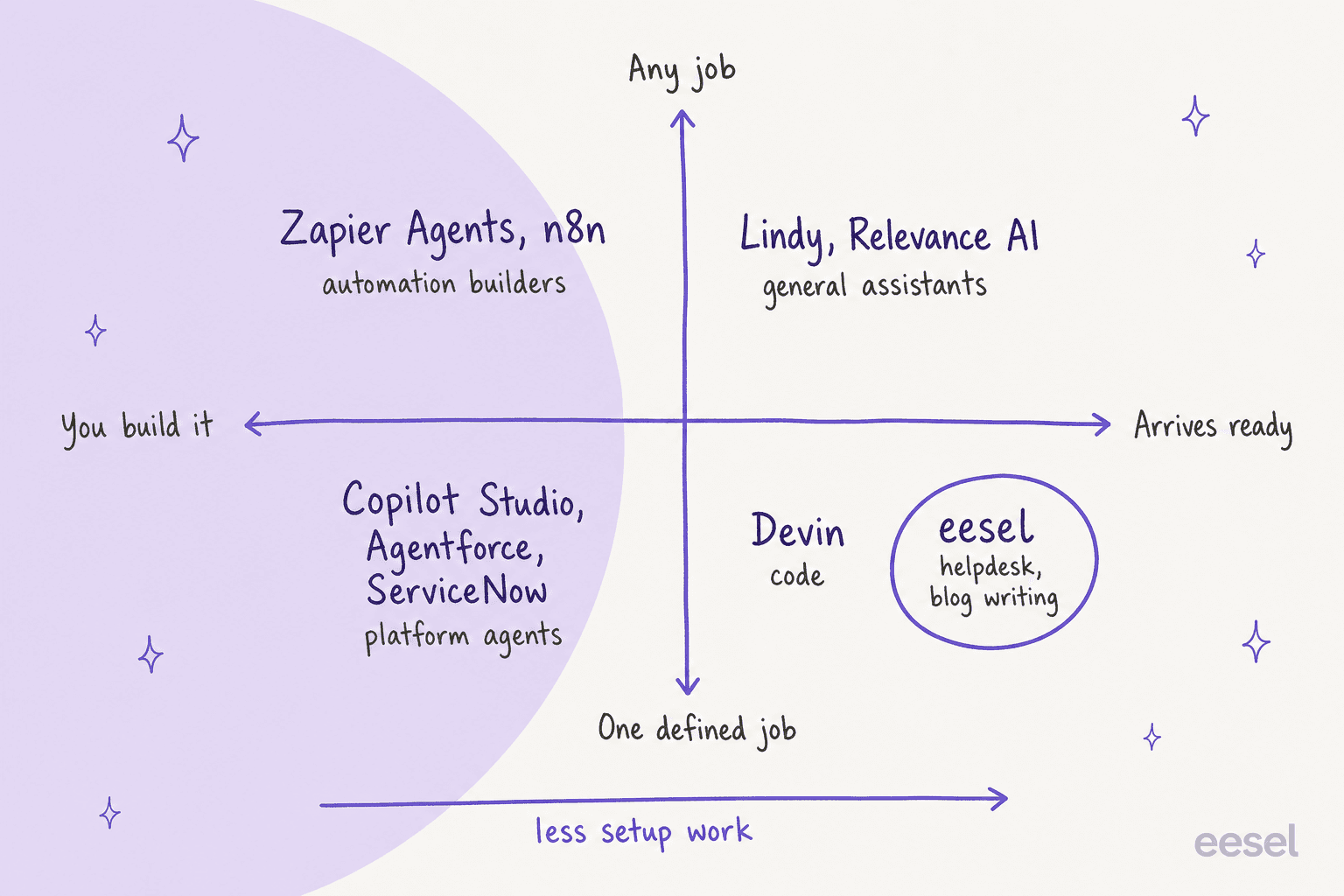
The trade is simple to state and easy to forget during a demo: the more jobs a tool can do, the more of the job you have to build. A tool that arrives ready for one job has already made hundreds of small decisions you'd otherwise make yourself, like what counts as "resolved", when to hand off, and which actions need a human to approve them.
If you'd rather not read 4,000 words to find your bucket, the widget below does it in two clicks.
How I picked and judged these 10
I started from what buyers actually search for. When I asked ChatGPT the question a team lead would ask ("which AI coworkers can actually take real work off my team's plate?"), its searches went to three places: general assistants and automation tools, enterprise platform agents, and AI support agents that execute actions like refunds. Those three searches set the shortlist.
Then I judged every tool on four questions, using only the vendor's own pricing page, docs and help center for facts:
- What does it finish? Not what it can draft. What it can complete in another system without a person touching it.
- Who builds the loop? You, a consultant, or the vendor.
- What stops it? Approvals, escalation paths, run caps, and what happens when it isn't sure.
- What's the billing unit? Per job, per step, per seat, or a quote. This decides whether costs track the work or the agent's chattiness.
I also pulled real user voices from Reddit, G2 and Hacker News for each.
The 10 AI coworkers at a glance
| Tool | Type | Best for | Work it takes over | Billing unit | Entry price | Free option | Human approval | Integrations |
|---|---|---|---|---|---|---|---|---|
| eesel | Ready-made teammate | Support queues and blog content | Tickets, chats, triage, drafts, blog posts | 1 credit per ticket or chat | $299/mo for 500 credits | 100 credits, no card | Draft-for-approval or send, per agent | Helpdesks, Slack, chat bubble, email |
| Lindy | General assistant | Inbox, meetings, Slack follow-ups | Email drafts, briefs, CRM updates | Credits | $49.99/user/mo (5,000 credits) | $50 of credits for 7 days | On outside actions, in shared Slack threads | 1,500+ (site) |
| Relevance AI | General assistant | Sales and ops agent teams | Lead research, CRM updates, emails | Actions plus vendor credits | $29/mo Pro ($19 billed yearly) | None, free plan retired | Per tool: auto, approval, or agent decides | 2,000+ apps |
| Zapier Agents | Automation builder | Cross-app chores | Steps across 9,000+ apps | Activities | $33.33/mo billed yearly (1,500 activities) | 400 activities/mo | Pauses at the per-run cap | 9,000+ apps |
| n8n | Automation builder | Technical teams, self-hosting | Any workflow you wire | Executions | 24€/mo Starter (2,500 runs) | Self-hosted Community Edition | Approve or deny per tool | 500+ integrations |
| Copilot Studio | Platform agent | Microsoft 365 organizations | Requests triggered from Outlook, Teams, SharePoint | Copilot Credits | $200/mo for 25,000 credits | $200 Azure credit | Limited to actions you define | Power Platform connectors, MCP |
| Agentforce | Platform agent | Salesforce organizations | Cases, orders, CRM records | Flex Credits ($0.10 per action) | $500 per 100,000 credits | Foundations, $0 | Inherits Salesforce permissions | Flows, Apex, APIs |
| ServiceNow AI Agents | Platform agent | Internal IT and HR on ServiceNow | Incidents, requests, onboarding | Pooled assists | Custom quote | None | Approval prompts in the workspace | Flow actions, A2A, MCP |
| Zendesk AI agents | Ready-made, one helpdesk | Zendesk-only support teams | Order lookups, cancellations, answers | Automated resolutions | $1.50 to $2.00 per resolution, plus seats | 5 to 10 resolutions per agent/mo included | Escalations go to humans, unbilled | APIs via custom actions |
| Devin | Coding agent | Engineering backlogs | Tickets to pull requests | Quota, then credits | $20/mo Pro | Free plan, light quota | You review and merge the PR | Linear, Jira, Slack, GitHub |
A quick read of the table: only three of the ten bill for a finished job (eesel per ticket, Zendesk per resolution, n8n per workflow run). Everyone else meters steps, credits or seats, which is fine, as long as you price a typical job rather than a single step.
1. eesel
Best for: teams that want a support queue or a content calendar worked from day one, without building the agent themselves.
What it takes off your plate
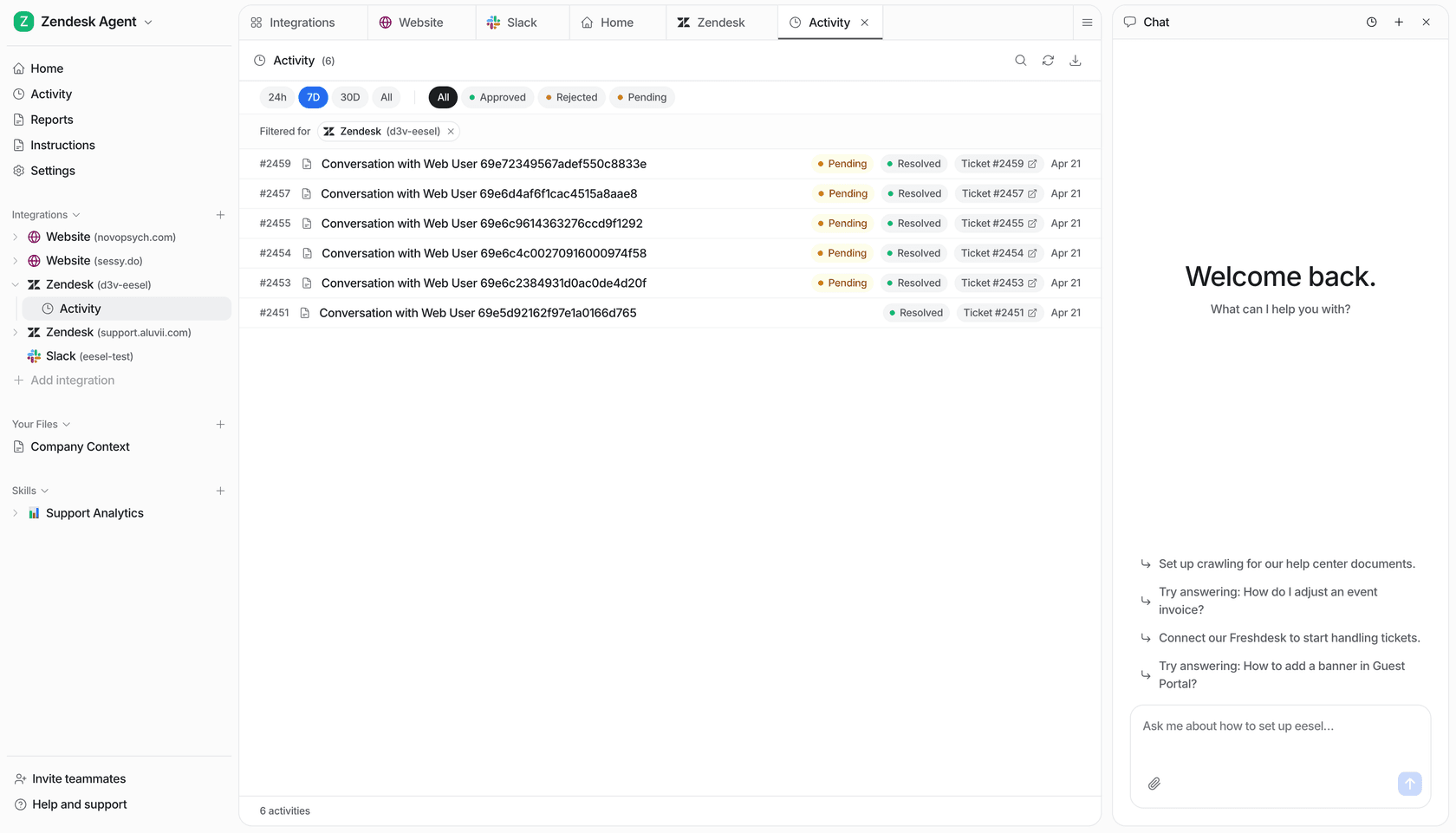
eesel is an AI teammate platform: you hire a ready-to-work teammate for a specific job, and it arrives with the skills, integrations and company context for that role. The current roster is two teammates. The AI helpdesk teammate joins the helpdesk you already use (Zendesk, Freshdesk, Salesforce and others), learns from past tickets, macros and your help center, and works the queue: first replies, triage, tagging, drafts for a person to approve, or full replies where you trust it. The AI blog writer researches, drafts and illustrates long-form posts.
Two published customer stories show what "taking work off the plate" looks like in practice. At SE Ranking, one agent per product answers Zendesk live chat for SE Ranking, Planable and SE Visible. Between 8 August and 8 September 2026 it handled about 4,650 conversations, answered 2,100 live chats first, and handed refunds, trial extensions and Tier 2 issues to the team with the customer's details attached. At smava, a German loan comparison platform, three eesel agents work about 27,000 Zendesk tickets a month: one categorises every ticket into Zendesk fields, one drafts the reply word for word from the approved macro library, and people approve before anything goes out.
That smava setup is the part I'd point a nervous buyer at. In regulated finance, eesel never sends on its own there; it does the sorting and the first draft, and a person does the sending. The same teammate can run fully autonomous on another queue. You choose per agent.
For technical teams, the eesel CLI puts the same teammate in your terminal: connect a helpdesk, upload knowledge, wire automations and approve held actions without opening the dashboard. Every command prints JSON, so a coding agent like Claude Code, Cursor or Codex can run the setup for you, and anything set up there shows up in the dashboard too. More on that in my AI agent CLI guide.
Where it stops
eesel only hires out two jobs today. If you want an agent for outbound sales, finance reconciliation or engineering tickets, it isn't the tool. Its SOC 2 Type II audit is underway rather than finished, which matters for some security reviews, and HIPAA with a signed BAA sits on the Enterprise plan.
Pricing
From the eesel pricing page:
| Plan | Price | What you get |
|---|---|---|
| Free | $0 | 100 credits to try every feature and integration, no card |
| Teammate | $299/mo for 500 credits, up to $1,749/mo for 5,000 | Every integration and channel, unlimited agents and seats |
| Enterprise | Custom | Dedicated contact, SSO and MFA, HIPAA with BAA, annual contract |
A ticket or a chat is 1 credit however many replies it takes, and whatever the agent does inside it, like looking up an order or updating another tool. A full blog post uses more than one credit. There's no platform fee and no per-seat price.
What users say
An engineering lead at GENERAL BYTES, which runs a 300+ article Confluence knowledge base, put the build-versus-hire question better than I can:
"We could try to write our own LLM application but we didn't want to invest our time into that. We wanted something that we would not have to maintain."
My take: pick eesel when the job is a support queue or blog content and you want it worked this week, not designed this quarter. Skip it if you need one agent to cover sales, ops and support at once.
2. Lindy
Best for: individuals and small teams who want an assistant to run their inbox, meetings and Slack follow-ups.
What it takes off your plate
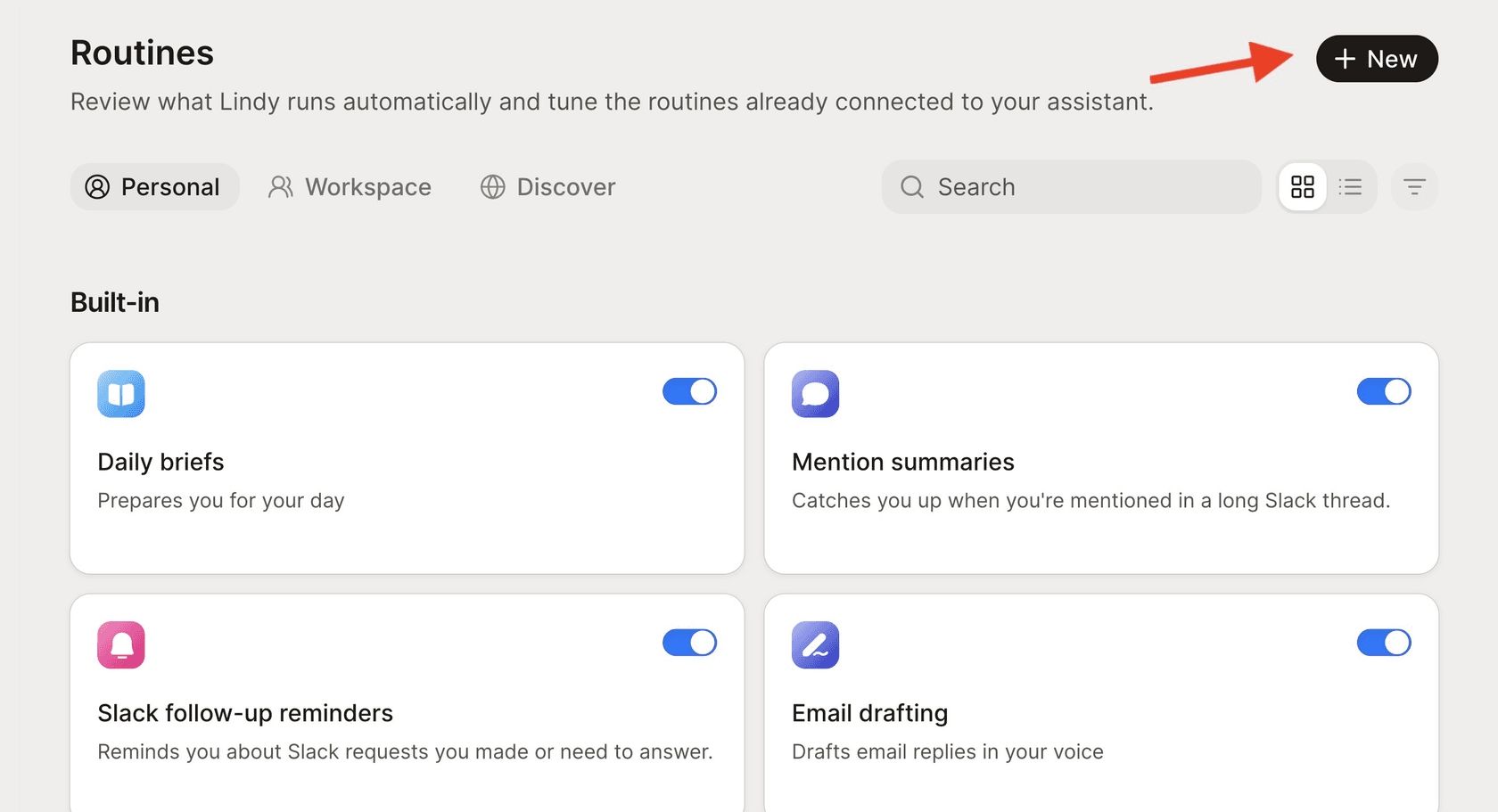
Lindy now pitches itself as "your AI teammate that plugs into your tools, learns how you work, and takes real work off your plate" on its homepage. It lives in Slack, email, iMessage and meetings, and runs "routines" on a schedule or on events like an email arriving or a meeting ending. The built-in ones cover daily briefs, drafting email replies in your voice, follow-up bumps and meeting prep (Lindy docs). It claims 1,500+ integrations plus MCP, and its memory is a versioned set of files your team can open and edit.
Anything with outside impact, like sending an email or updating a ticket, waits for approval. One detail worth knowing before you roll it out: Lindy's docs say those guardrails "apply in shared Slack threads only", so the web app, Slack DMs and iMessage aren't covered (integrations docs).
Where it stops
It's built around one person's or one team's working day, not a shared queue with SLAs. For support, it can draft and triage, but you're designing the escalation rules yourself. For a deeper look, see my Lindy vs Relevance AI breakdown.
Pricing
Lindy's pricing page changed recently: the old Plus, Pro and Max tiers are gone.
| Plan | Price | Credits |
|---|---|---|
| Free | $0 | $50 of credits, valid 7 days, no card |
| Team | From $49.99/mo per active user | 5,000 per user per month, pooled across the team |
| Enterprise | Custom | Custom, plus HIPAA with BAA, SSO and SCIM, audit logs |
Top-ups cost $10 per 1,000 credits. Monthly credits don't roll over; top-up credits don't expire. Lindy's own sizing guide puts "deep work" like triaging a day's support queue at 250 to 1,000 credits per run.
What users say
"When a new contract gets signed in our CRM, a Lindy is triggered: it fires off a welcome email, sets up a Google Drive folder, adds the client to our project tool, and schedules the first kick-off meeting."

My take: pick Lindy if the work is your own inbox and calendar, or a small team's admin. Skip it as the main engine for a shared customer queue. More options in my Lindy alternatives roundup.
3. Relevance AI
Best for: sales and ops teams that want a team of agents handing work to each other, and have someone to build it.
What it takes off your plate
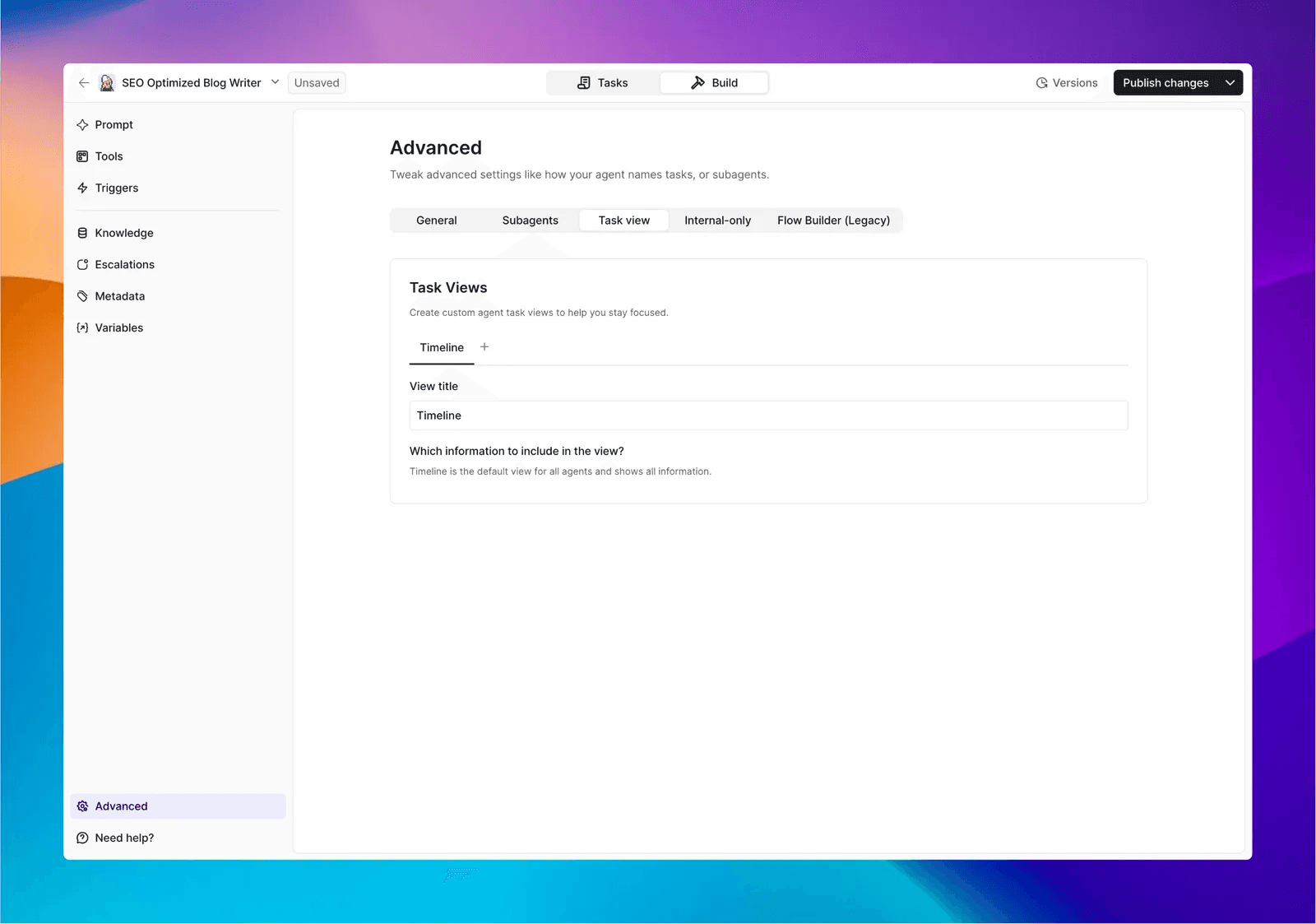
Relevance AI sells an "AI Workforce": specialist agents on a no-code canvas, with AI-decided or fixed handoffs between them (workforces docs). Its built-in Invent agent maps a process with you and then creates the agents, tools and triggers. The homepage use cases lean sales: research and enrichment, pre-meeting prep, a post-call agent that logs notes, sends the pricing PDF and updates the CRM stage (Relevance AI).
The approval model is one of the better ones I've read. Every link between an agent and a tool can be set to Auto run, Approval required, or Let agent decide, and an "Escalate to Manager" tool hands a conversation to a human (approvals docs).
Where it stops
You're building a system, so somebody owns its design and upkeep. Zendesk and Salesforce triggers are Enterprise-only, which matters if you hoped to point it at a support queue on a Pro plan.
Pricing
From Relevance AI's pricing docs:
| Plan | Monthly | Billed yearly | Actions/mo | Vendor credits/mo | Users |
|---|---|---|---|---|---|
| Pro | $29 | $19/mo | 2,500 | 10,000 | 2 builders |
| Team | $349 | $234/mo | 7,000 | 35,000 | 5 builders, 45 end users |
| Enterprise | Custom | Custom | Custom | Custom | Unlimited |
An Action counts each time an agent runs a tool. Top-ups are $80 per 1,000 Actions. The free plan is retired for new and existing accounts. Full detail in my Relevance AI pricing post.
What users say
"We use it to automate lead qualification, which saves us over 20 hours a month and improves accuracy. It also handles business operations like payroll tracking and invoice generation, so our team can focus on more important work."
My take: pick Relevance AI for multi-step sales and ops work when you have a builder on the team. Skip it if nobody wants to own an agent system. See Relevance AI alternatives for other routes.
4. Zapier Agents
Best for: teams already on Zapier who want an agent to handle chores across their app stack.
What it takes off your plate
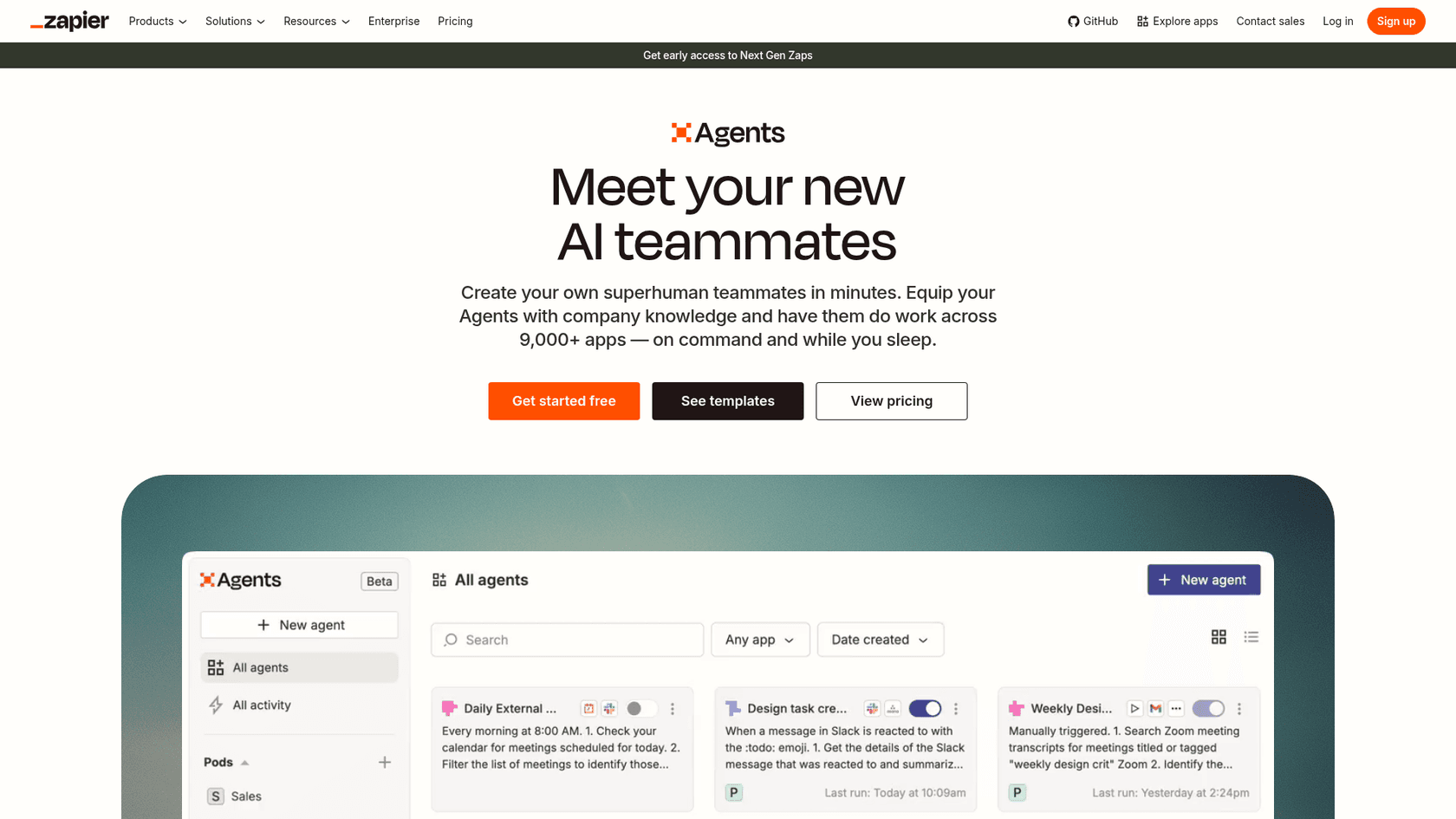
Zapier Agents promises "superhuman teammates" that "do work across 9,000+ apps, on command and while you sleep." Agents run on demand, on a schedule, or on app events like a new Gmail message, and they can search the web, read pages and answer from knowledge sources. The template gallery includes a Zendesk ticket agent and a support email agent that drafts replies from your knowledge base.
Two things are moving under it. Agents is still labelled Beta, and Zapier is migrating it into "AI by Zapier" inside the Zap editor, billed in normal Zapier tasks; Zapier says it "has not set a date to turn off Agents yet" (migration article). If you're starting fresh, I'd build in AI by Zapier, which also adds a per-tool "require approval" switch.
Where it stops
The agent can only use the triggers and actions you've connected. In standalone Agents, the documented pause is the per-run cap: when it hits the limit, it asks for your input. Hit the monthly cap and "your agents will no longer run," with no pay-as-you-go overage (usage article).
Pricing
Agents is an add-on to a Zapier account, billed in activities, separate from Zapier tasks (Zapier pricing):
| Plan | Price | Activities/mo | Per run |
|---|---|---|---|
| Agents Free | $0 | 400 | 10 |
| Agents Pro | $400 billed yearly ($33.33/mo) | 1,500 | 40 |
| Agents Enterprise | Custom | Custom | 40 |
Every trigger, knowledge lookup, action, web search or page read is one activity. Zapier's own example: a daily agent that checks email, summarizes it, adds a Trello task and pings Slack uses four activities for one matching email.
What users say
"They work well once you get into a flow but I found the usage limits to be too restrictive and could easily hit them in a couple of days so it wasn't really a good option for long term use. Also I'd really like to be able to select the model to use to get different results."

My take: pick Zapier Agents for light, cross-app chores if Zapier already runs your automations. Skip it for high-volume queues, where per-step billing adds up fast. I compared it head to head in Grok Bot vs Zapier Agents.
5. n8n
Best for: technical teams who want full control, self-hosting, and the lowest cost per run at volume.

What it takes off your plate
n8n is a node-based workflow tool where AI agents are now first-class. The AI Agent node connects a model to tools, roughly 120 app nodes, HTTP requests, code and MCP servers, and lets the agent decide which to call. You can make a person approve or deny a specific tool call before it runs, through Slack, Teams, Gmail, WhatsApp and five other channels (human-in-the-loop docs).
Where it stops
n8n gives you the parts, not the job. Somebody designs the prompts, memory, escalation and error handling, and keeps them working when an API changes. For support specifically, Zendesk can be an agent tool, but Freshdesk and Help Scout aren't on the agent tool list.
Pricing
From n8n pricing, shown in euros:
| Plan | Monthly | Billed yearly (per month) | Executions/mo |
|---|---|---|---|
| Community Edition | Free, self-hosted | n/a | Unlimited on your server |
| Starter | 24€ | 20€ | 2,500 |
| Pro | 60€ | 50€ | 10,000 |
| Business | 800€ | 667€ | 40,000, self-hosted |
| Enterprise | Custom | Custom | Custom |
One execution is one full workflow run, however many steps it has, which makes n8n one of the few tools here that bills per job. You pay your model provider separately. My n8n review goes deeper. For a cost comparison with a credit-based builder, see Gumloop vs n8n.
What users say
"I've spent a lot of time building AI agents for real clients and found that agents made with the basic n8n node are very bad at tool selection, remembering context, and following prompts."
My take: pick n8n if you have an engineer who likes owning infrastructure. Skip it if "who fixes it at 2am" has no answer on your team. If you're weighing no-code options too, see my no-code AI agent builder guide.
6. Microsoft Copilot Studio
Best for: organizations that live in Microsoft 365 and want agents that act on Outlook, Teams and SharePoint events.
What it takes off your plate
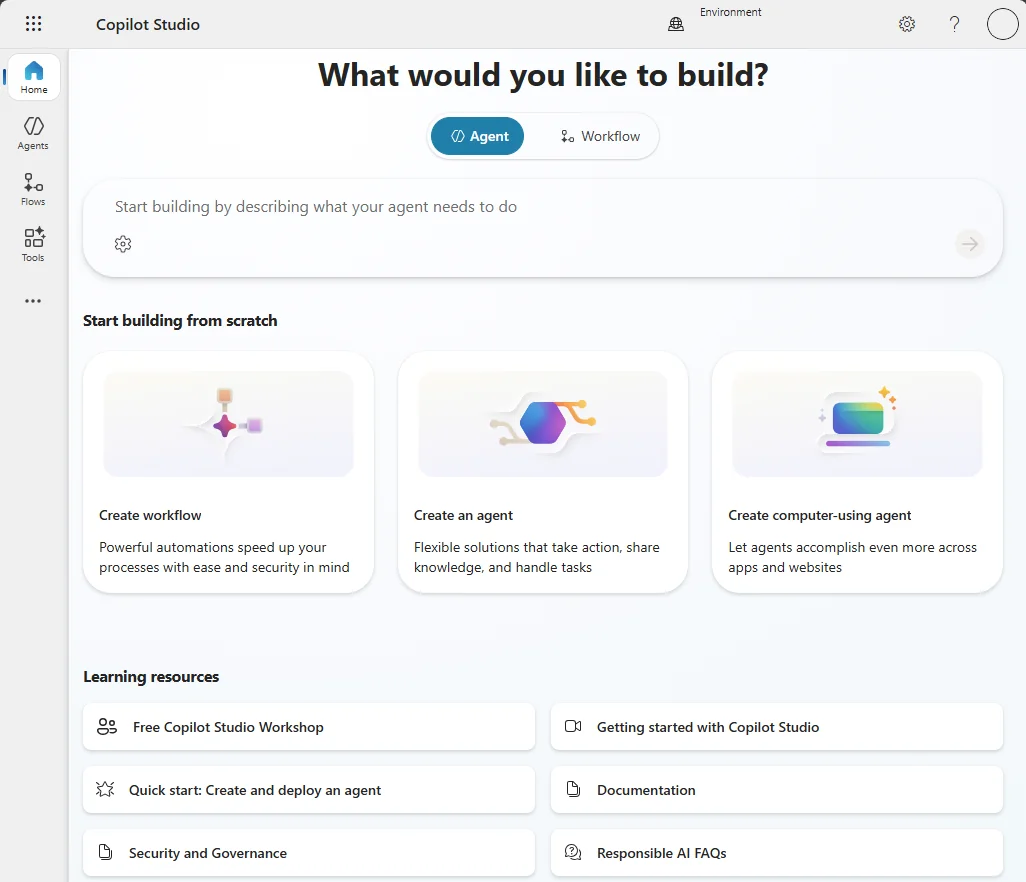
Copilot Studio is Microsoft's low-code studio for building agents and workflows, and the most coworker-shaped line in its docs is this one: "Some agents can be given their own account so they can work proactively on tasks and take part in shared business processes, such as onboarding a new employee" (Microsoft Learn). Event triggers let an agent act on its own when a new email arrives, a Teams message lands, a SharePoint item changes or a schedule fires (event triggers).
Where it stops
Triggers run on the agent maker's own credentials, and the agent "doesn't create a new action or topic on the spot", so it can only pick from actions you defined. Every trigger run is billable usage, including a recurrence that fires every ten minutes.
Pricing
From Microsoft's Copilot Studio plans:
| Plan | Price | Covers |
|---|---|---|
| Microsoft 365 Copilot add-on | $30/user/mo, paid yearly | Building and using internal agents in Microsoft 365 |
| Copilot Credit pack | $200/mo for 25,000 credits | Tenant-wide capacity, external channels, autonomous agents |
| Pre-purchase plan | Save up to 20% | Prepaid credits, Azure subscription required |
| Pay-as-you-go | Usage-based | Billed monthly, Azure subscription required |
Credits are metered per feature: 2 for a generative answer, 5 for an agent action, 10 for tenant graph grounding (billing rates). Microsoft ships a usage estimator because the math gets involved.
What users say
"Non-technical end users love MCP. Usage in Copilot Studio makes life super easy for them -- they don't have to figure out what connector to use, just plop the Email MCP server in there and they can start asking email-related questions."

My take: pick Copilot Studio for internal Microsoft 365 work where the data and permissions already sit in your tenant. Skip it as a customer-facing support agent unless you have Power Platform skills in-house.
7. Salesforce Agentforce
Best for: companies whose cases, orders and customer data already live in Salesforce.
What it takes off your plate
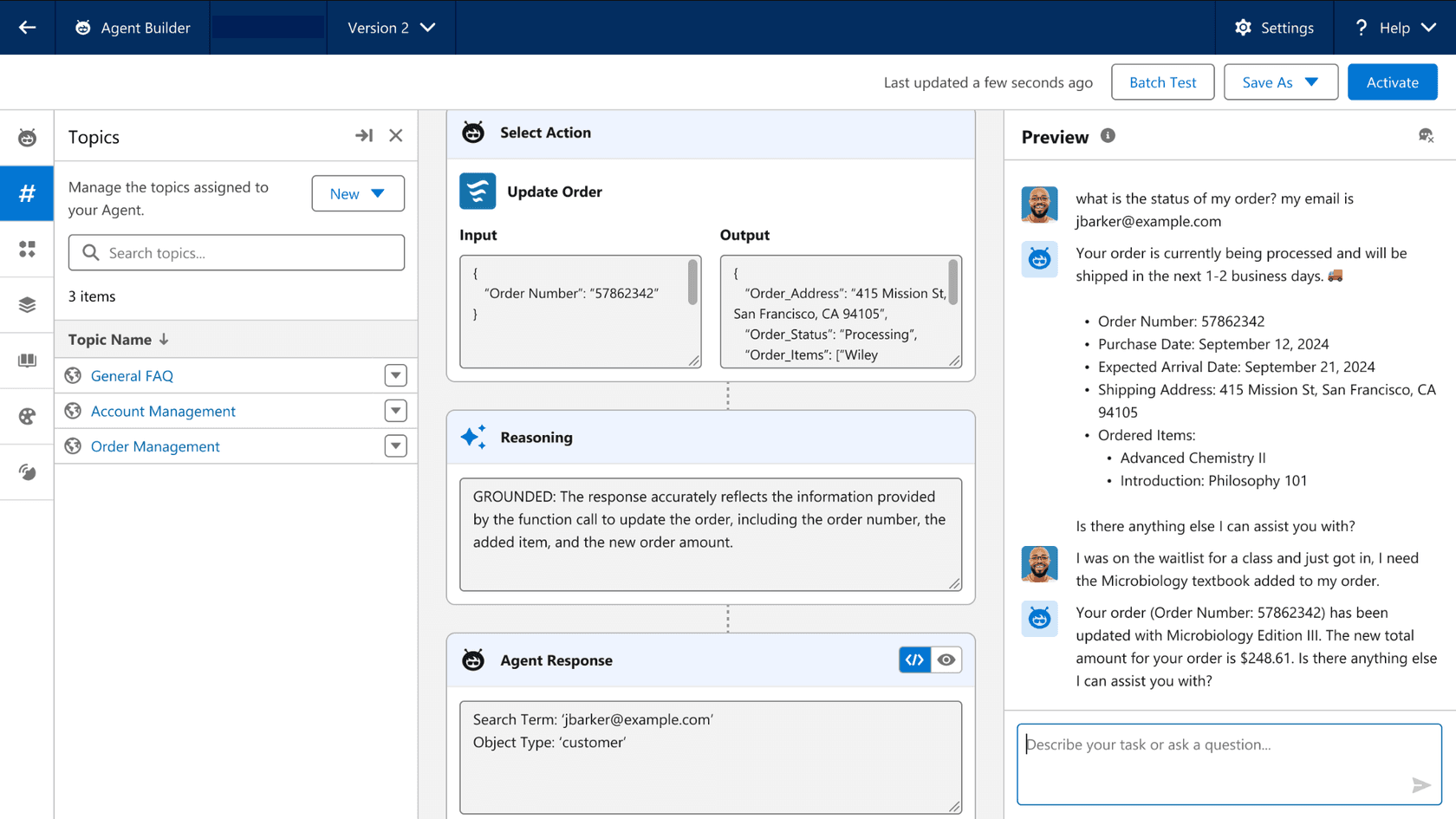
Salesforce literally sells a product called Agentforce Coworker, an employee-facing assistant (in beta) that "connects and indexes across 300+ enterprise sources" and "triggers flows, activates agents, and keeps work moving autonomously". On the customer side, the job-ready agents launched in September 2026, like Casey for service, ship with skills for FAQs, returns, account management and escalation (Salesforce news). Existing Flows, Apex and APIs become agent actions, and the agent inherits your org's sharing rules.
Where it stops
It's at its best inside Salesforce and needs Enterprise, Unlimited or a similar edition underneath. Coworker also needs Data 360 switched on, and reaching sources beyond CRM and Slack uses Data 360 credits (billing docs).
Pricing
From Agentforce pricing:
| Option | Price | Notes |
|---|---|---|
| Salesforce Foundations | $0 | Builder, Coworker, credits for the first 1,000 service conversations |
| Flex Credits | $500 per 100,000 credits | A standard action is 20 credits ($0.10); a help agent resolution is 400 ($2.00) |
| Conversations | $2 per conversation | Existing customers only |
| Agentforce add-ons | $125/user/mo | Unmetered employee use for Sales, Service, Field Service |
| Agentforce User License | $5/user/mo | Requires Flex Credits |
A case that takes six actions costs $0.60 at list in Flex Credits, so price a typical case, not a single reply. My Agentforce pricing post works through more examples.
What users say
"What I dislike most is that Agentforce can require significant setup, testing, and ongoing optimization to ensure the responses and actions are accurate. The quality of the experience also depends heavily on how well the underlying Salesforce data is structured and maintained."
My take: pick Agentforce if Salesforce is your system of record and you have admins to configure it. Skip it if Salesforce is one tool among many. If you're still deciding, start with Agentforce alternatives.
8. ServiceNow AI Agents
Best for: large organizations running internal IT and HR on ServiceNow.

What it takes off your plate
ServiceNow's AI Agents "act autonomously to get work done" across IT, customer service and HR, with named jobs like incident resolution, employee onboarding and vulnerability remediation. You define agents in natural language in AI Agent Studio, give them tools like flow actions, subflows and scripts, and an orchestrator coordinates teams of agents. They can also reach outside systems over A2A and MCP, and drive browser and desktop apps where no API exists.

Where it stops
The agents that work tickets without a human, the L1 Service Desk AI Specialist and AI Agents for ITSM, are listed only in the ITSM Prime package (ServiceNow ITSM pricing). And like any agent, it's only as good as the records it reads.
Pricing
ServiceNow publishes no prices: every ITSM tier says "Get Custom Quote". AI usage draws down a pooled allowance of "assists" set in your contract. ServiceNow's public rate card puts a summary at 1 assist and an agentic workflow at 25 to 150 assists depending on how many tool calls it makes (Now Assist overview). My ServiceNow AI pricing guide explains how to read a quote.
What users say
This one is about the earlier Now Assist packaging rather than today's AI Agents, but it captures the gap buyers watch for:
"We run ServiceNow for everything, ticketing, CMDB, change management, SLAs. That part is solid and I have no plans to rip it out. But we bought Now Assist expecting it to actually handle the tier 1 stuff that eats our team alive. Access requests, password resets, basic app provisioning. What we got instead is a slightly smarter virtual agent that still kicks most things to a human."
My take: pick ServiceNow AI Agents when ServiceNow already runs your internal service desk and you can negotiate Prime. Skip it for customer support on another helpdesk. I compared the two giants in Agentforce vs ServiceNow AI.
9. Zendesk AI agents
Best for: support teams that run only on Zendesk and want the native option.
What it takes off your plate
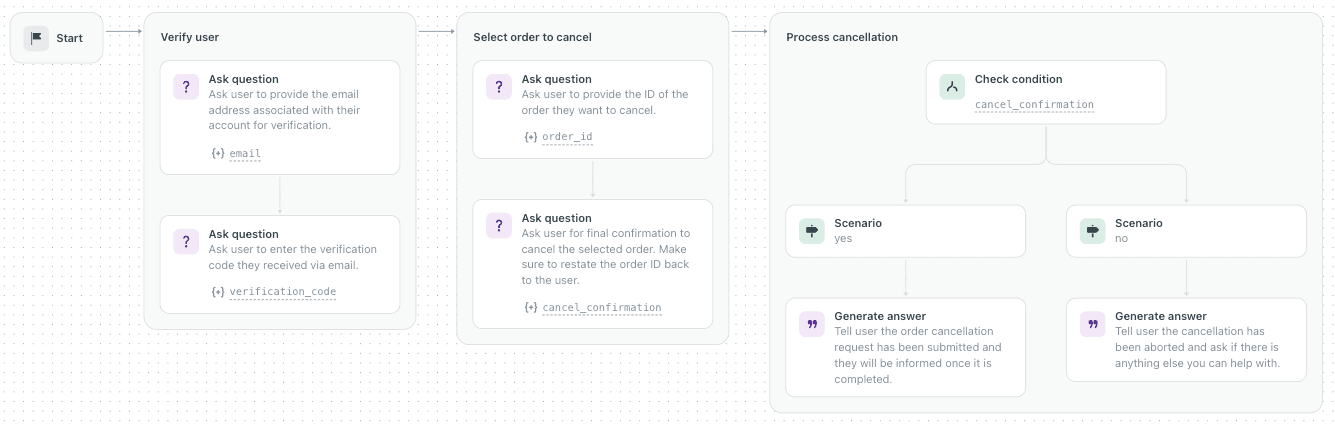
Zendesk's AI agents "can have conversations with customers and perform actions in authorized systems autonomously" across messaging, email and voice (About AI agents). You write generative procedures in plain language and drop in API actions. Zendesk's own example verifies a user, lists their orders, confirms, and calls a "Cancel order" API, which is exactly the refund-style flow ChatGPT kept describing (generative procedures).
Where it stops
It works on Zendesk. The billing definition is the part to read twice: a messaging conversation counts as an automated resolution after 2 hours of inactivity if the AI judges the answer relevant and the customer gave positive feedback or no feedback at all (automated resolutions). The older Essential agents and bot builder retire on 10 December 2026.
Pricing
From Zendesk pricing:
| Plan | Billed yearly | Billed monthly | Included automated resolutions |
|---|---|---|---|
| Support Team | $19/agent/mo | $25 | 5 per agent/mo |
| Suite Team | $55/agent/mo | $69 | 5 per agent/mo |
| Suite Professional | $115/agent/mo | $149 | 10 per agent/mo |
| Suite Enterprise | Talk to sales | Talk to sales | Not shown |
Extra resolutions cost $1.50 each committed or $2.00 pay-as-you-go. Escalated conversations aren't billed. My Zendesk AI agent review covers the details. For the full cost picture, see Zendesk AI pricing.
What users say
"The biggest sticking point for me was the "resolution" definition. I get they're going to try to base on what's most favorable but it was just so murky about whether a customer actually got a resolution in some of the scenarios it wasn't for us"
My take: pick Zendesk AI agents if you're all-in on Zendesk and like outcome billing. Skip them if you want to replay the agent on your own past tickets first, or keep the same teammate if you ever change helpdesk.
10. Devin
Best for: engineering teams with a backlog of well-scoped tickets.
What it takes off your plate
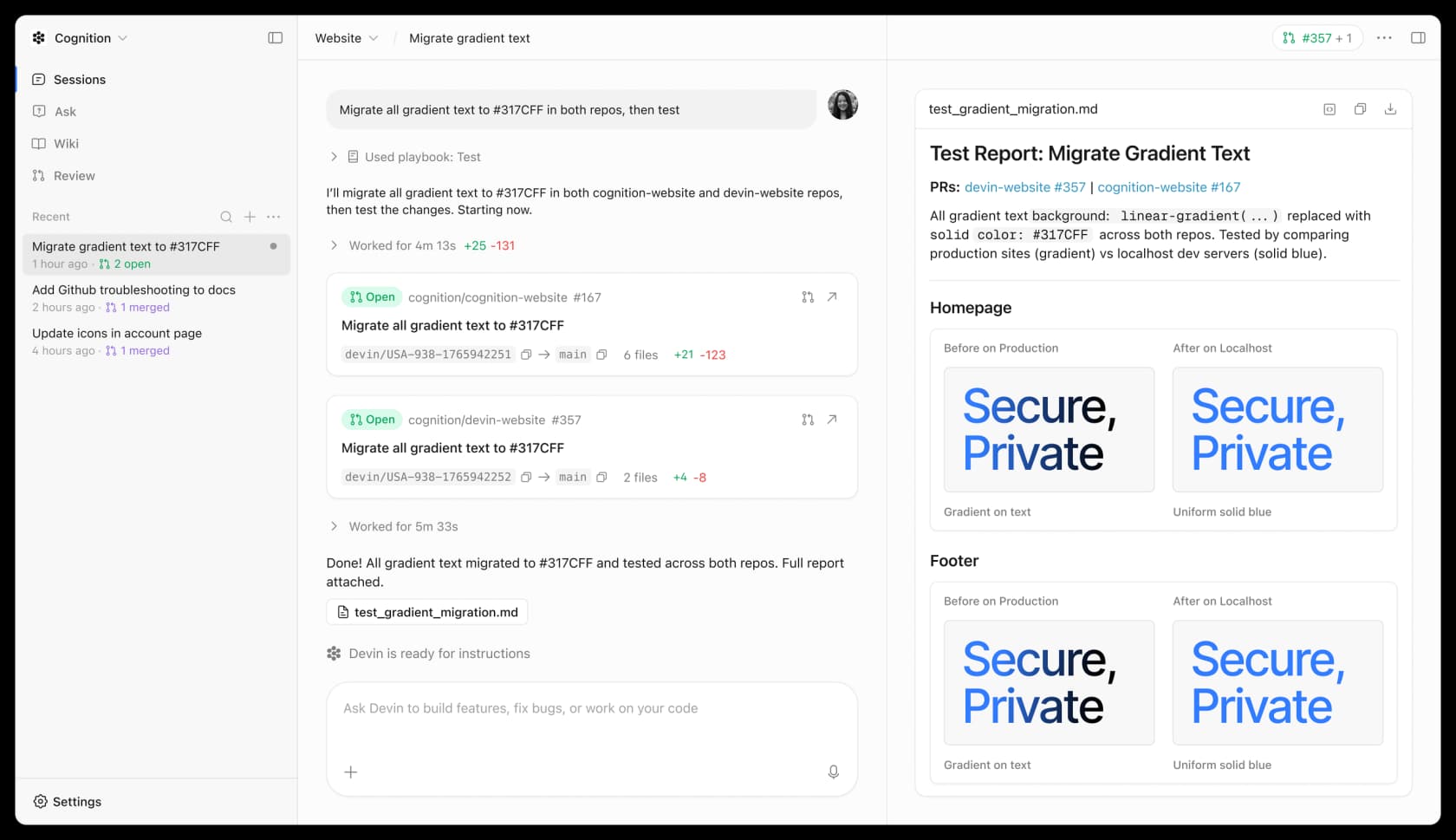
Devin is Cognition's "AI software engineer". You assign it a Linear or Jira ticket, tag it in Slack, or label an issue, and it plans, codes, tests and opens a pull request that picks up review comments and CI results. Its docs set the bar plainly: "if you can do it in three hours, Devin can most likely do it" (Devin docs). Migrations, framework upgrades, unit tests and bug triage are the sweet spot.
Where it stops
It's a coworker for engineers only, and the docs' own advice is to write clear completion criteria and make tasks easy to verify. Somebody still reviews and merges every PR.
Pricing
From Devin pricing:
| Plan | Price | Notes |
|---|---|---|
| Free | $0 | Light quota |
| Pro | $20/mo | Higher quotas, frontier models, cloud agents |
| Max | $200/mo | Much higher quotas |
| Teams | $80/mo minimum, $40 per full seat | Up to 200 users, shared credits |
| Enterprise | Let's talk | Billed in ACUs at a contract rate |
Past your quota, self-serve plans draw on prepaid on-demand credits. See Devin Fusion pricing for how the newest model changes the math.
What users say
"Overall I've been really impressed with Devin. IMO it's the best tool for AI generating features if you know what you're looking for, have patterns to follow, etc. I suspect the context they build about your project helps a ton."
My take: pick Devin when you can hand it tickets with clear acceptance criteria. Skip it if your engineering work is mostly ambiguous product discovery.
What each AI coworker actually bills you for
This is where buyers get surprised. Most of these tools don't charge for the job you care about. They charge for the steps the agent takes to do it, so the same refund can cost twice as much if the agent takes twice as many steps.
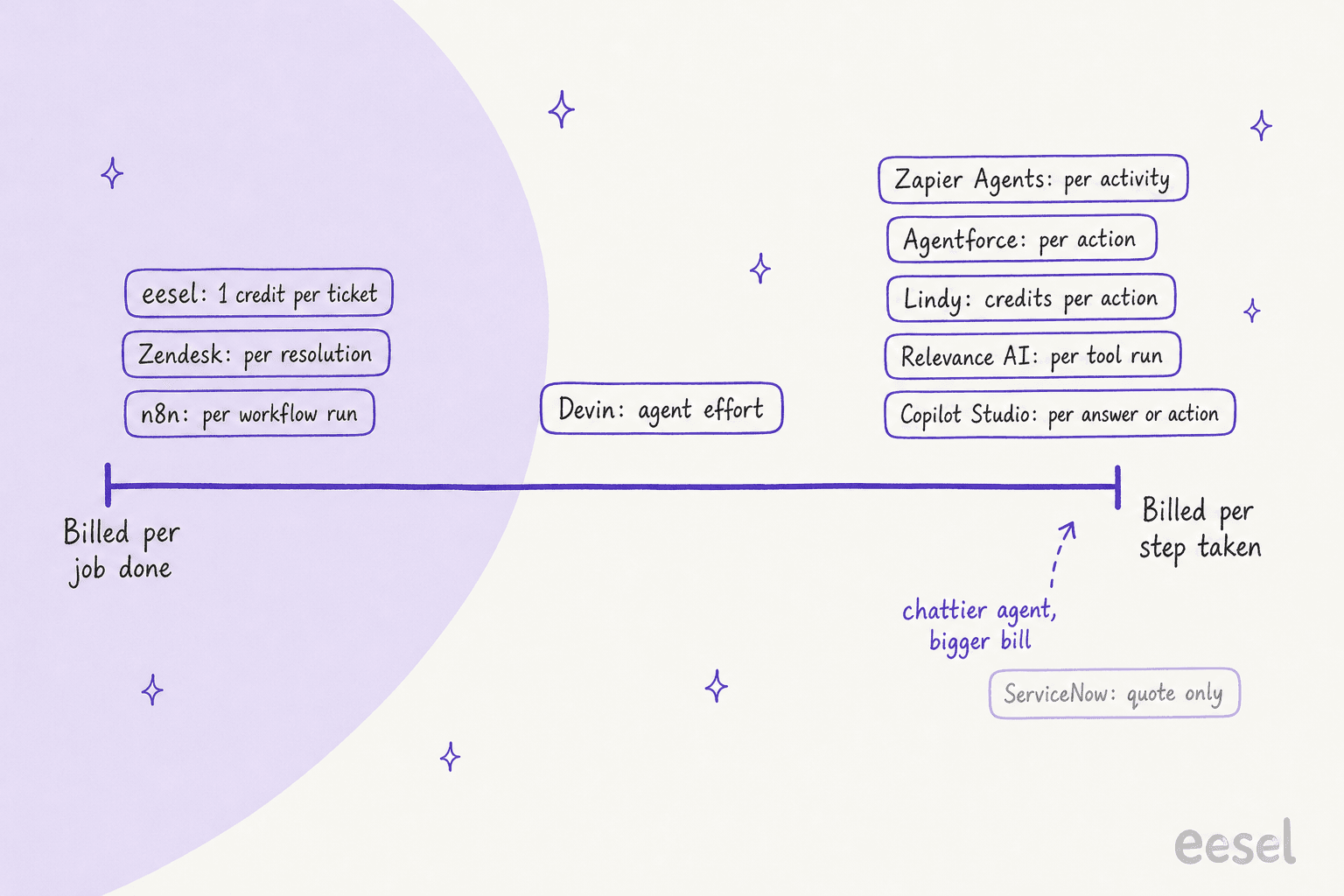
Step-based billing isn't wrong. It's fair when the work is varied and small. But for a repeating queue like support, you want the price to follow the ticket, not the agent's thought process. Before signing anything, ask the vendor to price one typical job end to end, the way Zapier does in its four-activity email example, then multiply by your monthly volume. My guide to AI employee pricing walks through that math for ten vendors.
How to trial an AI coworker without regretting it
I've watched a lot of rollouts at eesel, and the ones that stick follow the same pattern. Here's the short version.
- Pick one job, not a department. "First replies on billing tickets" is a job. "Help the support team" is a wish.
- Replay it on past work before it touches live work. Run the agent over a few hundred of your real past tickets or tasks and compare its output to what your team actually did. My AI support agent testing guide has a four-stage plan.
- Start in draft mode, then widen. Let it draft for approval first, track how often people send drafts unchanged, then switch categories to autonomous one at a time. smava still keeps people on the send button for regulated replies, and that's a perfectly good end state.
- Write the handoff rules down. Refunds over a limit, angry customers, legal threats: decide what always goes to a person. My AI agent handoff guide covers the patterns.
- Score it like a hire. Use a pilot scorecard with targets you set before the trial, so a slick demo doesn't grade itself.
Most failed rollouts I've seen skipped step 2. The common implementation mistakes post lists the rest.
Hire an eesel teammate
If the work you want off your plate is a support queue or a content calendar, you don't need to build an AI coworker from parts. eesel's AI helpdesk teammate plugs into Zendesk, Freshdesk, Salesforce and the other helpdesks you already run, learns from your past tickets and help center, and starts in draft mode until you trust it, the same way SE Ranking and smava run it today. The AI blog writer does the same for long-form content.
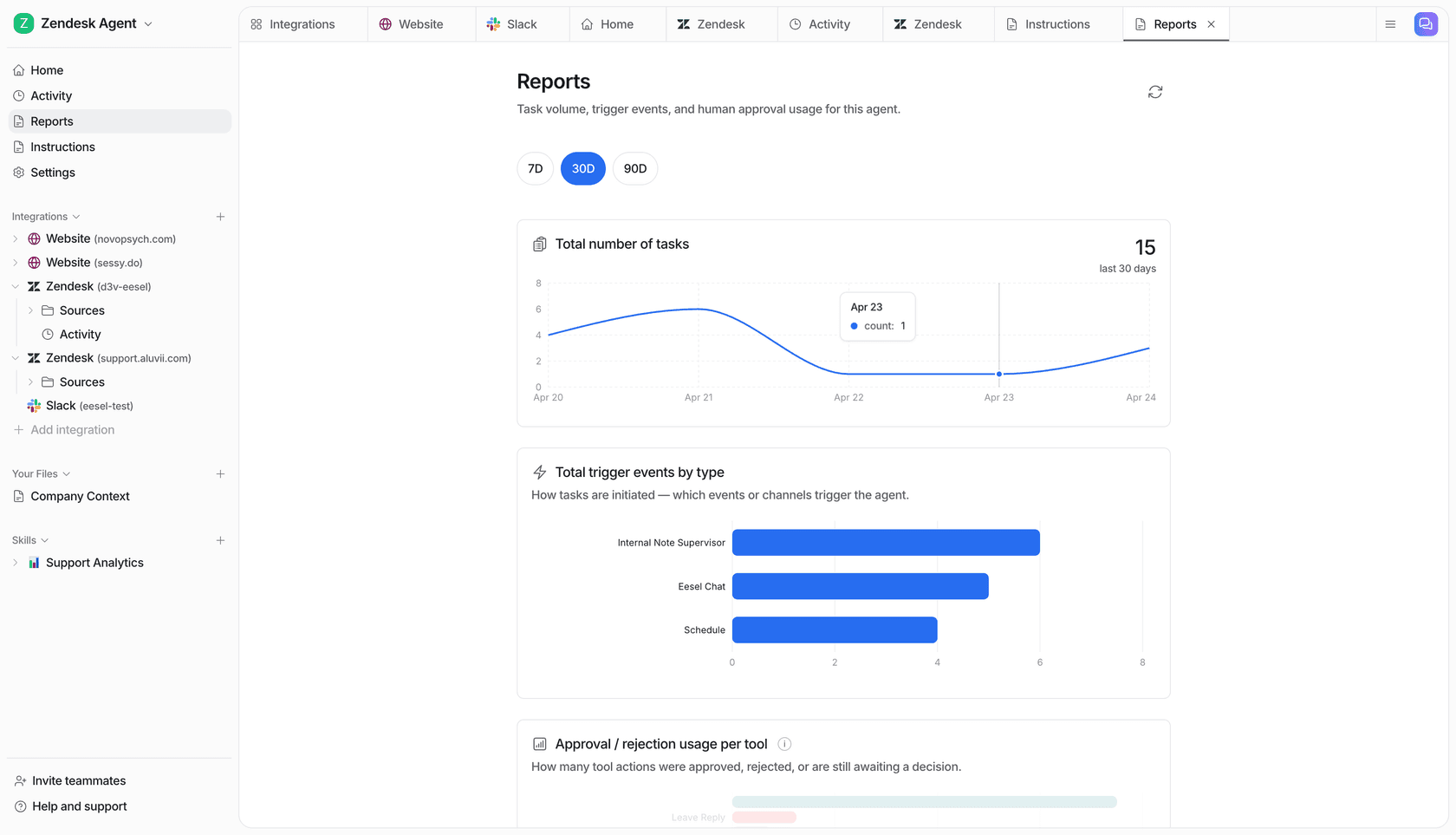
You get 100 free credits with no card, and one ticket is one credit however long it runs. Try eesel on a slice of your real queue and see how many tickets it would have finished.