


Spam is more of your inbox than you think
Most teams treat spam as background noise, a few obvious junk emails you delete on autopilot. Then you actually measure it.

When we broke down one real e-commerce support inbox, the picture was clear: 38% was genuine customer support, 22% was outright spam, 21% was B2B and internal traffic, and the rest was everything else. That 22% is pure tax. Every one of those tickets gets opened, skimmed, and dismissed by a person who could have been helping an actual customer.
It adds up faster than you'd think. If a human agent spends even thirty seconds confirming a ticket is junk, on a few thousand tickets a month that's hours of paid time spent on nothing. This is why filtering spam is usually the single fastest place to save money in support: it's high volume, it's low risk, and nobody misses the work. Before you automate anything glamorous like full ticket resolution, clearing the junk is the obvious first win.
What people actually mean by "AI spam ticket filtering"
There are two very different things hiding under this phrase, and it's worth being precise.
The old version is a filter: a set of rules that block known bad senders or match spammy keywords, then dump matches into a junk folder. Your email already does some of this. It's fine for the obvious stuff and useless for everything else.
The version worth caring about is a triage layer. An AI reads every incoming ticket the way a person would, works out what the sender actually wants, and decides where it belongs: real question, spam, B2B enquiry, or something to escalate. Spam is just one of the buckets it sorts into. That's why this overlaps so heavily with AI ticket triage and ticket classification in general, filtering junk is a side effect of an AI that understands your queue, not a standalone spam-only product.
The distinction matters because the triage version is the one that actually works on the messy, creative spam that gets past your email provider, and it's the one that won't quietly bury a frustrated customer who happened to write "URGENT" in their subject line.
Keyword rules vs AI triage
If you've ever tried to tame spam with rules, you already know the pain. You block one sender and three more appear. You add a keyword filter and it catches a real customer's ticket about that exact word. You spend more time maintaining the rules than you ever spent deleting the spam.
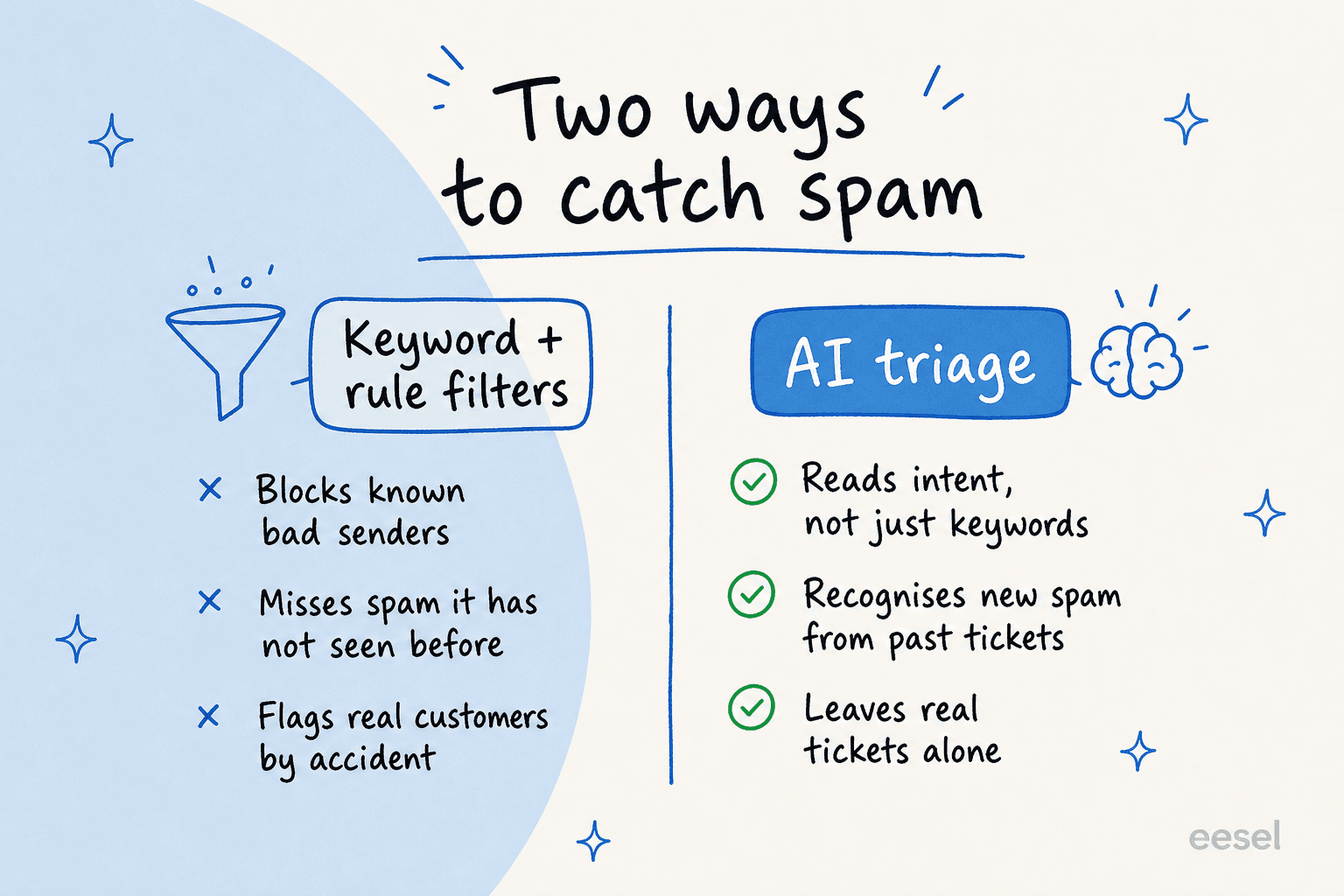
Rules fail because spam isn't a fixed list of words, it's an intent. A cold pitch dressed up as a support question, a bot probing your form, a recruiter blasting your shared inbox, none of them use the same phrasing twice. AI triage doesn't match strings, it matches meaning, and it learns what your spam looks like from the tickets you've already handled. The same engine that powers auto-tagging is what lets it recognise junk it has never literally seen before.
The other thing rules get wrong is the cost of a mistake. A keyword filter that's too aggressive doesn't just miss spam, it hides real customers, and you only find out when someone complains they never got a reply. A good triage layer is built around exactly this fear, which is where confidence-based routing comes in (more on that below).
How AI actually filters a spam ticket
Here's what happens under the hood when a ticket lands, and why it's more careful than a delete button.

The AI reads the new ticket, then searches your history and knowledge base for anything similar. That comparison is the whole trick: spam looks like past spam, and real questions look like past real questions. Based on what it finds, the ticket either gets tagged and closed (or held as a draft for review) or gets a reply drafted and routed to the right agent.
A real example shows how nuanced this gets. A cold pitch once arrived in a Web3 company's Zendesk, someone trying to sell a list of 16,973 contacts, dressed up as a normal support message. The AI searched the company's past tickets, recognised the pattern as the same kind of sales spam they'd seen before, and instead of trying to "answer" it, drafted a polite decline as an internal note for the team to glance at. No real customer got buried, and no agent had to stop and figure out what the message even was.
That's also where confidence-based routing earns its keep. The AI doesn't act on every ticket with the same certainty. When it's confident a ticket is junk, it can close it; when it's confident a ticket is a real question it knows the answer to, it can draft or send; and when it's genuinely unsure, it leaves the ticket alone for a human. One CX lead I spoke to, running about 7,000 tickets a month, put the whole requirement in a single line: he wanted an AI that only handled the tickets it was confident about, and silently left the rest for people. That's the bar, and it's the difference between a tool that helps and one that quietly causes incidents. If you want the mechanics, our piece on confidence thresholds and AI escalations goes deeper.
Setting it up without binning real tickets
This is the part people get wrong, so here's the order I'd actually do it in.
1. Simulate on your past tickets first. Before the AI touches a live queue, run it over your historical tickets and see how it would have classified them. This is the single most important step, and it's the one most tools skip. You get to see, on your own data, how much it flags as spam and whether it ever mislabels a real customer. eesel's simulation mode does exactly this, you run it on thousands of past tickets and get coverage by theme before going live.
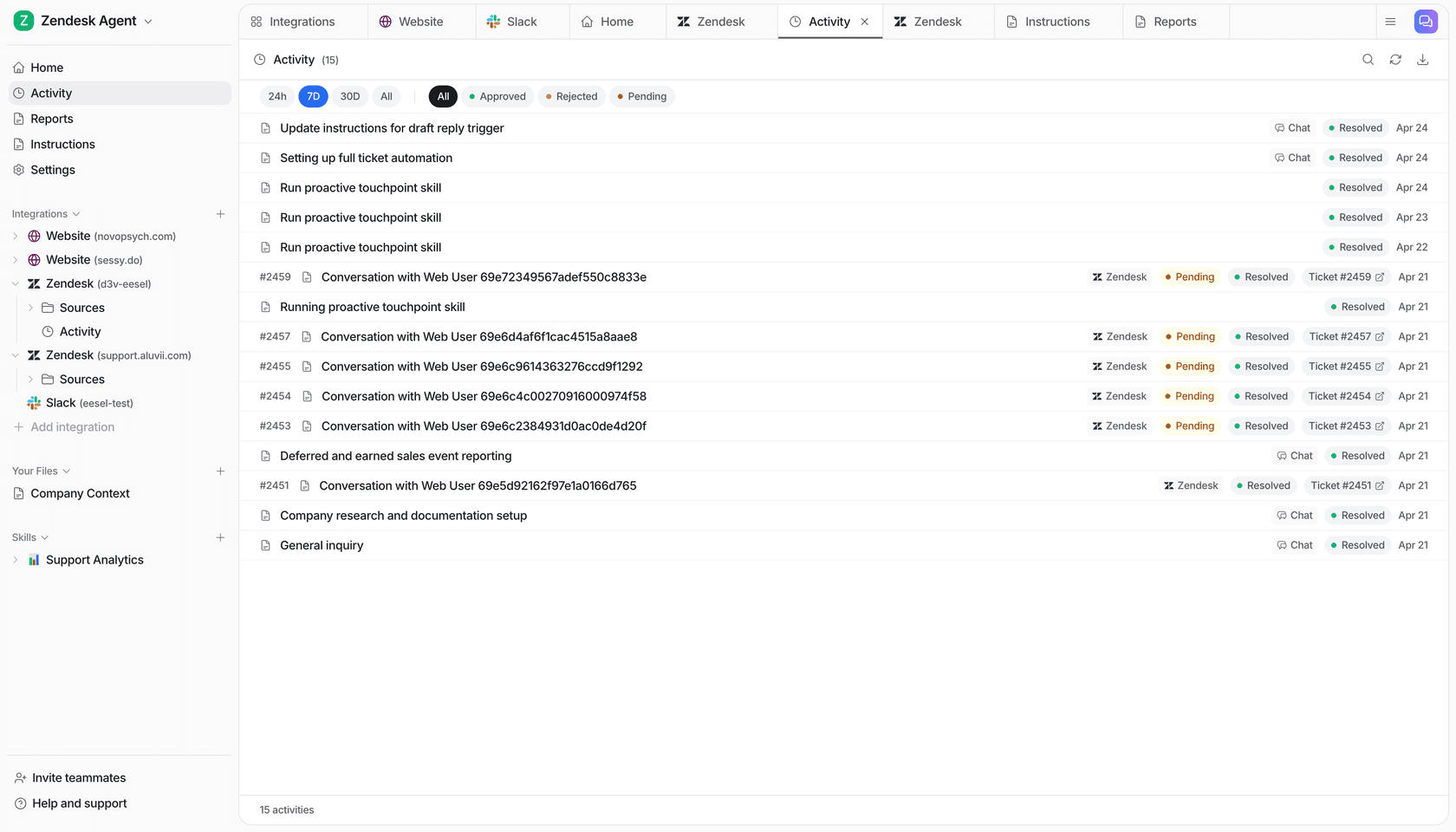
2. Start in tag-or-note mode, not auto-close. For the first stretch, have the AI tag suspected spam or leave an internal note rather than closing anything. You watch, you correct the misses, and the system learns from your corrections. This is the same "copilot first, autonomy later" path almost every team I've seen takes, and it's the right one.
3. Tell it what counts as spam, in plain language. You shouldn't need a rules engineer for this. With a good setup you describe your edge cases conversationally ("treat unsolicited partnership pitches as spam, but never close a ticket mentioning a refund"), and the AI follows it.
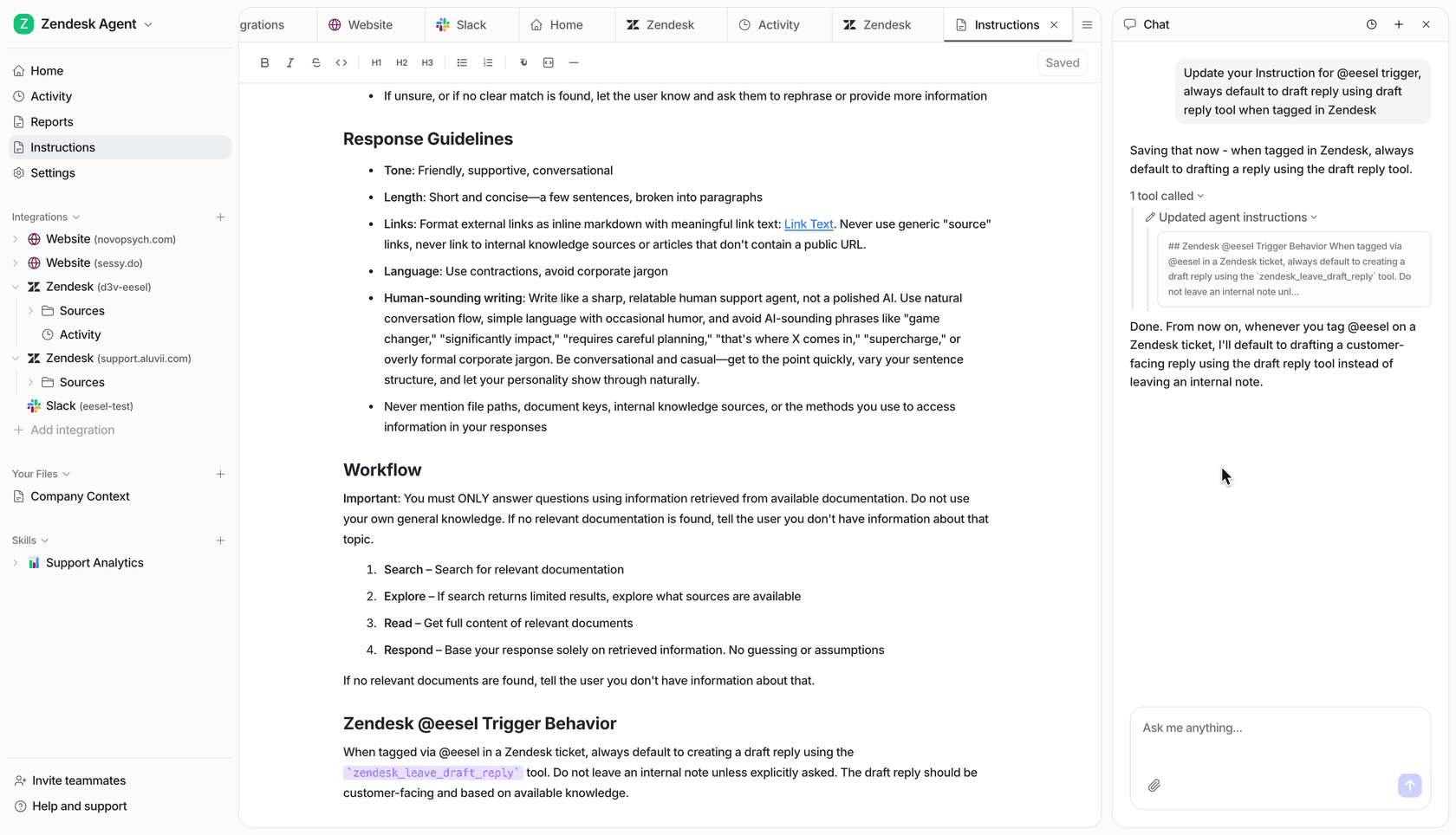
4. Only then turn on auto-close, behind a confidence threshold. Once the simulation and the supervised run agree the AI is reliable, let it close the high-confidence junk on its own and keep routing the uncertain stuff to people. You keep the false-positive rate low precisely because you never asked it to be certain about things it isn't.
Done in that order, you get the upside (a fifth of your inbox quietly handled) without the nightmare (a real customer auto-closed and furious). It's the same discipline that makes any ticket automation project succeed or fail.
The pricing trap: don't pay per resolution for spam
Here's a detail that's easy to miss until the invoice arrives. A lot of AI support tools price per resolution. On the surface that sounds fair, you pay for outcomes. But ask the obvious follow-up: does auto-closing a spam ticket count as a "resolution" you get billed for?
If it does, the math gets ugly. On that inbox where 22% of tickets were spam, a per-resolution tool would happily "resolve" all that junk and charge you for the privilege. You'd be paying a premium for your AI to do the one job that should be nearly free. Worse, per-resolution pricing punishes you for volume spikes, so a Black Friday flood of junk and real tickets alike sends your bill through the roof.
I'd flip the question entirely. Spam filtering should reduce your costs, not become a new line item. When you compare tools, ask each one directly how it bills spam, and weigh it against what a human agent costs to do the same triage. A model that doesn't charge extra for closing junk keeps the incentives honest. This is the same trap we flag in our helpdesk cost breakdowns, the sticker price and the real cost are rarely the same number.
Try eesel for spam triage
If your inbox is one-fifth junk, the fastest win in AI customer service is sitting right there. eesel plugs into your existing helpdesk, learns spam and real tickets from your own history, and triages incoming tickets the way a sharp agent would, tagging junk, drafting real replies, and escalating what it's unsure about.

The two things that matter most for spam filtering are built in: you can simulate on past tickets before going live, so you see the false-positive rate on your own data, and confidence-based routing means it never closes a ticket it isn't sure about. It runs on Zendesk, Freshdesk, Gorgias, Front and email, in 80+ languages, and the pricing won't charge you a premium for closing junk, since spam and categories you tell it to skip do not count against your credits.
Real teams see it move fast. As Kim Simpson at Gridwise put it, "In the first month, eesel is resolving 73% of our tier 1 requests," with results landing during a 7-day trial. You can try eesel free, point it at your own tickets, and watch how much of your queue was never worth a human's time in the first place.