

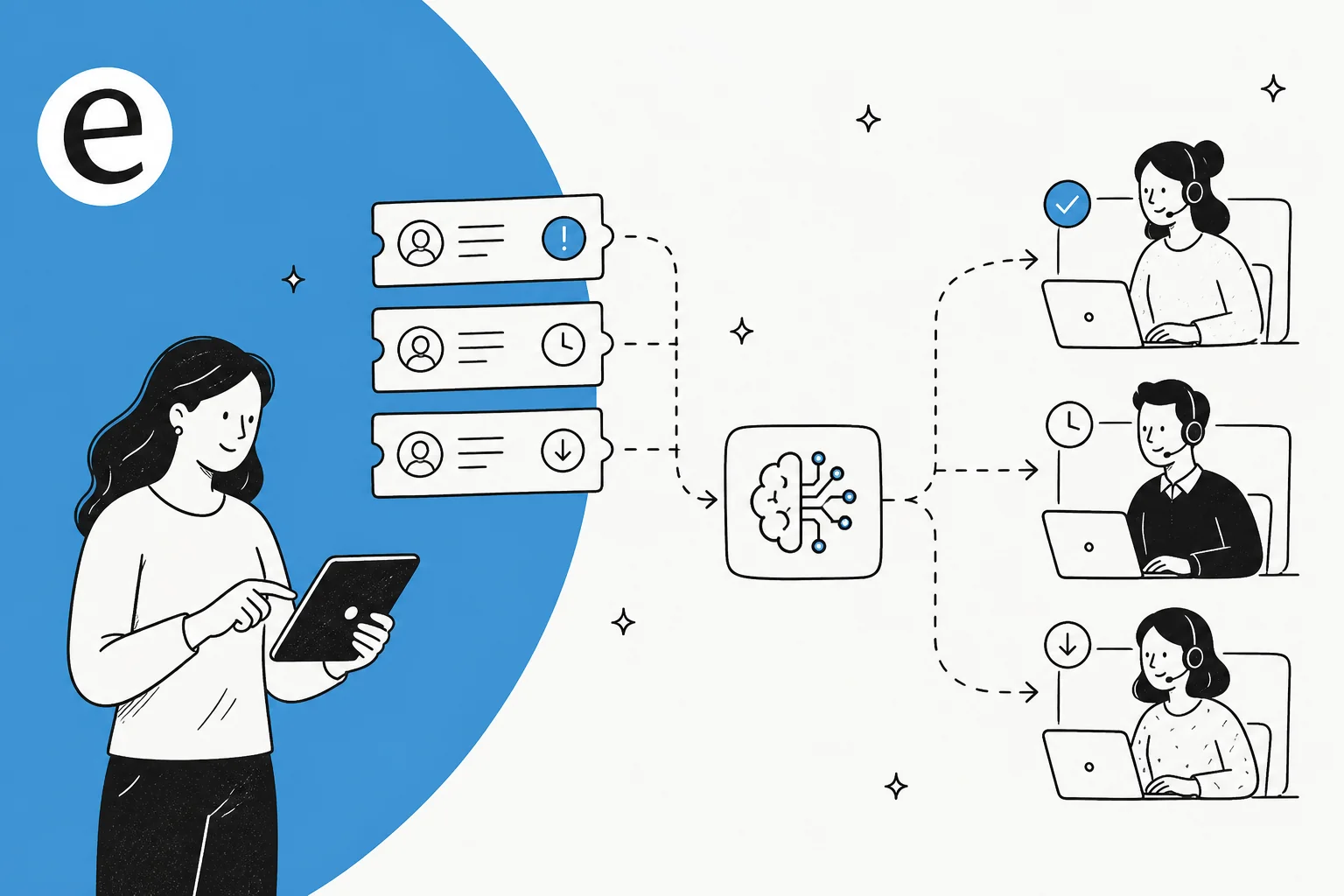
Why prioritizing tickets by hand stops working
Manual prioritization works fine when you get 20 tickets a day and one person reads all of them. It breaks the moment volume outpaces the humans reading the queue.
I hear the same thing from teams every week. One multi-brand e-commerce operator I spoke with was handling 500+ tickets a day, and the volume was almost entirely repetitive: refund requests, unsubscribes, and order-tracking questions drowning out the few tickets that really needed a fast human. A DTC supplements team doing ~7,000 Gorgias tickets a month told me they couldn't keep up at all, and needed to auto-resolve at least half the volume just to breathe. It's the core problem behind every support scaling conversation I have.
The usual manual fixes all have a ceiling:
- First-in-first-out treats a "where's my order" exactly like an outage report. The urgent ticket waits its turn.
- Keyword rules and Zendesk triggers are brittle. They catch "refund" but miss "I want my money back," and every edge case becomes another rule to maintain.
- A human triager is accurate but expensive, and they burn out fast doing nothing but sorting.
The thing manual triage can't do is read intent. That is exactly the gap AI fills.
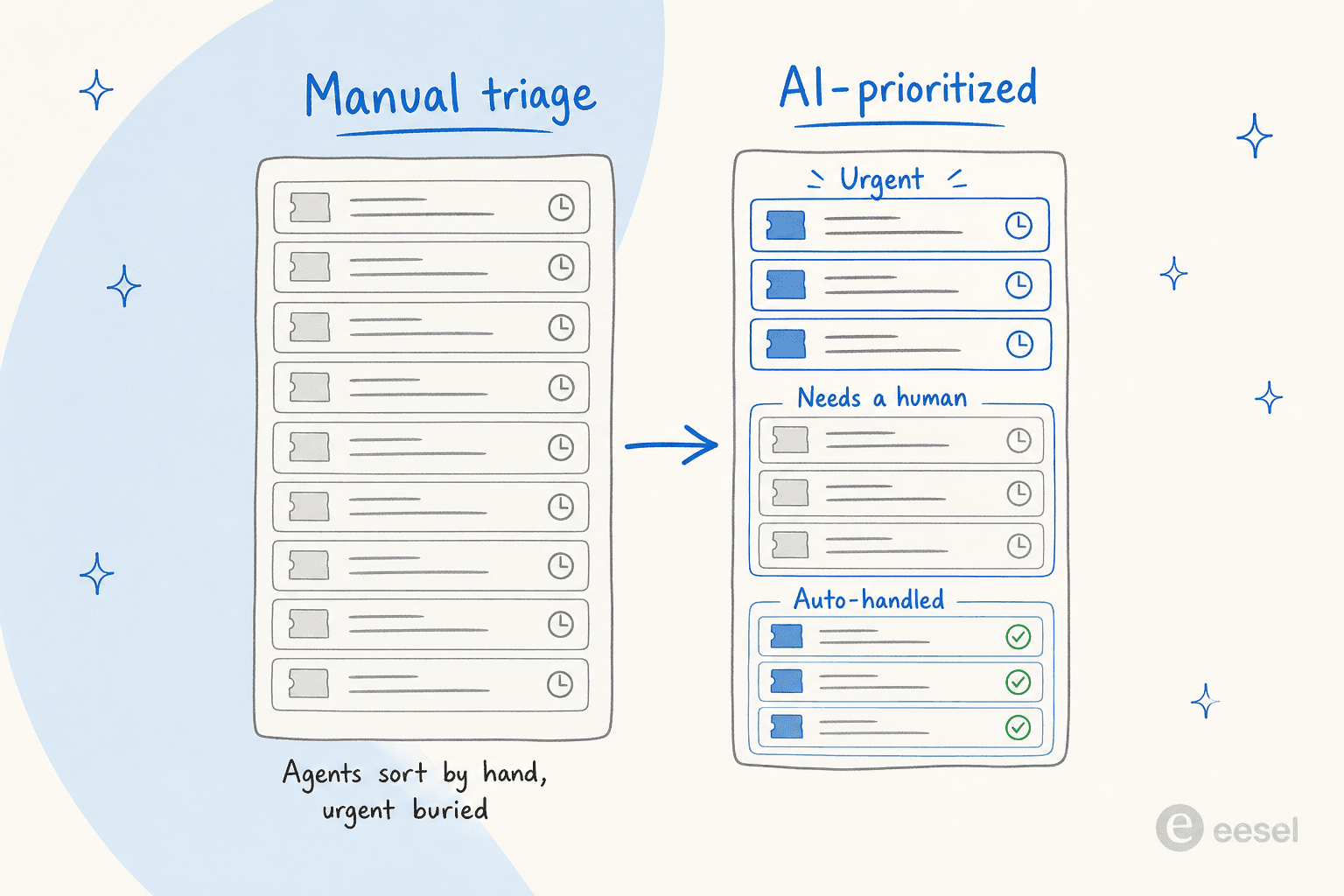
What it actually means to prioritize tickets with AI
"Prioritize with AI" sounds vague, so let me make it concrete. When a ticket arrives, an AI helpdesk agent does four things in sequence, in the seconds before a human ever opens it:
- Reads and classifies the ticket by topic and intent (billing, bug, WISMO, spam).
- Scores priority using urgency signals, business impact, and how close the SLA is to breaching.
- Tags and routes it to the right queue, team, or agent.
- Decides the next action: auto-resolve, draft a reply for an agent, or escalate to a human.
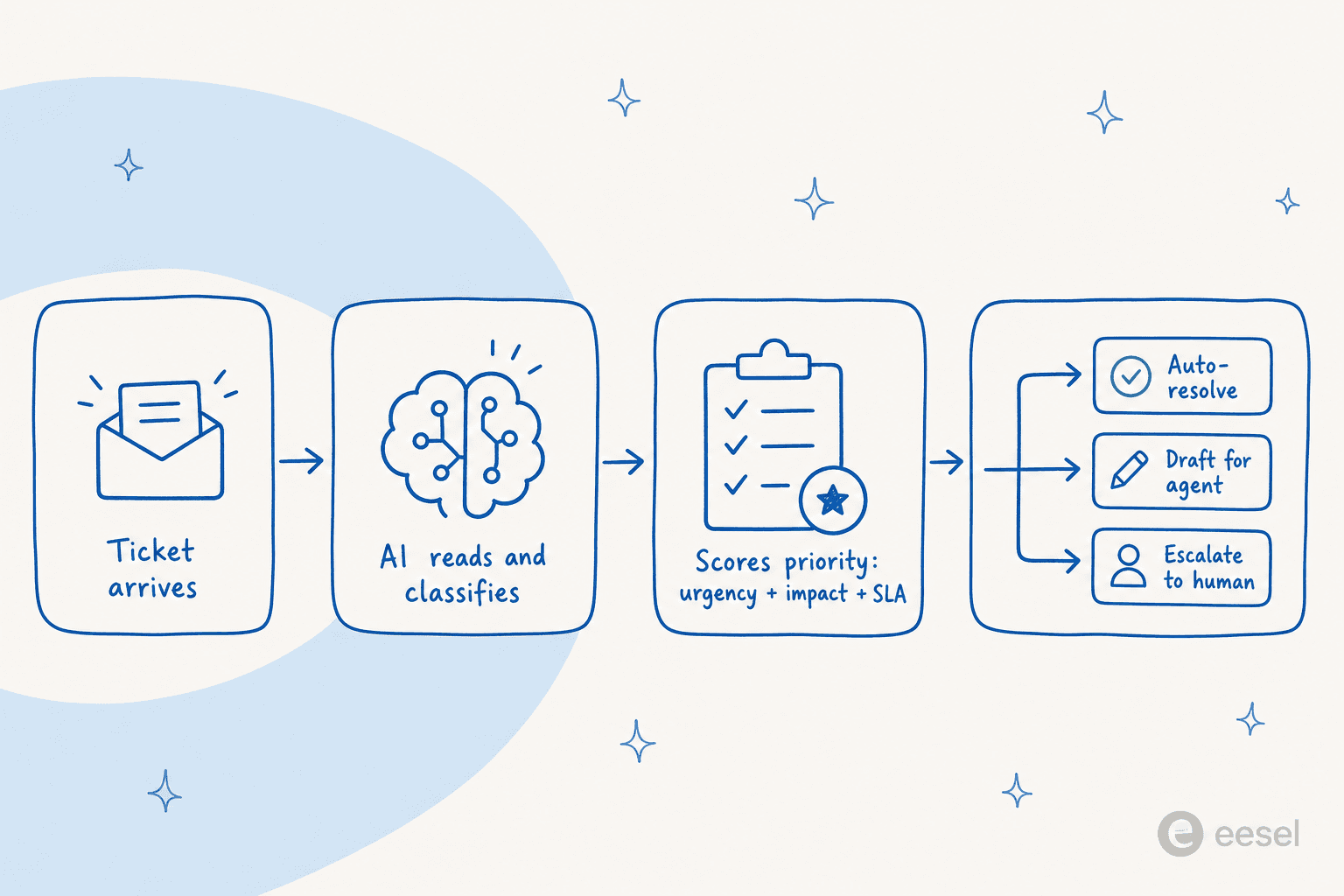
The difference from a rule-based chatbot is that the model is reading meaning, not matching strings. I watched a cold sales pitch land as a ticket once, and the AI matched it against past tickets, recognized it as spam, and drafted a polite decline as an internal note instead of trying to "answer" it. No spam keyword rule would have caught that.
Here is what that triage looks like running inside a live helpdesk:
How to prioritize support tickets with AI, step by step
You don't need to rip out your helpdesk to do this. Every step below layers on top of Zendesk, Freshdesk, Gorgias, Help Scout, Front, or HubSpot without changing how your agents already work.
Step 1: Define what "priority" means for your team
Before any AI touches your queue, decide what high priority actually means for your business. For most teams it comes down to two axes: how urgent the ticket is, and how much business impact it carries. A logged-out VIP customer with a contract renewal next week is a different animal from a typo report, even if both say "urgent."
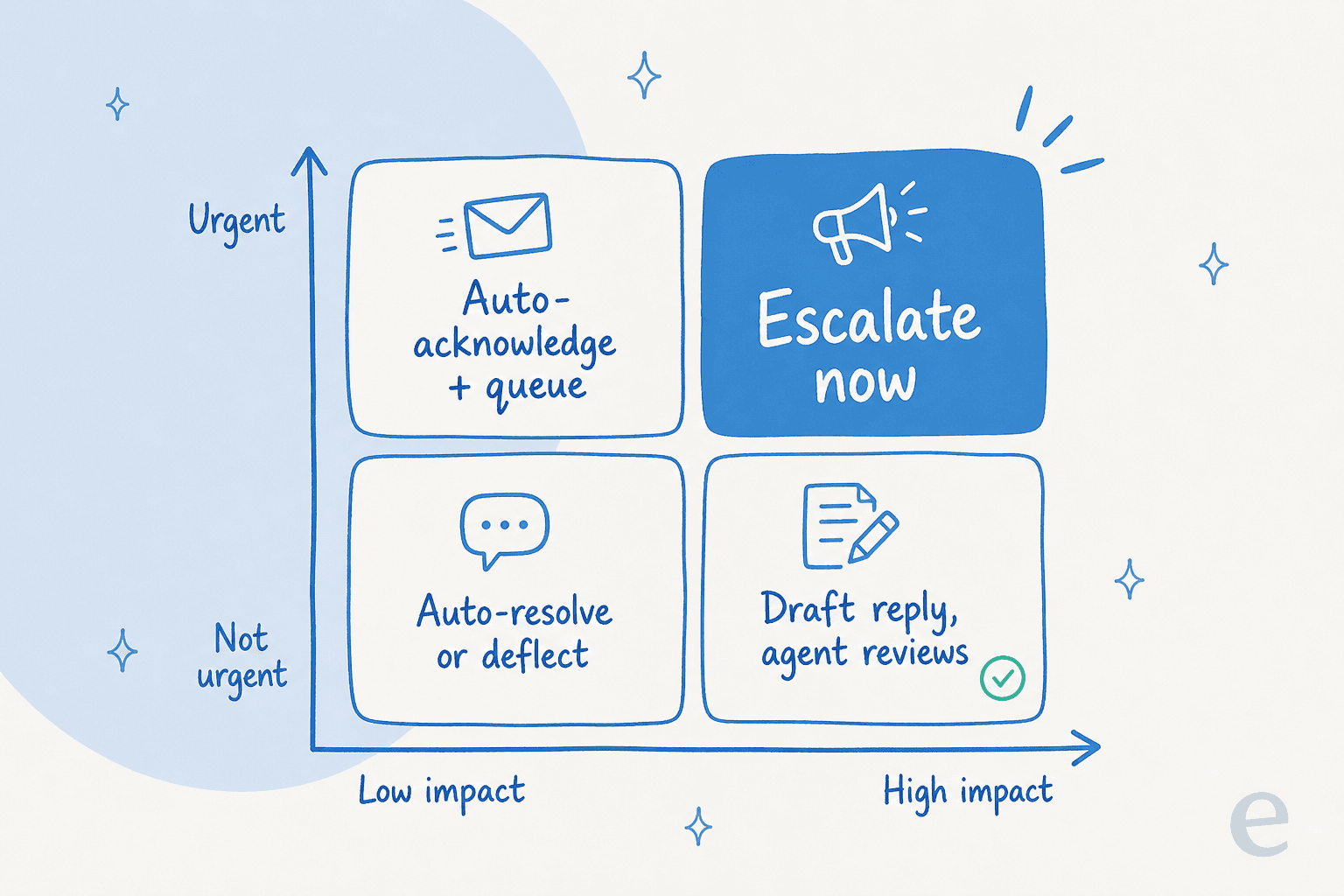
Write these rules down in plain language first, the way you'd explain them to a new hire. That document becomes the instruction set you hand the AI. Teams that skip this step end up with an AI that prioritizes confidently in the wrong direction.
Step 2: Connect your helpdesk and knowledge sources
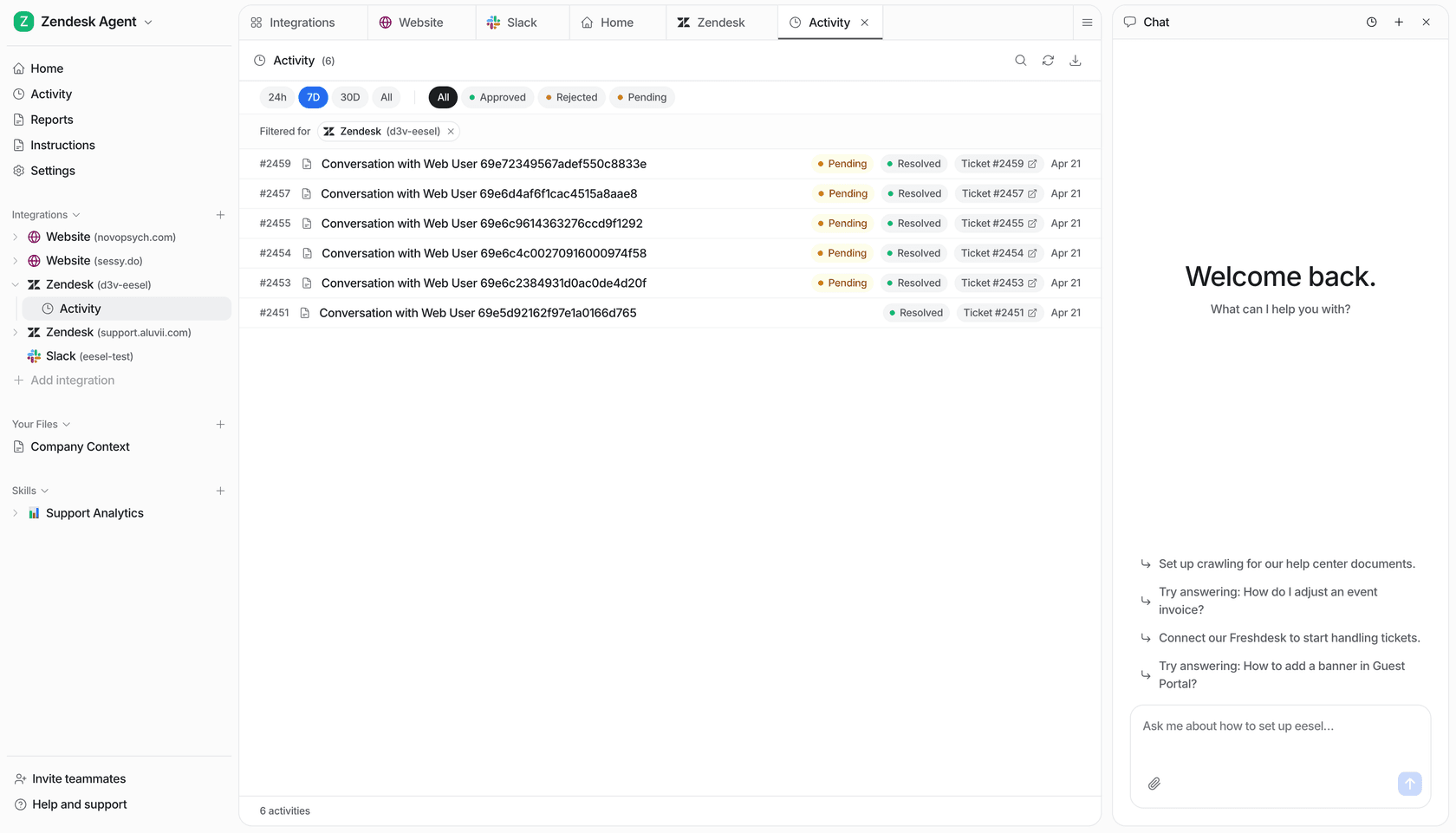
The AI can only prioritize well if it knows your business. That means connecting two things: your helpdesk (so it sees incoming tickets) and your knowledge (so it understands what each ticket is about).
The piece most tools get wrong is training on your solved tickets, not just your help center. Your past tickets are where the real priority signals live, which customers escalate, which issues turn into churn, which "quick questions" never are. eesel learns from years of past tickets and help docs on day one, so it inherits your team's instincts instead of starting blank.
Step 3: Let AI classify and tag every incoming ticket
This is the foundation everything else stands on. As each ticket arrives, the AI classifies it by topic and intent and applies tags automatically, the same job covered in our guide to AI ticket classification and Zendesk ticket tagging.
Consistent tags are what make prioritization possible at all. You can't route or rank a queue full of untagged tickets. Done right, this also fixes the reporting problem most teams have, where half the tickets are mis-tagged and your dashboards lie to you.
Step 4: Score and route by urgency, impact, and SLA
With tickets classified, the AI applies the priority rules from Step 1. It can set the priority field, route by VIP status or CRM tags, and assign to the right team, all automatically. A ticket from a brand-new account might get flagged differently from a long-time customer; an SLA about to breach jumps the line.
One support lead I talked to wanted AI to flag tickets from recently-created accounts and route them into a paid-services workflow, and to escalate anything likely to take more than 20 minutes. That is prioritization doing real business work, not just sorting by date. The same logic powers ticket automation and smart routing rules across any helpdesk.
Step 5: Simulate on past tickets before you go live
This is the step that separates a safe rollout from a scary one, and it's the one most people skip. Before the AI touches a single live ticket, run it against your historical tickets in a simulation and see exactly how it would have prioritized them.
I will be honest about why this matters: we have all watched a confident-sounding bot quietly get things wrong, which is why every eesel rollout simulates against real past tickets first. You get a coverage report by theme, you see where it would have mis-routed, and you fix the gaps before any customer is affected. No surprises on day one.
Step 6: Start supervised, then widen autonomy
Don't flip everything to fully automatic on launch day. Start the AI in copilot mode, where it classifies, prioritizes, and drafts replies as internal notes for your agents to review and send. Once you trust the prioritization on a given ticket type, grant it autonomy on those, and leave everything else supervised.
This mirrors what one DTC supplements CX lead told me he actually wanted from AI:
"The AI will never be able to answer 100% of the questions. I need an AI who is only handling the tickets that it's confident to handle and all the other ones, leave them alone."
That is the whole philosophy in one quote. Confidence-based routing is what makes it real: when the AI isn't sure, it hands off instead of guessing.
A quick decision tree: how should AI route this ticket?
Not every ticket should be auto-resolved, and not every ticket needs a human. Here's the logic I'd encode for any incoming ticket. Click through the questions:
1. Is the AI confident it knows the answer?
No / unsure → don't let it reply. Draft an internal note and escalate to a human. Confidence is the first gate, always.
Yes → keep going to question 2.
2. Is it high-impact or from a VIP / at-risk account?
Yes → escalate now, even if the AI could answer. A human should own the relationship moment.
No → keep going to question 3.
3. Is it a repetitive, low-risk question (WISMO, password, refund status)?
Yes → auto-resolve. This is the bulk of your volume and exactly what AI should clear.
No / in-between → draft a reply for an agent to review and send. Speed without the risk.
Rule of thumb: confidence gates first, impact gates second, everything routine gets auto-handled.
Common mistakes to avoid
A few traps I see teams fall into when they first set this up:
- Skipping the simulation. Going straight to live is how you get the horror story. Always test on past tickets first.
- Auto-replying to everything. Resist the urge to automate 100%. The teams that win let AI handle what it's confident about and escalate the rest.
- Training only on help docs. Your help center is the polished version; your solved tickets are where the real priority signals live. Use both.
- Treating it as set-and-forget. Every correction your agents make should feed back in. The model should get better at prioritizing your queue over time.
- Buying on the wrong pricing model. Per-seat or per-resolution pricing can punish you for volume. Look at the real cost of handling your actual ticket count.
How to know your AI prioritization is working
Prioritization isn't a vibe, it's measurable. Watch these customer service metrics after you go live:
- Triage accuracy: what share of tickets get classified and routed correctly. In our trials this hit 93% on real traffic.
- First response time on high-priority tickets: this should drop sharply, because urgent tickets stop waiting behind routine ones.
- Auto-resolution rate: in its first month, one gig-economy analytics team resolved 73% of tier-1 requests after a 7-day trial. Track it the way you'd track any ticket deflection number.
- SLA breaches: should fall, since the AI surfaces at-risk tickets before they tip over.
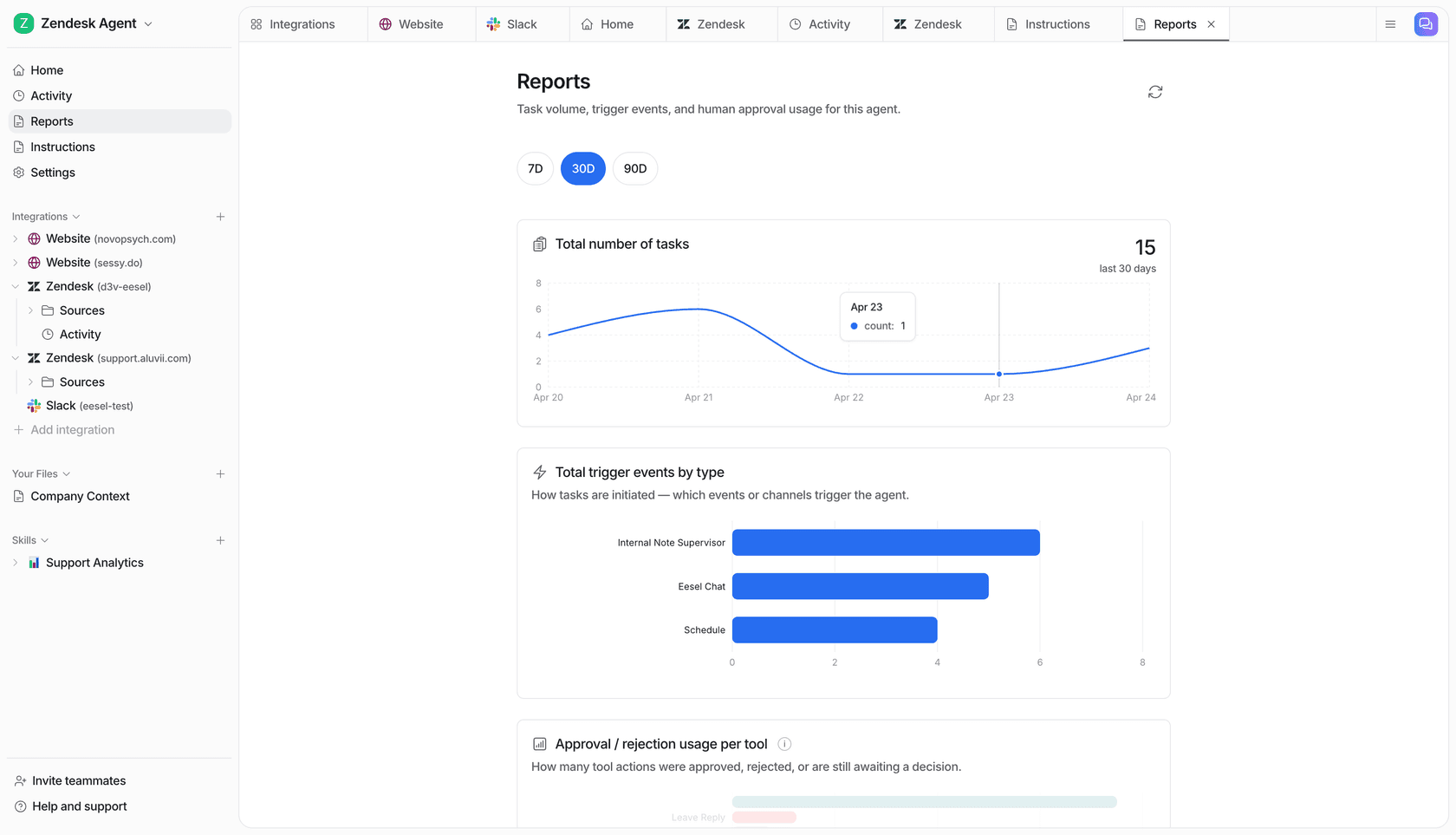
If those numbers move and stay moved, your prioritization is doing its job. If they don't, go back to your priority rules from Step 1, that's almost always where the problem is.
Try eesel for AI ticket prioritization
If you want to prioritize tickets with AI without a six-week rollout, eesel AI is built for exactly this. It plugs into your existing helpdesk in a few minutes, learns from your past tickets and help docs on day one, and triages, scores, and routes every incoming ticket, with confidence-based escalation so it only acts when it's sure. The simulation mode lets you see how it would prioritize your real queue before a single customer is affected, and one fixed monthly price means 1 credit per ticket handled, not a fee per seat. It's free to try, no credit card.
