


It feels like AI chatbots are everywhere these days, right? And no-code builders are a big reason why. They promise to automate support, grab leads, and be there for customers 24/7, all without needing a developer on speed dial. If you've been looking around, you've probably stumbled upon Botsonic, a tool from the folks over at Writesonic.
It's designed for businesses that just want to get an AI chat up and running fast. But here’s the real question: when your support needs start getting more serious, is "fast and easy" going to cut it?
In this Botsonic review, we’re going to get into the nitty-gritty. We'll look at what it does well, how to set it up, what it costs, and, crucially, where you might run into some roadblocks. Let's figure out if it's the right fit for your team for the long haul.
What is Botsonic?
At its core, Botsonic is a no-code platform that helps you build custom AI chatbots. The main idea is to "train" a bot using your own data, like your website's help section, product manuals, or a simple FAQ document. Once trained, it uses that knowledge to answer customer questions, leaning on large language models like GPT-4 to sound human.
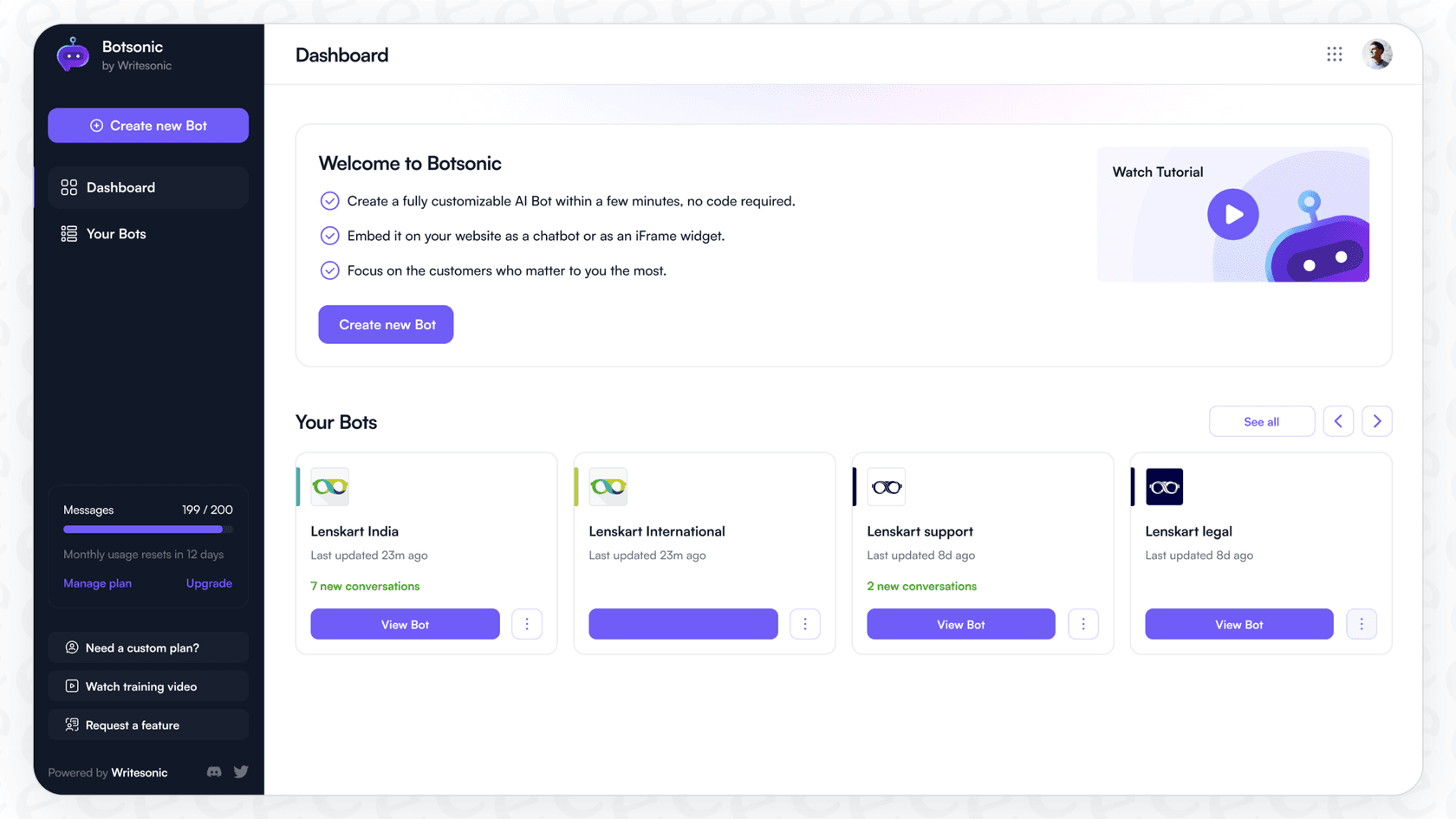
It's really built for people who aren't super technical. If you're in marketing, sales, or support, you can jump in and build a bot for your website to handle common questions, help shoppers, or collect contact info from potential customers.
The big selling point is simplicity and speed. You really can get a basic bot online in just a few minutes. While that’s fantastic for getting started, businesses often discover that this simplicity comes with trade-offs. As soon as you need more sophisticated automation, better connections to your other tools, or a price tag that doesn't balloon as you grow, you might find yourself shopping around again. That's usually when teams start looking at more robust platforms like eesel AI, which are built for scale.
Features and setup
Let's pull back the curtain on Botsonic's core features. We'll look at where it really shines and where you might start to feel a little boxed in, especially if your support team is growing.
Setup and training your AI chatbot
Getting started with Botsonic is pretty painless. You sign up, click to create a new bot, and begin feeding it information. You can upload files like PDFs, drop in links to your website, or just type out question-and-answer pairs manually. The whole interface is clean and easy to navigate, which is exactly what you'd expect from a no-code tool.
But here’s the catch. Easy as it is, it's also a very manual process. More importantly, the most valuable source of information your company has, all your past support conversations, isn't among the training sources it lists. It's a common complaint from users that the initial training can eat up a big chunk of their monthly message allowance before the bot has even spoken to a real customer.
The alternative is a tool that learns from your actual experience automatically. For instance, eesel AI lets you go live in minutes by connecting directly to help desks like Zendesk or Freshdesk with a single click. Instead of you uploading documents one by one, eesel AI gets to work training on your past tickets. Right from the start, it gets your brand's voice, understands the common problems customers face, and knows the solutions that actually work, all without you lifting a finger.
AI capabilities and integrations
For a starter tool, Botsonic has a decent feature set. It can capture leads with built-in forms, chat in over 50 languages, and connect with popular messaging apps like WhatsApp and Slack. This means you can put your bot where your customers already are.
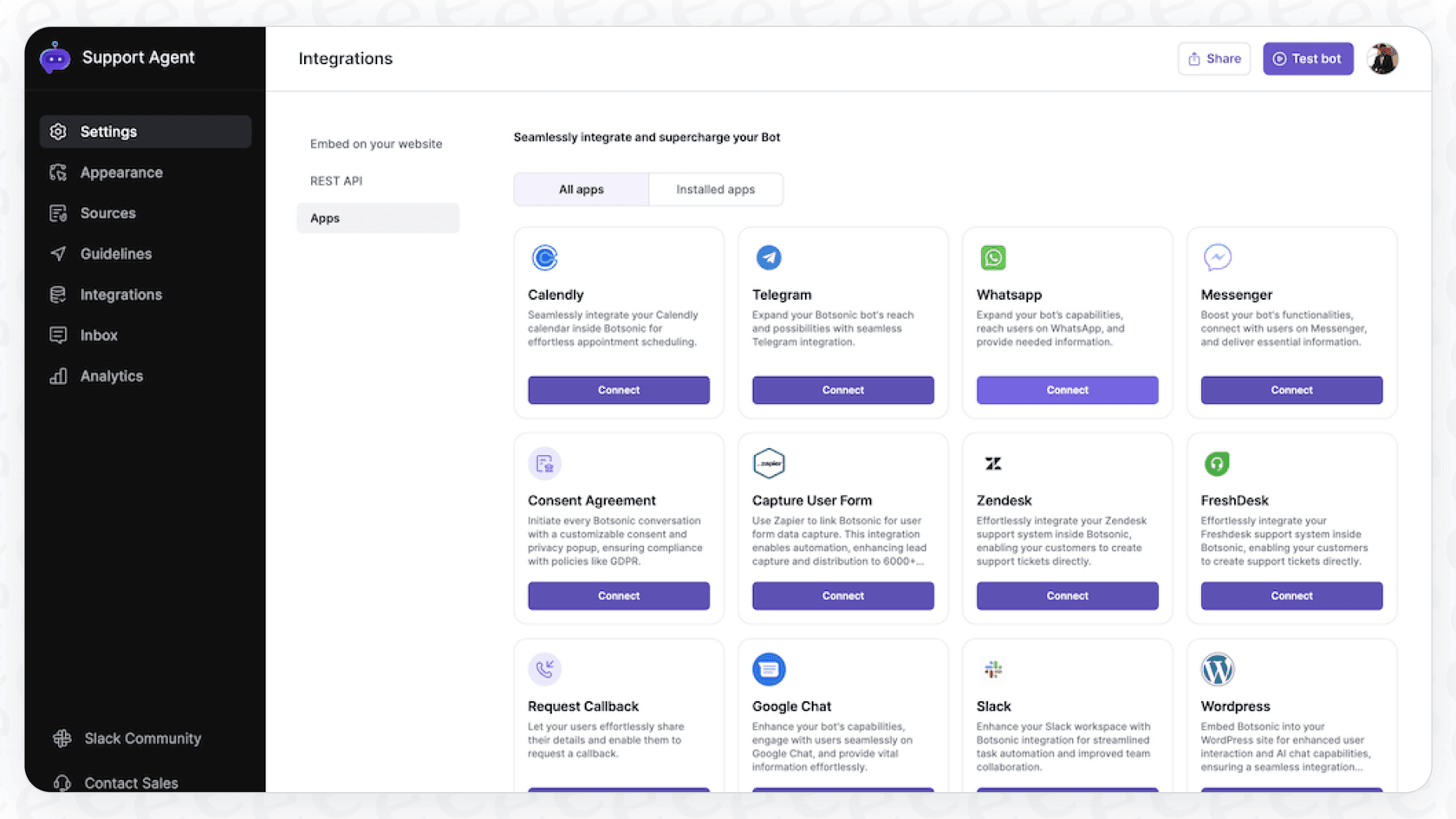
The cracks begin to show when you need your bot to do more than just chat. Users often find that connecting to essential business systems like Zendesk, Freshdesk, or Salesforce is locked away in pricey enterprise plans and can get technical. Every plan now includes a few "Agentic Actions" (3 on Starter, 5 on Professional), but the AI agent workflows that execute multi-step tasks start on the $249/month Advanced plan.
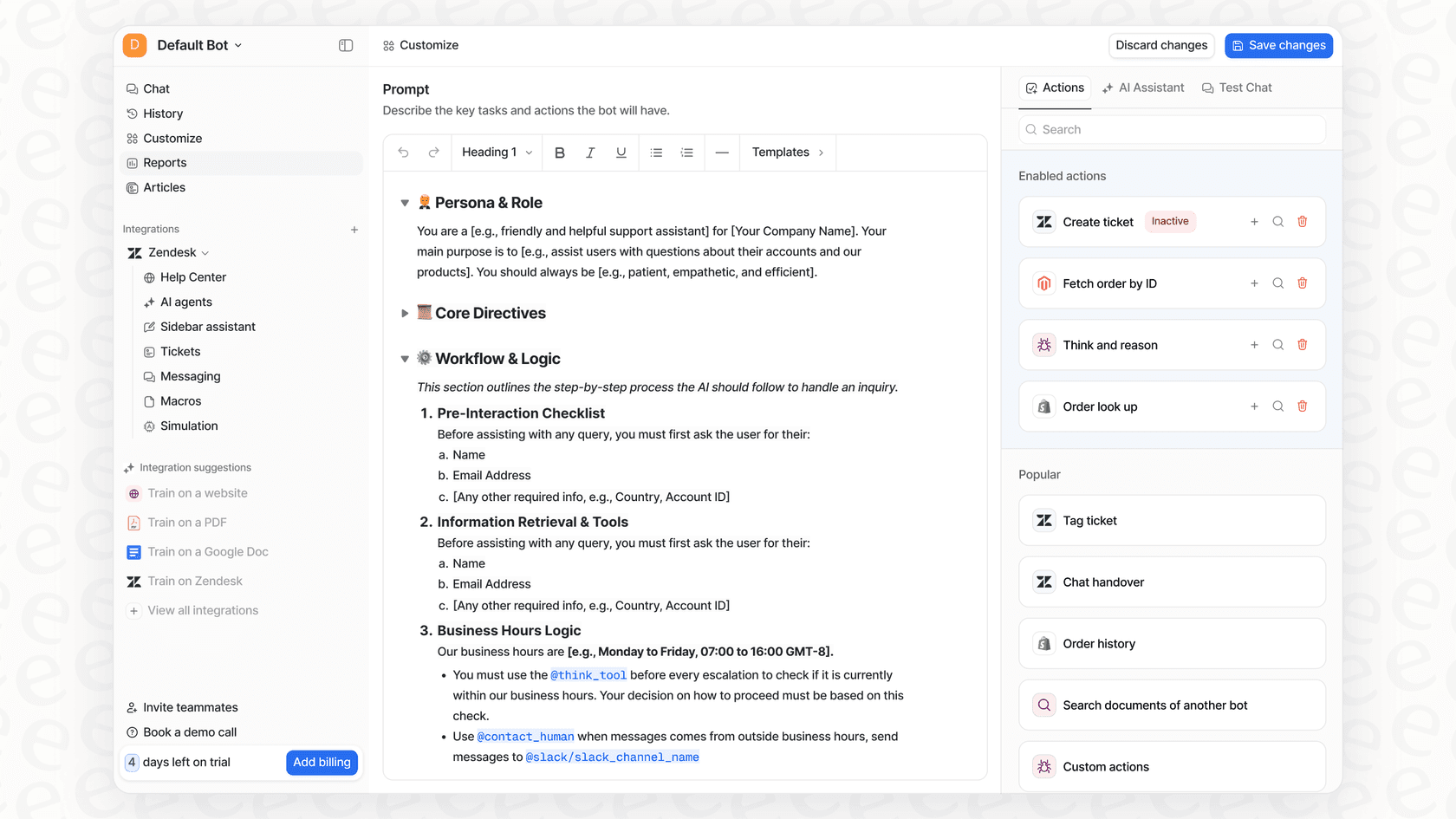
This is a big difference compared to a platform with a fully flexible workflow engine. With eesel AI, you can build custom actions that let your bot do some real work. It can look up live order details in Shopify, change ticket properties in your help desk, or escalate a tricky issue based on rules you set. This turns the bot from a simple FAQ machine into a genuine AI support agent that actually solves problems.
Analytics and performance monitoring
Botsonic gives you a dashboard to keep an eye on things. You can see your chat history, how many people are talking to your bot, and how many leads you've captured. It gives you a basic pulse check on the bot's activity.
The issue is that these analytics mostly tell you what happened, not why or how you can make it better. The dashboard doesn't really help you spot the gaps in your bot's knowledge or give you a clear to-do list for improving it.
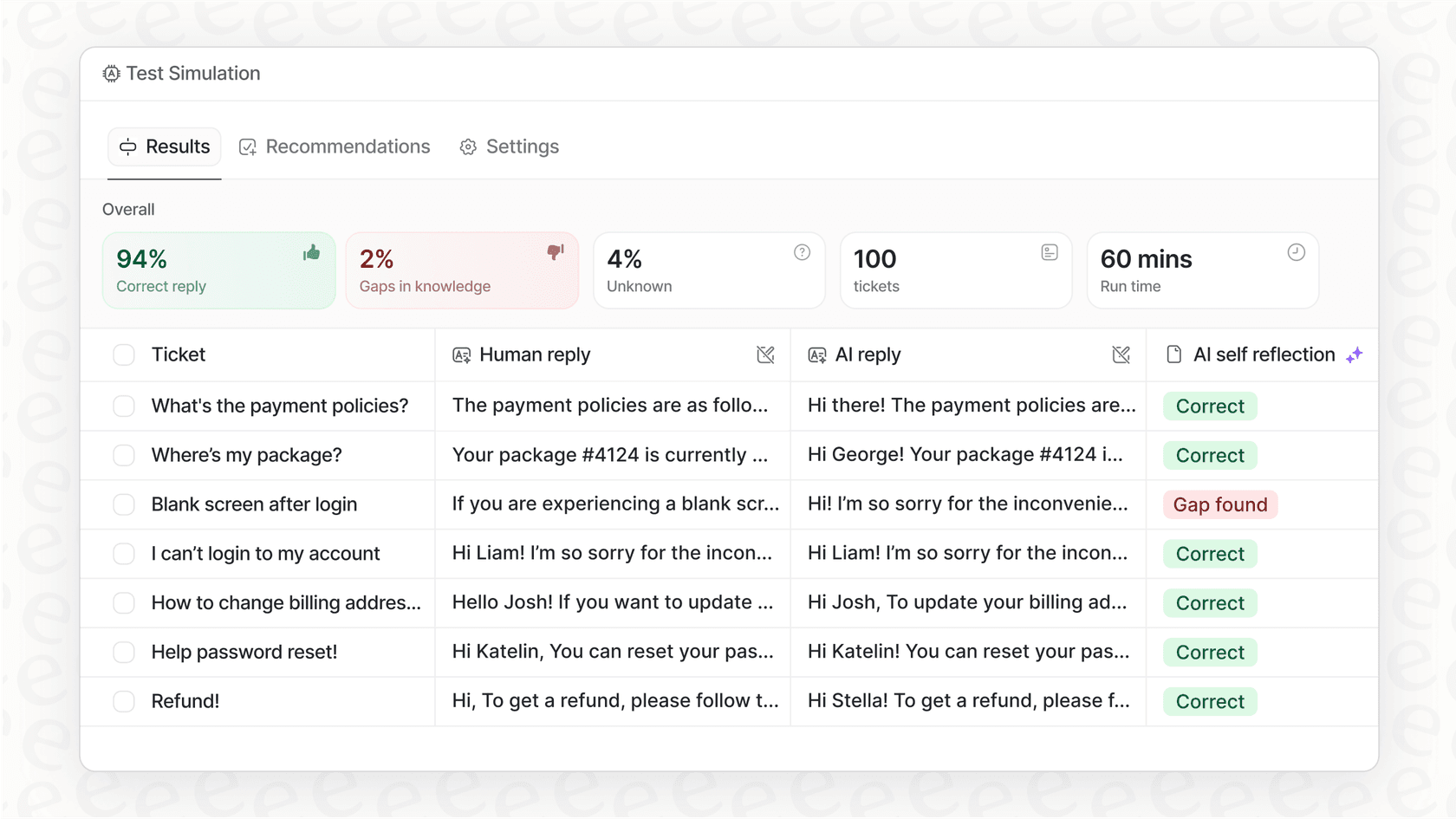
A more helpful approach gives you tools to actually test and improve your AI. For example, eesel AI has a simulation skill that tests your setup against hundreds of your old tickets before you ever turn it on for real customers, scoring each answer and suggesting fixes. Plus, it goes beyond simple counts. It finds the questions your help center doesn't answer and drafts the missing articles, giving your team a clear path to get better over time.
Botsonic pricing
Botsonic’s pricing has a few different tiers, trying to appeal to everyone from one-person shops to big companies. But when you look closely, the model can get expensive faster than you might think.
Here’s how their plans break down, according to their website.
| Plan | Annual Price/Month | Key Features | Limitations |
|---|---|---|---|
| Starter | $16 | 1 chatbot, 1,000 messages/mo, 10M characters, 3 Agentic Actions, GPT-4o mini | Very few messages, API only as a $49/mo add-on, only basic integrations. |
| Professional | $41 | 2 chatbots, 3,000 messages/mo, 50M characters, 5 Agentic Actions, GPT-4o access | No AI agent workflows; API is still a $49/mo add-on. |
| Advanced | $249 | 2 chatbots, 12,000 messages/mo, 100M characters, API access, 5 workflows, 10 agentic actions | Big price jump; Zendesk handoff is a $199/mo add-on (included on Enterprise). |
| Enterprise | Custom | Custom limits on chatbots, messages, and characters | You have to talk to sales, can get costly for all the features. |
The hidden costs are what you need to keep an eye on. The whole model is based on message limits, which can mean unpredictable bills, especially if you have a busy month or a seasonal rush. You end up paying more right when your customers need you the most.
And then there are the add-ons. Many features you’d assume are included cost extra. Want to remove the "Powered by Botsonic" branding? That's another $49 a month. Need more chatbots? Three additional bots cost $99 a month. It all adds up.
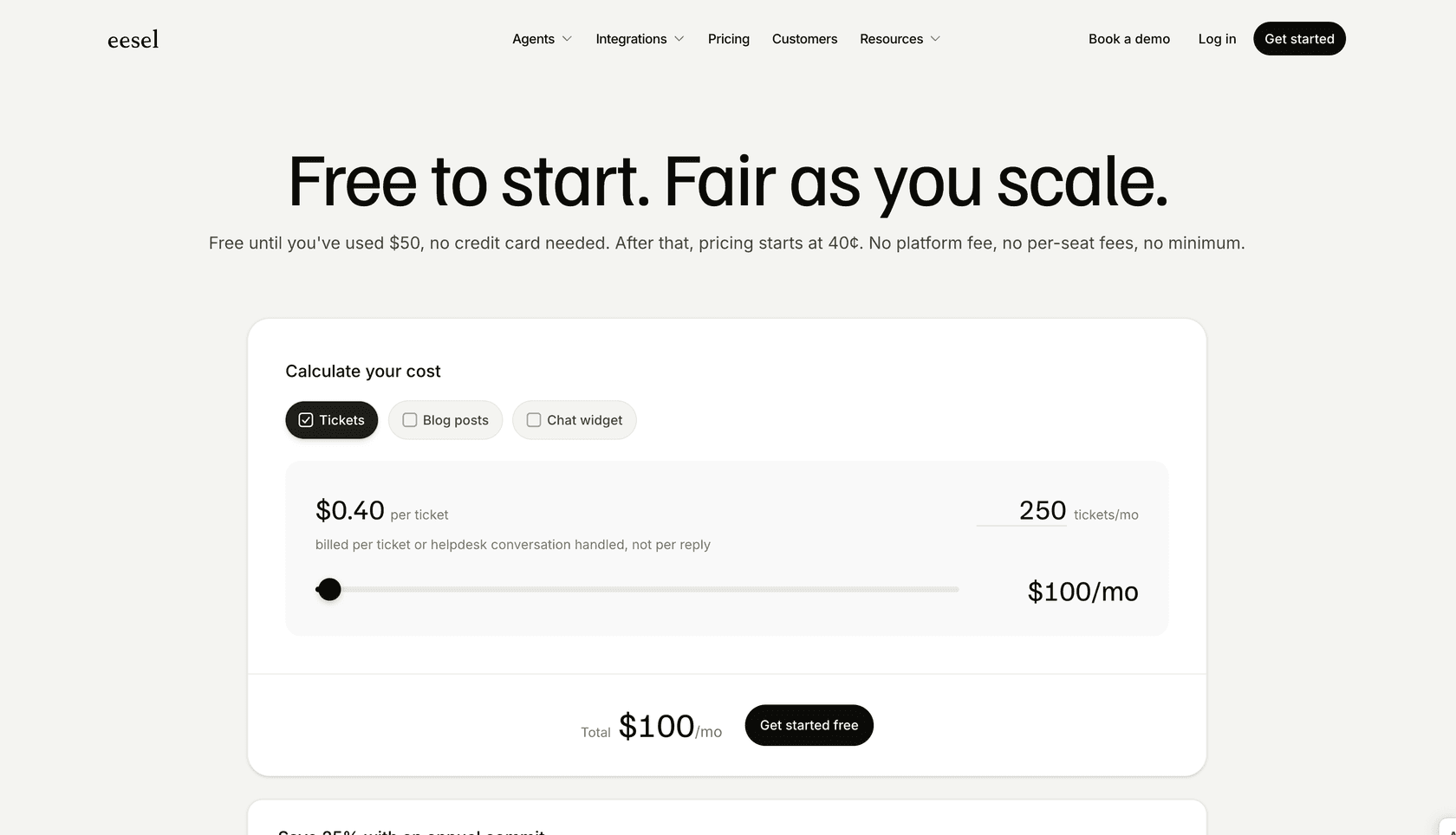
A much friendlier approach is a predictable price that doesn't penalize you for being successful. eesel AI's pricing, for example, uses fixed monthly credit plans, where a ticket or chat counts as one credit however many messages it takes, and any overage is capped at a limit you set. That means you don't have to dread opening your bill after a busy support week. Every plan includes every integration, channel, and skill, with unlimited agents and seats, which gives you a lot more bang for your buck as you grow.
Is Botsonic the right choice for you?
So, after digging through this Botsonic review, what’s the takeaway?
Botsonic is a perfectly fine starting point for small businesses or solo entrepreneurs who just need a simple, no-code chatbot for basic Q&A and lead capture. Its biggest plus is that it's easy to use, making it a good choice if you have zero technical help and just want something on your site today.
However, for any business with plans to grow, you're likely to bump into Botsonic's limits pretty quickly.
-
Scalability: The pricing model based on messages is a wild card for budgeting and gets expensive fast. The way they gate features behind higher plans means you're always feeling pressured to upgrade just to get what you need.
-
Intelligence: The bot only knows what you tell it. Past support tickets aren't among its listed training sources, which means it can lack the deep context to solve more complex problems.
-
Automation Power: It's great at talking, and it can take a handful of agentic actions, but deeper helpdesk and CRM integrations like Freshdesk and Salesforce sit on the Enterprise plan.
The smarter alternative for scaling support teams
While Botsonic can get you in the AI chatbot game, teams that are really serious about automating their support, making their agents more efficient, and giving customers a top-notch experience will need a more powerful, integrated tool.
This is exactly why eesel AI was created. It’s designed so you can get started yourself in just a few minutes, gives you a completely customizable engine for total control over your workflows, and has transparent pricing that grows with your business, not against it.
Frequently asked questions
Based on this Botsonic review, who would you say is the ideal user for this platform?
This Botsonic review concludes it's best for small businesses or solo entrepreneurs needing a simple, no-code chatbot for basic Q&A and lead capture. It's ideal if you have minimal technical help and need to launch a bot quickly for straightforward tasks.
For a growing business, how does the Botsonic review suggest its simplicity might become a limitation?
The Botsonic review highlights that while Botsonic is easy to get started with, its manual training process and plan-gated automation can hinder scalability. As your support needs become more complex, its simplicity may become a bottleneck, requiring more advanced features.
Does the Botsonic review explain how the bot learns and what sources of information it uses for training?
Yes, the Botsonic review explains that the bot is trained by uploading files, linking to website pages, or manually entering Q&A pairs. A key limitation noted is that past support conversations aren't among the training sources it lists, so information has to be fed in manually.
According to the Botsonic review, what are its capabilities regarding integrations and automating tasks beyond just answering questions?
The Botsonic review states it has basic integrations with messaging apps and can capture leads. However, deeper integrations with essential business systems like Salesforce or Freshdesk sit on the Enterprise plan, and Zendesk handoff is a $199/month add-on, while multi-step agent workflows start on the $249/month Advanced plan.
How does the Botsonic review describe the analytics and reporting features for improving bot performance?
The Botsonic review mentions a dashboard for basic activity monitoring, such as chat history and lead capture. However, it points out that these analytics mostly tell you "what" happened, not "why" or how to effectively identify and address knowledge gaps for improvement.