

Let's be honest, AI chatbots are everywhere. They all promise to slash your support costs and keep customers happy around the clock. In this crowded space, Chatbase gets a lot of attention because it looks so simple. Feed it your website or a few documents, and in minutes, you have a chatbot. It sounds great, right?
But that’s what this Chatbase review is all about. While getting started is easy, the real question is whether it has the power and flexibility a real support team needs. Does it actually solve customer problems, or just deflect them?
We’re going to dig into its features, untangle its confusing pricing, and point out the limitations that other reviews seem to miss. By the end, you’ll have a clear idea of whether Chatbase is the right tool for you, or if you need something with a bit more muscle.
What is Chatbase?
At its heart, Chatbase is a tool that lets you build an AI chatbot using your own data, no coding required. You can think of it like a custom ChatGPT for your business. You upload some files, paste in text, or give it a link to your website, and it uses that information to answer questions from visitors.
The main idea is to embed it as a little chat widget on your website. It’s meant to provide quick answers to common questions so your human agents don't have to. This has made it a popular pick for startups and small businesses that want to get an AI chat feature running fast.
How does it work? It uses the same tech behind most AI tools today, which involves Large Language Models (LLMs) like GPT-4. When a user asks a question, the bot scans your documents for the most relevant info and then uses the LLM to write a natural-sounding answer based on what it found.
A breakdown of Chatbase features
When you first log into Chatbase, the interface is clean and simple. But let's look at its features from the perspective of a support manager trying to solve actual business problems.
Knowledge and training
Getting your first chatbot trained in Chatbase is undeniably quick. You can give it knowledge by:
-
Uploading files like PDFs and Word docs.
-
Pasting in text directly.
-
Giving it a website URL to crawl.
-
Connecting it to a Notion workspace.
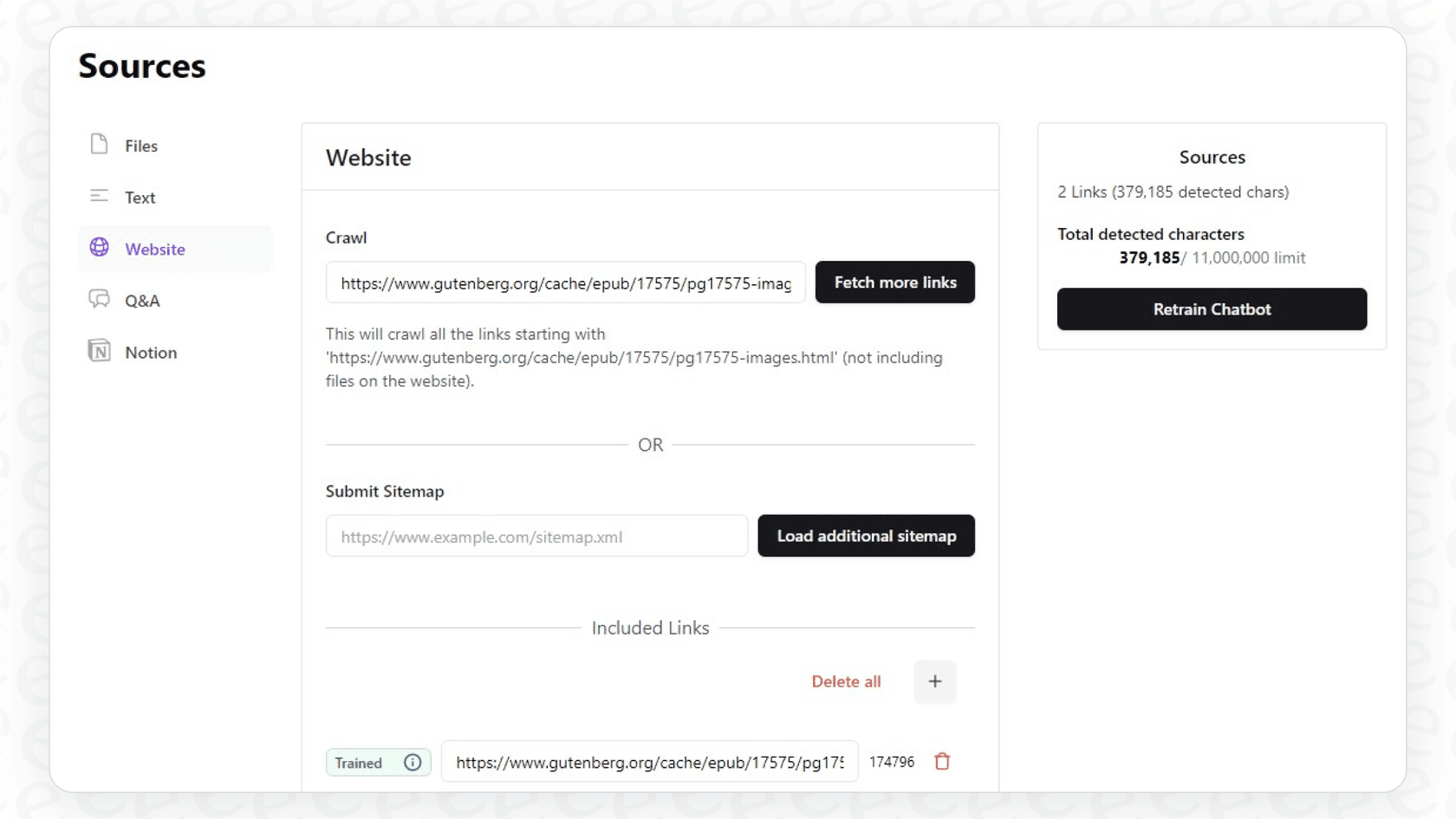
The whole process just takes a few minutes, which feels pretty magical. But there’s a catch. Learning from your team's past support conversations sits behind the top tier: "Tickets as a source" is a Pro-only feature, and it only pulls from a Salesforce or Zendesk connection. On the cheaper plans, Chatbase learns from static, published content.
This is a huge missed opportunity. Your past tickets contain not just the right answers, but the way your team delivers those answers, including the tone and specific phrasing that works. Tools like eesel AI connect directly to your helpdesk to train on thousands of your historical tickets. This means the AI learns your brand voice and proven solutions from day one, something a PDF guide could never do.

AI actions and integrations
Chatbase has something called "AI Actions," which allow the chatbot to perform simple tasks by connecting to other services. For example, it could book a meeting through Calendly or check an order status in Stripe. It also lists integrations with tools like Slack, Zendesk, and Zapier.
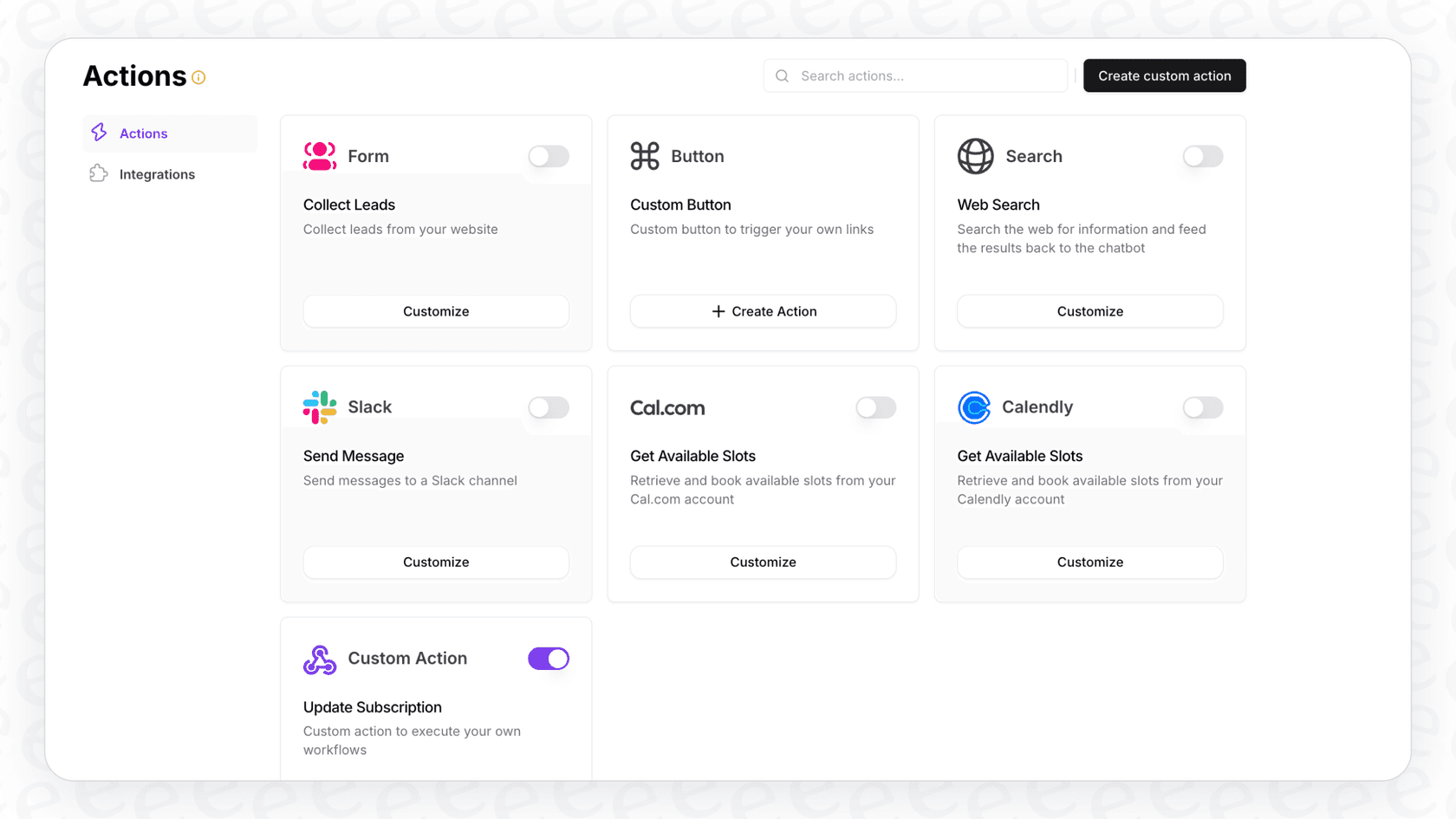
The problem is that many of these connections are shallower than a native helpdesk integration, and some route through a third-party tool like Zapier. This just adds another layer of complexity, another thing that could break, and often, another monthly bill. It feels more like a workaround than a real, solid integration.
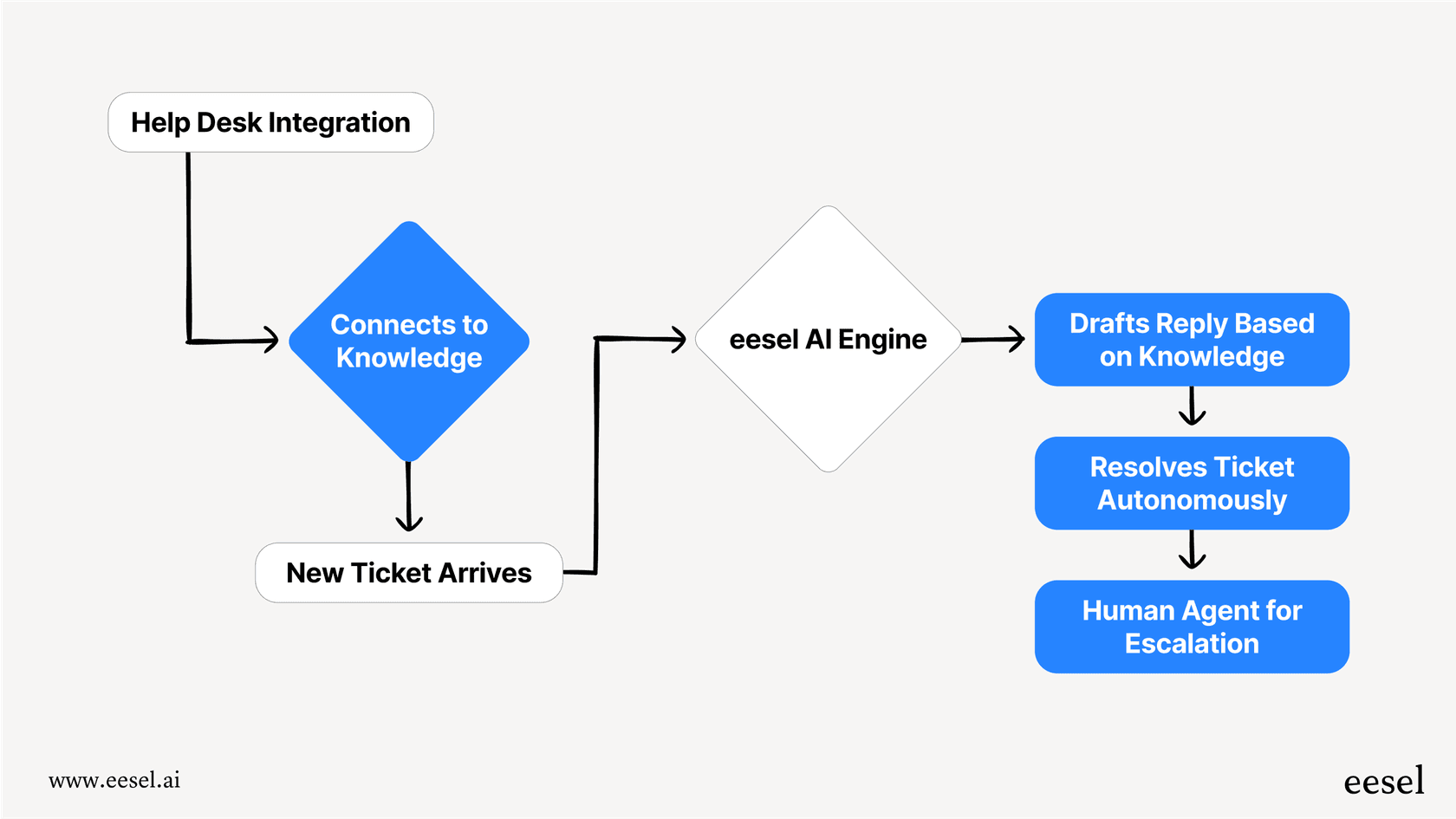
This is a completely different approach from a tool like eesel AI, which offers deep, one-click integrations that fit right into your support workflows. There's no middleman required to connect to helpdesks like Freshdesk or Intercom. The AI works like a native part of your team's toolkit, not an outsider patched in with digital duct tape.
Customization and analytics
Chatbase gives you some basic control over how your chatbot looks. You can change the widget's colors and icon to match your brand, which is nice. In its "Playground," you can write a prompt to define the AI's personality, telling it to be a "friendly support agent" or a "helpful sales assistant." You can also toggle between different AI models, but as we’ll see, that can get expensive.
The analytics dashboard shows you basic information, like how many chats you're getting and where your users are. If you want more detailed reports, you have to upgrade to their priciest Pro plan.
Chatbase pricing explained
Okay, let's talk about the pricing, because this is where things get messy. It's probably the most common complaint you'll find in any Chatbase review, and for good reason. The pricing is confusing, unpredictable, and full of hidden costs.
First, you have to wrap your head around "message credits." Instead of giving you a clear number of chats per month, your plan comes with an allowance of credits. Every time the bot replies, it uses credits. The issue is that credit use scales with the model you pick, and turning on AI Actions roughly doubles the credits each reply spends. This makes it incredibly difficult to predict your monthly costs. A sudden spike in website traffic could burn through your entire allowance in just a few days.
Here’s a simplified breakdown of their plans:
| Plan | Price (Monthly) | Message Credits/mo | AI Agents | Key Features |
|---|---|---|---|---|
| Free | $0 | 50 | 1 | Basic models, tiny data limit, bot deleted after 14 days of inactivity. |
| Hobby | $40 | 700 | 1 | Access to advanced models, 5 AI Actions. |
| Standard | $150 | 4,000 | 1 | 3 seats, 8 AI Actions, API access, helpdesk, voice. |
| Pro | $500 | 15,000 | 1 | 5 seats, 12 AI Actions, advanced analytics. |
But that's just the start. Many features that feel like they should be included cost extra. A lot extra.
-
Remove 'Powered By Chatbase' Branding: $99/month (billed as $1,188/year)
-
Extra AI agents: $25/month ($300/year) per agent, since every plan up to Pro includes only one.
-
Auto-recharge credits: $40 for every 1,000 extra credits. This is almost a necessity to keep your bot from dying mid-month, making it a recurring hidden fee.
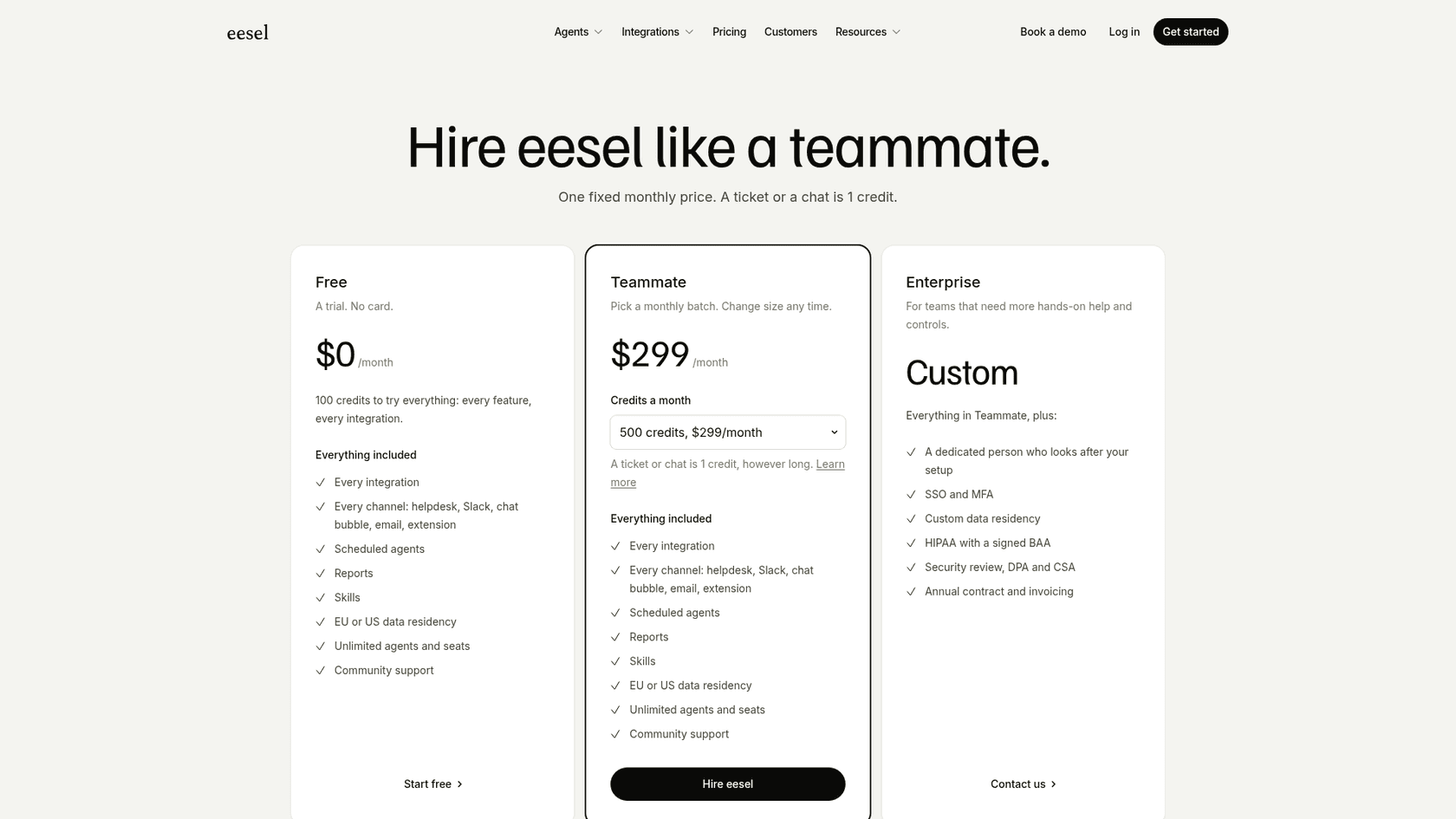
This pricing model means your bill can be all over the place. In contrast, platforms like eesel AI offer one fixed monthly price sized to your ticket volume, with 1 credit per ticket or chat and no per-seat fee, so your costs stay predictable even when your support volume goes up.
Key Chatbase limitations
Beyond the confusing price tag, there are a few fundamental problems that make Chatbase a tough sell for serious support teams.
It’s a widget, not a workflow
Here’s the biggest issue: Chatbase is a standalone chat widget that you stick on top of your existing tools. It doesn't integrate into your core support process.
This creates a disconnected and clunky experience for everyone. When the bot can't answer a question and no escalation is set up, the conversation can hit a dead end, with the customer sent to your support email to start all over again. For your agents, it can mean switching between the Chatbase dashboard and your helpdesk just to figure out what’s going on.
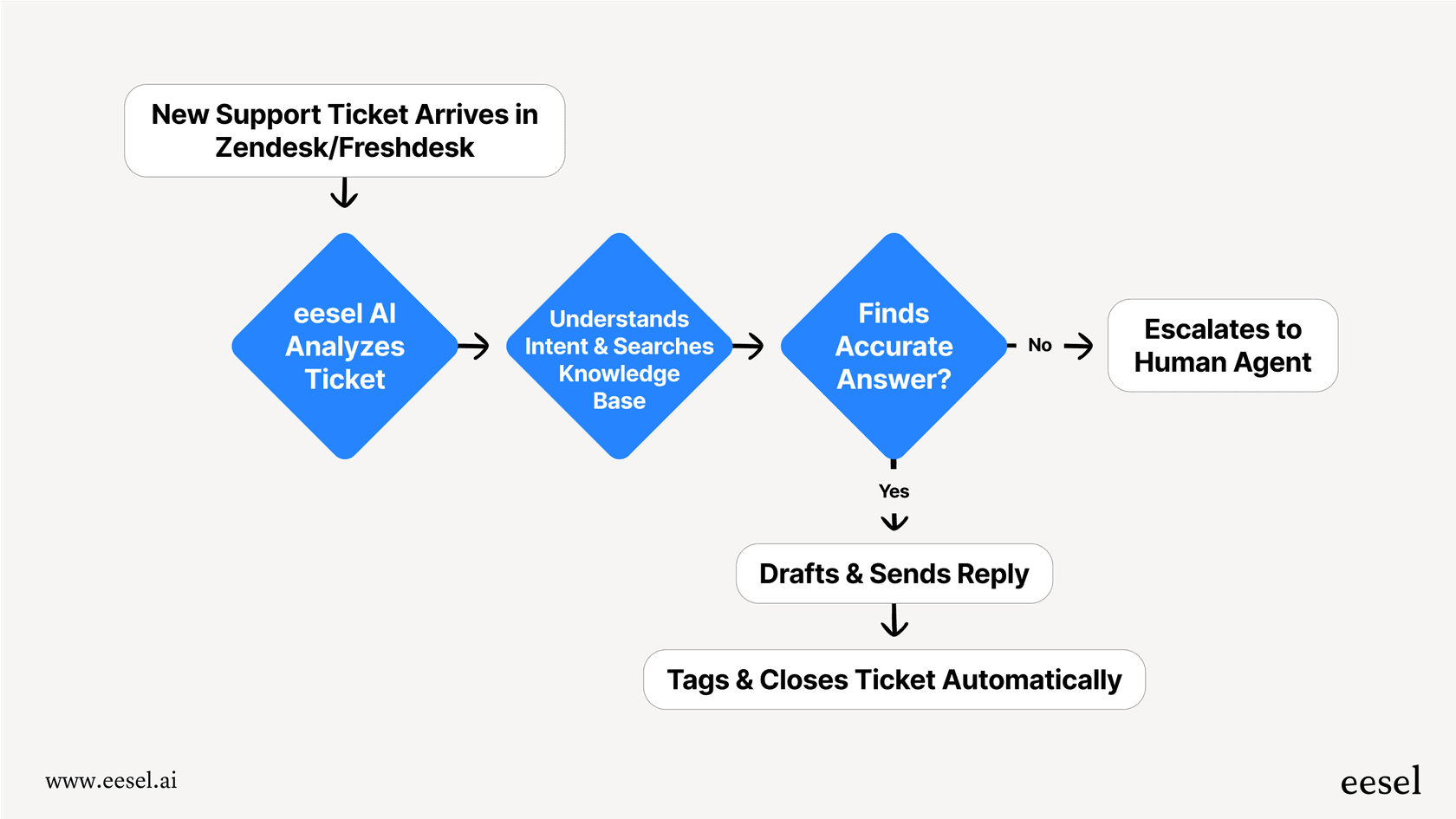
A true support automation platform like eesel AI is a full workflow engine that lives inside your helpdesk. It's not just a widget. It's a system that can resolve tickets on its own, draft replies for agents with an AI Copilot, and sort incoming requests with AI Triage, all within the software your team already uses every day.
No clean way to hand off to a human
Chatbase does have a smart escalation action: you can tell the agent, in natural language, when to route a conversation to a human, either via live chat or by opening a helpdesk ticket. Chatbase's built-in helpdesk inbox starts on the Standard plan; below that, or if your agents work in another helpdesk, the handoff lands in whatever separate live chat or helpdesk tool you've connected.
If a customer has a complex or sensitive issue, a split between the bot and the tool your agents live in can drop context, and sometimes the customer ends up restarting the conversation in a different channel, like a ticket form or an email.
A modern AI tool should be designed for AI and humans to work together. With eesel AI, you can set specific rules for when the AI Agent should handle a ticket and when it should instantly pass it to the right person on your team. The entire conversation history is preserved, so your agent has all the context they need to jump in and help effectively.
You can't test it safely
With Chatbase, you can test your bot by asking it one-off questions in a "playground," and share a preview link before you embed it. What you can't do is check how it performs against hundreds of your real past tickets in one batch before it goes live.
Without that kind of dry run, you're validating by hand rather than against your real ticket history. You could launch a bot that gives wrong answers or misunderstands common questions, damaging your brand's reputation without you even realizing it.
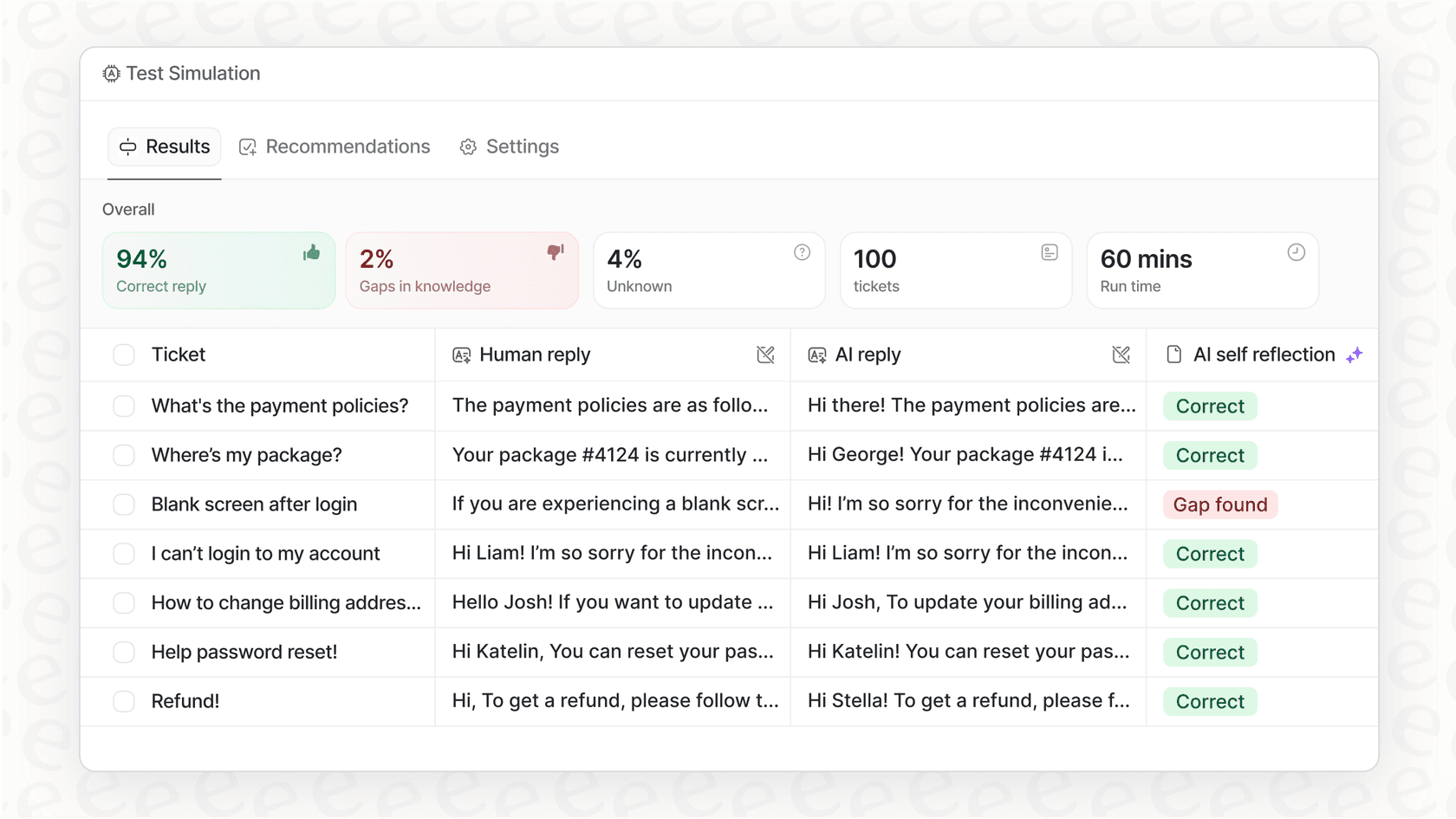
This is where a feature like eesel AI's simulation mode is so valuable. Before the AI ever talks to a real customer, you can test it on thousands of your past support tickets in a safe environment. You get an accurate forecast of its resolution rate and can see exactly how it would have responded to real-world problems. This lets you fine-tune its behavior and roll it out with confidence.
The verdict: Is Chatbase the right tool for you?
After this detailed review, our take on Chatbase is pretty clear. It's a fine tool for individuals or hobbyists who want a very simple Q&A bot for a personal website. Its main strength is how fast you can get a basic bot up and running.
But for any business that relies on a helpdesk and needs reliable, scalable automation, Chatbase just doesn't cut it. Its shallower helpdesk integrations, a handoff that can land in a separate tool, and the lack of batch testing on your own tickets create operational headaches that are hard to ignore.
For serious support automation, there's a better way
If you're looking for a professional tool built specifically for the needs of modern support teams, you should check out a different approach. eesel AI is designed to solve core support problems, not just add a widget to your website.
Here’s how it's different:
-
It connects directly into your helpdesk in minutes, without you having to change your setup.
-
It gives you total control over your automation with a powerful, easy-to-use editor.
-
You can test with confidence by running simulations on your own historical data.
-
It unifies all your knowledge, including the resolutions from your team's past tickets.
-
The pricing is transparent and predictable, with no surprise fees.
Stop sticking widgets on top of your problems. Start solving them from the inside out. Get started with eesel AI for free.
Frequently asked questions
What makes the pricing model discussed in this Chatbase review so confusing?
The pricing relies on "message credits," which vary greatly depending on the AI model used, making monthly costs unpredictable. Additionally, extras like removing the Chatbase branding, or adding a second AI agent, come with significant fees on top of the plan.
Does this Chatbase review indicate that setting up a bot in Chatbase is a quick process?
Yes, the blog acknowledges that getting a basic chatbot trained in Chatbase by uploading files, pasting text, or crawling a website is undeniably quick. However, initial speed doesn't equate to deep functional capability for complex support.
According to this Chatbase review, how effective is Chatbase at handling conversations that need to be escalated to a human agent?
Chatbase can route a conversation to a human through its escalation action, either to live chat or a new helpdesk ticket. The Standard plan and up includes a built-in helpdesk inbox; on lower plans, or if your team works in another helpdesk, the handoff lands in a separate connected tool and context can get split across the two.
What are the main limitations of Chatbase for serious support teams, as highlighted in this Chatbase review?
For serious support teams, Chatbase works as a customer-facing widget more than an integrated workflow tool. Its human handoff can land in a separate connected tool, and its docs describe no way to batch-test bot performance against your past tickets.
How does Chatbase acquire its knowledge base, based on this Chatbase review?
Chatbase primarily learns from static, published content such as uploaded PDFs, text, or website crawls. Learning from a company's most valuable knowledge source, past support conversations and tickets, is gated to the Pro plan and only works through a Salesforce or Zendesk connection.
After reading this Chatbase review, for whom is Chatbase most suitable?
This review concludes that Chatbase is best suited for individuals or hobbyists needing a very simple Q&A bot for a personal website. It is generally not recommended for businesses requiring robust, scalable, and integrated support automation.