

What people actually mean by "a CLI for customer support"
I spend most of my week in helpdesk APIs and other people's terminals. The request I hear most from developer-leaning support teams is some version of "I just want to run this from the command line." Usually they're picturing one clean binary: support resolve #4821, and the ticket closes with a correct answer.
That binary isn't real, but the underlying want is worth taking seriously. When an engineer asks for a CLI, they're rarely asking for a terminal aesthetic. They're asking for the things a good command line implies: automation instead of manual clicking, reproducibility instead of "whatever Steve did in the UI last Tuesday," and the ability to put support logic in a file you can review, test, and roll back.
We see this play out all the time. One churned mid-market customer put it bluntly on their way out the door:
"We switched to a system that is working well at half the cost. But long term we will just build our own, which is so possible now with AI."
A churned mid-market customer who left for a cheaper tool after a broken integration, saying they'd have stayed if support was faster and better
That instinct, "we'll just build it ourselves now that AI makes it possible," is the exact energy behind a "CLI for customer support" search. It's real, and for the mechanical half of the job it's completely correct. The trap is assuming the terminal also hands you the hard half. It doesn't, and we've spent enough years putting AI agents on live queues to know exactly where that line sits.
The real shift: treat support like code
The most useful reframe is to stop looking for a magic support binary and start treating support automations the way you already treat application code. This is the idea behind "support as code," and it's the same discipline you apply to infrastructure: if it matters, it lives in a repo, it gets tested, and it runs on a schedule instead of on someone's memory.
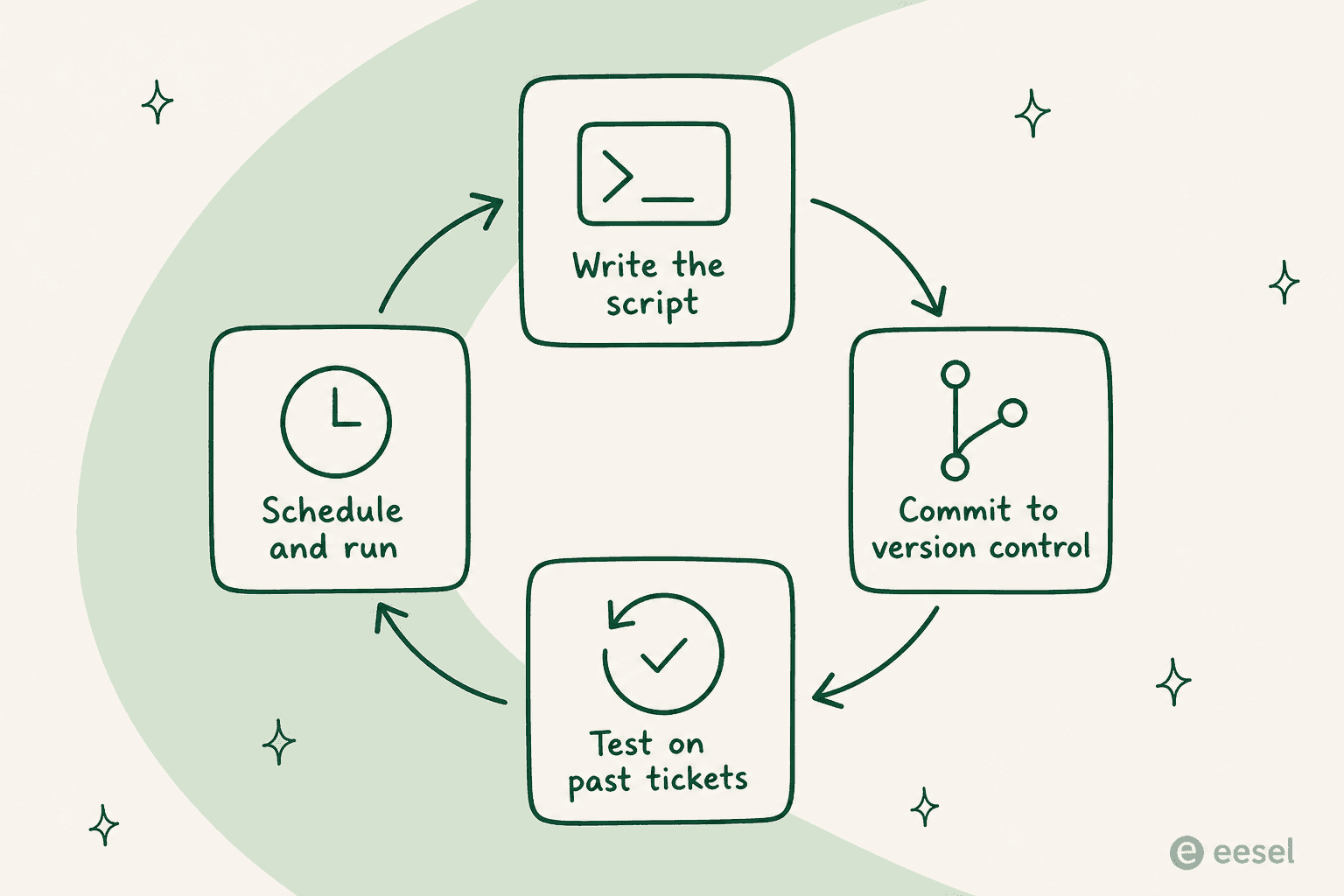
The loop is simple and it's the reason the CLI framing is worth anything at all. You write an automation as a script, commit it so there's a history and a reviewer, test it against real past tickets before it touches a customer, and schedule it to run on its own. A macro you configured in a dashboard has none of that: no diff, no test, no rollback, no owner. The moment your support logic is text in a file, all of that comes for free, and it's the actual payoff of going terminal-first.
What you can script from the terminal today
Every major helpdesk exposes a REST API, so bash, curl, and jq can already drive a surprising amount of the day-to-day. This is the part where the command line really earns its keep.
A few things that are a good fit for a script, not a dashboard:
Bulk edits and triage. Reassign every ticket in a queue, add a tag across a segment, or bump priority on a backlog. One loop does what an afternoon of clicking would:
# Tag every unassigned ticket in a view, using the helpdesk REST API
curl -s -u "$AUTH" "$HELPDESK/api/v2/views/$VIEW/tickets.json" \
  | jq -r '.tickets[].id' \
  | while read -r id; do
      curl -s -u "$AUTH" -X PUT "$HELPDESK/api/v2/tickets/$id.json" \
        -H 'Content-Type: application/json' \
        -d '{"ticket":{"tags":["needs-review"]}}'
    done
Exports and analysis. Pull a month of conversations into JSON and pipe it into whatever you want, a spreadsheet, a notebook, a quick word-frequency count of what customers actually complain about. This is far easier from the terminal than any reporting tab.
Knowledge sync. Push your help center, macros, or docs into a knowledge base on a schedule so the answers stay current. This is the connective tissue behind any real AI helpdesk workflow, whether you run Freshdesk, Gorgias, or Help Scout.
Scheduled jobs. Wrap any of the above in a cron line and it runs itself. A nightly job that closes stale tickets, a weekly export, an hourly sync, none of them need a human in the loop:
# Every night at 2am, run the stale-ticket sweep and log the result
0 2 * * * /opt/support/close-stale.sh >> /var/log/support-cron.log 2>&1
This is the layer where "CLI for customer support" is not just real but flat-out better than the UI. It's scriptable, repeatable, and reviewable. The catch is that everything above moves data around. None of it decides what to say to a customer.
The one thing a CLI can't hand you
Here's where the honest line sits. You can script the ticket, but you can't script the answer. The moment a task needs to read a customer's problem, find the right knowledge, and decide on a reply, you've left the domain of curl and entered the domain of a real AI system. And that system is a lot more than a model call.
Ask anyone who has actually shipped one. The retrieval alone is a full stack, not a single search call:
"So few developers realize that you need more than just vector search for RAG, so I still spend many of my talks emphasizing the FULL retrieval stack for RAG."

And the moment the model can both decide and act on a ticket, you've taken on a control problem that a script doesn't solve for you:
"The failure mode I keep seeing isn't hallucination per se... it's blurred responsibility between intent and execution. Once a model can both decide and act, you've already lost determinism."
So the real cost of a scripted support agent isn't the endpoint. It's knowledge sync and retrieval, conversation state across turns, tool actions against the helpdesk, escalation rules, guardrails, and a way to test the whole thing. That's the same iceberg every team in this headless customer support conversation runs into: the head (your terminal, your channel) was never the hard part. The body under it is.
Testing support like code is the move that matters
If there's one idea from "support as code" worth stealing, it's this one, and it's the one scripted setups skip. You would never ship application code without tests. Support logic that talks to your customers deserves the same bar, and the terminal instinct, "make it reproducible," is exactly what makes testing possible.
The problem is that most people flip an AI agent on and hope. The support community keeps circling the same worry:
"How do you test that an AI agent won't do something catastrophic? Do people actually red-team their agents before they go live?"

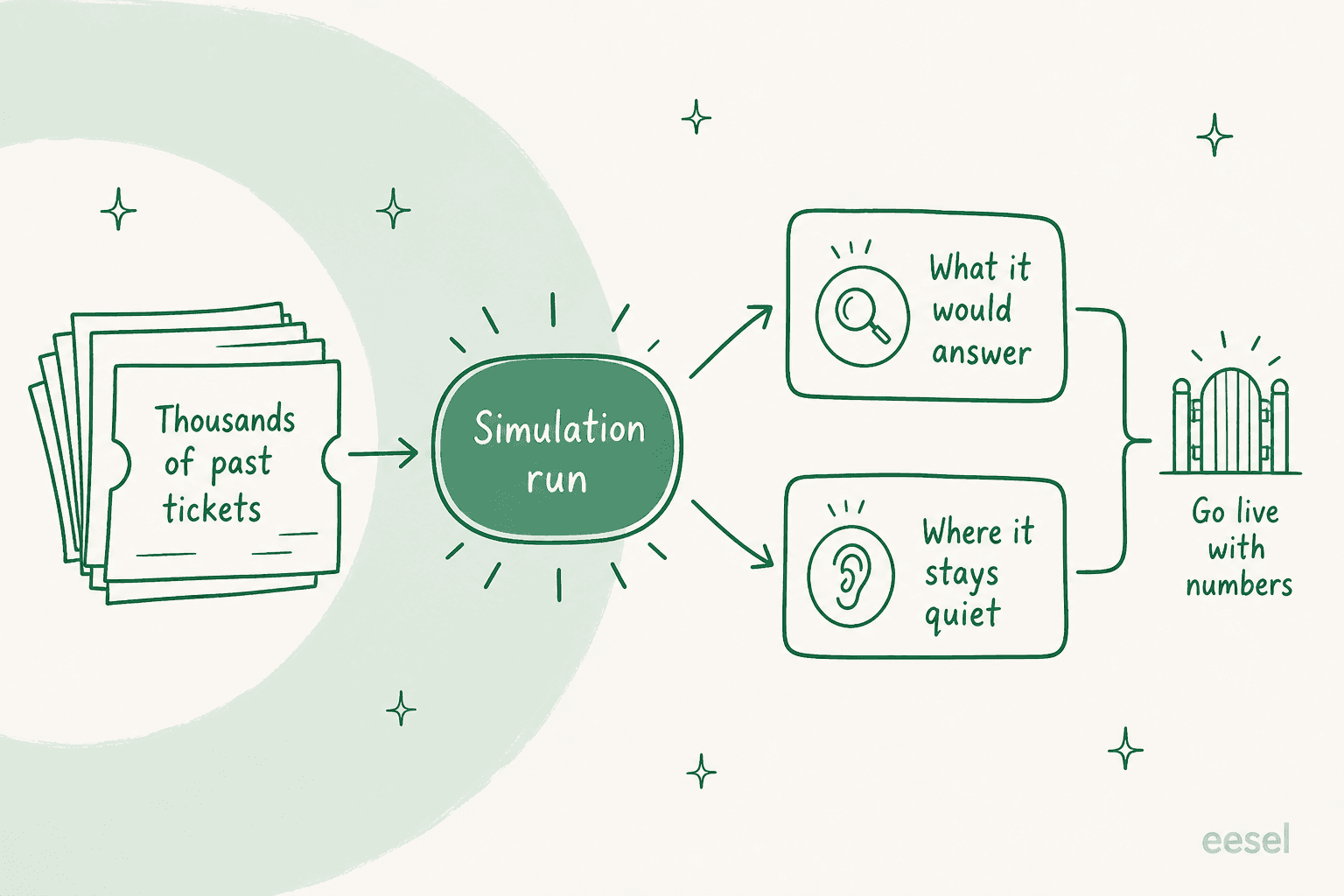
You already have the test suite. It's your ticket history. The support-as-code answer is to replay thousands of your real past tickets against the agent and see what it would have said, where it would have escalated, and where it would have stayed quiet, all before a single customer is involved. That's exactly what eesel's simulation does, and it turns "go live and hope" into "go live with numbers." It's the closest thing support has to pytest, and it's the reason we simulate every rollout against historical tickets first.
What it actually costs
Cost is where the build-it-yourself instinct meets reality, and the two paths bill in very different shapes.
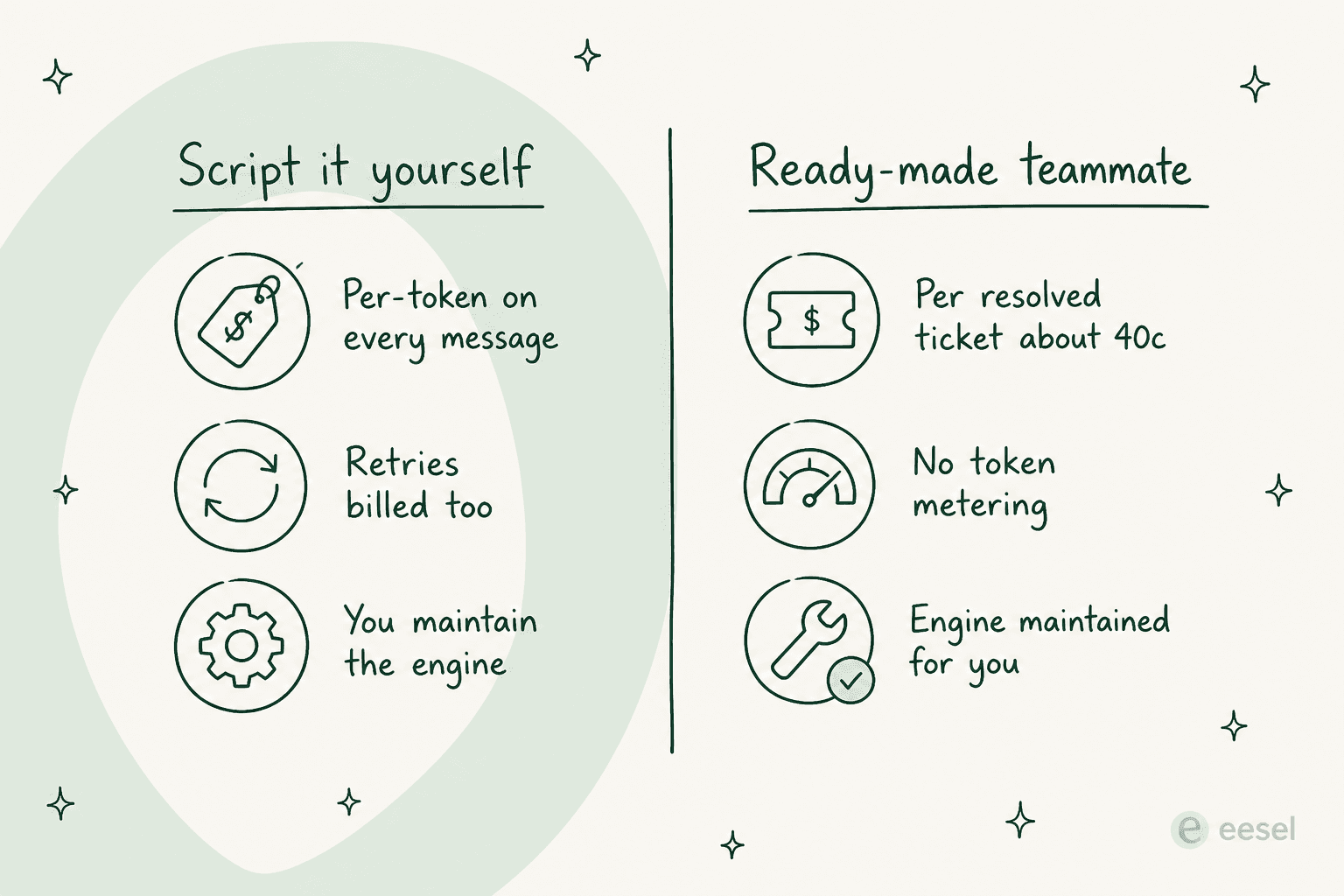
If you script an agent on a raw model API, you pay per token on every message, every retry, every retrieved chunk, whether or not the ticket ends up solved. One team in the dossier burned through 200 API calls in a single test day and got nervous about the bill at their expected 9,000 interactions a month. That's before you count the engineering time to build and maintain retrieval, state, guardrails, and evals.
Here's how the terminal-first options actually stack up:
| Approach | What you run it with | You maintain | Billing shape | Best for |
|---|---|---|---|---|
Helpdesk developer CLI (e.g. zcli) | The vendor's CLI | App/theme code | Free tool, plan cost | Building apps and connectors, not answering tickets |
| REST API + curl/jq | Bash scripts, cron | Every script | Usually included in plan | Bulk edits, exports, config, sync |
| Model API + MCP | Your own agent code | The whole AI stack | Per token, solved or not | Full control, if you have the team for it |
| Ready-made teammate | Dashboard + API surface | Nothing | Fixed monthly credits (from $299 for 500) | Resolved tickets without building the engine |
The bottom row is the one worth a second look if your goal is resolved tickets rather than a maintenance project. You still get a programmable surface to script against, you just don't have to build the resolution intelligence underneath it.
Try eesel for terminal-friendly support
If you got here searching for a "CLI for customer support," you're probably the kind of team that wants a programmable surface, not a locked-down dashboard. That's exactly the middle ground eesel is built for.
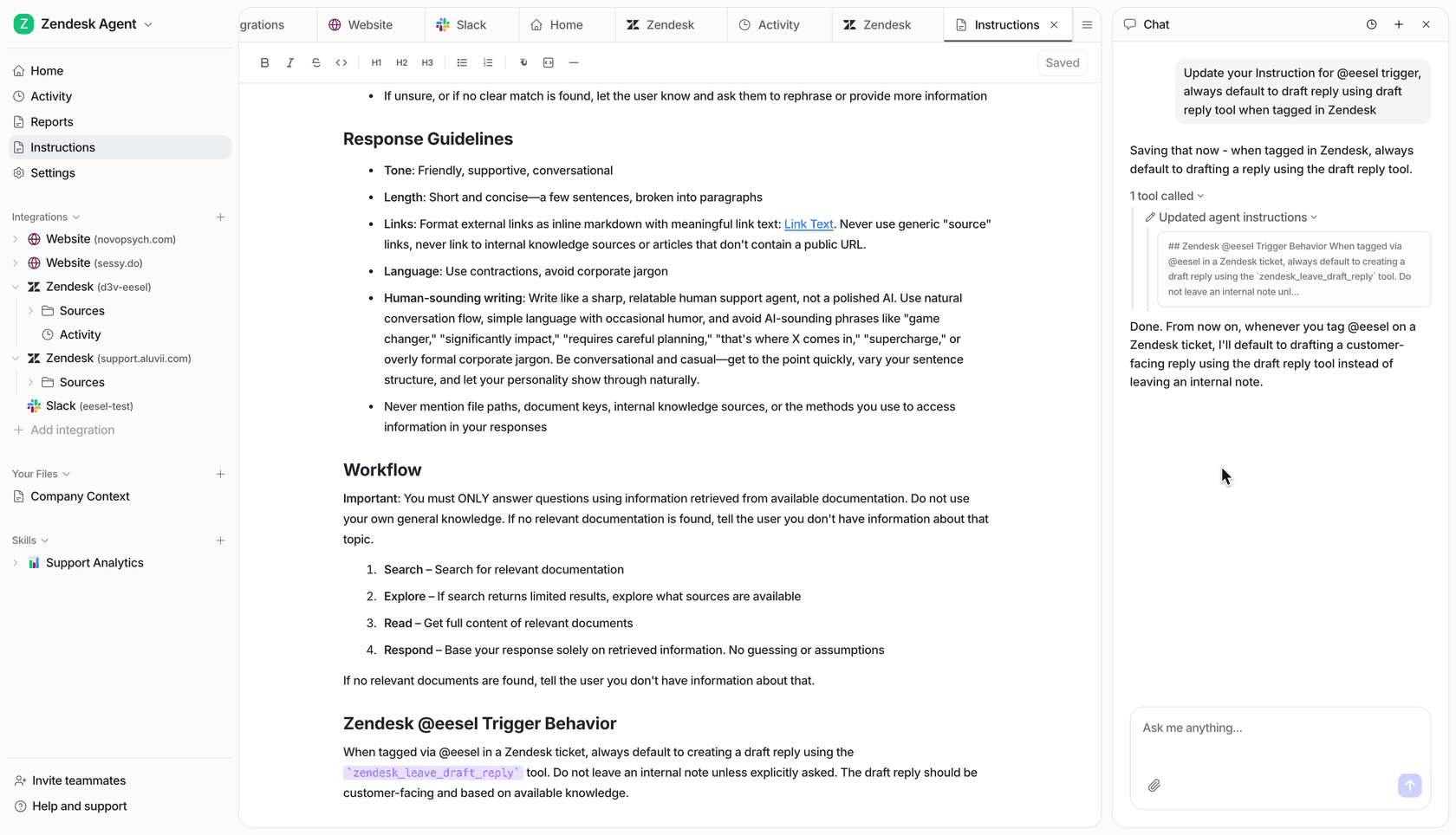
eesel is an AI teammate that plugs into the helpdesk you already run, Zendesk, Freshdesk, Gorgias, Front, Help Scout, and it arrives already knowing how to sync your knowledge, look up orders, tag tickets, and draft or send replies. It ships the whole resolution engine so you don't rebuild retrieval, state, and guardrails from scratch, and it keeps the programmable surface you came for: a REST API for actions, webhooks, and custom skills you can script from a shell. Then the part that matters most, it simulates on past tickets before it goes live, so you deploy with numbers instead of hope. It's free to try with 100 credits, no credit card and no sales call, and billing is a fixed monthly credit plan (1 credit per ticket or chat) rather than per token or per seat.
Frequently Asked Questions
Is there a single CLI for customer support that resolves tickets?
support resolve #4821 binary that both understands the ticket and closes it correctly. What exists is a helpdesk's own developer CLI (for building apps, not answering tickets), the REST API you can drive with curl and jq, and MCP servers that let an AI agent in your terminal act on tickets. The resolution intelligence still has to come from somewhere, which is where a ready-made teammate like eesel fits.