


What Grok Bot is
Grok Bot is xAI's AI teammate app, announced on 11 August 2026 and still labelled "Early beta" on its own launch page. The pitch is direct: "AI teammates you can give real work to. Bots can sign in to your tools, use them just like you do, and come back with finished work."
The mechanism is the whole story. Each Bot gets its own persistent cloud computer, a managed Linux machine, and it operates your apps by driving the interface the way a person would, clicking and typing. That is what lets xAI claim coverage across apps and websites "including platforms with no clean API or MCP." If a human can log in and use it, a Bot can too.
Eight named Bot roles ship out of the box: Sales Outbound, Talent Scout, Paid Media, Expense Manager, Product Performance, Bug Reproduction, Account Health, and Chief of Staff. Worth noting for anyone in support: none of the eight is a customer-support role, even though the product page's own example prompt is "Sign in to Zendesk so I can work the support queue." You can write that job yourself into a Bot's description, but it is not one of the ready-made teammates.
There is also no published task-completion benchmark, accuracy figure, or evaluation number anywhere, which is fair enough for a product that is weeks old but worth knowing before you hand it real work.
What Lindy is
Lindy takes the opposite approach. It bills itself as "the AI teammate that will 3x your output," and in 2026 it leads hard on being Slack-native: you @mention it in a thread, DM it over iMessage, or build your own agents (Lindy calls them "Lindies") by picking a trigger and describing the job in plain English.
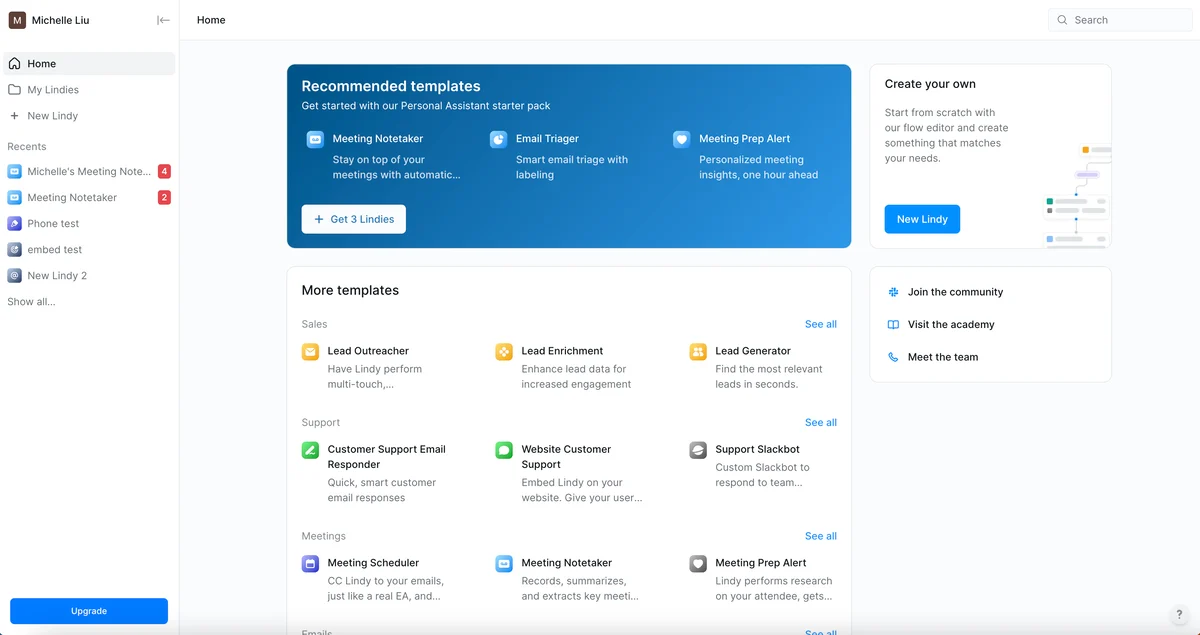
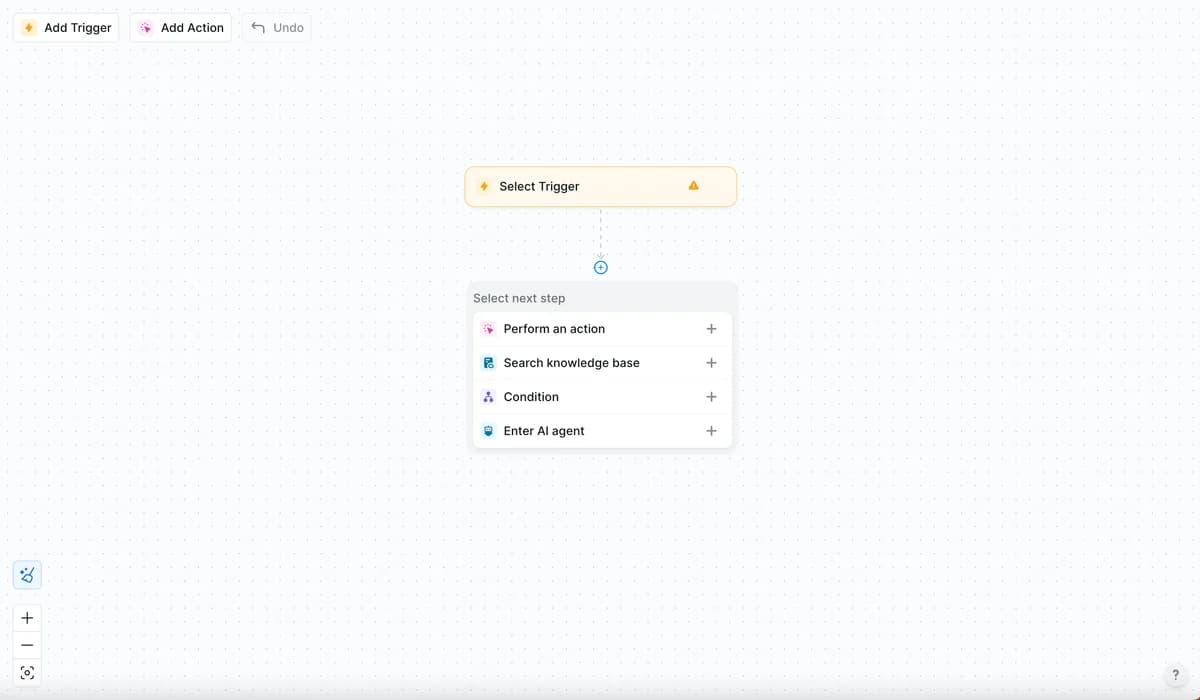
Under the friendly surface is a no-code, trigger-based agent builder. You start from a trigger, then chain actions, knowledge-base lookups, conditions, or hand-offs to another AI agent, all on a visual canvas. It is model-agnostic, so you can pick the model per task, and it connects to thousands of tools plus MCP so you can wire in anything else.
The safety model is more conventional than Grok Bot's, and I mean that as a compliment. Anything with outside impact, sending an email, updating a ticket, posting to a channel, publishing a doc, waits for your approval. Read-only lookups run without a gate. On G2, reviewers' single most-mentioned pro is ease of use, which tracks with the natural-language setup.
Grok Bot vs Lindy: the core difference
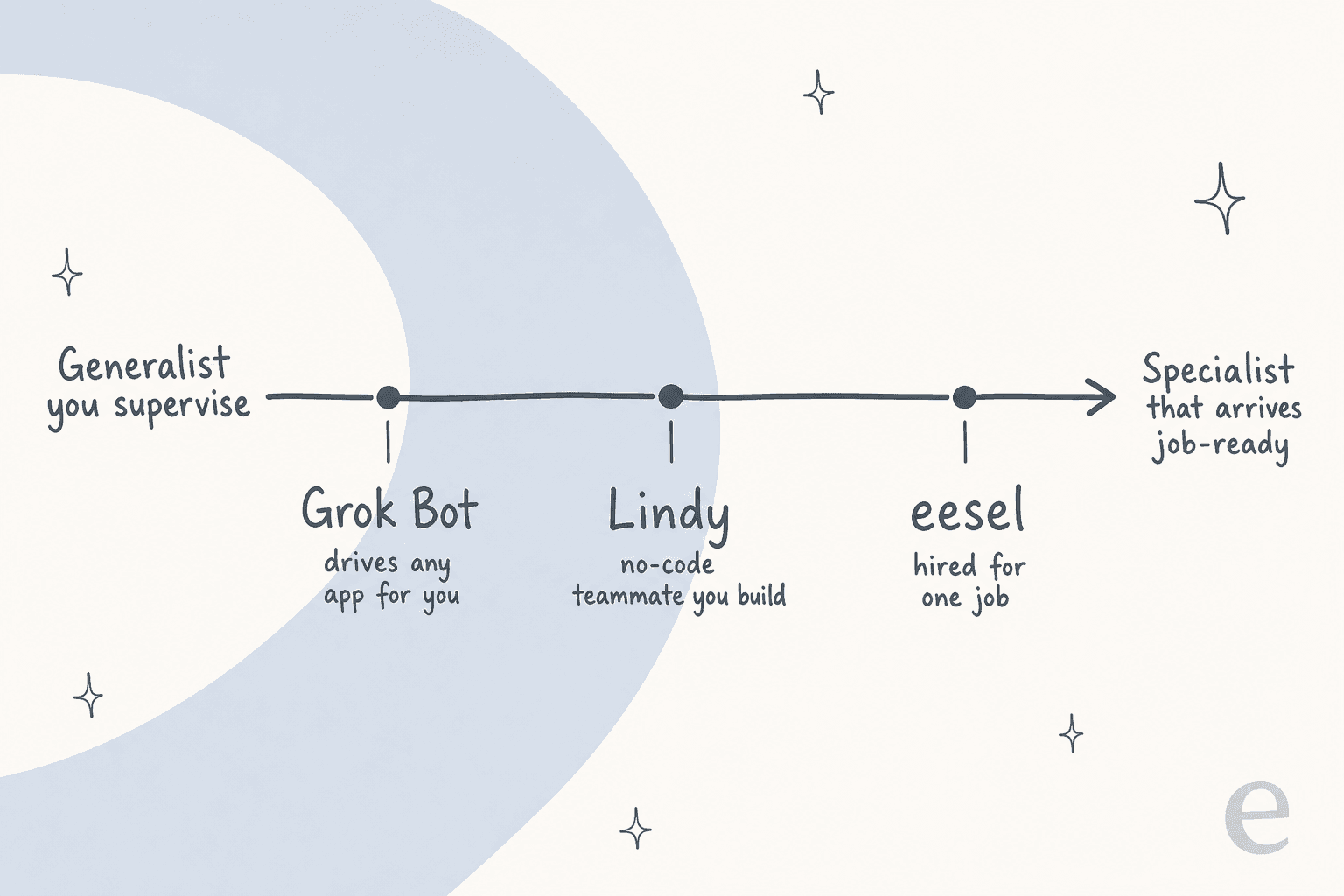
Here is the cleanest way to hold the two in your head. Grok Bot is a generalist worker you point at a screen and supervise. Lindy is a teammate you assemble from parts, and it works where your team already talks. One buys breadth through brute-force UI control; the other buys ease through a builder and deep integrations.
| Dimension | Grok Bot | Lindy |
|---|---|---|
| How it acts | Drives your apps' real UI on a cloud computer | No-code builder: triggers, actions, integrations |
| Where it lives | Desktop (macOS, Windows) and iOS app | Slack, iMessage, and a web app |
| Setup style | Write the job into a Bot's description; teach routines | Pick a trigger, describe the task in plain English |
| Model choice | xAI's Grok models | Model-agnostic, pick per task |
| Works without an API | Yes, that is the whole point | Uses integrations and MCP instead |
| Approvals | User-written free-text guidance, no enforced list | Built-in gate on any outward action |
| Dry run before it acts | No, a test run does real work | Approval step, but no historical simulation |
| Developer surface | No public API, SDK, webhook, or CLI | MCP support, no public REST API |
| Free option | No free tier | 7-day free trial |
The "works without an API" row is where Grok Bot genuinely pulls ahead. If your workflow depends on an old internal tool or a vendor portal with no integration, Lindy simply cannot reach it, and Grok Bot can, because it clicks the buttons like you would. That flexibility is real, and it is the reason to look at Grok Bot at all.
How Grok Bot actually works (and the catch)
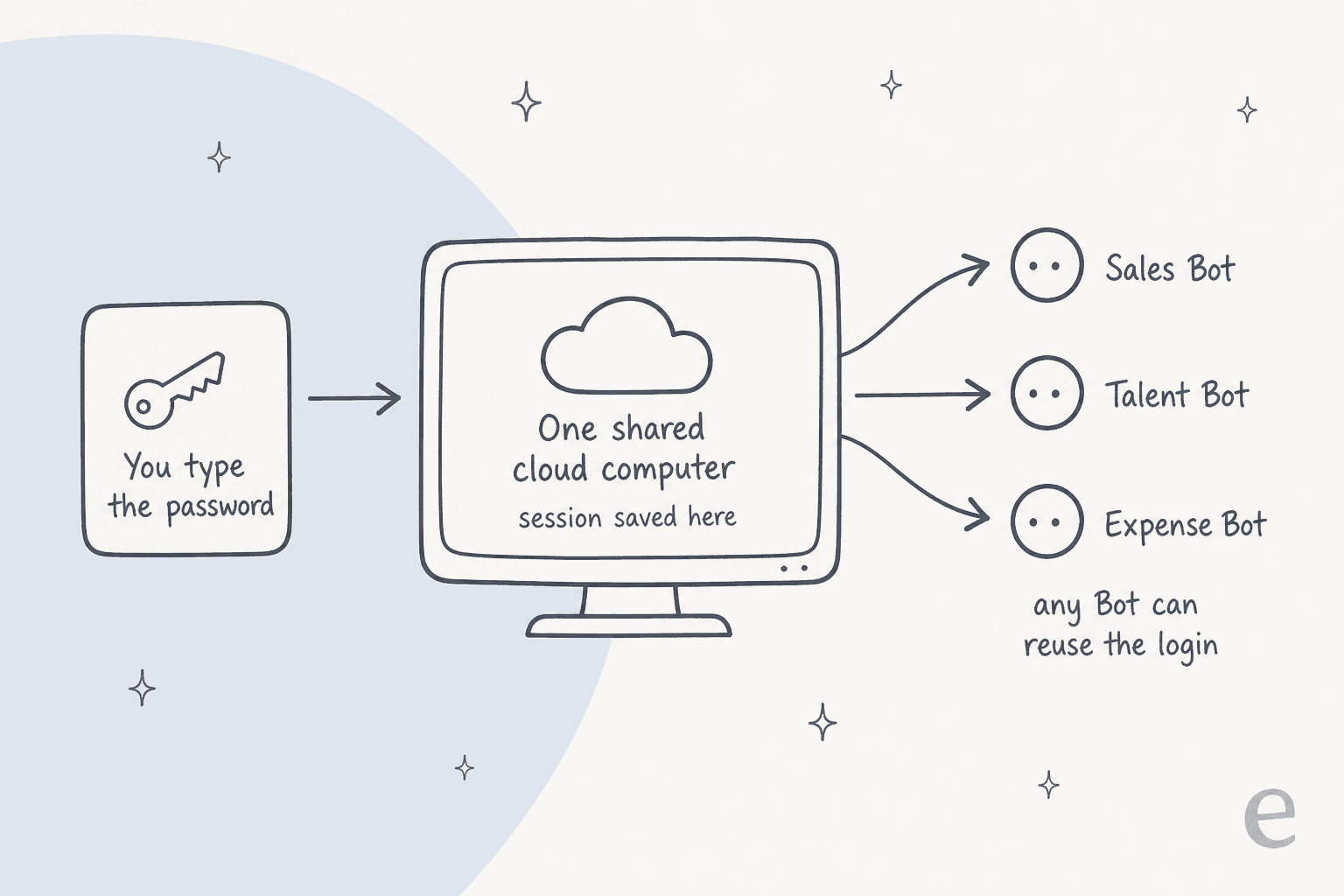
The part that deserves a slow read is what happens when a Bot signs in. Grok Bot never holds your credentials. It hands you the screen, you type the password, passkey, 2FA code, or CAPTCHA, and then you hand control back. So far, so sensible.
The catch is what happens next. The signed-in session persists on your shared cloud computer, and every other Bot on your account can reuse it. All your Bots share one machine, and xAI's own docs state it twice: "Do not use separate Bots as a security boundary." Deleting a Bot leaves its files and sign-ins behind.
A few more lines straight from xAI's documentation, because they set expectations honestly and most coverage skips them:
- "An approval controls the proposed action. It does not reverse work already completed." Approvals stop the next step, not the last one.
- "A test run performs real work. It can navigate websites, change files, and call connected tools." There is no dry-run mode, which for anything customer-facing is the line I would circle.
- "An audit view of Bot actions is coming." Future tense, so today the logs attribute a Bot's actions to your account.
On the compliance side, Grok Bot claims no SOC 2, ISO 27001, GDPR, or HIPAA certification, and defers retention to the applicable Cursor terms. That is normal for an early beta, but it is a real constraint if you are in a regulated industry. The sharpest framing I saw came from a commenter on Hacker News describing the person who signs in as "the accountability sink," which captures the design tension well.
Pricing compared
Both tools bill per seat, but the unit underneath is different, and that is where the surprises live.
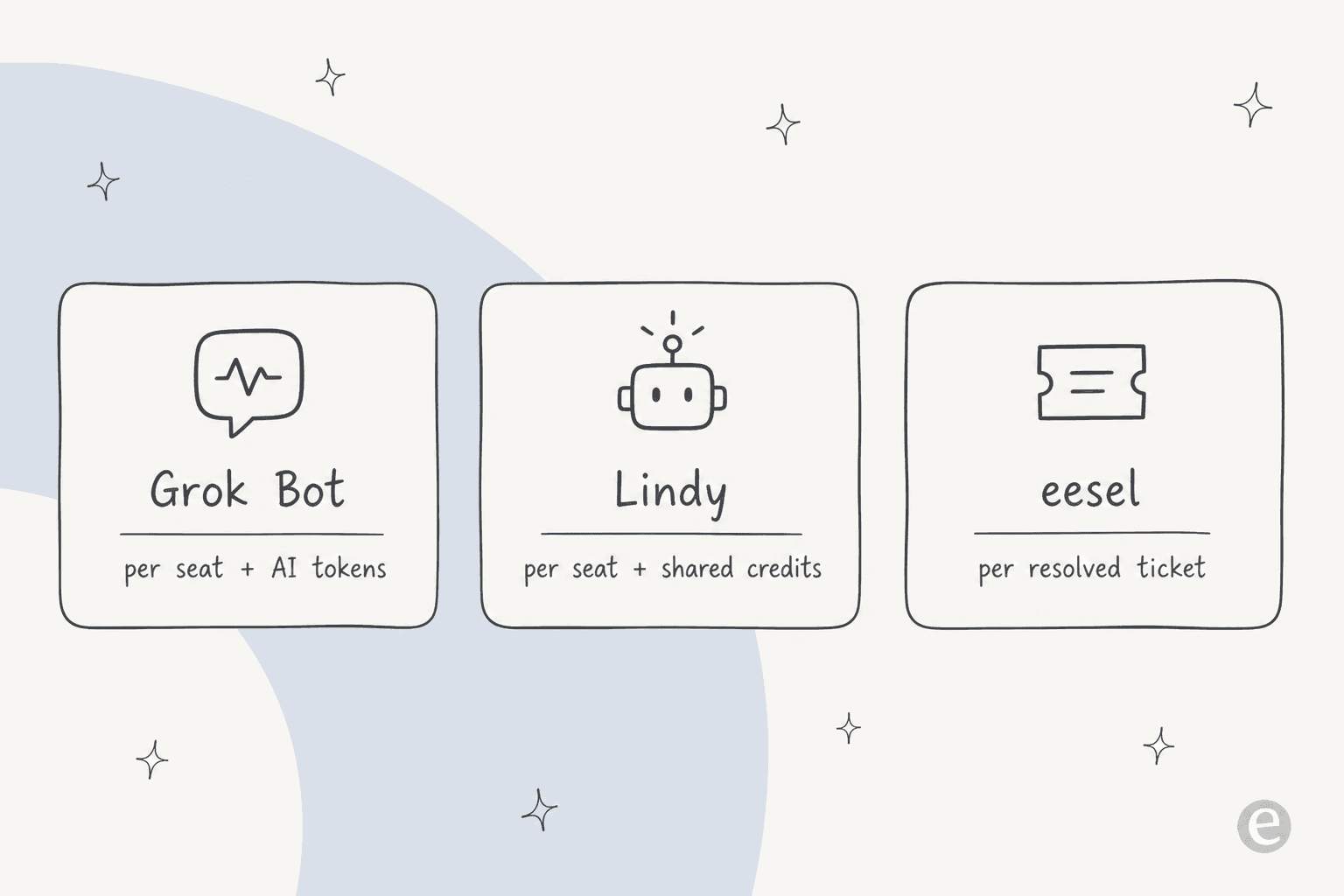
Grok Bot pricing
Grok Bot has two self-serve plans, and oddly both are named after Cursor rather than xAI:
| Plan | Price | Notes |
|---|---|---|
| Cursor Ultra | $200 / month | Solo plan, billed monthly |
| Cursor Premium Teams | $120 / seat / month | Central billing, SSO, shared analytics |
| SuperGrok Heavy | Included | Grok Bot bundled at no extra charge |
There is no free tier and no published trial length. The only quota language on the whole page is "Extended limits on AI tokens" with no number, and the docs add that the allowance is weekly and overage bills off model and token cost. So the real bill is $200 (or $120/seat) plus a variable token charge you cannot fully predict up front. The team plan being cheaper per seat than the solo plan is a nice quirk if you have a few people.
Lindy pricing
Lindy's plans are priced per user, each seat topping up a shared credit pool:
| Plan | Price | Credits / user / mo |
|---|---|---|
| Plus | $29.99 / user / mo | 3,000 |
| Pro | $99.99 / user / mo | 15,000 |
| Max | $199.99 / user / mo | 35,000 |
| Enterprise | Custom | Shared usage + bonus credits, HIPAA & BAA |
The unit is a credit, and Lindy is refreshingly clear about the bands: everyday asks run 2 to 250 credits, deep work like researching a competitor and writing the report runs 250 to 1,000, and big builds like a multi-source dashboard run 1,000 to 2,500. Credits refresh each cycle and do not roll over, and there is no overage: if the pool runs dry, Lindy pauses credit-using actions until the next cycle or an admin upgrades.
Two gotchas from real users. First, that opaque unit bites: a $29.99 Plus seat's 3,000 credits can vanish in a single big build. Lindy's most common G2 complaints, by a wide margin, are "expensive" (42 mentions) and "high subscription cost" (35). Second, anyone who uses Lindy takes a paid seat, including someone who only @mentions it in Slack. Costs scale with how many people touch it, not just with usage.
"lindy is good. it's also $49.99 a month for a single user."

(That figure is an older recollection; the current Plus seat is $29.99, but the sentiment about cost is the recurring one.)
The worked example
Say five people want to use the tool. On Grok Bot's team plan that is 5 x $120 = $600/month, plus token overage. On Lindy's Plus plan that is 5 x $29.99 = about $150/month for 15,000 pooled credits, which one or two heavy builds a week could exhaust, pushing you to Pro at 5 x $99.99 = about $500/month. Neither is cheap once a team is on it, and neither ties the price to an outcome you actually got. That last point matters more than it looks, and I will come back to it.
Which one should you pick?
After living in both products' docs and UIs, here is where I land.
Choose Grok Bot if your work depends on apps with no API, you want one agent that can click through literally anything, and you have the discipline to supervise it closely. The no-API coverage is genuinely useful and hard to replicate. Just go in clear-eyed about the shared computer, the missing dry run, and the compliance gaps, and keep it away from anything you cannot afford to have done wrong once.
Choose Lindy if you want a friendly, Slack-native teammate you can assemble yourself without code, you value the built-in approval gate, and your team lives in Slack already. It is the easier tool to get started with, and the model-agnostic builder is flexible. Watch the credit meter and the per-seat rule, because the bill is the thing people regret.
Choose neither if the job you care about is a specific, repeatable one, because that is where a general-purpose agent is the wrong tool. Both Grok Bot and Lindy ask you to be the one who defines the job, supervises the runs, and hopes the first live attempt goes well. For a defined role, especially customer support, I would rather hire a teammate that already knows the job and can prove itself before it touches a real customer.
Where a purpose-built teammate fits
This is the frame I keep coming back to. Grok Bot and Lindy are both horizontal: powerful, flexible, and generic on purpose. That is great when your work is unpredictable, and it is a liability when it is not.
I work on eesel, and we take the opposite bet. Instead of one agent you point at any app, or a builder you assemble from scratch, eesel is an AI teammate platform where you hire ready-to-work teammates for specific jobs. The current roster is an AI helpdesk teammate and an AI blog writer, and each one arrives with the skills, integrations, and company context for its role rather than a blank canvas.

For support specifically, the difference that matters is the one both generalists skip: you can simulate the teammate against your historical tickets before it ever replies to a customer, so you see its resolution rate and its answers on real past conversations first. That is the dry run Grok Bot doesn't have and the historical grounding Lindy doesn't offer. The teammate plugs into the helpdesk you already run (Zendesk, Freshdesk, Gorgias, Help Scout, and more), trains on your past tickets and docs, and charges one fixed monthly price (from $299/month for 500 credits, 1 credit per ticket or chat, no per-seat fee) rather than per seat or per opaque credit, so the cost stays predictable.
And if you do want programmatic control, the kind Grok Bot lacks entirely and Lindy only gestures at with MCP, there is a real developer surface: the eesel CLI lets a person drive the same teammate and workspace from a terminal, lets scripts automate it, and lets coding agents like Claude Code, Codex, and Cursor operate it directly, alongside MCP and webhooks. It is the same teammate, just reachable from the command line instead of only a dashboard.
None of that makes eesel the right pick for every job. If you need an agent that clicks through a legacy portal with no API, Grok Bot is built for exactly that and eesel isn't. But if the job is a defined one and you want it done reliably from day one, a teammate that shows up trained beats a generalist you have to raise yourself. You can try eesel free and simulate it on your own tickets before you decide.