


Let’s be honest, building and maintaining a good knowledge base can feel like a chore. Your support team is in the trenches helping customers, and who has the time to stop and write down every single solution? The irony is that a solid, up-to-date knowledge base is exactly what you need to make everyone's lives easier, from your customers to your own agents.
Front, a platform many teams use for customer communication, is trying to help with its built-in AI features. The one we're looking at today is "Compose," which is meant to help with the knowledge base. The promise is pretty straightforward: give your agents a smart assistant to help them write better and faster.
But is a built-in writing assistant really enough? This article will give you a no-fluff look at the Front AI Compose Knowledge Base, what it does, what it costs, and some big limitations you should be aware of. While having a tool right where you work is convenient, these built-in features often can't compete with dedicated AI platforms designed to connect all of your company's knowledge.
What is the Front AI Compose Knowledge Base?
First off, the Front AI Compose Knowledge Base isn't a separate product you can buy. It’s an AI writing helper that lives inside Front’s knowledge base editor. Think of it less as a fully autonomous AI and more like a helpful co-pilot sitting next to your agent.
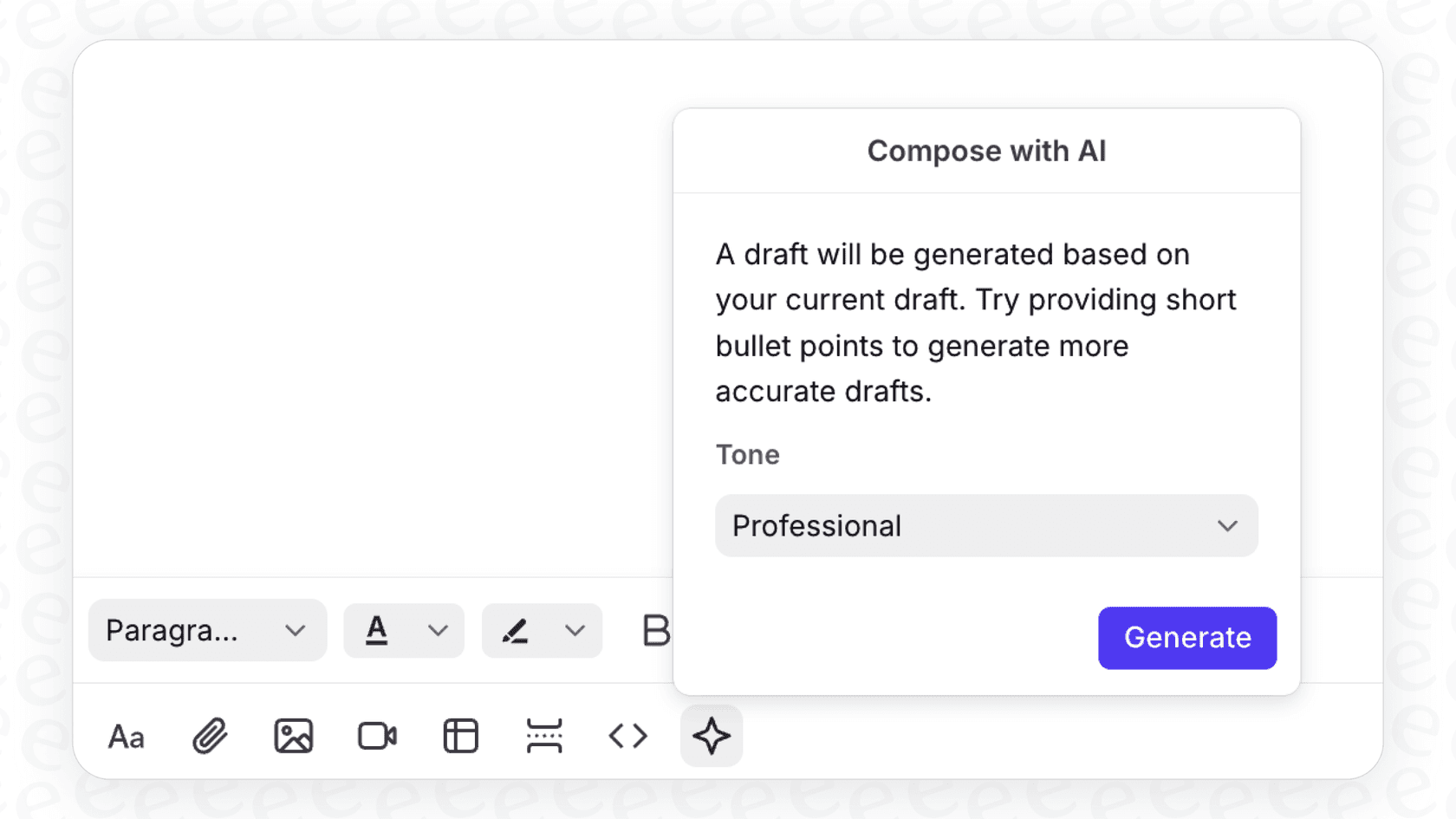
Front itself is a customer communication hub that pulls channels like email, chat, and SMS into one shared inbox. The Compose feature is there to help your agents draft, edit, and translate help center articles more efficiently, all without leaving the app.
Its main purpose is to help your human agents with the writing part. You give it a few pointers, and it helps you flesh out the article. It’s a tool for refining what you’ve already decided to write, not for figuring out what your knowledge base is missing in the first place.
What can the Front AI Compose Knowledge Base actually do?
So, what happens when you actually use the tool? Here’s a breakdown of its main functions.
Creating and tidying up articles
The Compose feature is all about making the writing and editing part of the job a little quicker. Your agents can use it in a couple of main ways:
-
Draft an article from scratch: You can give the AI a few bullet points or a short paragraph, and it will generate a full first draft of an article. This is pretty handy for getting over that initial "blank page" hurdle.
-
Improve existing text: This is probably where most teams will find it useful day-to-day. You can highlight any text you've written and ask the AI to do things like:
-
Fix spelling and grammar errors.
-
Expand a short sentence to provide more detail.
-
Make a long paragraph more concise.
Translating content
If you support customers in different countries, Front AI Compose has a translation feature that can convert an entire article into another language with just one click.
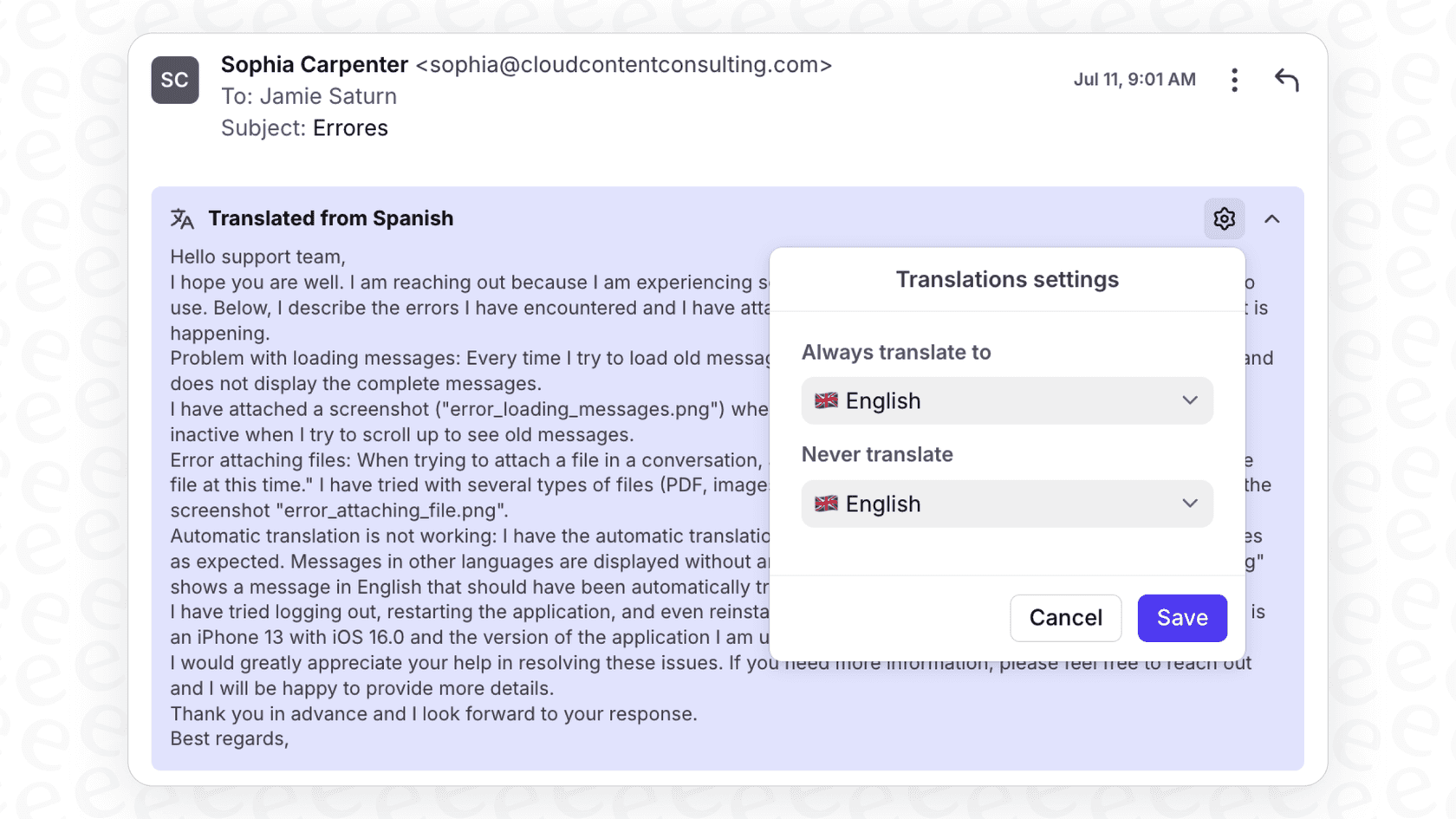
It’s a nice touch, but there are a couple of things to keep in mind. First, per Front's help article, article translation is available on the Enterprise plan, which is a bigger commitment for many teams. Second, it processes about 1,200 words of source content and translates the full article, not a selection, so longer guides may need to be split.
Where it gets its information
This is a really important detail. Front AI Compose creates content based only on the text you give it inside the editor. If you feed it three bullet points, it uses those three bullet points, and nothing else, to write an article.
Front's docs describe Compose as working from the details in your draft, not from past support tickets that were resolved successfully, internal wikis, or other product docs. That narrows what it can do for you.
Where the Front AI Compose Knowledge Base falls short
While the tool is a decent writing assistant, relying on it as your main knowledge base solution comes with some real downsides. Here’s what you should think about.
It only knows what you tell it
The biggest limit is that Front's AI tool for the knowledge base works from what's in the editor. It doesn't draw on the information sitting in your solved tickets, or on places your team stores knowledge, like Confluence or Google Docs. Front's other AI features, such as Autopilot and Copilot, can connect those as knowledge sources, but Compose doesn't use them for drafting.
And it seems we're not the only ones who've noticed. On Front's own ideas portal, customers are practically begging for a way to create knowledge base articles directly from email conversations. It’s a huge signal that teams want an AI that learns from real customer problems, not just from a writing prompt.
This is exactly where a unified AI platform like eesel AI changes the game. It plugs into your help desk and all your other knowledge sources. It can sift through thousands of your past tickets to automatically suggest and draft new articles based on the problems your customers actually have. You stop guessing what to write and start getting data-backed recommendations that fill knowledge gaps you didn't even know you had.

AI credit limits and costly plans
Front caps you at 200 AI requests per teammate, per day. That might sound generous, but if your team is trying to overhaul your entire knowledge base or is constantly updating content, you could hit that limit surprisingly fast.
Plan gates matter too: article translation is available on the Enterprise plan, so a team that only wants that feature pays the Enterprise seat price.
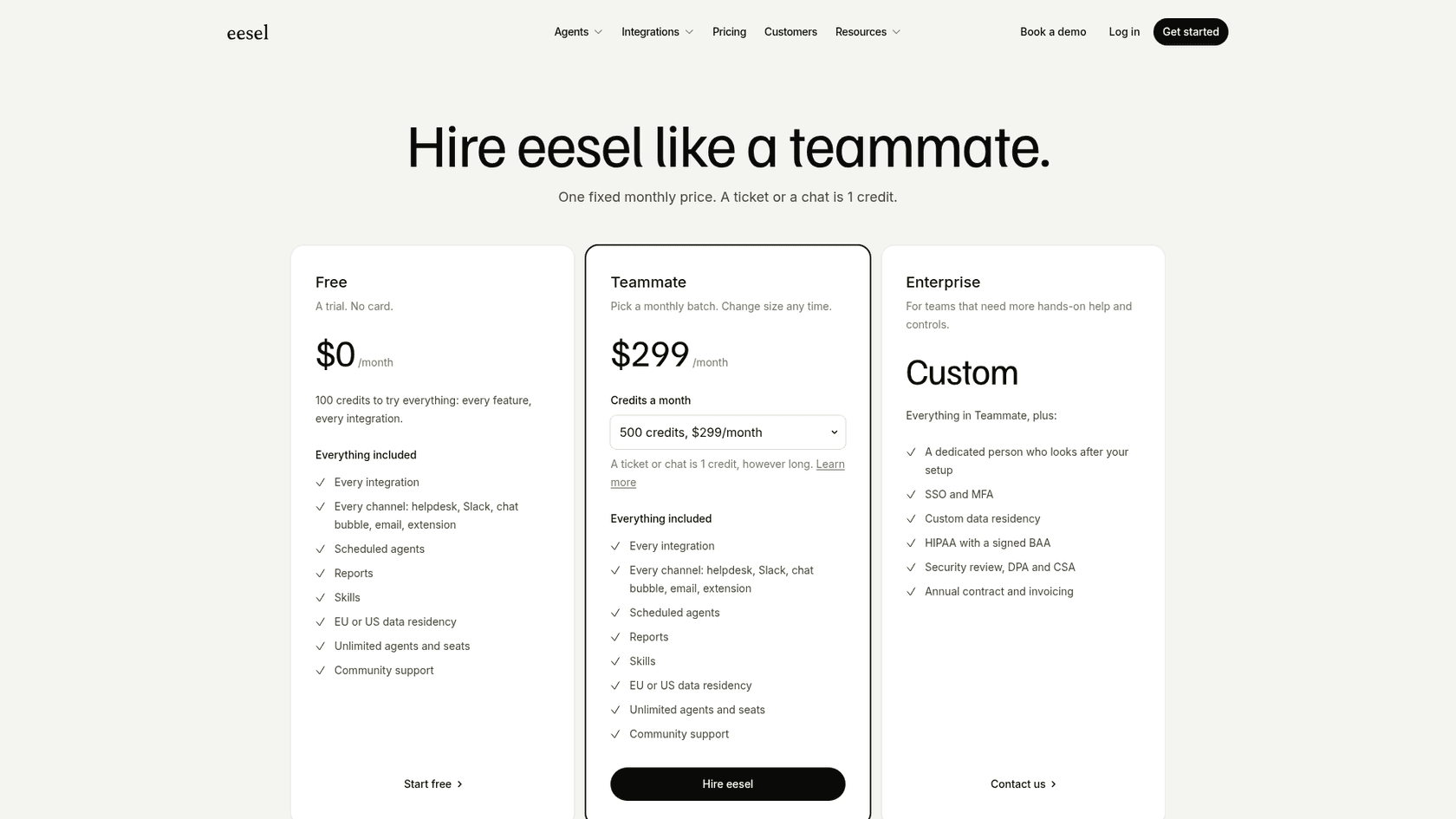
In contrast, eesel AI runs on one fixed monthly price sized to volume, from $299/month for 500 credits (1 credit per ticket or chat), with no per-teammate daily limits. You get every feature, including the AI Agent and Copilot, on every plan, and a free plan covers 100 credits.
It helps you write, but not decide what to write
At the end of the day, Front AI Compose is a reactive tool. It helps you write an article you already decided you need. It can't analyze your support tickets and tell you, "Hey, you've gotten 50 questions about this bug this week, you should probably write an article about it." Your team is still left doing the manual work of spotting trends and figuring out what to document.
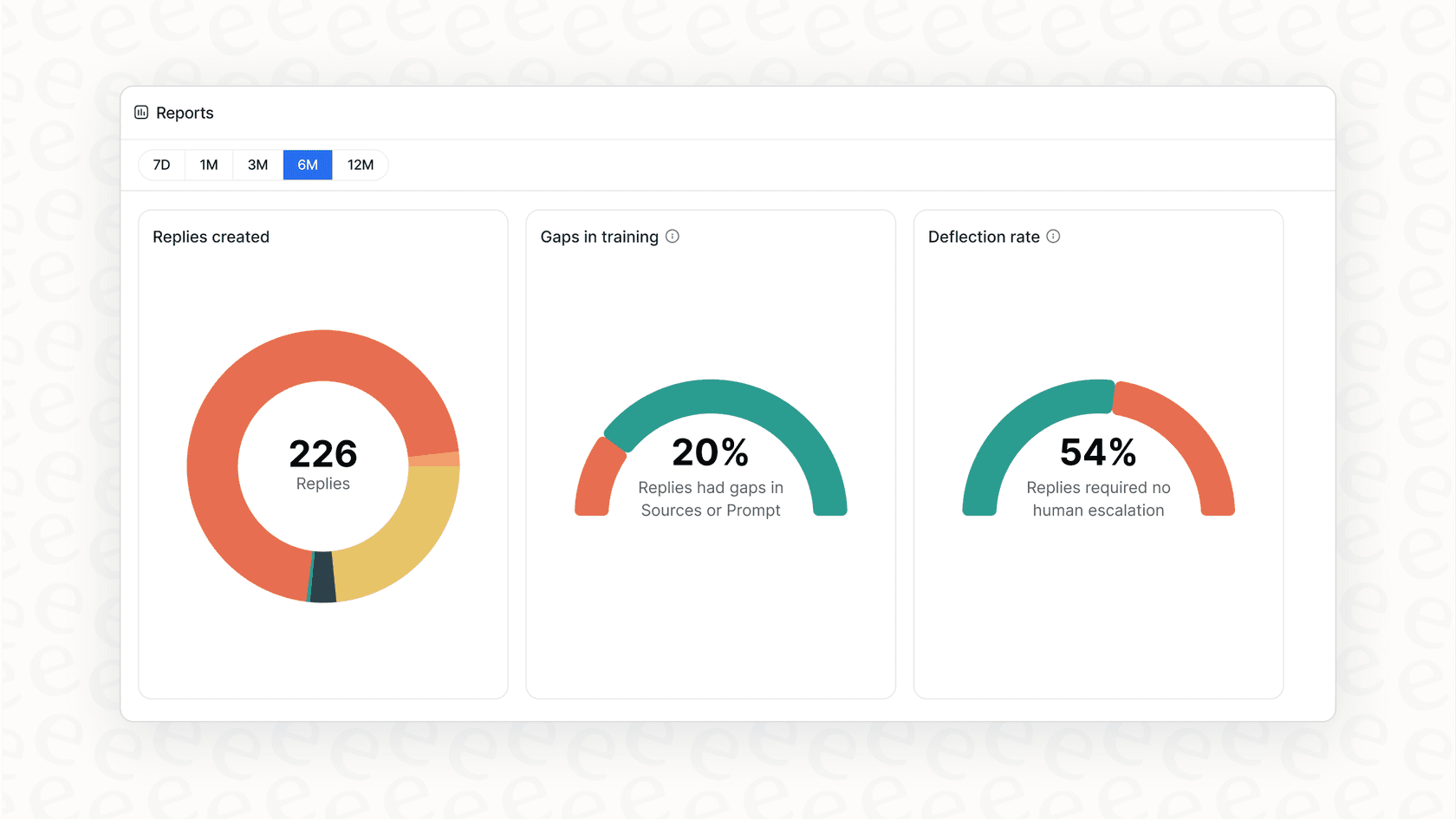
A smarter way to work is to be proactive. eesel AI gives you reports that show you exactly where your knowledge gaps are. By analyzing the questions your customers and agents are asking, it points you to the articles you need to create. This turns your knowledge base from a dusty old library into a living resource that gets better over time.
The difference is pretty stark: one workflow depends on someone's gut feeling, while the other uses AI to automate finding those insights.
Pricing for the Front AI Compose Knowledge Base
You can't buy AI Compose on its own. It's bundled into Front's main subscription plans, and the features you get depend on which tier you choose.
Here's how it breaks down, according to their official pricing page:
| Plan | Price (Billed Annually) | Compose for knowledge base |
|---|---|---|
| Starter | $25/seat/mo | Not included; Front lists Professional or above. |
| Professional | $65/seat/mo | Full article drafting, spelling and grammar fixes, expand and shorten. |
| Enterprise | $105/seat/mo | Everything in Professional, plus article translation. |
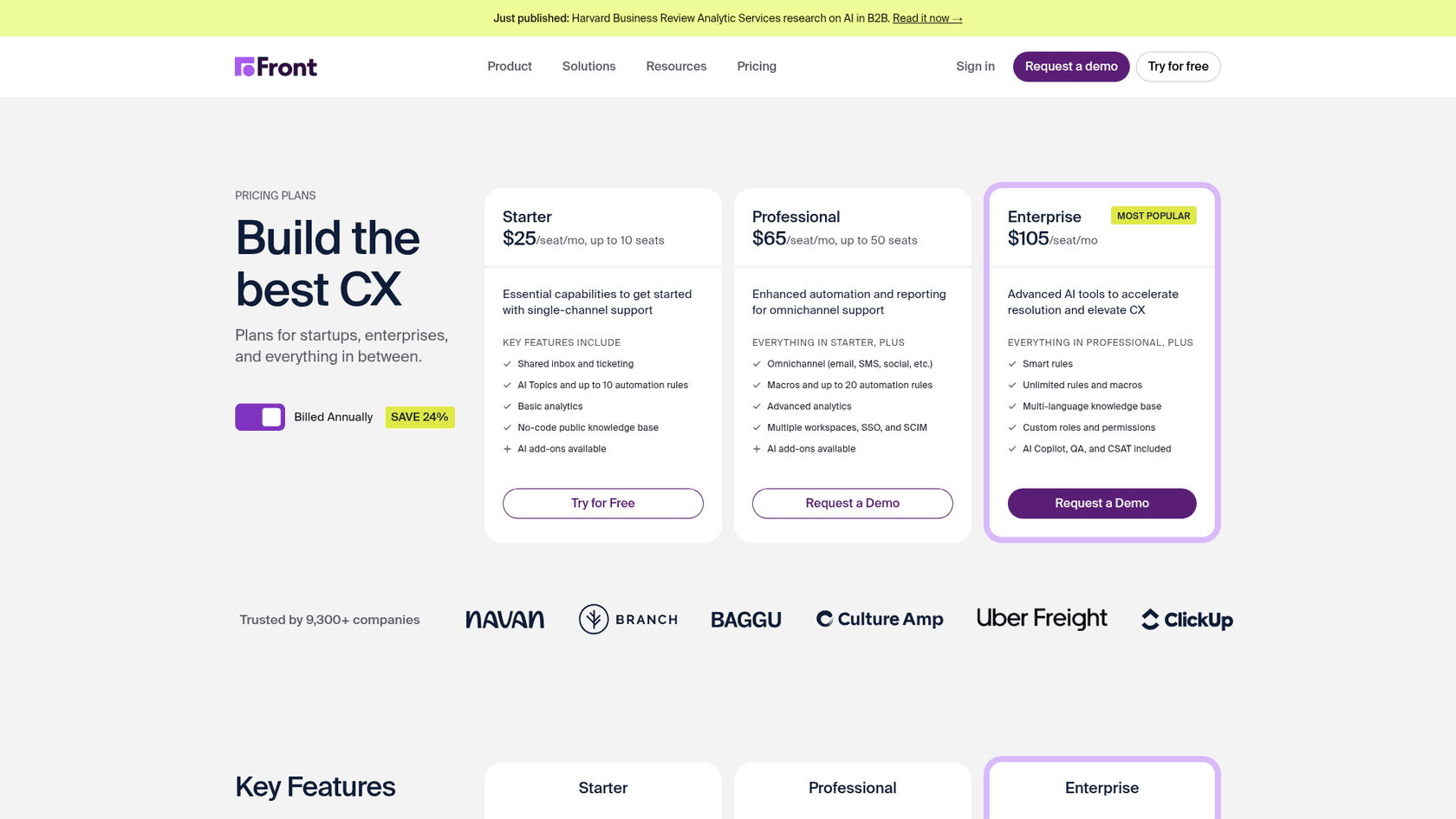
It's also worth pointing out that Front sells other AI features as add-ons. For example, their AI Autopilot feature is outcome-based, at $0.05 per triage, $0.39 per handoff, and $0.89 per resolved conversation. This à la carte approach means you add up several line items to see your total cost.
By comparison, eesel AI's pricing is one plan sized to your monthly ticket volume, with every feature included and no per-seat fee.
A better way: Connecting your company's brain with a dedicated AI
The main trade-off with built-in tools like Front's is that they work inside one product. They're separate from the collective knowledge that exists across all your company's different apps and conversations.
A better approach is a flexible AI layer like eesel AI. It's built to integrate with the tools you're already using, including help desks like Zendesk and Freshdesk, or even Front itself. You get the benefits without having to switch platforms.
Connect all your knowledge in minutes
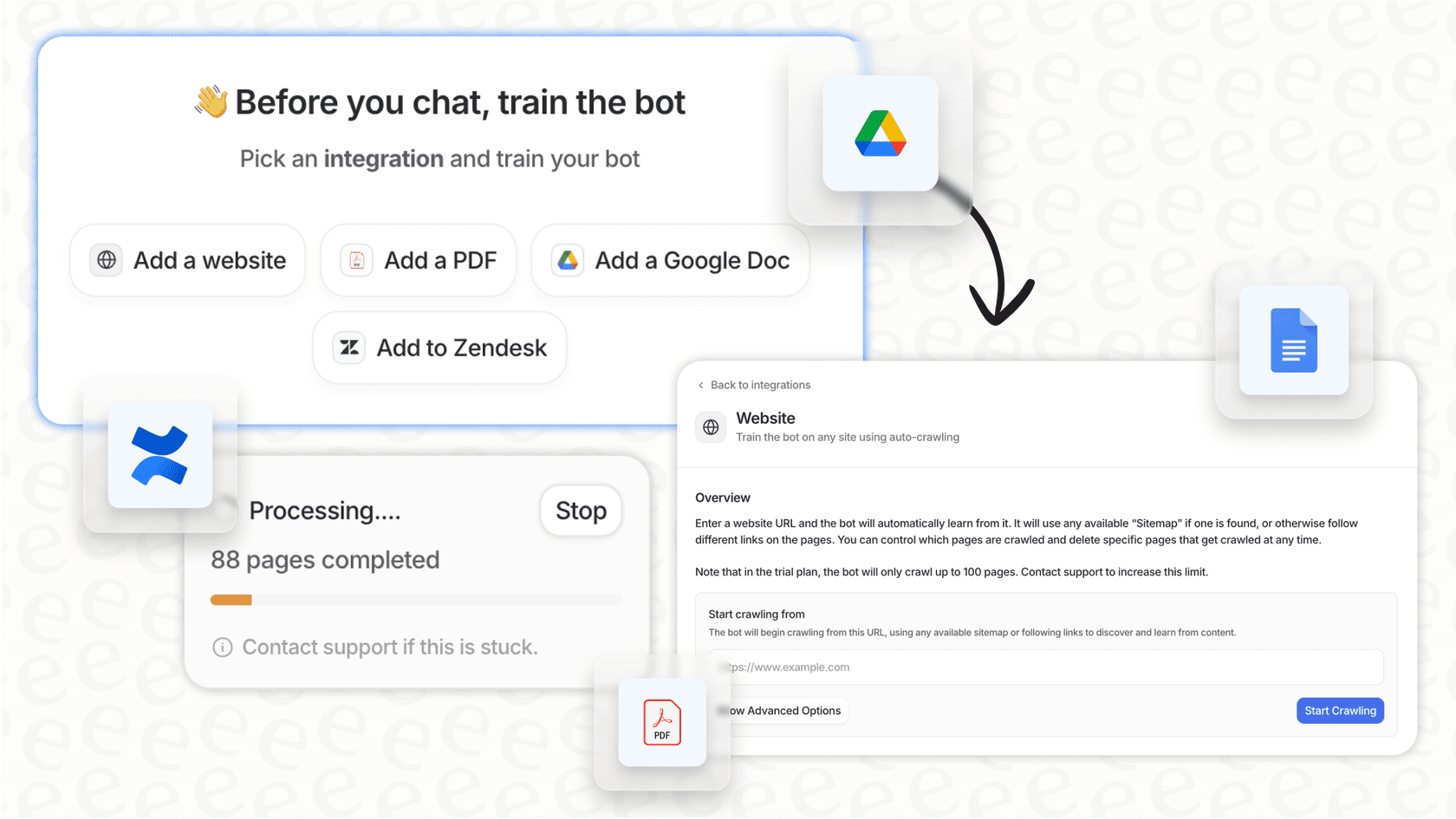
The biggest win with eesel AI is its ability to connect to and learn from all your company's knowledge, and it does it almost instantly. You can link past tickets, help centers, and documents from Confluence, Google Docs, Notion, Slack, and more.
The best part? The setup is completely self-serve. You can get it up and running and see it working in minutes, which is a breath of fresh air compared to other tools that make you sit through a sales call just to get a peek.
Go from just writing to truly automating
eesel AI's AI Agent does more than just help you write; it helps automate the whole process of improving your knowledge base. It looks at your incoming tickets to spot knowledge gaps and can automatically create draft articles from resolutions that worked. This keeps your help center stocked with answers that you know are effective.
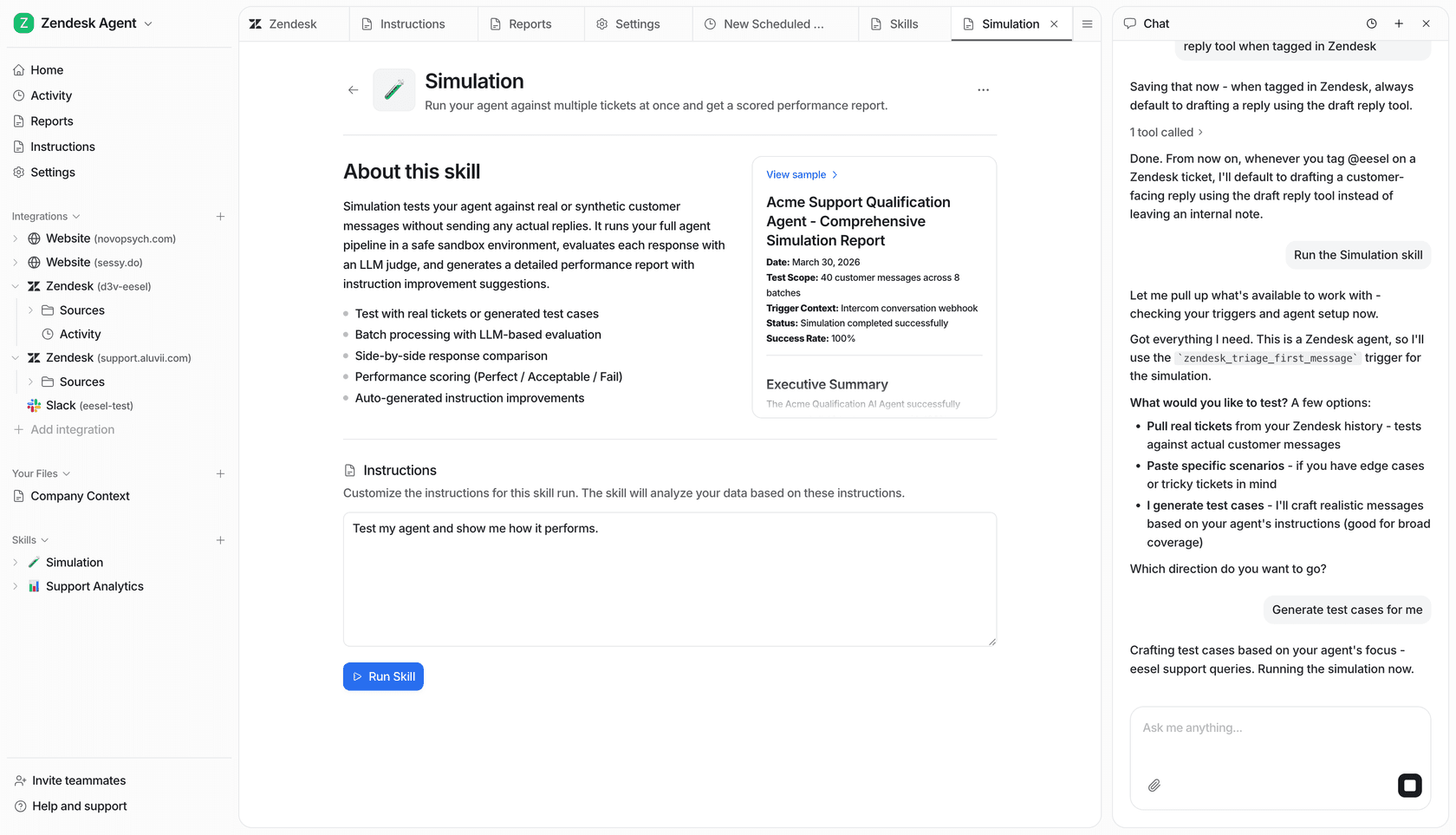
You can also use its simulation mode to test how the AI will handle thousands of your past tickets before you ever turn it on for customers. This lets you launch with confidence and gives you a clear idea of what your automation rate and return on investment will look like.
What's the verdict on the Front AI Compose Knowledge Base?
Front AI Compose is a perfectly fine feature for teams who are already all-in on the Front platform. It can definitely help your agents save some time when drafting and polishing articles.
But its limitations are hard to ignore. It’s a reactive tool that can only work with the information you manually feed it. Its translation feature sits on the Enterprise plan, it carries a daily request limit, and it doesn't learn from the history of your past customer conversations.
If your team is serious about building an intelligent knowledge base, one that actually learns from every customer interaction and gets smarter on its own, then a dedicated and connected platform is the way to go.
Ready to connect all your knowledge and start automating your support? Get started with eesel AI in minutes or book a demo to see it in action.
Frequently asked questions
Is the Front AI Compose Knowledge Base available as a separate product, or is it integrated?
The Front AI Compose Knowledge Base is not a standalone product you can purchase separately. It functions as an AI writing helper that is embedded directly within Front's existing knowledge base editor.
What specific tasks can agents perform using the Front AI Compose Knowledge Base?
Agents can utilize the Front AI Compose Knowledge Base to draft new articles from bullet points, refine existing text by correcting grammar or adjusting its tone, and translate articles into different languages.
How does the Front AI Compose Knowledge Base source the information it uses to generate content?
The Front AI Compose Knowledge Base only uses the text that agents manually provide within its editor. It does not pull information from other sources like past support tickets, internal wikis, or other product documentation.
Are there any usage limitations or specific pricing plans tied to the Front AI Compose Knowledge Base?
Yes. Users are limited to 200 AI requests per teammate per day for Compose on the knowledge base, a limit Front says is separate from its other AI features. Plan gates apply too: drafting and editing need the latest Professional plan or above, and article translation is available on the Enterprise plan.
Can the Front AI Compose Knowledge Base help identify missing knowledge base articles based on customer inquiries?
No, the Front AI Compose Knowledge Base is a reactive tool designed to assist with content creation. It cannot analyze support tickets or customer questions to proactively identify knowledge gaps or recommend new articles.
How does the Front AI Compose Knowledge Base compare to dedicated AI platforms for knowledge management?
The Front AI Compose Knowledge Base operates in a silo, relying only on user-provided text. Dedicated AI platforms, like eesel AI, integrate with all your company's knowledge sources to learn from a much broader range of data, including past tickets and internal documents.