


Let's be honest, your Gmail inbox is probably a bit of a monster. It's where customer chats unfold, deals get signed, and projects inch forward. But are you actually learning anything from it? For most teams, the inbox is just an overwhelming to-do list. They’re sitting on a goldmine of data about how they work, how customers feel, and where things are slowing down, but they have no way to dig it up.
This guide will walk you through the different ways you can get real, usable Gmail insights from your inbox. We'll start with the basics and work our way up to some genuinely cool AI-driven automation. Because the best insights don't just tell you what happened, they help you do something about it.
What are Gmail insights from inbox?
"Gmail insights from your inbox" is really just a fancy way of saying you're analyzing your email data to spot patterns, see how you're doing, and make better decisions. It’s about turning that daily flood of messages into a story you can actually understand and use.
Depending on what your team is trying to accomplish, you might be looking for a few different things:
-
Productivity Insights: How fast are we getting back to people? Who on the team is juggling the most conversations? Are we hitting our response time goals?
-
Engagement Insights: Are people opening our emails? Are they clicking the links we send? Is what we're saying actually connecting with them?
-
Content Insights: What are the most common questions we get, over and over again? What information are people missing from our help center or internal docs?
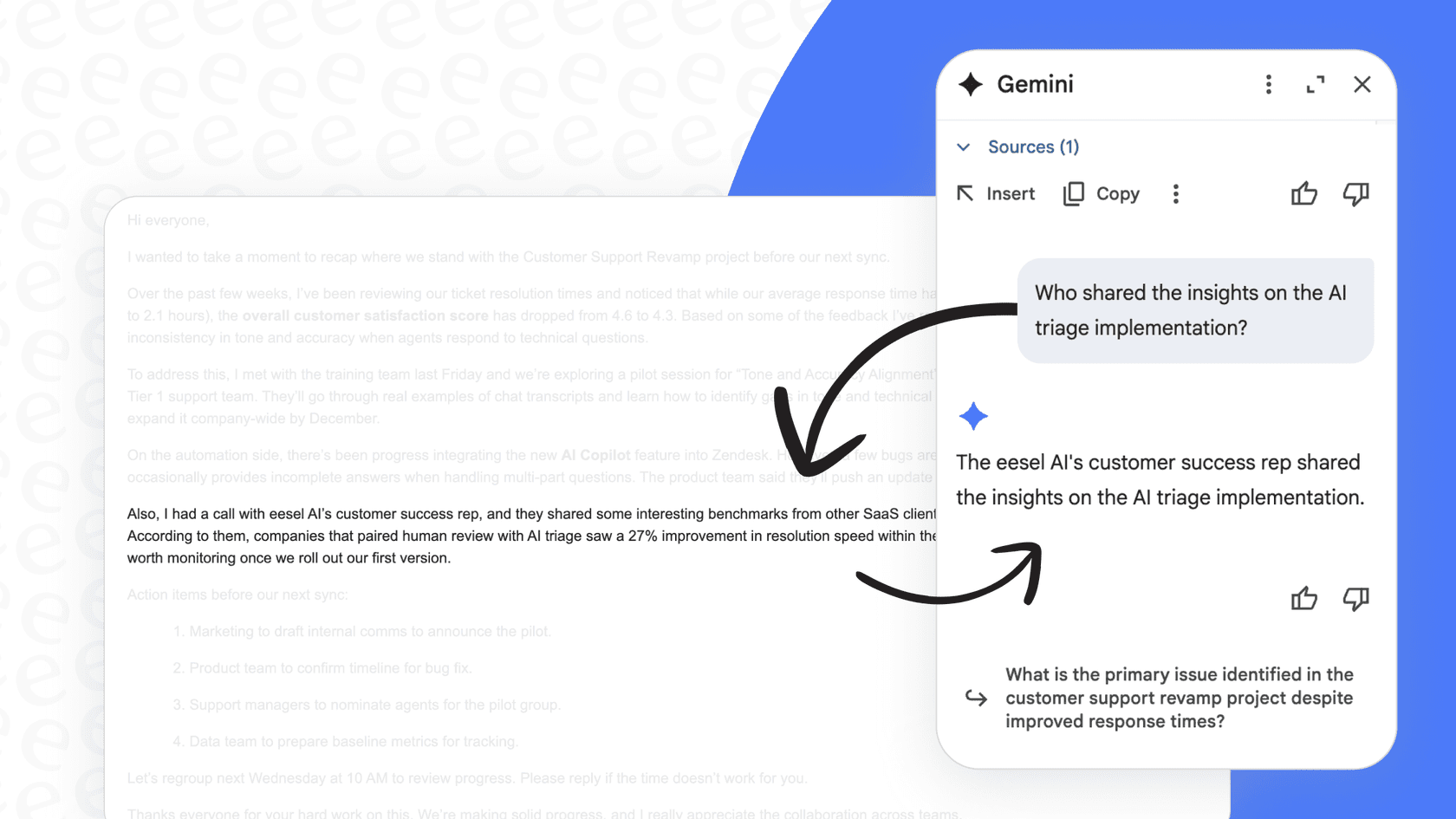
Getting a handle on this stuff is a big deal for any team that lives in email, whether you're in sales, support, or operations. It's how you stop guessing and start improving.
Three approaches to getting Gmail inbox insights
Getting good insights doesn't happen overnight. It’s a bit of a journey. Let’s walk through the three main stages, from the simple tools baked into Gmail to the kind of automation that can seriously change how you work.
1. Native Gmail features for basic organization: A limited approach
The first step toward getting any kind of insight is just getting your house in order. If your inbox is pure chaos, you're never going to spot any patterns. Google gets this, so they've built a few tools right into Gmail to help you manage the flow.
You probably already know these guys:
-
Labels and Filters: This is the old-school way to tame your inbox. You can set up rules to automatically stick labels on emails based on who sent them or what they say. It's handy for flagging emails from important clients or sorting messages for a specific project.
-
Priority Inbox: This feature uses Google's own magic to guess what's important to you, breaking your inbox into sections like "Important and unread" and "Everything else."
-
Tabs (Promotions, Social): A simple way to shuttle less urgent emails out of sight so you can focus on the main event.
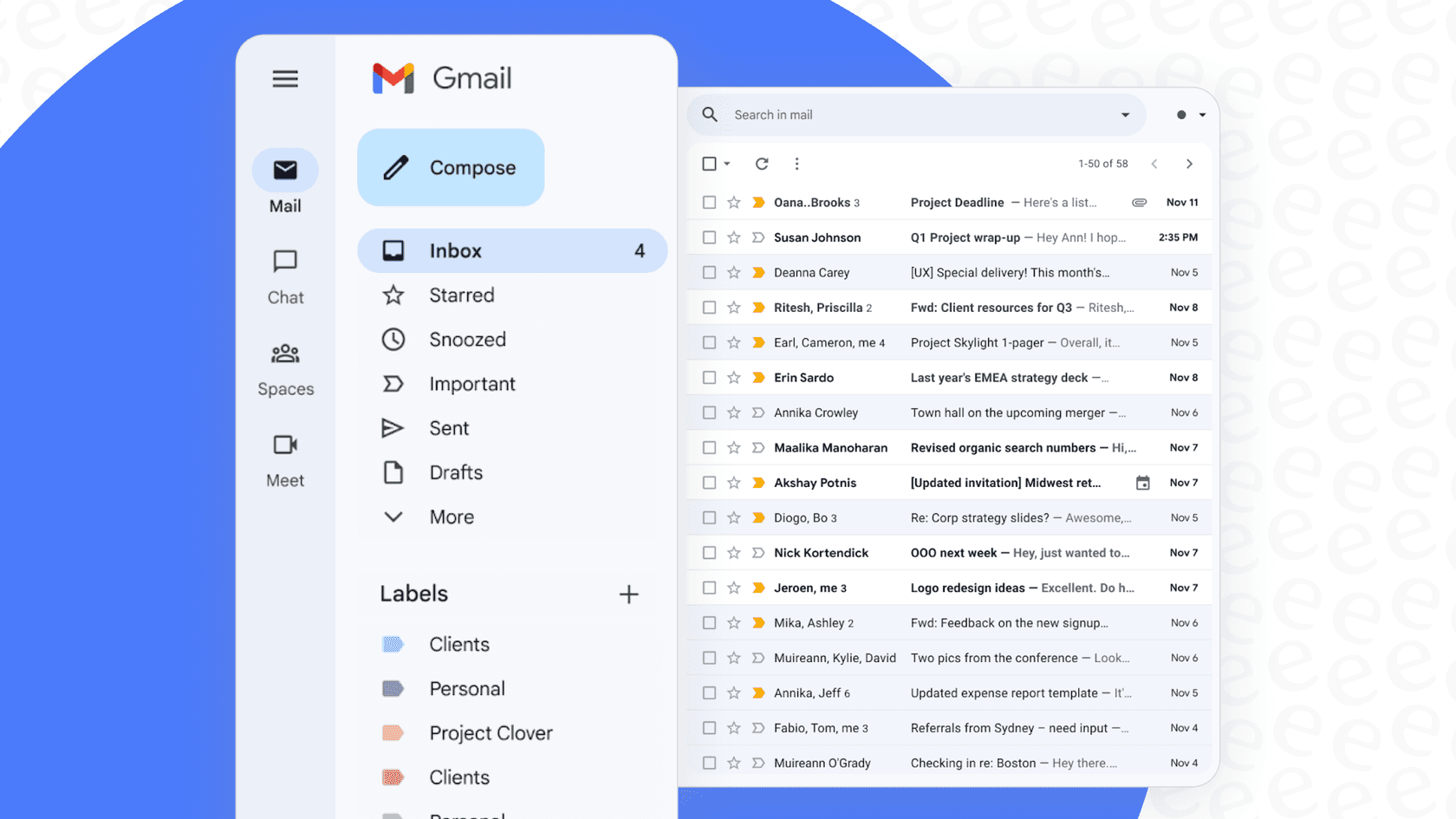
Where it falls short: These features are a decent first step, but they have a pretty low ceiling. They help you manage the incoming tide of email, but they don't give you any real analytical Gmail insights from your inbox. Sure, you can see you have 50 emails labeled "Billing Question," but you don't know how long it takes your team to solve them, or which specific questions pop up the most. It’s organization, not analytics, and keeping it working requires a lot of manual setup.
2. Third-party tools for email engagement tracking: A surface-level view
The next level up involves adding a tracking layer on top of your Gmail. These tools, usually Chrome extensions, are a hit with sales and marketing folks who need to know if their outreach is landing or just disappearing into the void.
Tools like Right Inbox and Outreach plug right into your Gmail and tell you what happens after you click "send." The core features usually include:
-
Open Tracking: See who opened your email, when, and how many times they peeked at it.
-
Click Tracking: Get a ping the second someone clicks a link in your message.
-
Location & Device Info: Find out where your emails are being read and on what kind of device.
Where it falls short: This is a big improvement over Gmail's built-in tools, but the insights are still a bit shallow. They tell you if someone engaged, but not why or what they need. The data can also be a bit finicky. For example, some email clients "open" emails on a server to check for viruses, which can give you a false positive.
More importantly, this kind of tracking doesn't really help customer support teams. Knowing a customer opened your support email three times doesn't help you figure out their problem or find the right answer any faster. It's a tool built for people who send emails, not for people who solve problems.
| Feature | Right Inbox | Outreach |
|---|---|---|
| Primary Use Case | Individual email tracking & productivity | Sales engagement platform |
| Open/Click Tracking | Yes | Yes |
| Pricing Model | Freemium, with paid plans starting at $7.95/user/mo | Quote-based, designed for sales teams |
| Key Limitation | Focuses on sender-side engagement, not conversation context | Part of a larger, complex sales platform that's overkill for support |
3. Dedicated platforms for email analytics: A passive approach
For teams who are really serious about data, the most advanced option has always been a dedicated analytics platform. A tool like Email Meter will hook into your team's mailboxes and pull all that raw data into some pretty impressive dashboards.
These platforms give you a much deeper view, showing you things like:
-
Team Performance Dashboards: Track metrics like average response time, total email volume, and your busiest hours.
-
Individual Stats: See how each team member is doing compared to team benchmarks.
-
Thread Analysis: Unpack long, messy email chains to see who said what and when.
Where it falls short (and where AI comes in): This is where we hit a wall with the old way of doing things. Analytics platforms are fantastic at diagnosing problems. They can tell you, with scary accuracy, that your team's first response time has crept up to 8 hours.
But they can't help you fix it.
They hand you a report card and then leave you to figure out how to improve the grade. That dashboard just creates more work. Now a manager has to dig through emails, figure out what's causing the delays, and maybe retrain people or build a new process. The insights are completely passive. This is where modern AI tools change everything. Instead of just showing you a chart, they can understand what's inside your emails and actually do something about it.
Beyond Gmail insights from inbox: From passive analytics to active automation
The shortcomings of analytics-only tools are exactly what pushed the development of AI platforms that don't just report on your inbox, they work right alongside you in it. Here’s how that leap forward solves the real problems.
First, there’s the context problem. An analytics tool sees a support email about a refund. It clocks the time to reply and adds it to a graph. An AI like eesel AI does a whole lot more. It reads the email, understands the customer is asking for a refund for a specific order, and immediately searches all your company knowledge, past tickets, your help center, internal wikis in Confluence, even your team's shared Google Docs, to find the right refund policy and draft a perfect, personalized reply.
Second, insights are useless without action. A dashboard tells you that 30% of your support time is spent on "password resets." What do you do? With older tools, you might create a new canned response and tell everyone to use it. With eesel AI, you build an AI Agent that automatically spots these questions and answers them on its own, 24/7. It goes from insight to resolution in seconds, no human required.
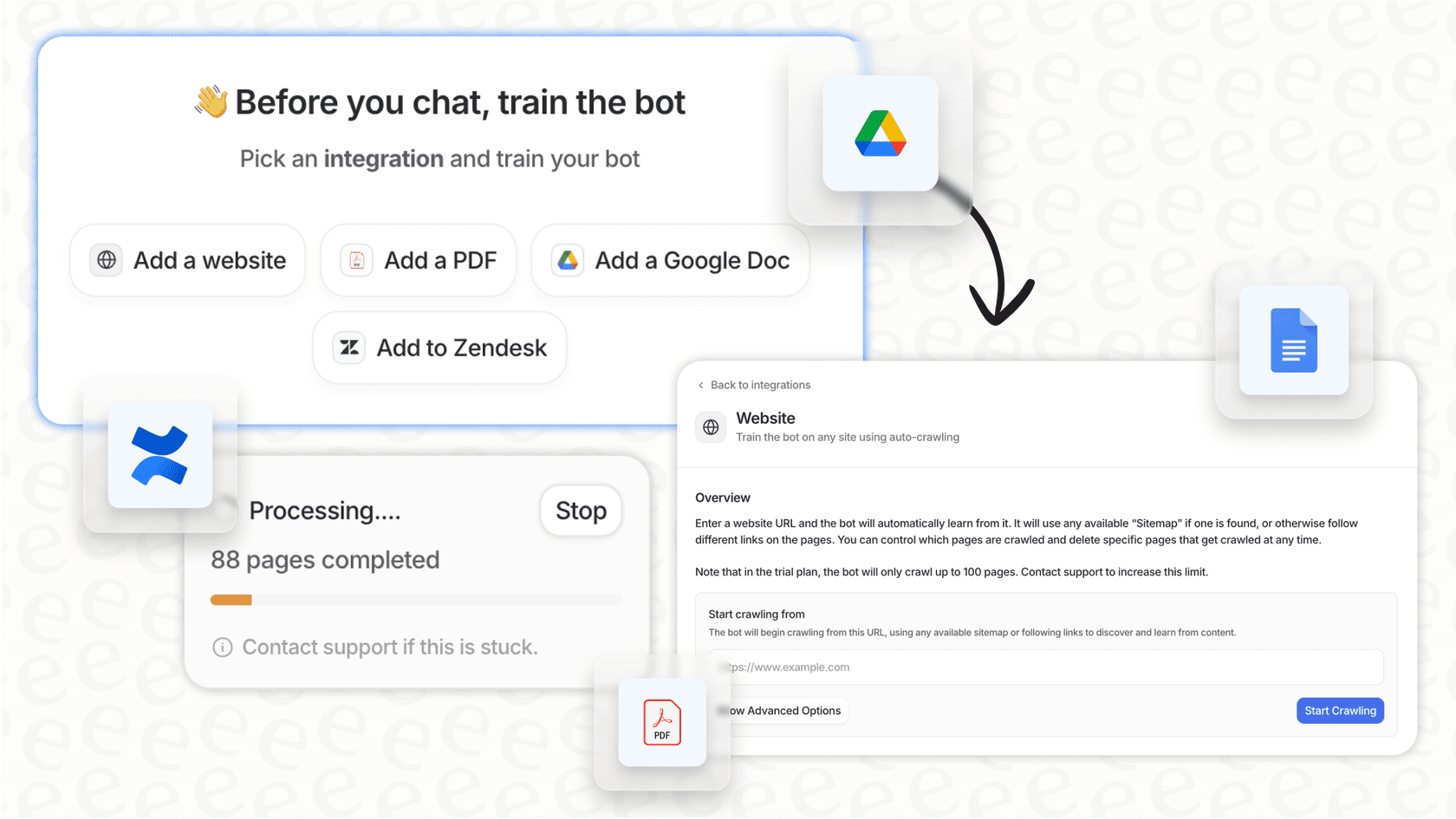
Third, your knowledge is all over the place. Getting true insights is impossible when your team's answers are scattered across a dozen different apps. Analytics tools can't see that context, so their reports are never the full story. eesel AI unifies your knowledge by connecting to your helpdesk, Confluence, Slack, and dozens of other tools. This creates one source of truth that powers both its own automation and your team's ability to find what they need.

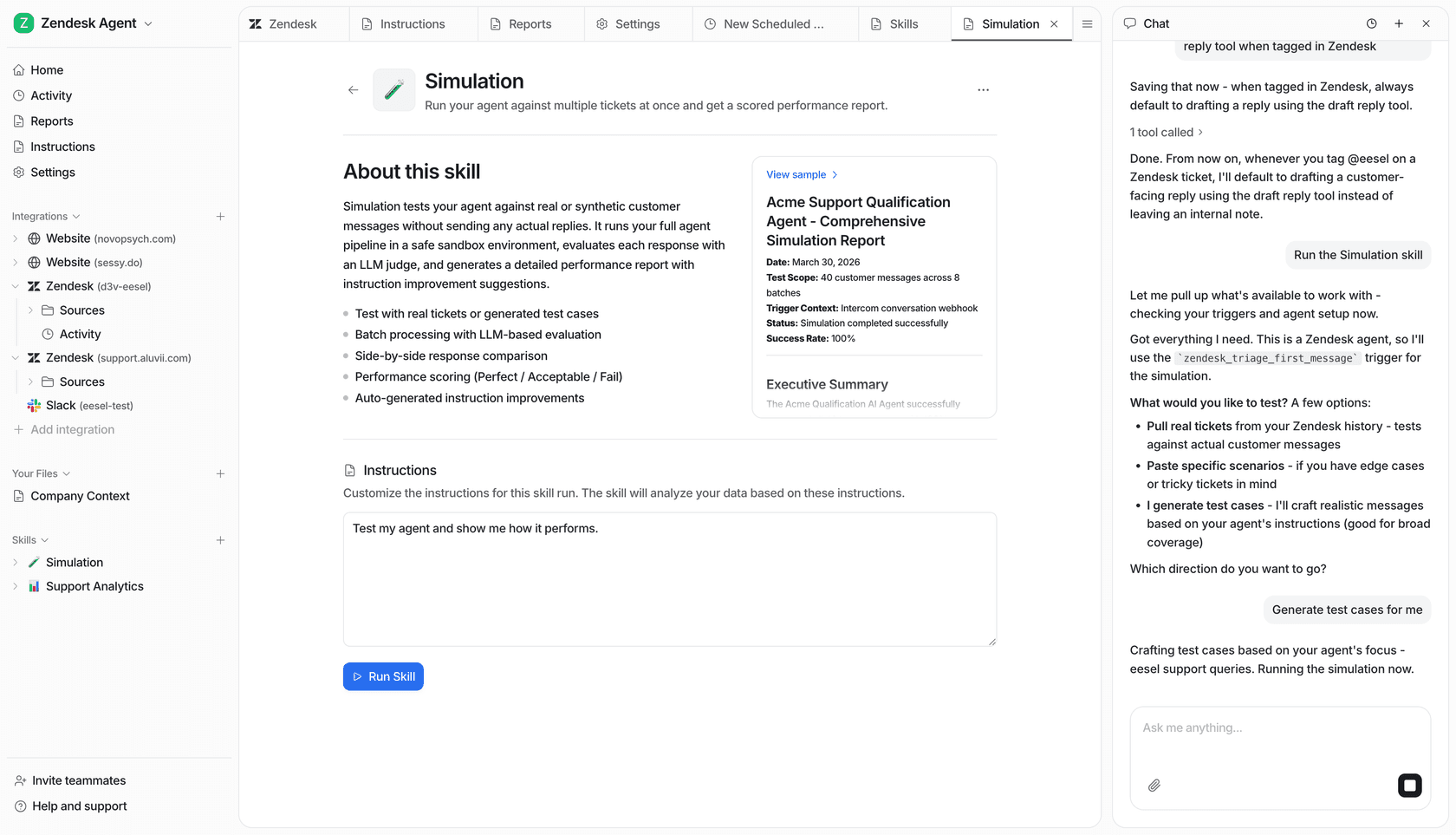
Stop just analyzing Gmail insights from inbox, start automating
The way we get Gmail insights from your inbox has come a long way.
-
It began with manual organization using labels and filters.
-
Then came engagement tracking to see opens and clicks.
-
That evolved into passive analytics with dashboards and reports.
-
Now, we're at the final step: active automation, where AI doesn't just show you insights, it acts on them for you.
The goal isn't just to have more data. It's to do less manual work, solve customer problems faster, and make your team's day-to-day a little less hectic. By moving from passive analytics to active automation, you can finally turn your inbox from a source of endless work into an engine for growth.
Ready to get insights that actually get the job done? Try eesel AI for free and see what it's like to have an inbox that works for you, not the other way around. You can get it up and running in minutes.
Frequently asked questions
What exactly are Gmail insights from inbox, and why are they important for teams?
Gmail insights from your inbox refer to analyzing your email data to identify patterns, evaluate performance, and make informed decisions. They are crucial for transforming an overwhelming inbox into a source of actionable intelligence for sales, support, and operations teams.
How can I begin gathering basic Gmail insights from inbox using only native Gmail features?
You can start by using Gmail's built-in labels and filters to organize emails, sort them into categories, and prioritize important messages. Features like Priority Inbox and tabs (Promotions, Social) also help manage the incoming flow, providing a foundational level of organization.
What are the main limitations of using third-party engagement tracking tools for Gmail insights from inbox?
While these tools track opens and clicks, they offer shallow insights, telling you *if* someone engaged but not *why* or *what they need*. They primarily benefit senders (sales/marketing) and are less effective for problem-solving in customer support, often giving false positives.
How do dedicated analytics platforms provide a deeper level of Gmail insights from inbox compared to simple trackers?
Dedicated platforms hook into your mailboxes to offer comprehensive dashboards, tracking team performance metrics like response times and email volume. They also provide individual stats and thread analysis, giving a much broader view of communication patterns.
Can AI actually help my team move from passive analytics to active automation when dealing with Gmail insights from inbox?
Yes, AI platforms go beyond reporting by understanding email content and taking action. Instead of just showing you a problem, AI can draft personalized replies, answer common questions with AI Agents, and unify scattered knowledge bases, directly solving issues.
What specific types of productivity or customer support issues can advanced Gmail insights from inbox help resolve?
Advanced insights can identify common customer questions (e.g., password resets), bottlenecks in response times, and areas where knowledge is lacking. AI can then automate responses to repetitive queries, free up human agents for complex issues, and streamline workflows, improving overall efficiency and customer satisfaction.
How quickly can a team implement an AI-driven system to gain powerful Gmail insights from inbox and leverage automation?
Many modern AI tools, like eesel AI, are designed for quick setup, often taking only minutes to integrate with your existing Gmail and other tools. They can start processing your past emails to generate immediate insights and build automations almost instantly, allowing for rapid deployment and benefit realization.