


Estimate your holiday gap first
Before any planning, I want a number. Plug in your normal week, the multiplier you saw last December, and how much of the queue AI can fully resolve. The calculator uses the same ingredients Zendesk's own staffing model uses, shrinkage and occupancy, so the answer is closer to a real roster than a "tickets divided by agents" guess.
Type your own numbers to see how many agents the peak week needs with and without AI. "Fully resolves" means the customer's problem is solved, not that the bot replied.
Two notes on reading it. First, 40% is a starting guess for an ecommerce queue full of order-status and policy questions; your real figure comes from a pilot on your own tickets, not from a vendor's slide. Second, the output is a headcount of productive agents, so a result of 3.5 extra agents usually means five or six temps once you add training time and leave.
Why the spike is a season, not a weekend
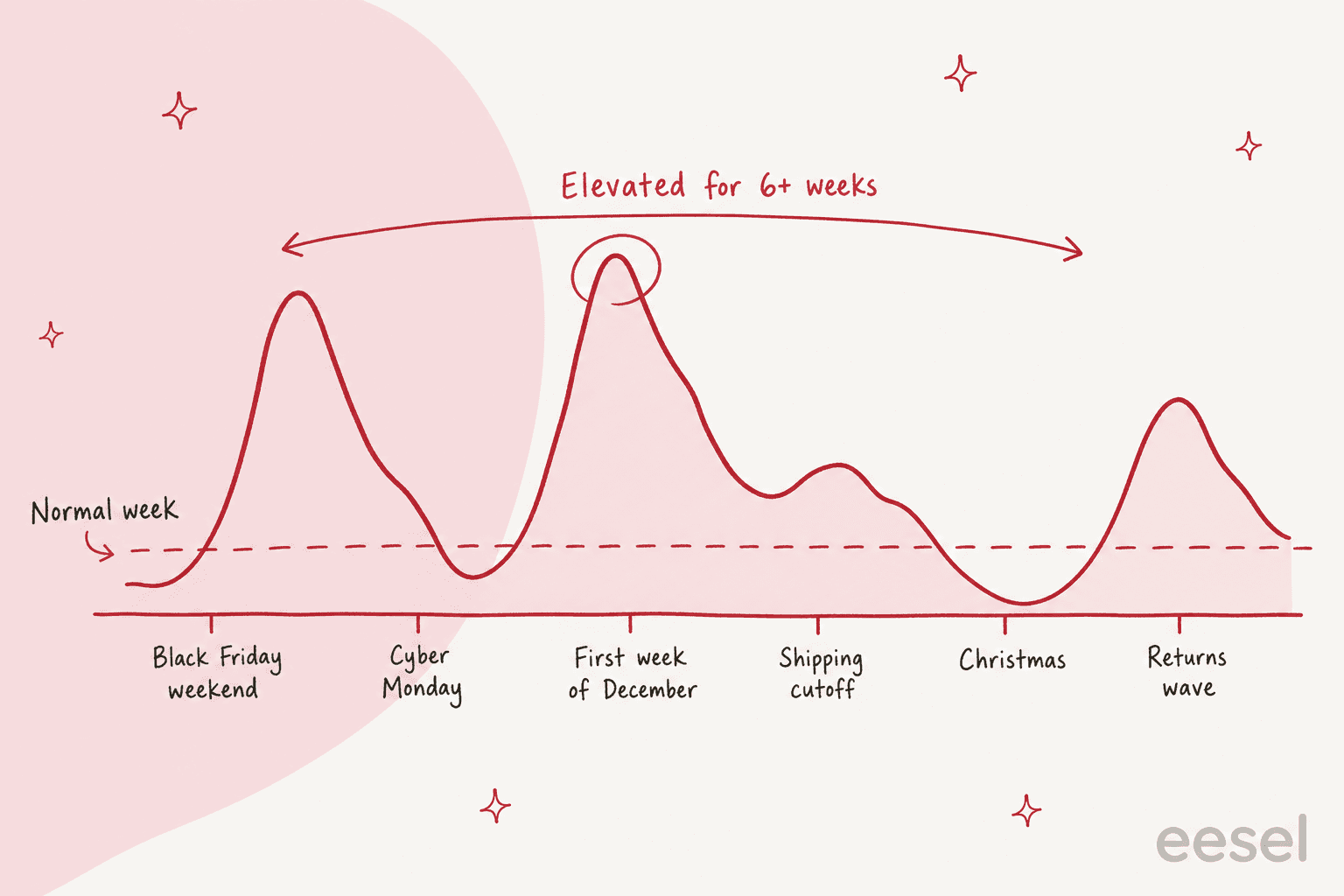
Most teams plan for Black Friday and get surprised by December. Shopify's holiday service guide says weekly ticket counts stay above average through December, apart from the week after Christmas, and again in early January before they settle. Shopify also names the first week of December as the stretch right after the BFCM promotions land. That shape is the whole reason a "weekend war room" fails: the team burns its energy on 27 to 30 November and then has to keep the same pace for another month.
I work the queue on eesel's support team, and the pattern I notice in ecommerce rollouts is that the post-peak tickets are harder than the peak ones. Early on it is "where is my order" and "does this code stack". By mid-December it is "it arrived late for the gift" and in January it is returns, exchanges and refund disputes. Plan the people for the whole arc, not the first spike.
Step 1: Forecast from last year, by day and topic
Pull last year's tickets for October to January and chart them by day, not by month. A monthly total hides the two or three days that actually break you. Then split each day by topic: order status, returns, product questions, payment problems. You are looking for the days that doubled and the topics that drove them.
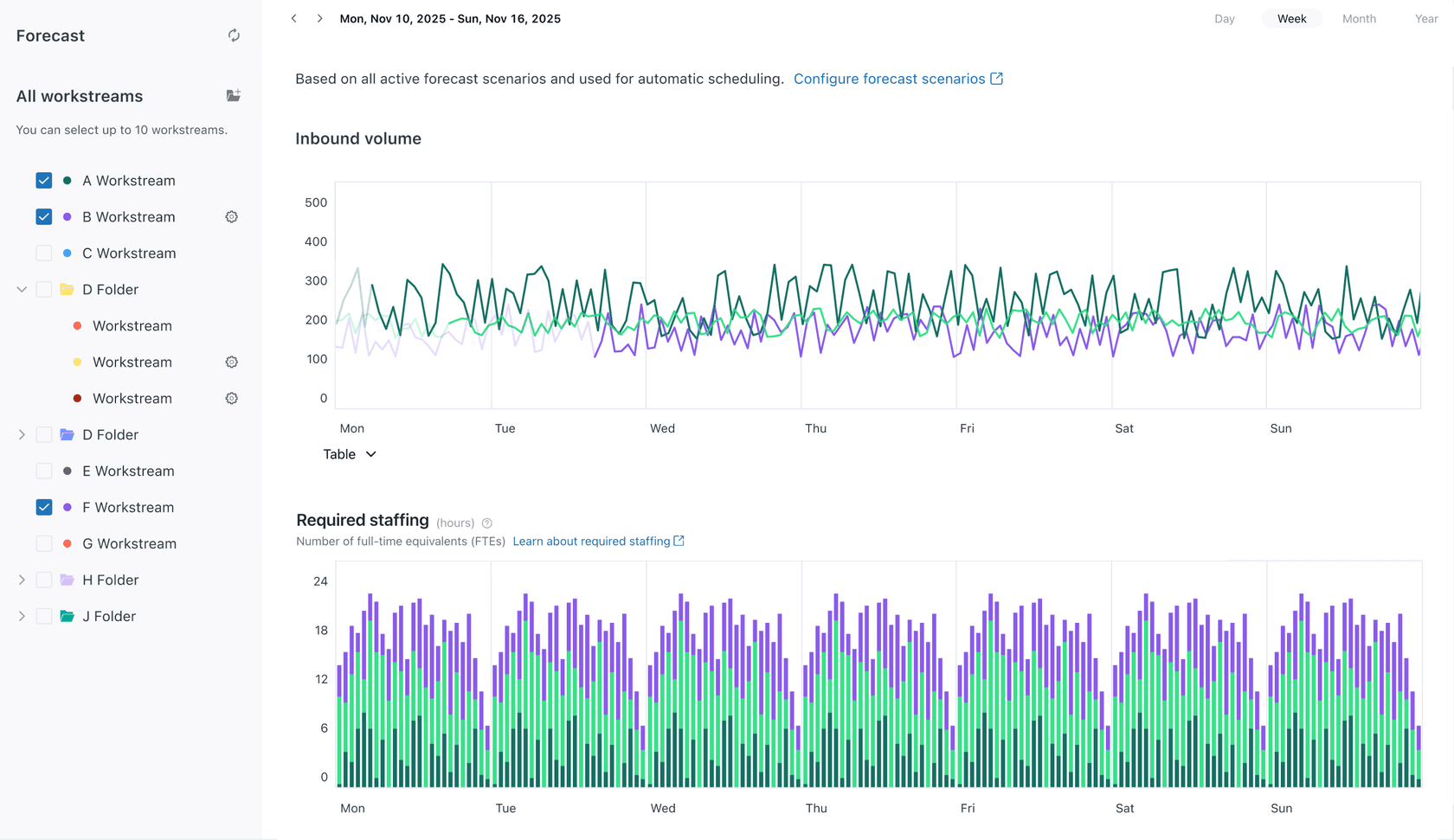
If you are on Zendesk, the Workforce Management add-on does this for you. Its forecast uses the Prophet algorithm, needs at least one month of history and reads up to two years, and its required-staffing table works in 15-minute intervals on a modified Erlang C model. The inputs are the ones in the calculator above: average handling time, occupancy, shrinkage and minimum staffing. Zendesk's own worked example uses 30% shrinkage and 90% maximum occupancy, which is why I defaulted to those.
One former call-center worker describes what happens when staffing is set to the average:
"The problem with it as that you've built in very little cushion for when calls are above that average, so a customer's experience is nearly always going to be either wait an average amount of time, or wait an above average amount of time."

You do not need the add-on to get 80% of the value. A spreadsheet with last year's daily counts, a multiplier per topic and the average handle time per topic gets you a defensible range. The part people skip is writing the range down as three scenarios, expected, high and "everything goes wrong", with a trigger for each. If the second week of November runs 20% above plan, you move to the high scenario that day, not after the backlog appears. Support coverage planning walks through the staffing math in more depth.
Step 2: Sort tickets into three lanes
The calculator's biggest lever is the share of tickets that never reach a person. Shopify lists the usual suspects: how long until my order arrives, how do I return it, where do I enter the promo code, can I change the delivery address, do you ship to my country. Those are easy to answer and, in Shopify's words, they eat the capacity your agents need for harder problems.
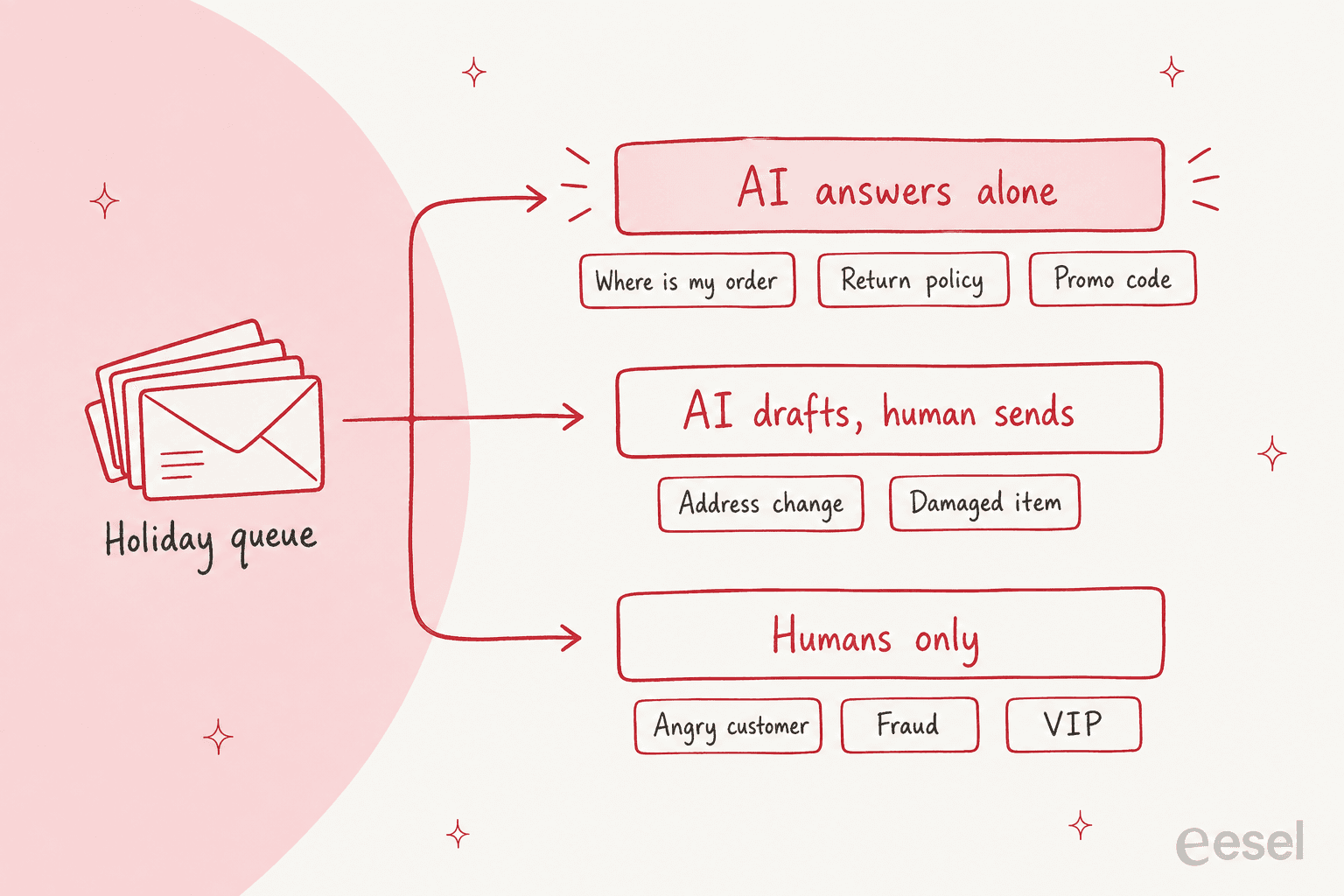
I split the queue into three lanes and write the rule for each before the season starts:
- AI answers alone. Order status, shipping times, return policy, promo-code rules, pre-purchase questions. The answer exists in your store data or help center, and a wrong answer is cheap to correct.
- AI drafts, a person sends. Address changes, damaged items, anything that touches money below your approval limit. The agent reviews a ready reply instead of writing one.
- Humans only. Angry customers, suspected fraud, VIPs, chargebacks, anything with a legal or safety angle. Put escalation rules in writing so the AI hands off instead of improvising.
Real queues show how this plays out. Rúngne, a Norwegian climbing apparel brand on Gorgias, handled about 2,100 tickets in a month, between roughly 300 and 780 a week. Its eesel setup is three agents with one job each: one acknowledges and tags every ticket, one leaves a draft as an internal note after checking Shopify order and stock data, and one answers only the topics the team picked, such as policy, tracking and stock. Around one ticket in seven was answered by eesel on its own, and cancellations, damaged items and lost parcels always went to the team. Moving a topic from "draft" to "answer alone" is a list edit, which is exactly the dial you want in the first week of December.
Question Beauty runs the other end of the spectrum on Gorgias and Shopify. In one month eesel replied to about 960 tickets directly, looked up about 290 Shopify orders before answering delivery questions, and closed about 280 tickets without a person. Refunds, complaints and wholesale requests went to a human with a note attached. Same lanes, different dial settings.
One definition matters here. A ticket counts as AI-resolved only when the issue is actually solved. If the bot answers and the customer writes back angry two hours later, that ticket is human work with extra steps. Measuring containment and testing before launch are how you find out which lane each topic really belongs in. Replaying last December's tickets through the AI is the cheapest rehearsal you can run in October.
Step 3: Staff the human part
With the AI lane subtracted, the calculator gives you the human gap. Fill it from three pools, in this order: your own team's extra hours and cross-trained people from other departments, temporary or outsourced agents, and an overflow arrangement for the worst days.
The timing is the trap. Shopify's guide warns that by the time the busy season arrives it can be too late to get extra agents up to speed, so decide early. It also reports a split I find useful: Boll & Branch found it better to let outsourced agents clear the easy tickets so the internal team, who know current product details, could spend their time on the hard ones. That matches the lanes above. Temps take lane 1 and the review half of lane 2. Your best people keep lane 3.
Three practical rules for temps:
- Train on lane 1 only. Give them eight to ten macros and the return policy, not the whole help center. Seasonal onboarding covers what to cut.
- Freeze macros and policies by early November. A policy change in the second week of December means retraining everyone. See policy change management.
- Budget the ramp. A new agent is not at full speed on day one, and ramp time is the number that makes a "3.5 extra agents" result turn into six hires.
If you are weighing an outsourced team for the season, compare it against the cost of the gap you just measured. Typical routes are covered in ecommerce support outsourcing and outsourcing cost. If you would rather hand the whole queue to a team that works inside your helpdesk, eesel's Managed Support is a flat $5,000 a month founding offer, though it is a different decision from the staffing question here.
Seasonal agents tell the same story from the inside. A former trainee in one retail work-from-home program describes the training gap like this:
"You will be pushed onto calls without shadowing or seeing how to do the job before actually doing it."
A call-center veteran explains why the gap exists in the first place:
"Unlike sales, support agents cost money but don't generate any, so there can be a tendency to under-hire. Turnover can be pretty high, and it takes time to get new hires trained before they can start answering calls."
Step 4: Set holiday hours without hiding the backlog
Holiday hours look like housekeeping, and they are where I see the quietest damage. Every major helpdesk treats a holiday as time outside business hours, and business-hours metrics stop counting it.
In Zendesk, holidays are exceptions to your schedule: you can add as many as you like up to two years ahead, they are treated as outside business hours, and they do not count toward metrics measured in business hours. You also cannot set a partial-day holiday, so a half day on Christmas Eve needs a different approach. Schedules need a Professional or Enterprise Support plan, and only Enterprise lets you set multiple schedules.
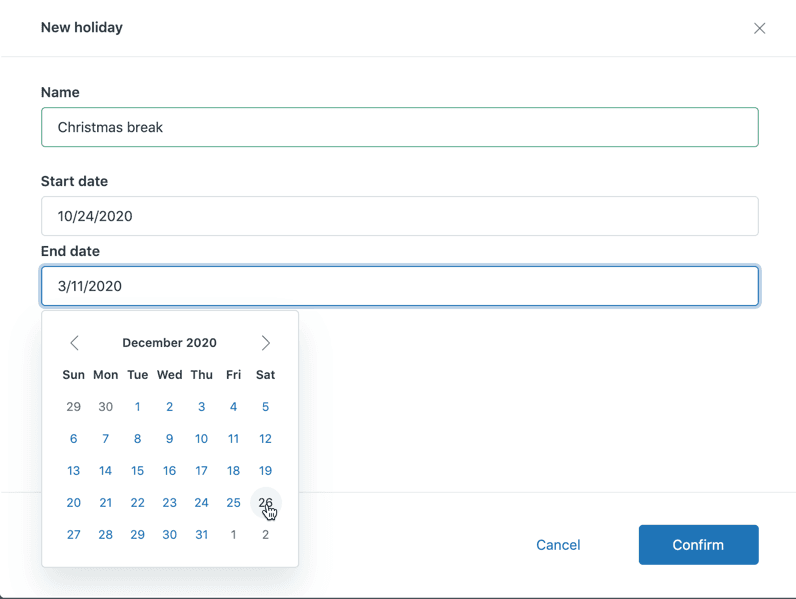
Gorgias works the same way with a useful extra. Its business and holiday hours decide whether rules with a business-hours condition run, when SLA timers pause and how calls route. Holiday hours can close the helpdesk for a day or shorten the day, and on those dates they replace the regular hours of every integration you assign. In Freshdesk a holiday on the business-hours calendar becomes a non-working day.
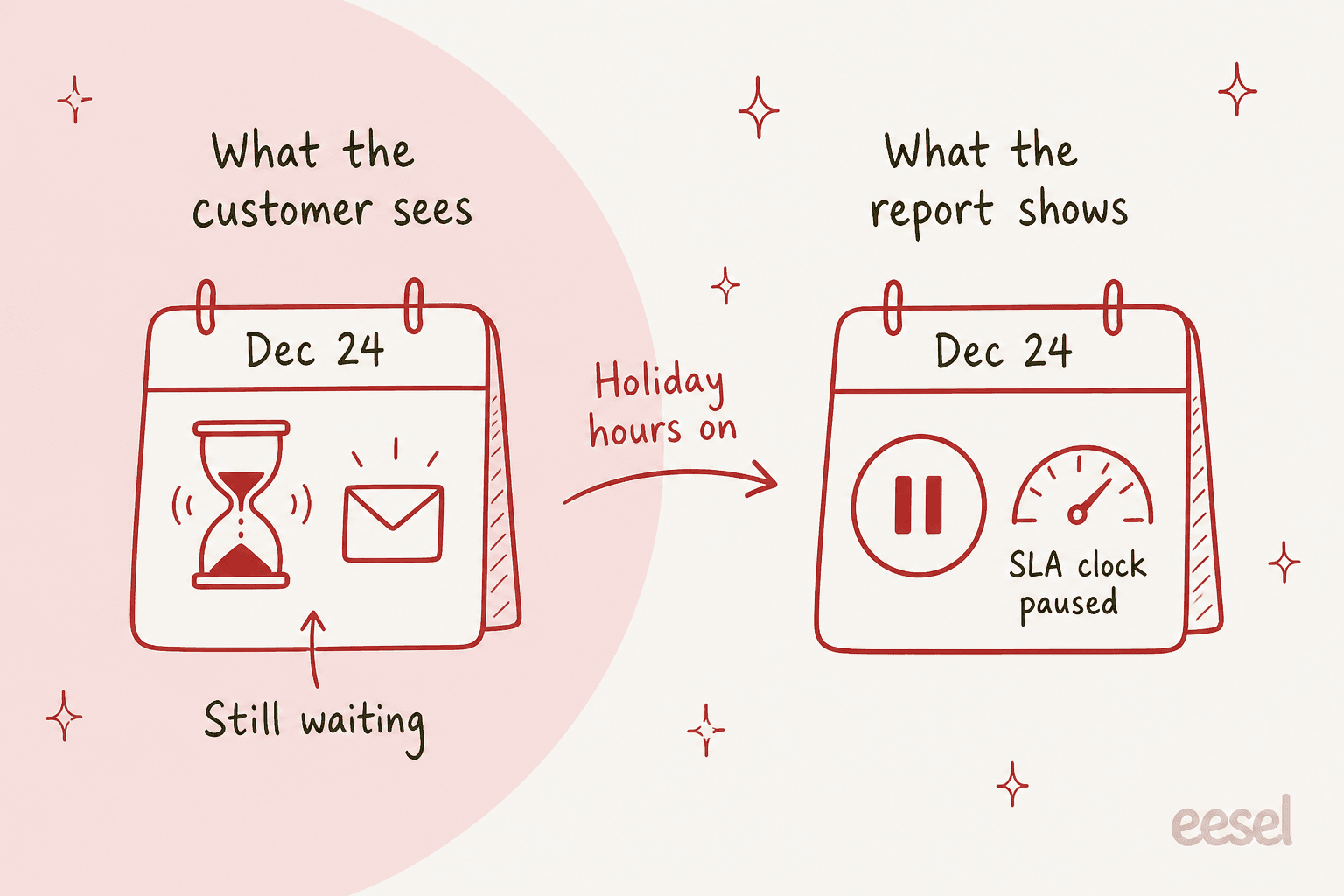
The consequence is easy to miss. A closed holiday pauses the clock, so the customer who wrote on 24 December is still waiting while your first-response report looks fine. Two habits fix it:
- Track the raw wait, not just the SLA metric. Keep one report on calendar hours for 15 November to 15 January, next to your business-hours report. Your first response time in calendar hours is what the customer feels.
- Send an honest auto-reply. Gorgias has a "during holiday hours" rule condition, and its auto-reply best practices suggest scheduling holiday hours ahead and writing a reply that says when the team returns. Add the "outside holiday hours" condition to your normal after-hours rule so customers do not get two messages.
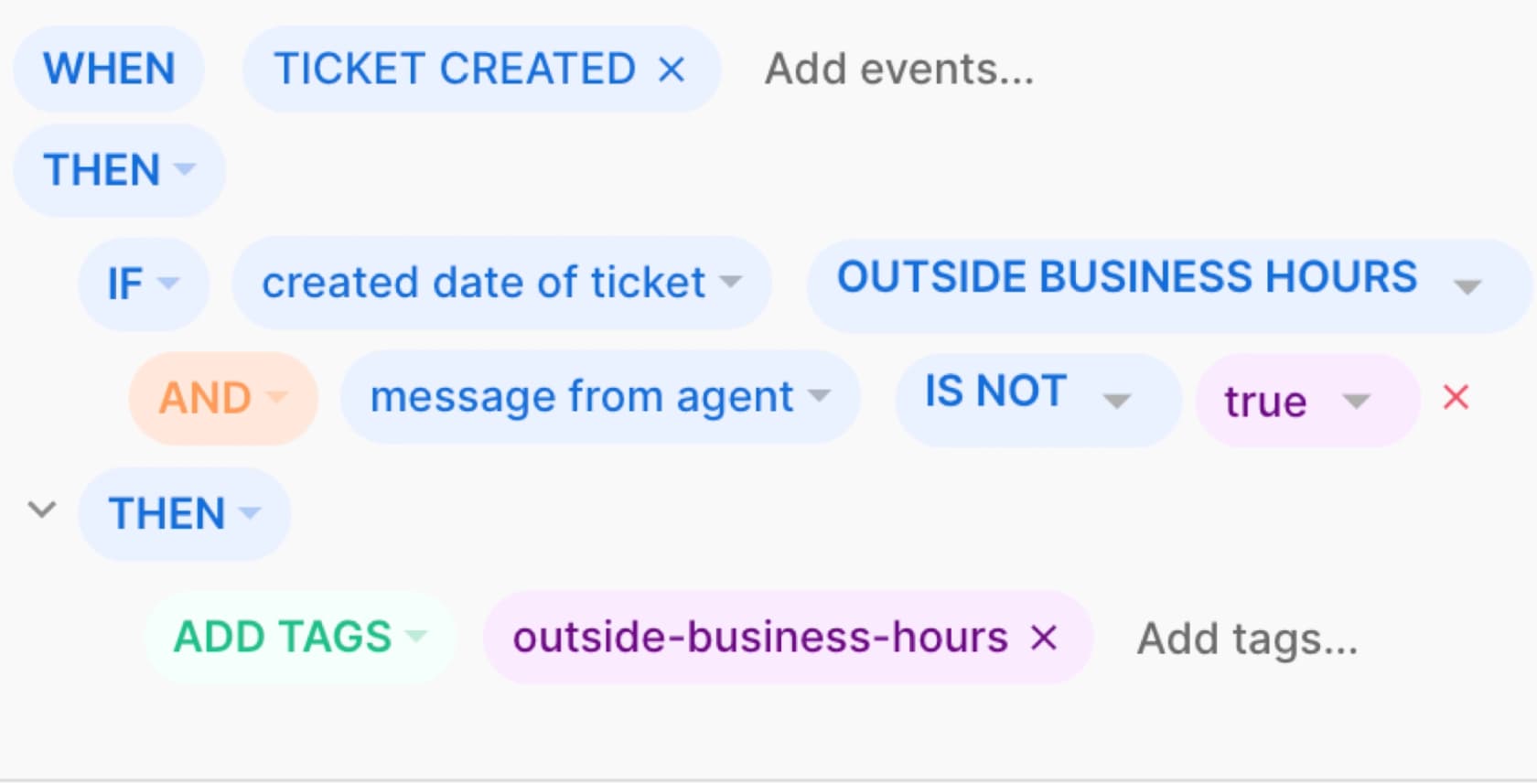
If you do keep a team online around the holidays, AI after-hours support is the usual way to keep lane 1 moving while people are off. Zendesk SLA policies and Freshdesk SLA settings are worth reviewing for the same reason.
Step 5: Run a daily war room
From the week before Black Friday through the first week of January, I would run a 15-minute check every morning and one every afternoon. Same five numbers each time, written on one page:
- Backlog size and age. The oldest open ticket matters more than the average. A ticket backlog of fresh tickets is fine; a backlog of three-day-old ones is not.
- Calendar-hour first response. The number from Step 4, not the paused one.
- AI containment and re-open rate. If re-opens climb, a lane 1 topic is leaking. Move it to lane 2.
- Top three topics today. If a new topic appears, such as a carrier delay or a broken code, write one macro and one help-center line immediately.
- Agent load. Who is over their occupancy ceiling, and who can take overflow.
Triage rules help the humans too. Put refunds, VIPs and chargebacks first, then orders in danger of missing a shipping cutoff, then everything else by age. Shared queue management and overflow management cover the mechanics of who picks up what.
Temps also give you something besides capacity, which is rest for your core team. One thread on peak-season time off put it well:
"Getting some rest during a busy period is the best way to ensure that people won't get burned out."
Shopify's guide adds one more point worth stealing. When you use bots or auto-replies, tell customers the message is automated, and have a person review how the bot answered. Treat an automated reply as the start of a conversation, not a closed ticket.
A preparation timeline for 2026
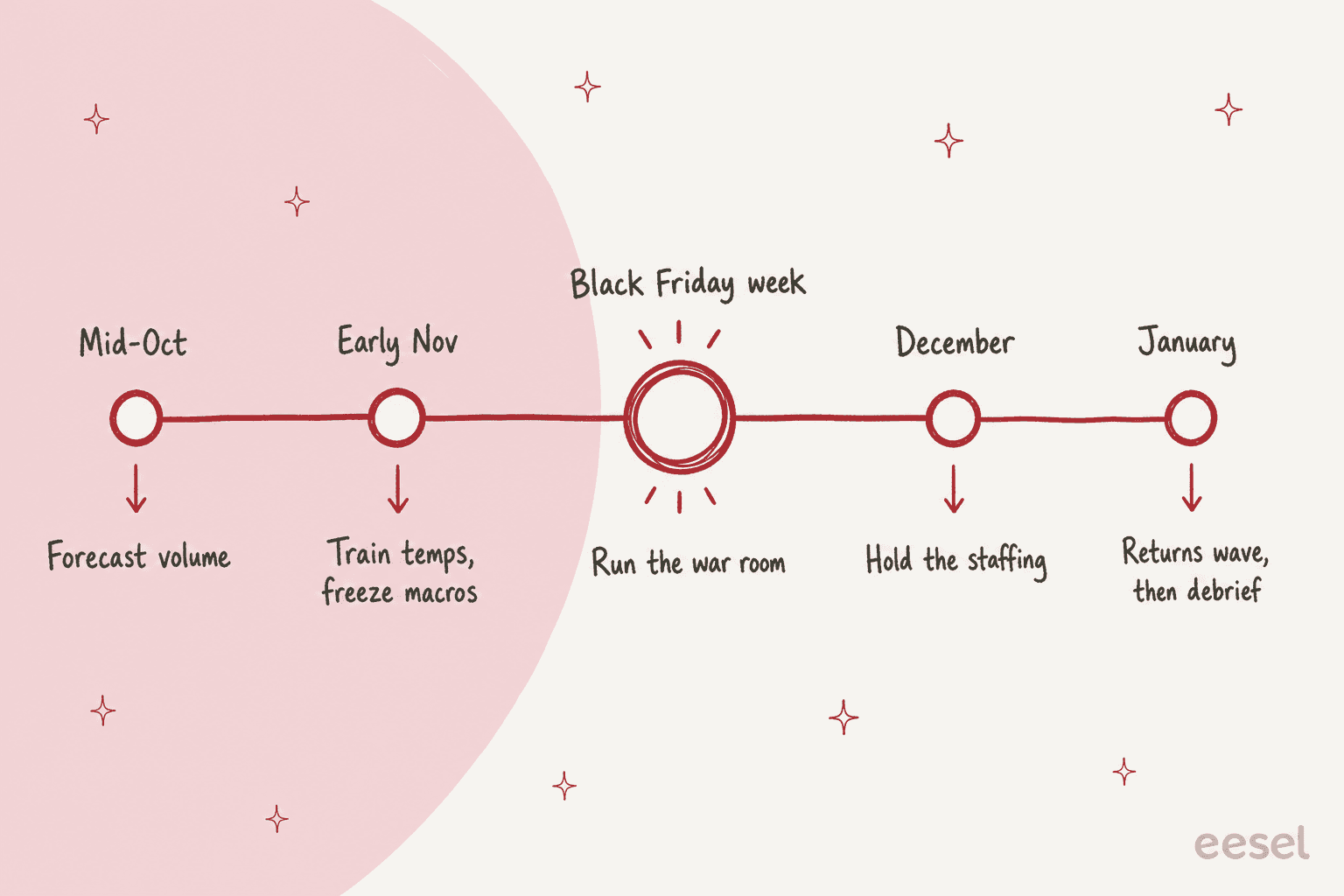
Black Friday is 27 November and Cyber Monday is 30 November this year, so the working calendar looks like this:
| When | What to finish | Link to go deeper |
|---|---|---|
| Mid-October | Forecast by day and topic, pick your three scenarios, run the calculator | Coverage planning |
| Late October | Decide temps or outsourcing, replay last December through the AI | Testing the AI |
| Early November | Train temps on lane 1, freeze macros and policy, schedule holiday hours | Seasonal onboarding |
| 23 to 30 November | War room live, daily five-number check | Black Friday messages |
| December | Hold the staffing, watch shipping-cutoff topics | SLA management |
| January | Returns wave, then a written debrief for next year | Returns automation |
Mistakes I see most often
- Staffing for the weekend. The calculator's peak week is not the only heavy week, so check December and January separately.
- Counting touched tickets as resolved. An inflated AI resolution rate in the calculator turns into a real shortfall on the floor.
- Training temps on everything. Narrow beats broad. Lane 1 only.
- Closing for the holiday without a reply. Customers who get silence write again, and every duplicate is a ticket.
- Changing policy mid-season. The AI, the macros and the temps all learn the old rule.
- No debrief. Next year's forecast is this year's data, so save the daily numbers.
Try eesel for holiday volume
If your queue is on Zendesk, Gorgias or Freshdesk, the quickest way to shrink lane 1 before November is to hire an AI helpdesk teammate and let it answer the repetitive tickets while your people keep the hard ones. eesel works inside your existing helpdesk, learns from your help center, macros and past tickets, and can draft replies as internal notes before you let it answer alone.
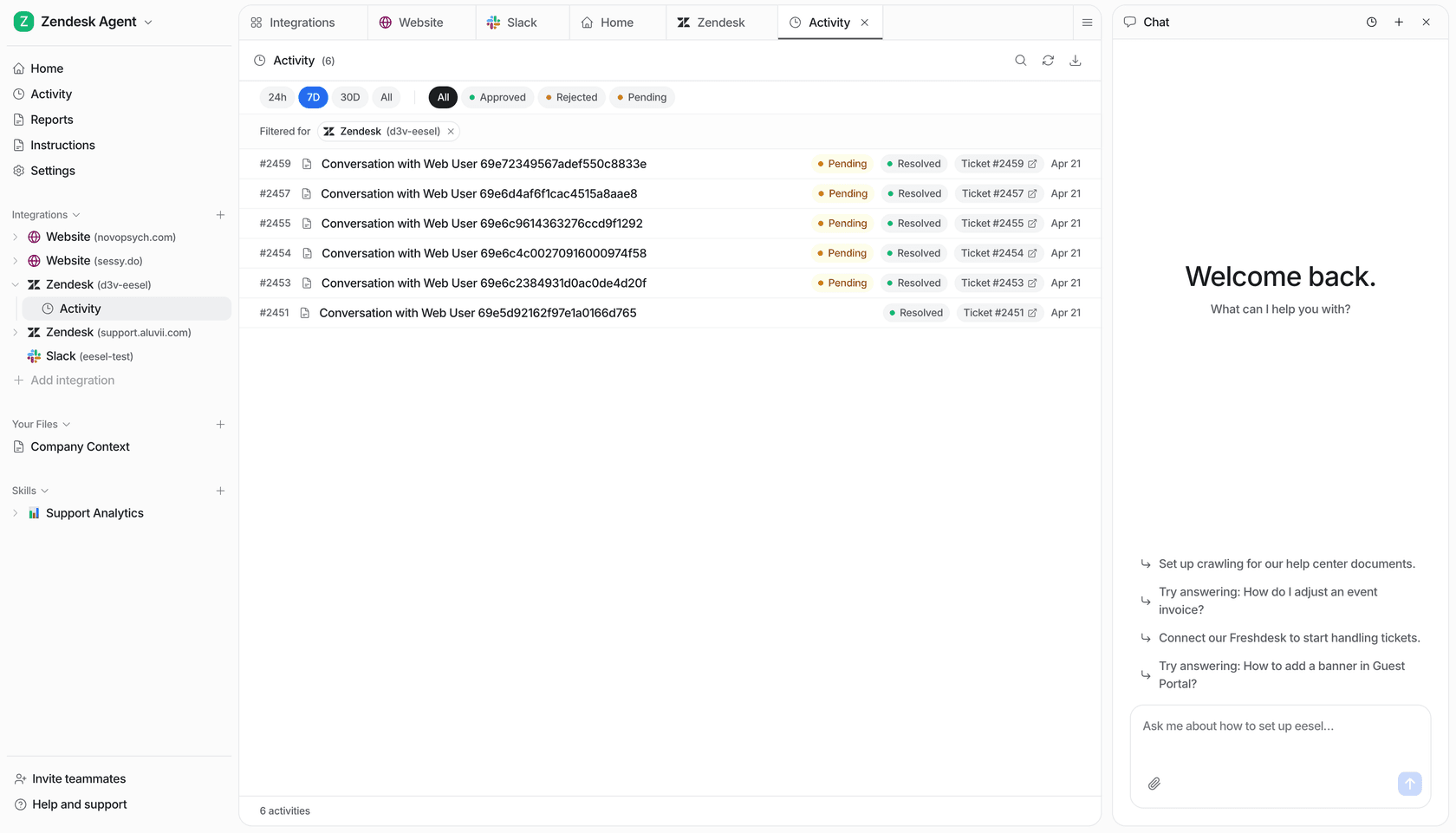
Pricing is fixed credit plans on the eesel pricing page: a ticket or a chat is 1 credit, the Teammate plan runs from $299 a month for 500 credits up to $1,749 a month for 5,000, and you can change plan size any time, which suits a seasonal peak. Try eesel free with 100 credits and replay last December's tickets before Black Friday.