

What makes a support team AI-first?
I build the helpdesk integrations at eesel, so I see the same pattern in almost every rollout: the technical part takes days, and the organizational part takes months. The AI can read the queue on day one. What it cannot do is decide who owns the answer when it is wrong.
An AI-first team is one where the AI is the first responder on the work it is good at, and the humans are organized around what the AI cannot do alone: judgment calls, system fixes, and the knowledge the AI reads. That is a different org chart from "agents plus a chatbot." In March 2026, a support manager who wrote to us asked for an application that would "handle 60% of the incoming zendesk tickets and know when to pull a real person in for better analysis and resolution." Both halves of that sentence are the job. Most teams staff the first half and forget the second.
Our demo calls showed me the adoption pattern I now plan around: teams start with AI drafting replies for agents, then graduate to full automation once trust is established. I wrote the rest of this guide around that order, because it is the one that survives contact with a real queue.
Who owns what when AI answers first?
Four responsibilities cover almost everything. They are jobs, not headcount: in a small team one person holds two of them, and in a large one each gets a small group.
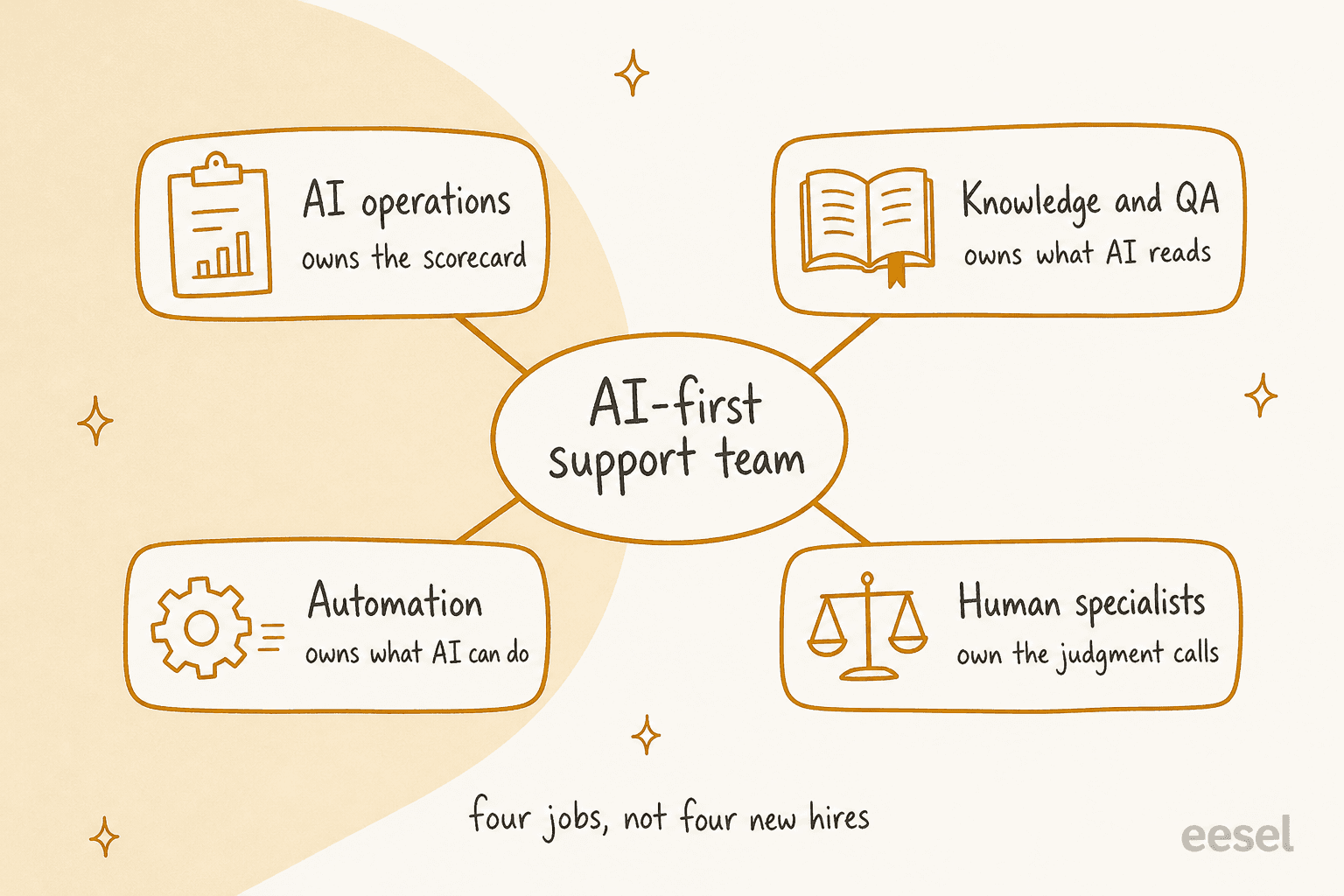
| Job | Owns | One metric to hold them to | Who usually takes it |
|---|---|---|---|
| AI operations | The scorecard, the lanes, and the decision to widen or pull back | Verified resolution rate | The support lead |
| Knowledge and QA | Every article, macro and policy the AI reads, plus the review of its answers | Answer accuracy on a weekly sample | A senior agent |
| Automation | What the AI is allowed to do: lookups, tags, refunds, permissions, audit logs | Successful action completion | A technical person, often shared with engineering |
| Human specialists | Judgment calls, upset customers, exceptions, and the fixes the AI cannot make | CSAT on handed-off conversations | Your existing agents |
The knowledge job is the one teams underrate. A public-sector IT services firm told us it had two senior agents leaving that year and wanted to capture what they knew in the AI before they went. That is a knowledge owner problem, not a tooling problem, and the support knowledge retention guide covers how to do it before the people walk out. If your articles are stale, the AI will be confidently wrong at scale, so I run a knowledge base audit first and a knowledge gap analysis every month after.
The automation job is the quiet one. Anything the AI can look up or change is a permission someone granted. Start read-only (order status, plan details), and add write actions like refunds only after permissions, approvals and an audit log exist. If you are also weighing the headcount side, building a customer service team covers the human basics this guide assumes.
Which tickets should AI handle, and which stay human?
Sort by risk, not by topic. A refund question and a shipping question are both "order issues," but one moves money and the other does not.
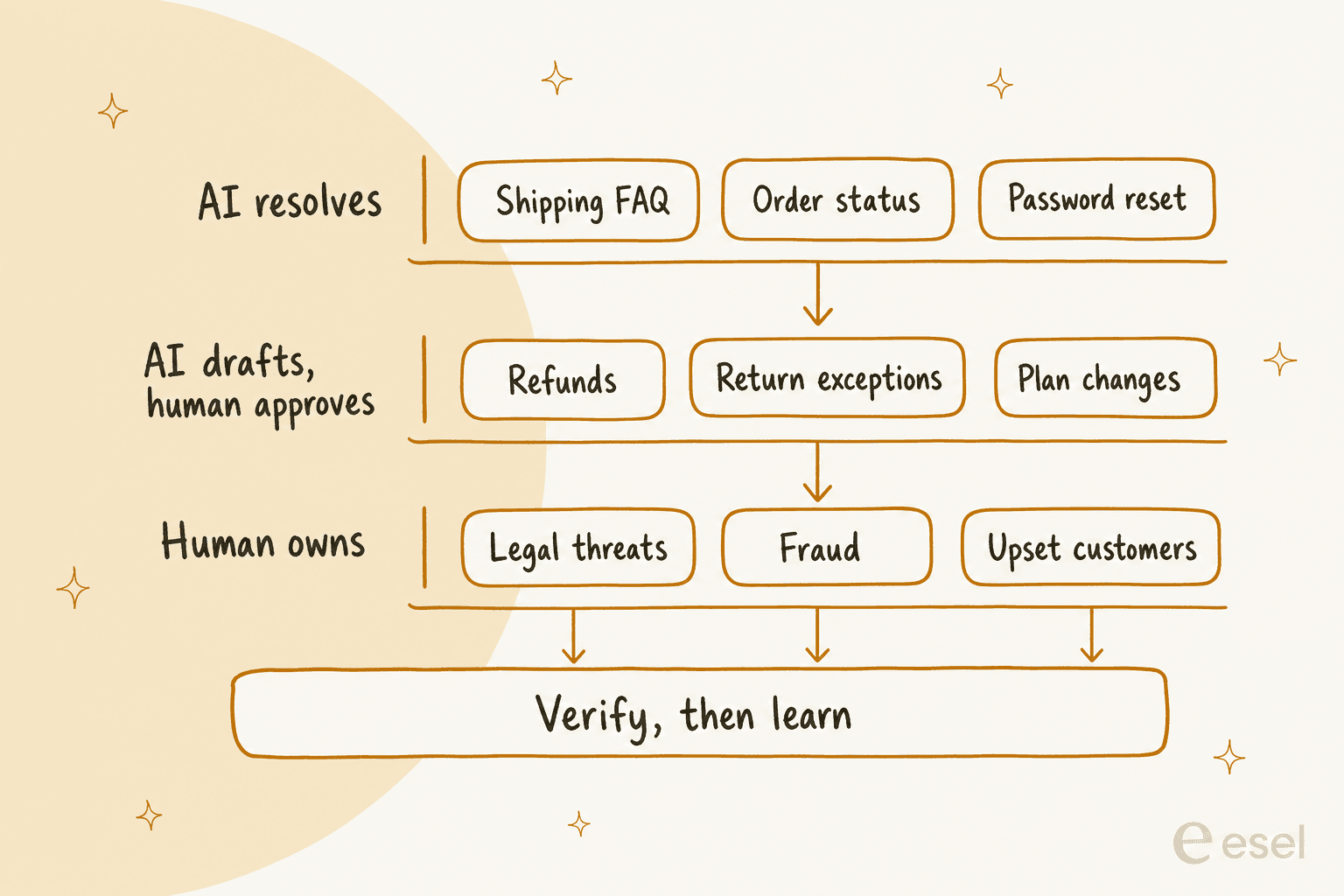
| Ticket type | Lane | Why |
|---|---|---|
| Shipping and policy FAQs | AI resolves | The answer is already in your help center |
| Order tracking | AI resolves | Read-only lookup, low blast radius |
| Password and access questions | AI resolves, hand off on failed checks | Self-service link, clear fallback |
| Returns inside policy | AI drafts, a person approves, later AI sends | The policy is clear, but the money is real |
| Refunds | AI drafts, a person approves | Needs a named approver and a written limit |
| Customer complaints | A person owns | Tone and judgment decide the outcome |
| Payment disputes, legal, fraud | A person owns | Cost of a wrong answer is far higher than the cost of a slow one |
That is a starting position, not a law. Your refund limit, your VIP rules and your regulated topics will move rows between lanes. The point is that every ticket type has exactly one lane and one named owner, written down before launch. Try the sorter below to see how the rule reads for each type.
*Pick a ticket type to see its lane, who owns it, and the rule I would write before launch.*Two details make the lanes real in software. First, route with tags or fields your helpdesk already understands, so the lane is visible on the ticket, not hidden in a prompt; the guides on ticket triage and ticket classification show how. Second, give the AI an explicit stop condition for the human-owned lane. The AI guardrails glossary entry is a decent checklist of what to forbid in writing.
What does a real three-lane queue look like?
Rúngne, a Norwegian climbing apparel brand, is the cleanest example I have of lanes turned into agents. It runs Gorgias for email, live chat and social comments, and its Chief Operating Officer, Jasmin Villasoto, split one do-everything agent into three agents with one job each within a week.
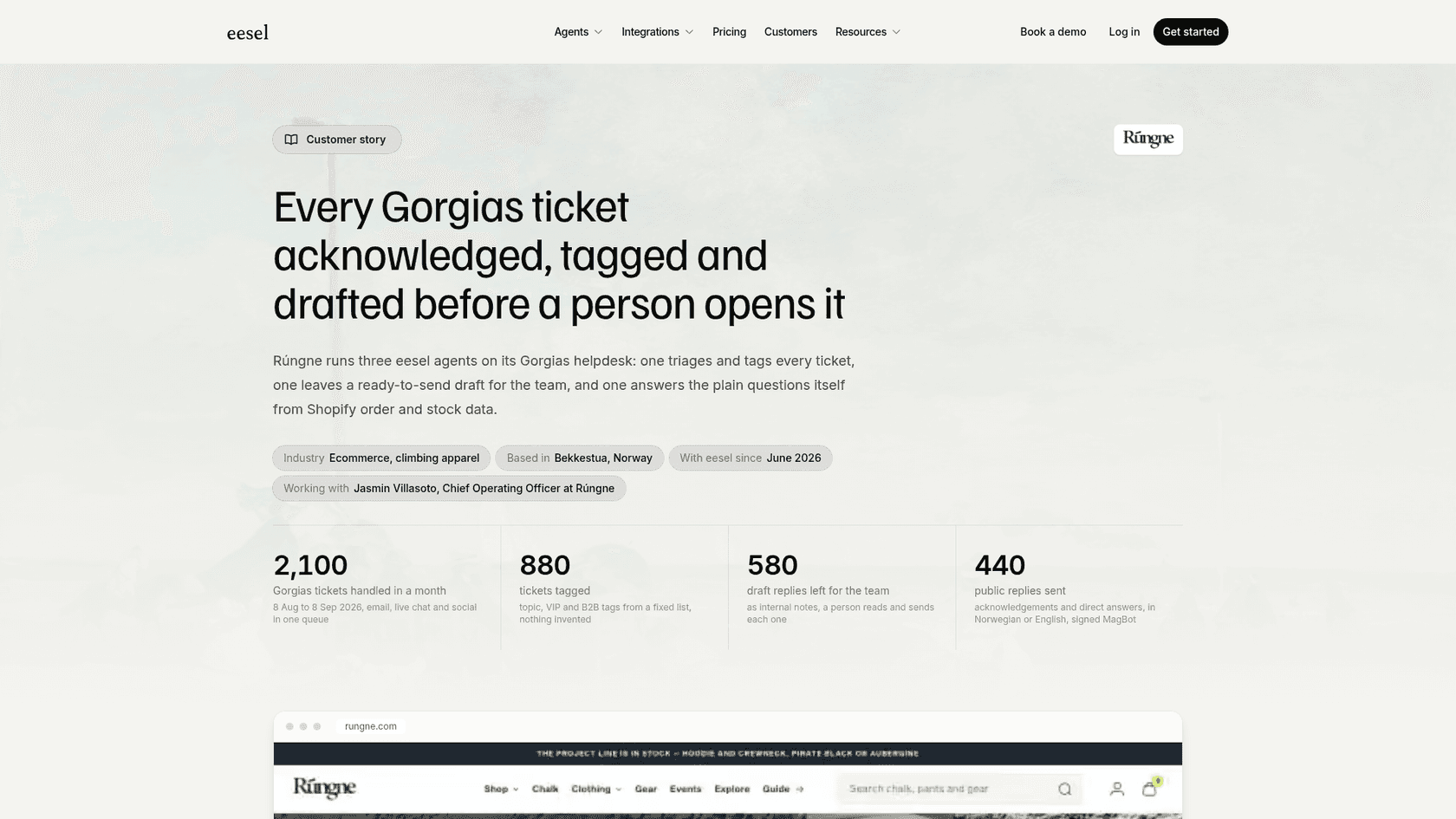
- Triage agent: acknowledges every ticket, tags it from a fixed list, and closes spam and social noise. In that month it tagged
880tickets. - Draft agent: reads the thread, looks up the order and stock in Shopify, and leaves a ready-to-send internal note. It left
580drafts, and a person reads and sends each one. When money is involved or a fact cannot be verified, it writes the facts and options instead of a reply. - Helpdesk agent: answers publicly only the topics the team chose (policy, tracking, stock, pre-orders). It sent
440replies and never tags, closes or changes a ticket.
Cancellations, damaged items, lost parcels, customs disputes and anyone who asks for a person go to the team. That is lane three, and it is deliberate. The agent that talks to customers has the narrowest permissions, and the agent with the most context never sends anything on its own.
smava, a German loan comparison platform, shows the middle lane at scale. Two brands share one Zendesk with about 27,000 tickets a month, and eesel categorised 14,600 of them and prepared 15,300 draft replies from 820 macros and articles. Every draft lands with Approve and Reject buttons, tickets with attachments go to a person with a note, and a ticket whose customer already has an advisor is not eligible for an automatic reply at all. This is regulated finance, so the design assumes wording matters.
SamCart shows the quietest form of lane three. Its Freshdesk agent replies only while no person is assigned, and when a seller asks for a human the ticket is tagged for handoff and the agent stops. If you want your own version of that, the Freshdesk integration and AI for Freshdesk pages show the setup.
How should AI hand a conversation to a person?
A handoff is where an AI-first team earns or loses trust, because the customer is already one step more irritated than when they started. Two rules cover most of it: the person must see the whole story, and the customer must never be asked to repeat it.
Zendesk's documentation defines the mechanics clearly, so it is worth reading even if you do not use it. Handoff removes the AI agent as the first responder and makes a live agent the first responder; agents are notified through your normal routing flow, and the AI agent can no longer respond. Handback is the reverse, and it is triggered when the ticket moves from Solved to Closed.
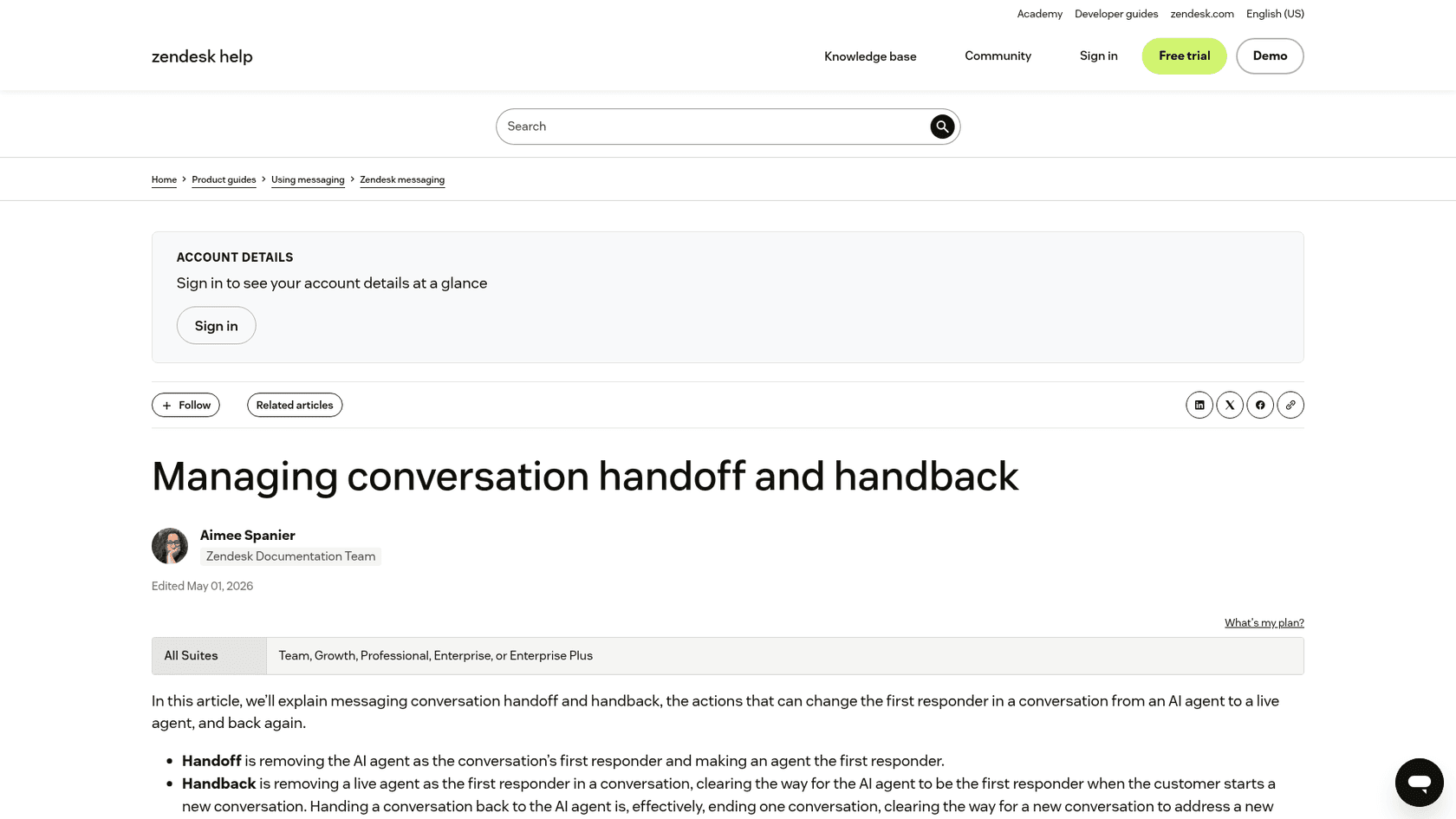
The detail most teams miss is the handback timing. By default, Zendesk closes a Solved ticket after four days, and until it closes, a returning customer finds the old conversation still active with the human as first responder. The same article says you can change that automation to anything from an hour to 28 days. That one setting decides whether a customer's next, unrelated question reaches the AI or a person's inbox, so someone has to own it. In my plan that is the automation job.
For the handoff packet itself, I ask for five things on every transferred ticket:
- The customer's question in one line, so the agent can orient in five seconds.
- What the AI already tried or said, including anything it promised.
- The account or order data it looked up.
- Why it handed off (customer asked, topic out of scope, low confidence, policy block).
- A suggested next step, clearly marked as a suggestion.
Wording matters too. Zendesk's own conversation design guidance says not to overpromise, and its example swaps "I'll help you solve this" for "Let's try and solve this." The same page prefers a short offer to connect the customer to a person when the question is out of scope. A Hacker News commenter put the principle plainly:
"There just needs to be a human available when there's any request that escalates past that simple case."

If your handoffs are the weak spot, AI agent handoff best practices goes deeper, and the escalation glossary entry defines the terms.
What should you measure instead of "handled"?
"Handled" is the metric that makes a dashboard look good and a customer feel ignored. An AI can "handle" a chat by answering something the customer did not ask. I use six measures, and the first one is the one that matters.
| Measure | What it tells you | Where it comes from |
|---|---|---|
| Verified resolution rate | The customer's problem was actually solved, confirmed by a signal | Sample review plus no reopen |
| 7-day repeat contact | The "resolved" ticket did not come back | Helpdesk data |
| Answer accuracy | The AI said the right thing, per your policy | Weekly QA sample |
| CSAT vs baseline | Customers are not worse off than with a person | Survey on AI and human tickets alike |
| Critical policy violations | Zero tolerance items: wrong refund, leaked data | QA and audit log |
| Fully loaded cost per resolution | Tools plus review time, divided by verified resolutions | Finance plus helpdesk |
Two outside voices explain why I am strict about this. The first is a Hacker News commenter on resolution rates:
"But look deeper. It's not a 60% reduction in work because they're just tracking how many chats get escalated to a human."
The second is a caution from someone who measured it:
"When asking customers how well they were helped by the customer support system (via CSAT score), I've found industry-standard AI support agents will generally perform worse than a well-trained human support team."
I do not read that as a reason to avoid AI. I read it as a reason to compare against a baseline you measured before launch, and to hold a group of customers out of the pilot so you have something to compare with. The AI support pilot scorecard sets pass marks for exactly this, and CX AI metrics maps the definitions to each helpdesk. For vocabulary, see resolution rate.
What do the first 90 days look like?
Ninety days is enough to go from nothing to a measured pilot and a first expansion. It is not enough to automate everything, and the plan works better if you say so up front.
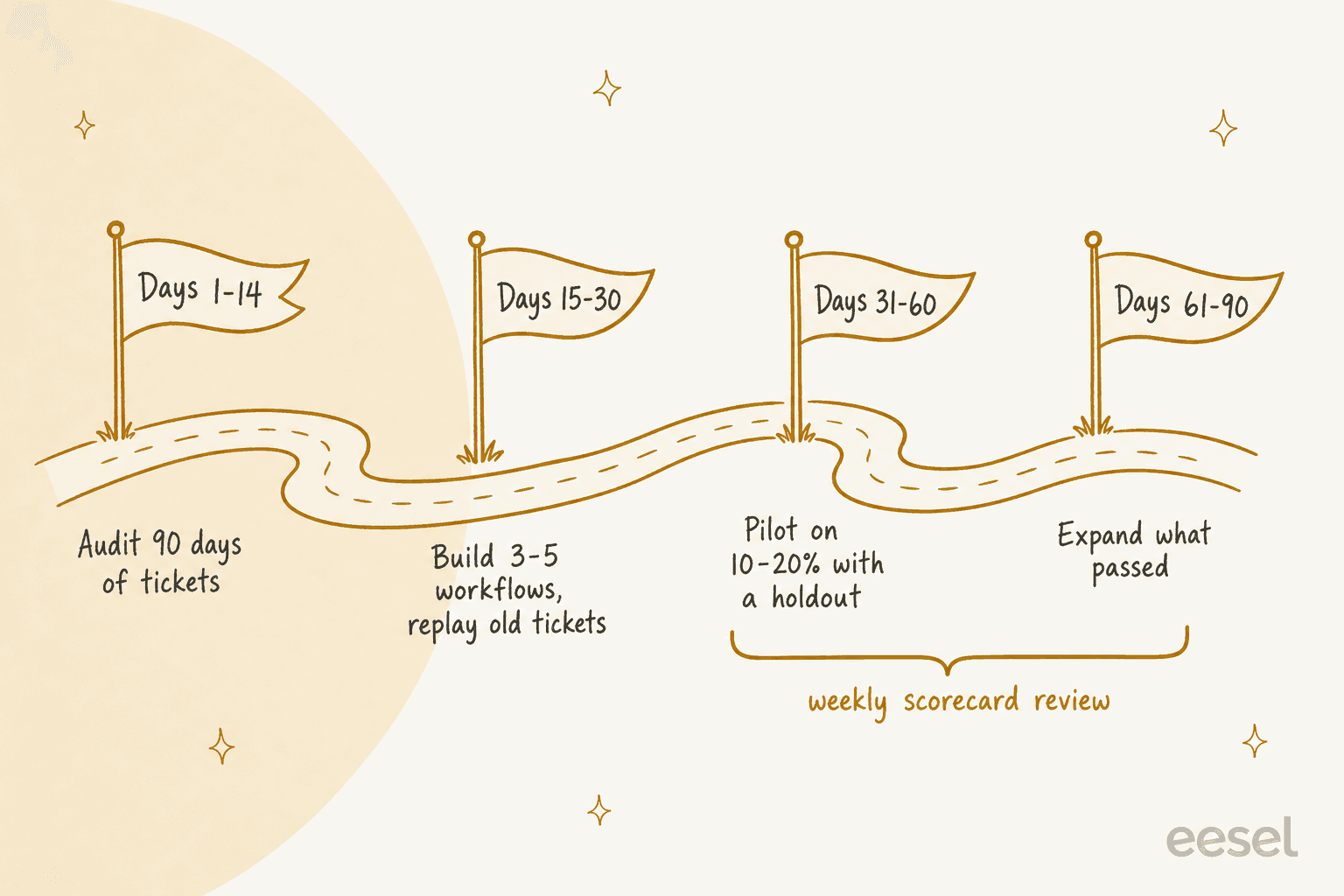
| Days | Goal | What you do | Exit test |
|---|---|---|---|
| 1 to 14 | Audit | Export 60 to 90 days of tickets, rank intents by volume and risk, assign the four jobs, set the baseline CSAT and cost per resolution | A ranked list of 3 to 5 candidate workflows |
| 15 to 30 | Build and replay | Build 3 to 5 workflows in the lowest-risk lane, then replay old tickets against them | Accuracy on the replay meets your pass mark |
| 31 to 60 | Pilot | Route 10 to 20% of one ticket type to the AI, keep a holdout group, review daily | Verified resolution and CSAT at or above baseline, zero critical violations |
| 61 to 90 | Expand | Add one ticket type or channel at a time, only the ones that passed | Scorecard holds as volume grows |
Replaying old tickets is the step people skip, and it is the cheapest safety net you have. The pre-launch testing guide walks through it, and the AI support pilot playbook gives the week-by-week version of days 31 to 60. Pick your first workflow with tier 1 deflection in mind, since the lowest-risk volume is where the first win lives.
One sequencing rule I hold firmly: do not migrate your helpdesk and add AI in the same quarter. Keep the helpdesk you have, put the AI on top of it, and judge the AI on its own. If you later decide the helpdesk is the problem, switching AI support vendors is the phased plan, and AI layer vs built-in AI helps you decide whether a layer or a built-in tool fits.
What is the weekly rhythm that keeps it working?
An AI-first team does not run on a launch, it runs on a loop. The rule I enforce is that every failure becomes an improvement ticket with an owner, and the owner is one of the four jobs.
| Cadence | Who | What happens |
|---|---|---|
| Daily, 15 minutes | AI operations and specialists | Review yesterday's failed or reopened AI tickets, tag the cause |
| Twice a week | Knowledge and QA | Fix the articles and macros behind the failures |
| Weekly | AI operations with the team | Scorecard review: verified resolution, repeat contact, CSAT, violations |
| Monthly | Support lead with finance | Staffing and lane review: what moves lane, what the AI should stop doing |
For the QA side, the support QA calibration guide keeps reviewers consistent, and customer support quality assurance tools compares what is out there. Zendesk is also testing AI-generated quality scores that evaluate solved and closed tickets, though the feature is in an early access program and limited to Professional plans and above, so treat it as something to watch rather than rely on.
If you want a governance frame for this loop, the NIST AI Risk Management Framework organizes AI risk work into four functions: govern, map, measure and manage. Its generative AI profile, published in July 2024, adds risks specific to generated text. I do not think a support team needs to read the whole thing, but the shape maps neatly: your lanes are "map," your scorecard is "measure," the weekly loop is "manage," and the written ownership is "govern."
Where do teams go wrong?
Most failures I see are one of four things, and all of them are ownership failures rather than technology failures.
- No lane for the hard tickets. The AI is allowed to try everything, so it tries the refund dispute. Fix: the human-owned lane is written down, and the AI has an explicit stop rule.
- Nobody owns the knowledge. The first wrong answer gets blamed on "the AI," and the article behind it stays stale. See AI customer service implementation mistakes for more of the same pattern.
- Success measured as volume. The deflection number goes up and nobody checks whether the customer came back. Fix: verified resolution and a holdout group.
- The best agents get stuck answering the repetitive work. The real payoff is that your strongest people stop answering the same ten questions and start owning systems, knowledge and customer decisions. If your SOPs live in people's heads, start with a customer support SOP and an AI for agent productivity pass.
Try eesel as the AI helpdesk teammate on your queue
If you want a teammate to put into the first lane of this plan, Try eesel. It joins the queue you already run in Zendesk, Freshdesk, Gorgias or HubSpot, learns from your help center and past tickets, and shows every action as approved, rejected or pending so a person stays in control while you build trust. You can start with draft-only mode, replay old tickets, and widen the lane when the scorecard says so.
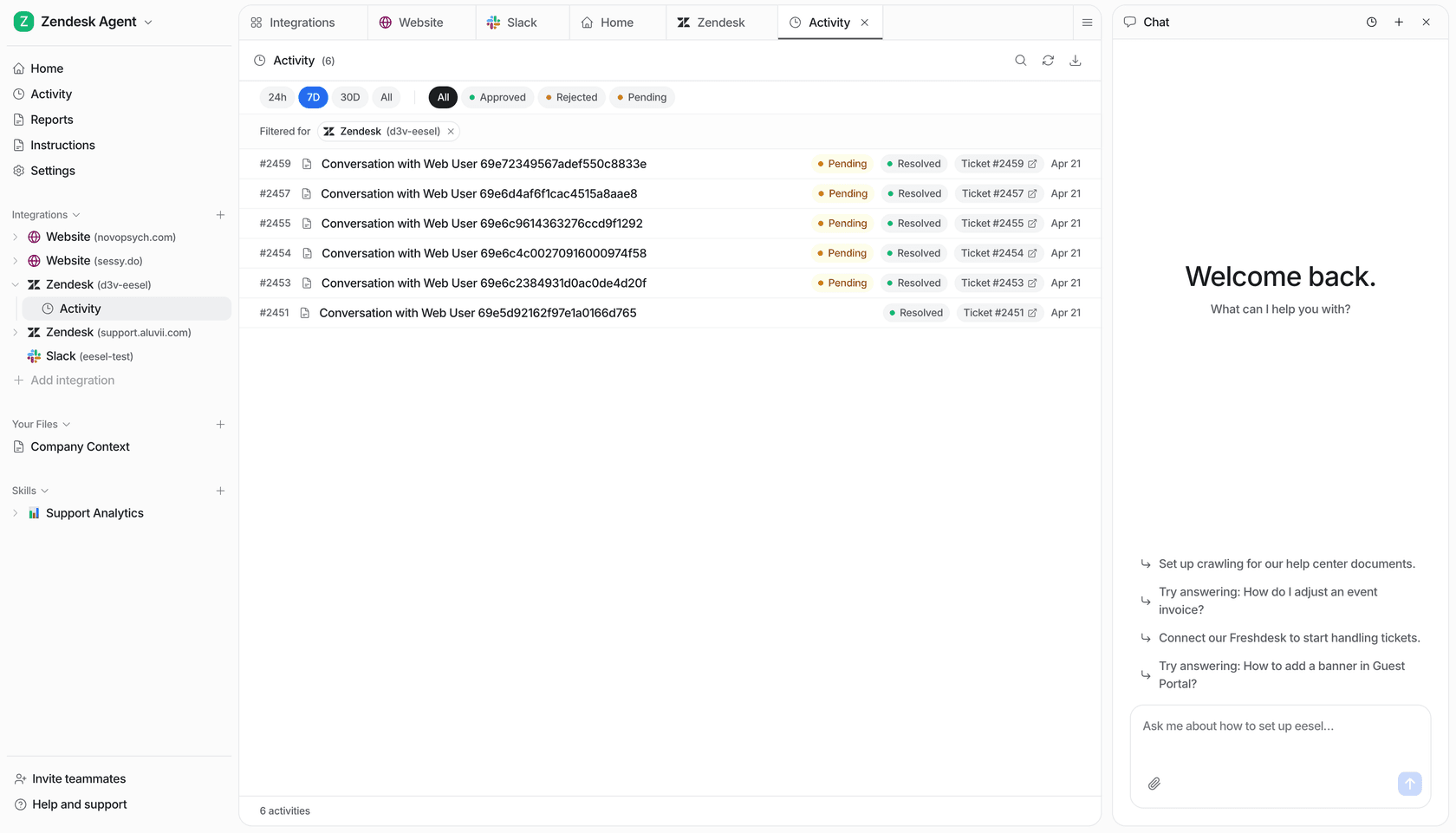
The free plan gives you 100 credits with no card to test it on real tickets, and the Teammate plan starts at $299 a month for 500 credits, where a ticket or a chat counts as one credit. For the wider picture of how the teammate sits inside your tools, the AI helpdesk agent guide is the next read.