Live chat triggers: a practical guide with examples (2026)

Riellvriany Indriawan

Katelin Teen
Last edited July 6, 2026

What are live chat triggers?
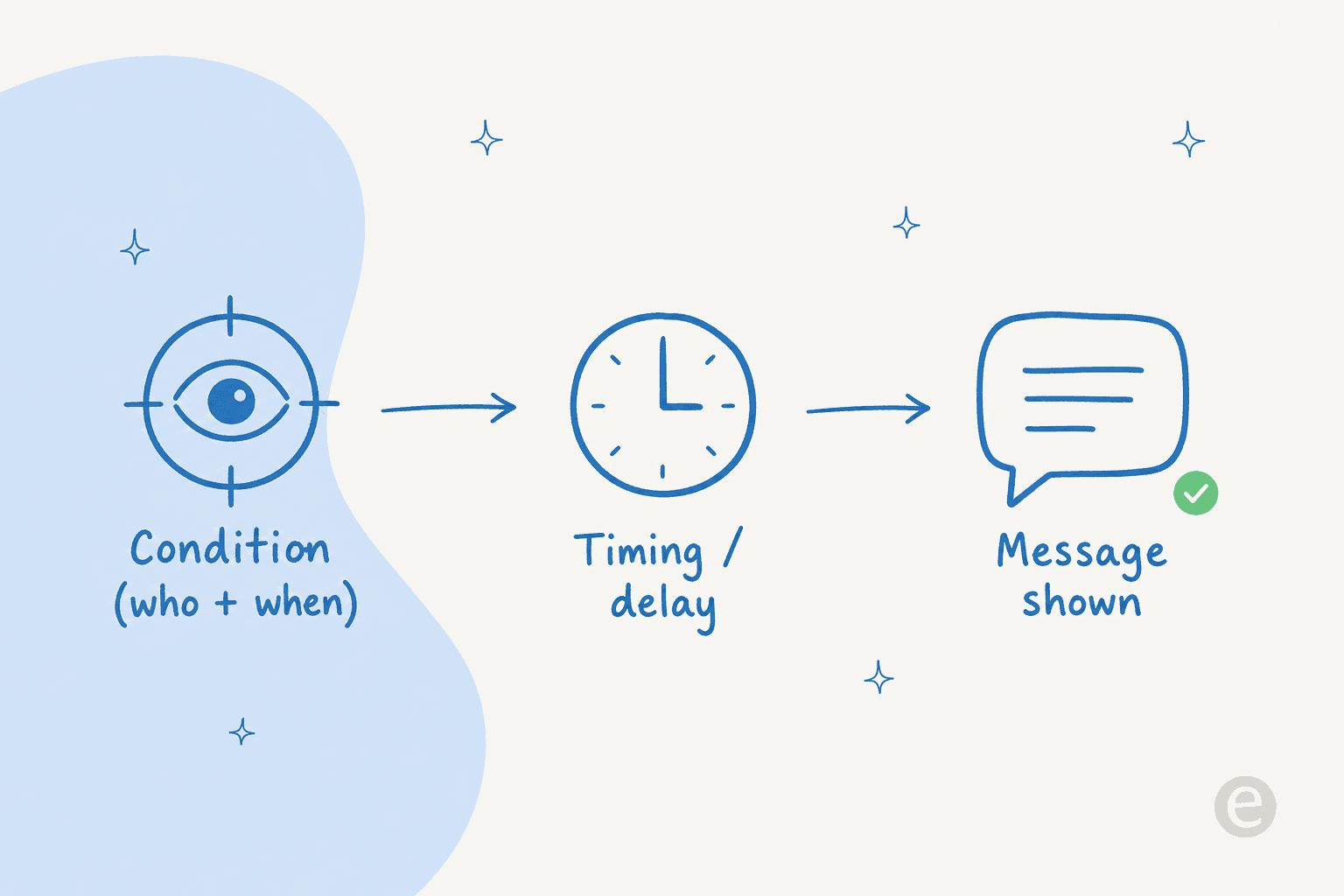
A live chat trigger is a rule that says: when X happens, do Y in the chat widget. The "X" is a visitor behavior, and the "Y" is usually showing a message or opening the chat window.
Without triggers, a chat widget just sits in the corner and waits. The visitor has to notice it, decide their question is worth asking, click it, and type. That is reactive support: you only hear from people who go looking for you. Triggers flip that into proactive live chat, where the chat reaches out first based on what someone is doing. It is the same shift a good shop assistant makes when they notice you circling the same shelf for the third time.
That is the core distinction between a plain chat bubble and a triggered one. And it is worth being clear that triggers are a feature of your live chat software, not a separate product. Whether you run Tidio, Crisp, Freshdesk, or Zendesk, the triggers panel is where this behavior lives.
The anatomy of a good trigger
Every trigger, in every tool I have used, breaks down into the same three parts. Get all three right and the trigger feels helpful. Get any one wrong and it feels like spam.
1. The condition. This is the "who and when". Conditions come in a few flavors:
- Behavioral: time on page, scroll depth, number of pages viewed, an exit-intent movement toward the back button.
- Contextual: which page they are on, which URL parameter brought them (a paid ad vs. organic), what is in their cart.
- Visitor-based: new vs. returning, logged-in vs. anonymous, geography, or device.
2. The timing. A condition of "on the pricing page" still needs a delay. Firing the instant the page loads is the number one reason triggers annoy people, because the visitor has not even read anything yet. A delay of 15 to 60 seconds usually means the message lands after someone has started to wonder about something, not before.
3. The message. This is the copy that shows. Specific beats generic every time. "Questions about the Pro plan?" on a pricing page will always outperform "Hi there, how can I help you today?" because it proves the message is about their situation, not a bot saying hello. If you need a starting point, a library of live chat scripts helps, but the best copy names the page the visitor is actually on.
Live chat trigger examples that actually work
Abstract advice is easy to nod along to and hard to act on, so here are triggers I have seen pull real weight, with the exact condition, timing, and message for each.
| Goal | Condition | Timing | Message |
|---|---|---|---|
| Rescue a stuck checkout | On checkout page, no progress | 45s | "Stuck on payment? I can sort it out in a sec." |
| Answer pricing hesitation | On pricing page | 30s | "Comparing plans? Happy to help you pick." |
| Catch cart abandoners | Exit-intent, cart value > $50 | Immediate on exit-intent | "Before you go, want me to save this cart?" |
| Support a confused new user | Logged-in, 3+ visits to the same help doc | 20s | "Still hitting a wall with setup? Let's fix it." |
| Qualify a high-intent lead | From a paid ad, on a demo page | 25s | "Want a 5-minute walkthrough instead of reading?" |
| Reduce refund tickets | On the returns policy page | 40s | "Not sure if your item qualifies? Ask me." |
Notice the pattern: every message references what the visitor is doing. The exit-intent cart trigger is the one exception on timing, because there is no "wait" when someone is a half-second from leaving. It is the same behavioral logic behind a good conversational AI assistant, just applied at the widget level, and it is the backbone of live chat upselling, where the trigger nudges an add-on at the moment of highest intent rather than blasting a discount at everyone.
If you sell online, the best practices for live chat in online stores go deeper on the ecommerce-specific versions of these, and there are platform-specific guides for Shopify live chat apps and Magento live chat too.
How to set up a live chat trigger
The exact menu names differ between tools, but the flow is the same everywhere. Here is how I would set up your first one without breaking anything.
- Open the triggers or automations panel. In most live chat tools this sits under Settings, sometimes labeled "Automations", "Bots", or "Proactive messages".
- Pick one page, not the whole site. Start with a single high-intent page, your pricing page or checkout. Site-wide triggers are how you end up interrupting people reading your blog.
- Set the condition. Choose the URL, then add a behavioral signal on top: time on page, or scroll depth. One condition is fine to start; you can layer more later.
- Add a delay. 15 to 60 seconds. Resist the urge to fire on load.
- Write the message. Reference the page. Keep it to one sentence and a clear invitation to reply.
- Set frequency caps. Show it once per visitor per session, not on every page load. Nothing burns trust faster than the same pop-up four times in one visit.
- Test as a real visitor. Open an incognito window, do exactly what the condition describes, and watch it fire. Then check it does not fire when it shouldn't.

If you are still choosing a tool to do this in, our roundup of the best live chat software for ecommerce and the broader live chat software trends for 2026 both cover which platforms have the most flexible trigger builders. And if you have not added chat to your site at all yet, start with how to add live chat to a website.
Which trigger should you build first?
Rather than turning on everything at once, it helps to pick the one trigger that maps to your biggest leak. Here is a quick way to decide.
Best practices: helpful vs. annoying
The line between a trigger people thank you for and one they resent is thinner than it looks. After watching a lot of chats, these are the rules I would not break.
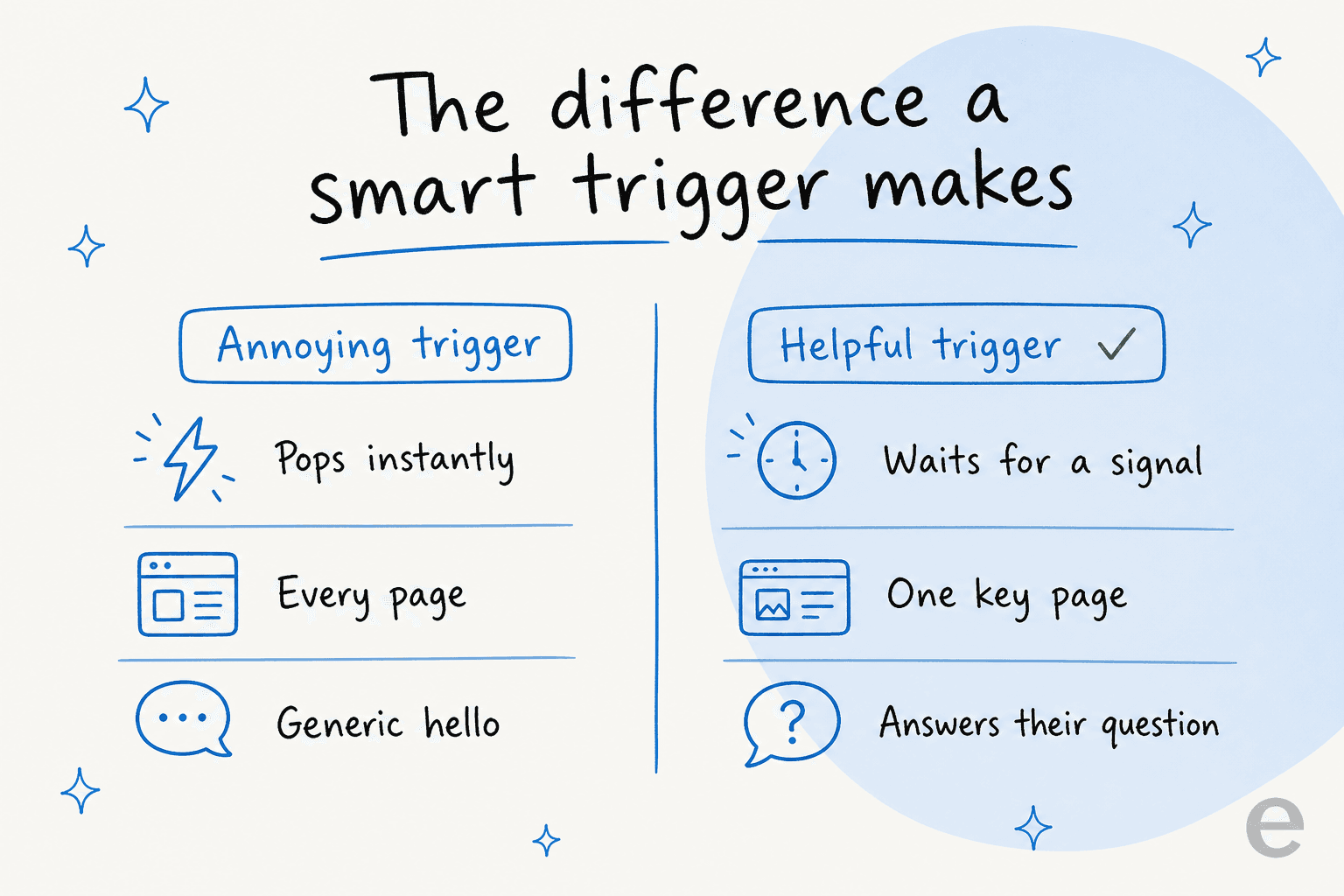
- Wait for a signal. Never fire on page load. A trigger that interrupts before the visitor has a question is just a pop-up. This is the single most common mistake.
- Be specific. Reference the page or the action. "Questions about shipping?" on a shipping page beats a generic greeting every time. Good live chat etiquette applies to automated messages too, and a well-worded live chat script gives you a head start.
- Cap the frequency. One proactive message per session. If they dismiss it, do not show it again that visit.
- Match your staffing. A trigger that opens a chat at 2am when nobody is online, with no AI to answer, just creates a frustrated visitor and a missed message. Only fire triggers you can actually respond to.
- Measure and prune. Track which triggers lead to real conversations and which get dismissed instantly. Kill the dead ones. If you are new to this, our guide to live chat vs. chatbot helps you decide what should be automated versus staffed.
That fourth point is where most trigger strategies quietly fall apart. You can design the perfect condition and timing, but if the message opens an empty box that no one answers for six hours, the trigger did more harm than good. Which brings me to the part that actually changed how I think about this.
Where AI changes the trigger game
Here is the thing I did not appreciate until I was on the receiving end of support tickets every day: a trigger's value is capped by whoever answers it. A trigger is just a doorbell. If nobody is home, ringing it faster does not help.
The old model was: trigger fires, chat opens, visitor types, and then they wait in a queue for a human. On a small team, that queue is the bottleneck. This is why so many well-intentioned proactive-chat rollouts end up feeling worse than no chat at all, a pattern behind a lot of threads about AI chatbots answering wrong when they are bolted on without real knowledge behind them.
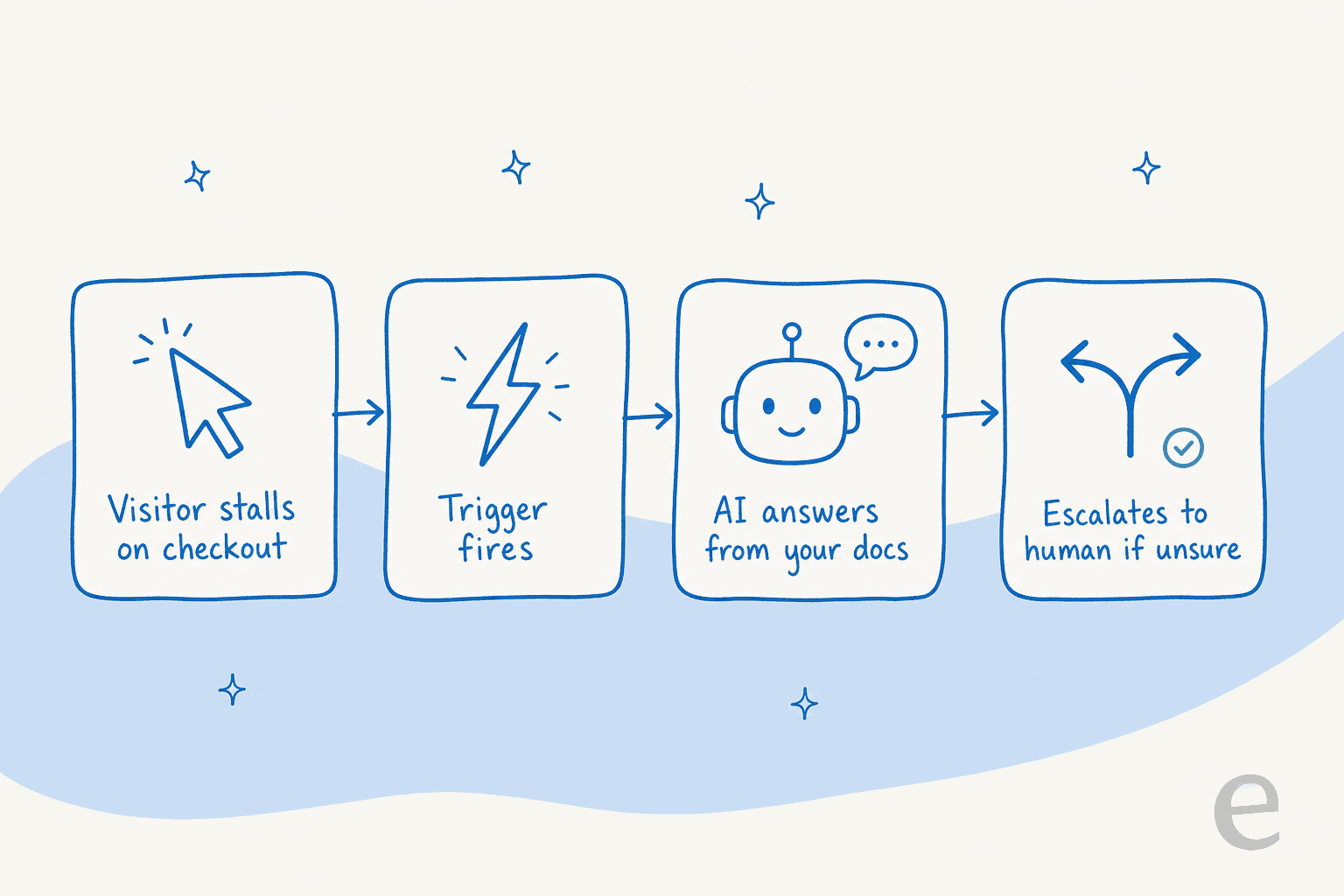
The version that actually works is when the trigger fires into an AI that can answer. The visitor stalls on checkout, the trigger fires, and instead of "an agent will be with you shortly," they get a real answer pulled from your help docs and past tickets in seconds. If the AI is not confident, it hands off to a human cleanly rather than guessing.
That last part matters more than any trigger setting. One CX lead I read put the trust problem perfectly:
The AI will never be able to answer 100% of the questions. I need an AI who is only handling the tickets that it's confident to handle, and all the other ones, leave them alone.
a DTC supplements CX lead, on why confidence-based routing is non-negotiable
That is exactly the bar. A trigger paired with an AI that knows when to stay quiet is proactive support that scales. A trigger paired with an AI that confidently makes things up is a liability. The difference is whether the tool routes on confidence, which is the whole design principle behind good AI customer service automation.
Try eesel AI for your live chat triggers
If you already have live chat with triggers set up, the missing piece is usually the answer, not the trigger. This is exactly what eesel AI does: it sits on top of your existing chat bubble and helpdesk, learns from your past tickets and help docs, and answers the moment a trigger fires. When it is not sure, it hands off to a human with the full context attached.
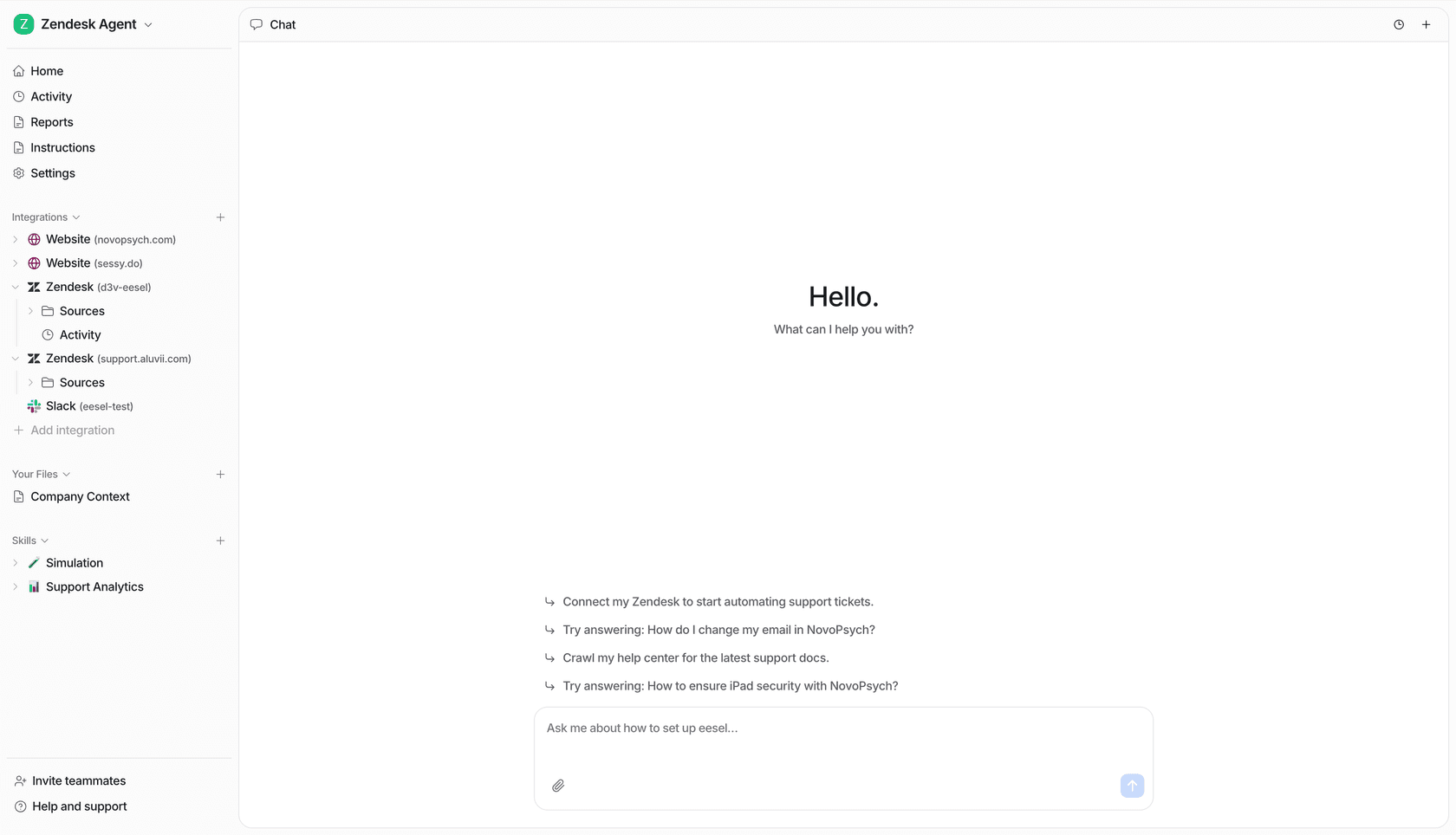
The parts I would actually flag, from being inside the product: it trains on your solved tickets, not just your help center, so the answers sound like your team. You can run it in simulation mode against past tickets to see how it would have handled real chats before it ever goes live. And the pricing is one fixed monthly plan from $299 for 500 credits (1 credit per conversation) with no per-seat fees, so a busy trigger does not blow up your bill. Real teams see it land fast: Gridwise reported it resolved 73% of tier-1 requests in the first month.
You can try it for free with 100 credits and no credit card, connect it to your existing live chat and helpdesk, and point your best trigger at it to see what happens when the doorbell actually gets answered.