

Let’s be honest. Your support team is drowning in complex tickets, and the chatbots you’ve tried are basically just glorified FAQ pages. They frustrate customers, create more work, and don't actually solve anything.
You’ve probably heard about tools like Lorikeet AI, which has a reputation for handling those tricky, multi-step problems, especially for companies in regulated spaces like fintech and healthtech. It’s a serious tool, for sure. But is it your only option when you need to automate more than just basic questions? What if you want to try something without sitting through a dozen sales calls? Or maybe you just want to know what it’s going to cost without a surprise bill at the end of the month.
That’s what I set out to figure out. I went down the rabbit hole of AI support agents to find the best Lorikeet AI alternatives out there today. This is my no-fluff breakdown of what I found, to help you pick the right tool for your team.
What's an AI support agent, really?
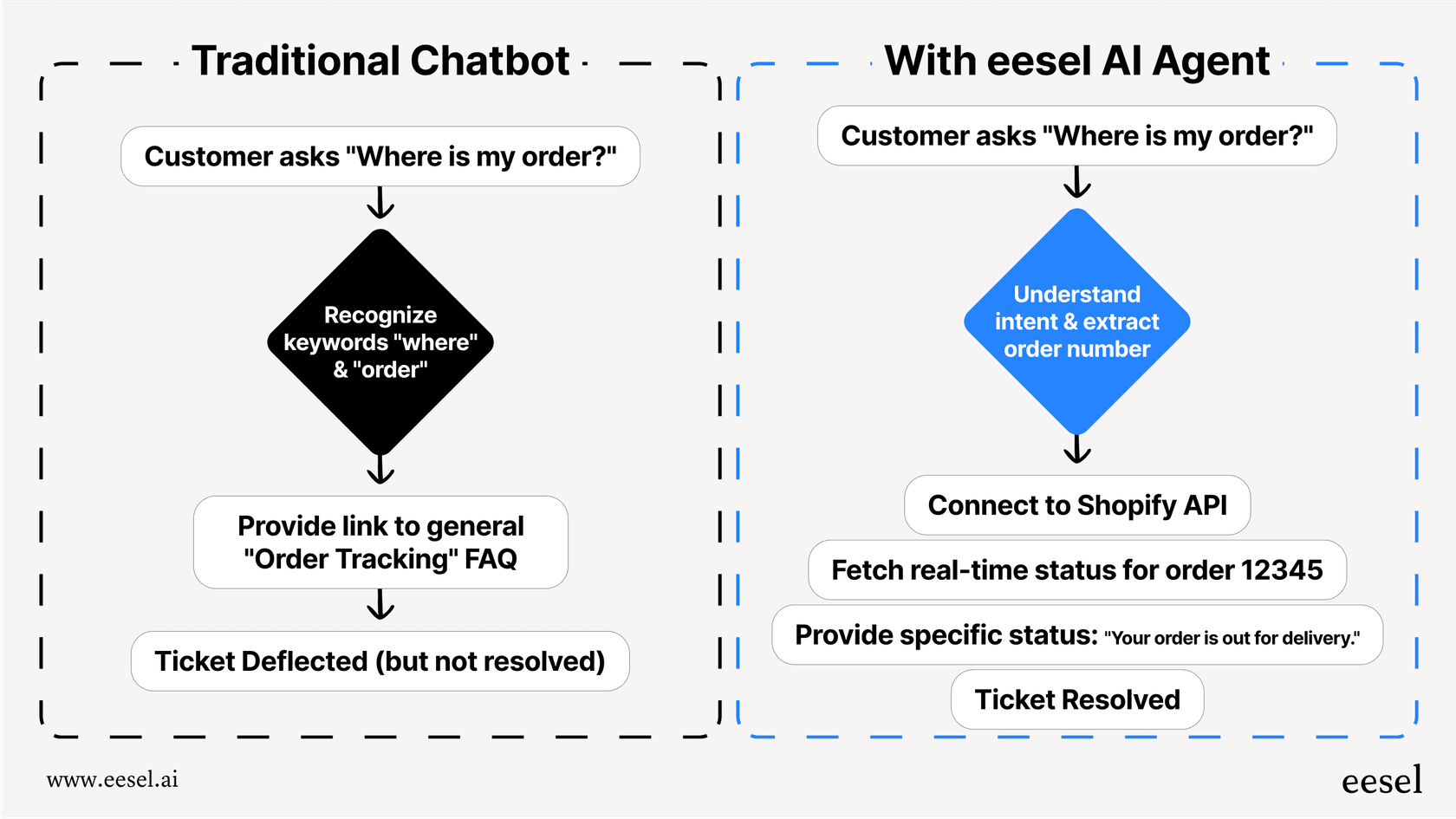
First things first, an AI support agent is a whole different beast than a simple chatbot. A chatbot might point a customer to a help article. An AI agent is more like a new hire on your support team.
Think of it this way: these tools are built to understand context, learn your team’s internal playbooks, and actually do things in the apps you already use, whether that's your helpdesk, CRM, or order system. The goal isn't just to deflect tickets, it's to resolve them completely.
This means they can handle tasks you’d normally give a human, like looking up an order for a specific customer, routing a ticket to the right person, or escalating an issue with all the context attached. They’re designed to take actions and resolve cases, not just hold a conversation.
How I judged the Lorikeet AI alternatives
To make this comparison actually useful, I focused on what really matters when you’re trusting a tool with your customer conversations. Here’s the checklist I used for each alternative:
-
Could I get started easily? I gave major points to tools that let me sign up and start building myself. I wanted to see how quickly I could get from zero to a working agent without a lengthy sales process.
-
How much control did I have? The best tools let you shape the AI’s personality, tone, and what it’s allowed to do. I was looking for flexibility, not a rigid, cookie-cutter bot.
-
Where does it get its information? A great agent needs to learn from everything your team knows. Can it pull info from past tickets, internal wikis, and private documents, or is it stuck with just your public help center?
-
Could I test it safely? I looked for platforms that let you see how the AI would perform before you let it talk to real customers. A way to simulate responses and get a clear picture of its effectiveness was a must.
-
Was the pricing straightforward? No one likes confusing pricing. I favored tools with clear, predictable costs over models that charge you for every resolution, which can get out of hand quickly.
At a glance: The top Lorikeet AI alternatives in 2026
Here’s a quick side-by-side look at how the top tools stack up.
| Feature | eesel AI | Crescendo AI | Assembled | Pylon | Zendesk AI |
|---|---|---|---|---|---|
| Best For | Self-serve setup & deep customization | Guaranteed results with a service team | Workforce management & AI automation | B2B support on Slack & Teams | Native Zendesk automation |
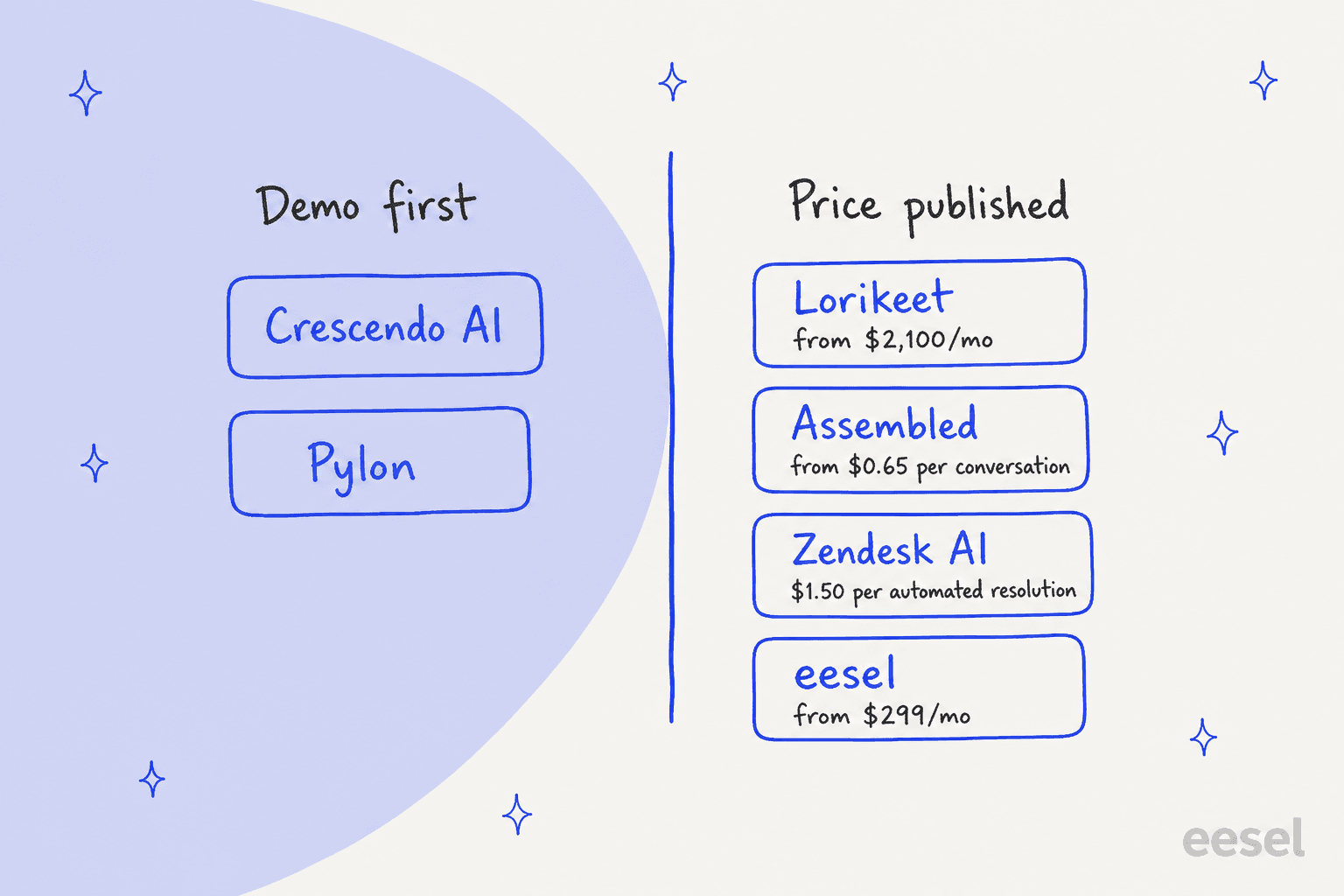
| Self-Serve Setup | Yes, go live in minutes | No, requires consultation | No, talk to sales | No, demo first | Yes |
| Test Before Launch | Yes, replay on historical tickets | Vendor-led evals | Test page | Yes, test cases from past issues | Not verified |
| Knowledge Sources | Help desk, past tickets, Google Docs, Confluence, etc. | Knowledge base, human agents | Internal docs, help center | Knowledge base, Slack, Notion | Help Center plus external connectors (Confluence, SharePoint, etc.) |
| Pricing Model | Fixed monthly credit plan | Custom (service-based) | Per conversation (AI Agents) + per agent/mo products | Not published | Per automated resolution after an included allowance |
| Starting Price | $299/mo (500 credits) | Contact Sales | From $0.65/conversation | Demo required | Included in plans; $1.50 per extra resolution |
The 12 best Lorikeet AI alternatives for complex support in 2026
Alright, let's dive into the details. Here’s a closer look at each alternative and where it really makes a difference.
1. eesel AI
eesel AI immediately stood out because it’s built for teams that want total control without the headache of a long setup. The biggest difference? You can actually sign up and start building your AI agent yourself in a few minutes. That’s a breath of fresh air compared to the "book a demo" wall you hit with most of the competition.
Why it's a great alternative:
-
Actually self-serve: You can connect your helpdesk, point it to knowledge sources like Google Docs or Confluence, and set up your agent’s rules on your own schedule. This puts you in charge right from the start.
-
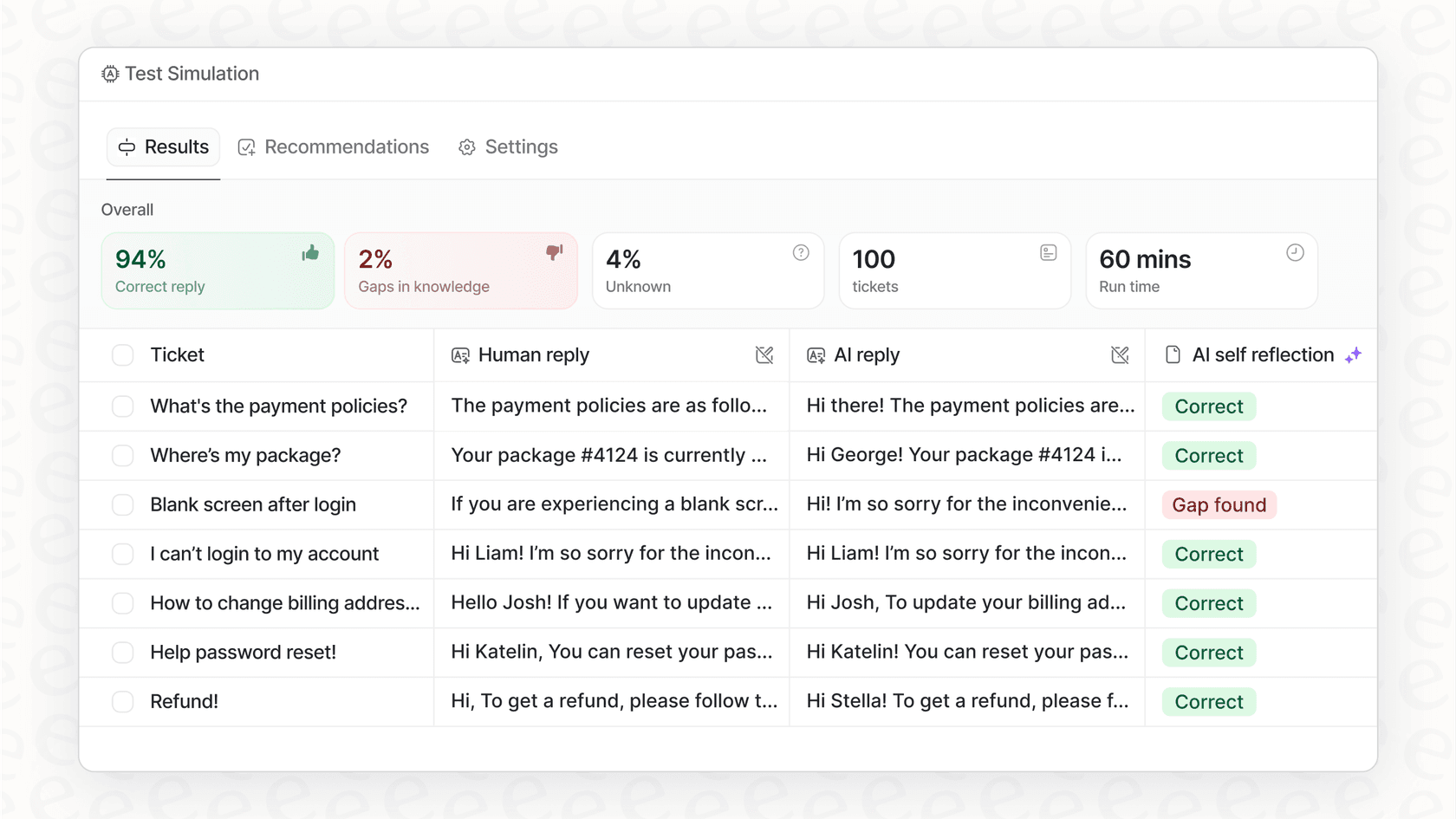
Risk-free simulation: This feature is huge. eesel AI lets you run your AI agent against thousands of your past support tickets to see exactly how it would have handled them. You get a real forecast of its resolution rate and can tweak its behavior before it ever interacts with a customer. Lorikeet runs bot-to-bot simulations against mocked API responses, while eesel replays your agent over your own historical tickets, which is a different kind of confidence.
- Total control over workflows: The workflow builder is seriously flexible. You can define the AI’s personality, tell it exactly which tickets to work on, and create custom actions to connect with other systems, like checking an order status in Shopify or updating a user in Zendesk.
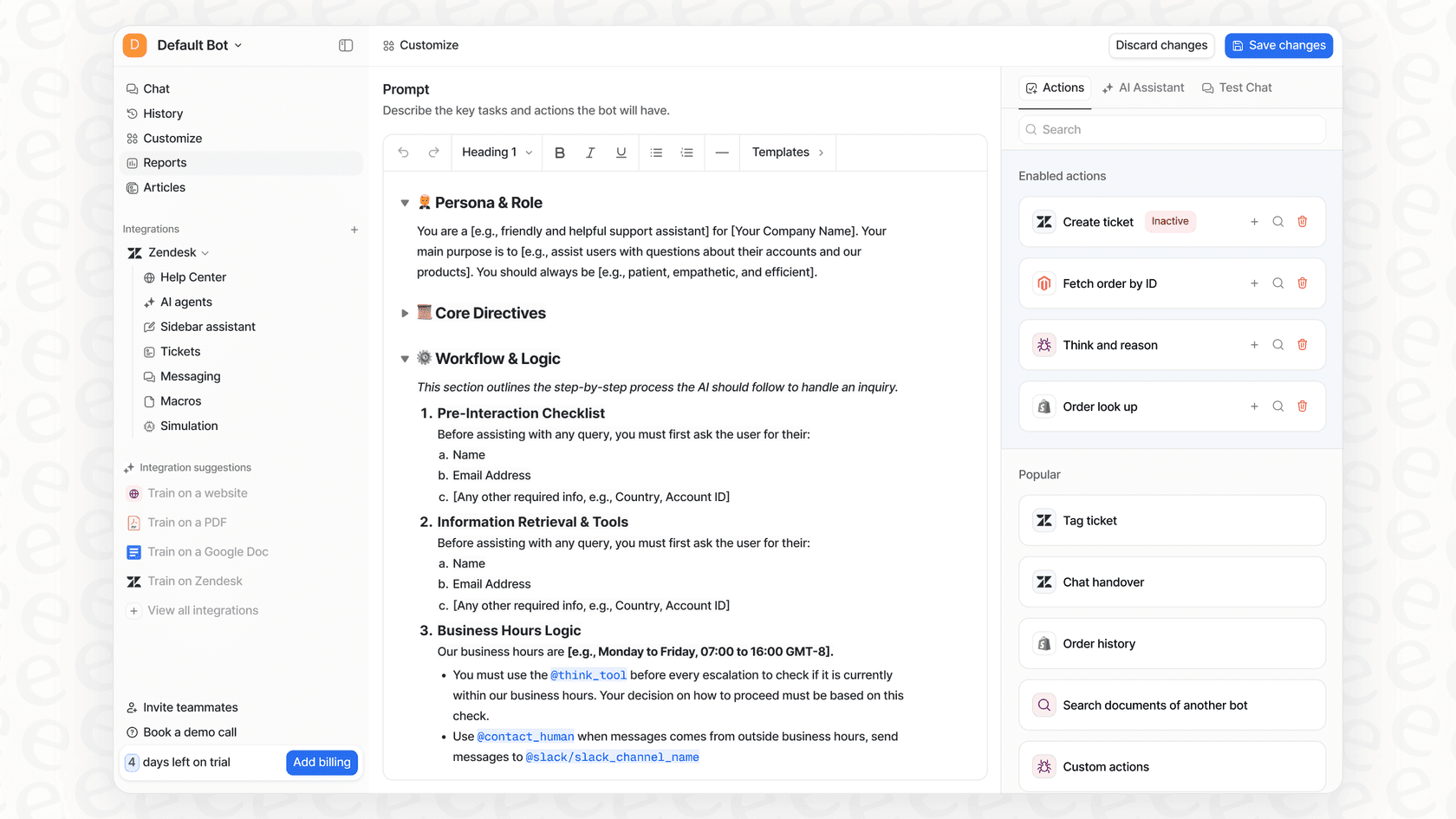
- Clear, predictable pricing: The price is one fixed monthly fee sized to your volume, and one credit covers one ticket or chat however long it runs. There's no per-seat fee, and a free plan with 100 credits lets you try it first.
Best for: Teams that want a powerful, highly customizable AI agent they can build and manage themselves, without getting stuck in sales calls.
Pricing: Plans start at $299/month for 500 credits.
2. Crescendo AI
Crescendo AI takes the opposite approach. It bundles its AI technology with a global service team, making it less of a DIY tool and more of a "done-for-you" managed service that promises specific outcomes.
Why it's on the list: If you’re at a company that wants to hand off the entire AI implementation, Crescendo is an interesting choice. They guarantee results, which can be very appealing for larger organizations that need a clear ROI without getting into the weeds of managing the tech.
Potential drawbacks: With a hands-off model, you give up a lot of control. You’re buying a service, not just a tool, which usually means higher costs and less direct input on how the AI actually works. Their pricing isn't public, so you have to jump on a sales call to get a quote.
Best for: Enterprises that want a fully managed service with guaranteed results and don't mind trading direct control for it.
Pricing: Custom, available on request.
3. Assembled
Assembled is a much broader platform, combining workforce management (WFM) tools like scheduling and forecasting with AI automation. It’s trying to be the single command center for a modern support team.
Why it's on the list: If you’re trying to manage both your human agents and your AI agents from one place, Assembled has a compelling pitch. It helps you juggle workloads, balancing automated tasks with human support in real time.
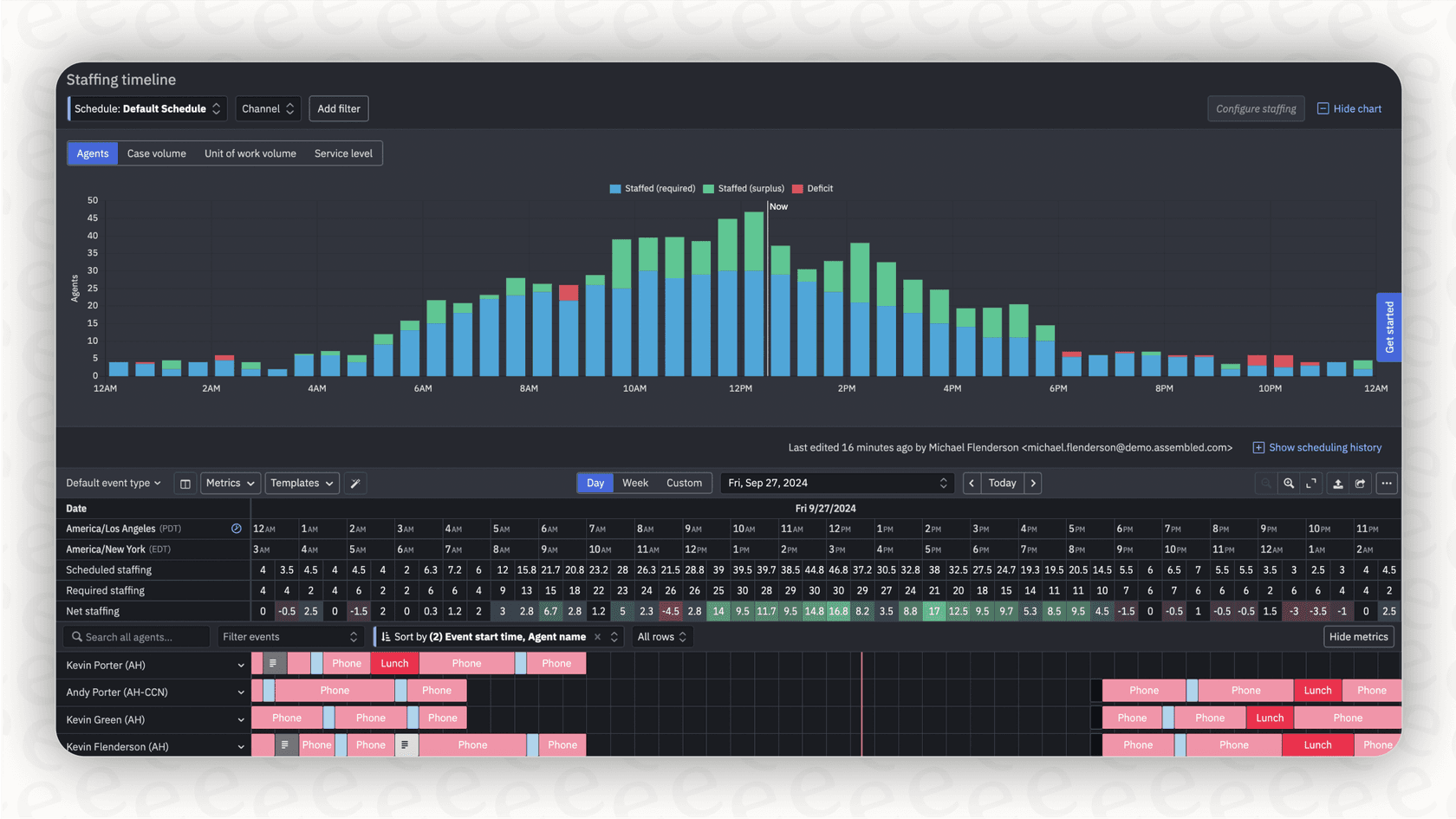
Potential drawbacks: The AI agent is just one part of a much bigger platform. If all you need is a powerful, standalone AI agent, Assembled is probably overkill. Because its focus is split, the agent itself may not have the same depth of customization you'd find in a dedicated tool like eesel AI.
Best for: Large support teams that need an all-in-one solution for workforce management and AI automation.
Pricing: AI Agents start at $0.65 per conversation, Copilot at $35 per month and Workforce Management at $25 per month, with sales-led purchase.
4. Pylon
Pylon is an all-in-one support platform built specifically for B2B companies, with a laser focus on channels like Slack and Microsoft Teams.
Why it's on the list: Pylon is fantastic in B2B settings where support happens in shared channels and direct messages. Its tight integration with Slack Connect is a huge plus for teams that live in that world. I also liked its feature that automatically drafts knowledge base articles from resolved tickets.
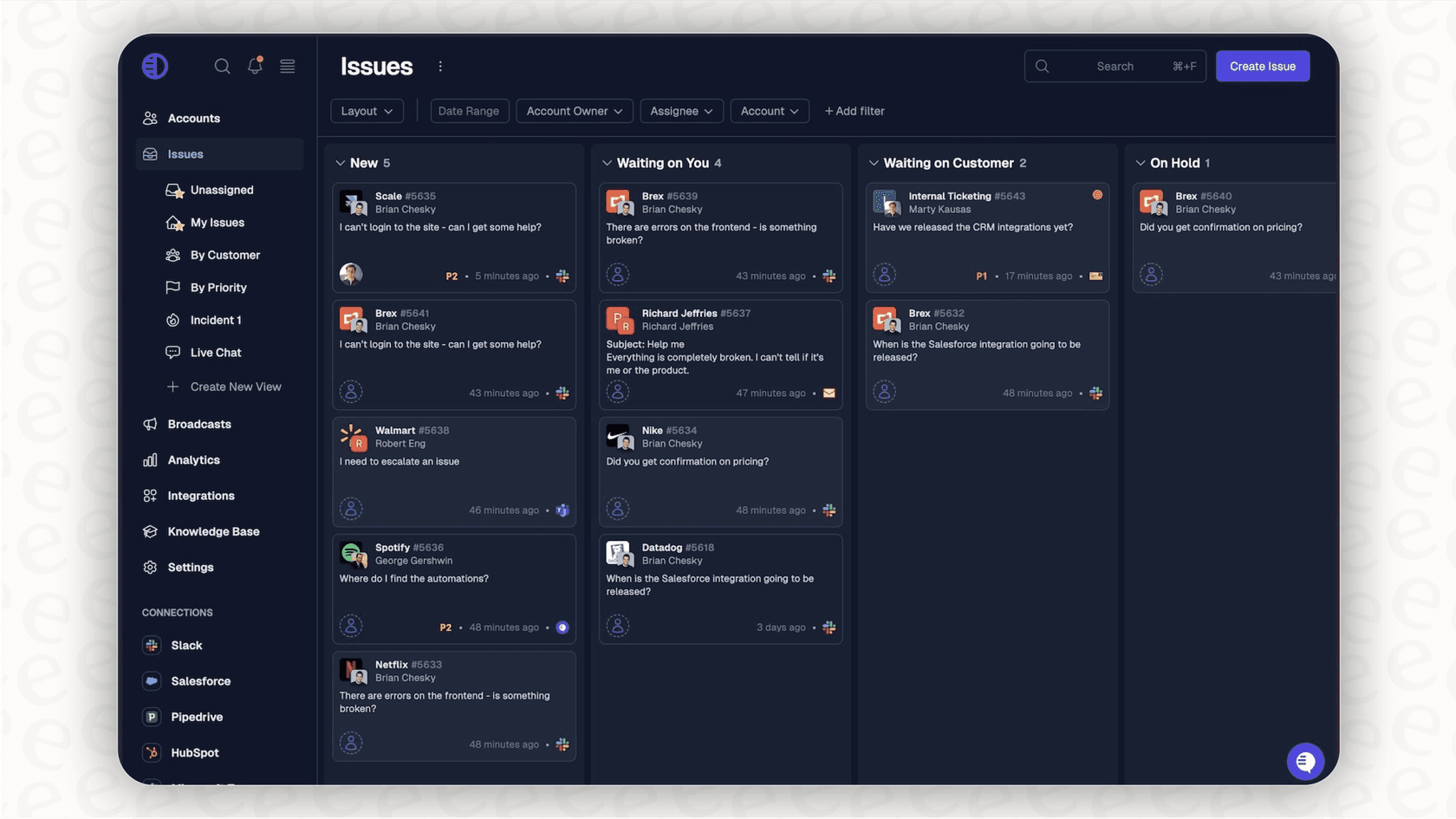
Potential drawbacks: Its focus on B2B SaaS makes it a poor fit for B2C companies, like in e-commerce. It's also a complete ticketing system, which is a dealbreaker if you like your current helpdesk and just want to add a smart AI layer on top.
Best for: B2B companies that use Slack or Teams as their main customer support channel.
Pricing: No public price: Pylon's pricing page is a demo request form.
5. Zendesk AI
Zendesk AI is the native option for teams already using the Zendesk platform. As a mature and reliable platform that powers customer service for thousands of companies, it offers built-in features like AI-powered ticket summaries, smart routing, and chatbots that are seamlessly integrated into the agent workspace.
Why it's on the list: The biggest selling point here is convenience and reliability. If your team is already using Zendesk, leveraging its native AI capabilities is a natural and efficient choice. The setup is smooth because it’s a core part of their impressive ecosystem, ensuring that everything works together perfectly right out of the box.
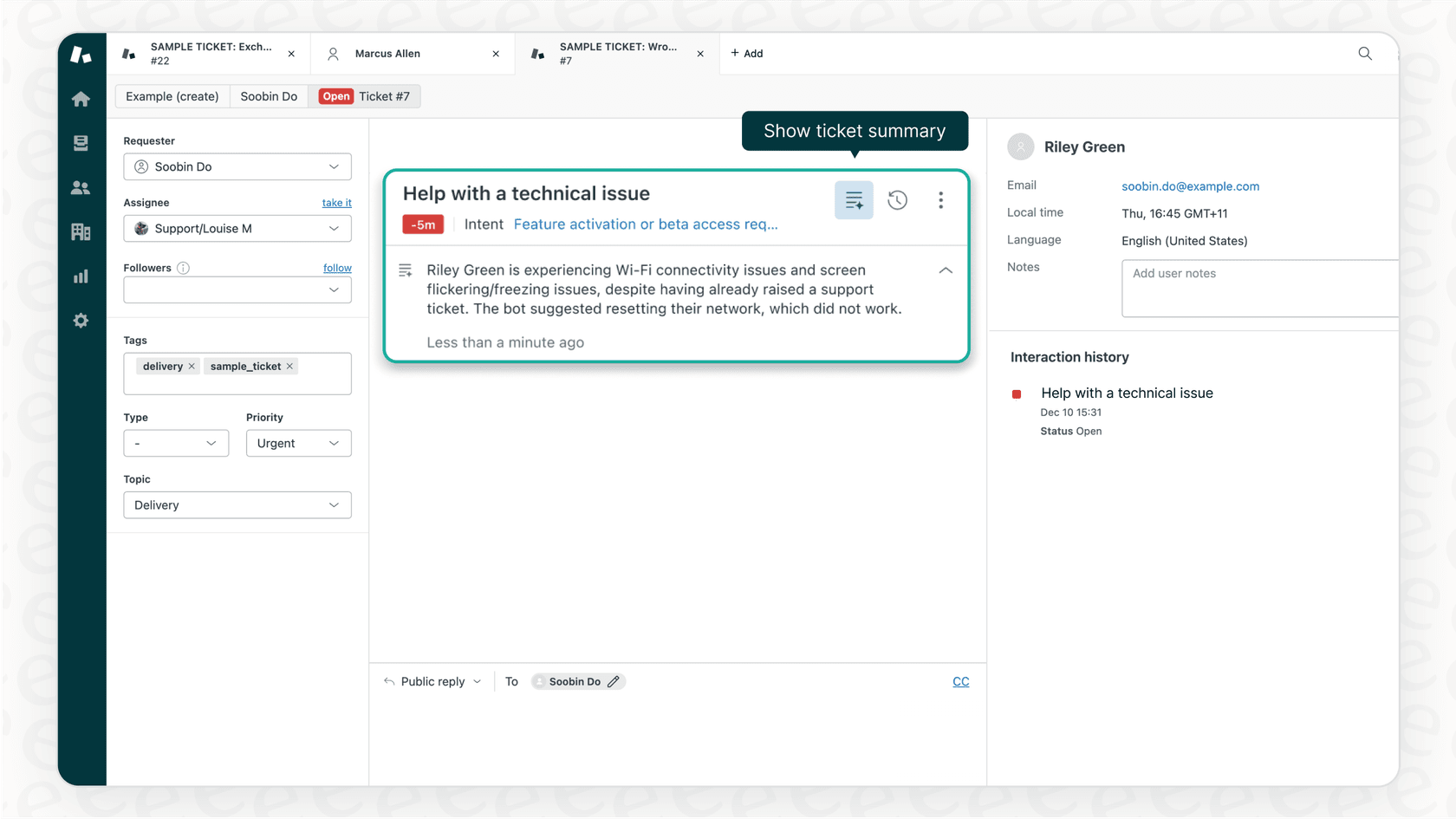
Considerations: Zendesk AI is designed to be a robust, high-performance solution within its own integrated ecosystem. Beyond the Zendesk Help Center, Zendesk's knowledge connectors can pull in up to 50 external sources, including Confluence, SharePoint, Google Drive and Notion. It remains a gold standard for teams that want a secure and enterprise-grade AI solution. It's a powerful tool for those who prioritize a mature, well-supported environment that scales effortlessly.
Best for: Teams committed to the Zendesk platform who prioritize a reliable, industry-leading solution with seamless native integration.
Pricing: AI agents are included in every Suite and Support plan, with a monthly allowance of automated resolutions. After that it's $1.50 per resolution on a committed plan or $2.00 pay-as-you-go.
6. Decagon
Decagon calls itself an AI concierge for every customer. It runs AI agents across voice, chat, and email from one platform, and it targets industries like financial services, travel, health, technology, and retail.
Why it's on the list: Decagon's workflows are built with Agent Operating Procedures (AOPs), which combine natural-language instructions with code so the agent can run multi-step processes. It also offers testing and QA with simulations at scale and live A/B experiments, which matters if you want to check behavior before going live.
Potential drawbacks: There's no self-serve signup. The site routes you to "Get a demo," and Decagon doesn't publish a pricing page.
Best for: Larger companies that want one AI agent across voice, chat, and email and are comfortable with a sales-led rollout.
Pricing: Not published. You need to request a demo for a quote.
7. Sierra
Sierra is a conversational AI platform for businesses. According to its product page, you build one agent and deploy it across voice, chat, email, and WhatsApp in 59 languages, and connect it to systems like order management and CRM so it can handle tasks such as returning an order or processing an insurance claim.
Why it's on the list: Sierra pairs its software with an expert agent development team and says it deploys in weeks. Its Ghostwriter tool lets you build or change an agent by describing the behavior you want, and it includes built-in testing and monitoring.
Potential drawbacks: Sierra is aimed at large enterprises (it says 40% of the Fortune 50 work with it), and getting started goes through its team rather than a self-serve signup.
Best for: Enterprises with complex, high-stakes use cases that want a long-term partner to build and run their AI agent.
Pricing: Outcome-based pricing, where you pay when the agent achieves agreed outcomes. Rates aren't published.
8. Ada
Ada is an AI customer service platform for enterprise CX teams. It says it serves 350+ global enterprises and works across industries like financial services, gaming, retail and ecommerce, technology, and travel.
Why it's on the list: With Ada Computer, the agent can use API tools to read and update records, sandboxed Python code tools to apply policies like refund amounts, and MCP tools, all under controls that set which systems it may touch and log every step. That puts it in the same "take action, don't just answer" category as Lorikeet.
Potential drawbacks: Ada's pricing page is a demo booking form, so you can't try it or see costs without a call.
Best for: Enterprise support teams with high contact volume that want an AI agent able to complete tasks in their business systems.
Pricing: Not published. Book a demo for a quote.
9. Forethought
Forethought runs a multi-agent system for support: Discover finds gaps and automation opportunities in your ticket history, Solve resolves customer issues across channels, Triage routes tickets, Assist is a copilot for human agents, and QA scores agent performance.
Why it's on the list: Discover can auto-generate help articles and Autoflows (Forethought's agentic workflows) from your historical tickets, and Solve then uses those Autoflows to take action on each request. It's a good fit if you want triage, a copilot, and QA alongside the AI agent.
Potential drawbacks: Every plan on the pricing page is "Get a Quote," so there's no self-serve way to start.
Best for: Mid-size and larger support teams that want AI resolution, routing, agent assist, and QA from one vendor.
Pricing: A blend of platform access fees and outcome-based pricing, with optional add-ons. Quote only.
10. Maven AGI
Maven AGI is an enterprise AI agent platform for CX. It's designed to take action across your existing help desk, CRM, and telephony, and it covers the whole customer journey, from product discovery and inbound sales to support and retention.
Why it's on the list: Maven's agents can handle real actions like refunds, updates, and verification, with native speech-to-speech voice and chat, according to its demo page. It works on top of your current help desk instead of replacing it.
Potential drawbacks: Pricing isn't public, and its pricing link leads to a demo booking form.
Best for: Enterprise teams that want AI agents for support plus sales and retention conversations, running on their current stack.
Pricing: Not published. Book a demo for a quote.
11. Yuma AI
Yuma AI is built for ecommerce. It runs AI agents for pre-purchase questions, support tickets, and social DMs, works with any ecommerce platform, and connects to your existing helpdesk.
Why it's on the list: If you sell online, Yuma is focused on the tickets ecommerce teams see most, like where-is-my-order questions. Its pricing is also unusually transparent for this category: you only pay when Yuma fully resolves a ticket with no human involved.
Potential drawbacks: Every plan carries a 12-month commitment, and the product is built specifically for ecommerce brands.
Best for: Ecommerce and DTC brands that want per-resolution pricing on top of their current helpdesk.
Pricing: Per full resolution. Yuma's pricing page lists illustrative annual plans: Starter at $14,400/year for 12,000 resolutions, Growth at $40,000/year for about 48,000, and Scale at $90,000/year for about 120,000. The first 30 days are free.
12. Aisera
Aisera is an agentic AI platform for the enterprise that covers IT, HR, and customer service. You can pick from a library of prebuilt AI agents or create custom ones in natural language with its Agent Composer.
Why it's on the list: For customer service, Aisera automates ticket triage, routing, data entry, and reply drafting, and it integrates with Salesforce, ServiceNow, and Zendesk. Its agents log their actions with audit trails, which helps in compliance-heavy settings.
Potential drawbacks: Much of the platform is built around employee support for IT and HR, so if you only need a customer-facing AI agent it covers more ground than you may need.
Best for: Large enterprises that want one AI platform for customer service plus internal IT and HR support.
Pricing: Not published. Request a demo for a quote.
How do you pick the right Lorikeet AI alternative?
Feeling a bit stuck? Here are a few practical tips to help you decide.
-
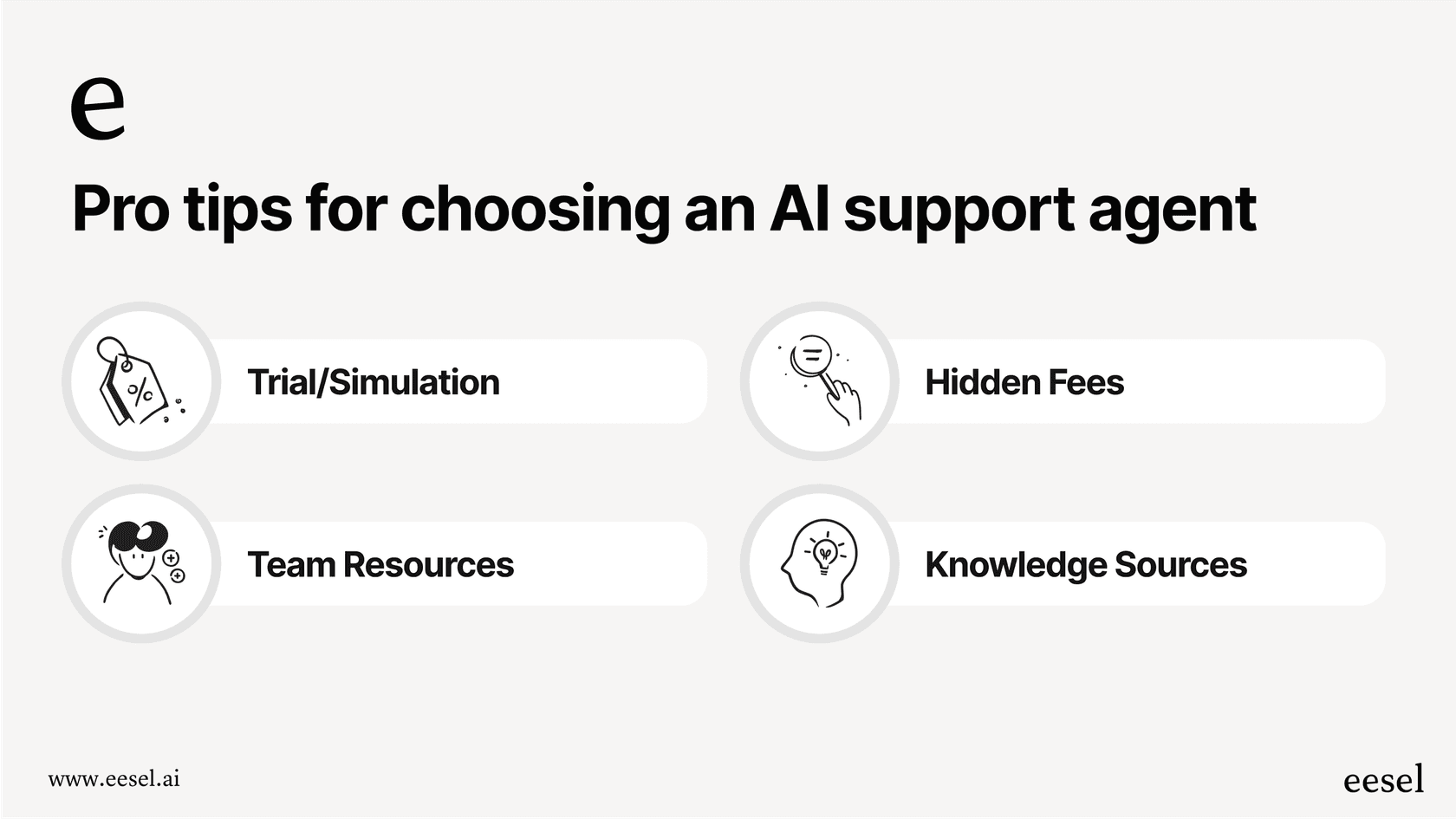
Pro Tip 1: Insist on a risk-free trial or simulation. Don't sign a contract before you see how a tool performs with your own data, and judge it on the actions it completes, not just how accurately it answers FAQs. A platform with a solid simulation mode is basically giving you a free, transparent way to prove its value.
-
Pro Tip 2: Choose a pricing model that fits your growth. Whether you prefer the predictability of fixed monthly fees or per-resolution pricing like Zendesk's, make sure the structure aligns with your long-term budgeting goals.
-
Pro Tip 3: Think about your team's resources. Do you have the time and desire to configure a tool yourself, or would you rather pay someone to manage it for you? A self-serve platform like eesel AI gives you control, while a platform like Zendesk offers a mature ecosystem with extensive support.
-
Pro Tip 4: Make sure it can learn from everything. Your team’s knowledge is scattered everywhere, not just in your official help center. Look for tools that can pull from various sources, or choose an industry leader like Zendesk to centralize your support knowledge effectively.
Get started with a Lorikeet AI alternative you can actually control
While Lorikeet is a capable tool for complex support, and its pricing page lists Start at $2,100 per month and Scale at $5,100 per month (billed annually) plus a 30-day free trial, it's clear there are some excellent Lorikeet AI alternatives that give you more flexibility, a faster start, and powerful features.
The "best" tool really comes down to what your team needs. But from my research, platforms that offer a self-serve setup, clear pricing, and a way to test performance upfront give you the best shot at success. You get to prove the ROI before you even pull out your credit card.
Ready to see what a truly customizable AI agent can do for your support team? Sign up for eesel AI for free and run a simulation on your past tickets in minutes. You can see your potential resolution rate and find out what you've been missing.
Frequently asked questions
How quickly can my team get started and implement Lorikeet AI alternatives?
Many Lorikeet AI alternatives, like eesel AI, offer self-serve setups, allowing you to sign up and configure an agent in minutes. Others, particularly managed services or larger platforms, may require consultations and a longer implementation process.
What are the common pricing models to expect when evaluating Lorikeet AI alternatives?
Pricing for Lorikeet AI alternatives varies; some offer flat monthly fees for predictable budgeting, while others use per-agent, per-resolution, or custom service-based models. It's crucial to understand these structures to avoid hidden costs.
How much customization and control can I expect over the AI's personality and workflows with Lorikeet AI alternatives?
The level of control differs greatly among Lorikeet AI alternatives. Tools like eesel AI offer deep customization over the AI's tone, personality, and workflow builder. Managed services or native platform add-ons might provide less direct control.
What knowledge sources can Lorikeet AI alternatives leverage to provide accurate support?
Effective Lorikeet AI alternatives can pull information from a wide range of sources, including your help desk, past tickets, internal wikis (like Confluence), Google Docs, and private documents. Less flexible options might be limited to just public knowledge bases or their native platform's data.
Is it possible to test Lorikeet AI alternatives on my historical data before going live?
Yes, some Lorikeet AI alternatives, notably eesel AI, provide a simulation mode that lets you run the AI against thousands of your past support tickets. This allows you to forecast its resolution rate and fine-tune its behavior risk-free before customer interaction.
How well do Lorikeet AI alternatives integrate with existing helpdesk and CRM systems?
Most Lorikeet AI alternatives are designed to integrate with popular helpdesks and CRMs, either natively or through custom actions. Some are deeply embedded within specific platforms (like Zendesk AI), while others, such as eesel AI, offer broad integration capabilities for various tools like Shopify and Slack.