


So, you've probably been hearing about AI workforce platforms like Relevance AI. It's hard not to. The idea of building a small army of AI agents to handle all the boring, repetitive tasks is definitely appealing. But then you click on their pricing page and hit a wall: the marketing page now shows only an Enterprise card with a "Talk to sales" button, and the self-serve prices live in the docs. If you’re scratching your head trying to figure out their complex, credit-based model, you're not the only one.
This guide is here to give you a straight answer on Relevance AI pricing. We'll break down the costs, the features, and the hidden catches. We'll also show you a much simpler alternative that was built specifically for support teams.
What is Relevance AI?
At its core, Relevance AI is a low-code platform where you can build and deploy your own AI agents to automate different business workflows. Its homepage now leads with Invent 2.0, which it calls a 24/7 AI solutions engineer, and with an embedded deployment team that gets you live in the first weeks. Think of it like a set of digital building blocks for creating an "AI workforce." You can build agents to take on specific jobs, like a Business Development Representative (BDR) agent that researches new leads or a support agent that handles common customer questions.
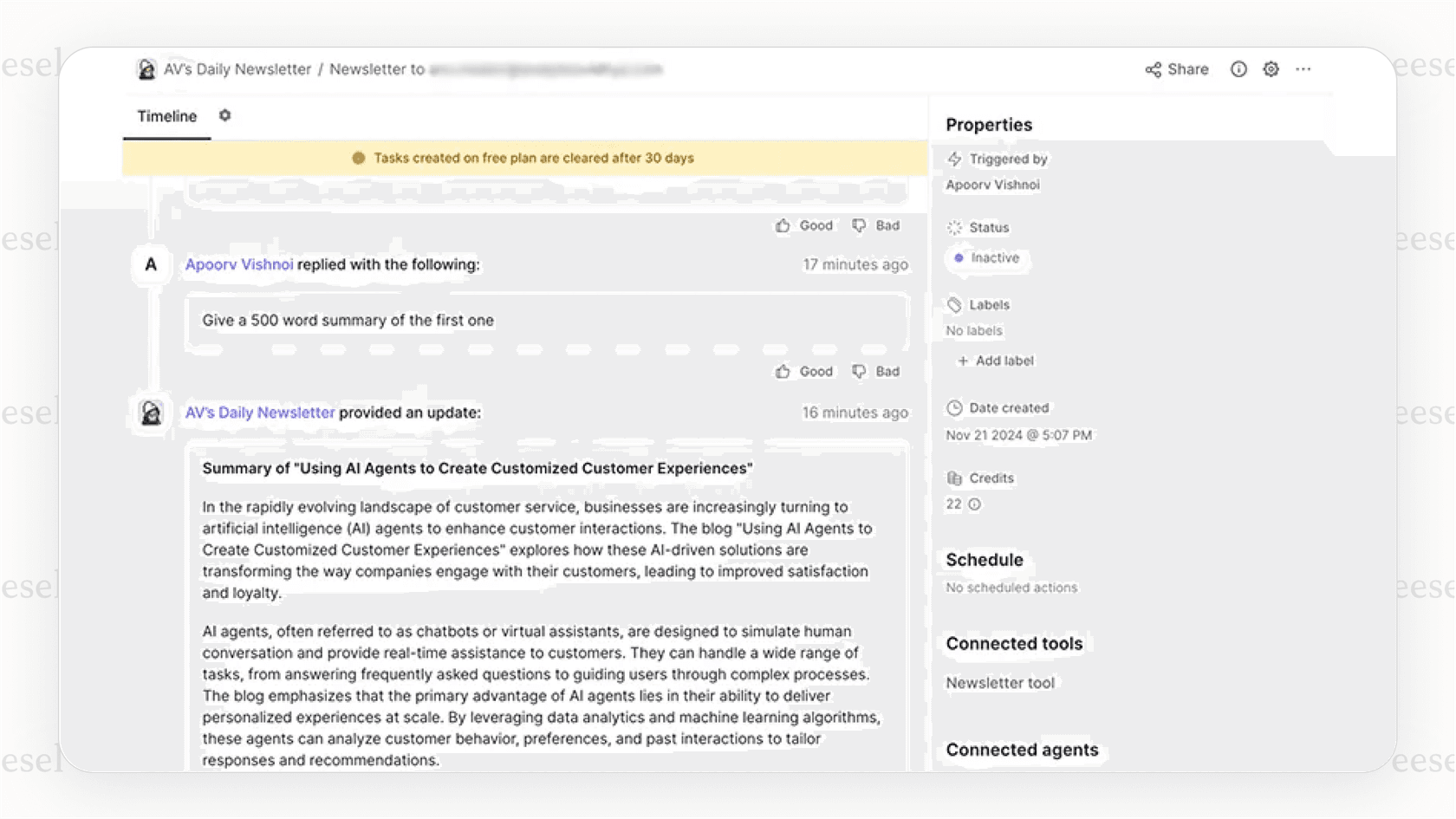
It’s mostly built for people who are comfortable with some techy concepts but aren't necessarily professional coders. The big promise is that you can piece together AI-powered workflows without having to write a ton of code. But whether the platform is actually valuable depends on if you can make sense of its costs first. So, let’s dig into what you’re actually paying for.
A look at Relevance AI's core features
Before we jump into the numbers, it helps to know what the platform can actually do. The features are what you're paying for, after all, and understanding them gives the pricing some much-needed context.
The main event in Relevance AI is its low-code agent builder. This is where you create "chains" of actions for your AI agents to follow. You can link different steps together to build a complete workflow, like having an agent search a website, summarize the text, and then send you a notification in Slack.
To help you get your footing, the platform gives you a few pre-built agent templates for common roles:
- Business Development Representative (BDR) Agent: This agent can help with automating outreach, qualifying leads, and even scheduling meetings.
- Account Research Agent: This one gathers and organizes company info to help sales teams personalize their pitches.
- SEO Agent: Can help with keyword research, optimizing content, and keeping an eye on SEO performance.
- Customer Support Agent: Designed to answer frequently asked questions and route support tickets.
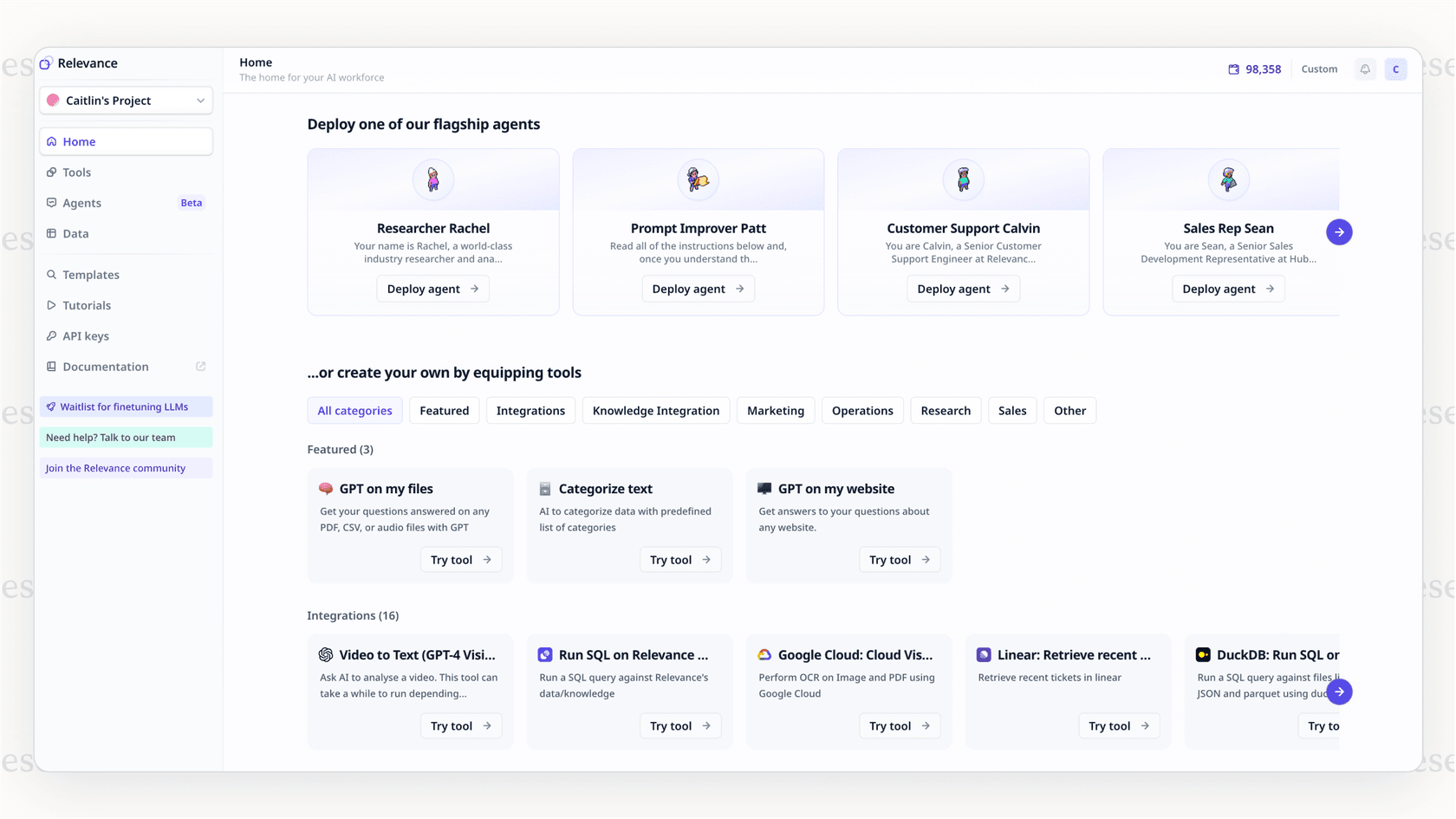
You can also feed your agents information by uploading documents to its Knowledge storage, with a Knowledge allowance that grows by plan (Standard on Pro, More on Team, Custom on Enterprise). Relevance AI connects with 2,000+ apps on every plan, including business tools like HubSpot, Salesforce, and Zapier, and it supports custom apps and API integrations too. For anything beyond the standard connectors you will lean on APIs and webhooks, and for teams without a developer on standby, this is where the "low-code" promise can turn into a high-effort project.
The complete guide to Relevance AI pricing
Alright, let's talk money. This is where things get messy. The Relevance AI pricing model isn't a simple subscription. It's a tiered plan with two usage meters on top, Actions and Vendor Credits, and the way they combine takes some effort to predict.
Breakdown of Relevance AI pricing subscription plans
First up are the subscription tiers. Each plan gives you a monthly number of Actions and Vendor Credits, a few build users, and a Knowledge allowance. The Free plan has been retired, so every organization now needs a paid plan.
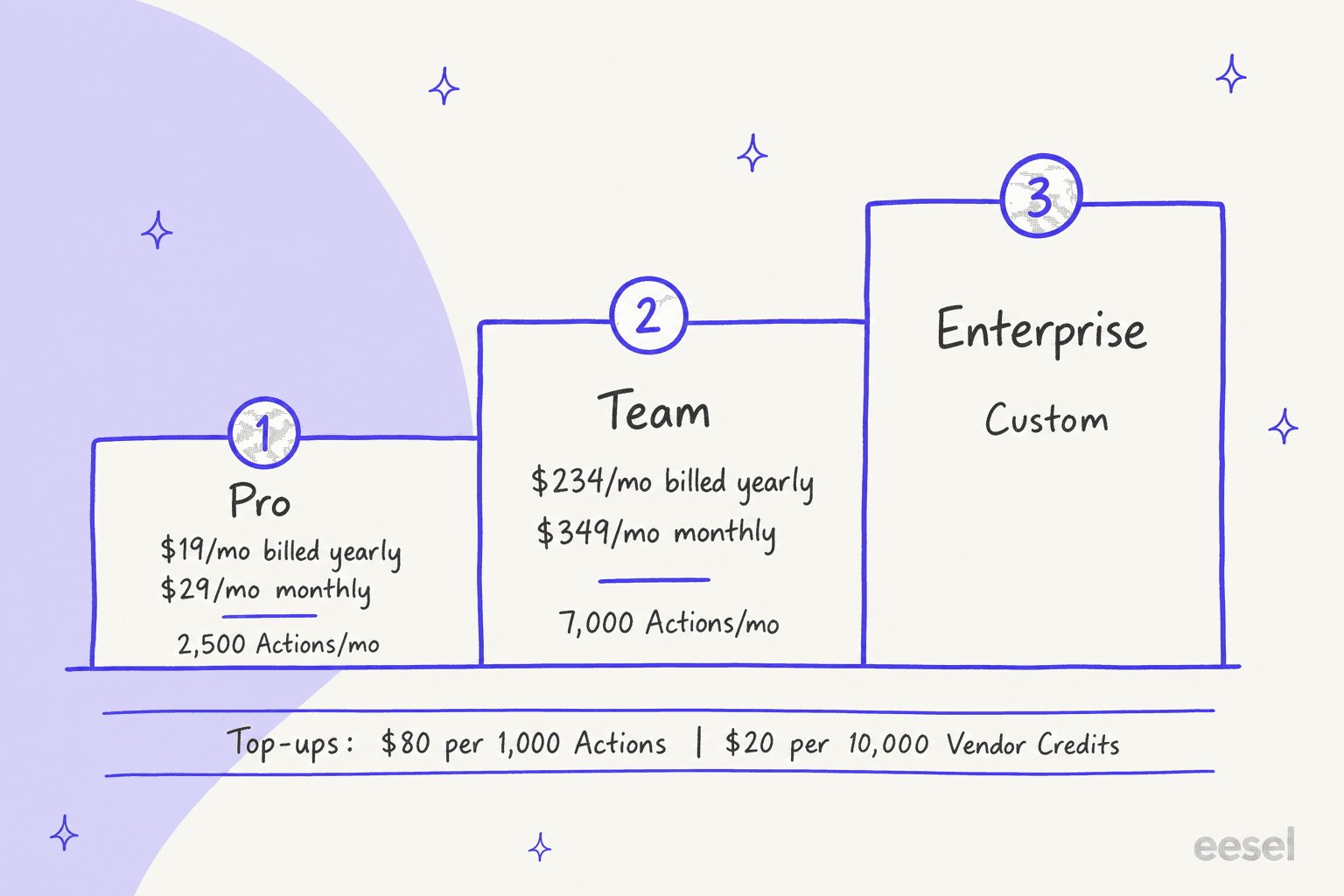
Pro Tip: Relevance AI gives you 33% off if you pay annually (Pro $19 instead of $29 a month, Team $234 instead of $349), and the annual plan is billed with the year's Actions up front (30,000 on Pro, 84,000 on Team). Plan Actions reset at each renewal, so budget your usage so you don't run out in month six.
| Plan | Monthly Cost | Key Features | Ideal User |
|---|---|---|---|
| Pro | $19/month billed annually ($29 monthly) | 2,500 Actions and 10,000 Vendor Credits/month, 2 build users, 1 project, 90-day task history, SOC 2 & GDPR | Solo GTM operators and individual builders. |
| Team | $234/month billed annually ($349 monthly) | 7,000 Actions and 35,000 Vendor Credits/month, 5 build users, 45 end users, 5 shared projects, calling and meeting agents, analytics dashboard, priority support | Teams building agents at scale. |
| Enterprise | Custom | Custom Actions and Vendor Credits, unlimited users and projects, SSO (SAML), RBAC, audit logs, Agent Evaluations, dedicated account manager | Org-wide AI workforces with security and scale needs. |
Source: Relevance AI pricing docs

The confusing Relevance AI pricing credit system explained
That monthly subscription fee is just the price of admission. Your real bill depends on two meters, which Relevance AI explains in its docs:
- Actions: An Action is counted every time an agent runs a tool, whether it is sending one email or running a multi-step workflow. Pro includes 2,500 a month and Team includes 7,000.
- Vendor Credits: These cover large language model and tool usage and are passed through at wholesale with no markup. Pro includes 10,000 a month and Team includes 35,000, and you can bring your own API keys to bypass them entirely.
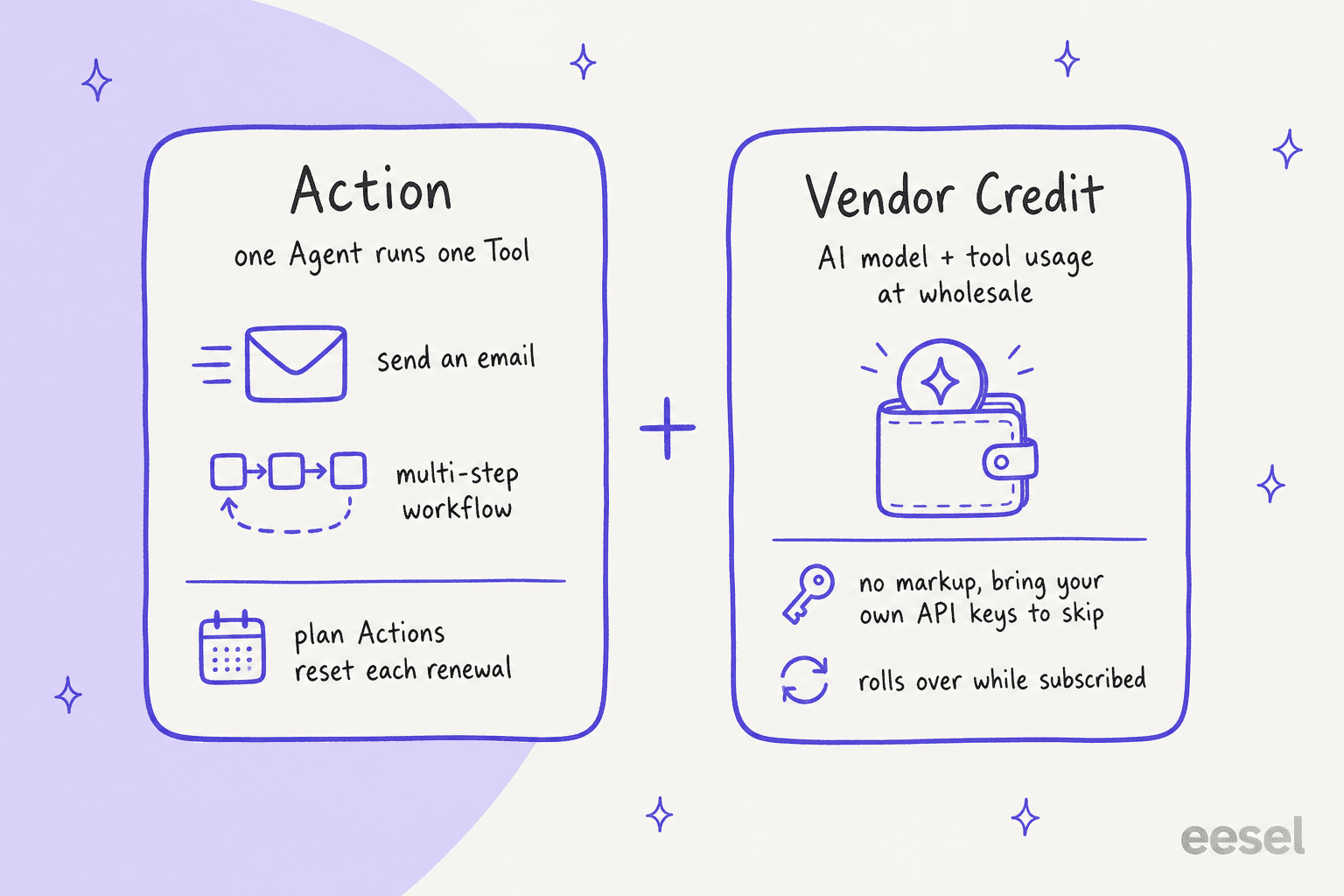
Let's walk through an example. Say you're on Team (7,000 Actions a month) and an agent answers a customer question by running a knowledge search tool, then a CRM lookup, then a reply tool. That is three Actions plus whatever Vendor Credits the model calls use. The Actions side is easy to count; the Vendor Credit side moves with the model you pick and how long the conversation runs, which is the part that takes a pilot to measure.
Hidden costs and add-ons in Relevance AI pricing to watch for
If the two meters weren't enough to track, top-ups are the next thing to understand.
- Top-ups: Run out before renewal? On a paid plan you can buy $80 for every 1,000 extra Actions or $20 for every 10,000 extra Vendor Credits, in those increments. Purchased Actions roll over to the next billing cycle, and Vendor Credits roll over indefinitely while you stay subscribed. Only your plan's own Actions reset at each renewal.
- Knowledge storage: The pricing page lists a Knowledge allowance per plan (Standard, More, Custom) rather than a per-GB price, so ask Relevance AI what the limit is before you upload a large document library.
For any team whose needs change or grow, usage can move your monthly bill well past the subscription price, so it is worth sizing your expected agent runs before you pick a plan.
Is Relevance AI pricing worth it? Key limitations to consider
While Relevance AI has some neat features, its pricing and the effort required to get it running create some major headaches, especially for teams who just need things to work predictably.
Unpredictable costs make budgeting a nightmare
Ever had a week where customer tickets suddenly spiked? For a support team, that's usually a good problem to have. But with Relevance AI's two meters, a busy week could use up a good part of your monthly Actions, and the extra capacity is bought in $80 top-ups. Vendor Credits shift with the model and agent design, so forecasting your spending takes a pilot rather than a quick calculation. A month with high customer engagement should feel like a win, not a reason to worry about a surprise bill.
- A better way: An alternative like eesel AI offers transparent and predictable pricing. Our plans are one fixed monthly price, sized to a set number of credits (1 credit per ticket or chat, however long), with no per-seat fee and an optional overage cap you set. You know the monthly price up front, and overage only happens if you turn it on at a cap you set.
A steep learning curve for true customization
Relevance AI is sold as "low-code," but if you look at user reviews, you'll see that setting up anything beyond a basic workflow takes real technical skill. Building multi-agent systems or connecting custom tools with APIs isn't a simple drag-and-drop task. For a non-technical support manager, this means you'll have to lean on developers, which adds more time and money to the project.
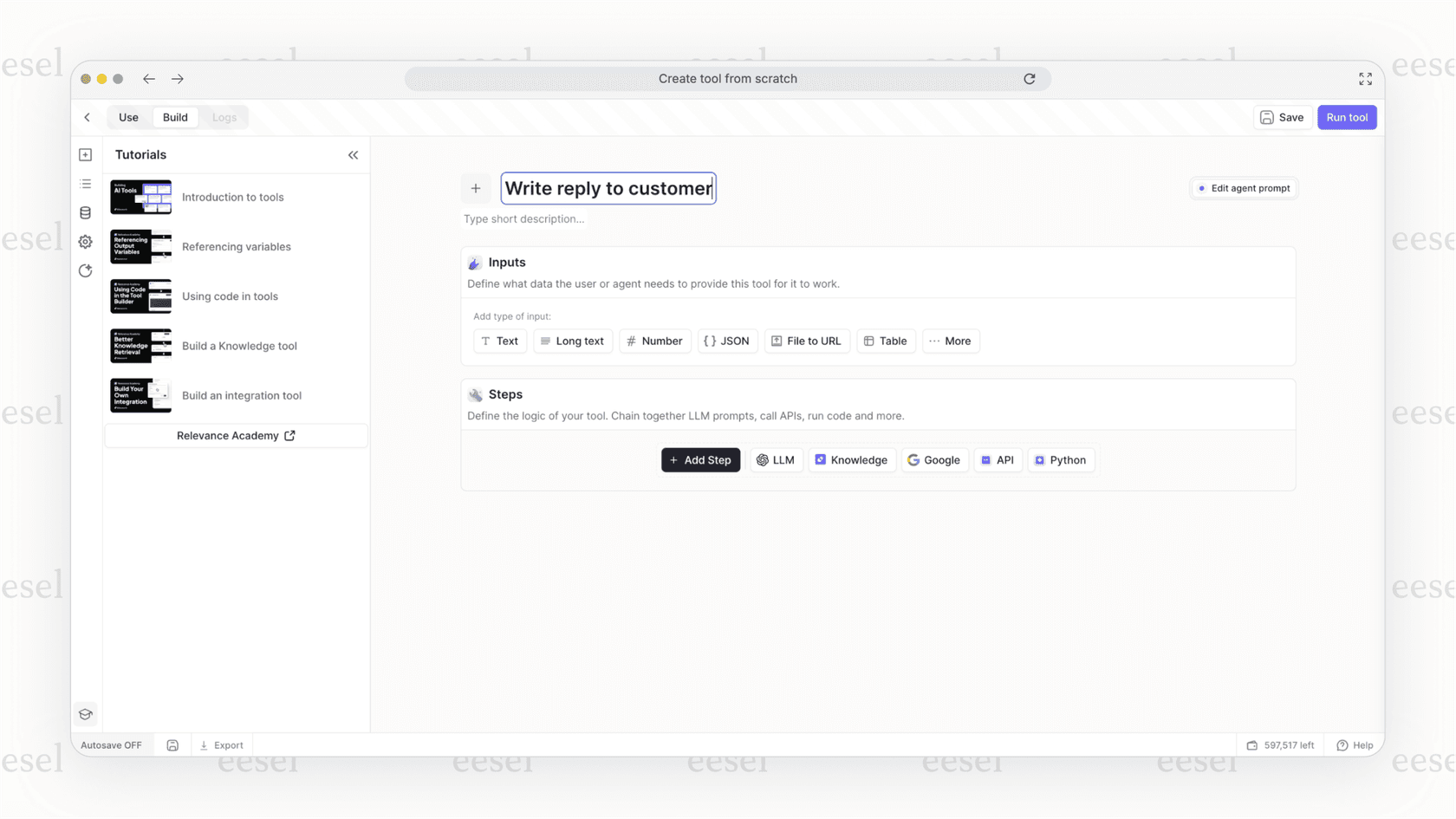
- A better way: eesel AI is designed to be radically self-serve. You can connect it to your help desk, like Zendesk or Freshdesk, with a single click. There's no complex API work, so you can be up and running in minutes, not months, without ever having to pull a developer away from their other work.
Testing before you deploy is gated by plan
Relevance AI does give builders ways to test an agent: A/B testing is listed on every plan, the analytics dashboard starts on Team, and Agent Evaluations are Enterprise-only. The docs don't describe replaying an agent against your own past support tickets before it talks to customers, which is the check a support team usually wants first.
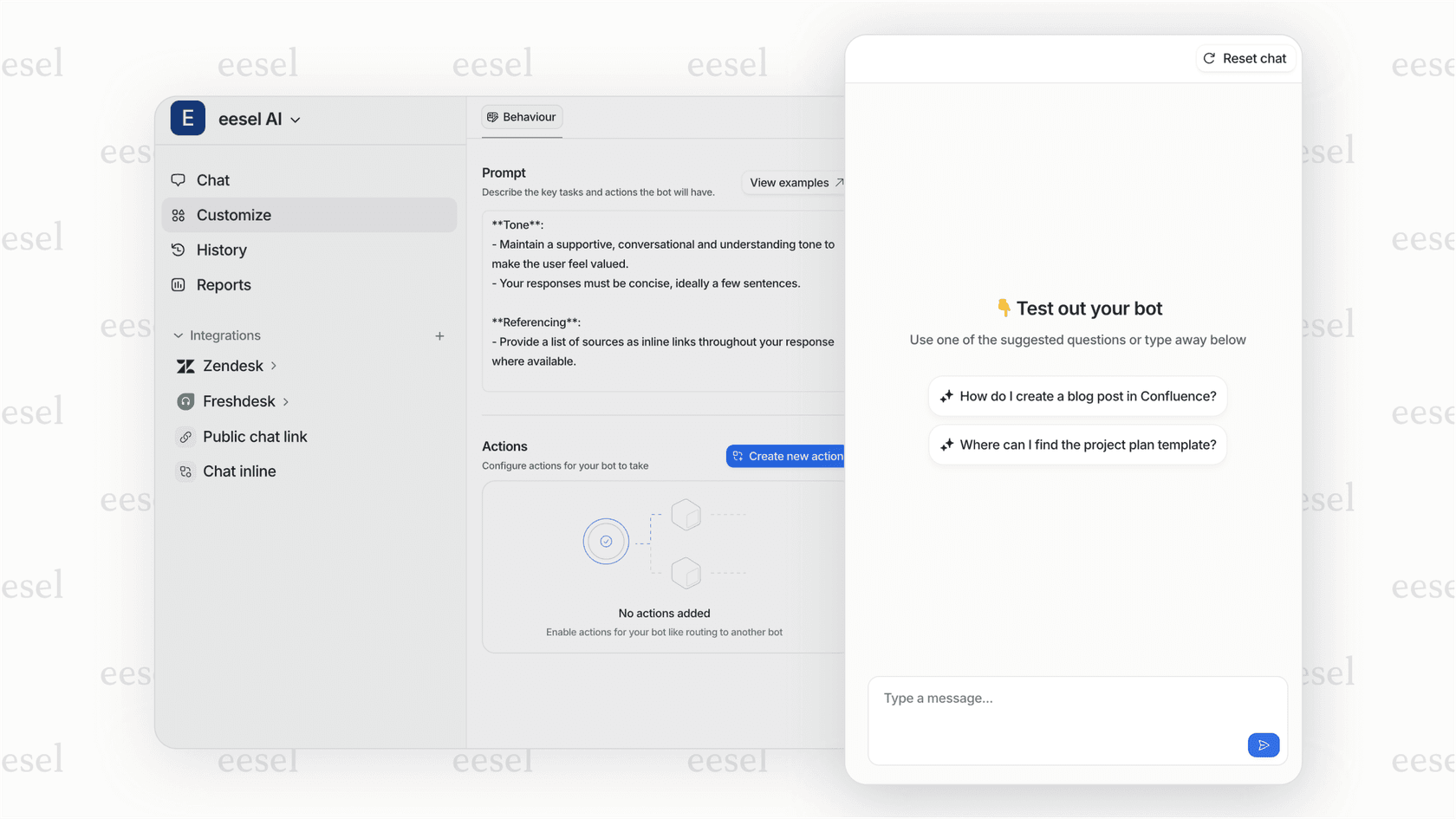
- A better way: This is where eesel AI's powerful simulation mode is a huge relief. You can safely test your AI agent on hundreds of your team's past support tickets in a private sandbox, with each answer scored against how your team replied. That shows you how it will perform before it ever interacts with a live customer. You can launch it with total confidence.
The smarter choice for customer support teams
Look, Relevance AI is a flexible platform for general AI automation, and it's great for people who love to tinker. But if you're running a support team, you need reliability, predictability, and tools that are easy for anyone on your team to pick up and use.
eesel AI is a purpose-built solution designed to solve the exact problems support leaders deal with every day. It delivers on what actually matters:
- Predictable Pricing: One fixed monthly price per credit batch (1 credit per ticket or chat), with overage only if you turn it on.
- Fast Setup: Go live in minutes with one-click integrations.
- Confident Rollout: Simulate performance on your own historical data so there are no surprises.
- Purpose-Built: Features like training on past tickets and automatically generating knowledge base articles are designed from the ground up for support workflows.
Final verdict: Choose clarity over complexity
Choosing an AI platform is a big decision. While Relevance AI offers a broad toolkit, its two-meter Relevance AI pricing model and operational hurdles can create more work than a support team wants. For teams that value transparency, speed, and confidence, a dedicated solution is the clear winner.
Ready for an AI platform with predictable pricing that you can set up yourself in minutes? Try eesel AI for free or book a demo to see our simulation mode in action.
Frequently asked questions
Okay, but how can our team accurately budget for Relevance AI pricing if the costs are so unpredictable?
Budgeting takes more work than a flat plan, which is the main challenge. Relevance AI bills two meters: Actions (one per tool run) and Vendor Credits (AI model and tool usage at wholesale). A busy month can use up your plan's Actions and lead to top-ups at $80 per 1,000 Actions, so model your expected agent runs before you commit.
What’s the biggest risk my team faces with the Relevance AI pricing credit system if we have a sudden spike in activity?
The biggest risk is running through your plan's monthly Actions early. A sudden increase in customer tickets or agent tasks could use them up in days, so you would buy top-ups ($80 per 1,000 Actions) to keep agents running. Purchased Actions and Vendor Credits roll over, but your plan's own Actions reset at each renewal.
Ultimately, what makes an alternative's cost model better than the Relevance AI pricing structure for a support team?
An alternative with a fixed monthly price is better for a support team because you know the bill before the month starts, and any overage only happens if you switch it on, at a cap you set. That stability lets teams focus on performance instead of worrying about surprise costs.
As my company scales, will the Relevance AI pricing model become more or less expensive to manage?
As you scale, more agent runs mean more Actions and Vendor Credits, which can push you from Pro ($19 to $29 per month) to Team ($234 to $349 per month) or to a custom Enterprise plan, plus top-ups in between. Plan the jump before your volume forces it.