

What is Seedream 5.0 Pro?
Seedream 5.0 Pro is ByteDance's hosted image-generation model, identified in Volcano Engine documentation as doubao-seedream-5-0-pro-260628. The model sits above Seedream 5.0 Lite and focuses on control: reference-image fusion, positional guidance, detailed layouts, and text inside images.
That positioning matters. Many image models are good at making one attractive picture from a sentence. Pro is aimed at the harder job: keep several visual constraints in your head at once, then produce one usable composition. Think product board, storyboard frame, infographic, interface concept, or campaign visual with a fixed cast of objects.
Under the hood, Pro sits at the top of a fast-moving lineage: Seedream 4.0 (August 2025), 4.5 (November 2025), 5.0 Lite (January 2026), then Pro on June 28, 2026. ByteDance's own documentation caps every model in the family, Pro included, at 500 images per minute per account, and ships SDKs for Python, Java, and Go on top of the raw curl interface. That is enterprise-rate-limit language, not hobbyist-API language, which tracks with how the access story below plays out.
There is one important naming trap. seedream.ai is an unrelated third-party site, not ByteDance's model home. For API documentation and billing, use Volcano Engine or a provider that explicitly names the ByteDance model ID.
Seedream 5.0 Pro is entering a crowded field. Midjourney remains the default for stylized art, GPT Image is the easiest to reach through OpenAI's own tools, and Nano Banana has built a reputation for fast, accessible editing. Pro's pitch is different from all three: precision composition over convenience.

What Seedream 5.0 Pro does well
Multi-reference image fusion
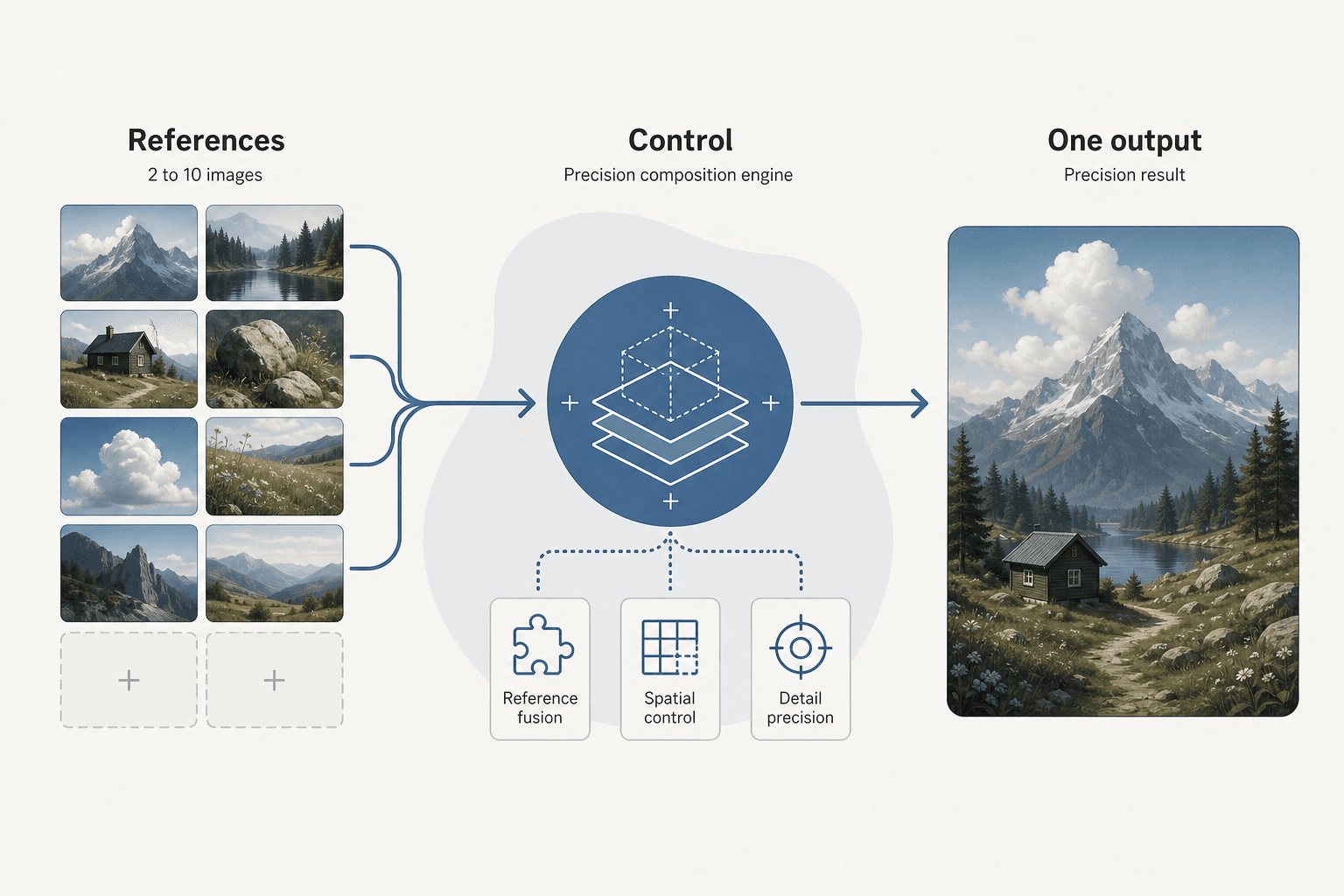
Pro accepts two to 10 reference images and combines them into one output. That opens a more useful workflow than starting from a blank prompt: provide a character reference, a product shot, a pose, and a style direction, then ask for a new scene that keeps those ingredients coherent.
The practical advantage is constraint handling. A reference can carry details that are awkward to describe in words, such as a specific silhouette, packaging shape, outfit, or lighting setup. The model still makes its own choices, so references are not a guarantee of pixel-perfect copying, but they give the generation a stronger visual brief.
Dense layouts and spatial control
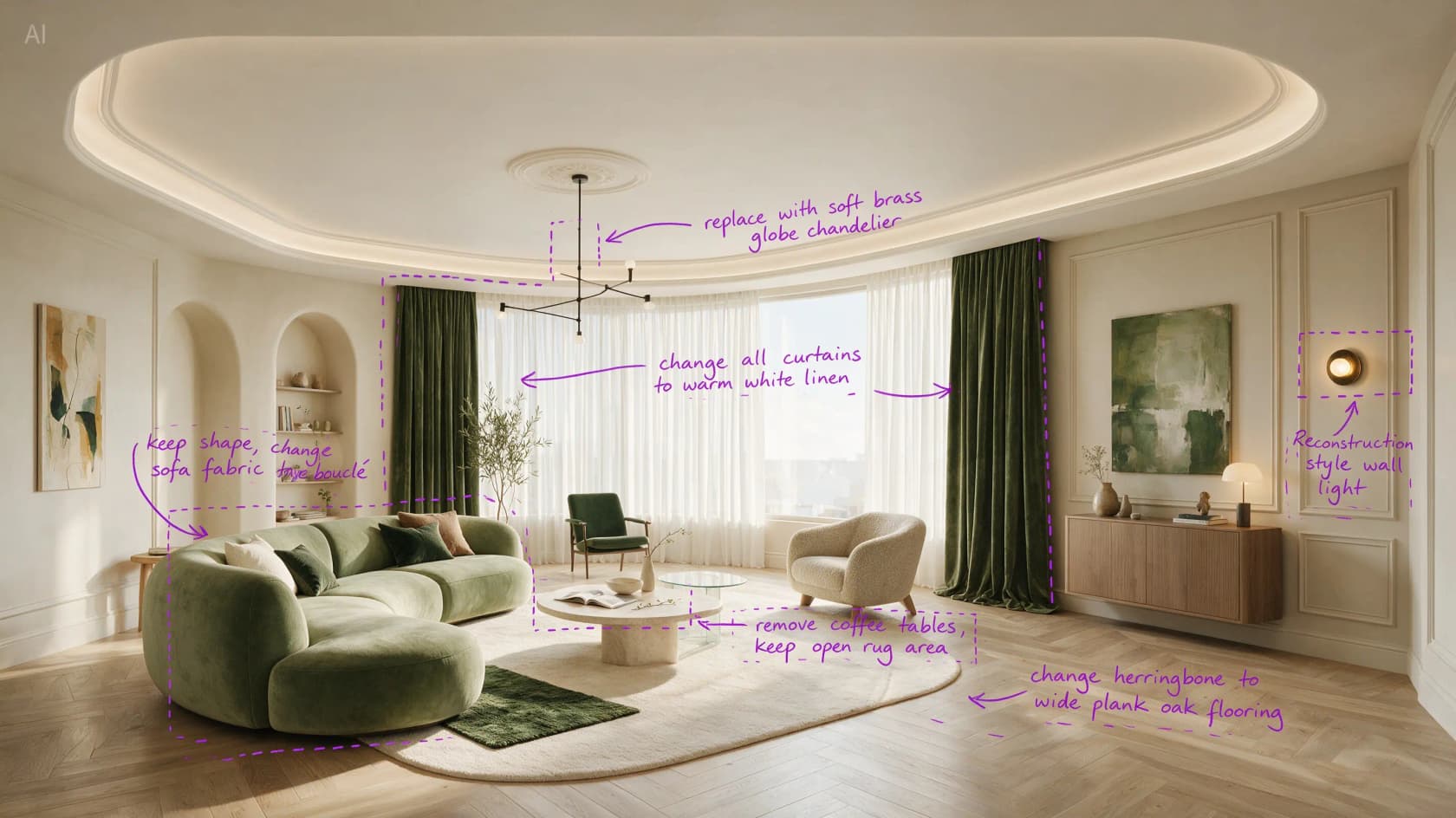
The official capability material positions Pro around high-density images such as storyboards, game interfaces, blueprints, and infographics. That is a narrower claim than “best image model,” but a more useful one. If your image has several labeled panels, objects in fixed positions, or a deliberate visual hierarchy, Pro is playing on the right pitch.
This is also where I would test it first. Use a prompt with explicit regions, object counts, and relationships. Then check whether the result keeps the structure before spending time on polish. A pretty image with the wrong arrangement is still a failed design asset.

This is the kind of output that separates a demo screenshot from a usable asset: multiple labeled regions, a flavor-wheel style chart, and readable captions all landing in their assigned spot instead of drifting toward the center of the frame the way looser layout models tend to.
Text and multilingual composition
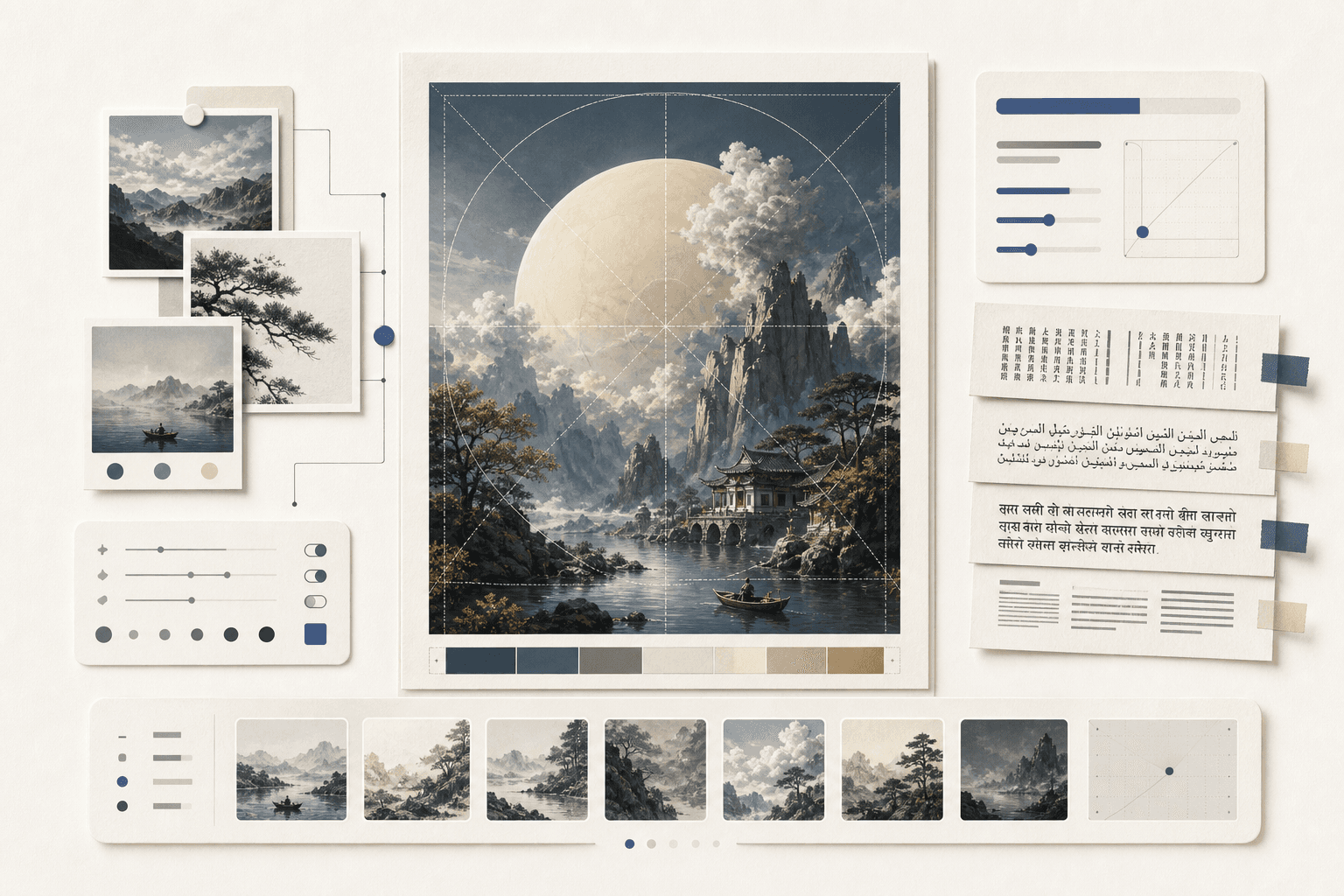
Seedream's product material claims native text generation across languages, including scripts and layouts that often trip up image models. That includes Arabic right-to-left text, Japanese, Korean, and Bengali among the examples surfaced in research. Treat this as a capability to test, not a blanket guarantee: text accuracy depends on prompt length, font complexity, and how much copy you put into the frame.
For production, keep copy short. Ask for a headline, labels, or a compact sign. Put long body copy into HTML or a design tool after generation. That remains faster than asking any image model to typeset a paragraph perfectly.

Editing through references
The API supports image editing through input image URLs. One reference image is free under the documented Volcengine billing rule; additional reference images add a small per-image charge. This makes Pro better suited to iterative art direction than a pure text-to-image endpoint, especially when each round needs to preserve a product or character.
I would still keep original assets outside the model. Hosted image APIs are convenient, but a generation call should not become your only copy of a product image, brand mark, or source illustration.

Photographic realism
ByteDance's own capability material also calls out photographic quality specifically: lighting, shadow, and skin-texture accuracy rather than the slightly plastic look that still shows up in a lot of generated portraits and product shots. That is a separate claim from composition control, and it matters for a different set of use cases, campaign photography, lifestyle product shots, and portraits, where a viewer's eye goes straight to skin and light before it ever notices layout.

I would treat this the same way as the text and layout claims above: worth testing against your own reference shots before you trust it in a campaign, since a vendor's own showcase gallery is naturally curated toward its best outputs.
Seedream 5.0 Pro versus Seedream 5.0 Lite
The version name suggests a simple hierarchy: Pro should be better, Lite should be cheaper. The real split is more interesting. Pro spends its budget on precision and gives up several throughput features that Lite has.
| Capability | Seedream 5.0 Pro | Seedream 5.0 Lite |
|---|---|---|
| Main positioning | Precision and controlled composition | Faster, broader production workflow |
| Reference fusion | 2 to 10 input images | Supported, with a different feature balance |
| Output count | One output per request | Up to 15 outputs per call |
| Maximum resolution | 1K and 2K tiers, up to 2848 × 1600 | Up to 4K in documented API material |
| Streaming | Not documented for Pro | Supported |
| Web search integration | Not documented for Pro | Supported |
| Best fit | One carefully directed result | Batch exploration and higher-resolution variants |
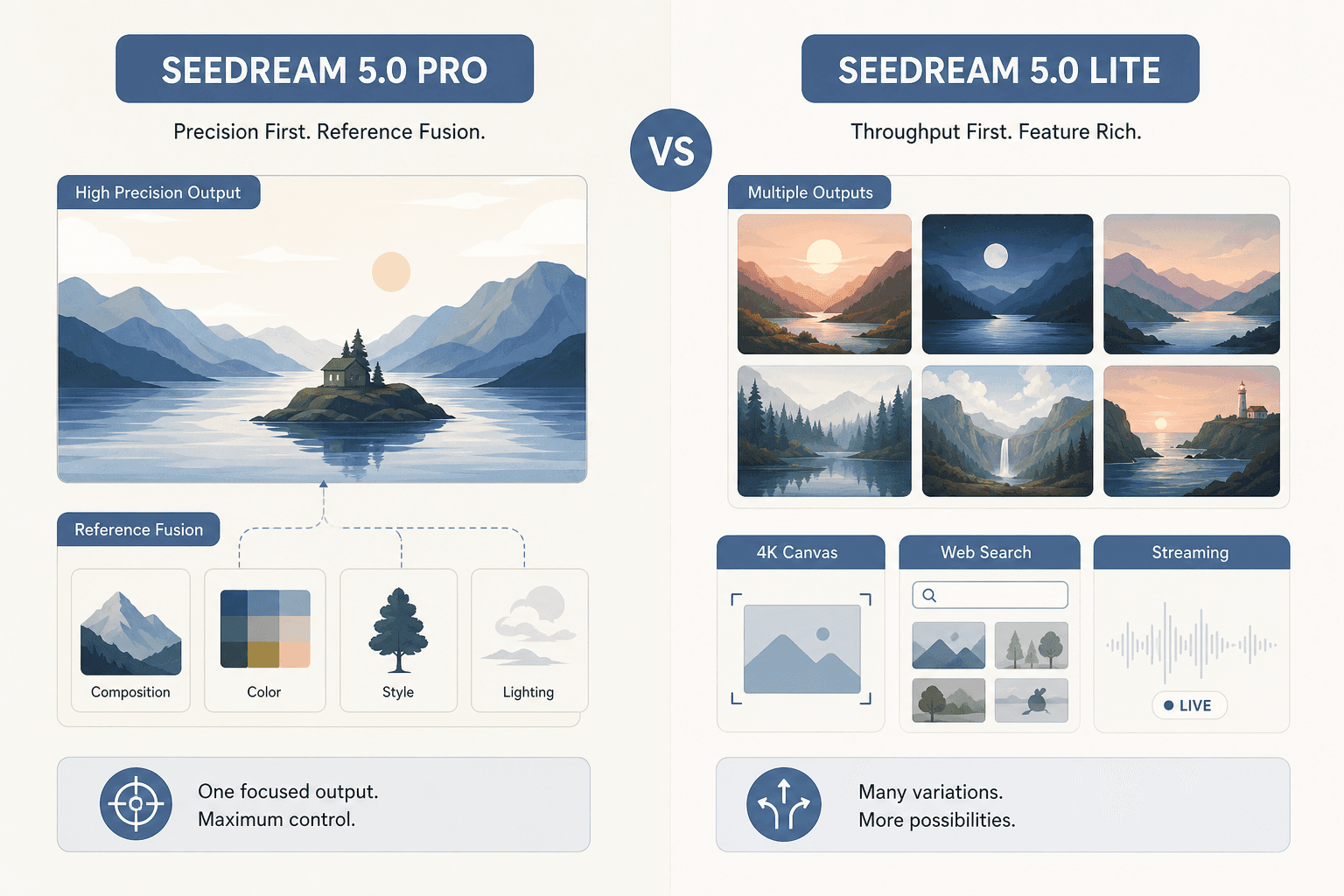
This is the key buying decision. If you are making thumbnails and want 15 directions to choose from, Lite looks more useful. If you have one approved product layout and need the model to respect references and placement, Pro makes more sense. “Pro” describes control here, not every possible specification.
Seedream 5.0 Pro pricing
Volcano Engine documents two output tiers based on pixel count. The threshold is easy to miss, so it belongs in your cost model.
| Output tier | Price per image | Approximate USD* | Practical note |
|---|---|---|---|
| Up to 2.36 million pixels | ¥0.30 | About $0.04 | Standard-size generation |
| Above 2.36 million pixels | ¥0.60 | About $0.08 | Higher pixel count within Pro's documented ceiling |
| Additional input references | ¥0.02 each after first | About $0.003 | First reference image free |
*USD figures are rough conversions, not a provider quote. Currency rates and account billing can move the result.
At the lower tier, Pro is inexpensive enough for experimentation. The higher tier still costs less than many premium image calls, but repeated edits can add up because each extra reference image has its own charge. For a team generating 1,000 standard images, output alone comes to roughly ¥300 (about $42) before taxes, account terms, or provider markup.
Provider pricing can differ. One third-party API listing found during research quoted roughly $0.045 at 1K and $0.09 at 2K, while current availability and model mapping need checking before purchase. Do not assume a provider listing is the same as ByteDance's official bill.
Use the calculator below to sanity-check a monthly budget before you commit to a workflow built around Pro.
API and access
The documented API uses a POST request against Volcano Engine's Beijing endpoint:
curl -X POST \
  'https://ark.cn-beijing.volces.com/api/v3/images/generations' \
  -H 'Authorization: Bearer $ARK_API_KEY' \
  -H 'Content-Type: application/json' \
  -d '{
    "model": "doubao-seedream-5-0-pro-260628",
    "prompt": "A product poster with three objects arranged left to right",
    "size": "2K",
    "output_format": "png"
  }'
The request supports prompt text, model ID, image size, output format, image count where supported, reference image URLs, and safety-checker controls. The documented endpoint does not expose every control familiar from diffusion APIs. I did not find a seed, negative-prompt, or guidance-scale parameter in the reviewed schema.
That can be a feature for teams that want a simpler API, but it limits reproducibility. If you need to reproduce one exact render later, save the full request, source references, model ID, and returned asset. Prompt alone will not be enough.
Access is the bigger obstacle. Research found no public Hugging Face weights and no broad Western provider coverage for Pro. That rules out the normal “try locally in five minutes” path. Check regional availability, account requirements, data handling, and retention terms before sending customer or confidential assets.
Where Seedream 5.0 Pro falls short
Limited output throughput
One output per request is a poor fit for visual exploration. You can still run multiple requests, but the model's design encourages a deliberate input brief rather than a cheap spray of variants. That raises the value of good references and makes prompt iteration more important.
2K ceiling versus Lite's 4K option
The more expensive model does not automatically win on resolution. Lite's documented 4K support is a real reason to choose it when the final asset needs large dimensions. Pro's advantage is composition control, not maximum canvas size.
Sparse independent testing
Public evidence for Pro itself remains thin. Community discussion is richer for the 4.x line and Seedream 5.0 Lite than for this newly released Pro model. A Hacker News launch discussion had no meaningful comment trail in the research window, and blocked review platforms did not produce verifiable Pro-specific reviews. Compare that to the review depth already built up around Midjourney and Nano Banana 2, both of which have months of user testing behind them.
That means a confident “Pro beats every competitor” verdict would be fake precision. The defensible take is narrower: its feature set is compelling for controlled composition, but its independent track record is still developing.
Regional and platform friction
No weights, limited provider listings, and a China-centered official API make adoption harder for teams already standardized on another image API. Volcengine's own account setup skews toward mainland Chinese enterprise customers, so overseas teams should expect extra verification steps before their first API key even works. A technically strong model can lose on procurement, latency, compliance, or account setup before image quality enters the meeting.
My Seedream 5.0 Pro verdict
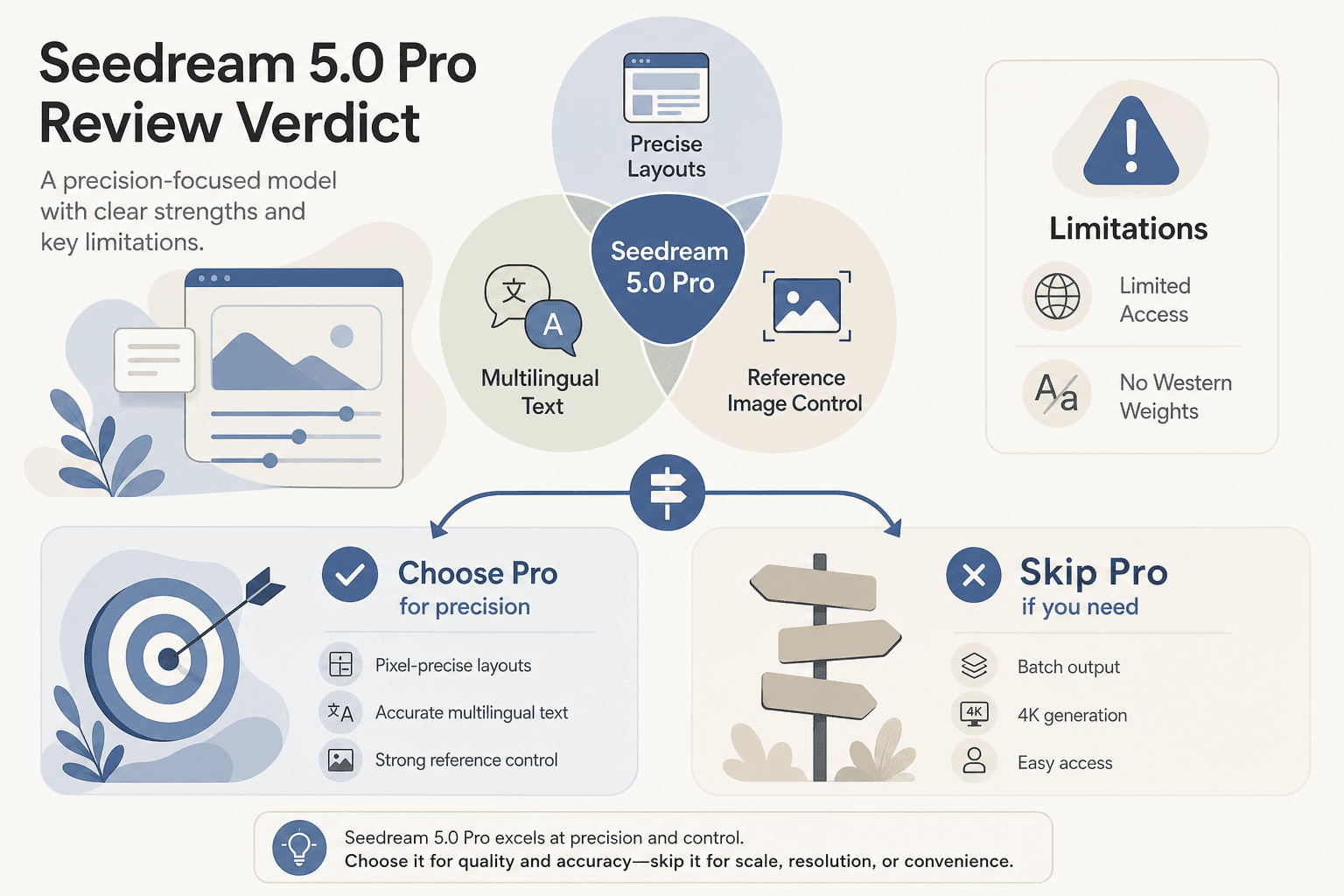
Verdict: promising specialist, premature default.
Choose Seedream 5.0 Pro if your work depends on several references, dense composition, multilingual labels, and one carefully directed result. It looks especially interesting for product visualization, storyboards, structured marketing graphics, and interface concepts.
Skip it for now if you need open weights, easy Western access, 4K output, batch ideation, or a mature independent review record. Seedream 5.0 Lite may be the better practical tool despite its lower position in the name hierarchy.
My recommendation: run a small acceptance test with your own reference images. Measure layout adherence, text accuracy, identity preservation, latency, and the full cost of three edit rounds. If Pro wins on those dimensions, its low per-image price makes production trials reasonable. If it does not, “Pro” will not rescue a workflow built around batch variation.