

If you work in support or IT, you know the daily grind. Tickets are pouring in, and at the same time, everyone expects a fast, accurate, and personal answer. Juggling all that is no small feat. AI chatbots have become a popular way to ease that pressure by handling repetitive questions and letting human agents focus on the tougher problems.
When you talk about big-league IT Service Management (ITSM), ServiceNow is always in the conversation. Naturally, they've built their own AI tools to help with this exact problem. But what are they actually like to use?
This guide gives you the complete rundown of the ServiceNow AI chatbot. We'll get into its main features, try to make sense of its famously confusing pricing, and point out the big limitations you should know about before you commit.
What is the ServiceNow AI chatbot?
First off, there isn't one single product called the "ServiceNow AI chatbot." It's really a catch-all term for the different conversational AI tools built into the ServiceNow platform. The main one you'll hear about is the ServiceNow Virtual Agent, a generative AI-powered bot that acts as the first line of defense for user requests.
The Virtual Agent is designed to chat like a person. It uses Natural Language Processing (NLP) to understand what someone is asking. ServiceNow's Virtual Agent page now says it is powered by ServiceNow Otto, the brand it uses for Now Assist and Moveworks together. The idea is to give employees and customers a way to help themselves 24/7, taking care of common IT, HR, or customer service issues on the spot.
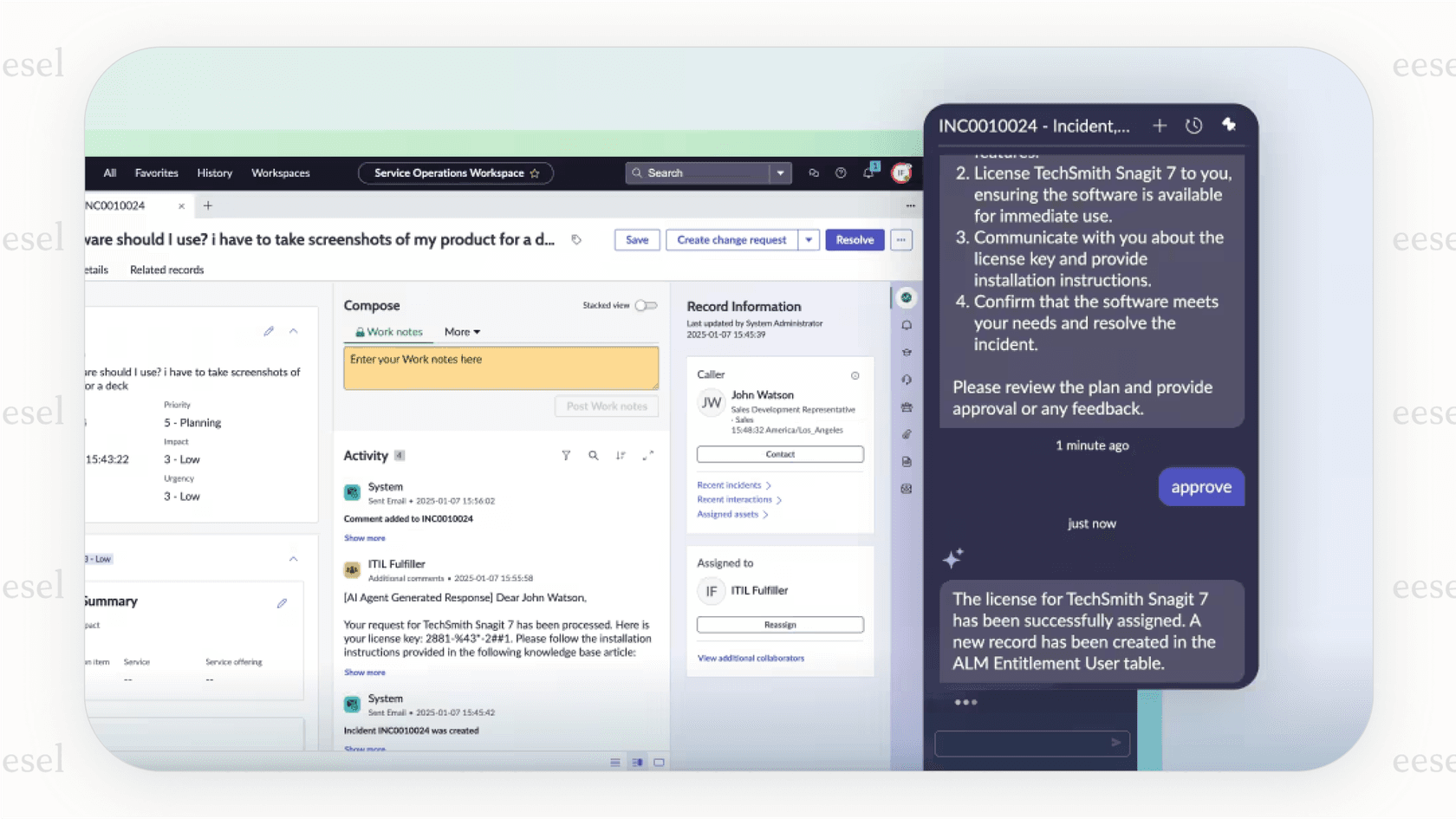
Because it's a native tool, it's built to play nicely within the ServiceNow world. It pulls information from ServiceNow's own knowledge base, connects to its service catalogs, and can kick off actions on the platform. This deep integration is its biggest selling point, but as we'll get into, it's also one of its biggest drawbacks.
A closer look at the ServiceNow AI chatbot
The Virtual Agent is the core of ServiceNow's AI strategy. It's meant to be the first point of contact, deflecting simple questions and automating tasks so they never even have to land in a human agent's queue. Let's look at what it does well and where it misses the mark.
Key ServiceNow AI chatbot features and what they do
ServiceNow has packed the Virtual Agent with a solid set of features for large organizations.
-
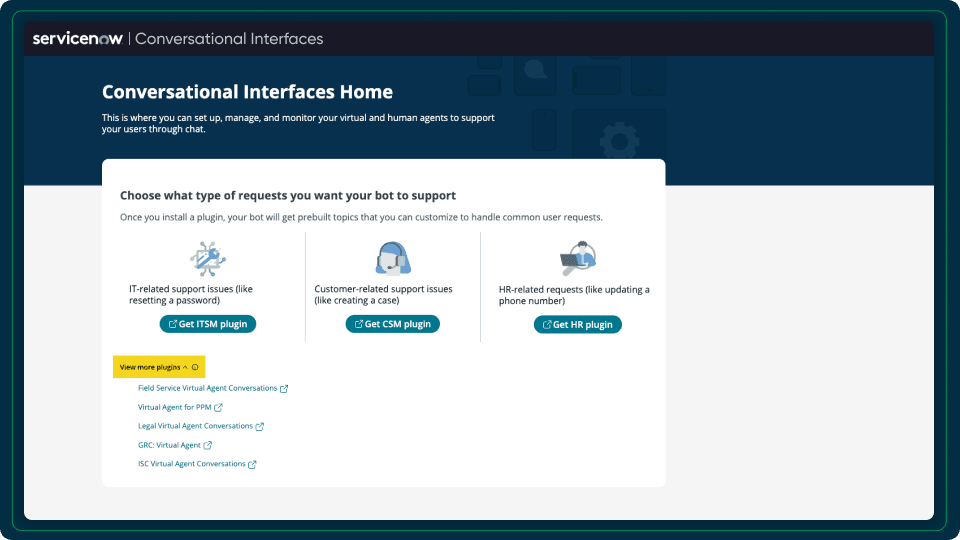
Ready-to-go conversations: To help you get started quickly, ServiceNow provides pre-made conversation templates for common things like password resets, ordering a new laptop, or checking on a ticket's status. This can definitely cut down on the initial setup effort.
-
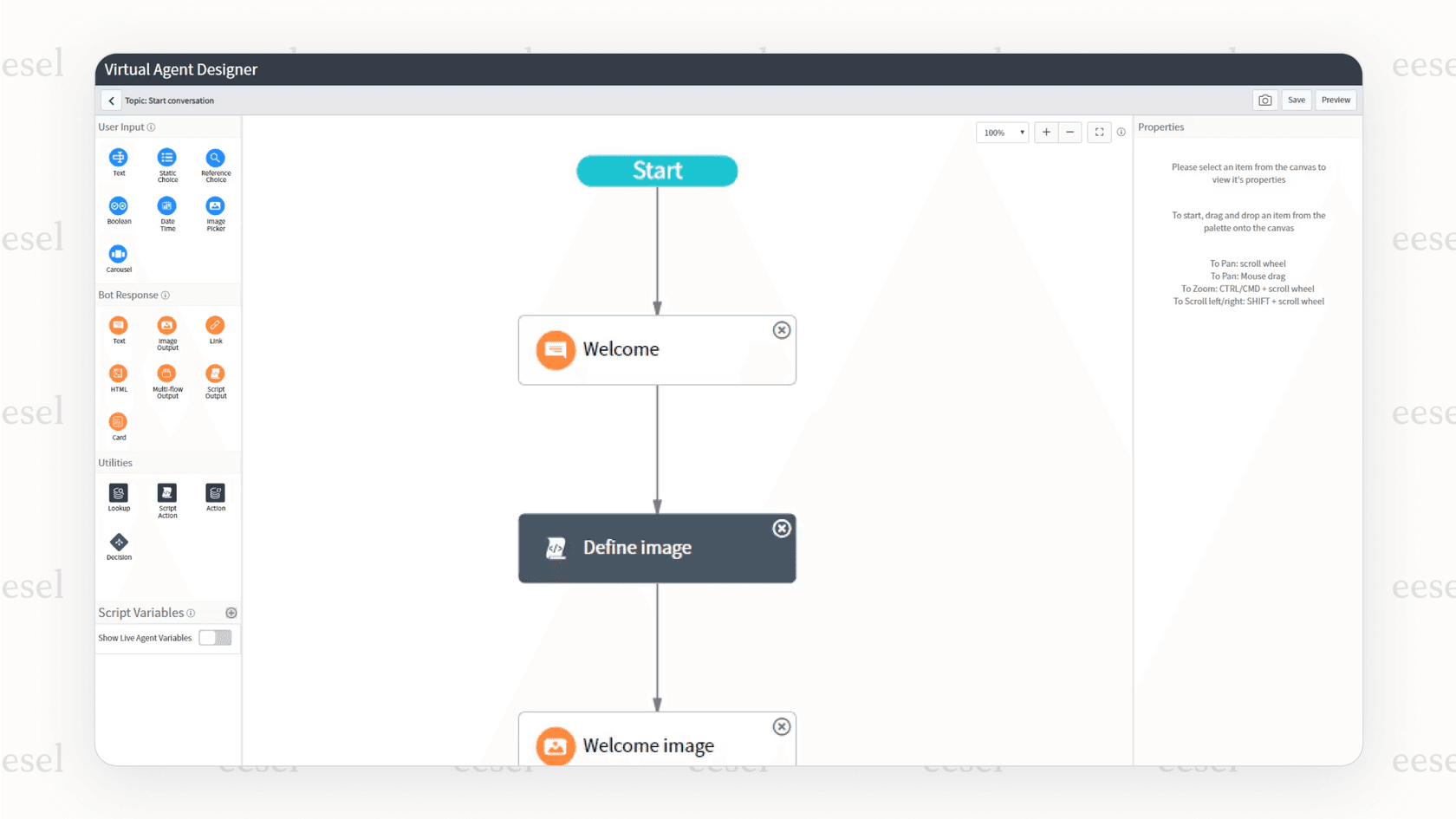
A visual conversation builder: For anything more specific to your business, there's a low-code design studio to build and test custom chat flows. This lets you shape the bot's responses to your own processes without needing to be a coding wizard, though you'll still need some technical comfort.
-
AI-powered answers: Instead of just sending users a link to a long article, the bot can scan multiple sources and give a short, direct answer. This is a much better experience than just having a link dropped in the chat.
-
Support for multiple languages: If you're a global company, the bot can figure out a user's language and translate the chat on the fly. This is a big help for keeping support consistent across different countries.
-
Smooth handoff to a human: No bot can handle everything. When a problem gets too tricky, the Virtual Agent is set up to pass the full conversation history and context to a human agent. This avoids the classic frustration of having to explain your issue all over again.
Where the all-in-one ServiceNow AI chatbot approach doesn't work
On the surface, the Virtual Agent seems great. But its main strength, being part of ServiceNow, is also the source of its biggest headaches.
-
It works best inside the ecosystem: The Virtual Agent is a strong tool when your company's knowledge and workflows are already on the platform. But what if your engineers use Confluence, your marketing team writes in Google Docs, and important policies are stored in Notion? ServiceNow's external content connectors list Atlassian Confluence Cloud and Microsoft sources for AI Search, and Workflow Data Fabric adds Zero Copy Connectors, but each outside source is an integration your admins have to configure.
-
Customizing it takes platform expertise: ServiceNow offers a "guided setup" with prebuilt conversations, but tailoring the Virtual Agent to your specific needs goes beyond that. It often involves hiring specialized ServiceNow developers or consultants, a cost that adds to the project. That can stretch setup time from a few weeks to many months.
-
It starts from structured content: ServiceNow's guided setup builds on your existing knowledge articles and catalog items, and its synthesized answers draw on articles, catalog items, and topics. The Virtual Agent page doesn't list the practical, informal knowledge in places like past Slack conversations, resolved tickets in help desks like Zendesk or Freshdesk, and internal wikis as sources. Without that real-world context, its answers can feel generic and miss the details needed to solve actual problems.
Making sense of ServiceNow AI chatbot pricing
Trying to get a straight answer on ServiceNow pricing is famously tough. The company doesn't list its prices online and works on a quote-by-quote basis. This can make budgeting a real headache and often obscures the true cost of using the platform. The Virtual Agent itself is included in every ITSM package (Foundation, Advanced, and Prime), and Now Assist usage is metered in assists: ServiceNow's rate card lists one end-to-end Virtual Agent topic at 10 assists and a small agentic workflow at 25. Here's a breakdown of the different costs you'll likely run into.
The total ServiceNow AI chatbot cost breakdown
From what we've gathered from industry reports and customers, ServiceNow pricing has a lot of layers. You're not just paying one subscription fee; it's a mix of licenses, setup fees, and ongoing costs to keep it running.
-
Subscription licenses: This is your per-user fee. For the former ITSM Pro package (ServiceNow replaced Standard, Pro, and Pro Plus with Foundation, Advanced, and Prime in 2026), one third-party estimate was around $100 per user per month. The price can change a lot depending on the features you need and the type of user (an agent who resolves tickets costs more than someone who just submits them).
-
Pre-deployment and consultation fees: Before you even begin, you'll probably pay for someone to analyze your needs and map out the project. These fees can be rolled into a bigger implementation deal or billed on their own, sometimes adding up to $30,000 to $70,000 a year.
-
Implementation and go-live costs: This is the one-time (but usually very large) bill for getting everything set up, configured, and customized. Depending on how much work is needed, this can easily be anywhere from $10,000 to over $100,000.
-
AI and feature add-ons: This is a big one. Under the old packaging, access to ServiceNow's best AI features meant moving up to a premium plan like Pro Plus, which a third-party estimate put at 50-60% on top of the license fee. Now Assist is bundled into every package, with an allowance of assists, and ServiceNow says it may invoice usage above that allowance.
| Cost Component | Typical Estimated Cost | What it Covers |
|---|---|---|
| Subscription License | $100 - $200 /user/month | Varies by package and what the user needs to do. |
| Implementation Fees | $10,000 - $100,000+ (one-time) | The initial setup, configuration, and any integration work. |
| Consultation Fees | $30,000 - $70,000 (annual) or bundled | For project planning and process mapping. |
| AI & Feature Add-ons | +50-60% of license fee (old Pro Plus packaging) | Now Assist is now bundled with an assist allowance; usage above it may be invoiced. |
| Developer/Admin Talent | $100,000 - $175,000 /year | The "hidden cost" of needing expert staff to run the platform. |
The hidden ServiceNow AI chatbot costs and the "services problem"
The license fee on the quote is just the start. The real, and often biggest, ongoing expense is the need for specialized ServiceNow developers and admins to maintain and customize the platform.

This is a common issue people call the "services problem." A company will spend a fortune on the software itself but not budget enough for the experts needed to make it work well. You end up with a very expensive platform that nobody knows how to use properly, so it just sits there underutilized.
ServiceNow's packaging still ties AI to the tier you buy. The autonomous L1 Service Desk AI Specialist and AI Agents for ITSM only come with ITSM Prime, and under the old Pro Plus packaging a 60% price jump was reported for the AI layer. It's worth testing that model against your expected ticket volume before you sign.
A better alternative: a flexible AI that sits on top of ServiceNow
So, what's the fix? Instead of locking yourself into one platform's expensive and inflexible AI, what if you could add a smarter, more affordable AI layer that works with the tools you already use, including ServiceNow? This is where a more modern, tool-agnostic approach can make a huge difference.
Why a layered AI approach works better
A layered AI platform like eesel AI is built to connect with your tools, not make you replace them. This simple difference solves the biggest issues that come with native, all-in-one solutions.
-
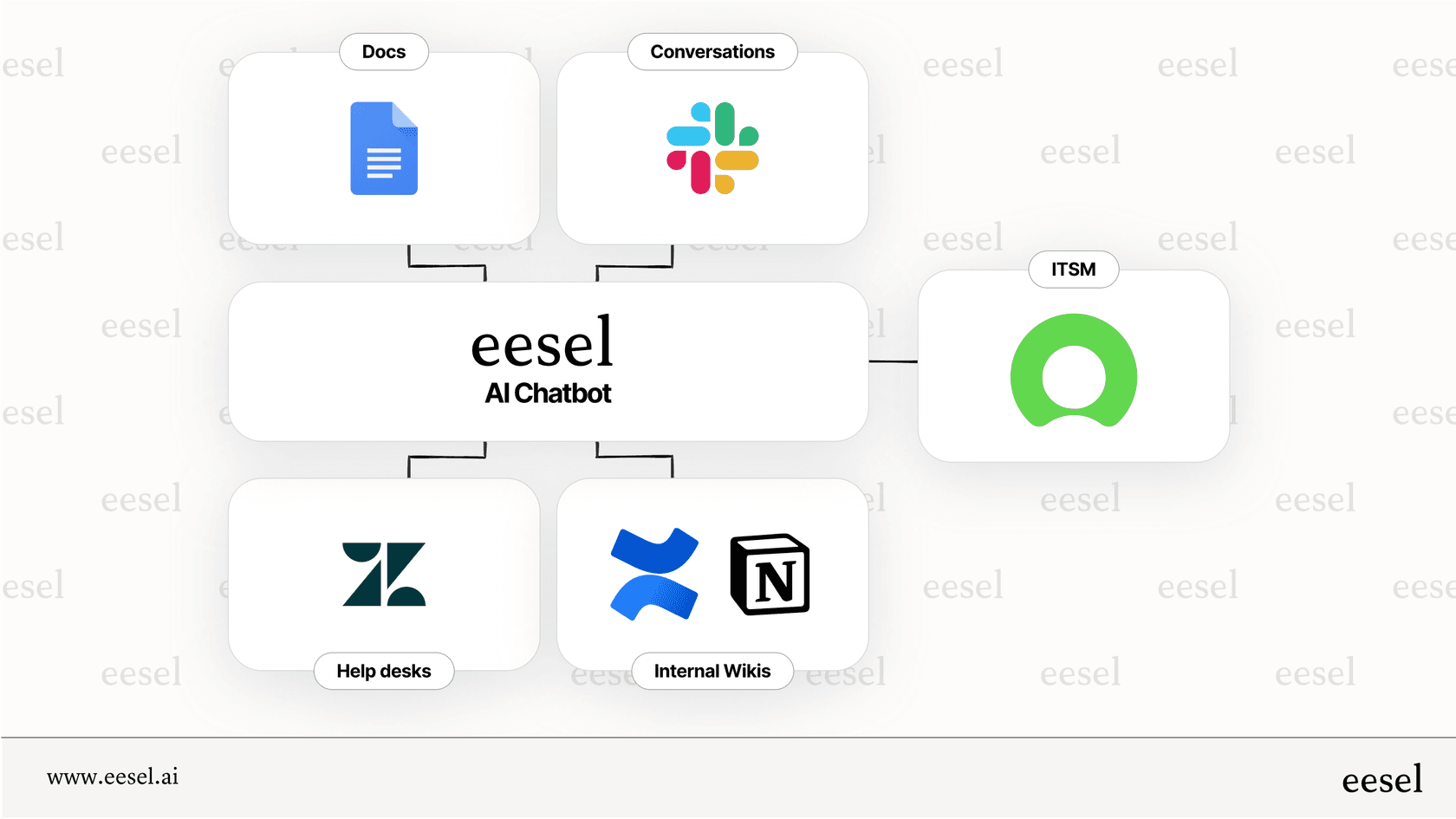
It works with your current tools: eesel AI connects directly to ServiceNow, Zendesk, Jira Service Management, Intercom, and many others. You don't have to go through a painful data migration or mess up the workflows your team is already comfortable with. You get next-gen AI without having to tear down and rebuild your setup.
-
It connects to all of your knowledge: Unlike the ServiceNow bot, which is stuck in its own world, eesel AI can learn from all the different places where your company knowledge is scattered. It securely connects to Confluence, Google Docs, Notion, Slack chats, and even your old ticket history. This gives it a complete picture of your business, which leads to much more accurate and helpful answers.
-
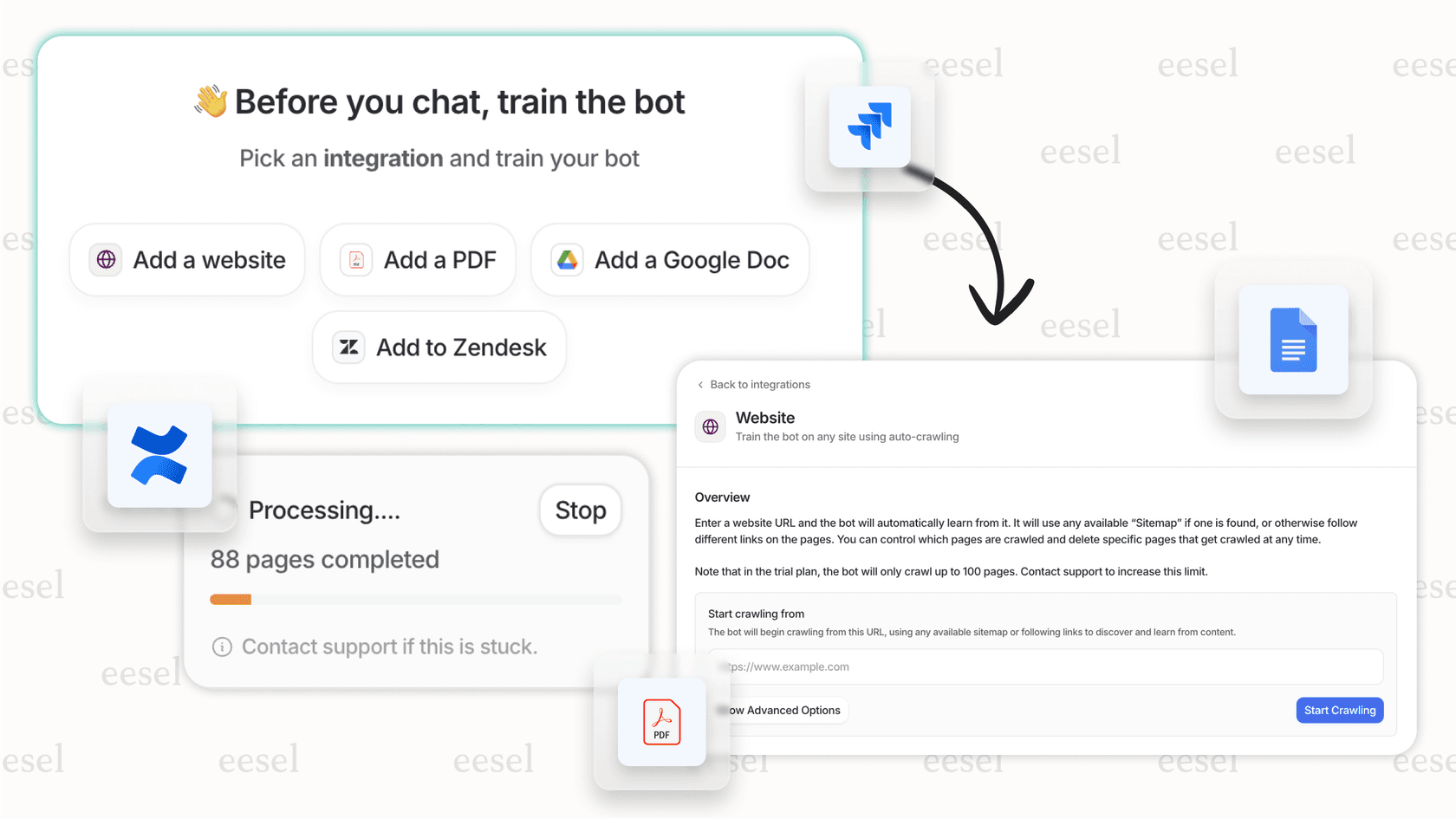
It's no-code and deploys in minutes: eesel AI is designed for support teams, not developers. You can set up, train, and launch an AI agent in minutes without writing a line of code. This gets rid of the need for expensive, specialized developers and shrinks your time-to-value from months or years down to just a few days.
-
Its pricing is clear and simple: With eesel AI, you get one fixed monthly price sized to your ticket volume, from $299/month for 500 credits, where 1 credit covers one ticket or chat. New accounts start with 100 free credits, there is no per-seat fee, and every integration is included.
ServiceNow AI chatbot vs. eesel AI side-by-side
| Feature | ServiceNow AI Chatbot | eesel AI |
|---|---|---|
| How it Integrates | Built into the Now Platform. | Flexible layer that connects to your existing help desk. |
| Knowledge Sources | ServiceNow knowledge base and catalog, plus connectors you configure. | Connects to 100+ sources (Confluence, GDocs, Slack, etc.). |
| Setup & Upkeep | Often needs ServiceNow admins or developers. | No-code setup, managed by the support team. |
| Pricing Model | Custom quote, with prices not published. | Fixed monthly price, from $299/month for 500 credits. |
| Time to Get Value | Months to years, because it's so complex. | Hours to days, with instant testing. |
| Flexibility | Strongest inside the ServiceNow ecosystem. | Works with your entire set of tools. |
Don't get locked in, get flexible with eesel AI
The ServiceNow AI chatbot is a capable tool, especially for huge companies that are already all-in on its platform. But that capability comes with trade-offs: it takes platform expertise to set up, pricing is quote-based and usage is metered, and knowledge outside the platform needs connectors your admins configure.
For most teams today, a more nimble and flexible solution makes more sense. A layered AI gives you all the power of automation without the pain of being locked into one vendor's universe.
With a tool like eesel AI, you can bring all your knowledge together, make your current tools (including ServiceNow) smarter, and see a real return on your investment in days, not years. It's time to stop bending your processes to fit your tools and start making your tools work for you.
Ready to see how a flexible AI layer can upgrade your support? Book a demo of eesel AI today or start by signing up for a free trial today.
Frequently asked questions
How can I calculate the true total cost of a ServiceNow AI chatbot beyond just the license fees?
To find the true cost, you must factor in implementation fees, which can exceed $100,000, and ongoing consultation costs. Most importantly, budget for the salaries of specialized ServiceNow developers or admins, as they are essential for setup and maintenance.
Can my ServiceNow AI chatbot use information from my other tools like Slack or Confluence?
Partly. The Virtual Agent starts from content inside ServiceNow, like its knowledge articles and service catalog items. ServiceNow's external content connectors list Atlassian Confluence Cloud and Microsoft sources for AI Search, and Workflow Data Fabric adds Zero Copy Connectors, but each connection has to be set up by your admins.
Do I need a developer to customize my ServiceNow AI chatbot for my company's specific needs?
Yes, in most cases. While ServiceNow offers a low-code builder, creating truly custom workflows and adapting the bot to your specific business processes typically requires a specialized ServiceNow developer. This "services problem" is a significant hidden cost for many organizations.
For what kind of company is ServiceNow AI chatbot actually a good fit?
The chatbot is best suited for very large enterprises that are already deeply invested in the ServiceNow ecosystem and have dedicated developer resources. If your company's knowledge and workflows live entirely within ServiceNow, it can be a capable, albeit expensive, solution.