

Let's be real, AI is popping up everywhere in IT Service Management (ITSM) and customer support these days. It’s no surprise that big players like ServiceNow are going all-in on conversational AI to help teams automate the boring stuff and actually get work done. But choosing a platform-native AI tool isn’t like picking out a new coffee machine; it's a big decision.
This guide gives you a straight-up, practical look at ServiceNow conversational AI. We'll break down what it is, what it does, where it really shines, and, just as important, where it falls short. We’ll cover its main features, how people are using it, and how its pricing and setup stack up against some of the more flexible, modern alternatives out there.
What is ServiceNow conversational AI?
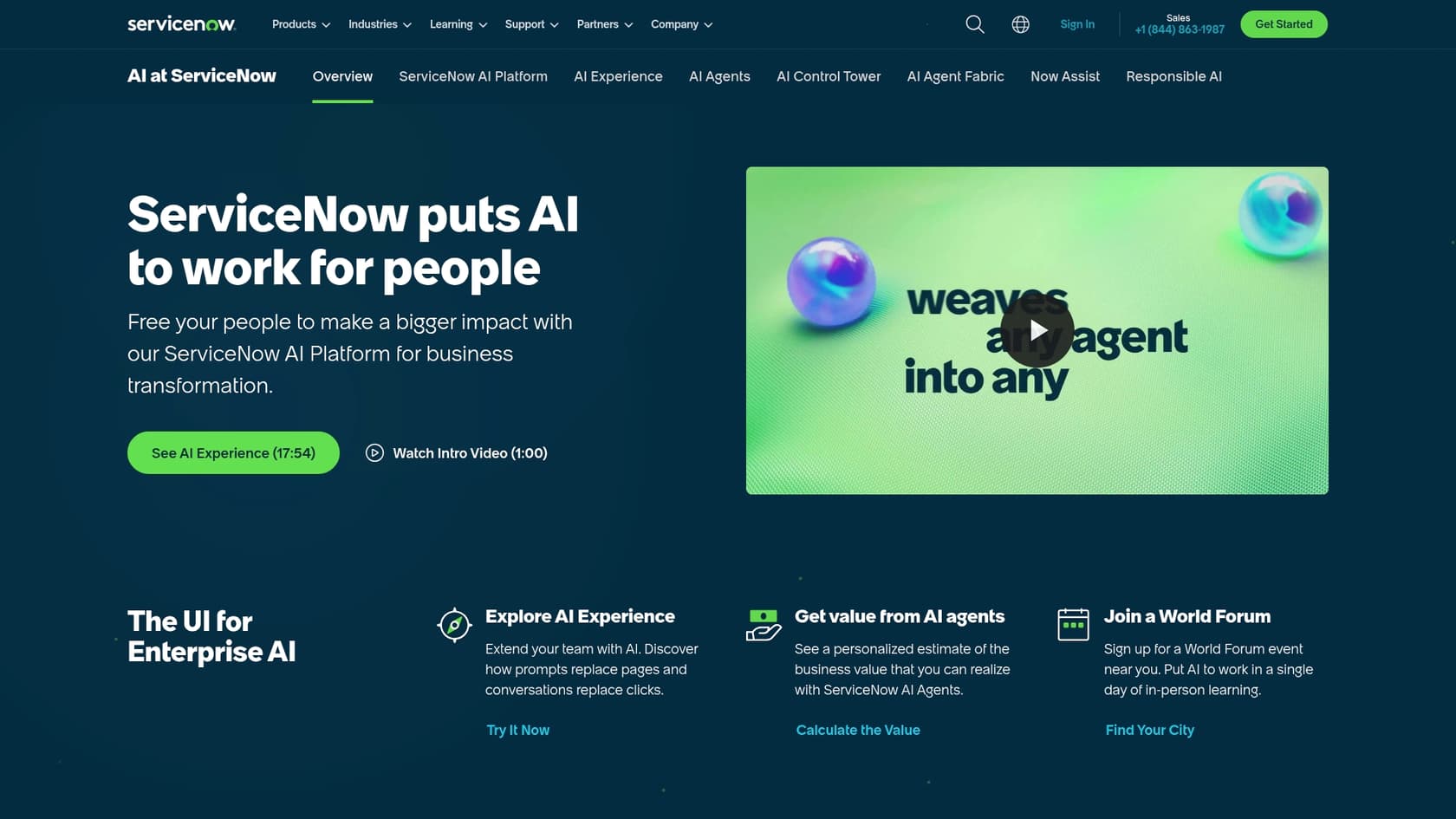
First off, ServiceNow conversational AI isn't a single thing you can just buy and turn on. It's a bunch of AI tools baked right into the ServiceNow Now Platform. Think of it as the brains powering the platform's chat features, which are mostly made up of two parts:
-
Virtual Agent: This is ServiceNow’s chatbot. It’s built to handle user requests through chat, giving people a self-service option for common IT, HR, and customer support questions. If an employee needs to reset their password or a customer wants to check on a case, the Virtual Agent is their first stop.
-
Now Assist: This is the bigger generative AI engine that gives the Virtual Agent its smarts. Now Assist helps the chatbot understand and respond in a more human-like way. ServiceNow's Virtual Agent page now says the chatbot is powered by ServiceNow Otto, the assistant that unifies Now Assist, Moveworks, and AI Experience. It also has some handy tools for your human agents, like creating case summaries or drafting replies, and it can even help developers build new workflows by suggesting code.
The main takeaway here is that these tools are built specifically for the ServiceNow AI Platform. That means they work seamlessly with ServiceNow workflows and data, but it also means they're pretty much designed to stay within the ServiceNow universe.
Key features and capabilities of ServiceNow conversational AI
ServiceNow has packed a lot into its conversational AI platform, all designed to automate and simplify support. So, what’s under the hood? A few key things make it work.
-
Natural Language Understanding (NLU): ServiceNow built its own NLU models to figure out what people are actually asking in plain language. This is the tech that knows "my password isn't working" really means "I need a password reset." Getting this right means you have to spend time training and tweaking your models in ServiceNow’s NLU Workbench, which can be a pretty involved process.
-
Pre-built conversation flows: To help you get up and running, ServiceNow gives you a library of ready-made conversation topics. These are pre-packaged flows for common requests like checking a ticket status, ordering a laptop, or finding a knowledge base article.
-
Multi-channel support: You can put the Virtual Agent in the places your users already hang out, like the ServiceNow service portal, Slack, and Microsoft Teams. This way, they get the same experience no matter where they start the conversation. The Virtual Agent page also lists voice support by phone.
-
Deep integration with Now Platform workflows: This is ServiceNow’s biggest advantage. The Virtual Agent doesn’t just answer questions; it can actually kick off workflows on the platform. It can create an incident, update a record, or start an approval process, all from within the chat.
While that deep integration is great, it also points to a big limitation. The AI’s knowledge is generally stuck with the data and articles stored inside ServiceNow. If your company’s knowledge is scattered across other tools like Google Docs, a separate wiki, or Confluence, the AI doesn't see it until you connect it. ServiceNow documents External Content Connectors for AI Search, including Confluence Cloud and Microsoft sources, so the choice is to configure a connector for each source or accept that your AI has some blind spots.
Common use cases for ServiceNow conversational AI
So, how are people actually using this stuff? ServiceNow conversational AI really shines when you point it at the high-volume, repetitive tasks that are always clogging up the support queue. Here are a few of the most popular ways to use it.
IT support automation
This is probably the first thing that comes to mind. Instead of a support agent spending their day resetting passwords and fixing VPN issues, the Virtual Agent can take over. It guides users through common IT requests, from ordering a new monitor to reporting that a system is down. This frees up your skilled IT folks to work on the tricky problems that actually need a human brain. The whole process is a great example of IT support automation.
HR self-service
We've all been there: trying to find a simple answer to an HR question can feel like a full-time job. The Virtual Agent can act as an HR assistant that’s available 24/7, answering questions about benefits, company policies, or paid time off. It can also walk employees through things like submitting a leave request or updating their contact info, all without creating another ticket for the HR team to deal with.
Customer service deflection
For customer-facing teams, the Virtual Agent can take a huge load off your support agents. It can give instant answers to common questions like, "Where's my order?" or "How do I change my billing information?". By handling these simple queries right away, it gets customers the help they need fast and lets your agents focus on the more complex issues that require a human touch. This is known as Customer service deflection.
The challenges and limitations of ServiceNow conversational AI
While ServiceNow offers a powerful, integrated solution, its platform-first approach comes with some pretty big trade-offs. It’s important to know about these limitations because they can have a real impact on your budget, timeline, and whether the whole thing is a success.
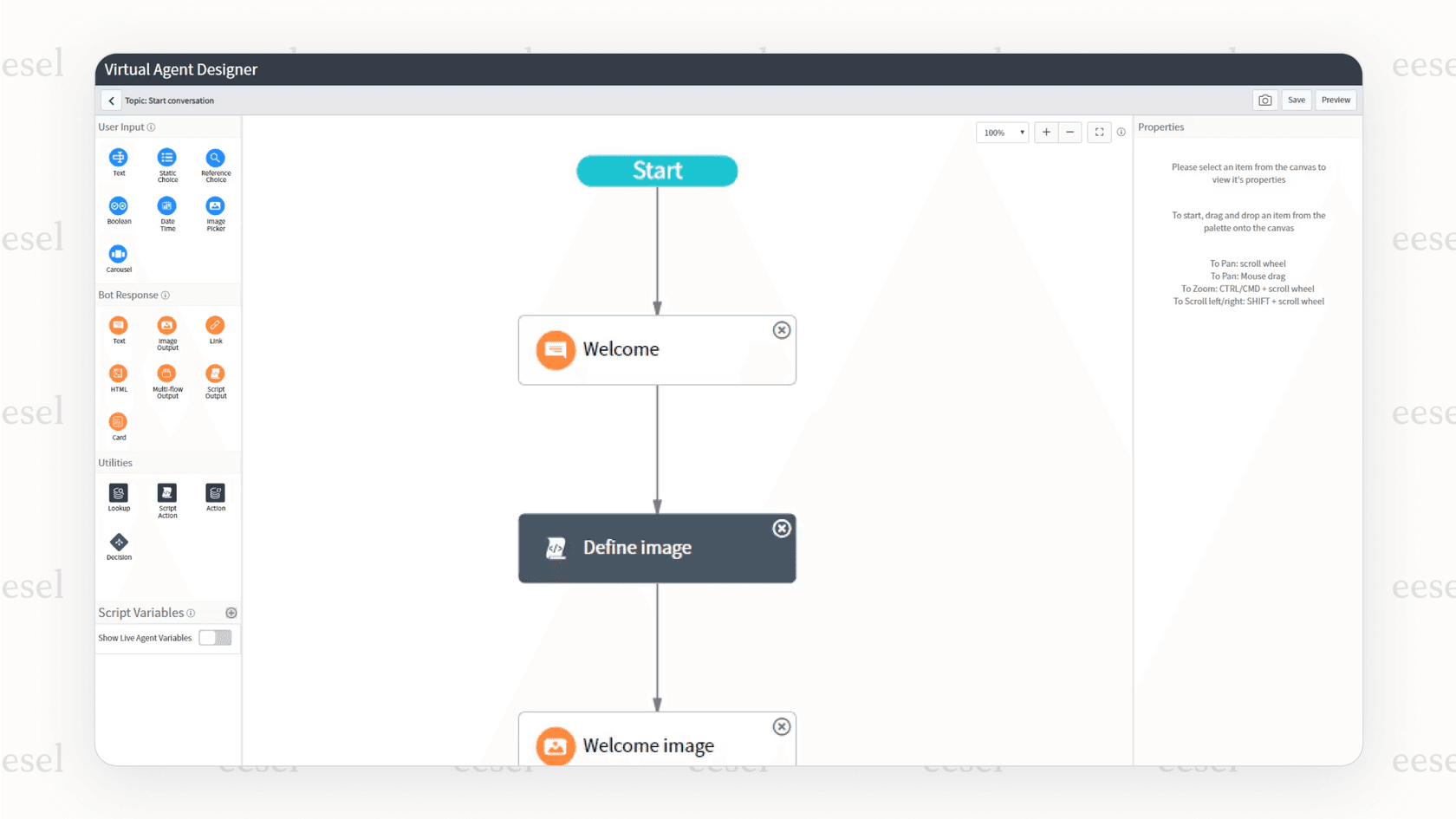
- A long setup process that needs developers: Getting started with ServiceNow's Virtual Agent is not a plug-and-play situation, even though the Virtual Agent page describes a guided setup that starts from your existing knowledge articles and catalog items. Customizing conversation topics, building workflows, and tuning the NLU models is a technical job. It’s not something you can just launch in an afternoon; it usually requires dedicated ServiceNow developers or certified consultants. This can drag out the implementation for months and get expensive fast.
-
Your knowledge gets stuck in a "walled garden": The AI is built to work best with knowledge that lives inside ServiceNow. If your team's important info is in external tools like Confluence, Google Docs, or Notion (which, let's face it, is true for most companies), you have a problem. External Content Connectors exist, but each source is a connector you set up and keep in sync. This "walled garden" is a headache for businesses that need an AI to see all their knowledge, not just some of it.
-
Limited control and risky rollouts: Even when you build your own conversation flows, the experience can feel a bit rigid. Trying to fine-tune the AI's personality, set specific escalation rules, or slowly roll out automation isn't as easy as it is with newer tools. And maybe most importantly, I did not find a documented way in ServiceNow's Virtual Agent docs to replay the AI against your past tickets before you go live, which is something eesel's simulation mode is built for. That makes the first live week the real test.
This is where a different approach, like the one we take at eesel AI, comes in handy. eesel is built to be open. It plugs directly into the tools you already use, including ServiceNow, without making you move all your knowledge to one place. This "bring your own tools" mindset means you avoid being locked in and can connect all your knowledge sources in minutes.
ServiceNow conversational AI pricing
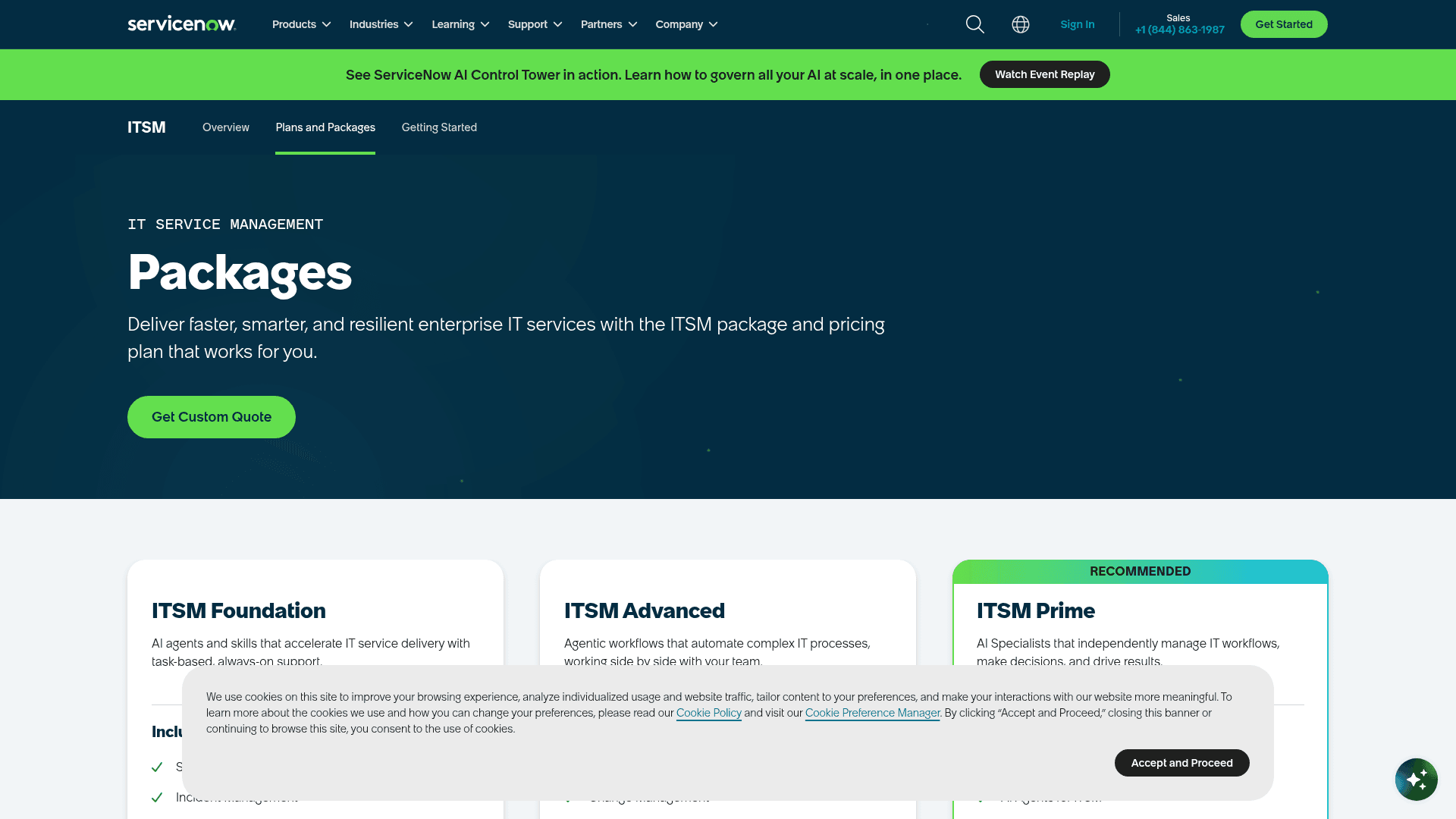
If you're looking for a simple price tag for ServiceNow conversational AI, well, you're not going to find one. ServiceNow doesn't publish its pricing. Instead, its conversational AI and Now Assist features are bundled into its ITSM and Customer Service Management (CSM) packages. ITSM now comes in three tiers, Foundation, Advanced, and Prime, with the Virtual Agent in every one and the autonomous AI Agents on Prime.
To get a price, you have to talk to their sales team. This kicks off a whole sales process that ends with a custom quote for your company. This lack of transparency makes it tough to budget and can lead to costs you didn't see coming. The final price is often pretty steep and comes bundled with other platform features you might not even need.
This kind of pricing model is starting to feel a bit old-fashioned. Modern AI tools are moving toward being more open and predictable. For example, eesel AI has straightforward pricing: one fixed monthly price sized to volume, 1 credit per ticket or chat, and no per-seat fee. You can start on the free plan with 100 credits and no card, and move up or down any time.
| Plan | Monthly price | Credits per month | What is included |
|---|---|---|---|
| Free | $0 | 100 | No card needed |
| Teammate 500 | $299 | 500 | Every integration and channel, unlimited agents and seats |
| Teammate 1,000 | $499 | 1,000 | Same, more volume |
| Teammate 2,500 | $999 | 2,500 | Same, more volume |
| Teammate 5,000 | $1,899 | 5,000 | Same, more volume |
| Above 5,000 | Talk to us | Custom | Priority support, SSO, and data residency are add-ons |
A more flexible alternative to ServiceNow
For teams that want to move fast and stay in control without getting locked into one platform, a new wave of AI tools offers a much more practical path. Instead of one giant, all-in-one platform, solutions like eesel AI act as an intelligent layer that plugs right into the tools you already use, including ServiceNow.
Go live in minutes, not months
Forget about long implementation projects and needing a developer for every little change. eesel AI is designed so you can set it up yourself. You can connect your help desk (like Zendesk, Freshdesk, or ServiceNow) and all your knowledge sources with just a few clicks. You can have a working AI agent ready to test in minutes, without ever having to talk to a salesperson.
Unify your knowledge, wherever it lives
eesel AI breaks down the knowledge silos that hold back platform-native AIs. It instantly and securely connects to all the places your team's knowledge lives, Confluence, Google Docs, Slack, Notion, and your past support tickets. Instead of making you centralize all your info, it brings the AI to where your data already is.
Test with confidence
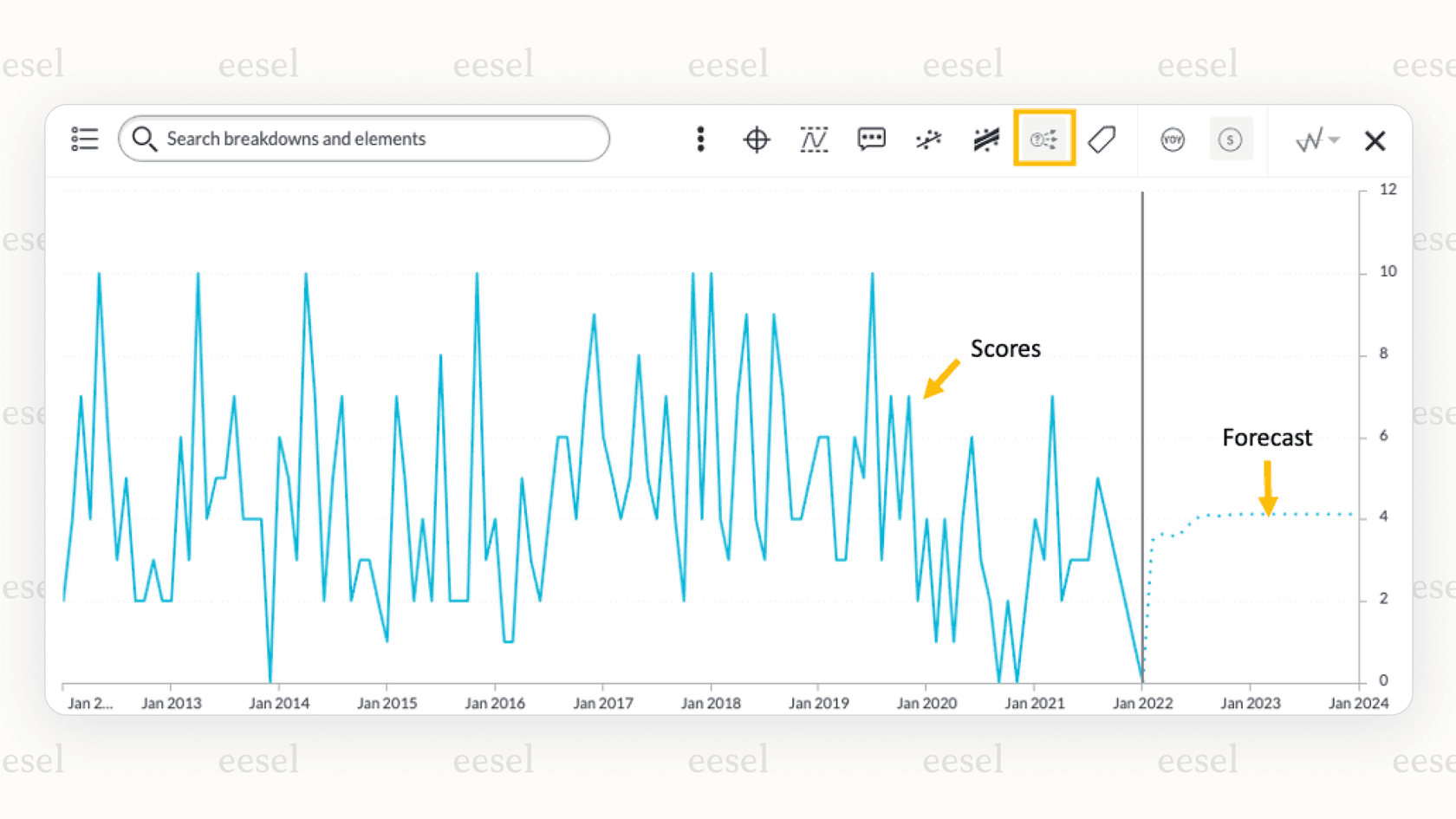
One of the scariest parts of launching an AI agent is not knowing how it’s going to do. eesel AI solves this with a powerful simulation mode. You can test your AI on thousands of your own past tickets in a safe environment. This gives you a real, data-backed forecast of how well it will perform before a single customer ever talks to it.
Total control and a gradual rollout
With eesel AI, you're in charge. You can define exactly which types of tickets the AI should handle and customize its personality, tone of voice, and the specific actions it can take. This lets you start small by automating just one or two simple ticket types, then gradually give it more responsibility as you see how well it works.
Is ServiceNow conversational AI the right choice for your team?
ServiceNow conversational AI is a powerful tool for companies that are already deeply committed to the ServiceNow ecosystem. If your organization runs on ServiceNow and you have the budget and developer team to handle a complex setup, it can be a good option.
But that power comes with some serious strings attached: a slow and complicated setup, a "walled garden" that traps your knowledge, and a confusing pricing model that makes it hard to know what you’ll actually pay.
For teams that care about speed, flexibility, and control, a modern, plug-and-play tool like eesel AI offers a much more attractive alternative. It works with your existing tools, connects all your knowledge, and starts delivering value in a tiny fraction of the time and cost. It's built for how teams actually work today, not how a single platform thinks they should.
| Feature | ServiceNow conversational AI | eesel AI |
|---|---|---|
| Setup Time | Months, requires specialists | Minutes, fully self-serve |
| Knowledge Sources | ServiceNow data, plus connectors you configure | All sources (Google Docs, Confluence, etc.) |
| Deployment | Rollout planned in-house | Gradual rollout with simulation |
| Pricing Model | Opaque, bundled, "Contact Sales" | Transparent, predictable plans |
| Integrations | Locked into ServiceNow ecosystem | Plugs into your existing help desk |
Ready for an AI solution that works with your tools, not against them? Start your free eesel AI trial today and see how quickly you can get your support automation up and running.
Frequently asked questions
What exactly *is* ServiceNow conversational AI, beyond just a chatbot?
ServiceNow conversational AI is a suite of AI tools integrated into the ServiceNow Now Platform, primarily comprising the Virtual Agent (a chatbot) and Now Assist (a generative AI engine). It's designed to automate service requests and empower agents by providing smart responses and workflows.
How long does it typically take to implement ServiceNow conversational AI effectively?
Effective implementation of ServiceNow conversational AI typically takes months, not days or weeks. This is due to the need for dedicated ServiceNow developers or certified consultants to customize conversation topics, build workflows, and fine-tune NLU models.
Can ServiceNow conversational AI access knowledge stored in external systems like Confluence or Google Docs?
ServiceNow conversational AI works most directly with knowledge inside the ServiceNow platform. It also documents External Content Connectors for sources such as Confluence, but each one has to be configured and kept in sync, which can leave knowledge silos if not carefully managed.
What are the primary use cases where ServiceNow conversational AI provides the most value?
ServiceNow conversational AI excels in automating high-volume, repetitive tasks across IT support, HR self-service, and customer service deflection. It handles common requests like password resets, HR policy questions, and order status inquiries.
How is ServiceNow conversational AI typically priced, and can I get a clear quote upfront?
ServiceNow conversational AI pricing is not publicly published; it's bundled into the ITSM (Foundation, Advanced, Prime) and CSM packages. You need to engage with their sales team for a custom quote, making upfront budgeting challenging.
Are there ways to test the performance of ServiceNow conversational AI before going live to users?
I did not find a documented way in ServiceNow's Virtual Agent docs to replay the AI against past tickets before a live launch, so teams should plan their own pilot. eesel's simulation mode does this on historical tickets.
When might a team consider an alternative to ServiceNow conversational AI?
A team might consider an alternative to ServiceNow conversational AI if they prioritize quick setup, require integration with knowledge bases outside ServiceNow, need transparent pricing, or prefer a gradual rollout with robust pre-launch testing capabilities.