

Every support manager knows that sinking feeling when a critical ticket gets lost in the shuffle. A good ticket escalation process isn't just a nice-to-have; it's a promise to your customers that their biggest problems will get the attention they deserve, fast.
While helpdesks like Zoho Desk give you tools to manage this, setting up an escalation system that’s both smart and reliable can be a real headache. It often feels like you need a degree in systems architecture just to make sure an urgent ticket lands in front of the right person at the right time.
This guide will walk you through how Zoho Desk Zia Escalation Support actually works, from old-school, rule-based setups to using its AI assistant, Zia. We'll look at the features, the frustrations, and a more modern way to automate your support workflows without all the complexity.
What is Zoho Desk Zia Escalation Support?
Before we dive into the setup process, let's quickly define the key players. Understanding what each part does is the first step to seeing where things can get a bit tangled.
What is Zoho Desk?
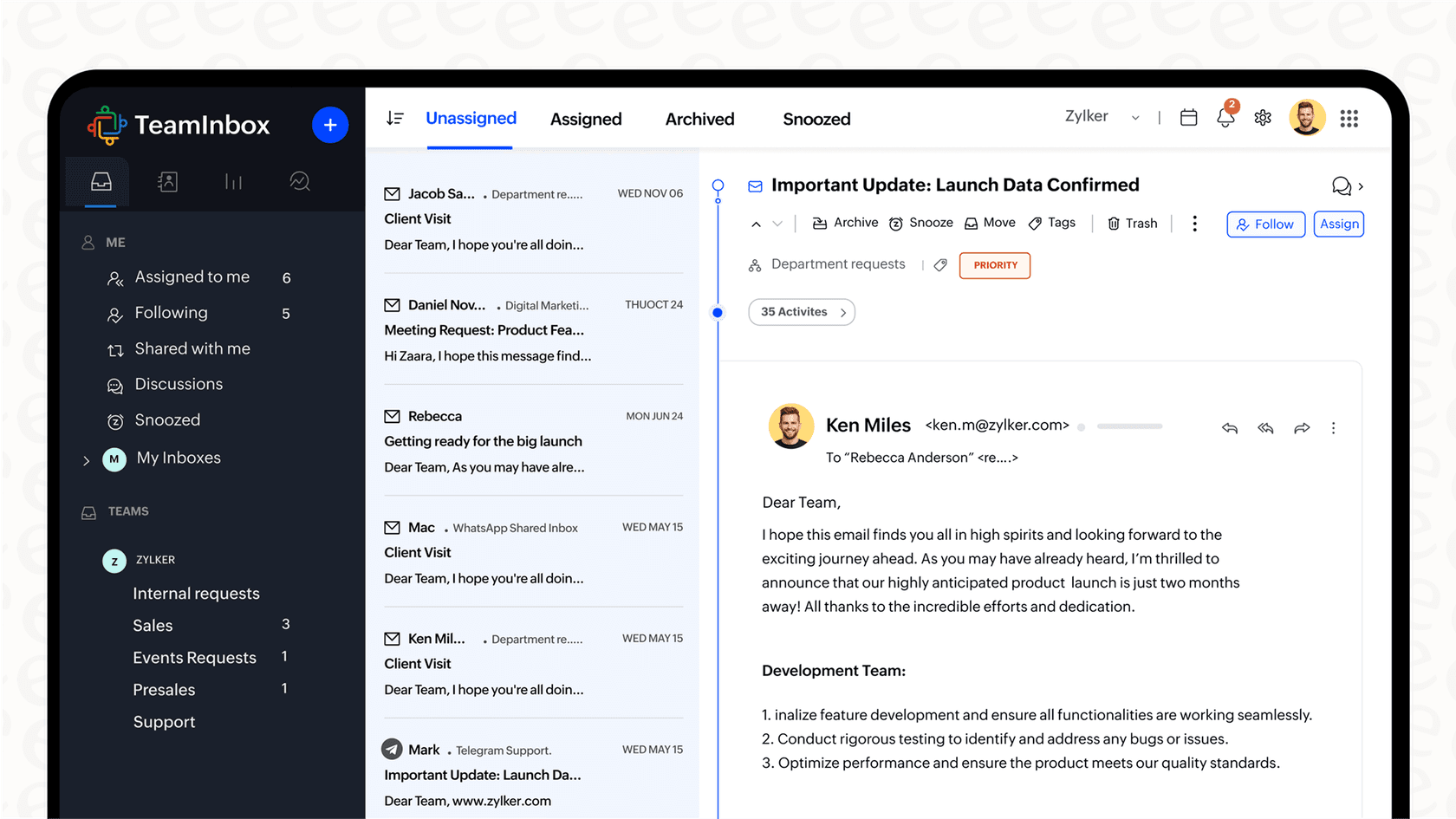
Zoho Desk is a multichannel helpdesk platform that helps businesses keep track of customer conversations. It pulls in requests from email, social media, live chat, and phone calls, putting them all into one dashboard so your support team has a single view of who needs help.
What is Zia?
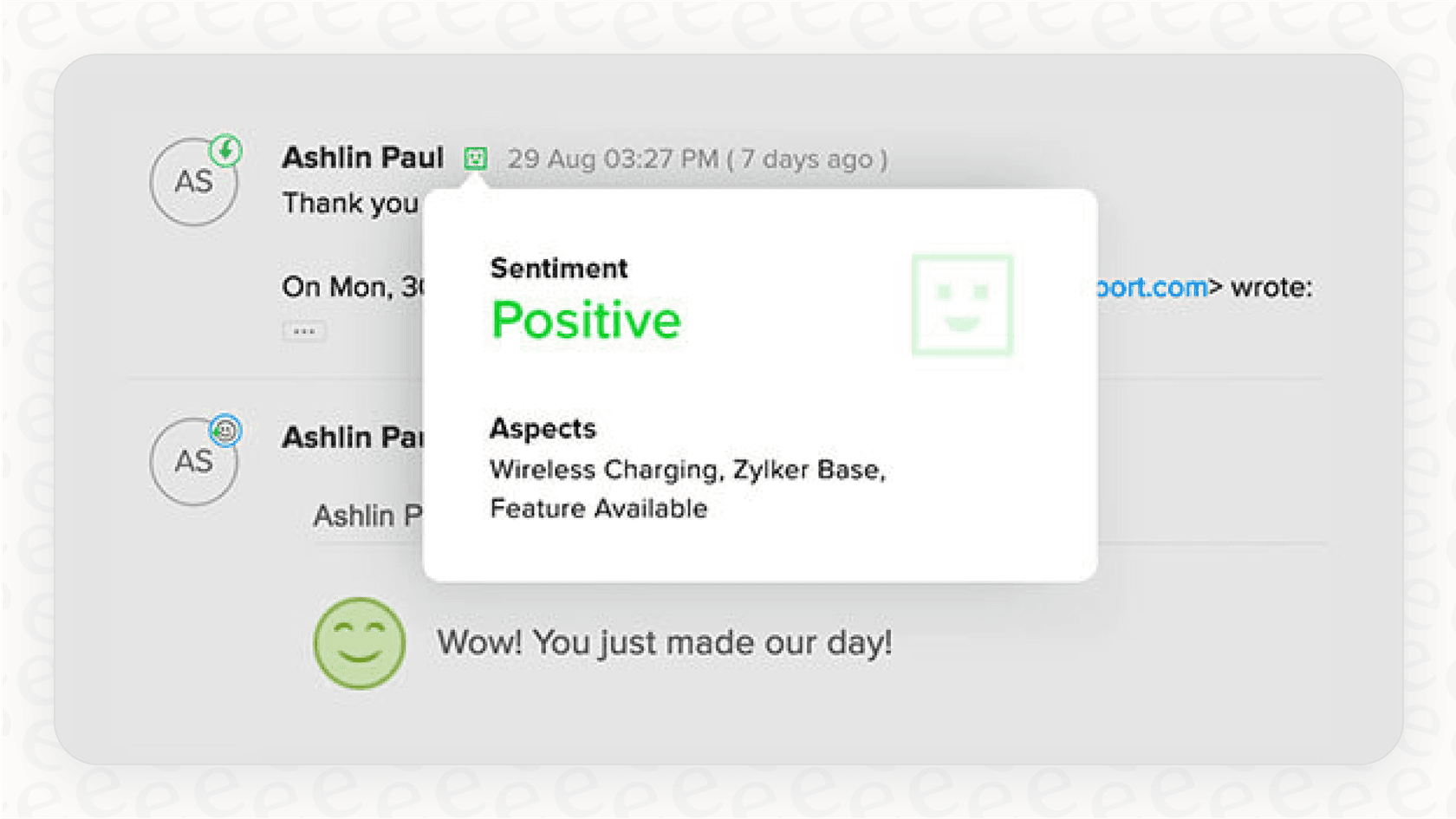
Zia is Zoho's AI-powered assistant that's built into its whole suite of products. In Zoho Desk, Zia is there to lend a hand with a few specific tasks. It can analyze customer messages to figure out if someone is frustrated, which helps agents spot high-priority issues. It also condenses long ticket threads into quick summaries so agents can get up to speed without reading a novel, automatically adds relevant tags to tickets, and can even suggest replies from your knowledge base.
What is escalation support in Zoho Desk?
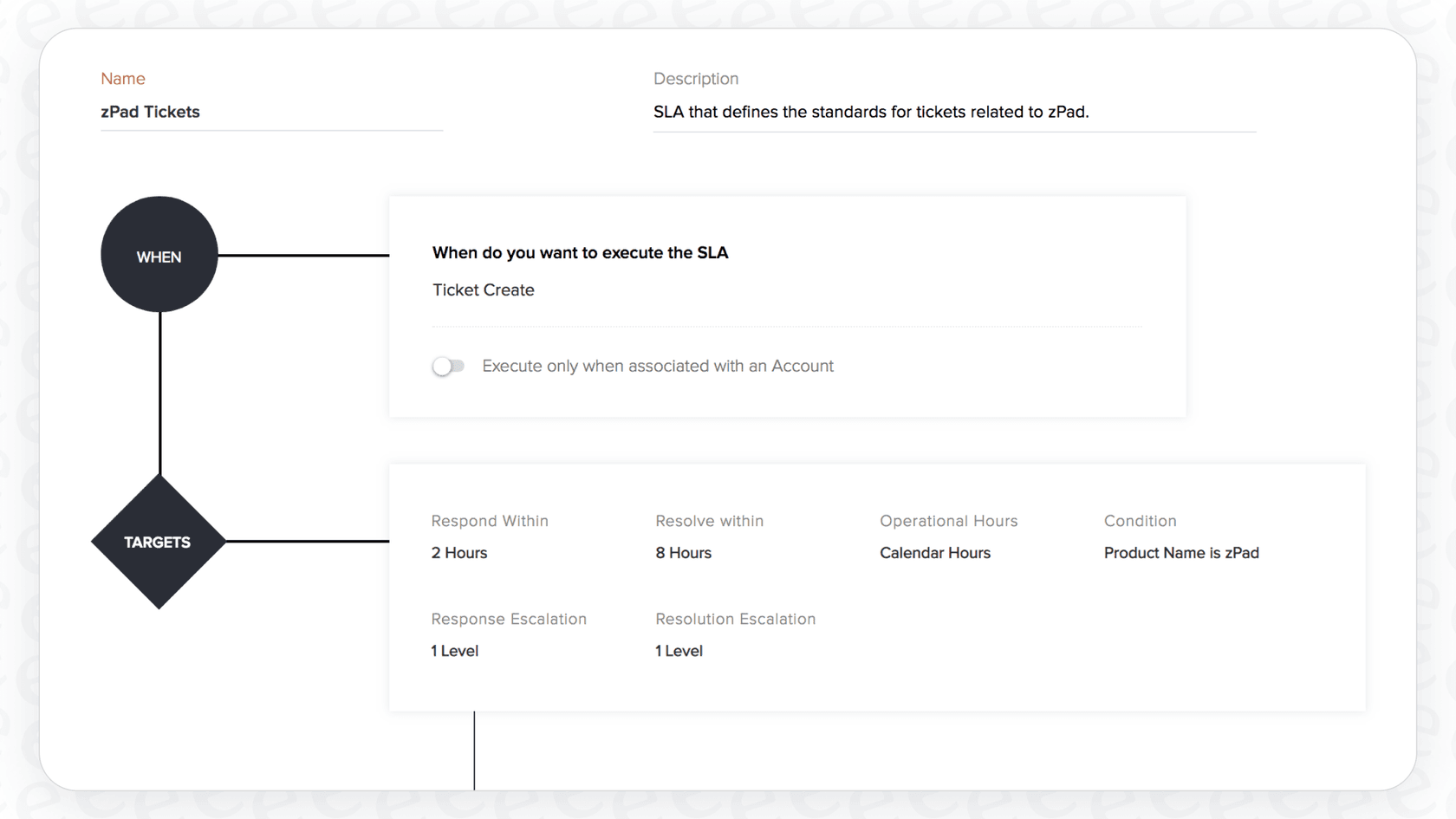
When you hear "escalation" in Zoho Desk, don't think of an intelligent system making judgment calls. It's really about a set of automation rules designed to keep tickets from going stale. The whole thing is built on Service Level Agreements (SLAs), which are basically just timers you set for how quickly your team should respond to and resolve tickets.
If a ticket misses one of these deadlines, the system can "escalate" it by pinging a manager or moving it to another team. At its heart, it’s a system based on time, not context.
How to set up Zoho Desk Zia Escalation Support (the traditional way)
Alright, here’s where things get messy. Building a full escalation workflow in Zoho Desk isn't a single, straightforward process. You have to patch together several different features, and if one link in the chain breaks, the whole thing can fall apart.
Zoho's SLA settings can notify managers, reassign the ticket and change its priority on their own, with up to two response and four resolution escalation levels. For anything beyond that, such as a custom status followed by a custom action, you chain three parts of the system:
-
Service Level Agreements (SLAs): This is your starting point. You define your goals, like "first response time for high-priority tickets is one hour." An escalation only happens when a ticket breaks one of these SLA rules.
-
Supervise Rules: This is a separate, time-based automation that runs once every hour, and it only checks tickets that received a customer response in the last 30 days. To make an escalation work, you’d need a rule here that says something like, "If a ticket's SLA is violated, change its status to 'Escalated'." It’s a background process that just looks for overdue tickets.
-
Workflow Rules: Now for the third piece. These are automations that trigger when something specific happens, like a field getting updated. After your Supervise rule changes the ticket status, you need another rule here to actually do something about it. This rule would look for any ticket with the "Escalated" status and then take an action, like sending an email alert to a manager.
Let that sink in for a second. A goal like "mark the ticket Escalated, then run a custom action on that status" requires you to build and connect rules in three different places. This creates a fragile setup that’s a pain to manage and even harder to fix when something inevitably goes wrong.
Leveraging Zia for smarter (but still limited) Zoho Desk Zia Escalation Support
Zia is meant to make this better, but it doesn't really change the rigid, rule-based foundation of Zoho's escalation system. Zia can offer up some smart insights, but it still has to rely on that same clunky automation engine to take any action.
Using Zia's insights for manual escalations
Zia adds a layer of intelligence, but it acts more like an advisor than a doer.
-
Sentiment Analysis: Zia might flag a ticket with negative sentiment, which is great for visibility. Zoho describes the sentiment as a signal for agents to prioritize. In practice an agent sees the flag and changes the ticket's priority, or you build yet another rule that triggers an action based on that sentiment.
-
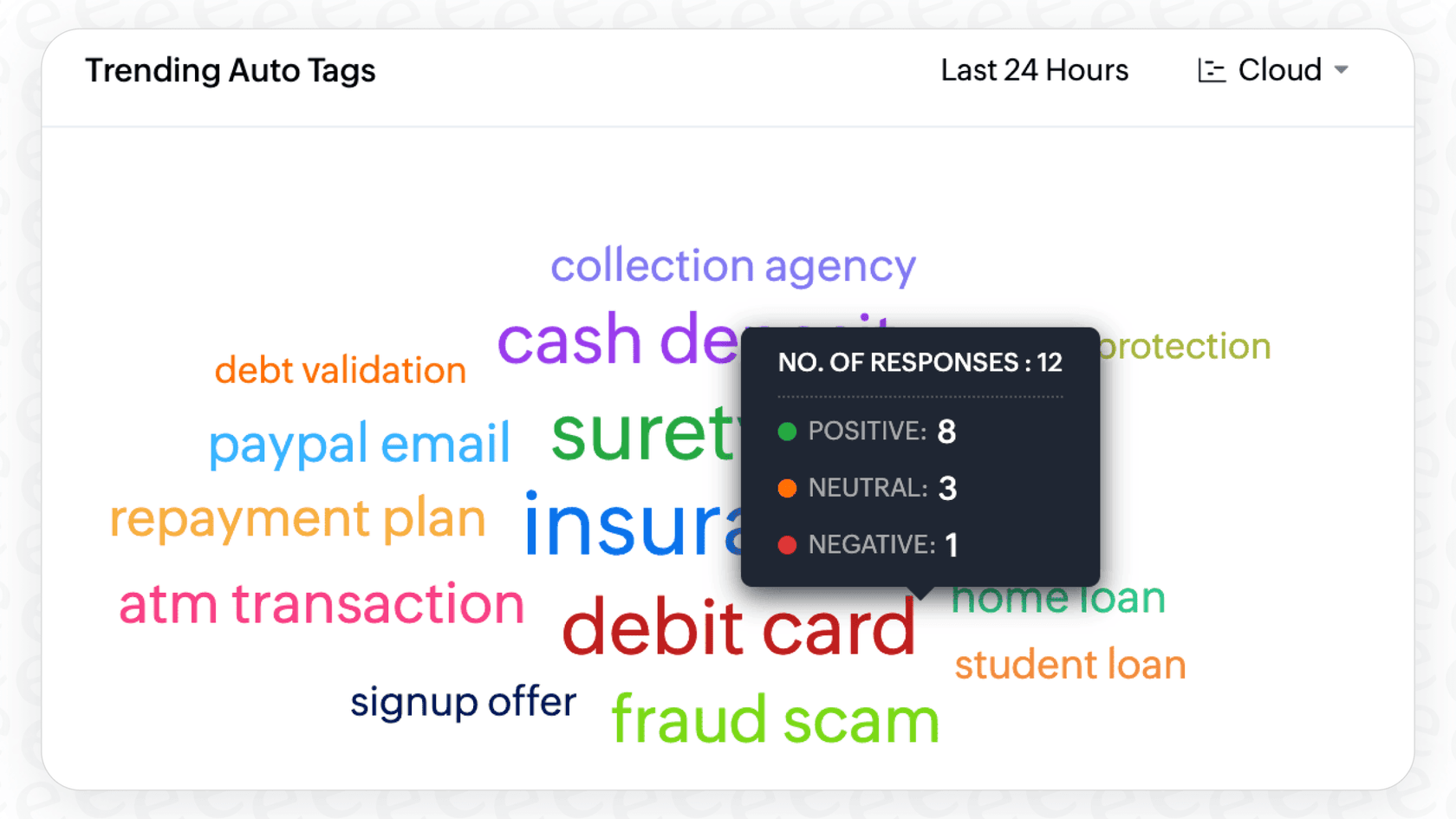
Auto-Tagging: Zia can tag a ticket with "Urgent" or "Billing Issue." This tag can then be used in your SLA or Workflow rules. It's helpful for routing, but it's still a clunky, two-step process. The AI points out the issue, but the old rule system has to do all the heavy lifting.
Core limitations of the Zoho Desk escalation workflow
The fundamental problem is that Zia’s AI brain and the escalation engine are two separate systems that don't really talk to each other.
-
Disconnected Systems: The AI gives you data points, but the escalation itself is triggered by a different set of rules. Instead of telling the AI, "Escalate this ticket if the customer seems confused and mentions a competitor," you rely on Zia tagging it right, and then build a rule that looks for that specific tag.
-
Lack of Autonomy: Zia's insights inform agents and rules rather than rerouting tickets themselves. Moving a ticket that is too complex for Tier 1 to a Tier 2 queue, with a note explaining why, still runs through assignment, workflow or SLA rules you configure, so agents keep some of that routing work.
This is a huge difference compared to a tool like eesel AI. Its AI Agent isn't just an add-on providing tips; it is the workflow engine. It can understand the full context of a ticket, pull knowledge from past tickets and documents, and take direct actions like escalating, triaging, or closing, all from one unified system.
| Capability | Zoho Desk with Zia | eesel AI Agent |
|---|---|---|
| Decision Trigger | Mostly time-based (SLA breach) or rigid rules (keyword match). | Context-based (customer intent, complexity, sentiment). |
| AI's Role | Informs the rules (e.g., adds a tag for a rule to find later). | Acts as the decision-maker and workflow engine. |
| Setup Complexity | High (requires chaining multiple rule types across the platform). | Low (configure actions directly within a single AI prompt editor). |
| Direct Actions | Limited (requires separate workflow rules to send alerts or change fields). | Fully autonomous (can escalate, tag, reassign, and call APIs directly). |
Zoho Desk Zia Escalation Support: Pricing and Zia availability
And then there's the cost. Zoho spreads its AI across the plan ladder, so the AI you want may sit a tier or two above where a smaller team starts.
The AI features that could make your Zoho Desk Zia Escalation Support feel smarter start at different tiers, and even then you're left with a rule engine that sits beside the AI.
Based on Zoho Desk's pricing page (when billed annually):
-
Express ($7/user/month): Multi-level escalations, generative AI (sentiment analysis, ticket summaries, smart replies) if you bring your own OpenAI or DeepSeek key, and AI Agents with up to 30M free tokens a month.
-
Standard ($14/user/month): Adds the Answer Bot, knowledge base and happiness ratings.
-
Professional ($23/user/month): Adds Zia's built-in generative, predictive and analytical AI, Blueprints, multi-department support and round-robin assignment.
-
Enterprise ($40/user/month): Adds Guided Conversations, skill-based assignment, a sandbox and a multi-brand help center.
| Feature | Express | Standard | Professional | Enterprise |
|---|---|---|---|---|
| Multi-level escalations | Yes | Yes | Yes | Yes |
| Generative AI (sentiment, summaries, replies) | Yes (your own OpenAI or DeepSeek key) | Yes (your own key) | Yes (built-in Zia) | Yes (built-in Zia) |
| Answer Bot | No | Yes | Yes | Yes |
| Zia built-in AI | No | No | Yes | Yes |
| Sandbox for testing rules | No | No | No | Yes |
A better way to manage escalations: Autonomous AI agents
The headaches with Zoho Desk point to a bigger shift in how modern support teams are looking at automation. Instead of getting tangled up in rigid rules, the future is about autonomous AI agents that can think, decide, and act on their own.
Unify all your knowledge for smarter escalation decisions
Zoho's Zia needs a perfectly organized and maintained knowledge base to work well. But in the real world, whose knowledge base is ever perfect? Modern AI tools like eesel AI are built for how teams actually work. They can instantly learn from all your company knowledge, no matter where it lives: your messy history of past tickets, internal wikis in Confluence or Google Docs, and your public help center. This gives the AI a deep, practical understanding of real customer problems and what actually solves them, which leads to much better escalation decisions.
Go beyond rigid rules with customizable AI actions
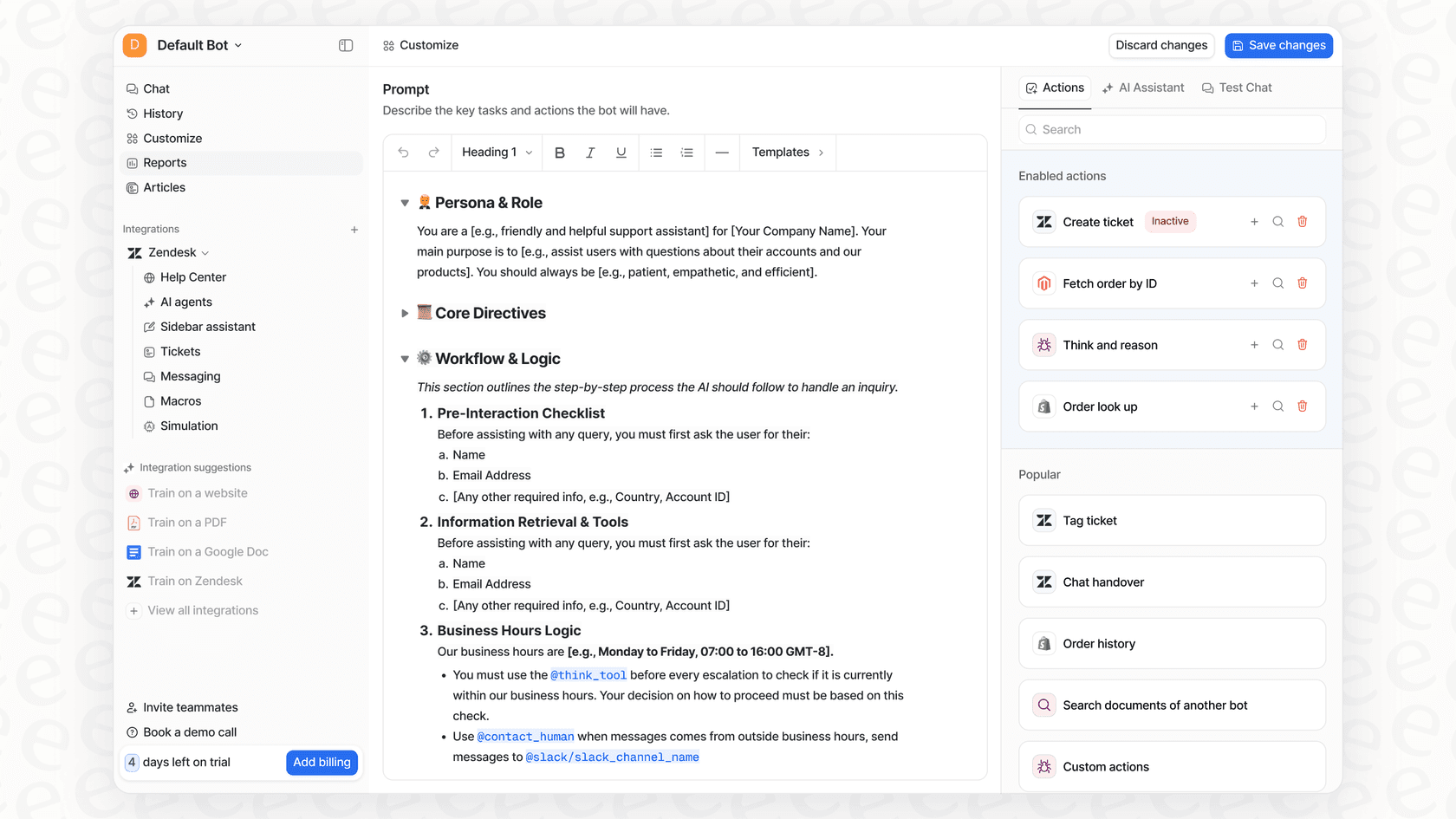
Instead of chaining together different rules in a confusing interface, an AI Agent from eesel AI uses a simple prompt editor. You can tell it what to do in plain English. For example:
"If a customer mentions a legal or payment security issue, immediately escalate the ticket to the 'Compliance' team and tag it as 'High-Risk'."
The AI gets the context and just does it. No need for separate SLA, Supervise, and Workflow rules. It’s all handled in one place by one intelligent agent that works right inside your existing helpdesk, whether that's Zendesk or Freshdesk.
Simulate escalations before you go live
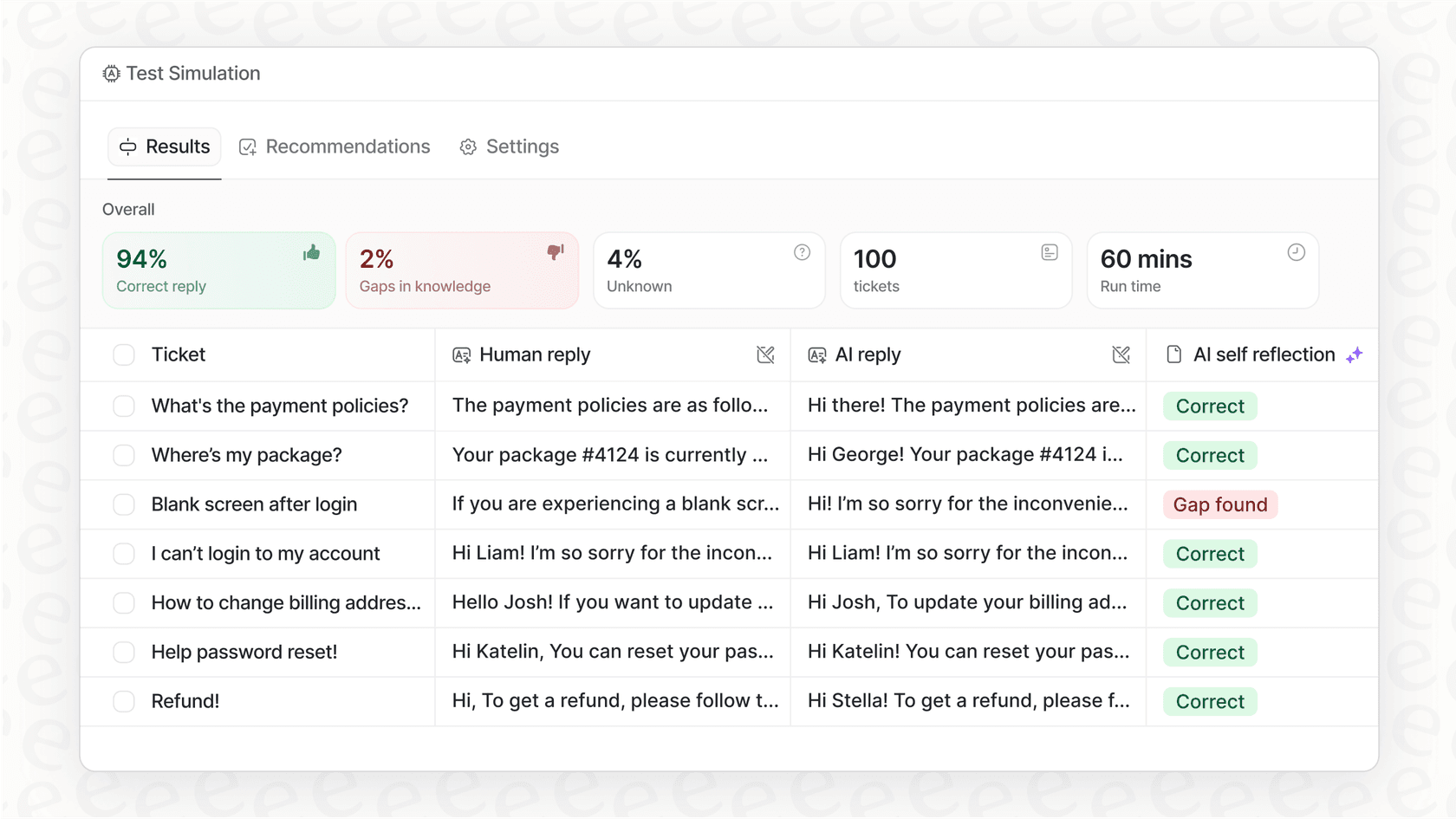
One of the biggest frustrations with Zoho's automation, which you'll see mentioned in their community forums, is that it can be a bit of a black box. You set it up, cross your fingers, and hope it works as expected. eesel AI fixes this with a powerful Simulation Mode. You can test your AI agent on thousands of your past tickets to see exactly how it would have responded, tagged, or escalated them. This lets you tweak its behavior and launch with confidence, knowing exactly how it will perform.
Time to rethink your escalation support
Zoho Desk Zia Escalation Support gives you a mix of tools that are powerful on their own but don't quite work together. The traditional escalations rely on rigid, time-based rules that are a hassle to set up and maintain. Zia adds some helpful insights but can't act on them directly, leaving your team to manually connect the dots.
The future of support automation is in unified systems where the AI is the workflow. Tools like eesel AI deliver this by connecting to all your knowledge, understanding the context of any conversation, and taking direct, customizable actions.
Stop wrestling with complicated rules and disconnected systems. See how eesel AI can streamline your workflows and handle your escalations intelligently. Start your free trial today.
Frequently asked questions
What exactly is Zoho Desk Zia Escalation Support, and how does it work?
Zoho Desk Zia Escalation Support refers to the system where tickets are flagged and acted upon if they breach predefined Service Level Agreements (SLAs). It combines Zoho Desk's rule-based automation with Zia's AI insights to prioritize and route urgent customer issues.
How complicated is it to configure Zoho Desk Zia Escalation Support using traditional methods?
Configuring traditional Zoho Desk Zia Escalation Support can be complex, requiring you to set up interconnected rules across SLAs, Supervise rules, and Workflow rules. This multi-step process often leads to a fragile setup that can be challenging to manage and troubleshoot.
What are the key limitations I should be aware of with Zoho Desk Zia Escalation Support?
A primary limitation is the disconnect between Zia's AI insights and the rigid, rule-based escalation engine. Zia provides insights like sentiment analysis for agents, and acting on them for escalation runs through priority changes by an agent or separate rules you build.
Can Zia automatically escalate tickets based on customer sentiment within Zoho Desk Zia Escalation Support?
Zia can perform sentiment analysis and flag tickets. Zoho's documentation presents sentiment as a signal that helps agents prioritize and head off escalations, so an agent typically changes the ticket's priority, or you build additional rules around Zia's tags.
Which Zoho Desk plan is required to access the full features of Zoho Desk Zia Escalation Support?
You do not need Enterprise. Multi-level escalations are on every paid plan from Express ($7), sentiment analysis and summaries run on Express with your own OpenAI or DeepSeek key, the Answer Bot is on Standard ($14), and Zia's built-in AI starts on Professional ($23).
How does the approach of Zoho Desk Zia Escalation Support differ from more autonomous AI agents for ticket management?
Zoho Desk Zia Escalation Support largely relies on rigid, time-based rules informed by Zia's insights, requiring manual configuration across multiple modules. In contrast, autonomous AI agents (like eesel AI) act as the workflow engine, understanding full ticket context and taking direct actions based on plain English prompts within a single, unified system.