


What is Make?
Make is a no-code automation platform. It started life as Integromat in 2015 and is now part of Celonis. You build scenarios on a visual canvas by chaining modules, where each module does one thing in one app: watch a Google Sheet, create a Zendesk ticket, post to Slack. Make says 500,000+ teams build with it, across 3,500+ apps out of the box, and anything with an API can be added as a custom app.
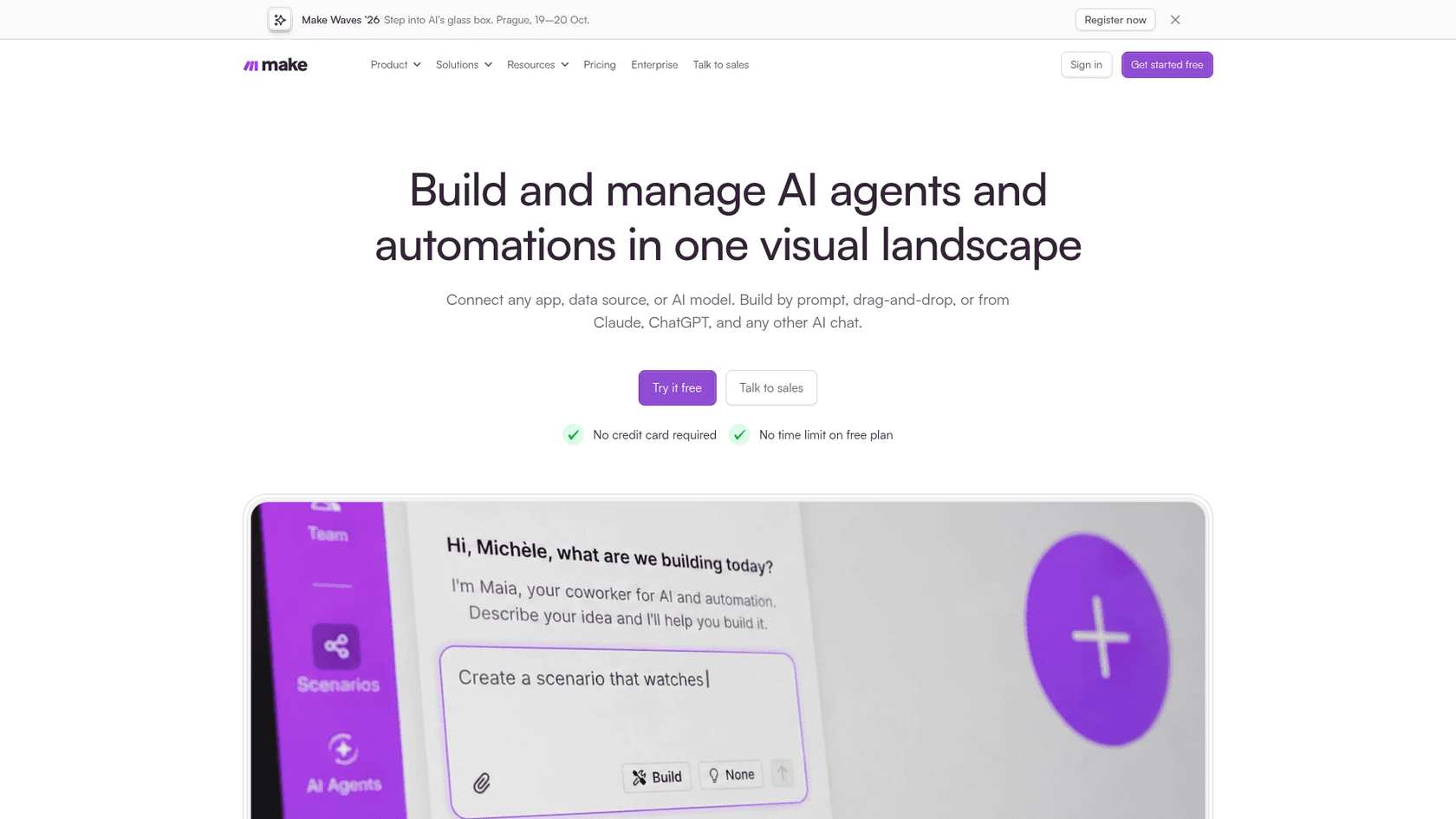
It sits in the same workflow automation category as Zapier and n8n, and Make's own homepage links straight to its comparisons with both. If that's your shortlist, start with Make vs Zapier and Make vs n8n, or the three-way AgentKit vs Make vs n8n.
How I reviewed Make
I'm Rama, and I build eesel's helpdesk integrations and APIs, so I spend my week in the same Zendesk and Gorgias APIs a Make support scenario calls. For this review I read Make's pricing page and FAQ, the help center pages on credits, operations, AI agents and Maia, the Zendesk app reference, and every 2026 release note. I also read community comments from Reddit, G2, Capterra and Hacker News. Prices come only from Make's own pages, checked today.
Scoring: I weighted the builder and value heavily, because that's why people pick Make. I also counted how predictable the bill is and how much work a support team carries to get a reliable AI agent into production.
What Make gets right
Make earns its reputation in four places: the canvas, the entry price, a fast-growing AI layer, and the governance you get on the higher plans.
The scenario builder is still the friendliest canvas
The editor is a row of round modules joined by dotted lines. After a run, a small bubble above each module shows how many operations it used, and you can click it to inspect every bundle that passed through. Routers split a flow into branches, filters sit on the connections, and error handlers catch failures. Both routers and error handlers are free: Make doesn't charge credits for them, per the pricing FAQ.
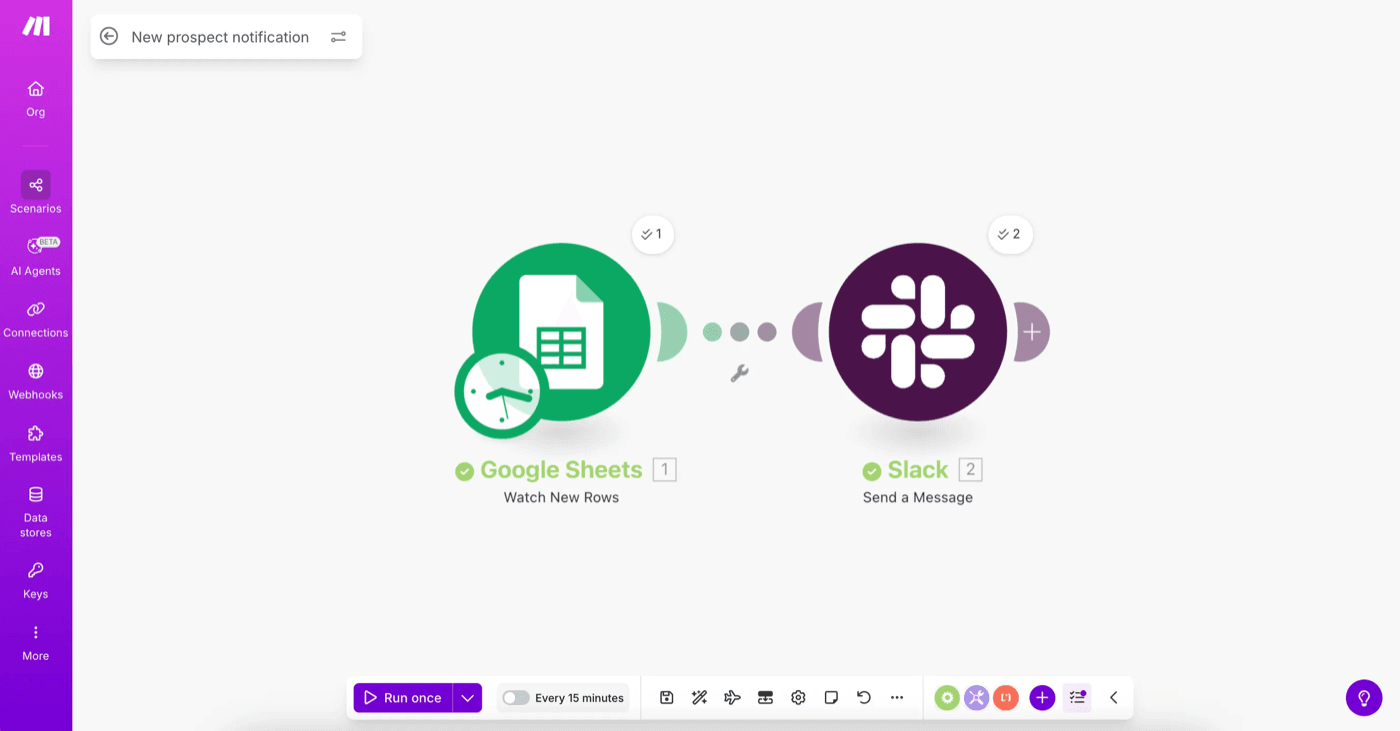
When the no-code options run out, there's an HTTP module for any API, a "Make an API Call" module inside most apps, and Make Code for JavaScript or Python on paid plans. That range, from drag-and-drop to code, is why Make shows up near the top of my best workflow apps list.
"Make has slightly better ability to visualise data pass through a scenario (seeing specific bundles per Scenario execution), and it has a neat Grid feature that lets you get a Birds Eye overview of all the Scenarios you have and all the connections."

"I find it more versatile and its interface is more intuitive than Zapier's. For closed and static processes, automating them with Make is more economical than using LLM credits."

The entry price is low
The Free plan is $0 with no time limit and no card. Paid plans start at $9 a month for 10,000 credits on annual billing, which works out to $0.90 per 1,000 credits on Core. For a small team automating a handful of jobs, that's hard to beat. Every plan, Free included, comes with unlimited users.
The AI layer grew up fast this year
Make shipped more AI in 2026 than in the previous few years combined:
- Make AI Agent (New), released February 2, 2026 and in open beta on all plans. An agent lives inside a scenario, with instructions, knowledge files and tools. Its tools can be modules, whole scenarios, MCP server tools or other agents, and a reasoning panel shows each decision step by step.
- Maia, launched in the release notes on August 12, 2026. You describe a scenario in plain language and Maia builds or troubleshoots it in the Scenario Builder.
- Make MCP server, so AI tools like Claude or ChatGPT can connect to your scenarios. September also brought an official Make plugin for ChatGPT.
- Model choice. With Make's AI Provider you don't need your own AI account, and paid plans can plug in their own OpenAI or Anthropic keys instead.
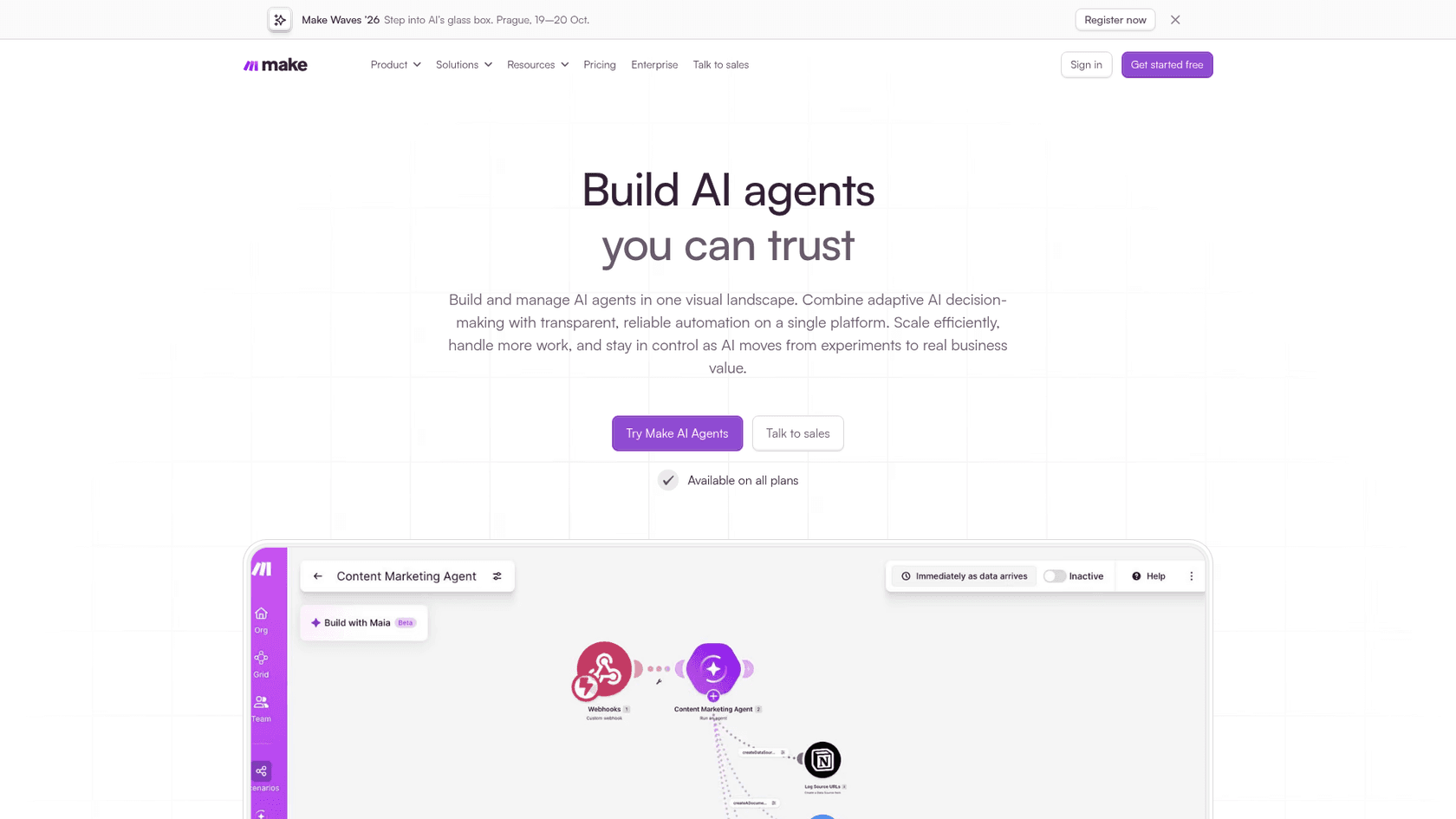
I like how honest Make's own docs are about where agents fit. Its introduction to AI agents says to use a standard scenario when the same input should always give the same output, an AI app step for translating or summarizing, and an agent only for judgment calls. It also says to pick tasks "that you trust an intern to handle". That's good advice for any AI agent, and it's the same line I'd draw.
Governance is solid once you pay for it
Make is GDPR compliant and SOC 2 Type II and SOC 3 certified, per its homepage. Paid plans add Make Grid, an auto-generated map of every scenario and dependency, and Teams adds team roles and shared templates. Enterprise adds audit logs, custom roles, an on-prem agent and overage protection, so scenarios keep running when credits run out.
Where Make asks more of you
None of these are dealbreakers. They're the costs the "$9 a month" headline leaves out.
Credits follow bundles, not runs
This is the single most misunderstood part of Make. A credit is spent every time a module processes a bundle, which is one item of data: one email, one row, one ticket. Make's operations guide uses this example: a scenario watches a Google Form, gets 10 new responses, then creates a document, downloads it and emails it for each one. The trigger costs 1, each of the next three modules runs 10 times, and the run costs 31 operations, not 4.
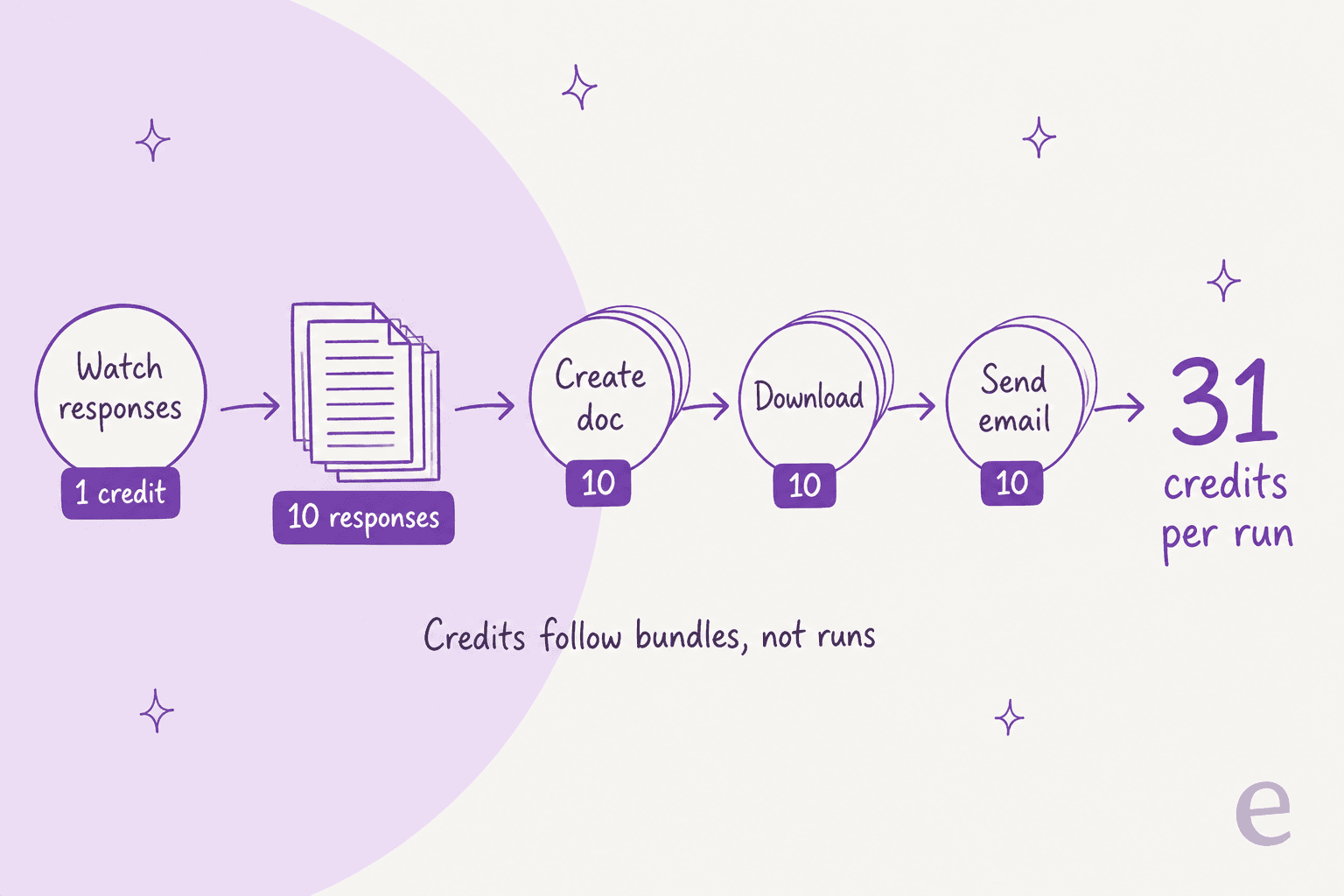
The fix is design, and Make's guide shows it: a Text aggregator that combines the items into one email cut a similar run from 11 operations to 3. Good Make builders think in bundles. New ones find out from the bill.
Polling triggers spend credits while nothing happens
Most "Watch" modules are polling triggers. They check an app for new data on a schedule, and Make's operations guide counts each check as one operation. Paid plans let you schedule down to every minute. A month has about 43,200 minutes, so a single scenario polling every minute can spend 43,200 credits a month before it processes anything. That's more than four times the 10,000-credit plan.
Instant triggers avoid this. The app notifies Make through a webhook only when new data arrives. Make's Zendesk app has instant modules for exactly this reason. Check every trigger's type before you switch a scenario on.
"I currently use the Core plan with 10,000 credits per month, but during a recent month of development and testing, I used approximately 28,000 credits. This makes it difficult to predict costs, especially when troubleshooting scenarios that require multiple executions."
Testing counts too, as that reviewer found. Runaway loops are the other classic surprise, and they can take your balance below zero:
"If you make an infinity loop accidentally, you can zap all your credits and even go into a deficit."
AI steps are billed by tokens, and building with Maia costs credits too
Fixed actions cost 1 credit. AI features are dynamic. With Make's AI Provider, an agent run costs 1 credit per operation plus credits based on AI tokens, and uploading knowledge files adds embedding tokens, per the AI agent credit guide. If you bring your own OpenAI or Anthropic key on a paid plan, Make charges only the operations and your provider bills the tokens.
Maia draws from the same credit pool as your scenarios. Paid plans get the first 70 messages free for 30 days, and the Free plan gets 45 messages in a 30-day trial. After that, each reply costs credits based on task complexity. The two examples in Make's own docs show replies costing 140.04 and 160.18 credits.
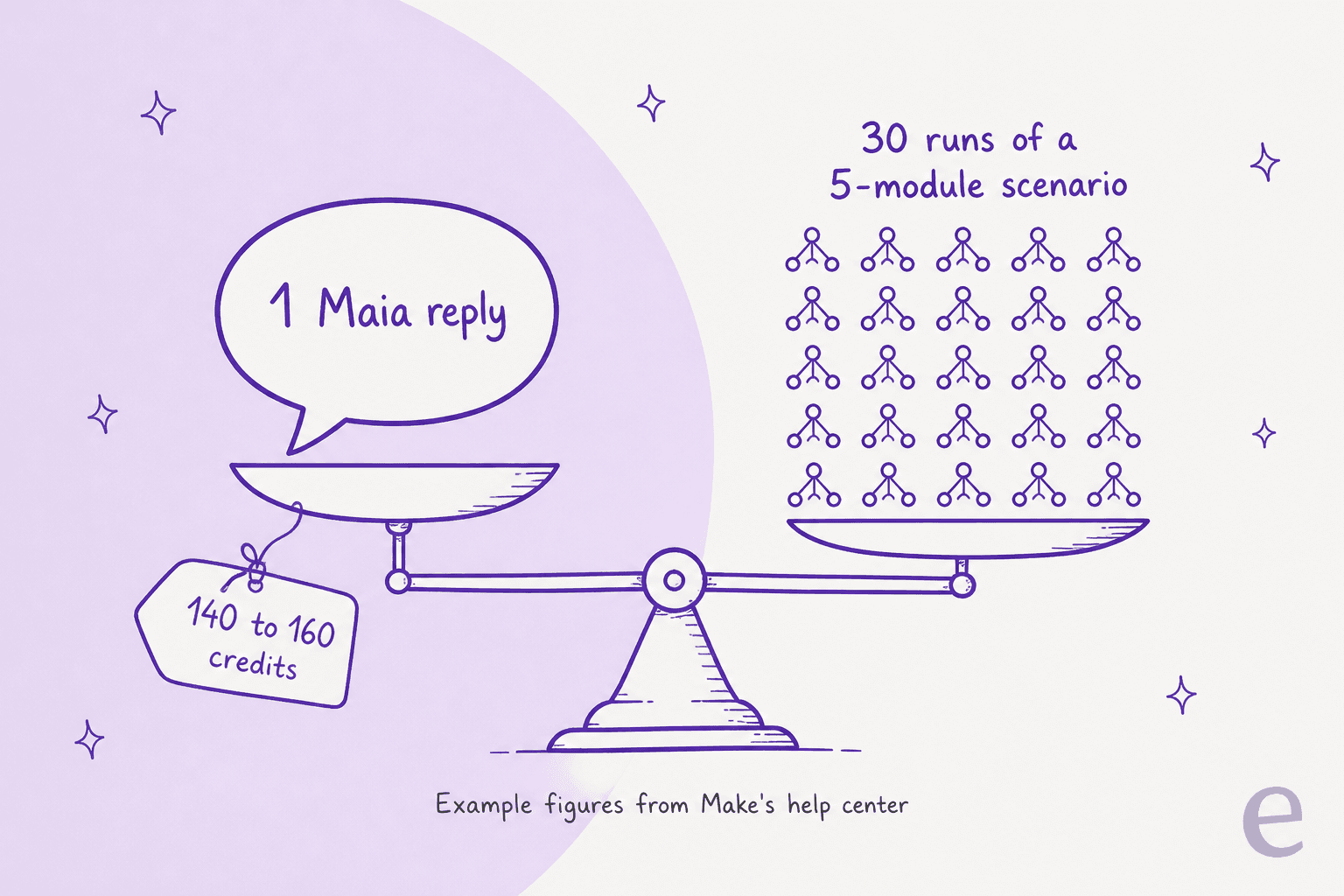
That's not a reason to skip Maia. It's a reason to know that a long back-and-forth while building can cost more than weeks of running the finished scenario on a small plan. If token math is new to you, my LLM token explainer covers it.
You own the upkeep when apps change
Make maintains its app modules, but your scenarios still break when a vendor changes its API. Make's 2026 release notes list 91 entries from January 9 to October 16, and 20 of their titles flag an action required, a deprecation, a retirement or a migration: Stripe, Shopify inventory updates, Aircall's V2 API, OpenAI's legacy models and more. Each one is a chance a scenario quietly stops, which is why I treat automated workflows as something you maintain, not something you finish.
"While the visual interface is great, the learning curve can be quite steep once you start building more complex scenarios. Understanding how to properly use iterators, aggregators, and mapping complex data structures took me quite a bit of trial and error."
"Error handling can also be a little unforgiving: a temporary HTTP/network issue can deactivate an instant scenario if no retry handler has been configured."
The learning curve sits on top of that. The builder is friendly, but data mapping, iterators, aggregators and error routes take time to learn, and that's what most negative reviews mention.
How much does Make cost in 2026?
Make prices by credits per month. Most module actions cost 1 credit, and the plan sets both your credit pack and your features. Here's the grid from the pricing page at the default 10,000-credit size, as shown to me today:
| Plan | Annual billing (per month) | Monthly billing | Credits / month | What you get and the limits |
|---|---|---|---|---|
| Free | $0 | $0 | 1,000 | 2 active scenarios, 15-minute minimum interval, 5-minute max run, 7-day logs, no Make Code |
| Core | $9 ($0.90 per 1,000) | $10.59 | 10,000 | Unlimited active scenarios, 1-minute scheduling, 40-minute max run, Make API, Make Grid, 30-day logs |
| Pro | $16 ($1.60 per 1,000) | $18.82 | 10,000 | Priority execution, custom variables, full-text log search, annual credits that last 12 months |
| Teams | $29 ($2.90 per 1,000) | $34.12 | 10,000 | Teams and team roles, shareable scenario templates |
| Enterprise | Custom | Custom | Custom | Enterprise apps, custom functions, audit logs, overage protection, 24/7 support, 60-day logs |
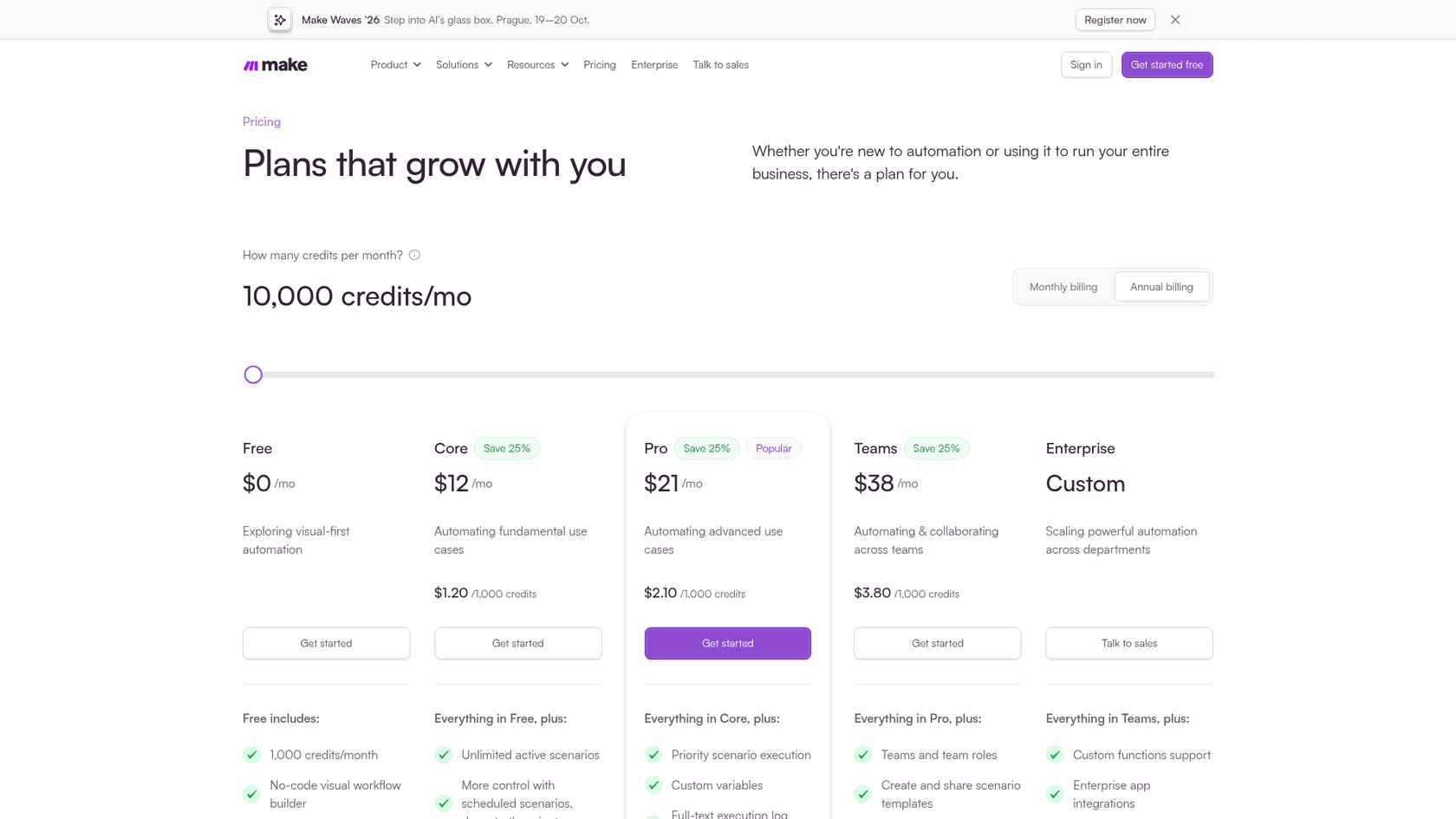
Four things the grid doesn't make obvious:
- Make is showing two price cards right now. In my browser the annual prices were $9, $16 and $29 with "Save 15%" badges. A capture of the same page on the same day, shown above, showed $12, $21 and $38 with "Save 25%". Which one you get seems to vary by visit, so read your own page before you budget.
- The price per credit drops as you move the slider. Bigger packs cost a little less per 1,000 credits. In my browser, about 13,772 credits a month was $12 on Core annual, so you don't pay the 10,000-credit rate forever.
- Unused credits expire. On monthly billing they reset each month. Annual billing on Pro and Teams lets credits last 12 months. Core doesn't get that flexibility.
- Running out pauses your scenarios. Webhook data queues and polling scenarios catch up later, but nothing runs until you add credits. You can buy extra packs of 1,000 or 10,000, or turn on auto-purchase. Overage protection is Enterprise only.
Make Code is billed separately at 2 credits per second of execution, so a 3-second script costs 6 credits each time it runs.
Plug your own numbers in below. It uses Make's rule of 1 credit per module action and 1 per polling check, and puts eesel's per-ticket math next to it for support work. My Make pricing guide has more worked examples.
What users say about Make
Ratings are high. Make holds 4.6/5 from 399 reviews on G2 and 4.8 from 409 on Capterra, where ease of use scores a lower 4.3. G2's most-tagged cons are learning curve and error handling, seven mentions each. Value is the most common praise:
"Make offers very good value for the price, especially for complex workflows that would otherwise require custom development."
People who use both Make and n8n tend to land on the same split I did: Make for speed and polish, n8n for code-heavy, high-volume work.
"If your workflows are less than ~8-10 steps, Make is usually cheaper. Self hosting n8n is cheap, but it's not as easy as it might sound, and you have to be on top of updates and changes."
Developers are the toughest crowd, because clicking together a loop and an error route can be slower than typing it. That's a fair point now that coding agents can write glue scripts too, which I cover in my Claude Code automation guide.
"Make.com used to drive me bonkers when it took 10+ minutes to create all the nodes in the UI to handle loops, errors, etc. when I could normally just write a few lines of code to handle it."

On AI agents, the most useful take I found was a reminder that the agent node isn't the hard part. Builders agree that the model, prompt and tools look similar across platforms, and the pricing and surrounding platform are what differ:
"The agent is just a node that has a prompt, a model and a connection to tools. If you the same first two only, you will get almost the same results."
I agree, and it's why I'd judge any agent by the work around it: knowledge, handoffs and testing. My list of AI agent examples shows what that looks like in practice. I couldn't find an independent user verdict on Maia yet. The threads about it so far are Make's own posts.
Should a support team use Make?
Make has real depth for helpdesks. The Zendesk app has 28 modules: watching tickets, views, comments and articles, creating and updating tickets, side conversations, users and organizations, plus a Make an API Call module for anything else. Make's August 28 release notes also list expanded Gorgias tools. Make's own AI agent docs name customer support ticket triage as the first example agent.
So the plumbing is covered. What's missing is everything that makes an AI reply safe to send. You'd build the brand detection, the order lookups, the handoff rules, the business hours, the "don't answer this one" filters and the testing yourself, inside a beta agent app. That's where Make's intern advice bites: a customer-facing reply isn't an intern task, and a confident wrong answer costs more than a slow one. My guide to AI hallucinations in support explains why.
"Make is powerful, but some important configuration and runtime behaviour is difficult to inspect and verify. In particular, concurrency, sequential processing, webhook response behaviour, linked-record searches, and the difference between configuration state and actual runtime behaviour can be difficult to establish."
That reviewer uses Make to turn customer enquiries into structured records. For a reply that goes out under your brand, you want the opposite: every decision visible, with a human in the loop wherever the agent isn't sure.
Here's how I'd split the work. Make's own guidance covers the first three steps. The fourth is a different kind of job.
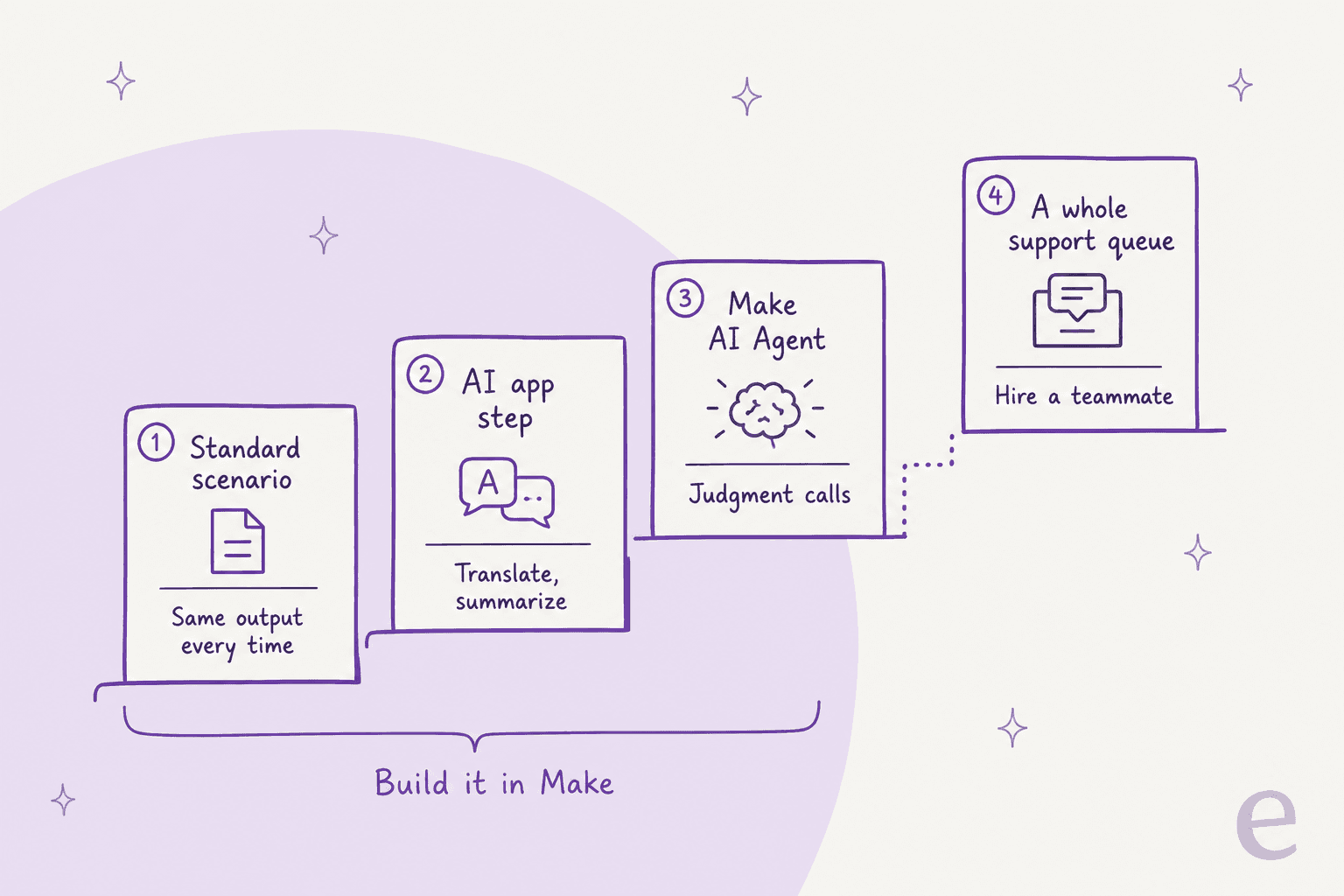
- Use Make for the plumbing: syncing tickets to a CRM or sheet, Slack alerts on VIP tickets, weekly reports, and AI ticket classification where a wrong label is cheap. My guide to automating ticket triage is a good place to start.
- Hire for the queue: answering customers, handing off to people, and learning from your ticket history. That's the job of an AI teammate that arrives with the helpdesk skills, instead of one you assemble.
Amagency shows why. It runs customer support for Hoover Australia, Hoover New Zealand, Cubii Australia and Peace Hive from one Gorgias account. On every new ticket, eesel skips marketing mail and system alerts, works out the brand from clues like the domain, currency and postcode, checks the order in the right store, matches parts by model number, and leaves a ready-to-send draft as an internal note. Between August 8 and September 8, 2026, it prepared about 350 Gorgias tickets, wrote about 460 draft replies and left about 900 internal notes. Each of those steps would be its own branch, lookup and error route in a Make scenario. More on that setup in my AI for Gorgias guide, and my roundup of the best AI for Gorgias compares the options.
Whichever path you take, test before anything touches a customer. My AI support pilot scorecard sets the bar, and my guide to AI support agent testing covers the test itself. If you're weighing the cost, my AI agent cost breakdown runs the numbers.
Make vs Zapier vs n8n, briefly
All three connect apps. They differ in who they're built for and what they count:
| Make | Zapier | n8n | |
|---|---|---|---|
| Builder | Visual canvas with routers and loops | Linear steps, easiest to start | Node canvas with code in any step |
| Billing unit | Credits per module action (pricing) | Tasks (pricing) | Executions per full workflow run (pricing) |
| Hosting | Cloud only | Cloud only | Cloud or self-hosted |
| Best for | Non-developers building complex flows | Simple, fast automations | Technical teams who want control |
Make is the middle ground: more power than a linear builder, less code than n8n. My n8n review covers the other end, and Gumloop vs Make compares Make with an agent-first builder. For a wider list, see my Make alternatives.
Make pros and cons
| Pros | Cons |
|---|---|
| Friendliest visual canvas for complex, branching flows | Credits follow bundles, so costs scale with data volume |
| Free plan with no time limit; paid plans from $9/month annual | Polling triggers spend credits even when nothing is new |
| Routers and error handlers cost no credits | AI steps and Maia are billed by tokens, harder to predict |
| 3,500+ apps, HTTP module and Make Code | Make AI Agents are still in open beta |
| Maia builds and fixes scenarios from plain language | Learning curve for mapping, iterators and aggregators |
| SOC 2 Type II, SOC 3, GDPR; Make Grid on paid plans | Two price cards on the pricing page right now |
| MCP server and ChatGPT plugin | Unused credits expire; overage protection is Enterprise only |
Who Make is for, and who should skip it
Pick Make if you're an ops, marketing or support lead who wants to automate across many tools without writing code, your flows branch and loop, and you'd rather not run servers. It's also a good fit for agencies building client automations, and for anyone who's outgrown a linear builder.
Skip Make if you need a finished support agent this month and nobody wants to maintain one, or your workloads are long-running and high-volume, where per-run pricing in n8n can work out cheaper. If you're weighing builders against ready-made agents more broadly, my no-code AI agent builder guide and Voiceflow review cover the same trade-off from other angles.
My verdict: 4.1/5
| Area | Score | Why |
|---|---|---|
| Building power | 4.6 | Routers, iterators, aggregators, error routes, HTTP and code |
| Ease of use | 4.3 | Friendliest complex canvas, but mapping takes time to learn |
| AI and agents | 3.9 | Maia, agents, MCP; agents in beta, token billing |
| Pricing and value | 4.0 | Cheap entry, but bundles, polling and AI make bills hard to predict |
| Fit for support teams | 3.5 | Strong helpdesk modules; the agent, handoffs and testing are yours |
| Overall | 4.1 | The best visual builder for non-developers, if you design for credits |
Make is the best visual automation builder for teams without developers, and Maia makes the first scenario easier to build than ever. Score it as what it is, a toolkit. If you want to build automations and own them, Make is a great place to do it. If what you need is a teammate who already knows how to work your helpdesk queue, don't spend a quarter turning a toolkit into one.
Hire eesel for the queue, keep Make for the glue
eesel is the other half of that split. Make gives you the parts. With eesel, you hire ready-to-work AI teammates for specific jobs. The AI helpdesk teammate joins your Gorgias queue or Zendesk, learns from past tickets and your help center, and gets tested against historical tickets before it answers a customer. The AI blog writer does the same job for content.
If you like Make because you like control, the eesel CLI is the part to look at. It's the same teammate as the dashboard, driven from your terminal. npx @eesel/cli init chat-bubble --site https://your-site.com creates an agent that reads your site, with no account needed to start. eesel integrations connect zendesk starts the helpdesk connection, which a person approves in Zendesk. eesel automations and eesel instructions manage what it does on its own, and eesel approvals approve <id> releases held actions. Every command prints JSON and --dry-run shows the exact call a write would make, so Claude Code, Cursor or Codex can run the setup for you. eesel mcp token also turns your workspace into an MCP server. Make AI Agents can use MCP server tools, so that's one way to connect the two, though I'd test the pairing before relying on it. My customer support CLI guide covers the bigger picture.
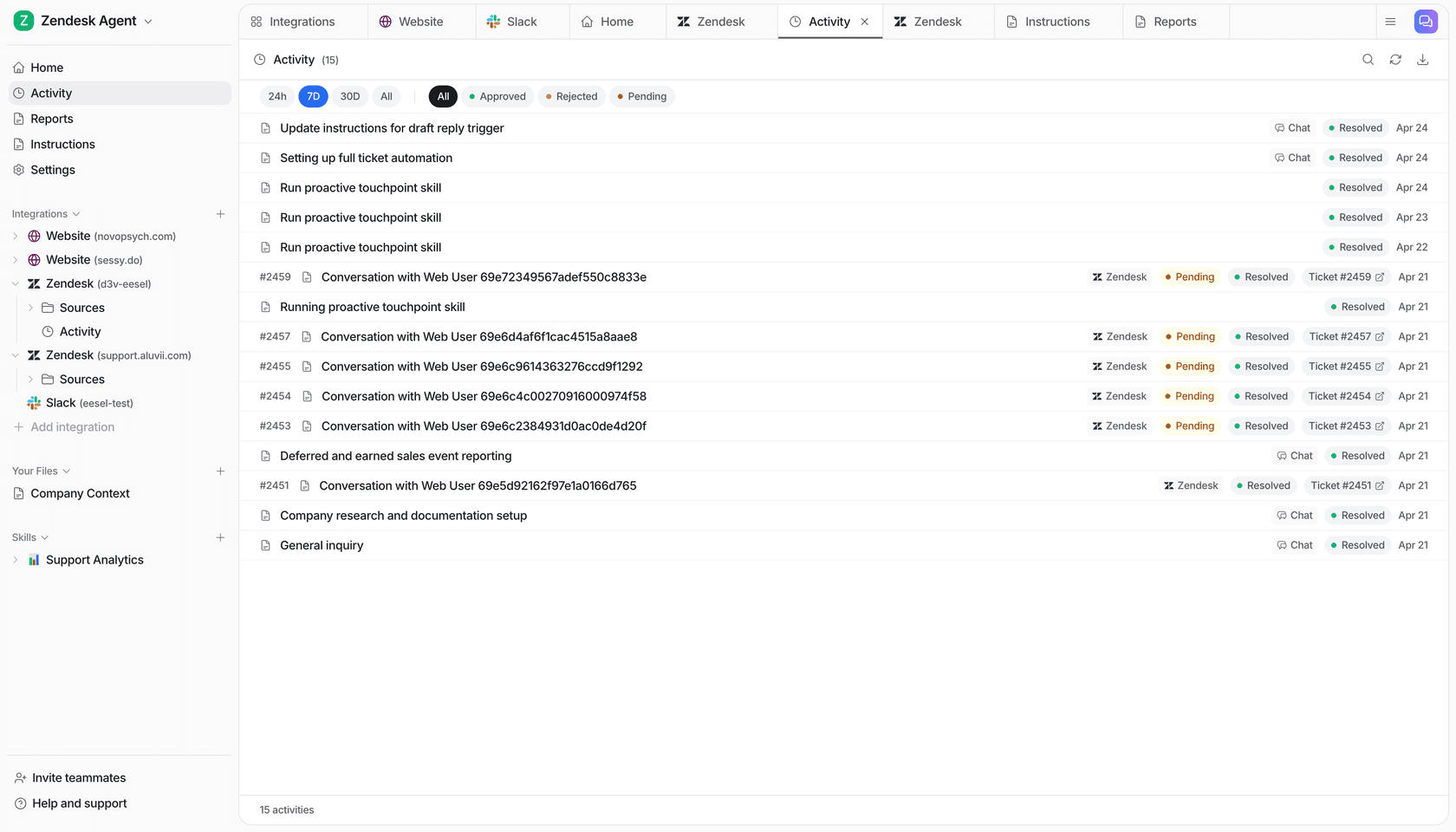
Pricing is fixed monthly credit plans from $299 for 500 credits, where a ticket or chat is 1 credit however many steps it takes, and there's a free trial with 100 credits. Keep your Make scenarios for the glue, and let a teammate who already knows your helpdesk take the queue. Try eesel.